
What's new in 1.72
Two things in this update we'd like to tell you about in particular.
A second, sharper depth map for the centre. This update adds double depth processing: a second depth map made just for the centre of the picture. Later we plan to add foveated rendering for headsets with eye tracking, so the sharp depth map follows wherever you are looking. This works especially well in 3D games, where attention sits in the middle of the screen: the picture there gets sharper, and at a higher frame rate.
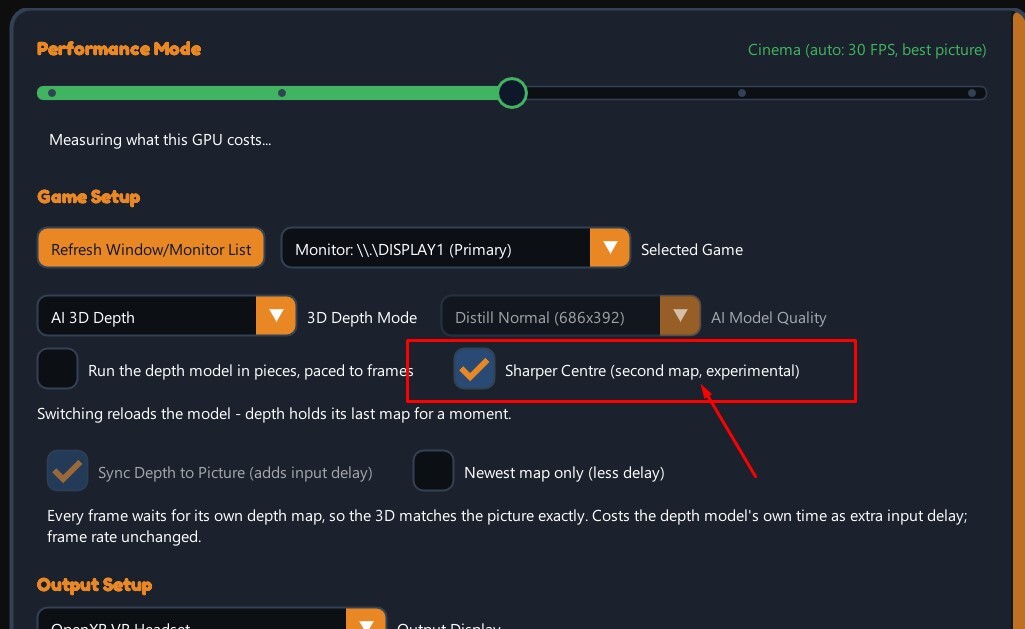
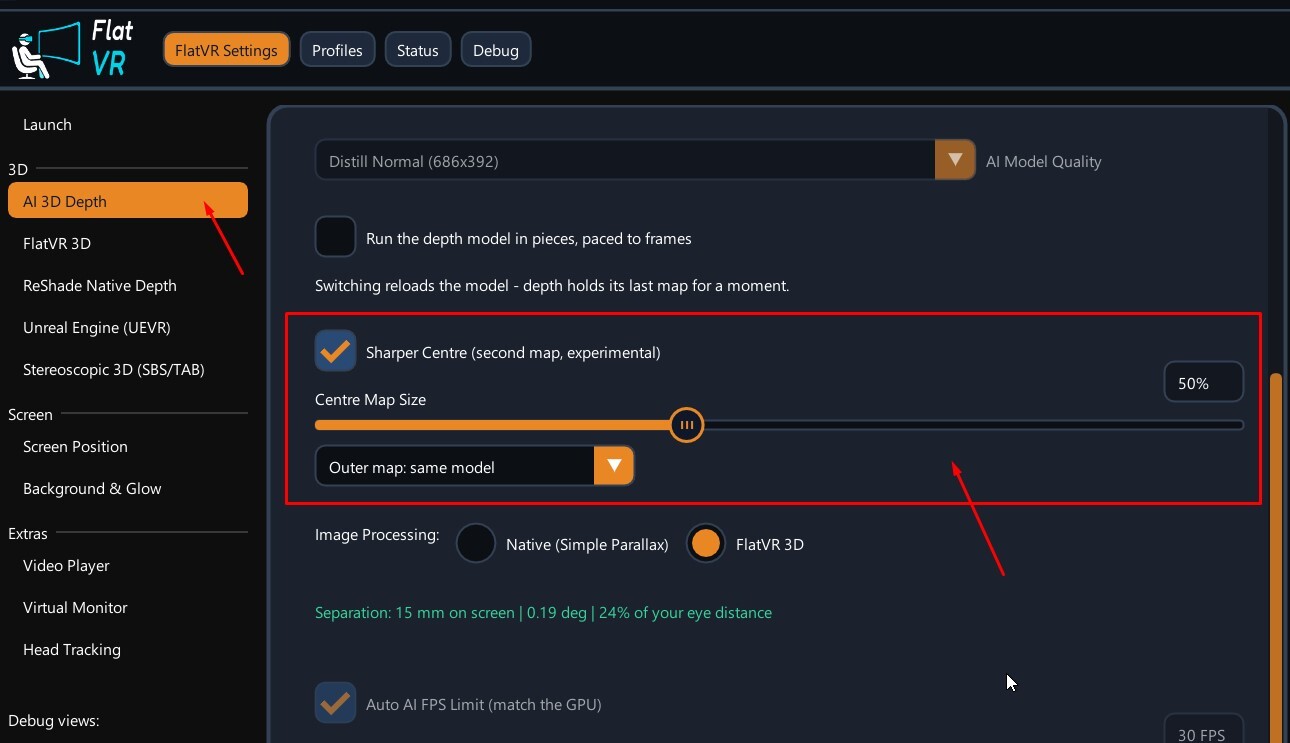
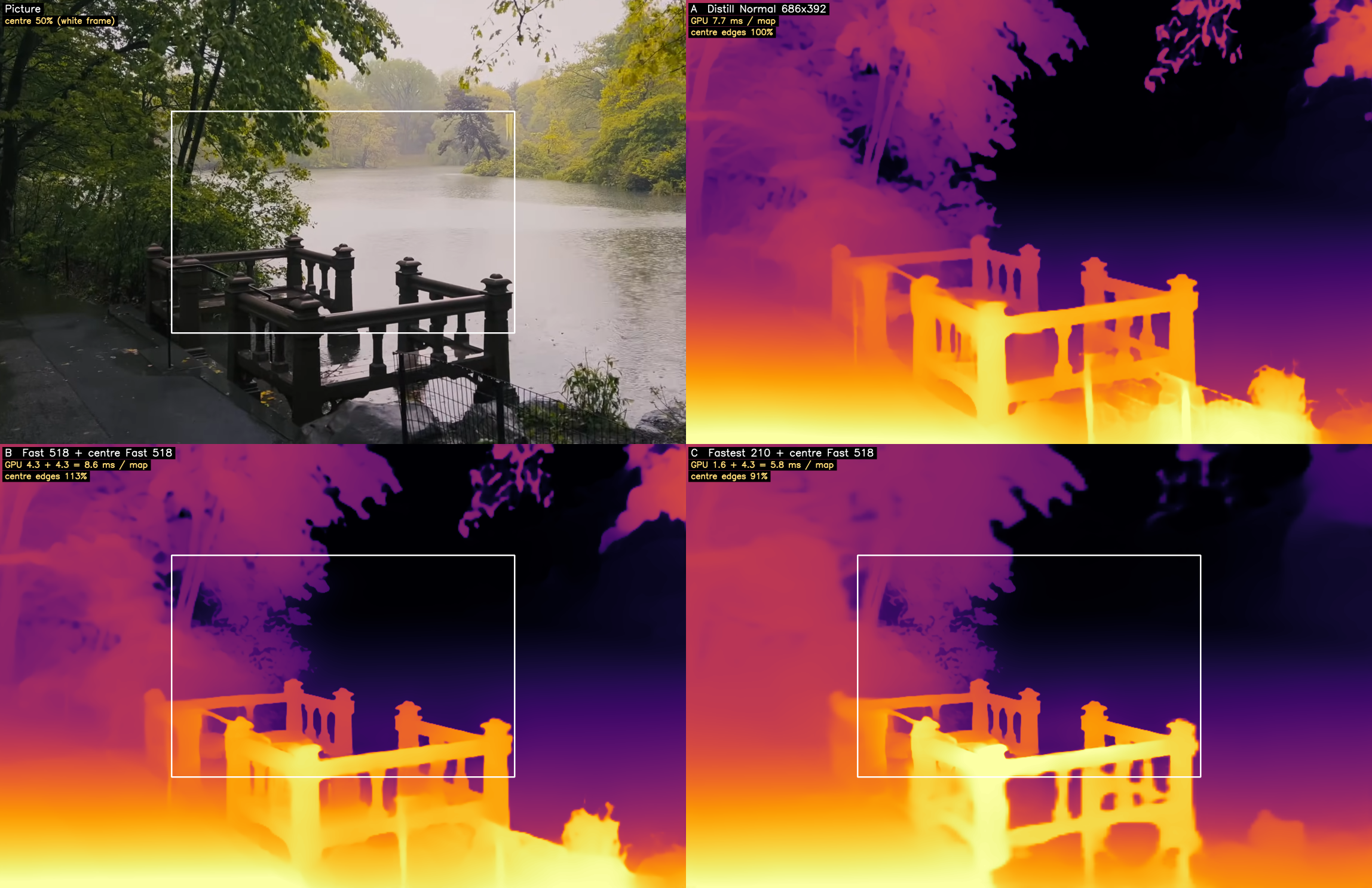
Much less delay with Sync Depth. Sync Depth holds each frame back slightly so its depth map has time to be ready. Until now that delay was around 60 ms, which only suited Cinema mode. With the new option ticked, it is now about 16 ms - a single frame at 60 fps - low enough for Game mode. Please test it and tell us what you think!
Important: the crash watchdog
This build starts a small crash watchdog together with FlatVR. It is a second process that waits in the background, and if FlatVR ever closes without a word - no error, no crash report - it writes a report for it. These "it just closed" cases are the hardest ones for us to fix, and the watchdog helps us collect them. If FlatVR works fine for you and never crashes, you can switch it off: Status → Crash Reports → Run the crash watchdog (takes effect on the next start).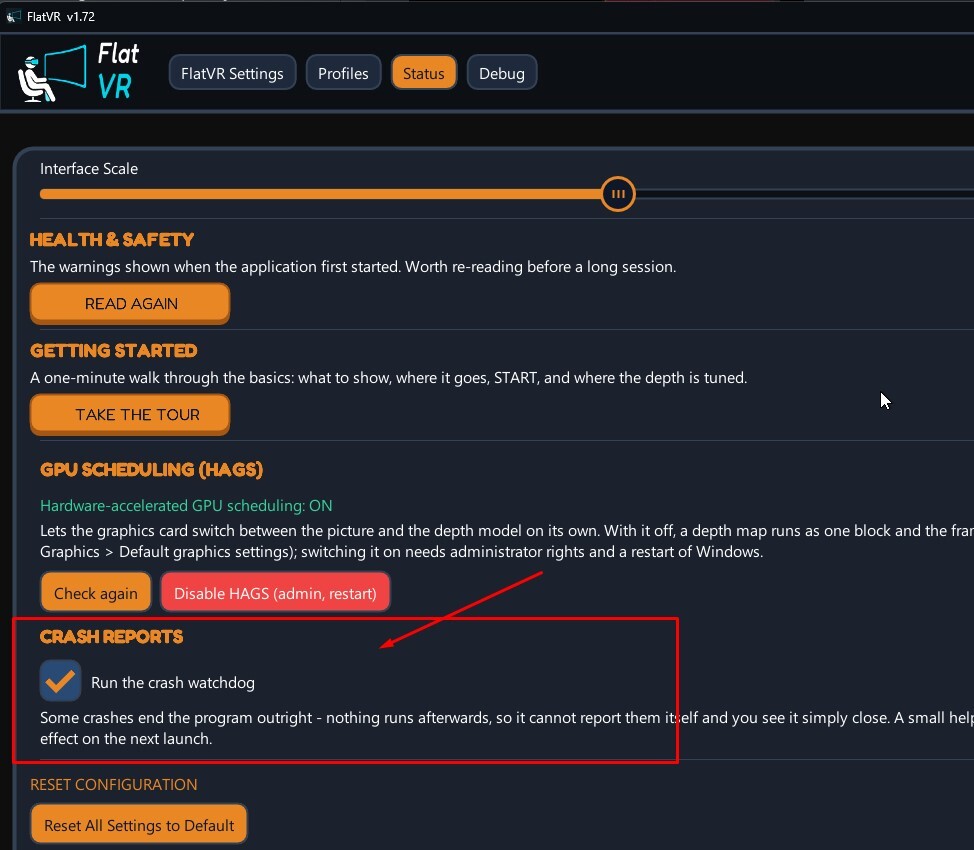
Sync Depth: the delay is what the model costs again
Sync Depth to Picture held the picture back far longer than it had to. On a screen that changes little - a desktop, a menu, a quiet scene - a repeated frame was timed from the last picture that really changed, and the delay grew to a quarter of a second on a model that needs 14 ms. It is now measured from the frame the model actually worked on. With a 14 ms model, Sync Depth costs about 17 ms plus the gap between two depth maps.
Sync Depth no longer halves the number of depth maps. The automatic AI FPS limit counts whole frames when the picture waits for its depth, and it read a 60 fps game as one frame every 140 ms - down to 7 maps a second. It also always rounded up, so a 17 ms slot on a 60 fps game became every second frame. Maps per second are now the same with Sync Depth on and off.
The mouse pointer no longer jumps in the headset with Sync Depth on. A pointer that moved only a little was taken for a repeated frame and skipped, so it moved in steps of a few centimetres. Any frame in which the mouse moved is now kept.
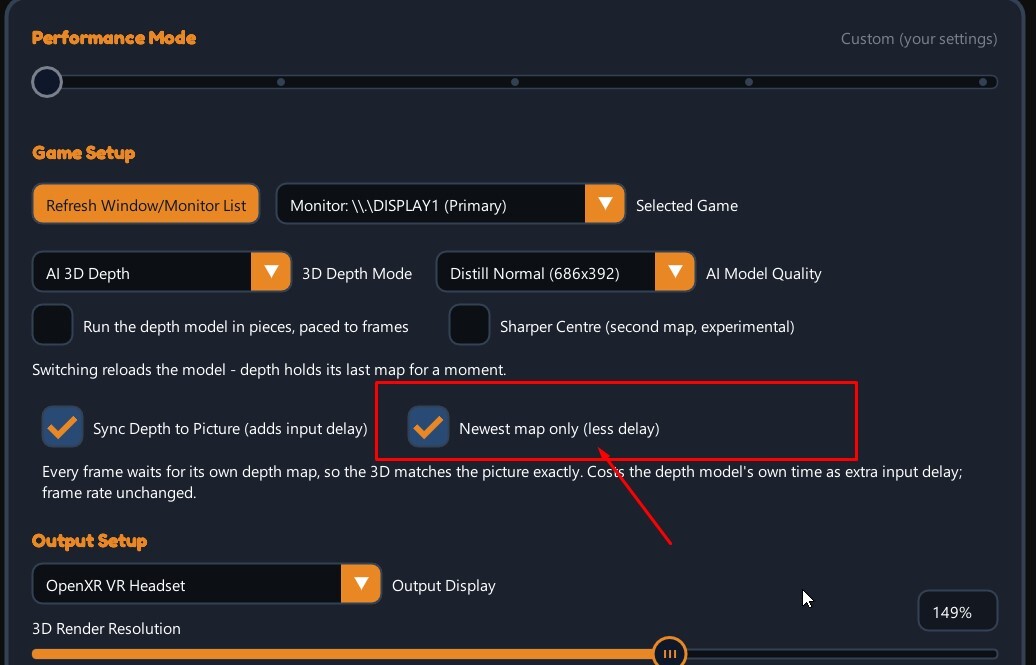
Newest map only (less delay) - a new box under Sync Depth. Each frame waits only for its own depth map instead of also waiting for the next one to blend between the two. At 60 fps we see no difference in the picture and the delay drops a lot; at 30 fps there is a small one. Game Lite now turns Sync Depth on with this box ticked; in Game it comes on together with Sync Depth; in Cinema it is your choice - leave it off for the smoothest picture; Cinema Lite does not offer it, as it makes too few depth maps for it.
Depth quality
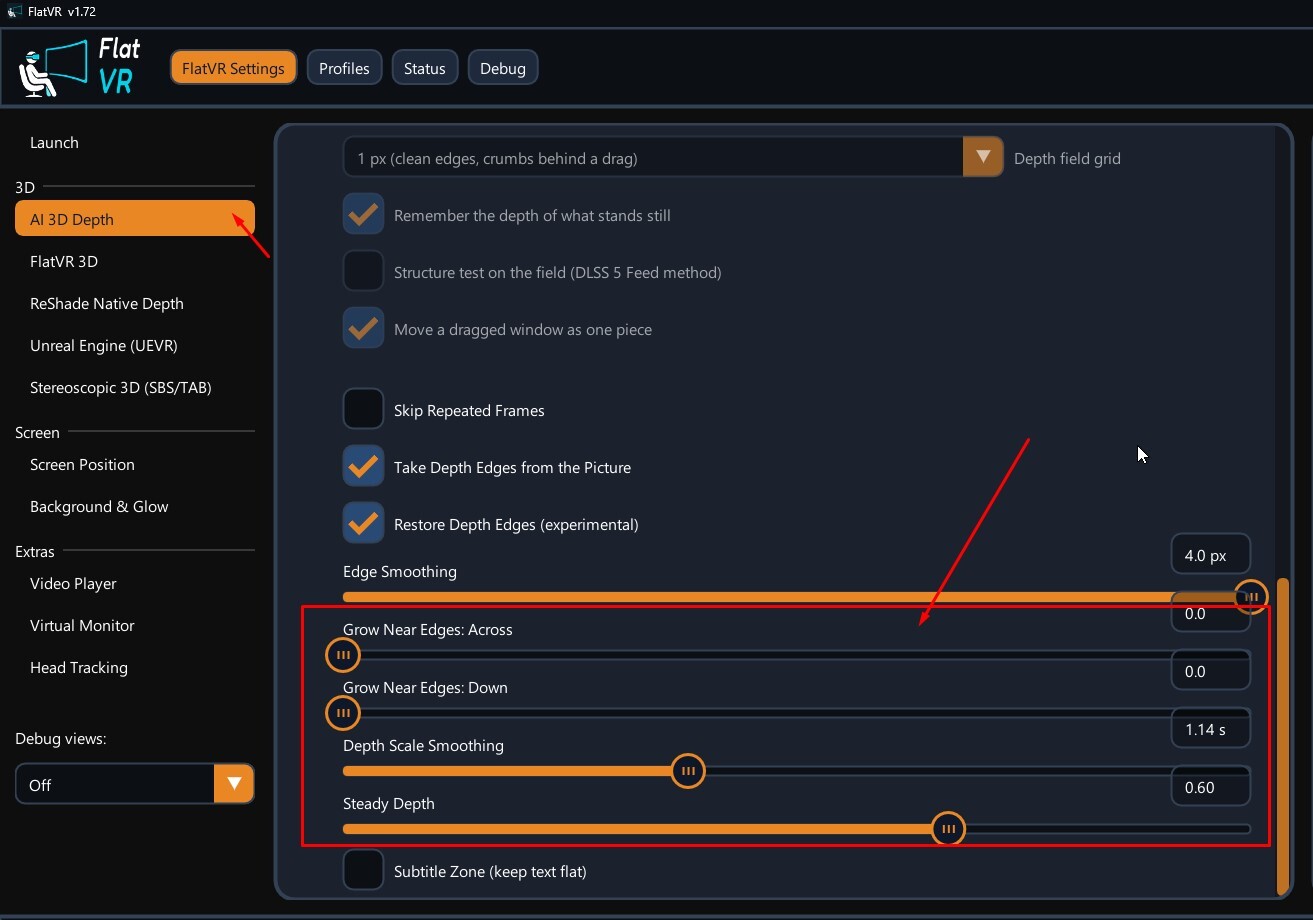
Steady Depth (AI page and headset panel, on by default at 0.6): where two depth maps in a row agree, they are averaged, so still parts of the picture stop trembling; where they disagree - a moving edge, a new object, a scene cut - the new map is taken as it is, so edges stay sharp. Set it to 0 to switch it off.
Grow Near Edges (Across and Down, AI page and ReShade page): moves the near side of a depth edge just past the object's outline, so the jagged, speckled fringe around people and objects in 3D goes away. Off by default; 1.5 / 0.75 is a good start. On the ReShade page it works on the game's own depth buffer.
Calm Fast Motion: lowers the 3D strength for a moment during fast camera pans and brings it back when the camera calms down. Off by default.
Sharper Centre (second map, experimental): runs the model a second time on the middle of the picture, where you usually look, and merges the two maps, so the centre gets several times more depth detail. Centre Map Size sets how much of the picture counts as the centre, and Outer map can run the whole-picture map on a lighter model to win the time back. It costs a second model run per map, and Performance Mode counts that cost when it picks the model.
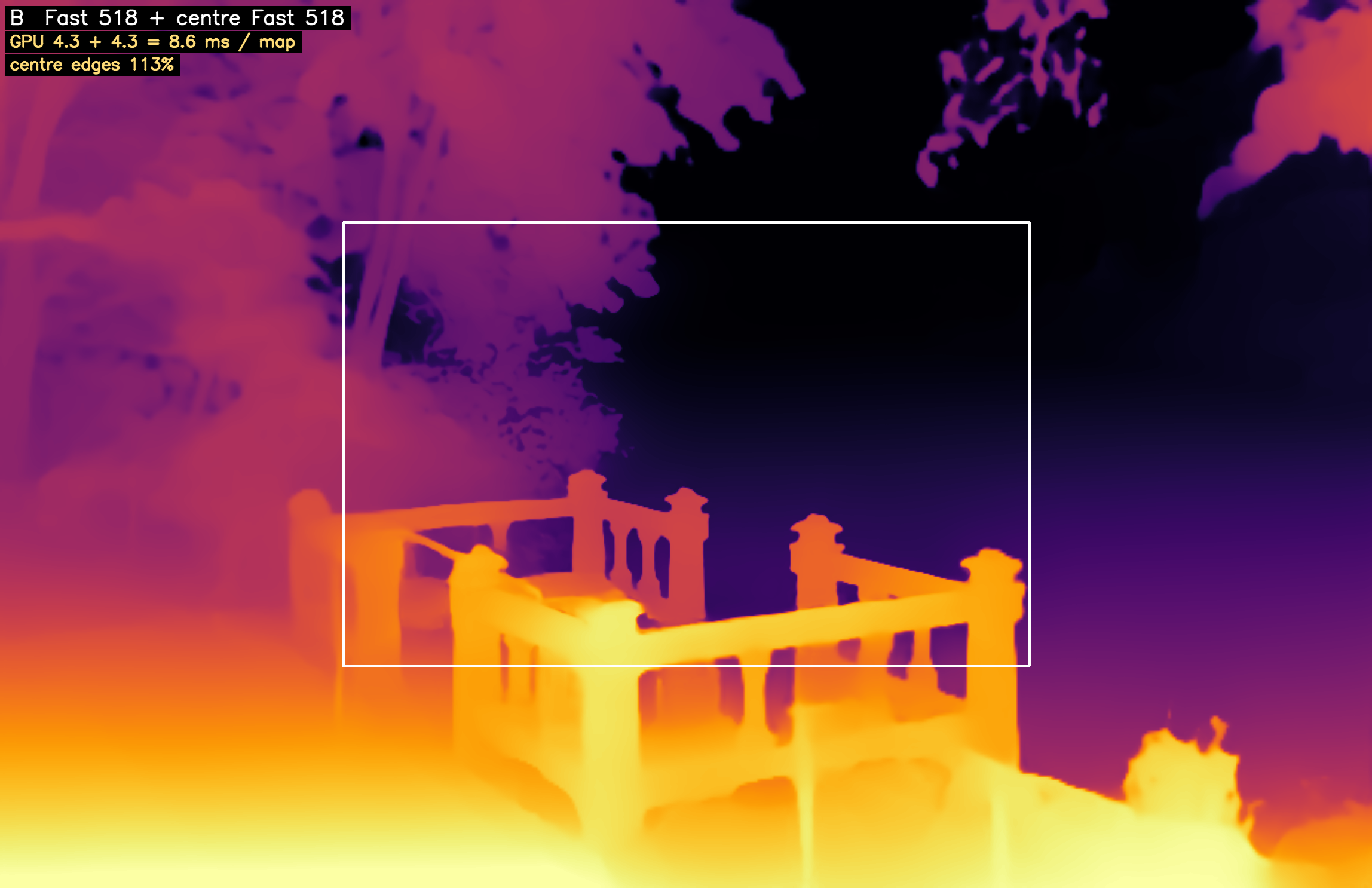
Video Depth Fast (518x294) - a model with memory: it builds each depth map against the last fifteen frames instead of guessing from scratch every frame. Pick it in AI Model Quality.
Getting started
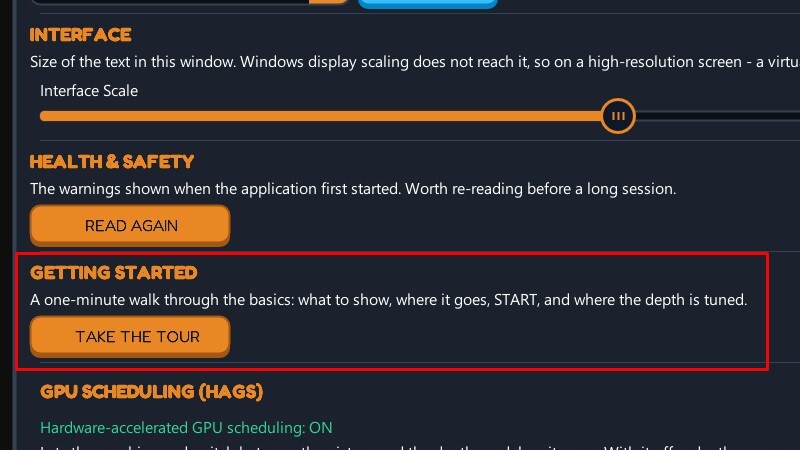
A guided tour. Several of you said FlatVR is not plug-and-play and it is not obvious what to do in what order. On a new install FlatVR now walks you through it: the screen dims, the control in question lights up with an arrow and a short caption. Five tours - Basics, AI 3D Depth, ReShade, Screen and Video Player - and TAKE THE TOUR on the Status tab brings them back any time. In all 16 languages.
The menu is in sections. Launch on top, then 3D (AI depth, FlatVR 3D, ReShade, Unreal Engine, Stereoscopic 3D), Screen, and Extras. The Blur page is now called Background & Glow, which is what is on it.
ReShade is set up on its own page, with one button.Install into Game... puts FlatVR's depth addon next to the game you pick, downloads ReShade with add-on support from reshade.me and opens its installer on that game. Check for Update fetches a newer ReShade when there is one.
An "Active" box on the AI, ReShade and UEVR pages switches that depth source on (and the others off) right where you are, instead of going back to the main page.
The whole interface is translated into all 16 languages, the video player, UEVR and headset pages included. Japanese, Chinese, Korean and Hindi switch over at once, with no restart.
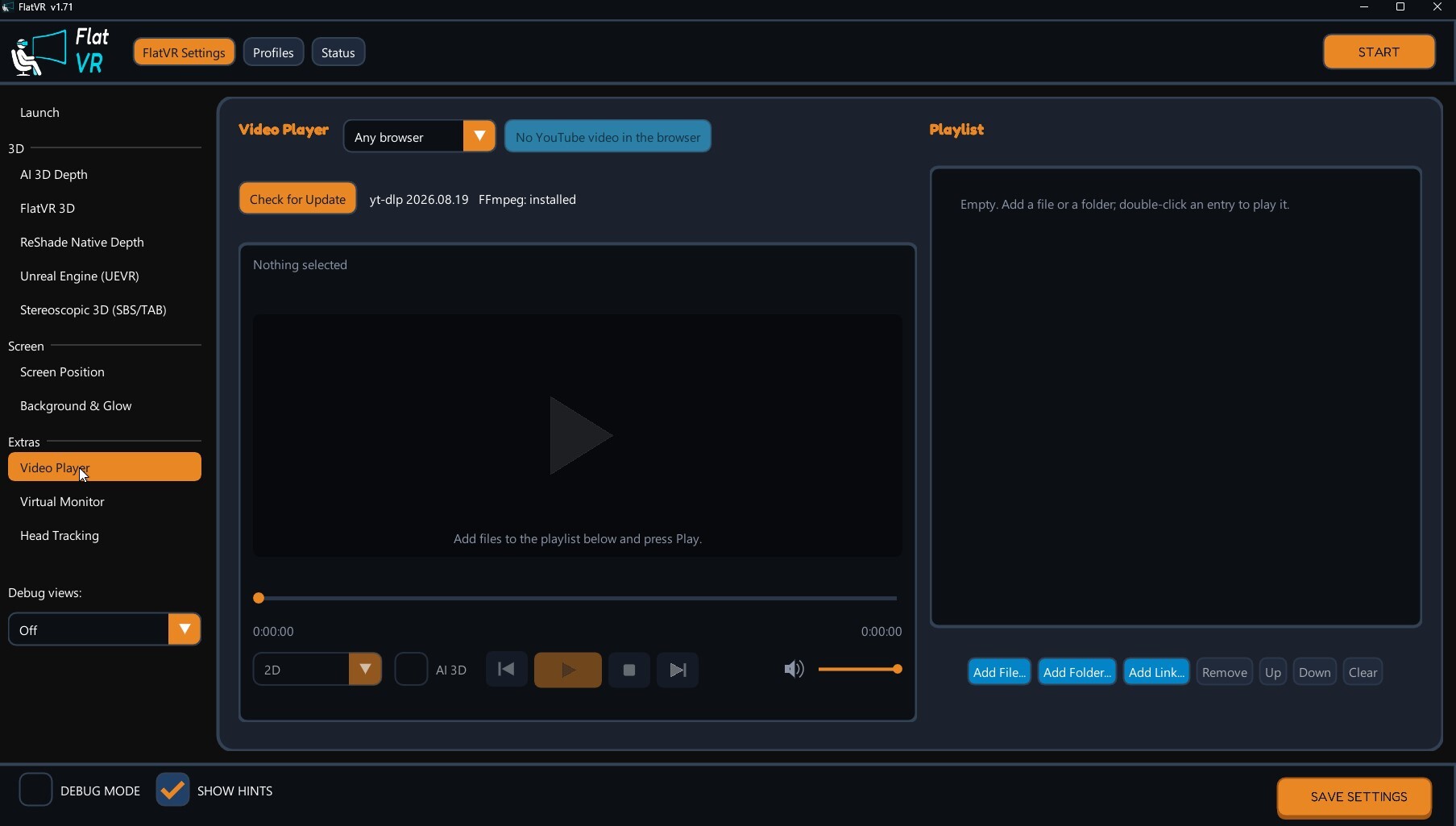
Video player
360° and 180° video, mono and stereo, from your own files - detected from the file itself, or pick it in the layout list.
YouTube.Add Link... takes a YouTube address, or open any video in your browser and press Play from the browser: it loads into the player and starts in the headset. Pick the quality and, where the video has dubs, the sound track, as on YouTube itself. The same button is on the headset panel.
360° AI 3D and 180° AI 3D: a flat 360 video gets real depth from the AI. Depth only where I look (on by default) spends all of the model's detail on the part in front of you and follows your head. This is the newest part of the build - we especially want to hear how it looks.
One button installs yt-dlp and FFmpeg (about 100 MB, from their official pages) for YouTube links and HEVC/AV1 files, and Check for Update keeps yt-dlp current - YouTube changes often, and an old yt-dlp stops opening links.
AV1 decodes on the graphics card where the card supports it, and seeking in a YouTube video takes about a second.
In the headset
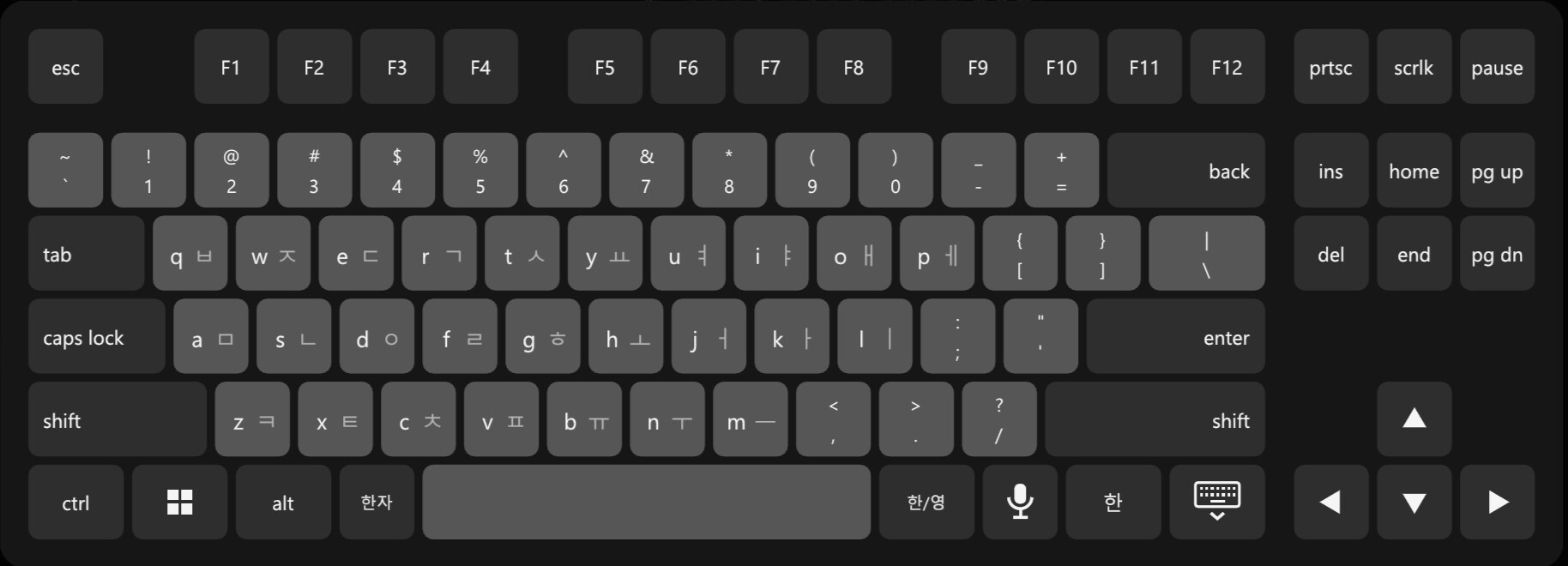
A keyboard in the headset, flat like Virtual Desktop's: type with the controller beam, move it with the grip, key sounds on a switch. It uses your Windows keyboard languages, Chinese, Japanese and Korean through the Windows IME. Bind it under Controls (Virtual Keyboard).
Right Click from the controller - a new binding under Controls, not bound by default, for context menus.
Mouse and laser no longer fight. The cursor belongs to whichever moved last, the real mouse or the controller beam.
Recenter and Toggle Overlay work on every key the binding window offers, Insert and Delete included (thanks for the Pimax report). Touch inputs are no longer offered as bindings, since they could not trigger anything.
Two tabs: Controls and Statistics. Statistics is the whole Performance Statistics panel from the desktop - game and VR fps, model time, depth maps per second, input delay and the Sync Depth breakdown - to read in the headset while looking at what it describes.
Debug View is the first line on Controls instead of inside the closed depth section.
A Picture section with sharpness, brightness, contrast, gamma, Correct Shadows and frame generation, and the depth settings the desktop has: Sharper Centre, Grow Near Edges, Steady Depth, Calm Fast Motion.
The Background list in the headset is now the same as on the desktop - Black, Texture, Colour - and a choice made in the headset shows on the desktop too. In ReShade mode the panel no longer shows the AI depth map's own settings.
Picture
Brightness, Contrast and Gamma sliders for the headset and the side-by-side window - for dark scenes that crush to black, HDR that looks washed out, or a PSVR2 that looks dull.
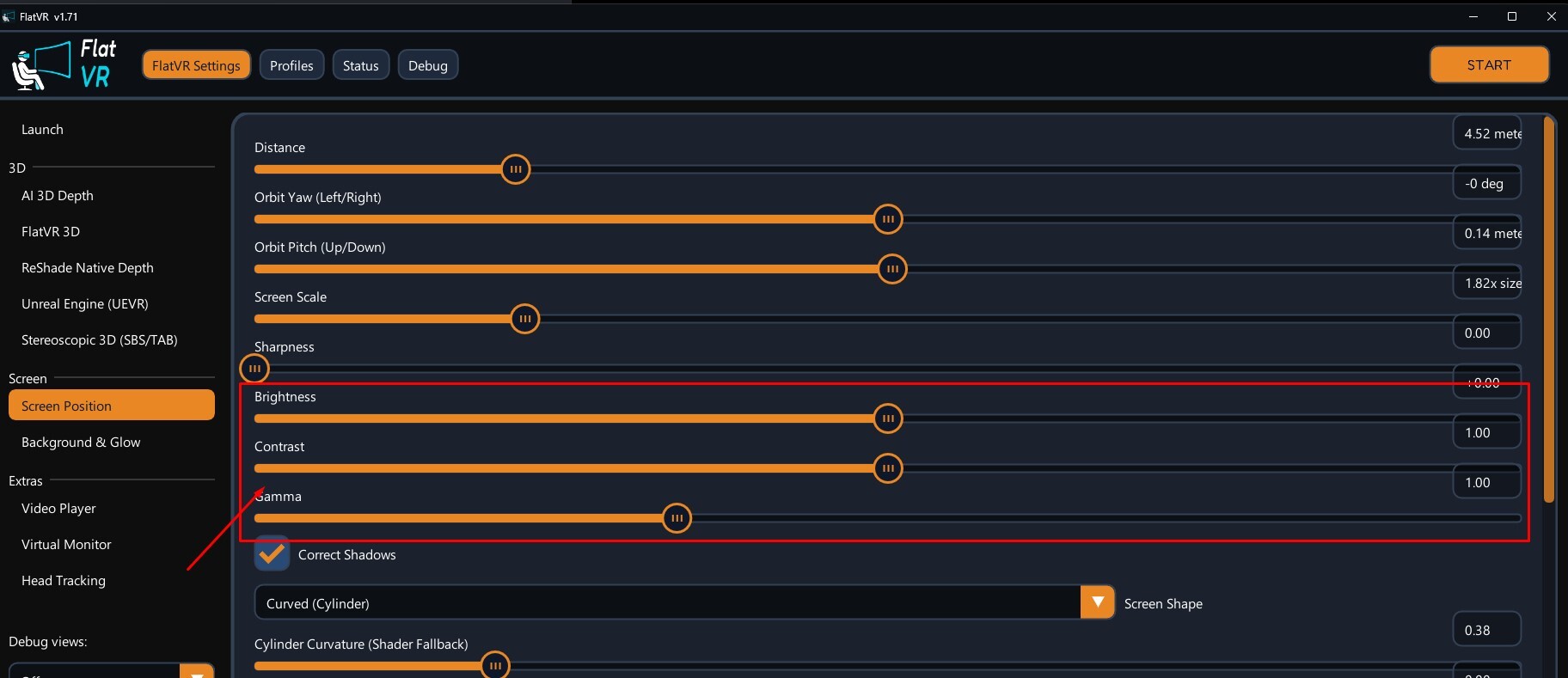
Correct Shadows decodes the picture with the exact sRGB curve instead of the 2.2 approximation, so the darkest levels stay apart instead of turning black. It is on by default - if dark scenes look worse to you, untick it and tell us.
Custom Size for the side-by-side window: set its width and height yourself.
Netflix, Prime Video and other protected video: when the picture comes out black, FlatVR now says why and what to do (turn off hardware acceleration in the browser).
Other
When the headset's OpenXR runtime is not running, FlatVR now names it - SteamVR, Meta Quest Link, Virtual Desktop - and says to start it and connect the headset.
If FlatVR hangs while stopping, it now writes a hang report with every thread's stack, so it can be sent like a crash report.
Fixed a crash when a game or overlay left a broken Direct3D 12 device behind, and a crash at start when FlatVR was launched from another program's folder and could not find its fonts.
Keyboard Sounds moved to Screen Position → Controllers & Screen Grab.
Fewer stutters with in-between depth maps (Cinema): the check for a window being dragged now runs on the graphics card instead of stopping each frame to read the motion back.
Depth Maps: N / s under the model time in Performance Statistics, so you can see how many depth maps the model really makes.
Everything new is translated into all 16 languages, and a few desktop labels that stayed in English are translated now as well.
Tell us how it works for you
If something breaks, a crash report or a message in the discussions is all it takes - and if something works well, we would like to hear that too.