
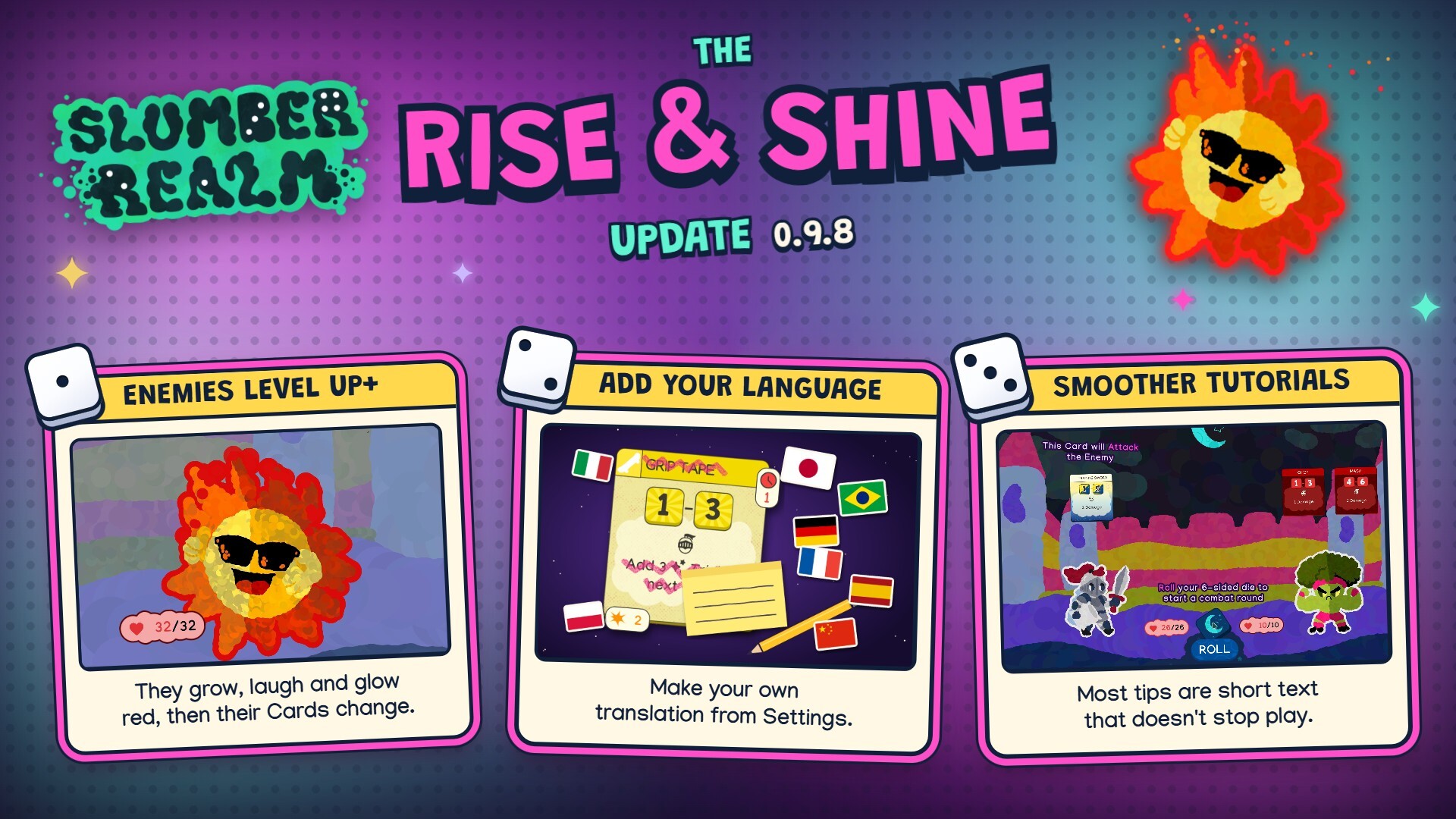
Check out this video which covers the core improvements in this update.
Add Your Language
Slumber Realm only comes in English for now, but from this update you can translate it yourself. Every line of text in the game lives in one file, all 2,642 of them (about 14,400 words), and the game picks up your translation as soon as it's in the folder.
In Settings, Add Your Own Language opens that folder. It holds two files: English.template.json, and a README with the steps.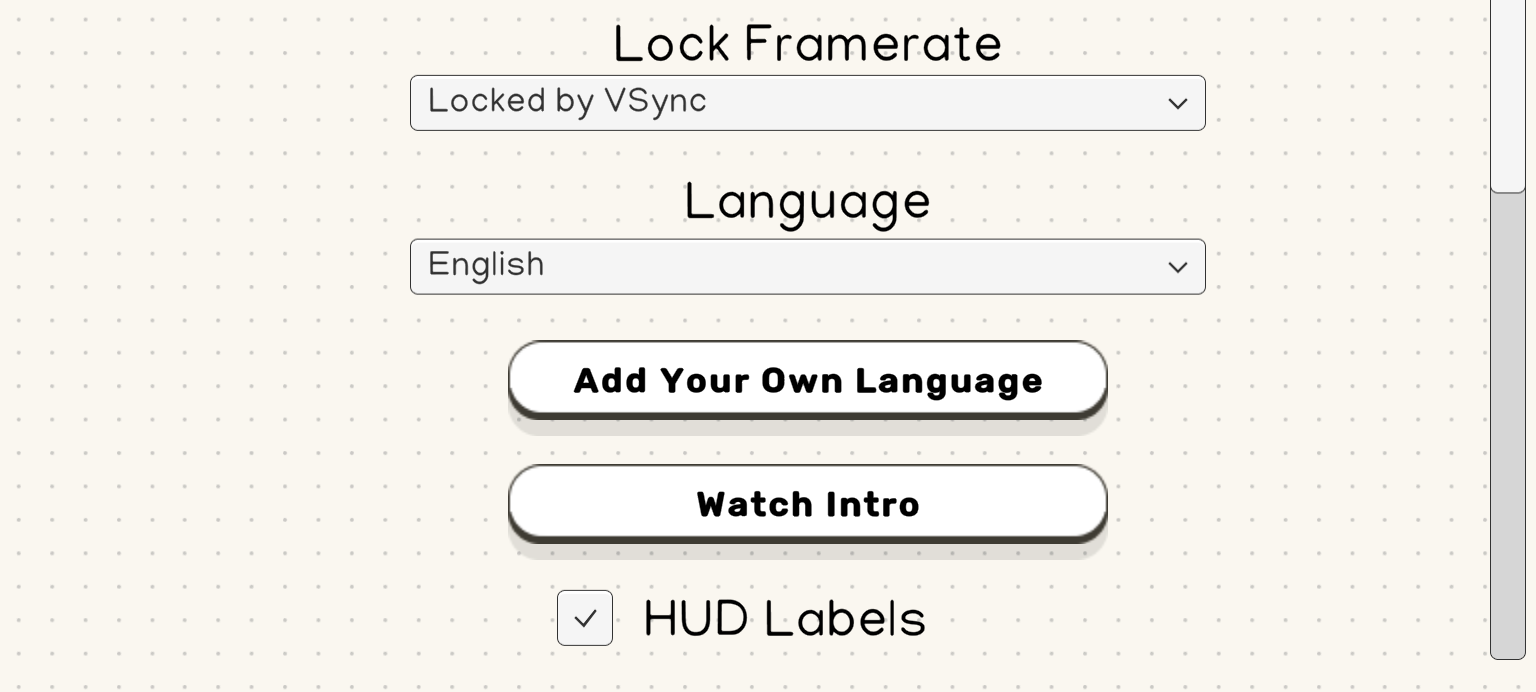
Copy the template, name the copy after your language and fill in "text" under each line of English. You can translate a little at a time: anything you leave empty stays in English.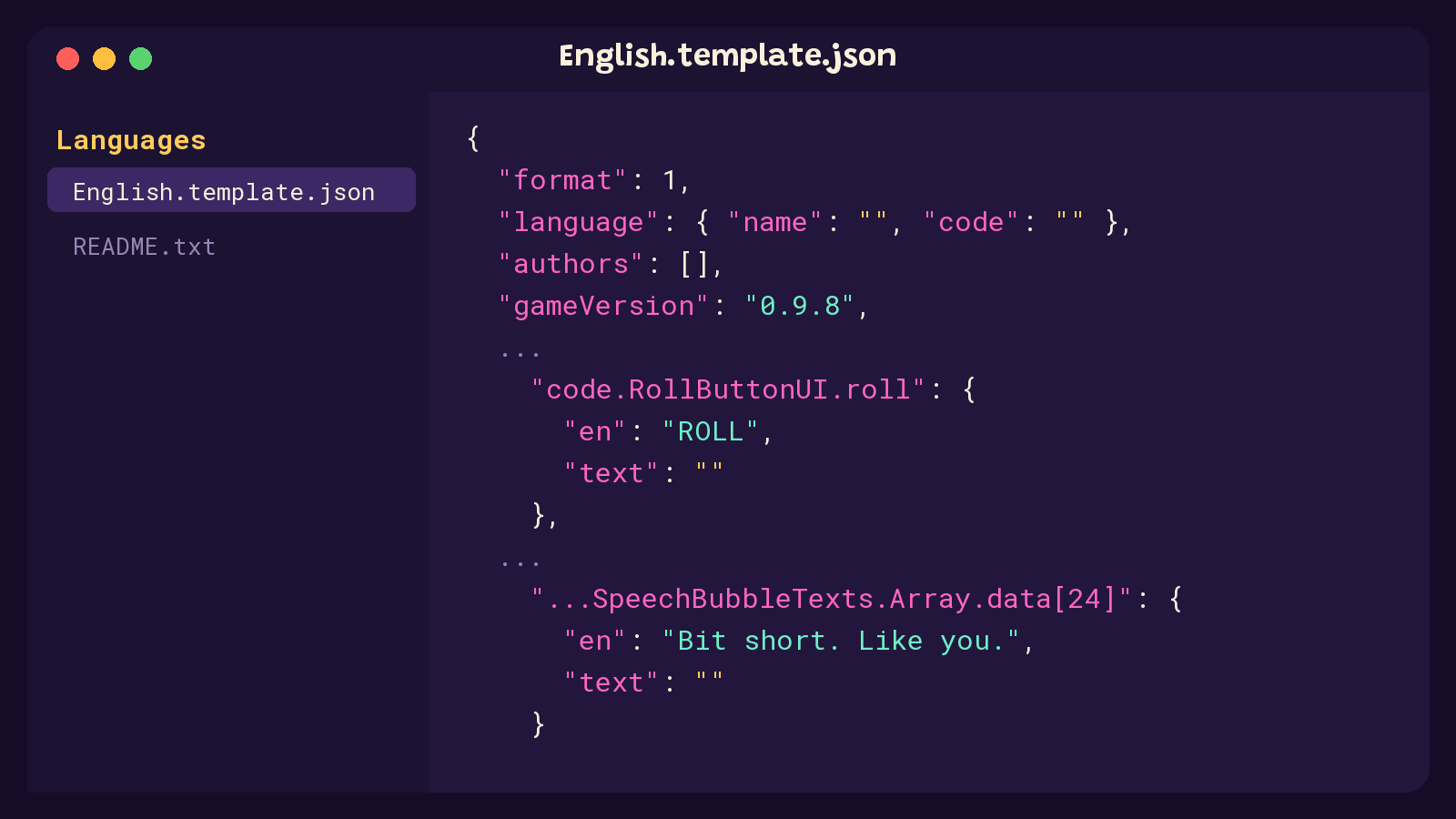
Words like Card, Snack and Memory live in their own table at the top of the file. Translate them once and your words show up everywhere the game uses them.
When the game loads your file, it checks every line and writes a report beside it. A line it can't use stays in English, and the report says why. After an update, the report also lists the lines whose English changed, so you know what to look at.
To test all of this, we made a fake language called Pseudo. It swaps every letter for an accented one and has Cyrillic, Greek, Chinese, Japanese and Korean in its name, so text that runs off a Card, or a letter our fonts can't draw, shows up right away. The game already includes fonts for all of those scripts. (Pseudo only appears in our development builds.)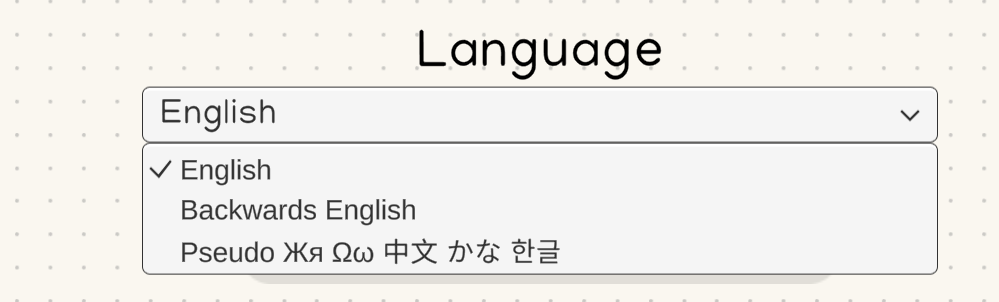
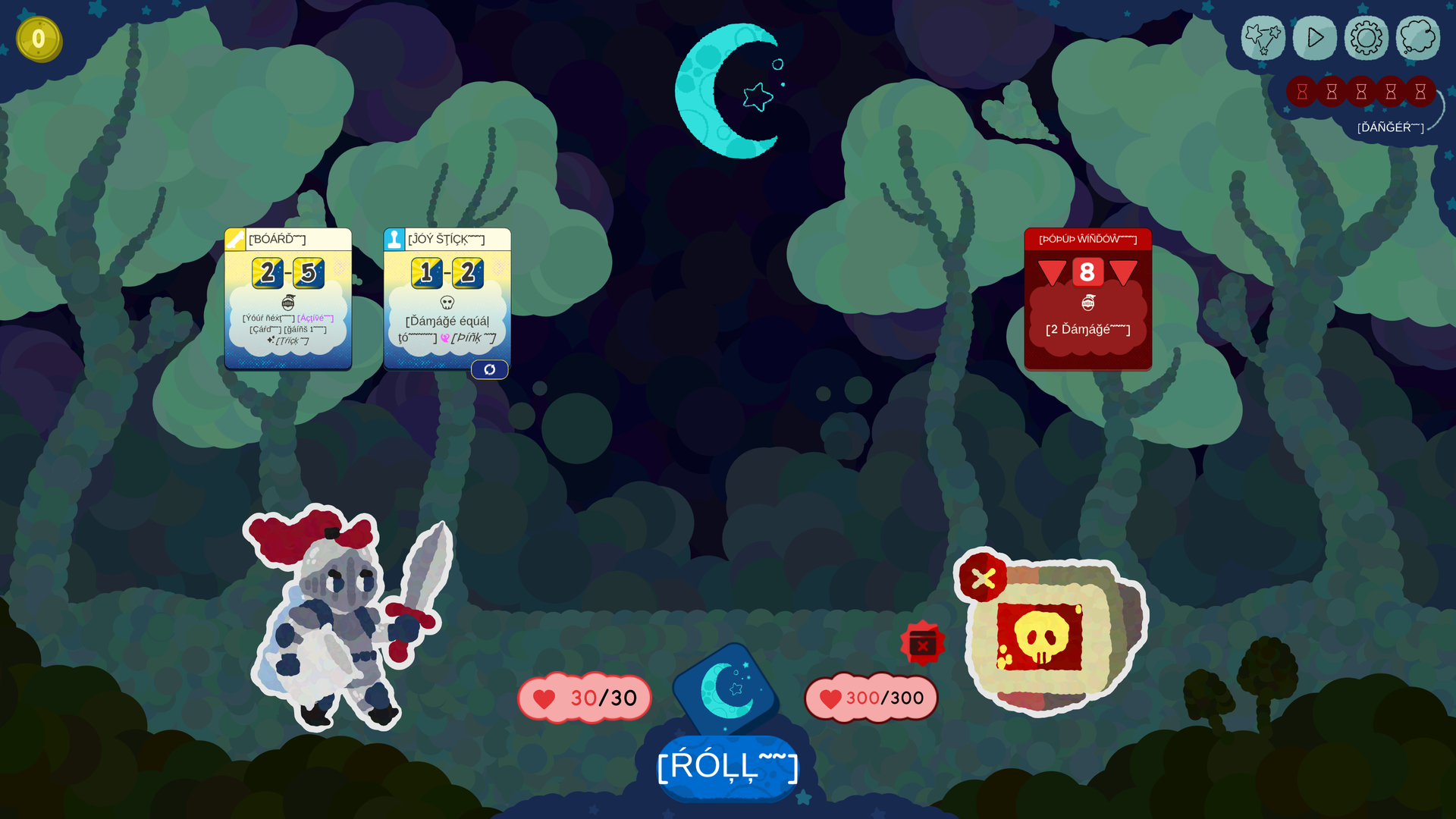
If you make a translation, share it on our Discord. We'd love to make the good ones official languages in the game. (Add Your Own Language isn't on Steam Deck)
Enemies Level Up+
Enemies already got stronger when their Danger filled up, but it was easy to miss. Now it's a moment: the enemy grows, laughs and glows red with embers, then its Cards turn over into stronger ones right in front of you. Click to skip it.
Smoother tutorials
Most tutorial lessons are now short text on screen that doesn't stop play, and your first Dream opens with a quick tour of the star map. Tutorial arrows point at what they describe, at any resolution.
A few more things
- The Market clerk has 30 new lines, many of them suggested by you.
- Open the run map from a battle, the Market or the Trading Post to plan your next stops.
Slumber Realm launches on November 4!
0.9.8 (10-27-26)
- Enemy level-ups: an enemy that levels up grows, laughs and glows red with embers, then its Cards change in front of you. Click to skip.
- Add Your Language: Add Your Own Language in Settings opens a folder for making your own translation of the game, and the translations you add appear in the new Language option. The button is hidden on Steam Deck.
- Smoother tutorials: the lessons for your first Card and ROLL, eating Snacks, Market Snacks and Memories, the Corkboard, Unlocks, decorating and choosing a Card to Refine are short text on screen that doesn't stop play.
- Your first Dream opens with a short tour of the star map.
- Tutorial popups point their arrows at what they describe, such as the die, your Abilities, the Refine button, a Card's Uses and your Resources, at any resolution.
- A tutorial popup's button says Next only when another tutorial follows it.
- The popup for your first new Aspect explains what an Aspect is.
- The Market clerk has 30 new lines, many suggested by viewers, including his first lines for a basket you can't afford.
- Animated intro: it plays the first time you launch the game. Hold any button for 3 seconds to skip it, and use Watch Intro in Settings to see it again.
- The opening lines of your first night drift into the bedroom, where the stars build your furniture and the light clicks on.
- Hits feel heavier: the hit sound changes pitch with every hit and gets deeper on big ones, struck Characters are knocked back, and Health bars briefly show the Health you just lost.
- Map from anywhere: open the run map from a battle, the Market or the Trading Post to look ahead, and press BACK on an enemy preview to return.
- Livelier run map: it zooms into the stop you click, paths light up star by star toward your next stops, and a beaten enemy turns dizzy when you come back.
- Rewards peek: hover the map button in battle to see this battle's rewards.
- The boss on the map has its own tooltip.
- Tooltips show the Cards they mention at full size beside the item, with arrows for Evolve chains.
- Battles start more smoothly, and the game saves in the background and tries again if a save fails.
- New icons for Tactical, Gamer and Neutral Snacks, Roll High, Roll Low, Draft and Gold. Battle reward icons are sharper, and Guardian Gumball shows its correct icon.
- Smoother edges on Cards and menu art.
- Every sock in the sock sorting chore looks different, including for colorblind players.
- Market and Trading Post backgrounds fill taller screens, such as 4:3 and 5:4.
- Settings: Reset Tutorials is gone and the checkboxes line up in one column.
- The main menu's beta panel is gone, and the version shows only its number.
- Cards that named themselves in their text say "this Card" instead: Frisbee Wall, Jumper Cables, Dreamcatcher, Strobe Light, AA Battery, Waxed Curb, Snooze Button and Turbo Button.
- Neutral Memory, Opposite Day: no longer gives Power to Day and Night Cards.
- Neutral Card, Birthday Money: evolves into Knee Pads only when Gold is above 20, as its text says. It used to evolve at exactly 20.
- Fixed the Market basket covering the Buy button after a purchase.
- Fixed tooltips appearing for faded-out parts of the screen, such as the enemy's Health during a battle's intro.
- Fixed a thin light line showing through Health bars.
- Fixed the background ripple stopping early when a hit defeats a Character.
- With a controller, the tutorial that appears after a Market purchase can be dismissed.
- Credits updated.