
To celebrate the season, we’re running a Steam-exclusive Photo Mode contest, and we want to see your best desktop background-worthy shots from The Division 2. If you’re feeling extra ambitious, or just want to show off your full desktop set-up, you can include it in your submission too!
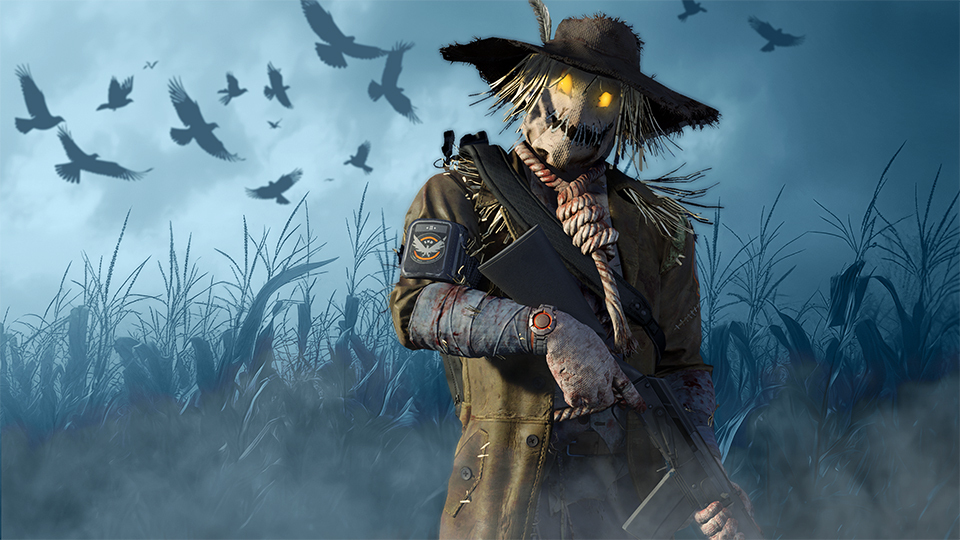
The contest runs from October 21 to November 3, and the best entries could earn you an in-game Scarecrow Outfit.
HOW TO ENTER
You can enter in two different ways:
PHOTO MODE ENTRY
Use Photo Mode to capture the perfect Halloween-inspired moment in game.
Focus on atmosphere and composition, and make sure it looks great as a desktop background.
Upload your image to The Division 2 Steam Community Hub and include “Halloween” in the title of your post.
FULL SET-UP ENTRY
Choose your favorite in-game Photo Mode shot and set it as your desktop background.
Customize your PC setup to match the Halloween theme.
Take a photo of your full setup and upload it to the Steam Community Hub, including “Halloween” in the title of your post.
Entries will be judged on creativity, and how well they capture the Halloween atmosphere.
The top 10 entries will receive a Scarecrow Outfit, and if you impress the right Agent on the Dev Team, your image might just become their new desktop background.
We can’t wait to see what you create!
Full Rules and Privacy Notice.
/The Division 2 Team