
This update enables VR in the public branch and essentially brings it up to the same level as the current beta.
You can read the full VR guide here...
You can now start the beta in VR mode by adding "-VR" as a launch option in Steam. Doing this is very easy....
Right click on the game in Steam
Choose "Properties"
The next page should have a box marked "Launch Options". Type "-VR" in that box without the double quotes ensuring VR is in capitals so it looks like this...
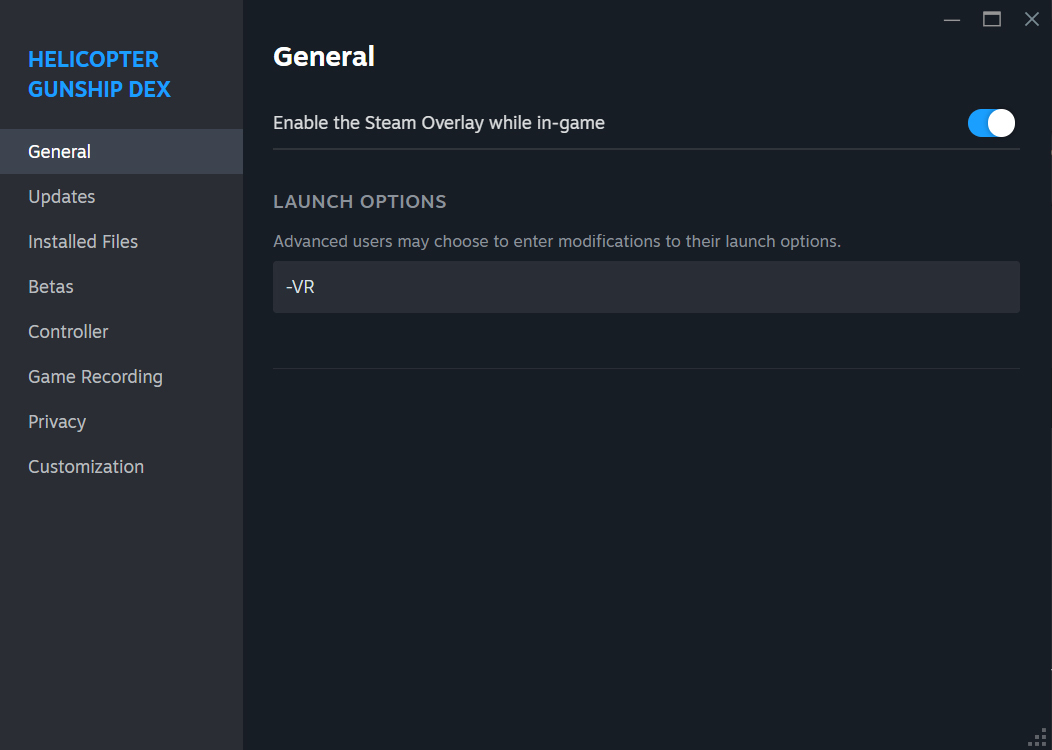
Now start the game as normal and Steam VR should fire up. All menus still need to be used on your standard display.
Fixed the HUD so that it works correctly in VR
Exposed a "VR HUD Distance" value in the "Game Settings" menu. This allows you to adjust the perceived distance of the HUD making it appear closer or further away from your eyes. This does not adjust the size of the HUD.
Exposed a "VR HUD Size" value in the "Game Settings" menu. This allows you to make the HUD bigger or smaller. I found a size of 0.5 to be about right.
Updated the HUD render speed to be real time. This makes it a bit smoother in VR but normal displays will also benefit from the update rate increase.
I've added in Virtual MFD displays for VR. Instead of the MFDs being attached to your HUD they are now placed in the 3D world as large floating displays to the left and right of your seat. If you can't see them straight away then you probably need to use the "re-centre VR" command to get everything lined up. The displays can be resized using the standard resize MFD controls and they also obey the "Auto hide Virtual MFDs in Cockpit View" option in "Game Settings".
Resized the Apache cockpit as it was a little too big.
Optimised the virtual MFD displays so they are practically free in terms of rendering.
Updated the centre of gravity for all Apache helicopters to prevent drifting when in hover hold mode.
Moved the Command Menu to its own virtual screen when using VR mode. It will now appear in between the 2 virtual MFD displays even if you have those displays turned off.
Removed the rain effects from the cockpit interior
Rain now creates puddles on the Central Libya terrain and the amount/size of puddles depends on how much it is raining.
Fixed a number of bugs in the re-arming system and it should now work as expected.
Added a Deployment Point readout to the Stores MFD page so you now know exactly how many DP you have available during the mission.
Updated a lot of the anti-tiling systems on the Central Libya terrain and it should now look good at pretty much any altitude.
Flares no longer cause damage to your helicopter if you happen to hit them.
Fixed the D-30's centre point so now you should be able to target it a little easier.
Updated the HUD horizon line so it is easier to gauge when your flight vector is indicating level flight. This was actually included a couple of updates ago but I forgot to mention it!
Rain particle effects! Rain is now visible outside the helicopter when it is raining with suitable audio effects.