
Hello everyone!
First of all, we want to apologize for the lack of updates to our game for such a long time. For those who don't follow our Discord, we've been working on a major UI overhaul and adding gamepad and Steam Deck support. These changes took much longer than we originally planned, and there were also some unforeseen circumstances that slowed down development.
Nevertheless, we're almost done, and today you'll finally be able to try out the new interface!
However, since these changes significantly affect the game's interface, we've decided to release them in a separate beta branch on Steam (scroll down for instructions). This way, you can try everything out, share your feedback, and report any issues before the update goes live for all players.
You can also try playing the game on your TV or Steam Deck using a controller. All game features (except the Mod Creator screen) should now be fully supported with a gamepad.
⚠️Please note that localization for the new interface is not yet complete, so you may see English text in some parts of the game instead of your selected language or system language. Full localization of the interface will be ready for the official update.
❤️ We would really appreciate it if you could try out the new version and share your feedback on our Discord or in the Steam Discussions. Don't hesitate to share negative feedback or report any issues and bugs you encounter. Without your help, it will be much harder for us to make our game better.
Main Changes in the Beta Version
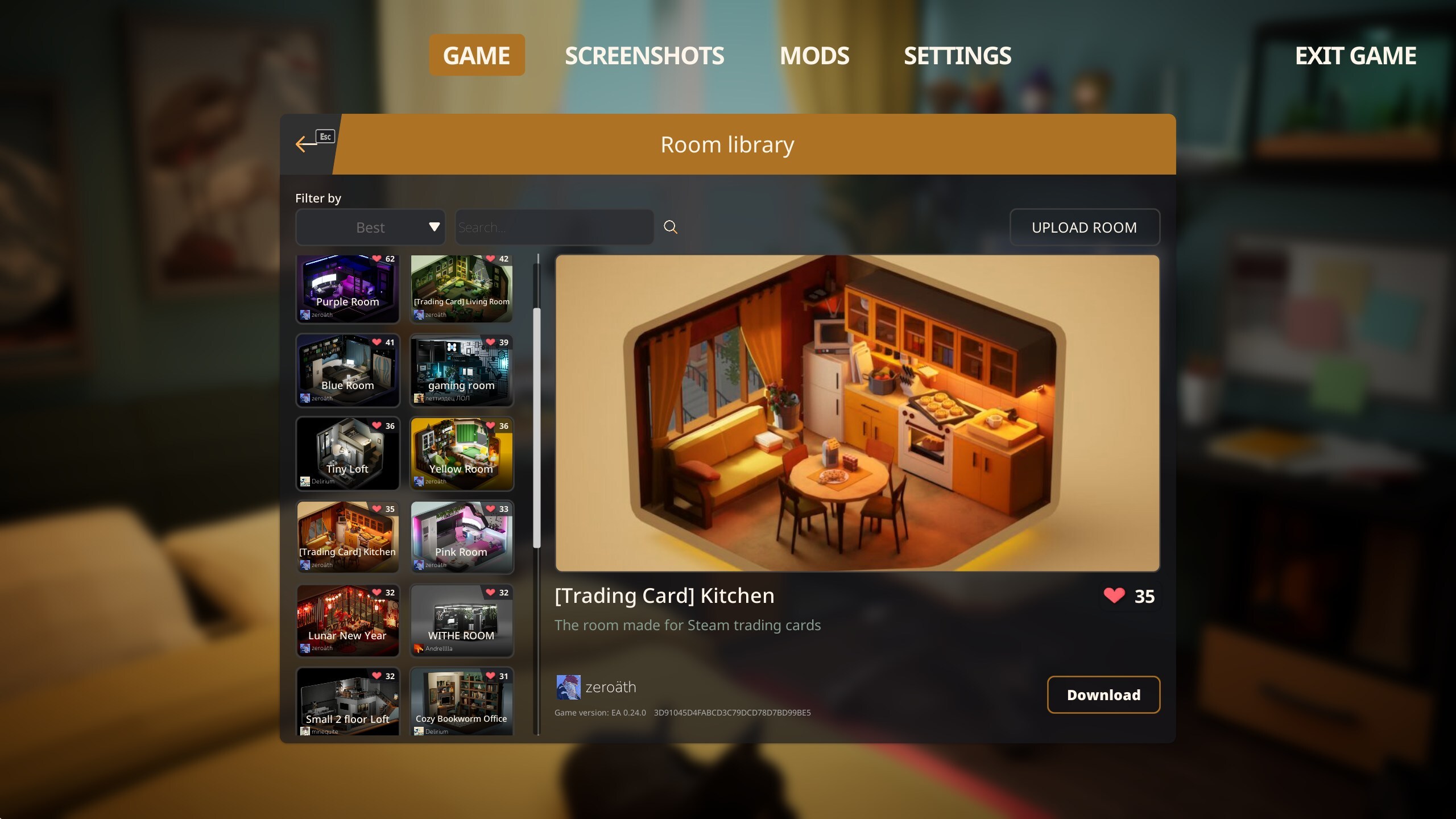
- The entire game's interface has been redesigned, with several improvements to make it more user-friendly.
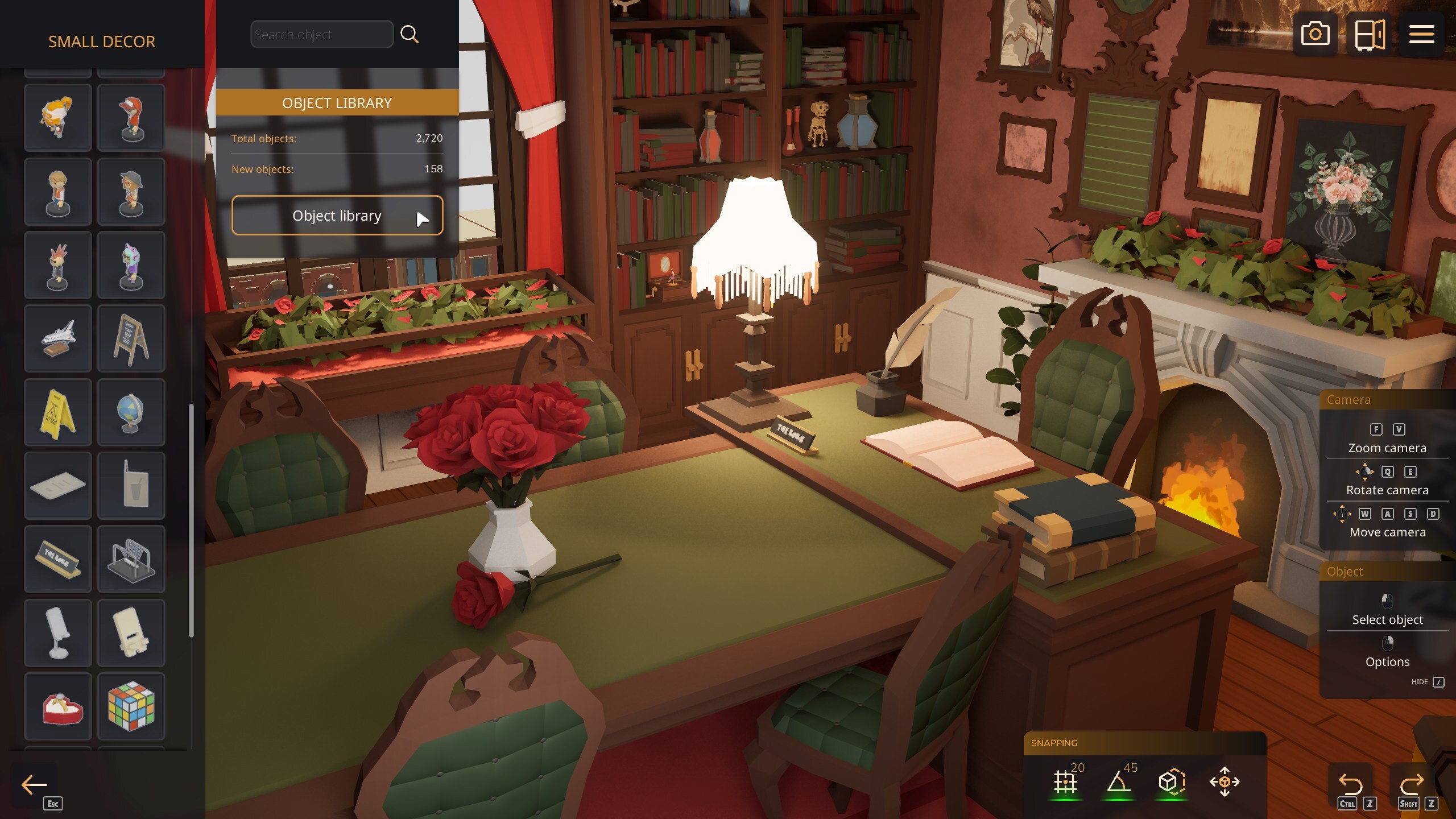
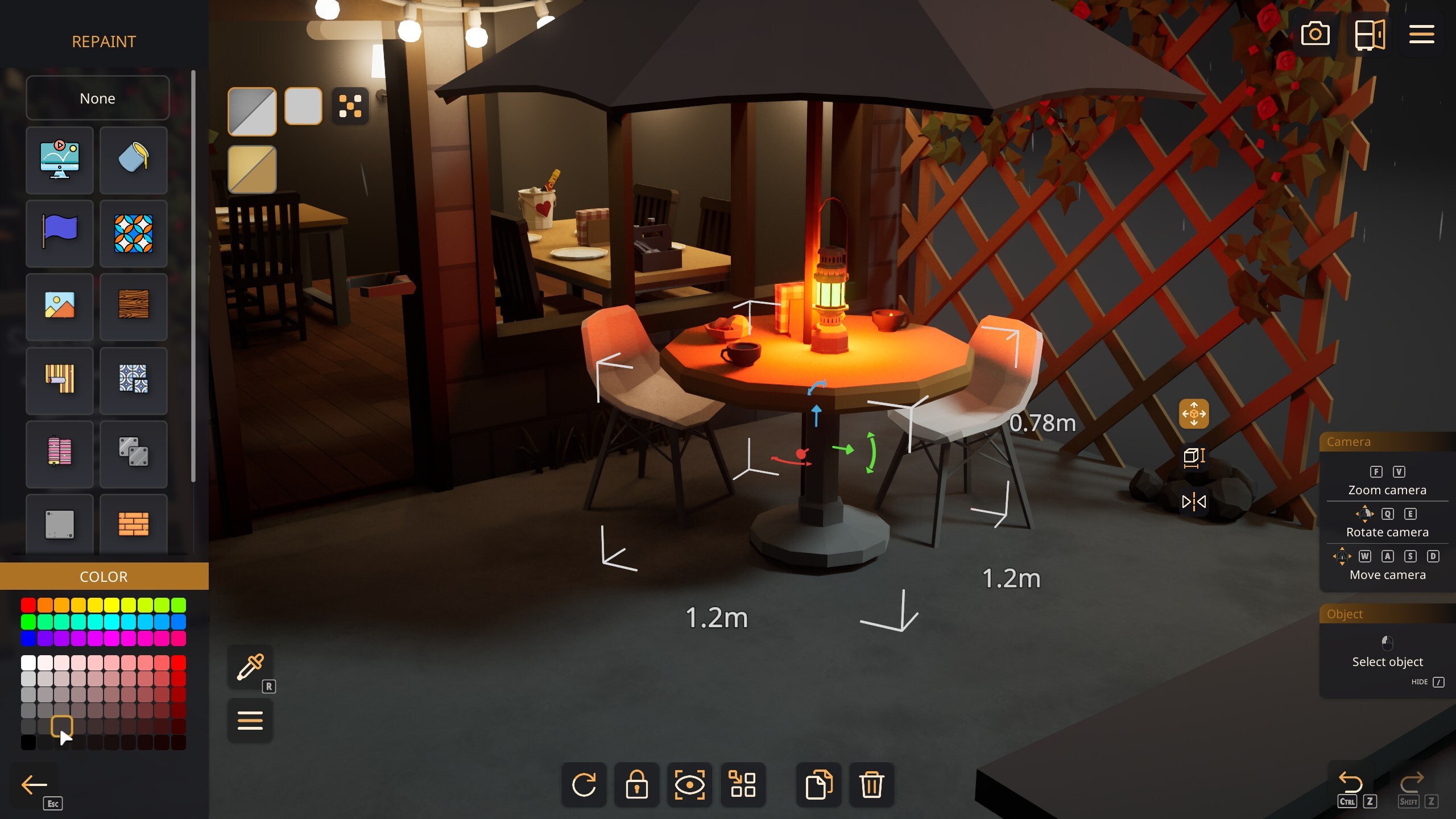
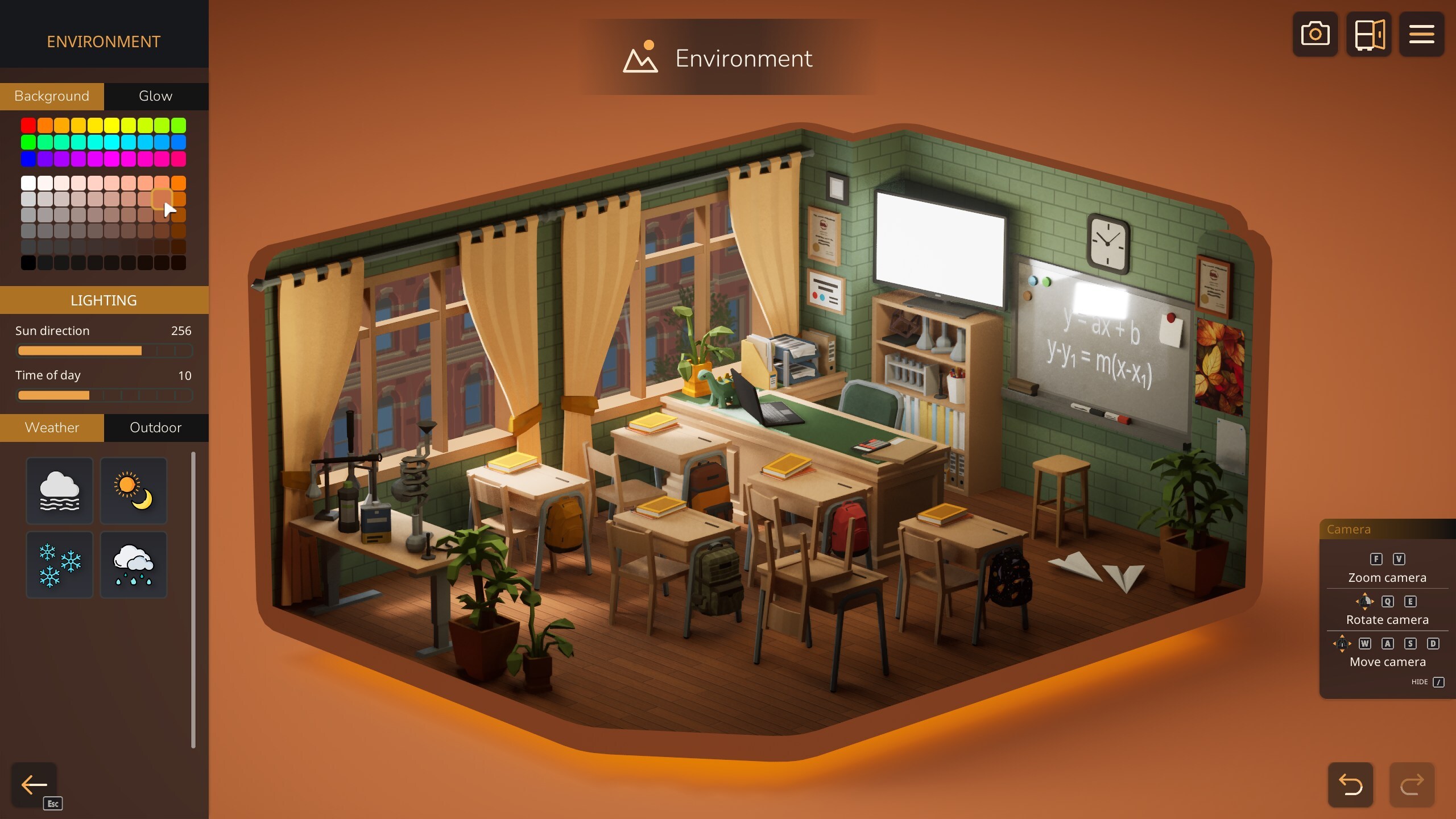
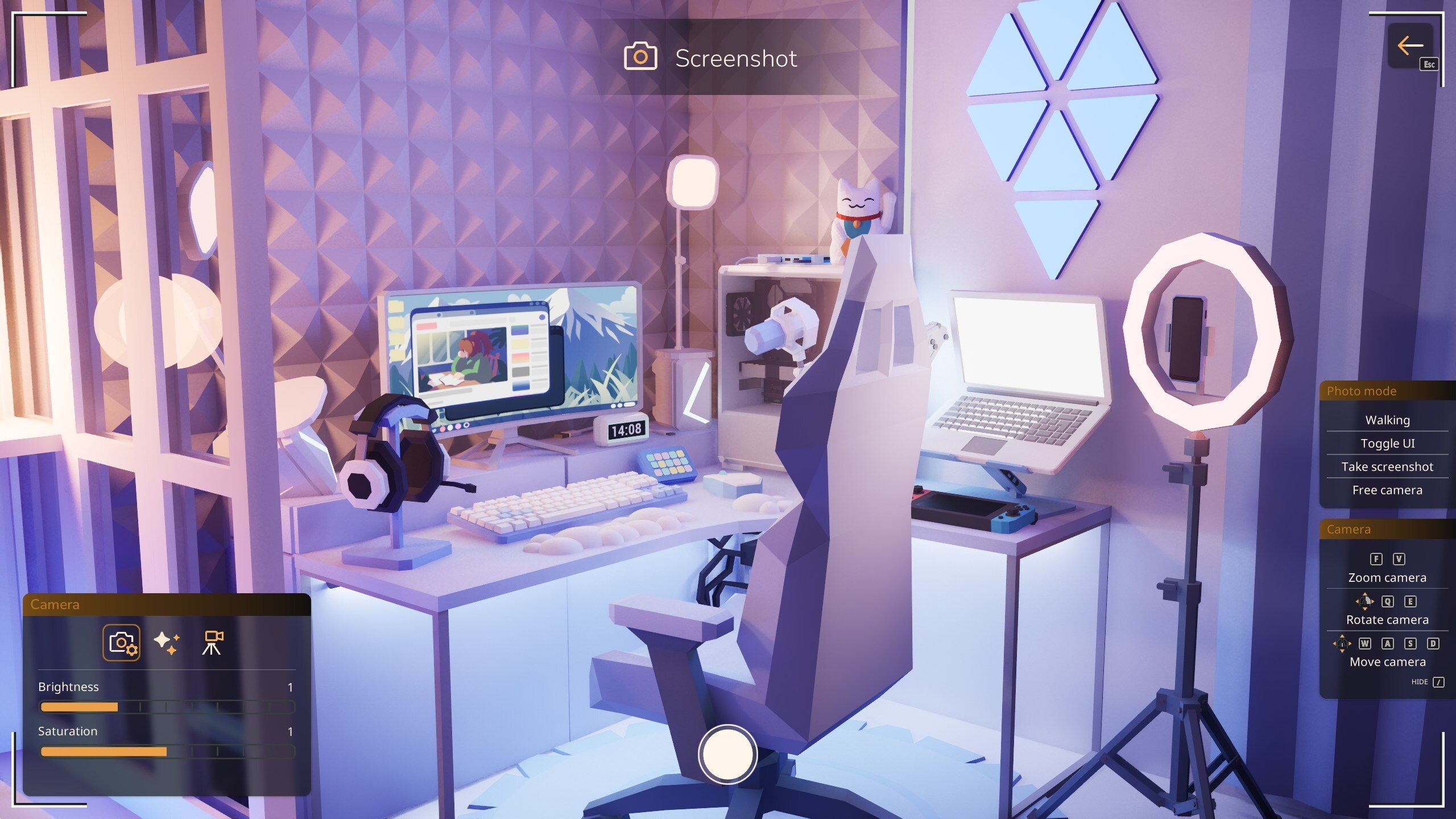

- Gamepad support has been added (except for the Mod Creator screen, which still requires a mouse and keyboard).
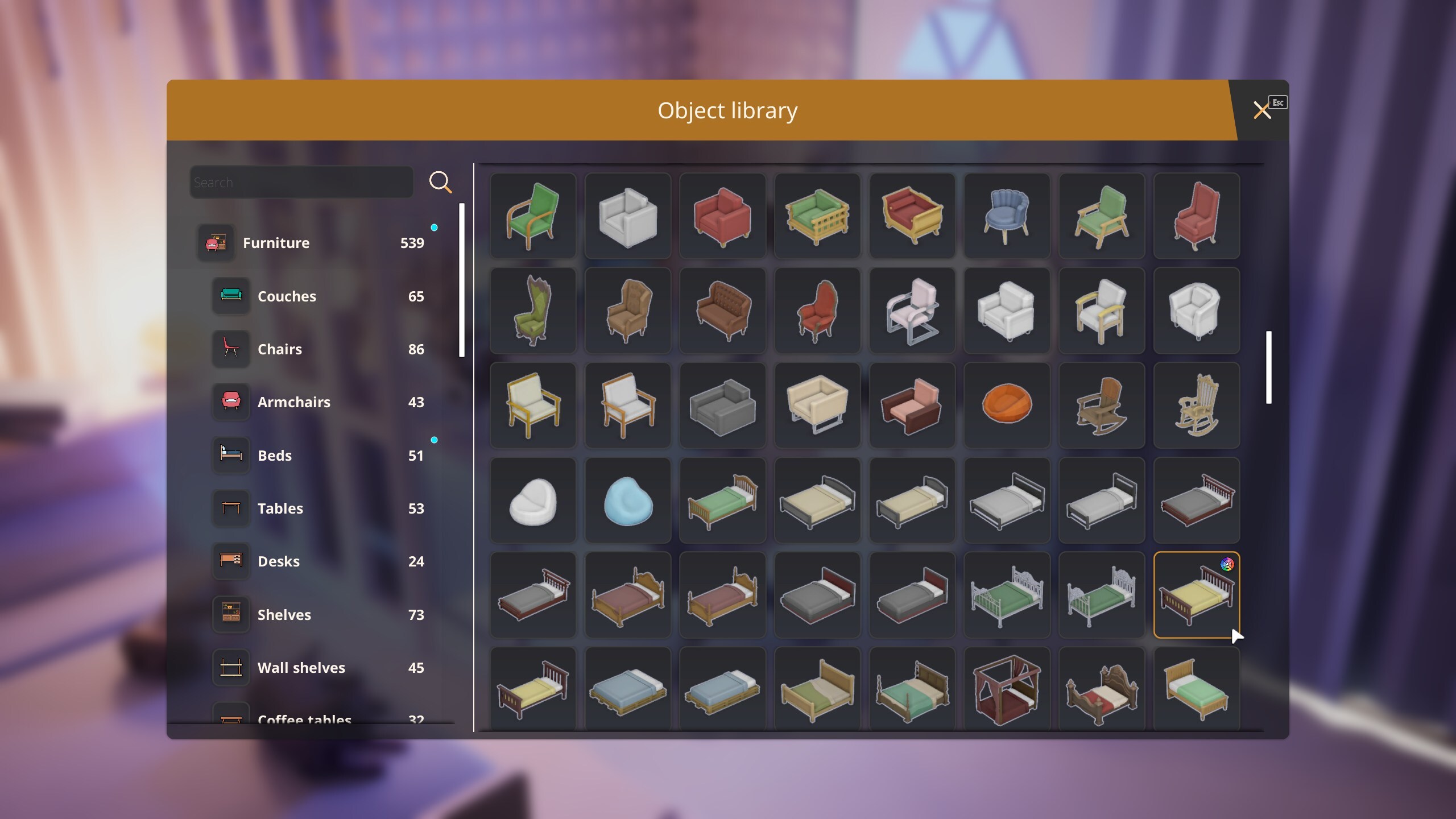
Watch video on YouTube (opens in a new tab) - Object icons should now appear instantly instead of loading in real time. The sizes of some icons have also been fixed.
- The grouping menu is now accessible directly from the main gameplay screen. You no longer need to enter it through another object's editing mode. This screen functionality also been improved.

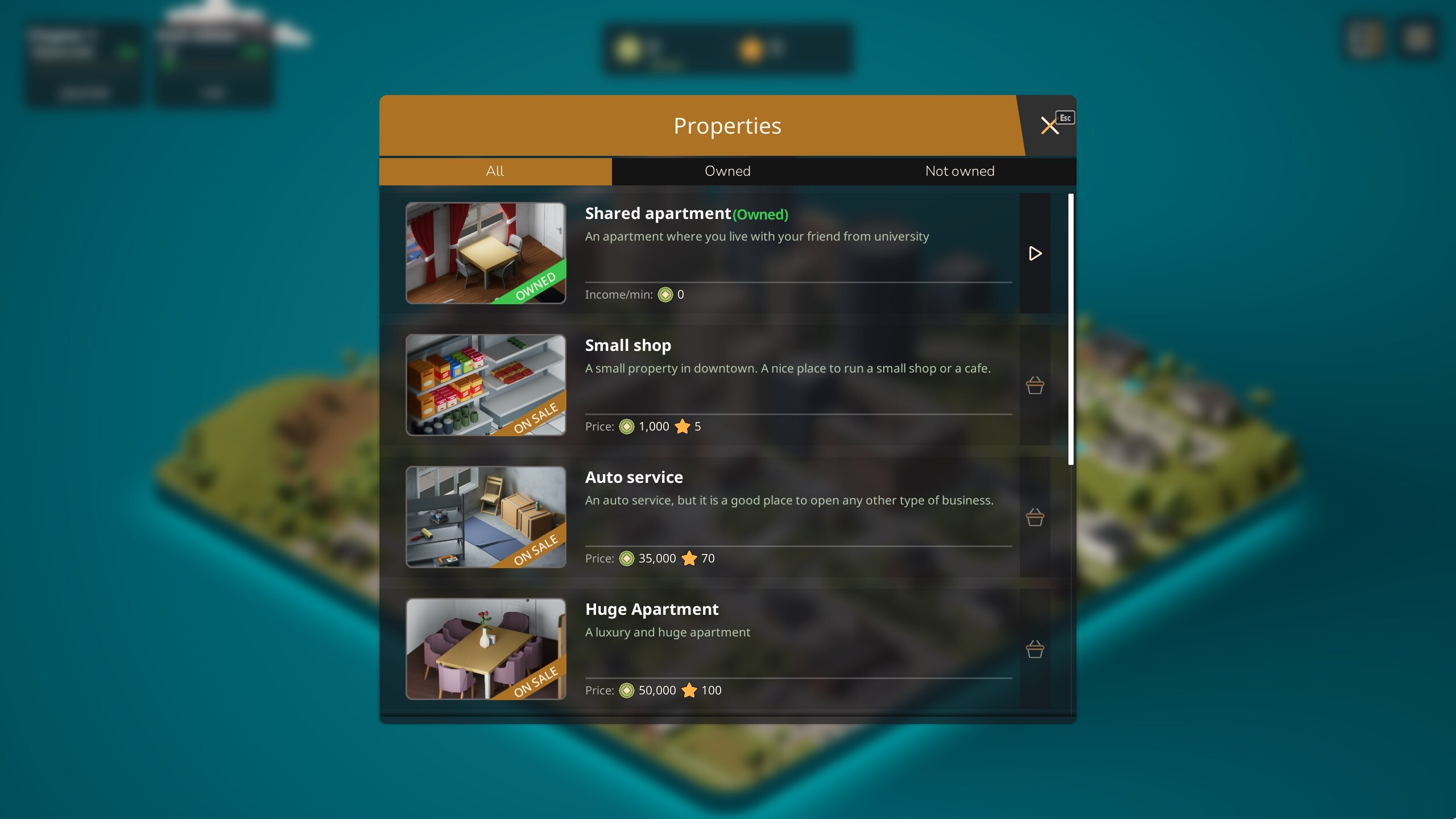
- Story Mode now displays your progress and has a separate screen showing all available properties.
How to access beta version
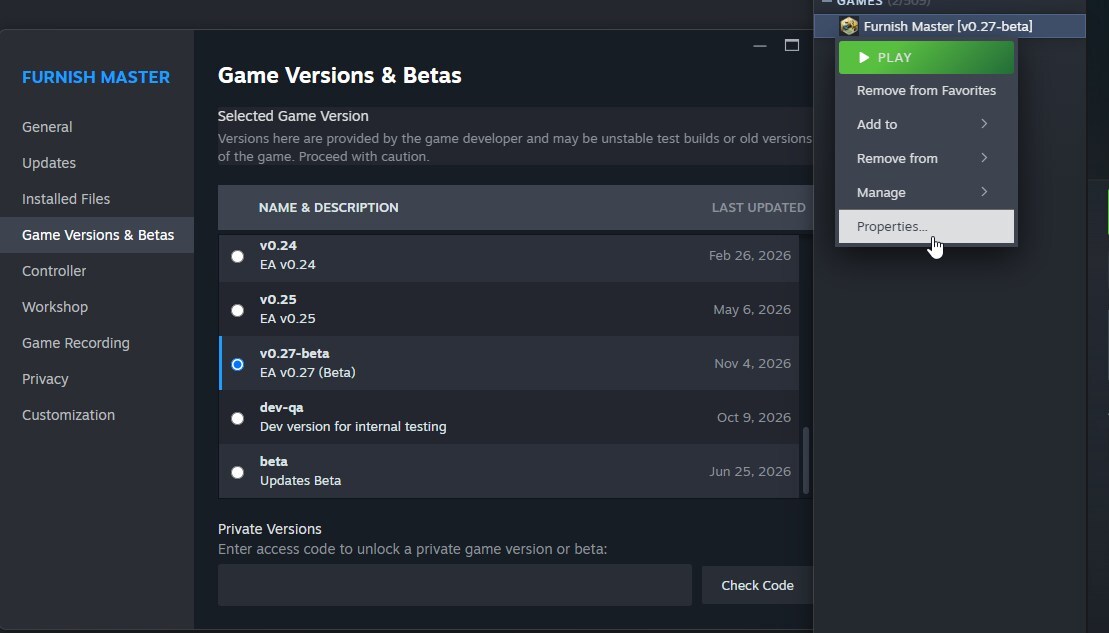
If you're interested and want to try the new version before the official update, you'll need to switch to the beta branch. To do this, open the game's Properties in Steam, go to the "Betas" tab, and select "0.27-beta". After that, Steam will automatically update your game.
We strongly recommend backing up your save files before switching to the beta version. You can find them in the following folders:
| Platform | Path |
|---|---|
| Windows | C:/Users/Username/AppData/Local/FurnishMaster/Saved/SaveGames |
| Linux | /home/Username/.config/Epic/FurnishMaster/Saved/SaveGames |
| MacOS | /Users/Username/Library/Containers/FurnishMaster/Data/Library/Application Support/Epic/FurnishMaster/SaveGames |
Final update
In the full update, we also plan to add more content to the game, fix any remaining issues with the new interface, complete the localization of the new UI, and address players' feedback.
We're planning to release the update on December 13th, before the Steam Winter Sale.
Follow and discuss Furnish Master!

Discord server
https://discord.gg/5H9kMjASKu

X (Twitter)
View game page

Steam discussions
https://steamcommunity.com/app/2004080/discussions/

Reddit
https://www.reddit.com/r/FurnishMaster/

Youtube
View game page