
Hello! This is the first release candidate featuring major animation improvements.
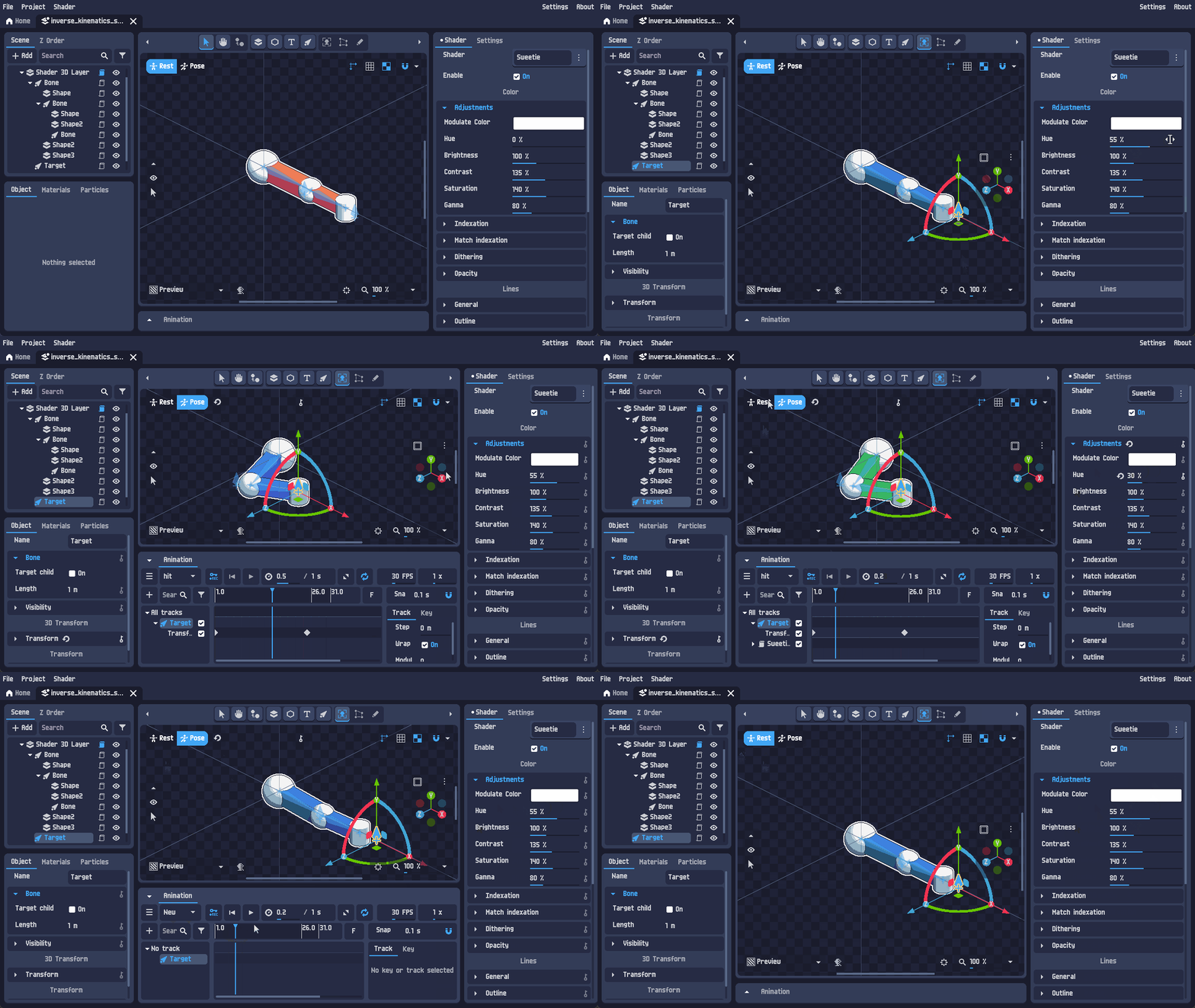
As previously announced, this pre-release implements the final animation feature: the ability to save and load animations.
Please note that pre-release versions may be unstable.
How to access pre-release versions
Roadmap and news
Documentation and tutorials
Changes
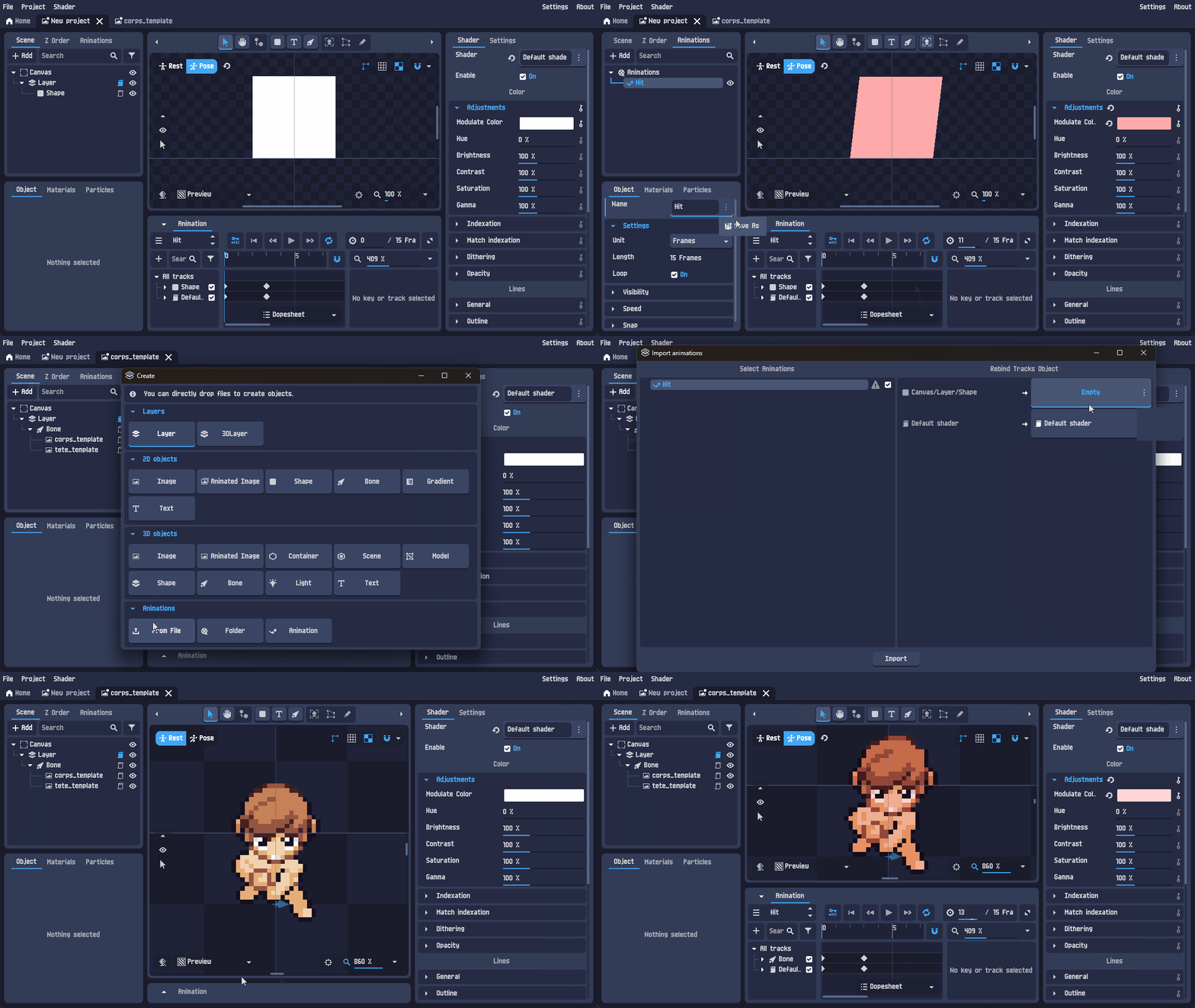
(Beta 2 → RC 1) Added the ability to save and load animations.
|
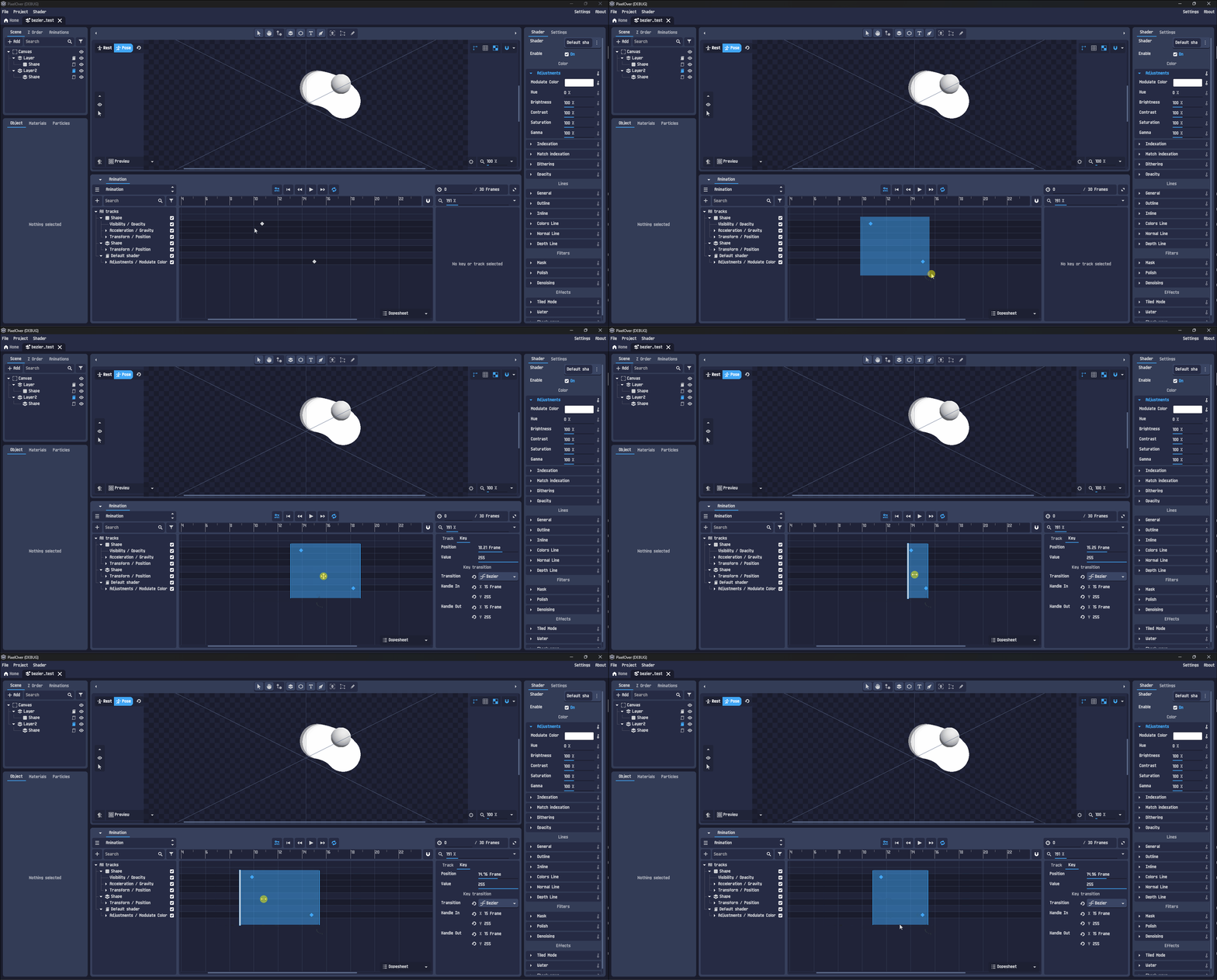
(Beta 2 → RC 1) Advanced selection for animation (move, flips and scale the selected keys).
|
| (Beta 2 → RC 1) Improved drawing selection, same selection tool on the right click will substract the selection. Also added flips and rotation on the selection menu. |
| (Beta 1 → Beta 2) Added missing setting for canvas custom origin. |
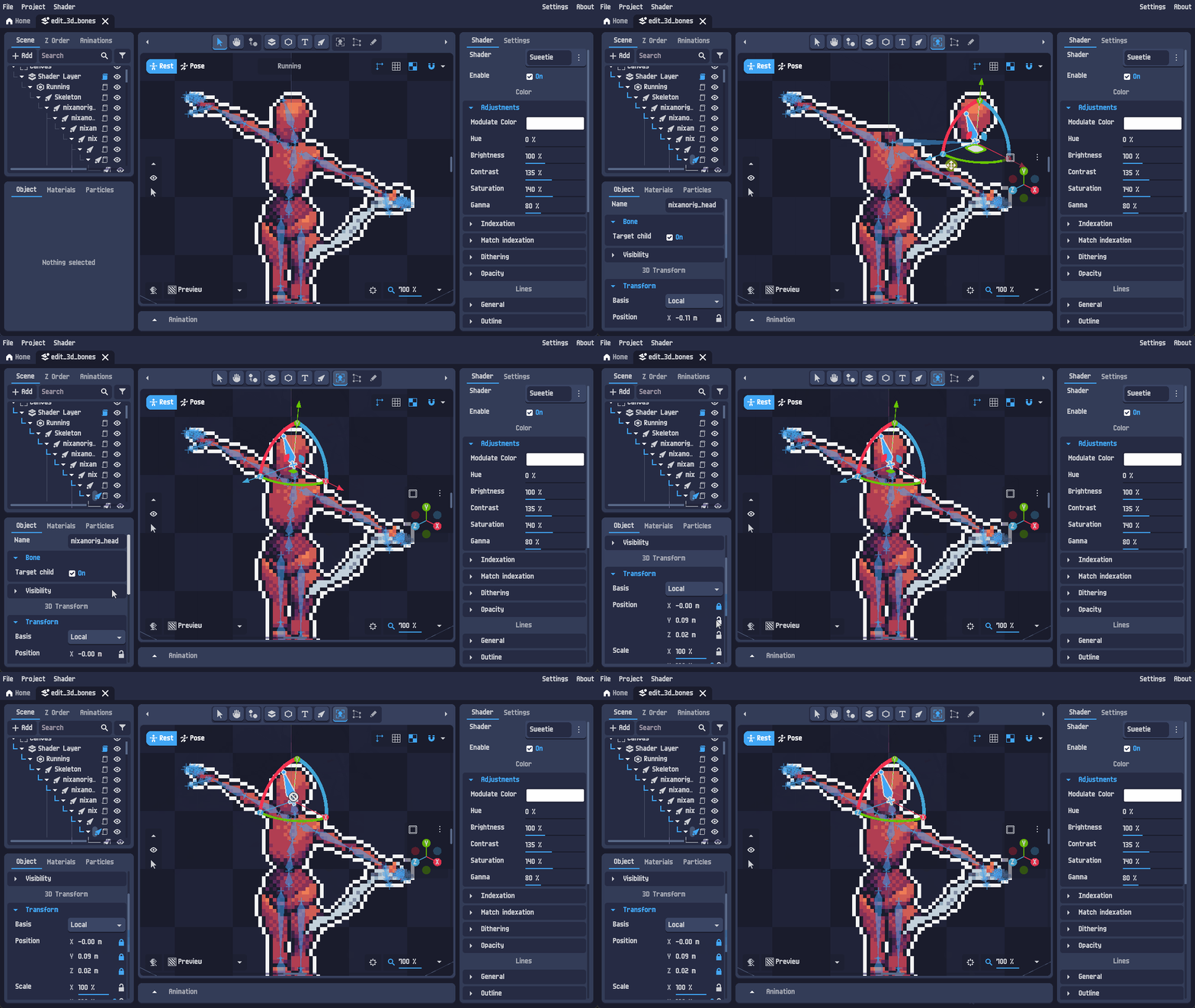
(Alpha 3 → Beta 1 → Beta 2) Added lock for transform inputs.
Also display last selected point value for mesh deformation and add ability to lock it.
|
| (Alpha 3 → Beta 1) Updated EULA with clearer wording (especially regarding exported files), plus new sections clarifying for example that all generated data stays local. |
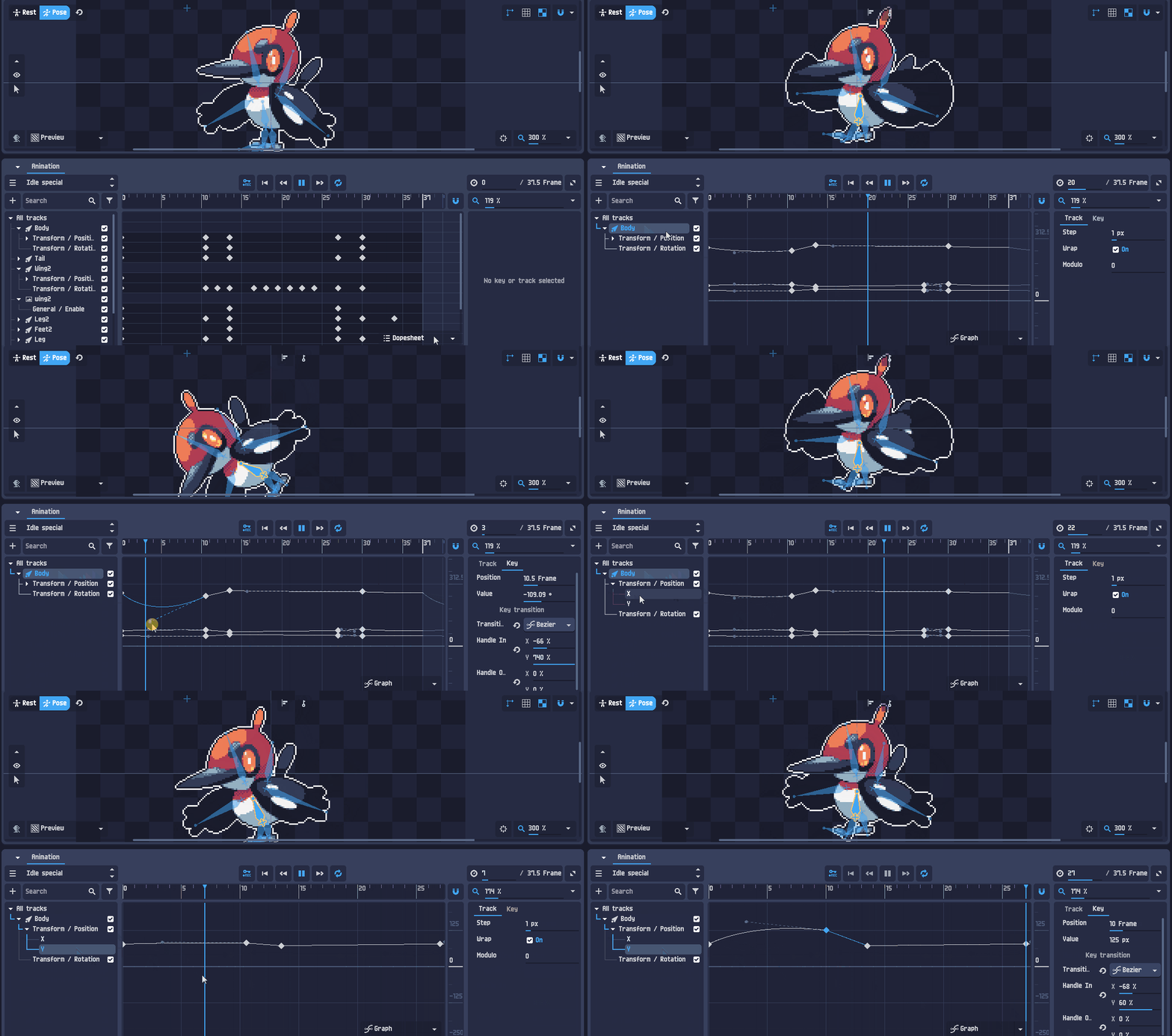
(Alpha 2 → Alpha 3) Animation improvements.
- Added graph editor for keys.
- Added buttons to jump to previous and next key.
- Input sub-tracks (vectors, colors, etc.) can now be edited individually.
- Improved ruler and dope sheet readability for tracks.
|
(Alpha 1 → Alpha 2) Improved animation management.
- Added a new tree system and the ability to organize animations into folders.
- Animations are now managed as objects, reducing the number of displayed properties in the animation panel.
- Improved undo/redo support for keys and tracks properties.

|
| (Alpha 1 → Alpha 2) Updated to Godot Engine version 4.5. |
Rest/Pose is now a global system for all objects.
- Changes in Rest Pose set the default value for all animations.
- Changes in Pose Mode affect only the selected animation.
|
| Added a parameter for drawing tools to keep the object on top while drawing. |
| Added copy/paste support for shaders. |
| Improved animation track synchronization with object selection. |
| Improved the Add Track dialog with a tab system (particle properties are now separated from other properties). |
| Added an option in settings to choose the default pixel-scaling algorithm. |
| Added Escape key shortcut to deselect all tracks and keys. |
Bug fixes
| Issue | Reference |
| (Beta 1 → Beta 2) Fixed add key with the right click. | Link |
| (Beta 1 → Beta 2) Fixed missing rest transform for bones without track. | Link |
| (Beta 1 → Beta 2) Fixed opacity synchronization with particles. | Link |
| (Beta 1 → Beta 2) Fixed locking undo/redo. | (Not reported) |
| (Beta 1 → Beta 2) Fixed snap for bezier handles. | (Not reported) |
| (Beta 1 → Beta 2) Fixed saving project files from 0.17+ to 0.16+. | (Reported by DM) |
| (Beta 1 → Beta 2) Changing animation fps now recompute well the keys position. | (Not reported) |
| (Alpha 3 → Beta 1) Fixed missing first update of any input in pose mode. | Link |
| (Alpha 3 → Beta 1) Fixed missing animation tracks when copying an object. | Link |
| (Alpha 3 → Beta 1) Fixed selection tool erasing when the object is invisible and fixed a crash. | Link |
| (Alpha 3 → Beta 1) Prevent newly created point to jump to nearest point. | Link |
| (Alpha 3 → Beta 1) Fixed resource saving. | (Not reported) |
| (Alpha 3 → Beta 1) Fixed crash when creating 3D bones. | (Not reported) |
| (Alpha 3 → Beta 1) Fixed some missing synchronization with displayed animation. | (Not reported) |
| (Alpha 1 → Alpha 2) Fixed a crash when removing an invalid bone from a mesh. | Link |
| (Alpha 1 → Alpha 2) Prevented the recovery files dialog from appearing when the previous session did not crash. | Link |
| (Alpha 1 → Alpha 2) Fixed an empty main view issue in compatibility mode. | Link |
| Fixed an issue with incorrectly exporting empty JSON files. | Link |
| Fixed incorrect drawing cursor position when an object has a custom offset. | (Not reported) |
| Fixed crashes when using multi-select. | (Not reported) |
| Fixed inputs sometimes appearing in the wrong order. | (Not reported) |
| Fixed tree losing selection on items. | (Not reported) |
If you encounter any bugs or have feature suggestions, feel free to share them in the community forum. Thank you!