
Fellow Mixonauts! I have been doing a ton of housecleaning with the build, removing a bunch of tech debt, old dialog lines, and during that time have been proving that systems that I built years ago with multiplayer in-mind finally paid off!
Full update video here!
4 Player Online Coop Is Now ready to play!
I am extremely excited to announce that you can now create, edit, and share mixes as a collaboration with your friends! You and up to 3 others can do everything you can do in single player in a mix! This is the first release of it so there are still some bugs, missing QoL features and what not, but its honestly a ton of fun!
How does it work
In the HQ you can go to the multiplayer hub and start a session.
Once a session is started your friends can join on you or you can invite them via a code.
You and your friends can then switch between the different modes, galaxy map, hq, and the current mix. The host is the only one that can actually open mixes and once a mix is open, connected players can switch to the open mix from the galaxy map in the upper right.
Syncing the mix is on by default, but players CAN turn that off to make it so they can add and modify things with their own layers on. This can get a bit wild if multiple players are working on the same stuff in different layers, but its mostly up to you as to how wild you wanna get. When you hit the sync button to turn it back on, you must stop and restart the mix to actually get them to sync nicely.
Known issues
Sometimes a phantom collision will block the camera in the HQ.
No voice or text chat (Not sure if needed, but seems to be the norm for games these days)
Undo can be a bit whacky on nodes that are edited back and forth by different players. The undo's are local to the player to prevent undoing other player's work.
Desync can still happen with the playing mix, but it should be fairly rare.
When editing the same node, UI's don't update when the other player updates the node until you deselect and select the node.
Please use the feedback button in-game if you encounter game breaking bugs in multiplayer. This will be extremely helpful as I am only 1 dev trying to make sure I test things :)
Favorites, Likes, and Play counts
Every universe mix now tracks how many opens it gets, can be favorited, liked, and then can be easily found based on your favorites.
You now CANNOT add mixes to your galaxy map that aren't yours or uploaded by you. This is a fundamental shift in the galaxy map and any mixes you had in your galaxy map that were other players in the universe are automatically marked as a favorite and removed from your galaxy locally when you open the game. This way you can find them easily in the universe and play them and they don't end up taking up galaxy space of yours.
The Galaxy Map / Universe Browser
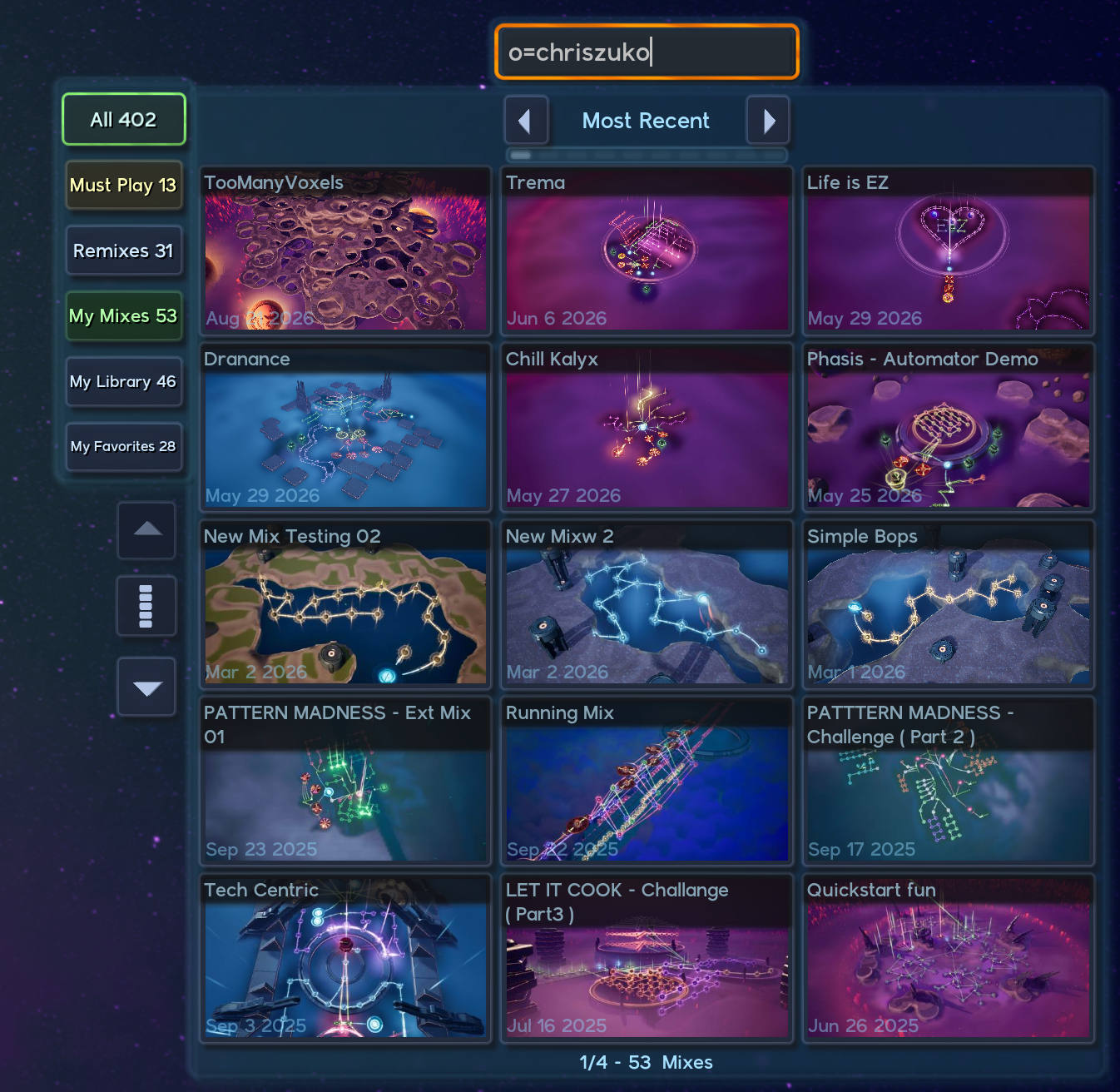
Finally you can now search your galaxy or the universe for mixes and click to find them quickly. Each mode, your galaxy, included, and universe have different tabs that allow you to filter even further.
If you type owner= into the search bar or o= it will return only the mixes by that mixonaut. So for instance typing o=chriszuko will show only the mixes by me.
Must Play
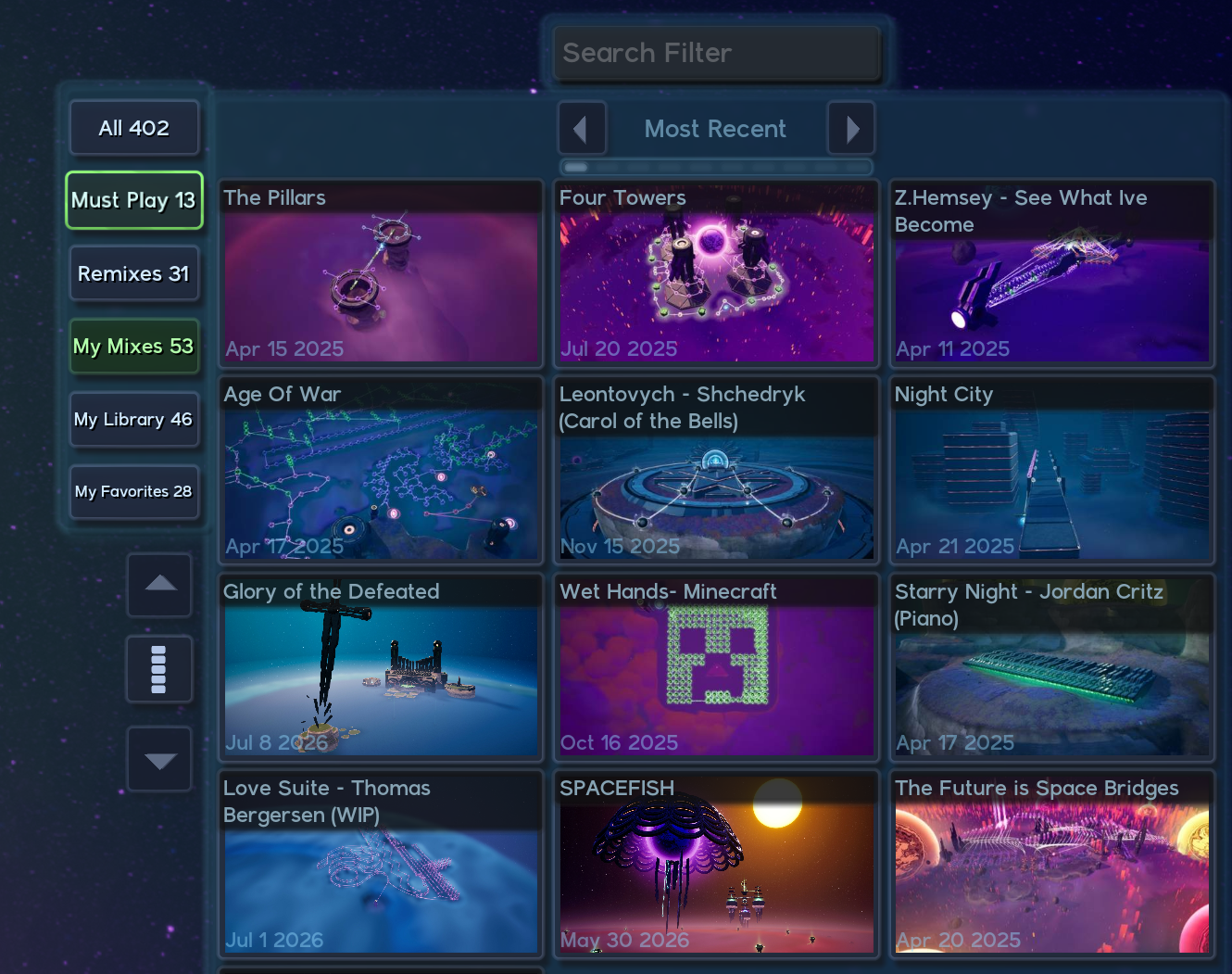
Every now and then a mix will show up in the universe that is absolutely mind blowing, creative, or just down right catchy!
We now have a curated Must Play category that highlights mixes that you should absolutely play if you haven't already!
Remixes and Remix Tracking
When someone makes a mix off of your mix it now is called a "Remix"
The website now reflects this and in-game you will see a purple line from one mix to the other in the universe map that allows you to quickly click from one to the other. A chain of remixes can be seen so much easier now because of this.
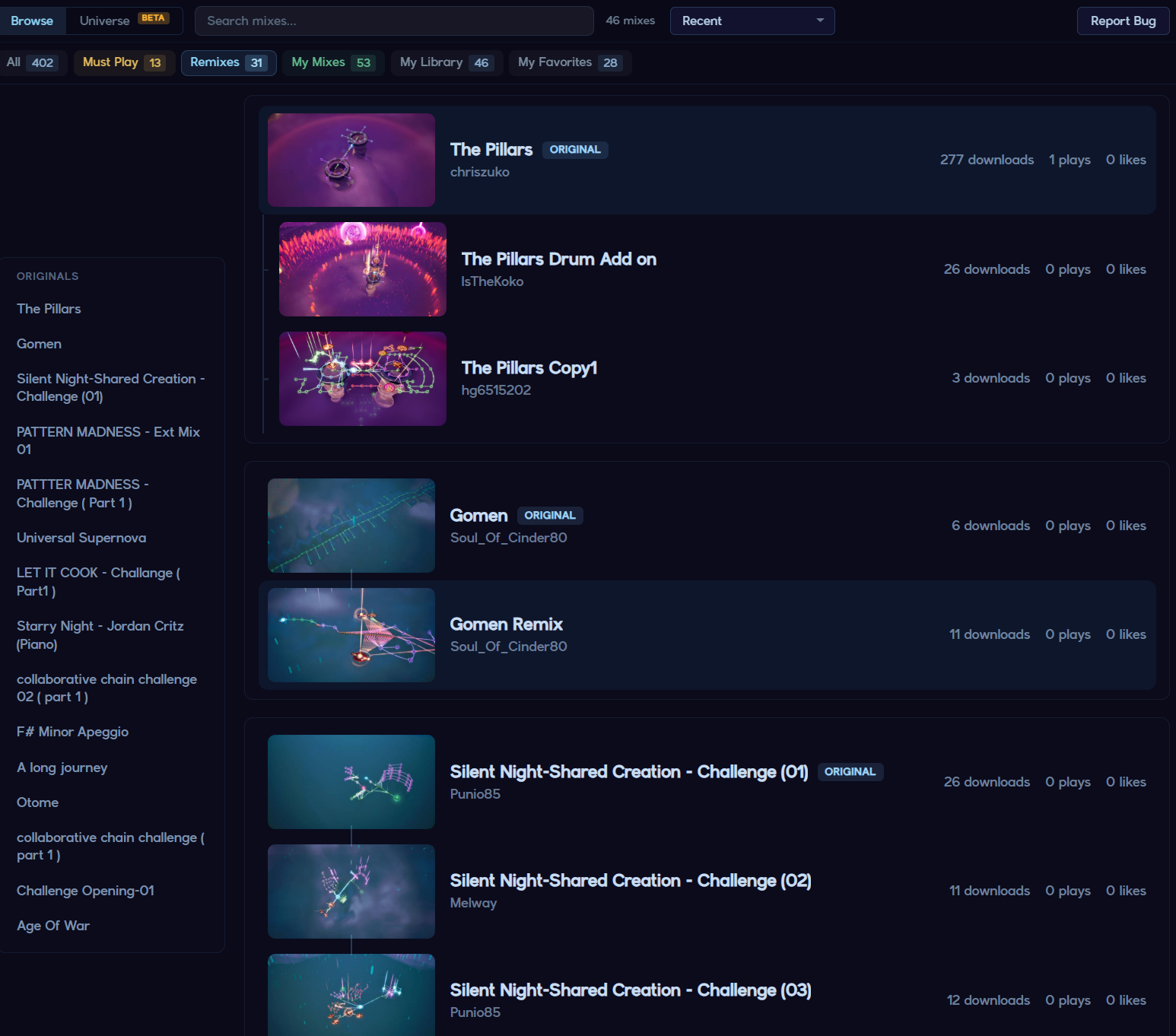
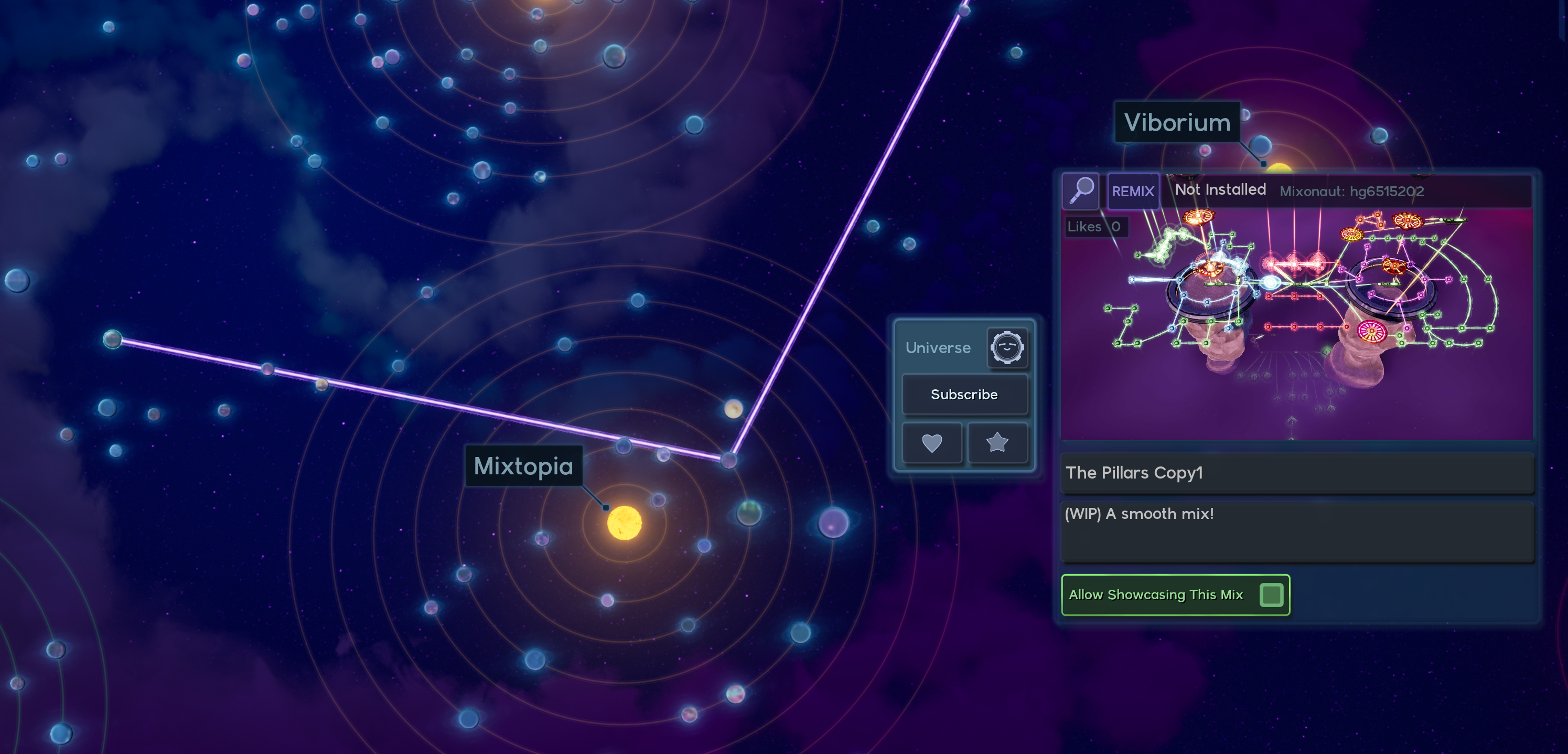
This way if someone just copies your mix and uploads it, at least it is easy to see who the original creator is. I am not entirely sure if I should remove those mixes or do some diff checks on upload, but for now this at least shows people what other people have tried to do at least haha.
Custom SDF Landscape System
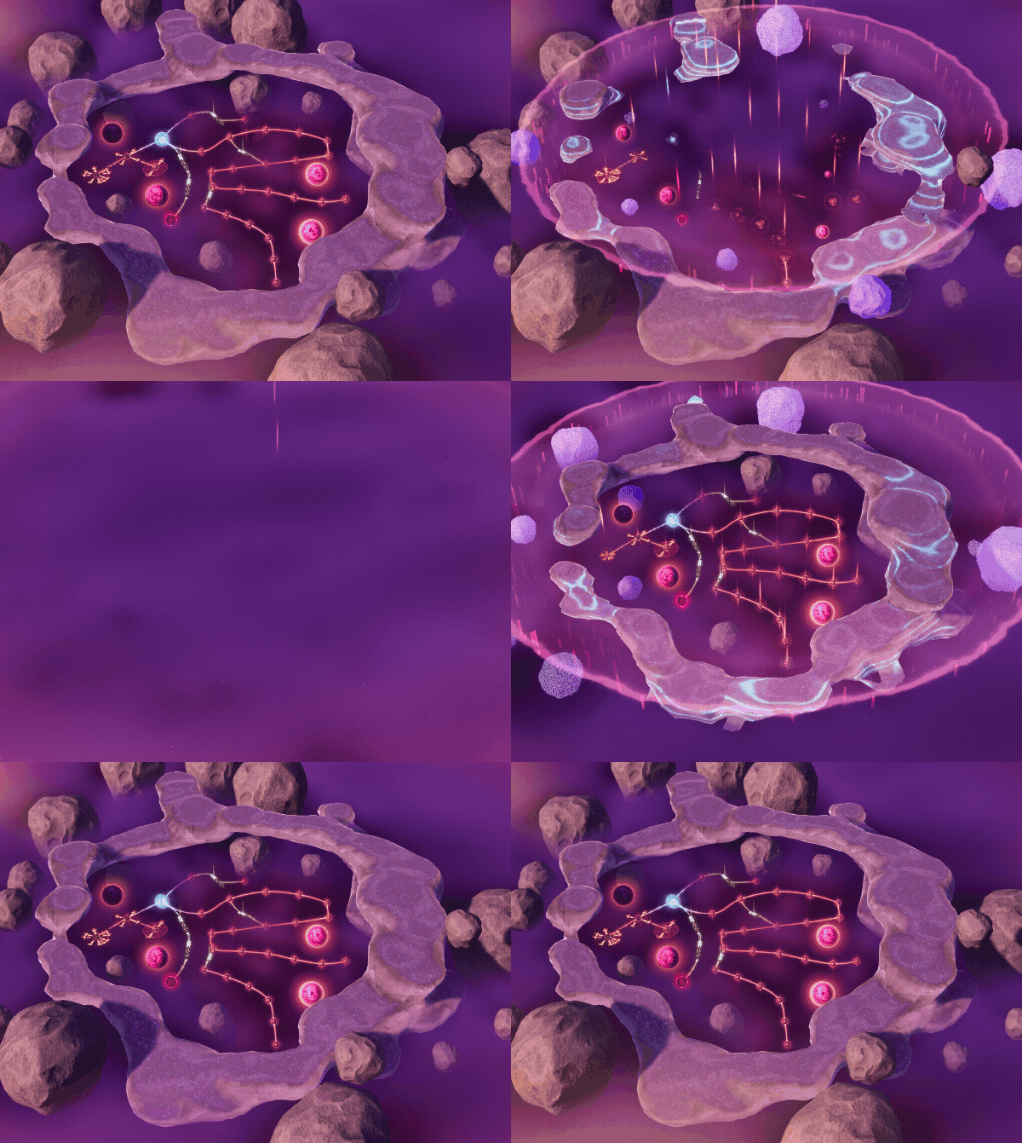
After many years it was time to build the SDF system the game truly needed.
Optimizations for lower end machines to run the SDF system
Smooth animations when changing layers
Unlimited material types, blending uses a method allowing us to not have an uber shader for all of the combinations of landscape.
Custom Grass system that is faster and much more optimized to our view, you can see grass from further away but it scales nicely as you get closer.
This sets things up to expand upon the system to other environment types much easier. Things like lava, ice, sand etc will be much easier to author and not have a bloated cost to them.
Grinding Link Rails
When in walk / flying mode you can now jump on links to grind them.
You can switch links at an intersection based on what link you are looking at.
When jumping off link rails the player does 1 of 3 flip styles for fun!
You can control the speed of the grind using W and D.
You can easily switch between different rails by jumping.
Boosting on rails works holding shift.
It's a ton of fun!
Fog Visualizer
You can now place fog spheres to help give your mix a little bit of atmosphere.
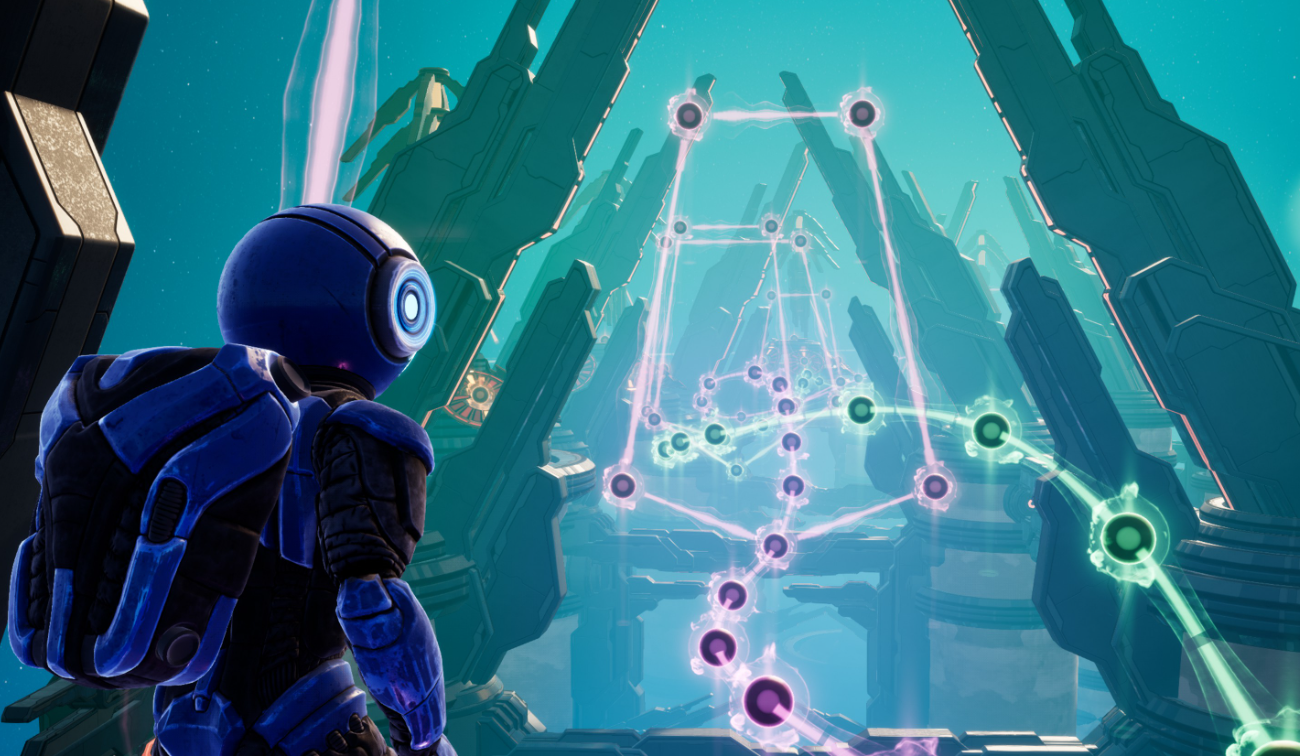
Fog spheres can also be automated.. so maybe that could make some fun mixes haha!
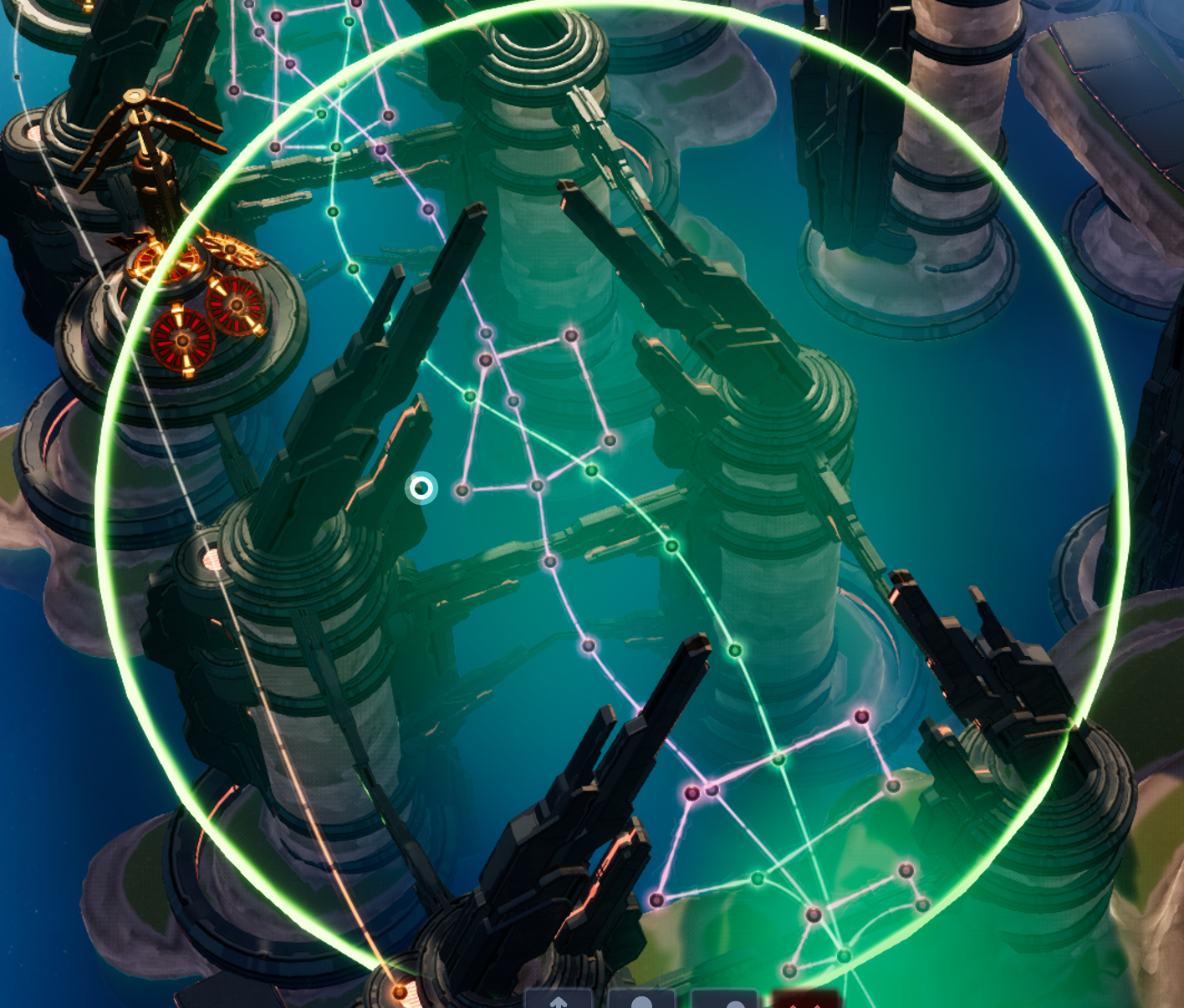
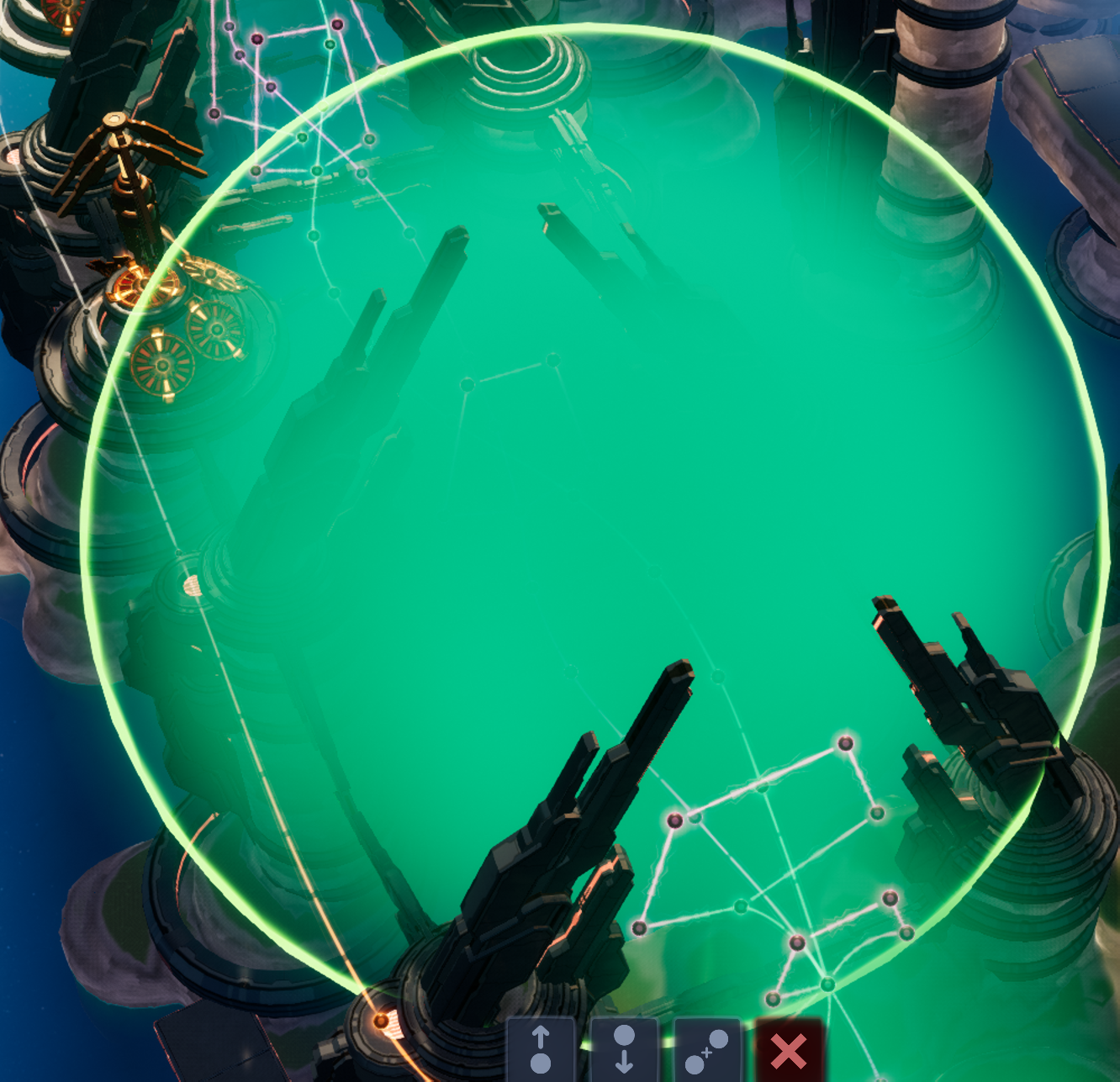
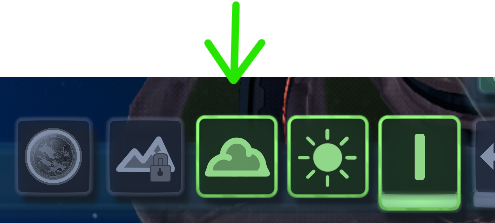
You can enable editing these by clicking the cloud icon on the main edit panel.
Advanced Features
Advanced Gizmo
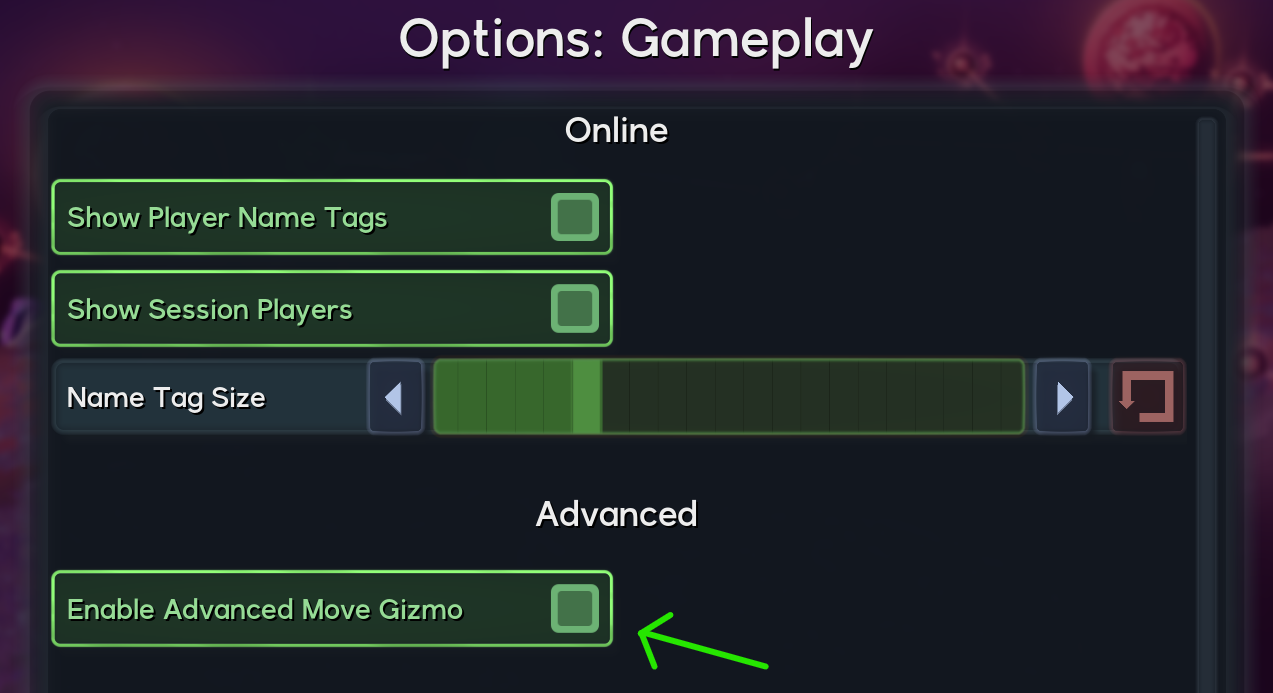
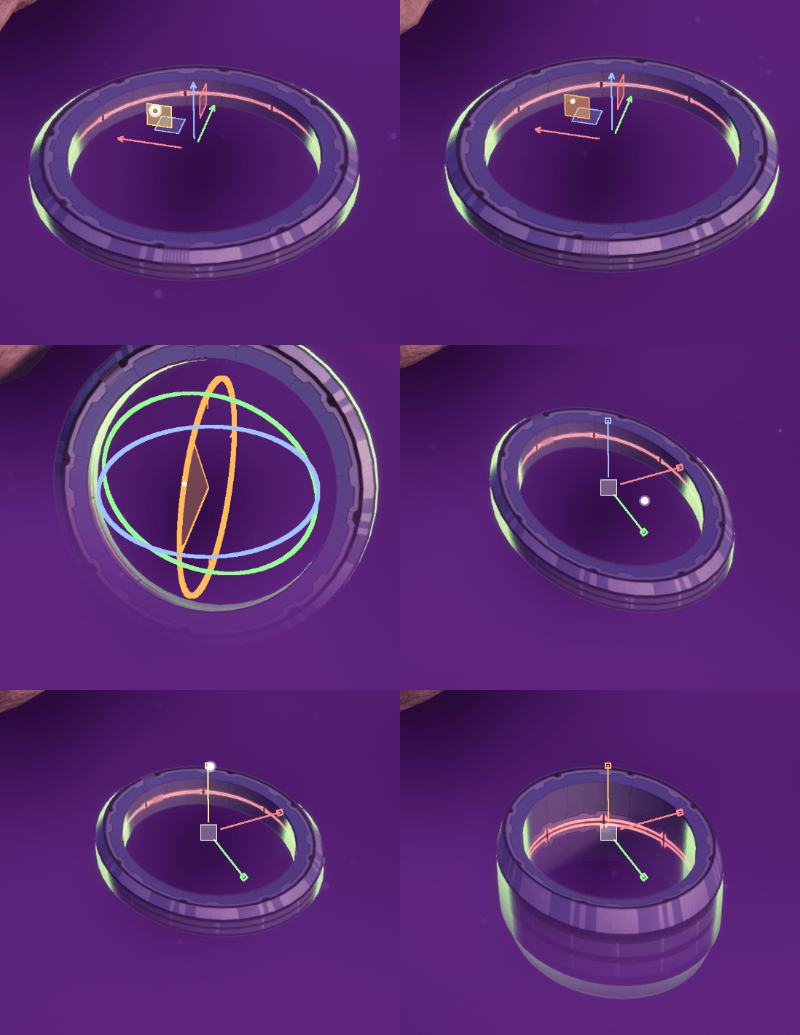
There is now an advanced gizmo that can be toggled on in gameplay settings. This emulates more of a traditional 3D program and can be super helpful for more complex mixes.
Some important notes since the controls are not documented anywhere else.
TAB : Switches between move, rotate, and scale
Control + Tab : Switches between local and world. Local mode allows you to orient the pivot along the rotation of the objects. Very useful for platforms!
Place at location of hovered objects
When placing objects, you can hold R and it will auto snap the preview object to the hovered object's location and rotation. Clicking will place it. Can be super useful if you place platforms and want other objects to place on the platform as well.
Additions and Polish
Double clicking Automators will now select all of the blend target nodes.
UI panels now play smooth fade in and out animations. Makes everything feel just a bit smoother!
The character now has flying animations to make it feel a bit more natural when moving around in flight mode.
All of the voice lines have been re-recorded with a new melody voice. This was an effort to remove placeholder audio that was generated by AI from the game, it now takes a real voice recording and then runs vocoder-like FX across it in order to give it a robotic feel. For melody, I've always wanted to her to be a bit monotone (For future story reasons) but still have a bit of expressiveness in her voice.
Gravity has been increased so jumping feels less floaty. Initially I wanted it to feel like the moon, but gameplay-wise that just isn't as fun.
Optimizations and Upgrades
Engine is now upgraded to unreal 5.8
UI has had a major overhaul and global invalidation is turned on. This should show some major performance wins on the CPU across the board.
Player Character, Player Controller, Automator Panel, Layer Panel, and the UI main palette have all been ported from Blueprint to C++. This is all in an effort to offload more from the CPU to allow more room for audio rendering.
Major optimization for nodes, especially links, rocks, and visualizer meshes all make sure to be completely off properly now when in different layers. (This was a very sinister and hidden bug that was causing some rather big performance drops is larger mixes)
Player Character is now properly hidden when in different modes along with it's FX. Again a sinister hidden bug.
Lighting across the board has been massively improved by removing a fairly complex plugin and replacing it with my own much simpler environment. Also, shadow settings have been improved so it should run on much lower specs than before.
Fixed issues with the fog rendering slow on lower end machines due to an accumulation bottle neck.
Steamdeck is now hitting a 60fps target for mixes up to 2000 objects in them. This might have to be some sort of warning or limit on mega mixes to help people understand that some people might not be able to run things as smoothly.
Physics updates are now much cheaper for animated objects.
Tick scheduling for objects is handled per request now instead of sending ticks out to 2000 objects who don't have any tick logic. Simple things like camera facing orientation for certain nodes is now all handled in the FX rather than the tick scheduling.
Other Fixes
Fixed bug related to hitting Ctrl+D to copy where your keys would get stuck.
Fixed bug where hitting pause during transitions would cause the transition to get stuck forever.
Fixed MANY bugs with the tutorials related to arrows never showing up or getting stuck forever in a tutorial due to a UI stuck bug.
Fixed quite a few gamepad cursor issues.
Fixed issue where selecting things with auto focus or holding F would sometimes jump to origin.
Fixed issue where you could get stuck resaving a mix forever.
Fixed issue where copying patterns would copy them across the mix far away.
General bug fixes regarding
As always, thank you so much for all of the support! I am truly grateful and am excited to see what everyone makes! IF you haven't left a review yet, every review truly helps tell steam how much it should care about the game! Thanks again and happy mixing!