FEEBACK REQUEST We really appreciate all of your feedback; it is what helps us identify areas to improve and work on. To provide feedback on the betas, contact us in Discord or fill this form: https://forms.gle/vFdpd7T9kowVh25V7 Stay tuned! More exciting features coming! ːsteamthisː
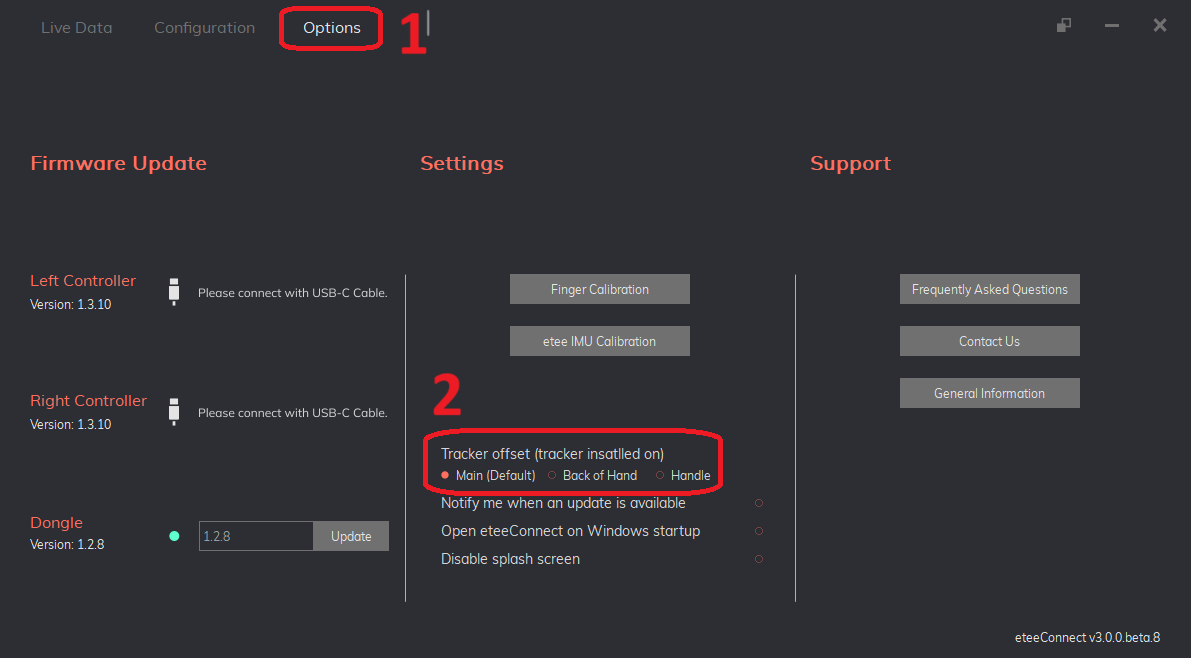
We invite you to try out our new beta for etee tracker offsets. You can switch between three offsets from the eteeConnect options menu.
How to switch between offsets
To change which offset you are using:
- Open the beta of eteeConnect (see below how to opt in)
- Go to the options menu
- You can find the three option for offsets at the bottom centre section
How to opt into the beta
To activate the beta release you will have:
- Activate the eteeConnect beta branch (see details below)
- Update your controller firmware version to 1.3.10.beta.0 (see details below)
Activate the eteeConnect [beta]
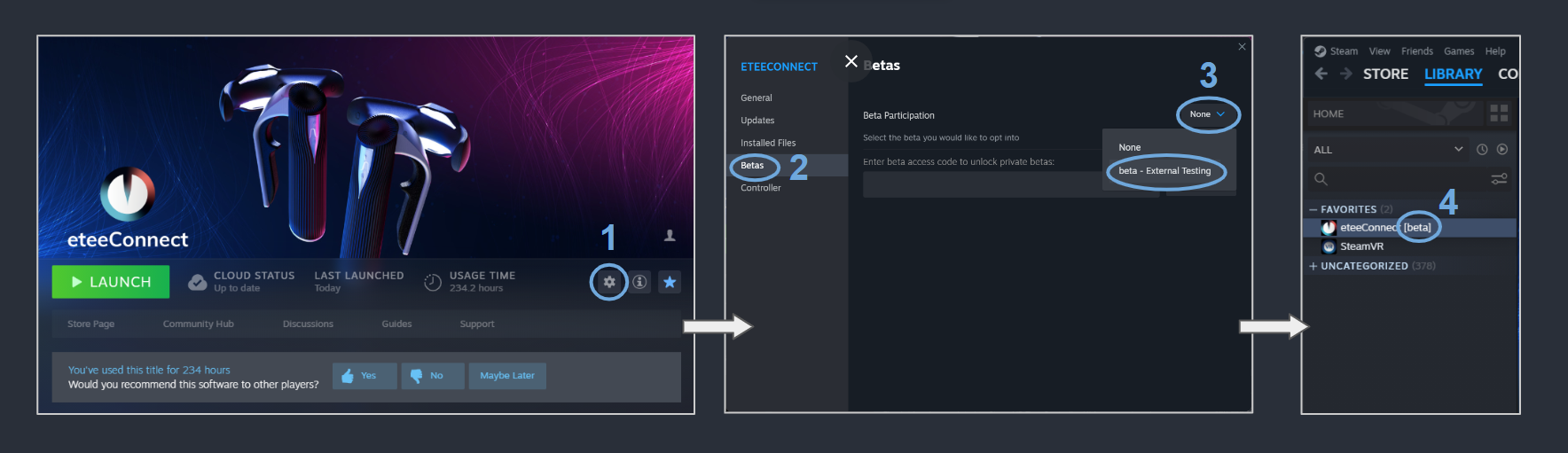
- In Steam, navigate to: "Steam > eteeConnect > Settings".
- Enter the "Betas" section.
- Under "Beta Participation", click on the dropdown-menu and select: "beta - External Testing".
- If the beta was activated successfully, you will see a [beta] tag next to your eteeConnect app name.