FEEBACK REQUEST We really appreciate all of your feedback; it is what help us identify areas to improve and work on. To provide feedback on the betas, contact us in Discord or fill this form: https://forms.gle/yPs2yZFh8YrsUnveA Stay tuned! More exciting features coming! ːsteamthisː
We’re excited to invite you to test the beta version of our newly restructured eteeConnect app, solving deprecated libraries.
Changes to eteeConnect:
- Introducing the mini-window feature
- Implemented numerous UI/UX improvements
- General backend maintenance
Make sure to also update your controllers to the newest controller firmware!
New version available: 1.3.11.beta.4
Changes to firmware:
- Bugfix to 1.3.11.beta.0 (removed), which accidentally introduced input lag issues.
- Bugfix for the erratic controller behaviour that appeared sometimes when opening SteamVR without closing eteeConnect properly (controller vibrates crazily and is unusable).
- Introduced features to sync the LED lighting effects with new eteeConnect V3.
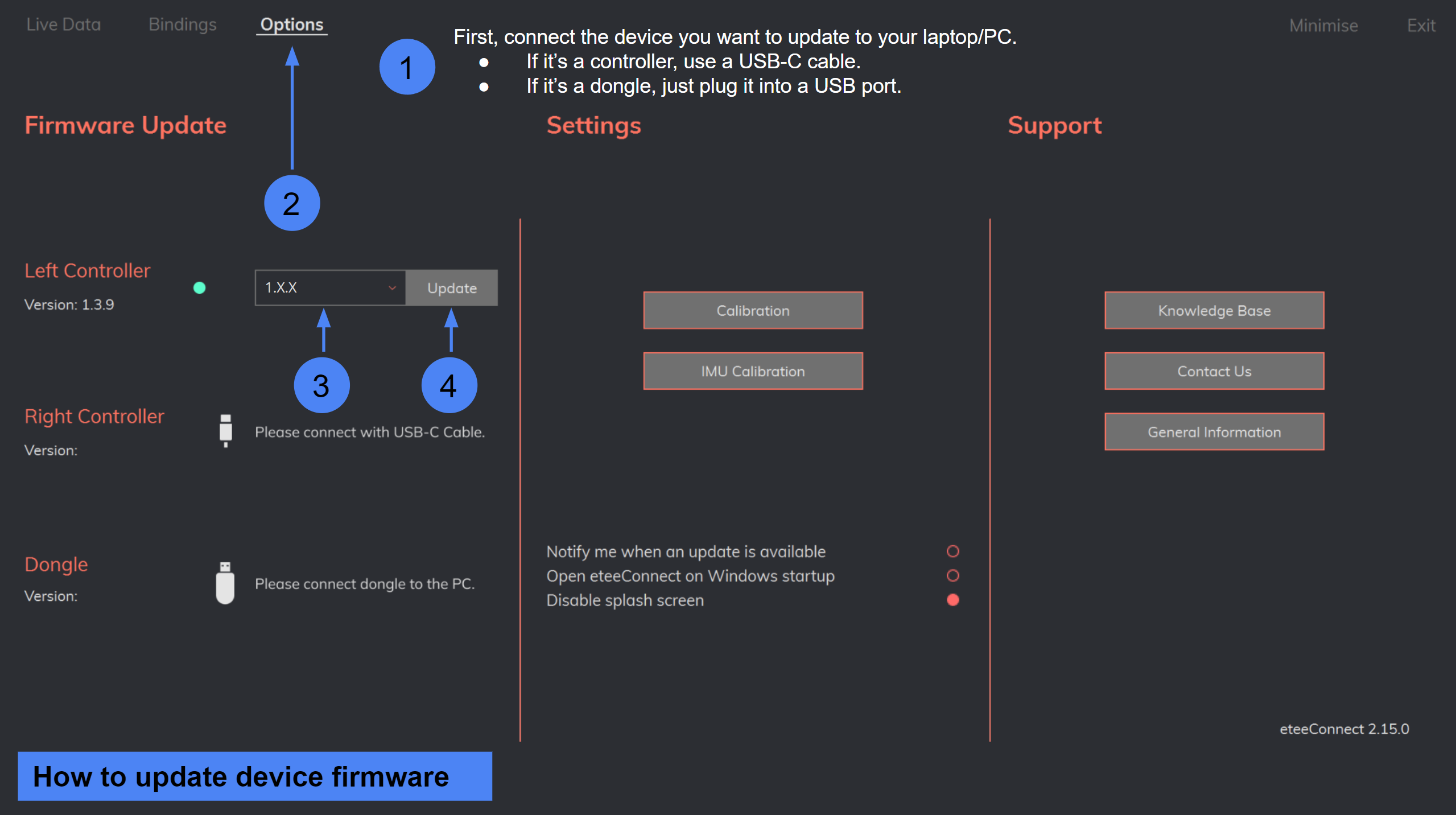
Firmware Instructions
To update your controllers, please, use eteeConnect. Go to: Options > Update > Firmware, and follow on-screen instructions.
Changes to bindings:
- Pushed new bindings for VRChat users that are entering the VRChat [open/beta]. The new bindings (V4_1) will need to be activated through the SteamVR Binding UI, so that the etee hand skeleton still works in the newest update. More information coming soon in a separate announcement.
How to opt into the beta
To activate the beta release you will have:
- Activate the eteeConnect beta branch (see details below)
- Update your controller firmware version to 1.3.11.beta.4 (see details below)
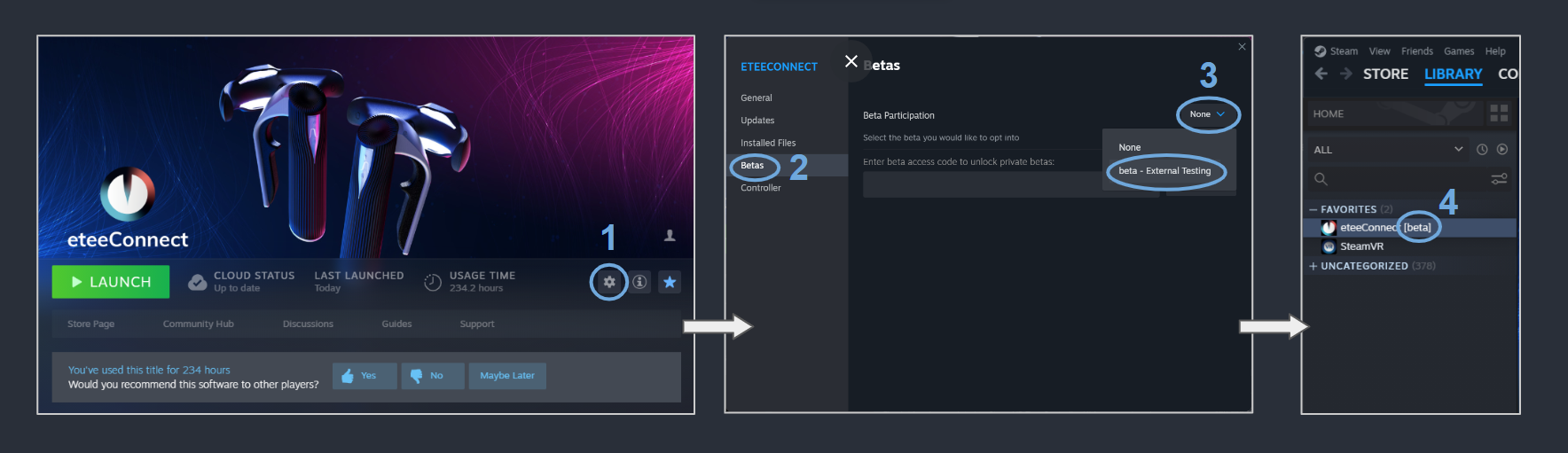
Activate the eteeConnect [beta]
- In Steam, navigate to: "Steam > eteeConnect > Settings".
- Enter the "Betas" section.
- Under "Beta Participation", click on the dropdown-menu and select: "beta - External Testing".
- If the beta was activated successfully, you will see a [beta] tag next to your eteeConnect app name.