
It's here!
HECK. YES. IT'S. DONE. Strap yourselves in, this is going to be one hefty update announcement!
First order of business: this gigantic update is the release candidate for Keysight 1.3.0. This means that nothing much should change before it moves over to the live branch in a couple of weeks; it is (to the best of my knowledge) stable and feature-complete.
I highly recommend opting in to the beta branch, this can be done by right clicking on Keysight, heading into Properties > Betas and selecting the beta branch!
I also recommend deleting your save data for Keysight if you have not invested a lot of time in configuration. Why? Because upon first launch, Keysight's setup wizard now imports a bunch of cool default presets you can use, and auto-configures a ton of graphics options for better performance! Save data is located under Users/[You]/Appdata/Local/Keysight/ simply delete the entire Saved folder.
1.3.0 is the biggest and most complex overhaul I have attempted on the Keysight project thus far, and for the first time I am genuinely proud of some of the systems that are now in-place and useable. Thank you very much for your patience, those of you already on the beta branch and updateless for 2.5 months now... I cannot wait to see what you guys end up building with this and I promise it was worth the wait! Don't forget you can always get in touch directly via the Steam forums, or by tracking me (Egglyberts) down elsewhere on the internet, I actively enjoy talking shop in terms of Keysight feature ideas, implementations and troubleshooting ːsteamthumbsupː
And now. As promised. Walls of text! If you manage read all of this... I may have to get some sort of medals made.
Particles
Where to even begin on this one... Tell you what, how about a video? Here's all four default presets bundled with this beta, and they showcase particles quite nicely! (Also, whoa, what is that crazy damper visualization at the bottom, huh...)
So how and why the huge overhaul? Well, particles have always been the weakest part of Keysight, especially when compared to what others are doing with midi visualization in the creative space. Keysight's original particle implementation, that lasted almost a full year, was the most barebones un-researched implementation of the decrepit "Cascade" system in Unreal Engine, just to get something out there. We have now moved over into the exciting new(ish) supercar of real-time VFX: Niagara! The sheer flexibility allowed in Niagara is insane, and it's allowed Keysight to compete (I feel) on visual fidelity while remaining fully controllable by the end-user.
Without further ado, here's an overview of the most exciting new particle features!
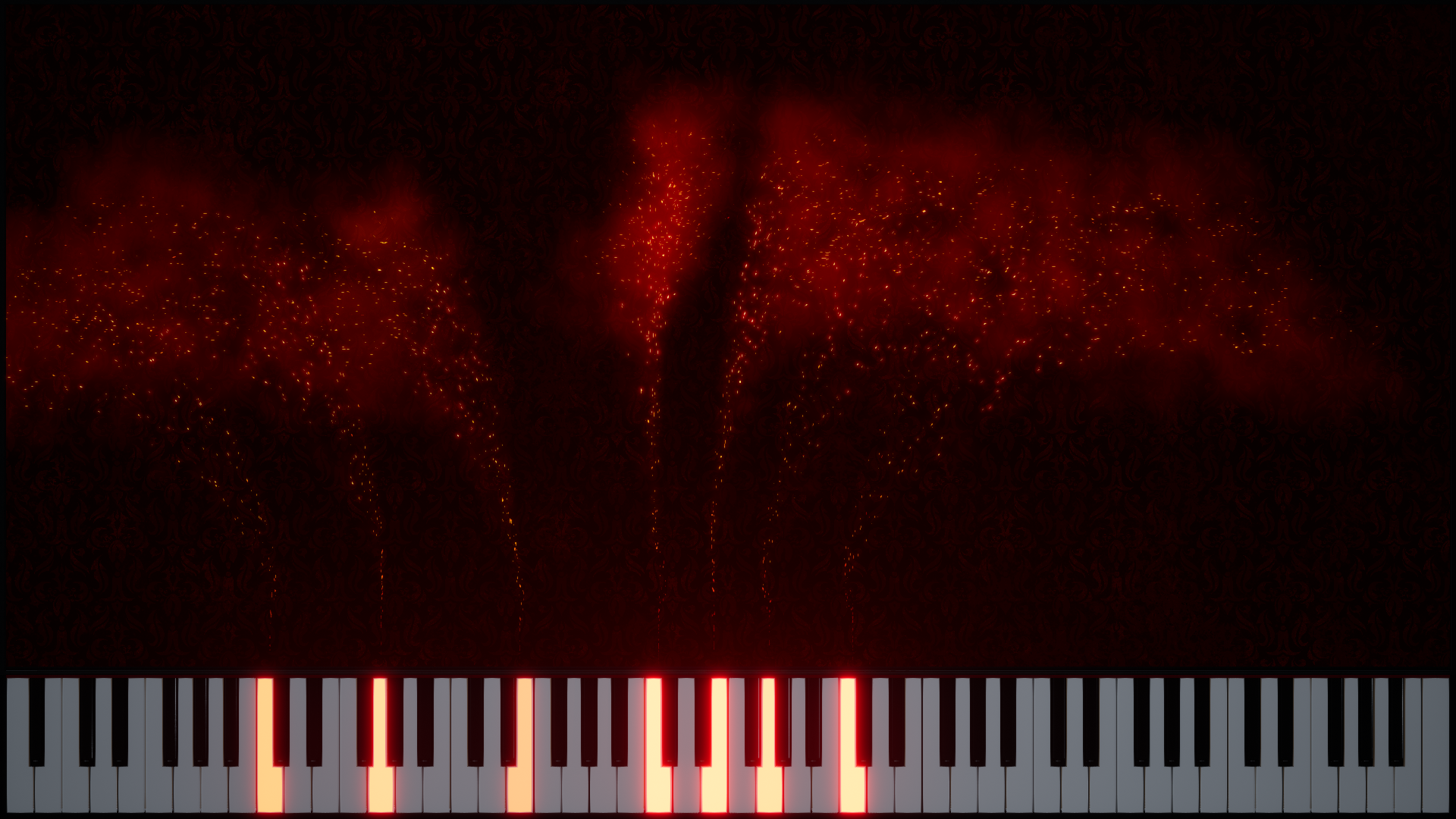
- Note force
Simulated piano activity on a note now contributes force on particles! This allows you to "blow around" particles with performance, adding another layer of reactivity to the visuals in a way I was sceptical I could actually achieve. Major thank you to Cellko, who helped immensely with optimising the code required to calculate 88 sources of "gravity" on a per particle basis in real-time.
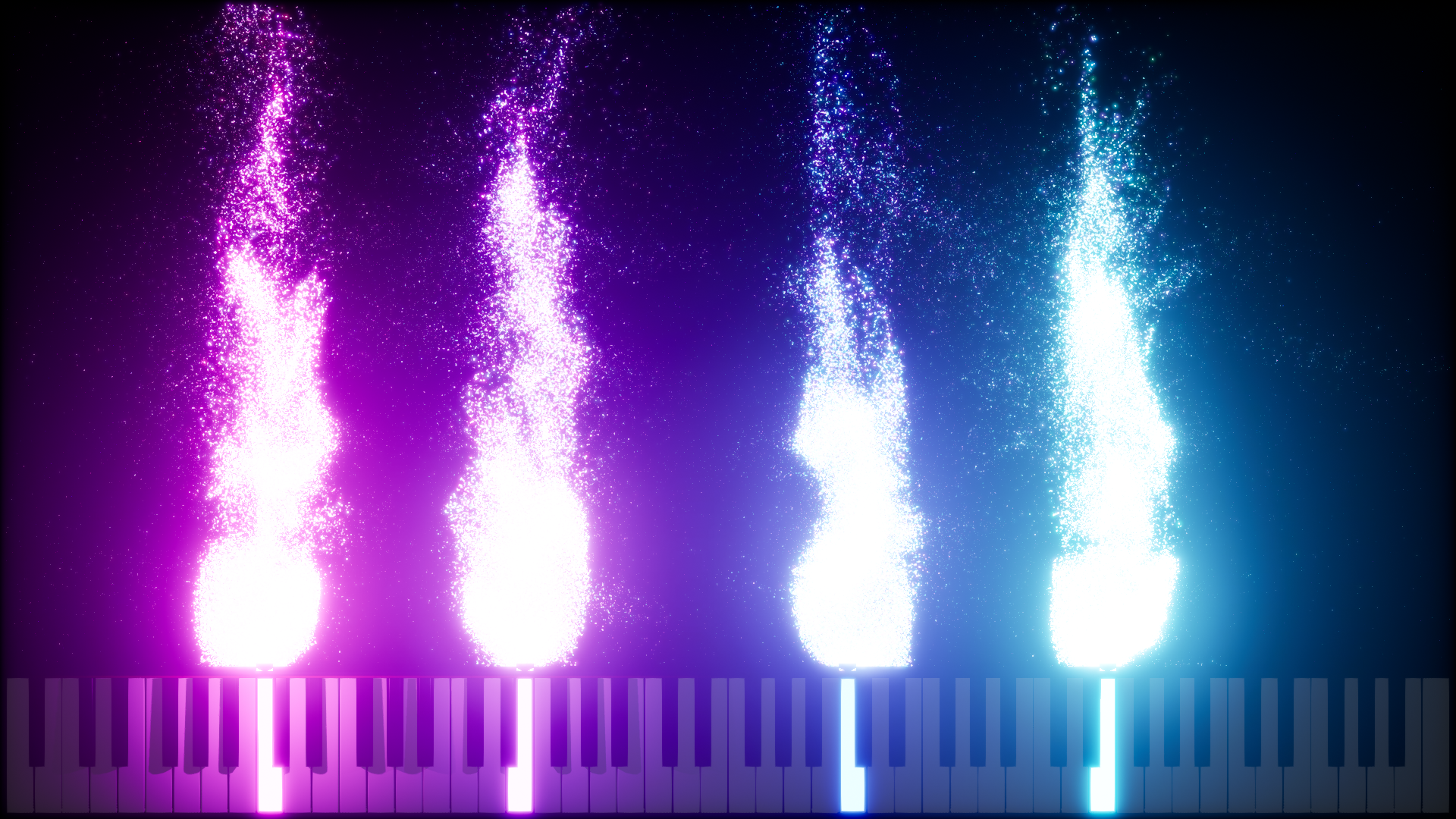
- Insane particle spawn counts
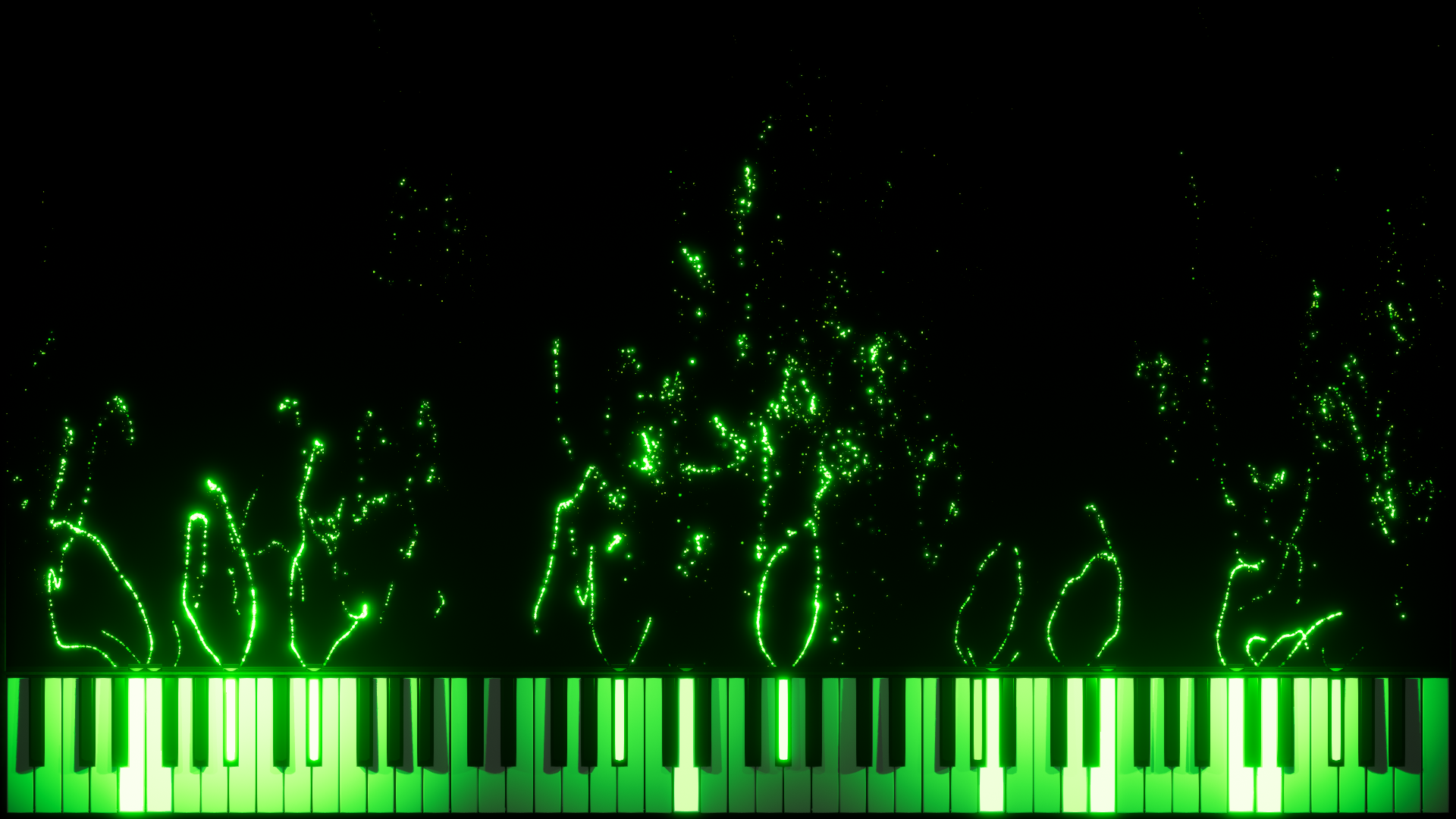
Know what's lame? A cap of 100 particles per second. Know what isn't? 1,000,000 per second. Try it, if you dare, but I will not be responsible if your graphics card catches fire! More realistically, a mid-range GPU can handle 100k+ particles per second from notes no problem... Niagara really is a hell of a drug. Just be aware that pixel cost scales with the number of transparent surfaces overlaid on top of each other, so having a high particle count and a large particle size will result in drastically reduced framerate. Oh and this screenshot? This is "only" 100k per second
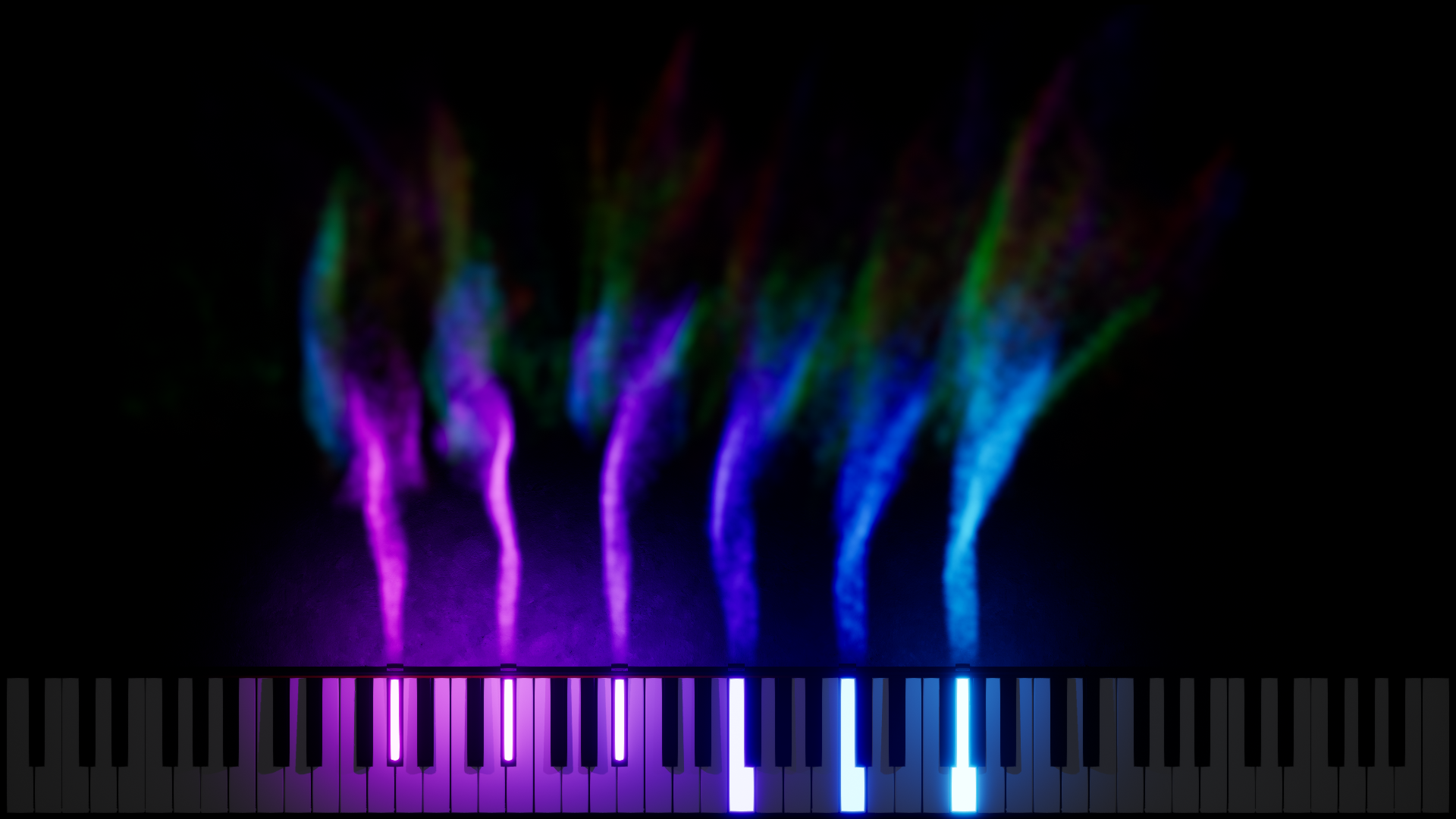
- Colour modifiers
Particles now take the usual colour settings with 12 slots, but can apply their own per-particle modifiers on top. This means you can have slight hue/sat/val randomization per particle, particles that flicker over time, particles that change colour over the course of their lifetime... or all of these at once!
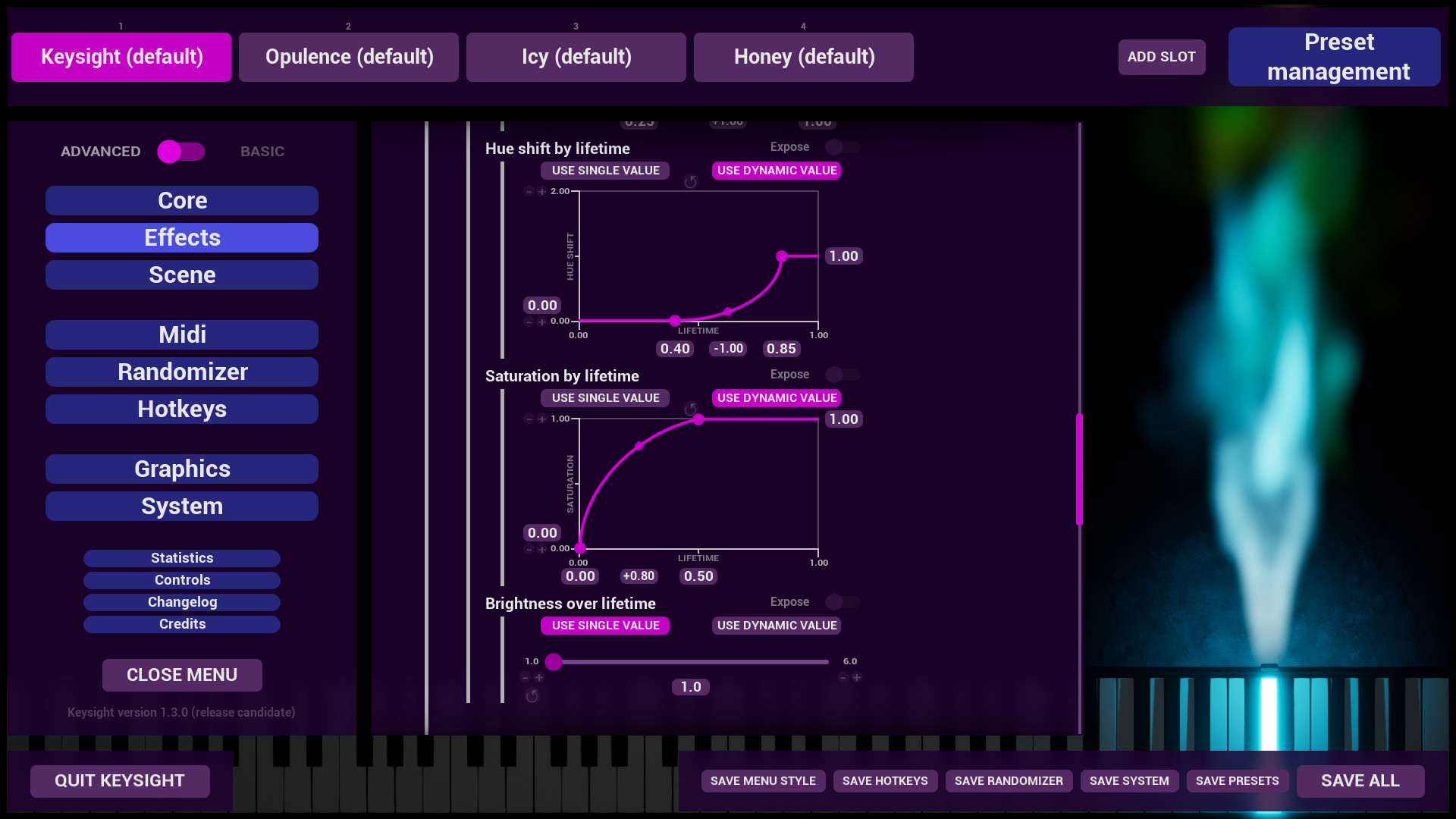
- New editing UI
Hoo boy. Sounds like a lot of options? It is. A single particle system now has something like 120+ variables, which would have been an absolute nightmare of sliders under the previous menu styling. Graphical editors to the rescue! Inspired by filter envelope editors in DAWs, the new particle system menu uses a fresh UI module I call the Graphical Editor. This contains 5 pieces of primary data: when the effect starts; how strong the effect is when it starts; when the effect ends; how strong the effect is when it ends; and the curvature between those points. These are edited visually by clicking and dragging handles on a graph! It also comes with a "reset" button, configurable min/max value ranges, and a toggle to use just a single value instead of a min/max curve.
- Absolute control
Did I mention the 120+ variables? And how there's A LOT OF VARIABLES?! Because there is, and it is a lot. We have moved away from the old "pick your path, apply some modifiers to it", now YOU design the particle path. This is done through an array of initial velocities, accelerations-over-particle-lifetime, acceleration-by-note-velocity, drag, vector fields, note force influences... it's a long list. I am not even sure what the limits of this new system are, so go forth, brave adventurers! Find out!
- Templates
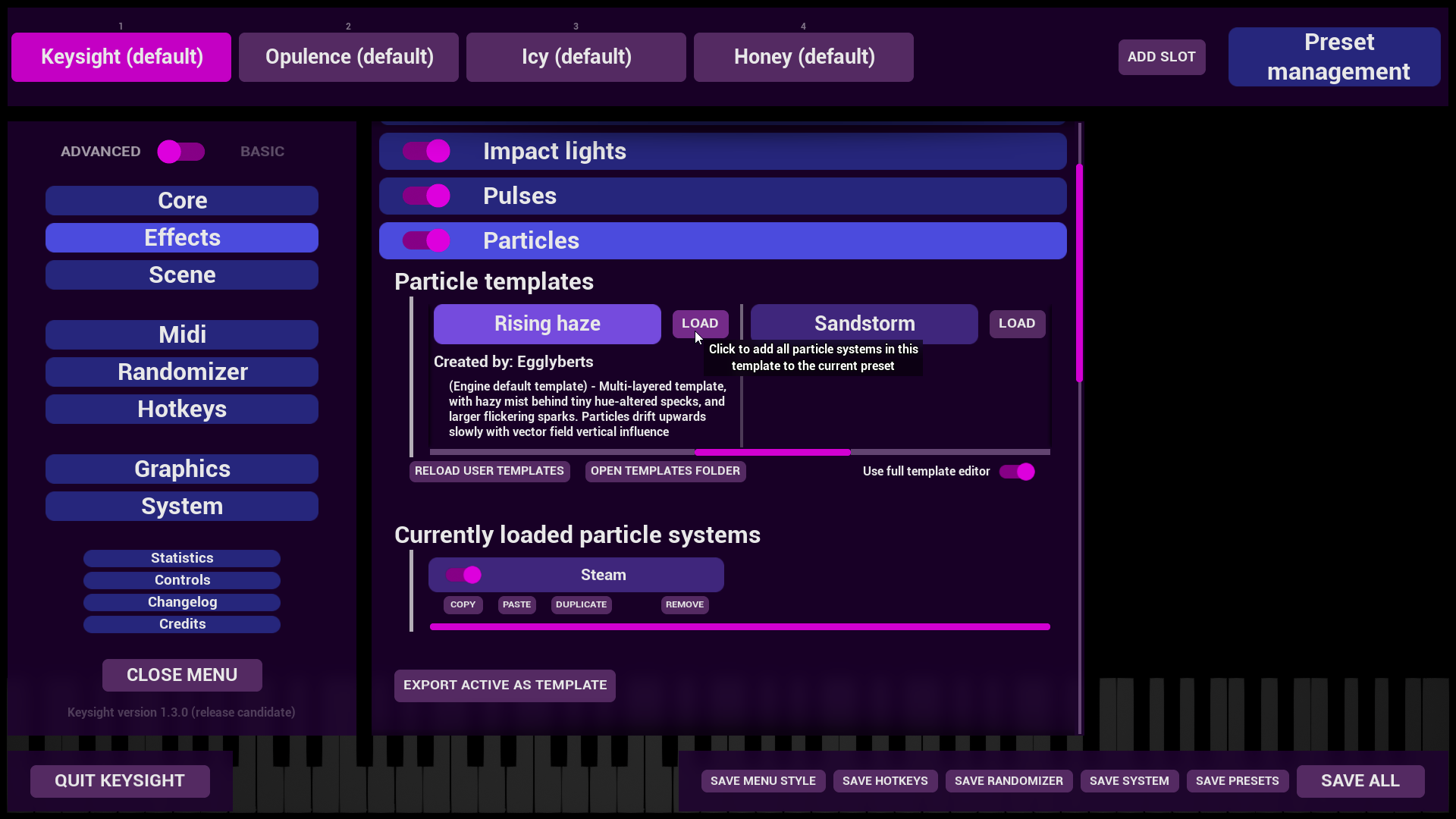
Oh, you err, don't wanna edit 120 variables and make your own particle paths..? Weird, but ok. Fortunately, I am actually aware enough to make affordances for this! Enter: Templates. These are collections of particle systems saved to a single JSON file, with a name / author / description, that can be easily loaded and applied to any preset. The particle system menu now has a small disabled-by-default toggle in the top right called "use full template editor" when in Advanced menu mode. While this is disabled, only variables that have been flagged as "exposed" are shown under sub-tabs, which means templates can restrict the options to only the intended, relevant ones! While template mode is enabled, every single setting is exposed (along with the flags to mark variables as exposed for non-template users) and the export settings to save out the current particle loadout to a JSON. I hope this goes some way to obfuscating just how complex particles have become, while still allowing anyone to take full advantage of it all!
Mask Mode
Ahhh the problem child of Keysight options. Never quite been happy with this one, but it's much better than it was! Mask mode is now intended to integrate with a HLSL shader filter in OBS, vastly simplifying the masking process and bringing with it some visual benefits. No more alpha spill due to bloom spilling over the border, no dark fringing, configurable note/semi-transparency visibility! Check out the guide on how to make Keysight semi-transparent in OBS. Also has new split modes! If you have a monitor with more resolution "headroom" than your target Keysight resolution (eg. 4k monitor but running Keysight at 1080p), you can remove stretching and instead mirror the render for masking across the horizontal or vertical centre lines to maintain perfect pixel quality.
Performance and smoothness
A ton of back-end data handling and effect spawning code has been reworked in this beta! In testing, with the default launch preset that Keysight is shipped with, performance has gone up by around 5-10% for the most part since 1.2.2c (while now looking significantly nicer), however: stability and performance under spikes of load are now significantly improved! Glissandos will still absolutely tank your framerate, but not nearly as far as previously. Err, please don't kill your computer trying to run black midi through Keysight just yet though.
Additionally, capture smoothness in OBS should be improved thanks to reworking the way thread syncing and v-syncing works in Keysight. Enabling v-sync will now add noticeably more input latency (up to about 100ms), but the benefit is that OBS is less likely to randomly poop itself and drop frames despite Keysight being at a smooth 60 if v-sync is on.
Textures
The way textures load, both from users and by Keysight itself, has changed significantly! Default textures were previously baked directly into the Keysight packaged program, with user textures loading from files placed manually inside the install directory. Now, Keysight loads default textures from folders and files visible to the user inside the Keysight install (specifically /Keysight/Default textures), and user textures are loaded from Appdata, to keep it consistent with the new preset save location!
This brings with it some less immediately apparent but huge benefits: default texture sets are used by the randomizer, so previously you could not randomize to a full material set that was not baked into the engine. By adding files to the default textures folder yourself, you can flesh out Keysight's "default texture" sets yourself! Conversely, as an end-user you can now remove default textures if you never want to see them again (like, I dunno... cushion).
In order to do this, you will need to add an image to each of the Colour / Metal / Roughness / Specularity / Normal map folders with the same name. Keysight requires the same-named thing to build up a full material with all texture slots filled for usage in the randomizer, and for the "apply to all slots" button to work.
Particle and pulses also use independent stencil pools, and these have been slightly updated, along with some new masks and a new default material being added!
Default presets and configuration
As part of the setup wizard, Keysight now pulls and installs some default presets from the install files and auto-configures graphics options! If you're an existing user wanting to take advantage of these, you have two options:
- (Recommended) wipe your save data. Like, actually. If you have no presets you care deeply about, the fastest way of getting all the new pre-made configuration and presets is to get Keysight to set itself back up again from scratch. Save data lives in /Appdata/Local/Keysight/Saved, you can get to Appdata by typing in %appdata% into the Windows search bar. Delete the entire Saved folder and launch Keysight to wipe and rebuild saves (be warned, this does wipe the Stats.sav file, so back that up if it's important to you).
- (Advanced) launch Keysight once so it generates the new save file locations, and then navigate to the Keysight Steam install. Inside the Keysight folder you will find "default presets", simply copy the JSONs from the desired graphics preset subfolder to your Appdata/Local/Keysight/Saved/Presets save location and reload presets in Keysight from the Preset Management tab.
This setup process also has much more useful and robust graphics preset options than before! Selecting between Standard/Low/Very low will update the default presets accordingly, as well as change some system settings and randomizer settings to ensure consistent performance. If you're on a weaker system, using Low or Very low should give you a much better experience, without losing too much visual quality!
Other cool stuff
Pitch bend visualisation! Pitch bend now can both horizontally shift notes and hue-shift their colour. By default, notes are moved up/down two semi-tones in position and hue-shifted by 60 degrees around a colour wheel, but these parameters are (you guessed it) configurable.
Soft pedal visualisation! While not the most ideal way of visualising soft pedal, there is now a disabled-by-default option in Viewport for multiplying the render exposure and bloom multiplier while the soft pedal is depressed. This was in an attempt to show the "colour shift" by using soft pedal during performance, but it applies as a blanket modifier rather than per-note, so it isn't necessarily totally accurate to the sound feel unless you're using the soft pedal as a binary tonal switch for segments of music (which, err, I personally do a lot. Bad habit). The better way of visualising soft pedalled notes already exists though: it's the pedal preset mapping option under Hotkeys, although this of course requires forethought and manual setup versus a global modifier.
Time offsets for pulses! Ever wanted a collapsing ring pulse to happen before a note event in top-down mode? No? Not surprised, but I wanted this, so I built it! You can now arbitrarily time-offset pulses in either direction, although obviously you need to be in top-down mode to use ahead-of-note-on time offsets. We can't violate causality with Keysight juuust yet and do that in real-time...
New material and masks! Added the "Polygons" default material, along with "polygonal" and "cracks" masks. Particularly happy with the Polygons material, does a great job at being icy or synthwave-y.
Roadmap update
Back in the hazy distant past of February, I included a little roadmap segment and I would like to update and amend my plans. As ever, I'm a one-man dev-team with constantly shifting interests and no shareholders or E3 trailers to make me actually DO specific things, so the following represents my plans at the time of writing and may not be accurate in the future! With that disclaimer out of the way:
We did it! Particles got overhauled. Phew. This was the biggest pain point for me personally, as Keysight's particles always looked kinda bad by comparison to what others in the space were doing.
We didn't do it! Native Twitch integration is not going to be part of the Keysight 1.3 release, despite me talking about this in the earlier roadmap update. A lot of groundwork has been laid here, but it's still a giant task and I underestimated how deep I would get into the particle systems and other feature reworks for 1.3, so Twitch integration is going to be pushed to a "1.4" release.
As part of pushing Twitch integration into a 1.4 release, I would like to theme the next round of updates around community and usability. Now that we have JSON file based presets, why not make them super easy to share around? To that end, I would love to build some sort of easily accessible and fully integrated repository of presets. I am envisioning a menu tab in Keysight called "Community" with just a big old list of presets that other folks have made and shared, and you can perform a one-click install to your current preset slot. This would then be potentially expandable to things like particle system templates!
I would also like to revisit piano activity simulation. Keysight, currently, internally calculates a linear dropoff of... let's call it "string energy" over time, and then an exponent (typically 1.5) is applied to this to generate a dropoff curve for various effects like impact light brightness, or velocity sensitivity if enabled etc. Now, I'm sort of obsessive about wanting to showcase every detail of what is happening musically via the visuals, and I am unhappy with the lack of control and accuracy this system has at actually representing the string energy in piano. I need to do more research and testing on precisely how the energy in a string swells and decays over time based on note position on a piano, and based on velocity, but this system has been targeted for a rework.
Also long-due another revision: automation, hotkeys and websockets. The entire system for triggering certain actions from a websocket trigger or hotkey trigger is abysmal. I've run into it a bunch of times myself where "load from file" is pointing at a slot index and not an actual preset name, so if presets have been reshuffled it'll grab the wrong file. I have a million ideas for making these systems much more usable and robust, but they're all super dull UX things so I'll not spend any more time talking about them other than to say IT'LL BE BETTER SOON, I PROMISE
Tooltips. Keysight actually has them! At least, it has them in random places with a varying amount of usefulness. As part of a commitment to better guides and documentation, I would like to perform The Great Tooltip-ening sooner rather than later. This may be part of back-porting the new slider and grpahical editors into older menus, as these UI elements have nice easy tooltip entry points. Having tooltips giving a general explanation of what each option does should definitely help the user experience, I know a lot of the options are reeeeally niche and difficult to intuit.
Some final random things on my prospective to-do list:
- Per midi-channel, per-control-ID control ID remapping (for drumkit visualization and stuff)
- Visual overlays like a refractive rain layer
- "Ambient" particle systems, so the background can always have little sparks and embers floating around
- Rework midi device handling (that code is ancient and... bad)
- Video renderer..? ;)
The entire, huge changelog from version 1.2.2c to version 1.3.0
--- Changes from 1.2.2c to 1.3.0 ---
This changelog is going to be pretty huge, as it covers an entire beta cycle with 5 preview builds. Starting off, overhauls!
--- OVERHAULS ---
Overhauled the piano and frame model! Black keys are more accurately positioned, shape and gaps between keys are true to real pianos, frame shape has been updated (based on a Roland FP-30 style, for the most part). Piano keys can also take the advanced material mode, ie have textures assigned, and have an option for a realistic inner wooden material enabled by default
Overhauled effect spawning system! Lower CPU and memory usage across the board, with potential for much greater flexibility down the line
Overhauled mask mode. Mask mode now has near-zero performance impact! It also integrates with OBS in a different way, using a single shader file (thank you, Cellko) to handle masking rather than the clunky multiple scene approach used previously. Please refer to the Steam guide on mask mode on upgrading to the new masking setup! Other improvements brought with this overhaul include less dark fringing around objects, selectable visibility on notes and semi-transparency, different image splitting modes, toggle for anti-aliasing the stencil, and more!
Overhauled presets to use the JSON data format! This is a huge one, as it allows much simpler sharing of individual presets, and human readability (to some degree, anyway) of preset files directly in a text editor (Visual Studio Code is recommended). Presets are now saved to “../Appdata/Local/Keysight/Saved/Presets” Additionally, any time a save function is called, all current saved files will be moved to the "../Appdata/Local/Keysight/Saved/Presets (backup)" folder before new saves are written. This gives one level of emergency backup, should anything go wrong in the save process or save was called accidentally. I still encourage everyone to make manual backups of save files if you have presets you care deeply about!
Overhauled particle systems! Not sure where to even begin with this one, but broadly:
- Particles now use a single, universal system with a TON of configuration and simulate on the GPU
- Particles are loaded from templates (JSON-based!)
- Multi-system 'templates' can be created inside Keysight, including setting which variables are visible to "normal" users
- Particles no longer have a limit on their spawn count (well, err, technically I did lock it to 1,000,000 per second. Which is a lot more than 100)
- Particles can have a force applied to them by note events across the keyboard
- Particles can have vector field force applied, giving those nice wiggles
- Particles can have colour modifiers attached, like hue-shift over time or random brightness
- Particle editing uses the new "graphical editor" module and data structure! FEWER sliders, more useability, more options!
Overhauled texture system! Previously, engine-default full-material texture sets were baked into Keysight. Now they load from the Keysight/Default textures folder in the install directory, by searching any found Colour images against matching named images in all other material channel folders
- By adding textures to all Default textures material sub-folders with the same name, end-users can now add new full materials and have these appear in the randomizer
- By deleting textures from Default textures sub-folders, end-users can now stop materials (like, for example, Cushion) from appearing in the randomizer. Being sent to the Leatherbound Dimension is now opt-out!
- Additionally, pulses and particles now use different texture pools for stencils. No more giant spinning cogs because a pulse got randomized to a snowflake particle stencil!
Overhauled "alternate frame sync" toggle in Graphics. This is now the low-latency toggle, and is part of a larger back-end change to thread syncing and v-syncing. Ultimately, using in-Keysight v-sync will now have around 100ms of input lag, but Keysight runs 30+% faster in CPU-bound situations, and runs significantly smoother in capture software like OBS. Disabling vsync or using the low-latency toggle restores old behaviour, if you need instant responsiveness for whatever reason (or just hate "sticky sliders" from the input lag)
Overhauled pooling system. Should assist in CPU performance when lots of stuff is happening at once
Overhauled setup wizard, and default presets! If you have previous save data you don't really care about, I would highly recommend wiping everything under Appdata/Local/Keysight/Saved and starting fresh, as the setup wizard now comes with a ton of awesome default presets, and much more robust and useful graphics preset options. Graphics presets also auto-adjust the Randomizer to ensure randomizing does not re-able expensive, unwanted effects. Default presets also run significantly faster than previous default settings, thanks to tuning some lighting variables
--- SMALLER ADDITIONS ---
Added piano key randomization support for Advanced material type
Added damper visualization! Enabled by default, found under Scene > Visibilities
Added realistic key animations! Complete with bounce on fast note-off events
Added sostenuto pedal simulation to note activity simulations!
Added piano felt colour option
Added lighting channel response options to frame
Added midi event log to Midi menu to assist in debugging any strange midi behaviour, or dial in piano simulation variables
Added option to Graphics for controlling shadow quality (maps to r.Shadow.MaxResolution 256 / 512 / 1024 / 2048 / 4096 / 8192, not recommended to use 8192, 1024 was the previous default)
Added option to Graphics for post-process image sharpening
Added a new "system alerts" splash screen displaying any messages from actions like automatically importing old saves
Added randomization for impact light candle flicker variables, not just the toggle
Added shape option to pulse settings to reflect mask option in pulse material settings (to more easily control pulse shape without digging into material settings)
Added v-sync syncing interval slider. This number is the divisor against monitor refresh rate to give v-synced framerate (so sync interval = 2 gives 30fps on a 60hz monitor, or 60fps on a 120hz monitor)
Added key animation speed slider under advanced Core > Viewport
Added CPU simulation switch to particles. Warning: do not use this unless you have to, for some reason! GPU simulations allows for much faster performance, and higher particle counts
Added "Cracks" and "Polygonal" engine-default masks
Added "Polygons" default material
Added a "Suppress midi warning" midi device to always appear in the midi device dropdown. This will get rid of the watermark warning about not having a midi device bound, if you simply want to do midi file related things with Keysight
Added pitch bend support! Found under Advanced menu Core > Piano Simulation, pitch bend will shift the note object horizontally by up to 2 semi-tones in either direction, as well as hue-shift the colour by 60 degrees by default. Both of these options are fully configurable
Added soft pedal visualization! This is applied as a whole-scene blanket visual effect, as more fine-tuned soft-pedal preset switching on a per-note basis is already possible under Hotkeys > Pedal preset switching. Soft pedal visualization is disabled by default, and found under Advanced Core > Viewport. While soft pedal is depressed, scene exposure will be multiplied down but bloom will be multiplied up over the given time, giving a fuzzy, dimmer temporary look
Added arbitrary positioning and rotation for the keybed! This allows for a horizontal keybed and a vertical visualization (by rotating keybed 90 degrees, removing camera tilt and local roll, and flying around for a good angle). Primarily intended for assisting augmented-reality style effects in conjunction with mask mode, but could potentially be used for just interesting angles under default operation
Added link to mask mode guide on Steam next to the mask mode toggle in Component visibilities
Added "time offset" to pulse objects. This allows pulses to spawn ahead or behind note events (obviously you're gonna need top-down mode for pulses spawning before notes, we can't violate causality with Keysight juuust yet). Collapsing rings ahead of note impacts and then expanding mist pulses look great!
Added websocket trigger for remotely changing the camera angle used in Keysight. This works in much the same way as the seed randomization, where the assigned trigger word is expected along with a colon, and then anything to the right is treated as data. The data format for camera information is as follows: {"x":58.45,"y":-48.62,"z":72.01,"tilt":-43.06,"rotate":0,"roll":-38.03,"localRoll":90,"FOV":65.00} and correct usage would be a trigger word of “camera” and a websocket message of “camera:{"x":58.45,"y":-48.62,"z":72.01,"tilt":-43.06,"rotate":0,"roll":-38.03,"localRoll":90,"FOV":65.00}” obviously substituting in your intended camera values
--- CHANGES ---
Changed piano simulation in the upper register. At Ab6 and above, note activity is calculated using sustain lifetime even if not sustained (as notes on a real piano do not have dampers up on these strings)
Changed randomizer chance generation ***all old seeds now give different results, sorry!*** Disabling or editing randomizer branch options will no longer impact other branches
Changed dynamic shadow casting settings. Shadow resolutions are now much higher and smoother by default!
Changed randomizer update function to only call necessary updates, rather than calling the entire preset update stack. This should reduce the chance of frame stutter during extremely fast loop randomizing
Changed how global core settings work in the data-handling sense. Core settings will need to be rebuilt by the user, but no functionality has changed
Changed some default settings, notably key length to showcase the new piano model a little more (sue me.)
Changed wording on some setup wizard warnings
Changed setup wizard to not save newly created save references until wizard is completed, avoiding edge case where user closes Keysight (or Keysight crashes) mid-setup and does not automatically see the wizard again after re-launching
Changed midi device setup wizard screen to have a button that directly opens the Steam guide relating to midi device mirroring
Changed slider appearance in Dark and Keysight menu themes to be much more visible. Switch menu to Advanced, head into System > Menu Style and reselect your desired preset to update the styling if you have existing saves
Changed piano plane to not render to the stencil channel during mask mode. If using piano plane instead of piano keys in the keybed portion of Keysight, disabling frame visibility and enabling mask mode will now only show the lighting on the piano plane (rather than masking it out)
Changed preset manipulators (the tabs for each preset in Preset Management). Text entry is now overlaid on top of the selection toggle, and save/load icons are hidden except on the selected preset
Changed Viewport and Component visibilities tabs to have some more spacing and subheadings for each major section. These probably need to move to subtabs eventually, the menus are getting kinda huge
Changed randomizer to first apply the defaults-calibration preset to the active preset and then randomize from there, rather than taking whatever is in-use and randomizing. This means if you're running very specific settings for a preset that are not touched by the randomizer (such as impact light falloff amount), randomizing will default these values rather than leave them in place. WARNING: if your default preset is "use global core" but your current preset is "use preset settings", randomizing may alter the active core settings via defaulting this switch (as the switch exists per-preset)
--- BUG FIXES ---
Fixed ambient brightness text having broken mouse-over text
Fixed "cull horizontal" text not being bound to specified menu style text colour
Fixed "refresh midi files" causing duplicate midi devices to appear in midi device menu in Midi tab
Fixed "midi device not bound" warning pointing the user to System menu, when midi devices are now bound under the Midi menu
Fixed camera Z location input defaulting to 1.0 if clicking on the text entry field and then clicking off
Fixed "disable websocket actions" websocket action from sending response message "unrecognized command" despite being recognized and executed
Fixed keypress indicators fading out badly when animating horizontal/vertical fades. Axis-based fades are now performed as an alpha mask rather than a model scale
Fixed mask mode not applying correctly on Keysight launch
Fixed flycam failing to update camera angle variables while in global core mode
Fixed flycam toggling not updating cursor visibility correctly under all circumstances
Fixed user-defined custom angle not saving / applying at all
Fixed websocket triggers being case sensitive
Fixed reloading textures clearing selected option in particle menus for particle shape
Fixed normal maps just having... completely broken normals. Amazing how this one flew under the radar, but normal map influenced surface angles are now not backwards and inverted in the horizontal channel
Fixed Basic colour menu sliders from being horribly unresponsive/laggy
Fixed (?) pedals getting "stuck". Hard to verify this one on my own, as I've only seen it happen twice and I have no way of forcing the behaviour, but a prospective fix is in place. If you have this issue, let me know about it!
Fixed incorrect activity simulation while animate keys was set to false
Fixed colour picker sliders causing unnecessary update function calling while snapping mode was enabled. This should make certain colour pickers far more responsive
Removed midi device selector from System menu (use the one in the Midi tab)
Removed saving and loading from DonorPreset.sav as presets can now be shared much more directly via individual JSONs