

Hey everyone, BadFox Eddie here with a massive patch! It took us 4 weeks to put everything together, but we’re proud to announce a much requested feature, Squad Queue!
The UI has also gotten a facelift and we’re adding in a lot of features for new players, so that they better understand the game on their first play experience.
If that's not enough, we also tossed a new map and a new splash screen!
- Squad Queue – You can now queue up with your friends and play together.
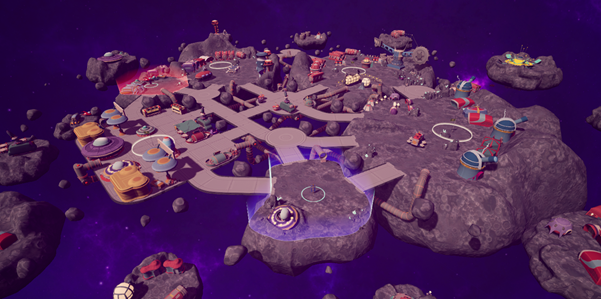
- New Map – The Asteroid Colony has now been added.
- In-Game options menu – you can now change your options in game!
- Clarity 4.0 – we’re overhauling a bunch of ways information is given and adding quick in-game menus to help players get the information they need.
- New Camera Angle – We’ve changed the camera angle, hope you like it.
- New Splash Screen – A new splash screen has been put in at the start of the game, teasing the upcoming Story Features that will be coming in the future.
Let’s dive into it!
Important Note: Re-bind your keys!
Because we've made a bunch of back-end changes this patch, players with custom key bindings will need to re-bind their preferred bindings in the options menu.

Squad Queue
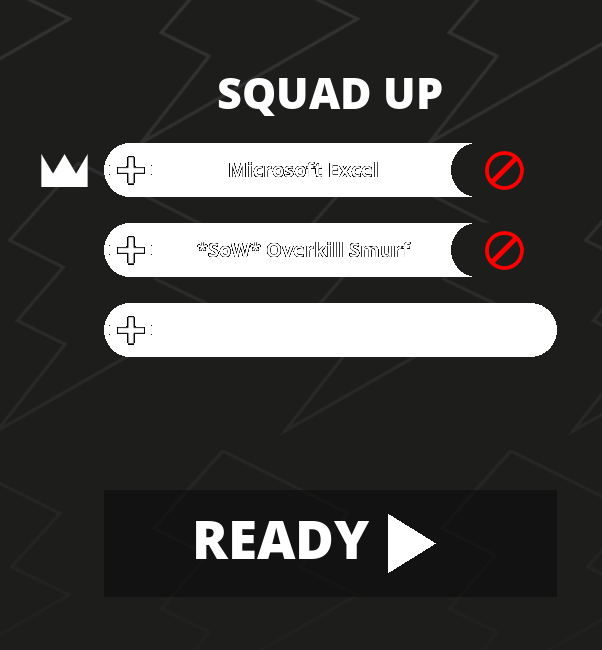
The long awaited Squad Queue is now live!
- You can now queue up with your friends to play in the same match together.
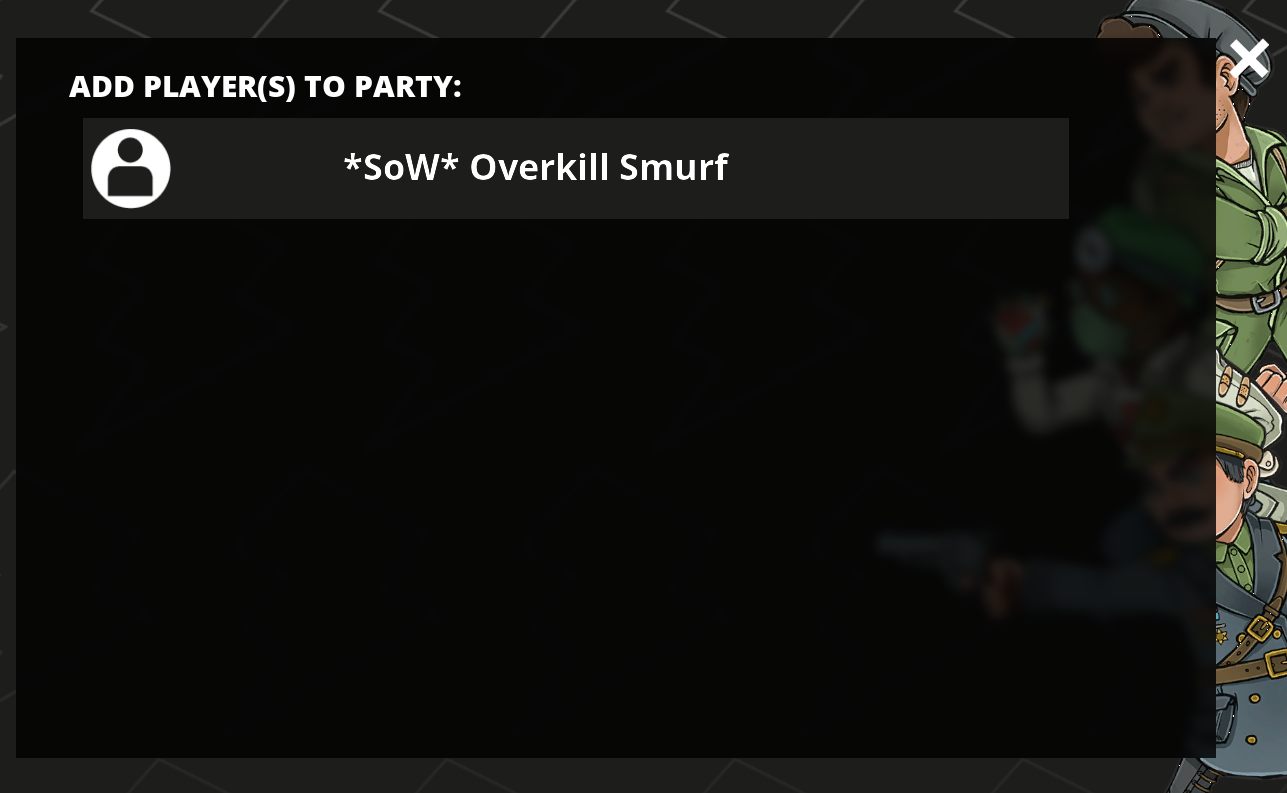
- This runs off of your Steam friends list, so you’ll have to add randos through steam if you want to squad up with them.
- Once you’ve added people to your party, have everyone ready up and you'll join the queue.

Crash Course
TL;DR: We’ve disabled the tutorial, You can now visit our web version here!
Context
- The game is evolving faster than our tutorial can keep up
- We’ve deprioritized fixing and rebuilding the in-game tutorial to focus on making the core experience better
- We’re pivoting to a web-based tutorial with content that can keep up with our patch-to-patch changes
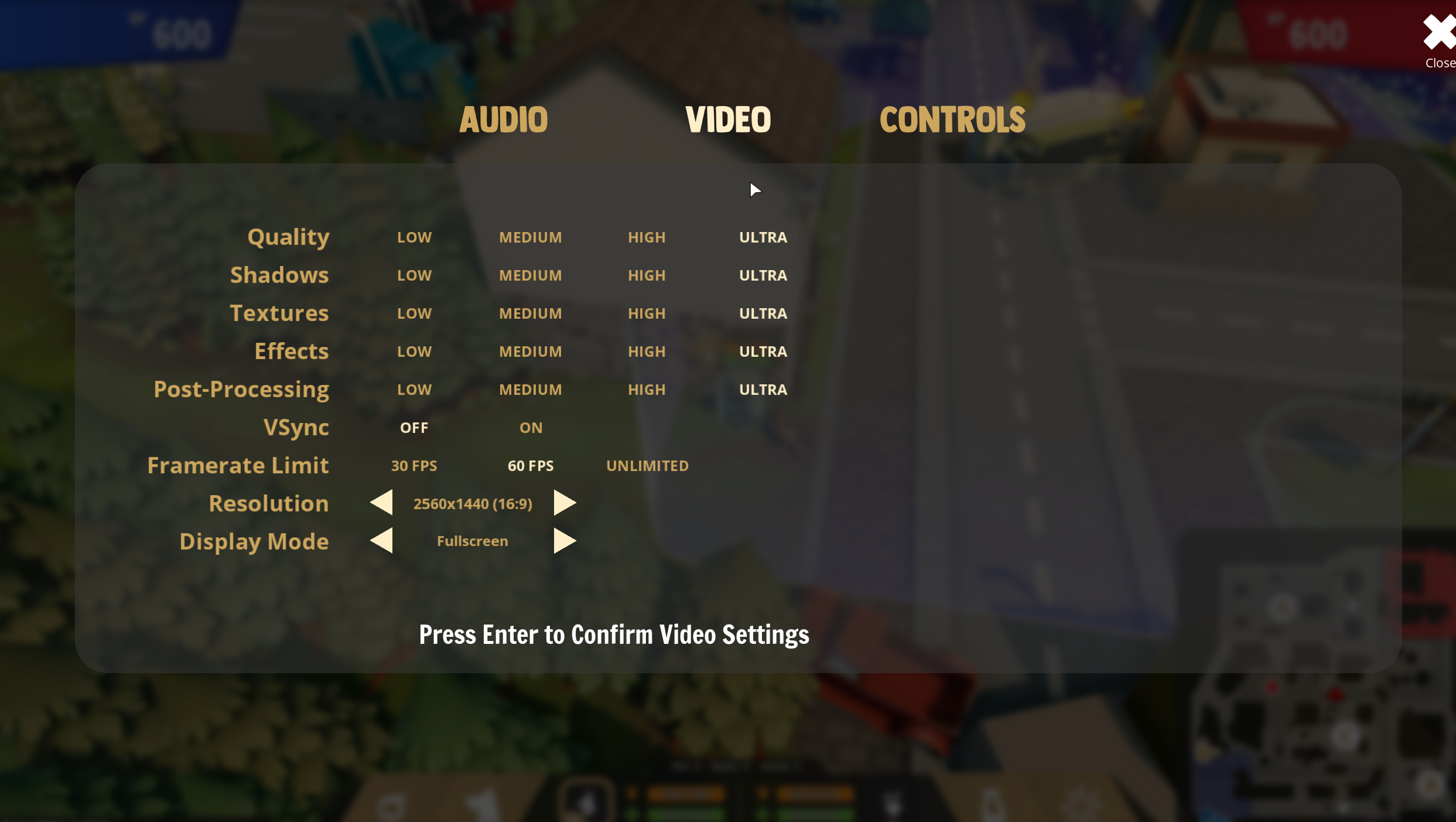
In-Game Options Menu
Pretty straightforward, you can now change your controls and other settings mid-game!
Clarity Overhaul
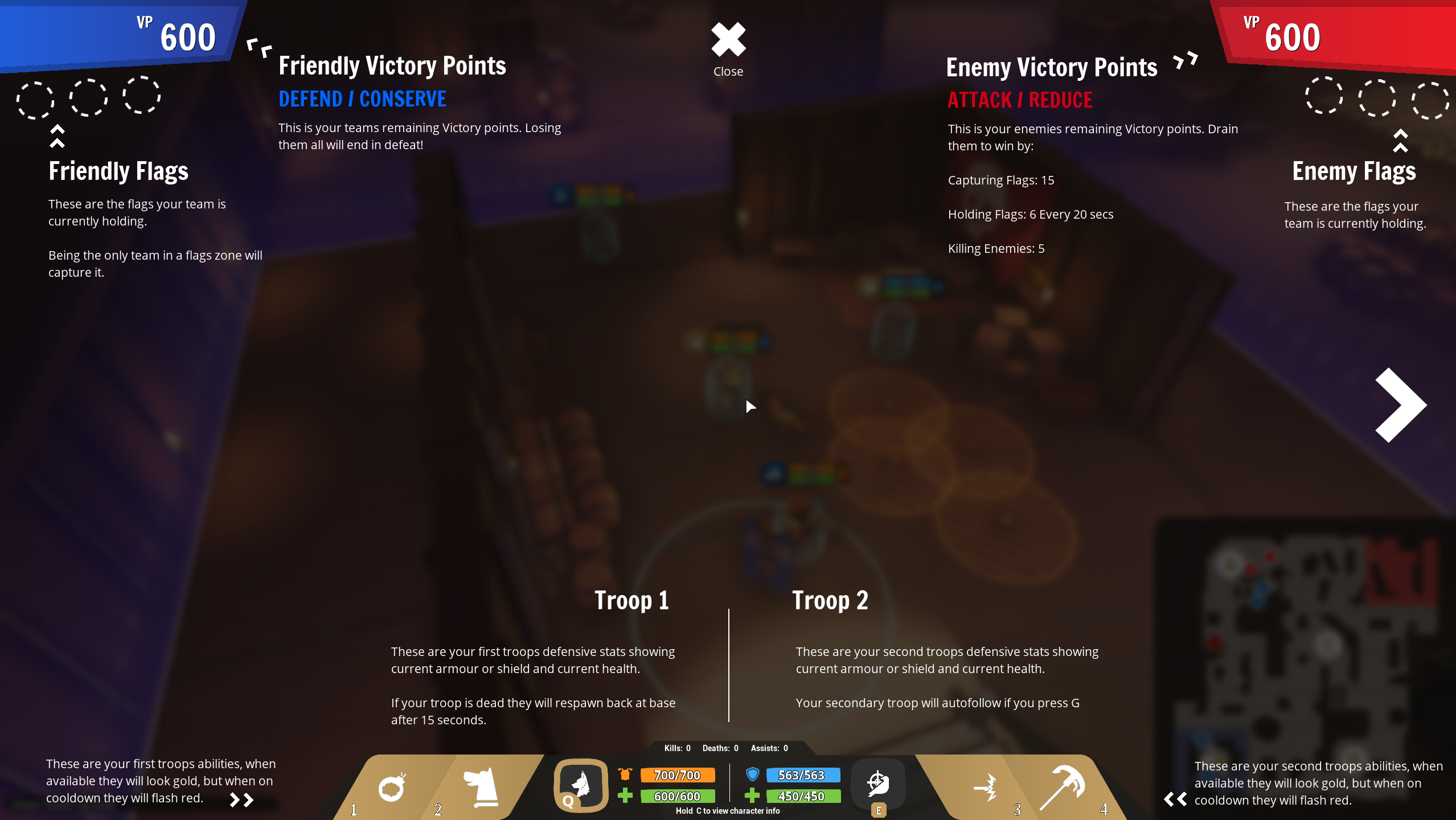
We’ve revamped our UI to make what is going on with your Troopers clearer, while also adding and revamping some in-game menus so that players can get a better understanding of critical info.
UI Update
Our UI has been overhauled to really reinforce the fact that you’re controlling 2 Troopers.
- We’ve cut your allied troopers out of your HUD, so you can focus on your two troopers’ cooldowns and death timers
- We have also added a KDA above your Trooper info HUD, which shows your 2 troopers’ combined impact on the game.
Damage and Performance Clarity
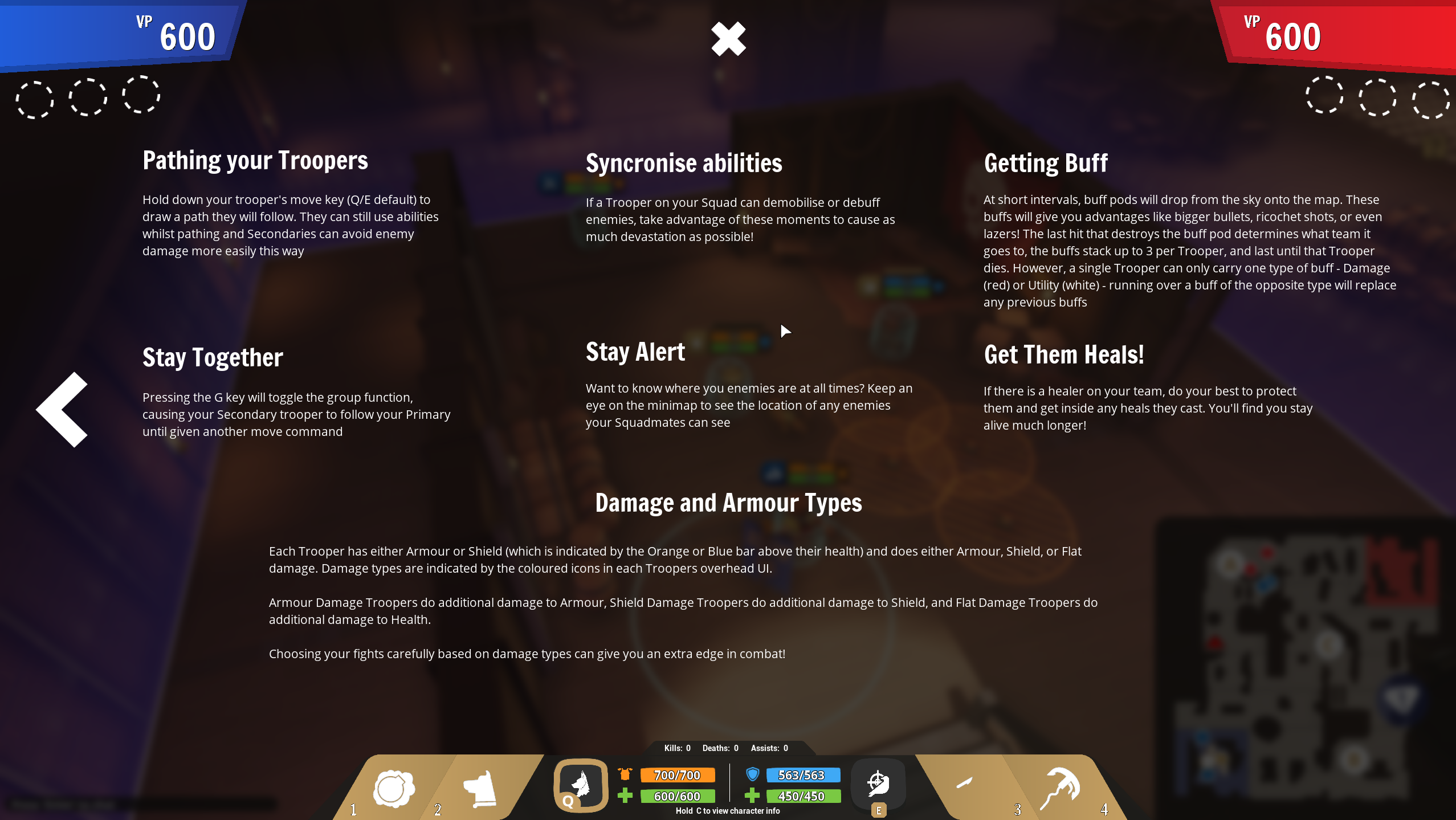
Everything on-screen was a bit too hectic, with numbers flying off everywhere and a lack of feedback when your Troopers received damage. To address this, we’ve made 3 main changes:
- Only damage you deal or receive will show up, so you’ll see numbers above enemy troopers when you hit them, and numbers above your troopers when they take damage
- New Particle Effects fly off from your Trooper’s Health/Armour/Shield section of the HUD to help you understand when you take damage.
- When your Primary Trooper now takes damage a black vignette will encroach on the edge of the screen to give you immediate feedback when you’re taking damage
Winning a Game
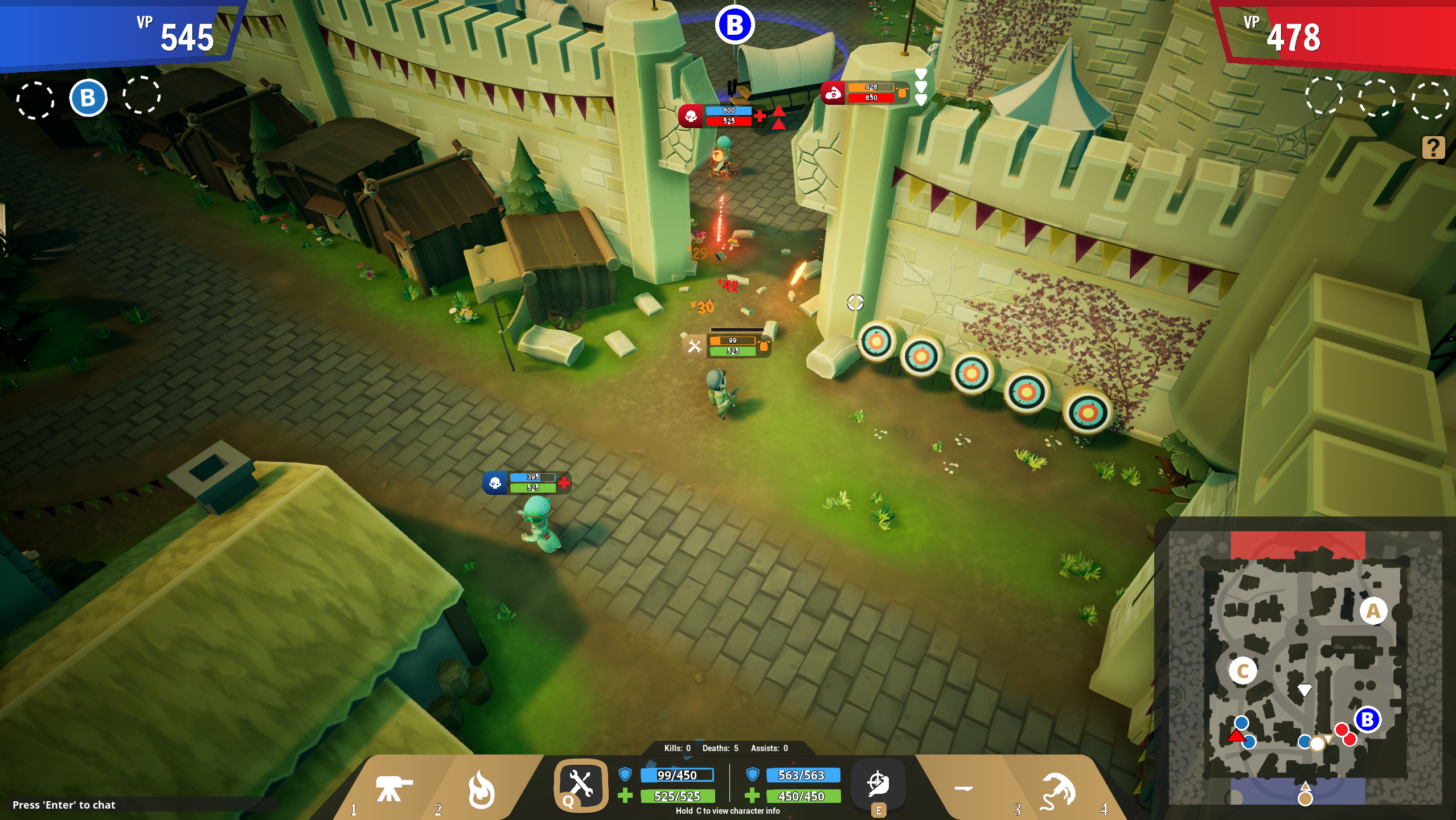
A number of players initially didn’t understand how the scoring worked in Control, so we made a couple changes to make the scoring system easier to understand:
- VP totals now live in the top corners of the screen for easy reference in the heat of battle
- We’ve also added Particle Effects and Text which shoots out from the VP bars to help players see when and why they’re losing VP in real-time.
Ability Feedback
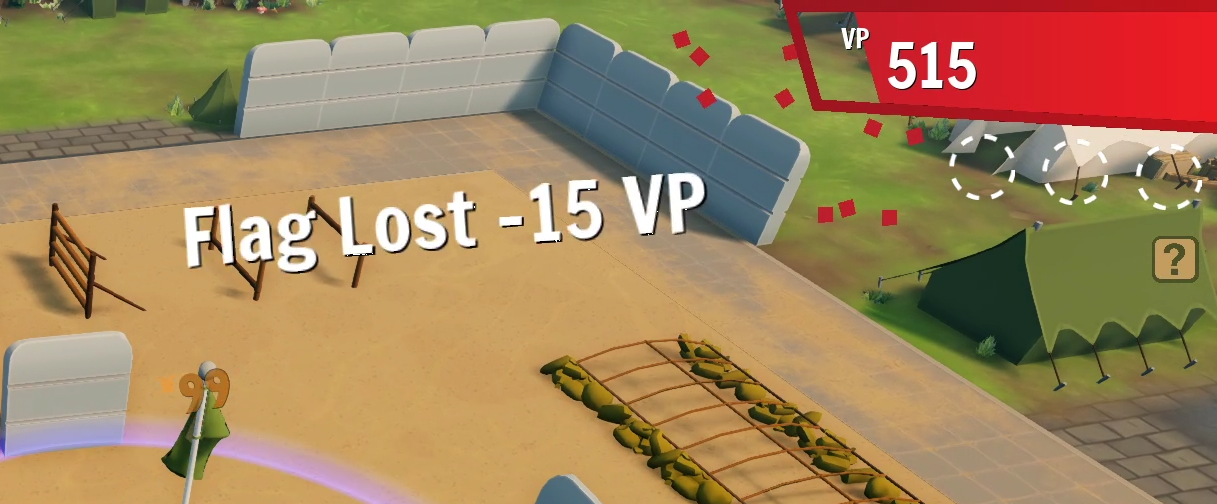
We heard a lot of feedback from players unsure of when their abilities are off cooldown. We’ve heard you and worked to make it crystal clear when abilities are prepped and ready.
- Cooldowns now feature numbered countdown in addition to the filling ability bar
- We’ve added color changes, animations, and sounds to help you know when your abilities are ready and when they’re super-charged.
Additional Menus
In-Game Learn to Play Overlay
We’ve added a learn-to-play overlay in-game as a reference for new players
- There is a ? icon at the top right of the screen; this will bring up a brief introduction to the UI features
- There’s a second page with hints and tips to get new players started
New In-Game Trooper Info Page.
We’ve simplified the Trooper info page (C Key), to show the ability information of both of your Troopers at the same time.
Placeholder Scoreboard
We’ve moved the players on each team to the TAB key. This will turn into a full scoreboard in the future, but now you can see who’s on which team more easily.

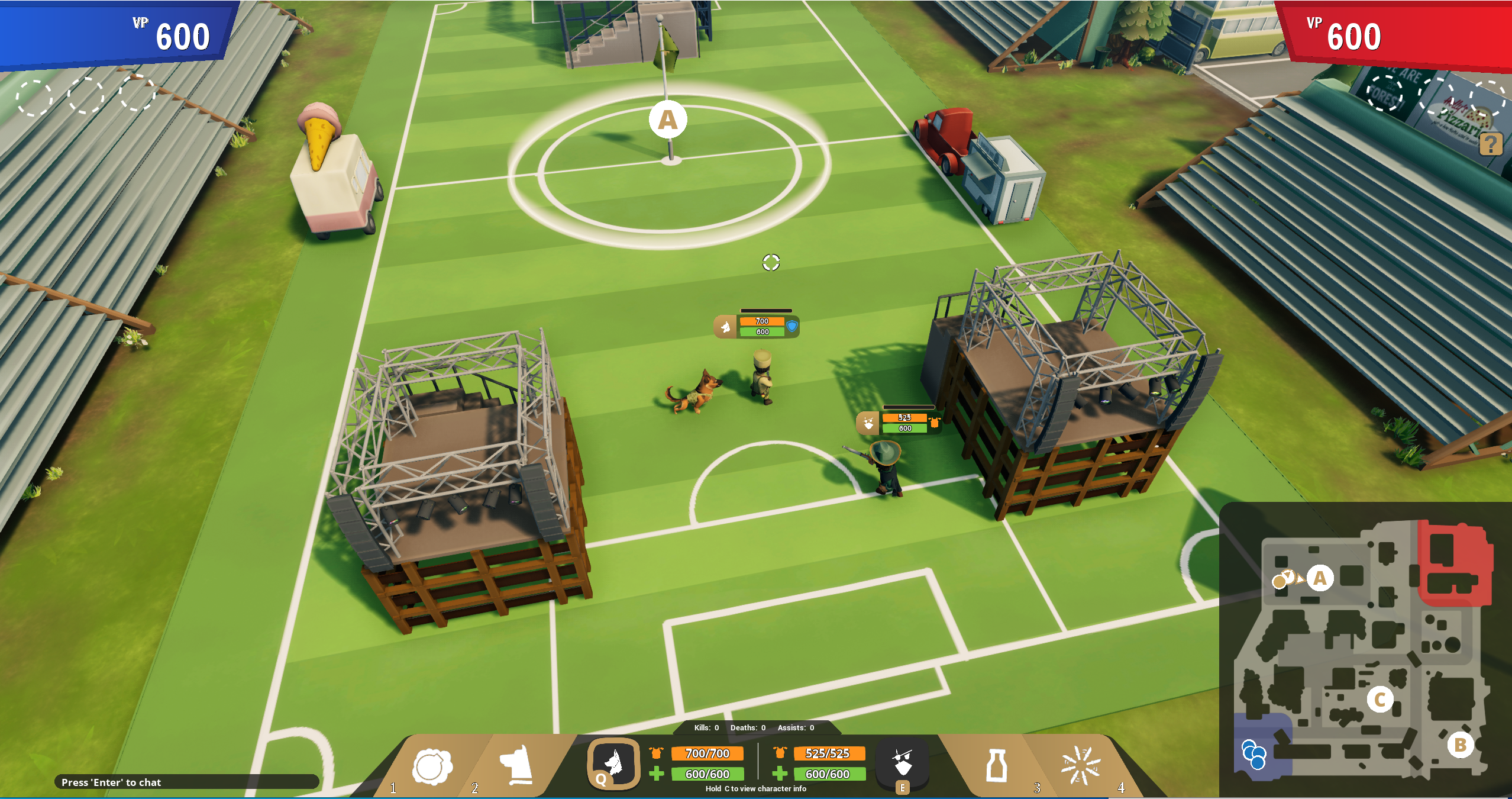
New Camera Angle
We’ve brought the camera down and angled it up slightly to get you closer to the action and your troopers. We’re excited to hear your feedback about it!
Main Menu Change
The Main menu has been altered to accommodate Squad queue and prepare us for our next big patch, which will introduce skins and other content to the game
Splash Screen
When you load up the game you’ll see our new splash screen which hints at the story behind the game that we’re currently working on.

Asteroid Colony
On the outer rims of space, far beyond most of civilization, lies the Asteroid Colony; a great place for both harvesting resources and grabbing fast food. Visit the gigantic excavator that takes two four-armed Aliens to operate, fuel up your ship on the landing platform, and don’t forget to stop and get some tasty grub – it’s fresh and live from the digging site.

General
All projectiles have been made larger. This will make it easier to hit your target and harder to blame the devs when you miss your target.
Tharlin
We want to make Tharlin mains think twice before mindlessly burrowing head-first into a full team, so we dialed back his mine damage to give his opponents a fighting chance.
Minor Inconvenience
- Base damage nerfed from 140 to 120
- Super damage nerfed from 160 to 140
Fang
Fetch was dealing a bit too much damage, especially when super-powered, so we’ve taken some pop out of Fang’s pup while keeping the stun length untouched.
- Base damage nerfed from 250 to 220
- Super damage nerfed from 350 to 300
Sarge
Sarge’s basic attack does too much damage, especially when he stacked attack buffs, so we’re nerfing it. This is step one in a two-step process to walk his damage back, so expect some ability nerfs in future patches, Sarge mains.
- Gun damage reduces from 26 to 22
Crow
Crow is meant to be this sniper assassin, she was getting shredded a bit too easily, so we gave her health a small bump.
- Health buffed from 395 to 460
Bug Fixes:
- AUDIO SLIDER BUG IS NOW FIXED!!!!!!! OMGDFJKSDLJFKSDJFLSD
- Fixed the bug where Troopers sometimes were unable to use abilities.
- Tharlin no longer sometimes deploy multiple sets of mines.
- Sarge suppressive fire PFX no longer persisting after death.
- Fixed when Troopers sometimes stood up after they died and don’t play their animation.
- Fixed Fetch bugging out players animations.
- Splosion now fixed, so it does damage or heals when it should
- Squad select now shows the correct names and in the correct font and formatting.
- .exe icon now updated to the newest icon.
- The mouse now locks to the game window, so you won’t get tabbed out unintentionally.
- Further information about what is going on as you’re going into the main menu.
Known Issues:
- Players may occasionally receive a "fatal error" message when connecting to a match, followed by the game crashing. This is a server-side bug we're squashing, but there's no harm to your PC. Just restart the game and hop back in queue.
- Troopers may be flung uncontrollably around the map. It seems to be linked to movement abilities, like suppressive fire or fetch, but currently unknown what exactly is causing it.
- Troopers sometimes fire multiple projectiles.
- Pink/purple text appears when your team or the enemy team capture or start to take a point
- Escape key doesn’t always exit out of menus, but if you switch to a different menu tab it'll fix it.
- Lightning sometimes keeps on triggering in the squad select screen
- Sometimes Troopers models disappear and only their overhead UI can be seen. If this happens their health/armour/shield numbers will not show.
- Occasionally ability aiming reticles are being left after using the ability
- 3D models of abilities are ocassionally being left in the air. The abilities are still going off normally, but a copy of the model will sometimes persist.
- Occasionally abilities can be fired off twice.