Survey underway Pre-Order KONAMI PRESS START SALE is also underway! On sale until September 15 at 10:00 AM (PT) Don't miss out on this opportunity to enjoy KONAMI games!
To celebrate the launch of METAL GEAR SOLID: MASTER COLLECTION Vol.2 on August 27, we’re offering a free play trial for METAL GEAR SOLID! This limited-time free play will be available until July 27 at 10:00 AM (PDT). Don’t miss this chance to experience the world of the METAL GEA
To celebrate the launch of METAL GEAR SOLID: MASTER COLLECTION Vol.2 on August 27, we’re offering a free play trial for METAL GEAR SOLID! This limited-time free play will be available until July 27 at 10:00 AM (PDT). Don’t miss this chance to experience the world of the METAL GEAR series!
Ver.3.0.0 releases February 13th, 2026. Ver.3.0.0 Patch Notes Please check the list of changes below for details on the main improvements and fixes in this patch. ○ New DLC "High Resolution Texture Pack" added For instructions on how to install the DLC on Steam®, please refer to
Ver.3.0.0 releases February 13th, 2026.
Ver.3.0.0 Patch Notes
Please check the list of changes below for details on the main improvements and fixes in this patch.
○ New DLC "High Resolution Texture Pack" added
For instructions on how to install the DLC on Steam®, please refer to the Steam news post titled "How to install the DLCs", which was posted on October 26, 2023. View game page The following amount of free space will be required in order to install the High Resolution Texture Pack.
Steam®:Approx. 70 GB
System specifications for this DLC when used with the Steam® version are listed below.
Minimum system requirements
*If the internal resolution is set to FHD with the High Resolution Texture Pack enabled
Processor
Intel(R) Core(TM) i5-10400
Memory
16 GB RAM
Graphics
NVIDIA GeForce GTX 1070
Additional Notes
SSD recommended
Recommended system requirements
*If the internal resolution is set to 4K with the High Resolution Texture Pack enabled
Processor
Intel(R) Core(TM) i7-10700
Memory
16 GB RAM
Graphics
NVIDIA GeForce RTX 2070
Additional Notes
SSD required
Please note that while installing the High Resolution Texture Pack is possible on the Steam Deck™, it is not possible use it in-game.
Screen settings will display additional options upon applying the High Resolution Texture Pack.
The following options will be added to the Screen settings.
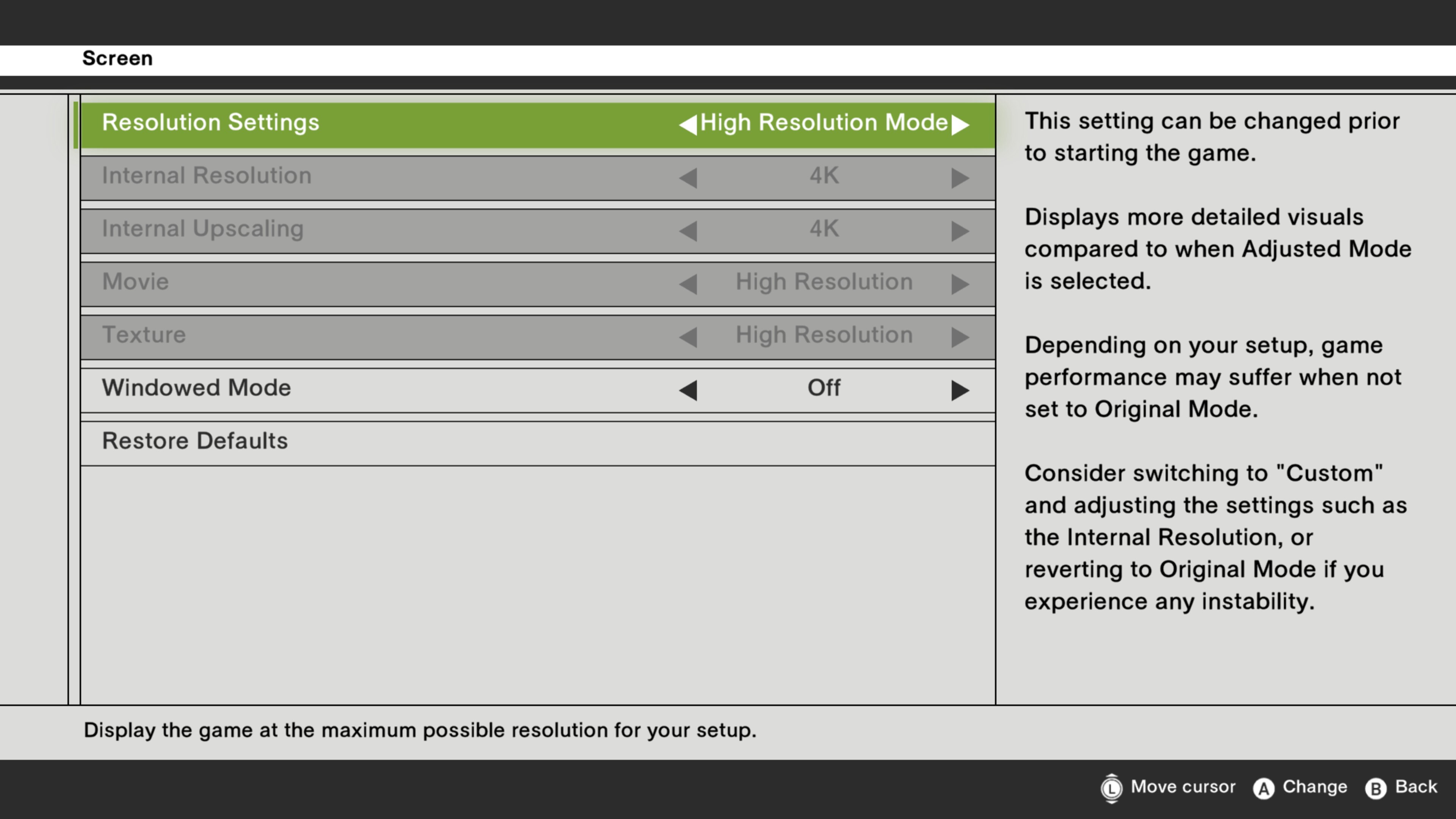
(1) "High Resolution Mode" preset added
A "High Resolution Mode" preset will be added to the Screen settings under the Options menu.
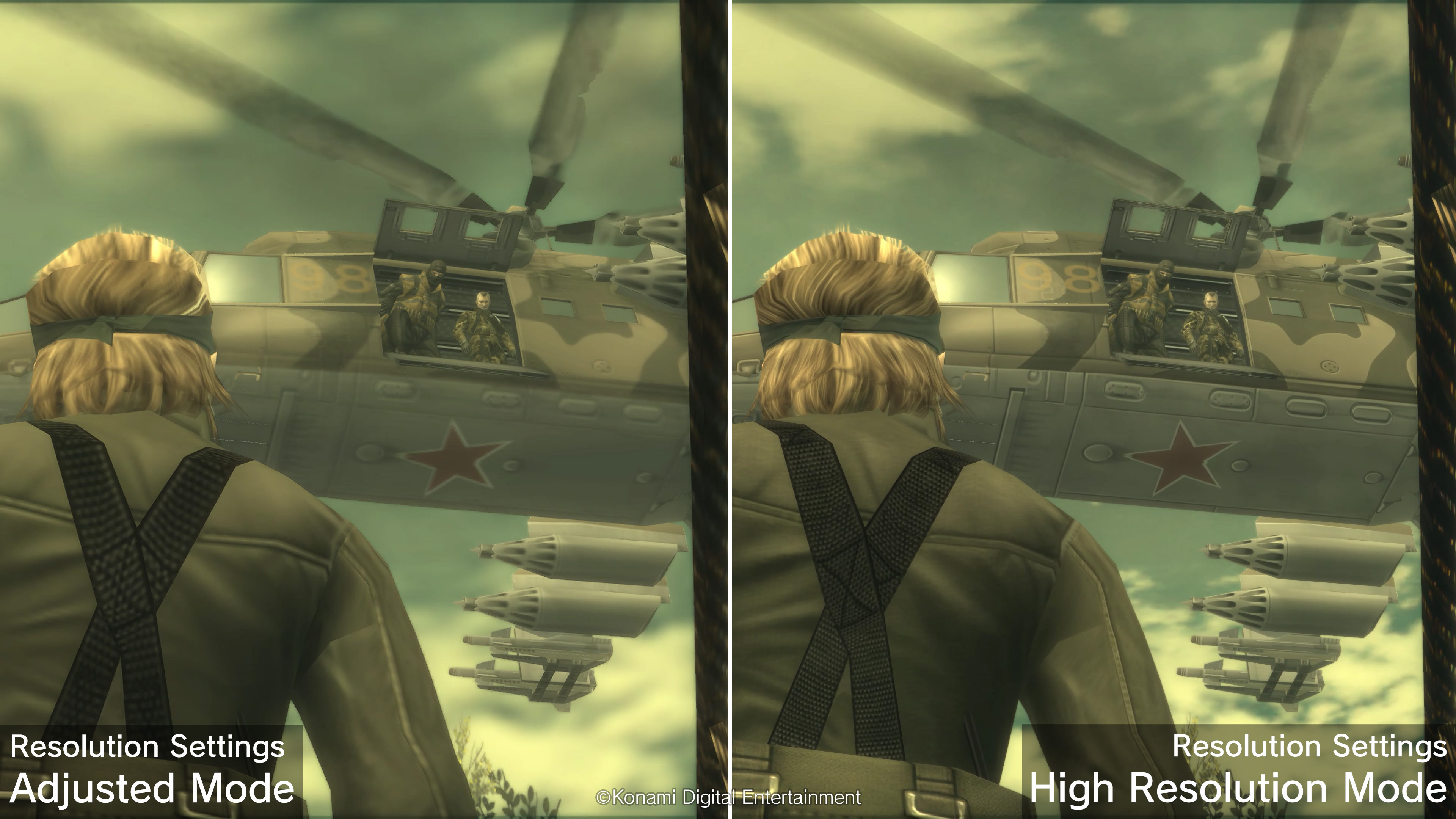
In High Resolution Mode, the game will be displayed in greater detail compared to Adjusted Mode.
The specific settings for the "High Resolution Mode" preset are as follows.
Internal Resolution: Maximum resolution possible on your device from FHD (1080p)/WQHD (1440p)/4K (2160p)
Internal Upscaling: Maximum resolution possible from FHD (1080p)/WQHD (1440p)/4K (2160p)
Ver.2.0.2 releases October 21st, 2025. Ver.2.0.2 Patch Notes Please check the list of changes below for details on the main improvements and fixes in this patch. A fix for a security vulnerability found in games built with Unity as reported by Unity Technologies on October 3rd, 2
Ver.2.0.2 releases October 21st, 2025.
Ver.2.0.2 Patch Notes
Please check the list of changes below for details on the main improvements and fixes in this patch.
A fix for a security vulnerability found in games built with Unity as reported by Unity Technologies on October 3rd, 2025 (Fri).
Please see the official announcement from Unity Technologies for further details.
Survey underway Pre-Order Featured titles! KONAMI PRESS START SALE is also underway! JUNE 12 -JUNE 19 at 6:30am (PT) Don't miss out on this opportunity to enjoy KONAMI games!
JUNE 12 -JUNE 19 at 6:30am (PT) Don't miss out on this opportunity to enjoy KONAMI games! https://store.steampowered.com/sub/886312/ https://store.steampowered.com/sub/886313/ https://store.steampowered.com/sub/886315/ https://store.steampowered.com/app/2124490/
Grab yourself metal gear series and classic and popular KONAMI games at discounted prices! Don't miss out on this opportunity to enjoy KONAMI games! Featured titles! Upcoming Titles!
Grab yourself metal gear series and classic and popular KONAMI games at discounted prices! Don't miss out on this opportunity to enjoy KONAMI games!
★Standard Edition★ ★Digital Deluxe Edition★ ●Release Date Trailer Check out the latest footage. ●Digital Deluxe Edition The Digital Deluxe Edition includes both the game and the Sneaking DLC Pack at a reduced price. Includes: ●METAL GEAR SOLID Δ: SNAKE EATER ●Sneaking DLC Pack ・U
Grab yourself metal gear series and classic and popular KONAMI games at discounted prices! Don't miss out on this opportunity to enjoy KONAMI games! Featured titles! Upcoming titles!
Grab yourself metal gear series and classic and popular KONAMI games at discounted prices! Don't miss out on this opportunity to enjoy KONAMI games!
Ver.2.0.1 releases December 4th, 2024. Ver.2.0.1 Patch Notes Please check the list of changes below for details on the main improvements and fixes in this patch. ○ Fixed some minor issues
Ver.2.0.1 releases December 4th, 2024.
Ver.2.0.1 Patch Notes
Please check the list of changes below for details on the main improvements and fixes in this patch.
Grab yourself metal gear series and classic and popular KONAMI games at discounted prices! Don't miss out on this opportunity to enjoy KONAMI games! Pick up Titles Upcoming Titles ]
Grab yourself metal gear series and classic and popular KONAMI games at discounted prices! Don't miss out on this opportunity to enjoy KONAMI games!
Ver.2.0.0 releases September 25th, 2024. Ver.2.0.0 Patch Notes Please check the list of changes below for details on the main improvements and fixes in this patch. ○ Screen Settings Expanded “Resolution” has been added to the Screen settings in the Options menu. Under “Resolution
Ver.2.0.0 releases September 25th, 2024.
Ver.2.0.0 Patch Notes
Please check the list of changes below for details on the main improvements and fixes in this patch.
○ Screen Settings Expanded
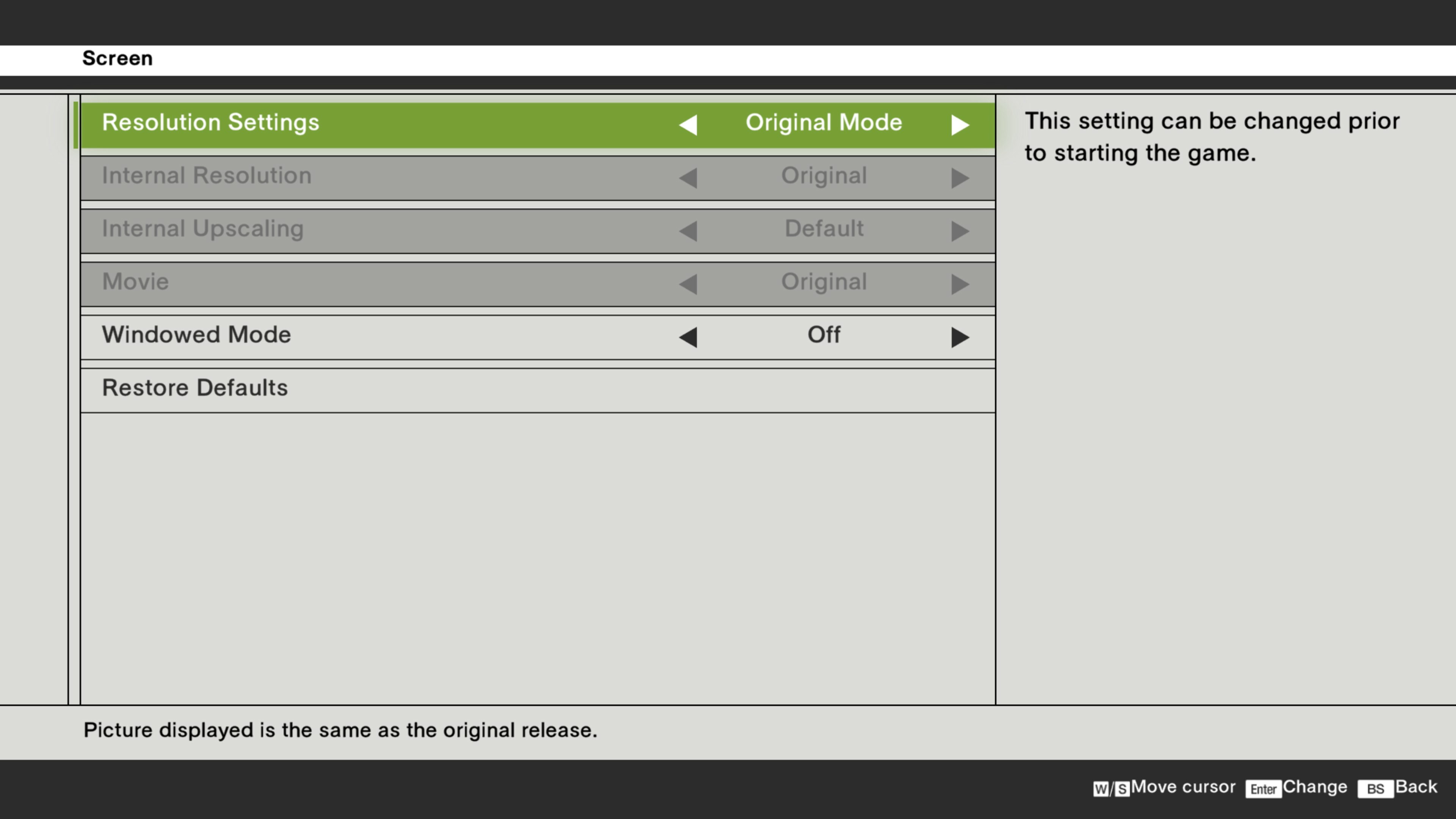
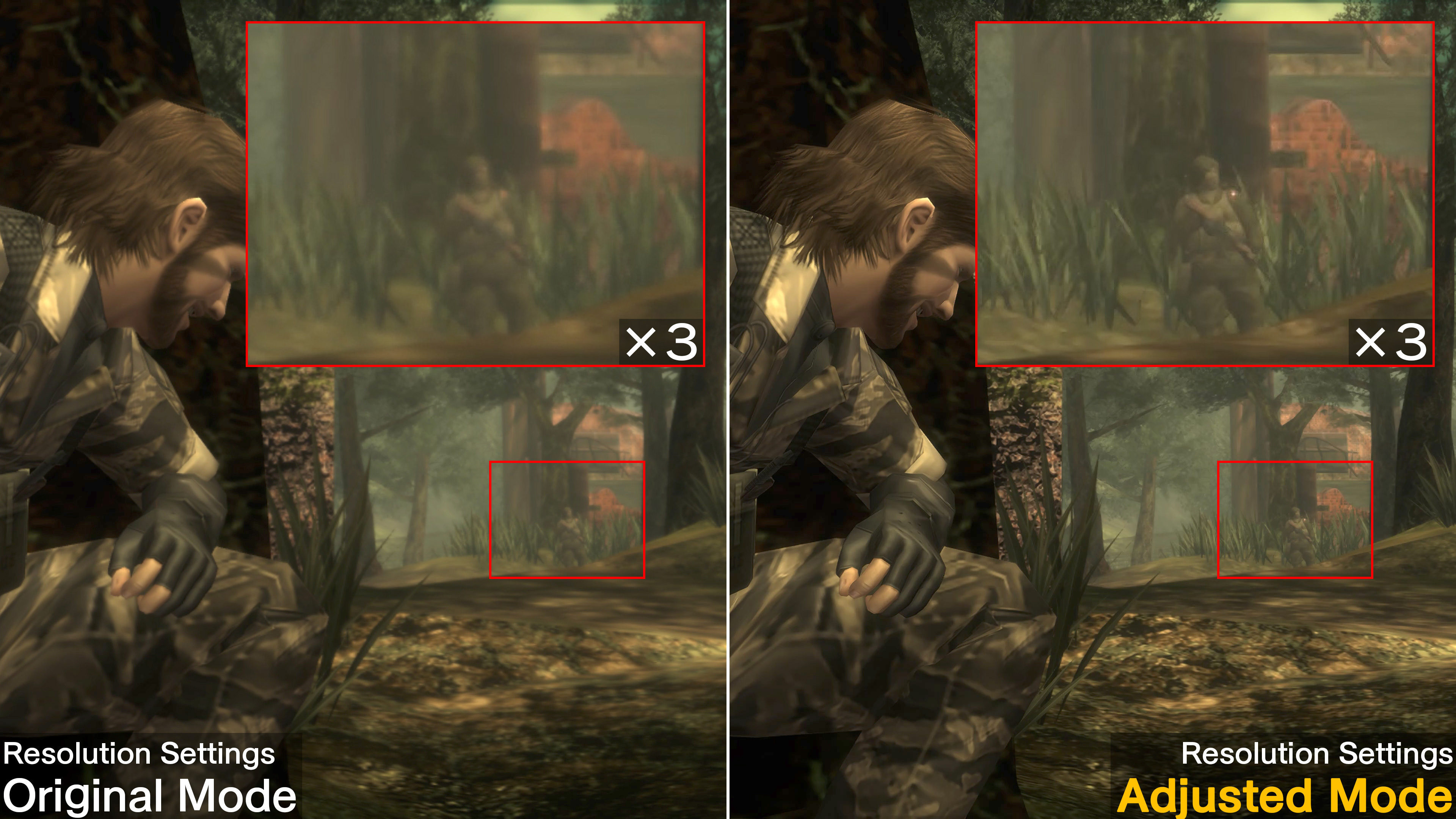
“Resolution” has been added to the Screen settings in the Options menu. Under “Resolution”, you can choose from two different presets or create your own custom setting.
These settings cannot be changed after starting the game. Some setups may experience some instability if these settings are changed. Consider reverting back to the default settings if you experience any instability.
"Original Mode" Preset
Display at the game’s original resolution. Upon selecting "Original Mode", the following settings will be applied.
Internal Resolution
:
Original
Internal Upscaling
:
Default
Movie
:
Original
"Adjusted Mode" Preset
Displays the game at your current monitor’s highest possible resolution. Has sharper visuals compared to Original Mode. Upon selecting "Adjusted Mode", the following settings will be applied.
Internal Resolution
:
FHD (1080p)
Internal Upscaling
:
Internal Upscaling: Highest resolution possible from FHD (1080p), WQHD (1440p), or 4K (2160p).
Movie
:
High Resolution
Should your specs fall below FHD, Internal Resolution will be set to Original and Internal Upscaling will be set to Default.
"Internal Resolution", "Internal Upscaling", and "Movie" can be adjusted to suit your current specs.
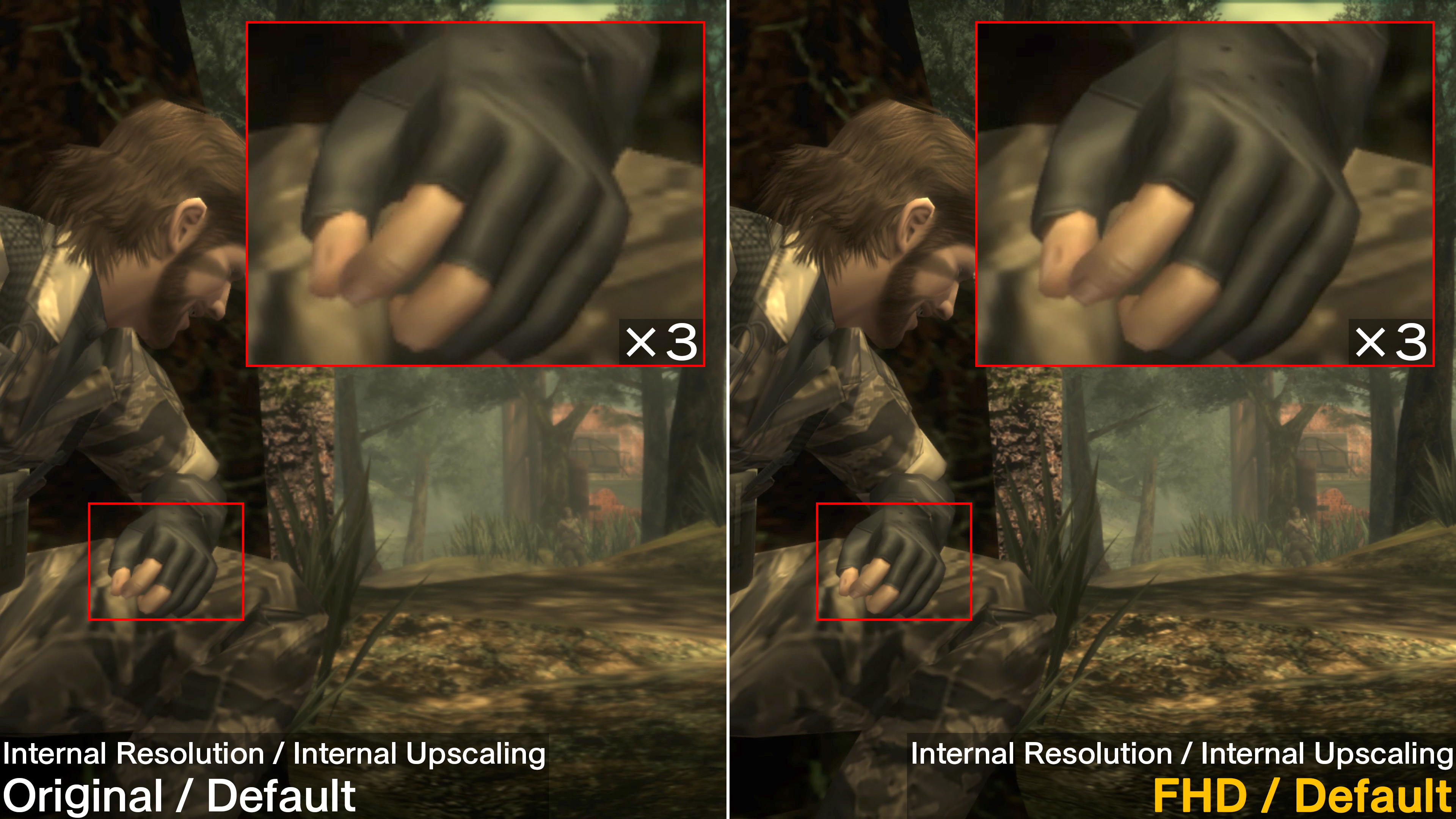
1. Internal Resolution Under "Internal Resolution", you can now choose to have the game render in FHD or at its original resolution.
Original
:
Renders the game at its original resolution.
FHD*1
:
Increases the game's internal resolution to FHD when rendering.
*1 May not be selectable depending on your setup.
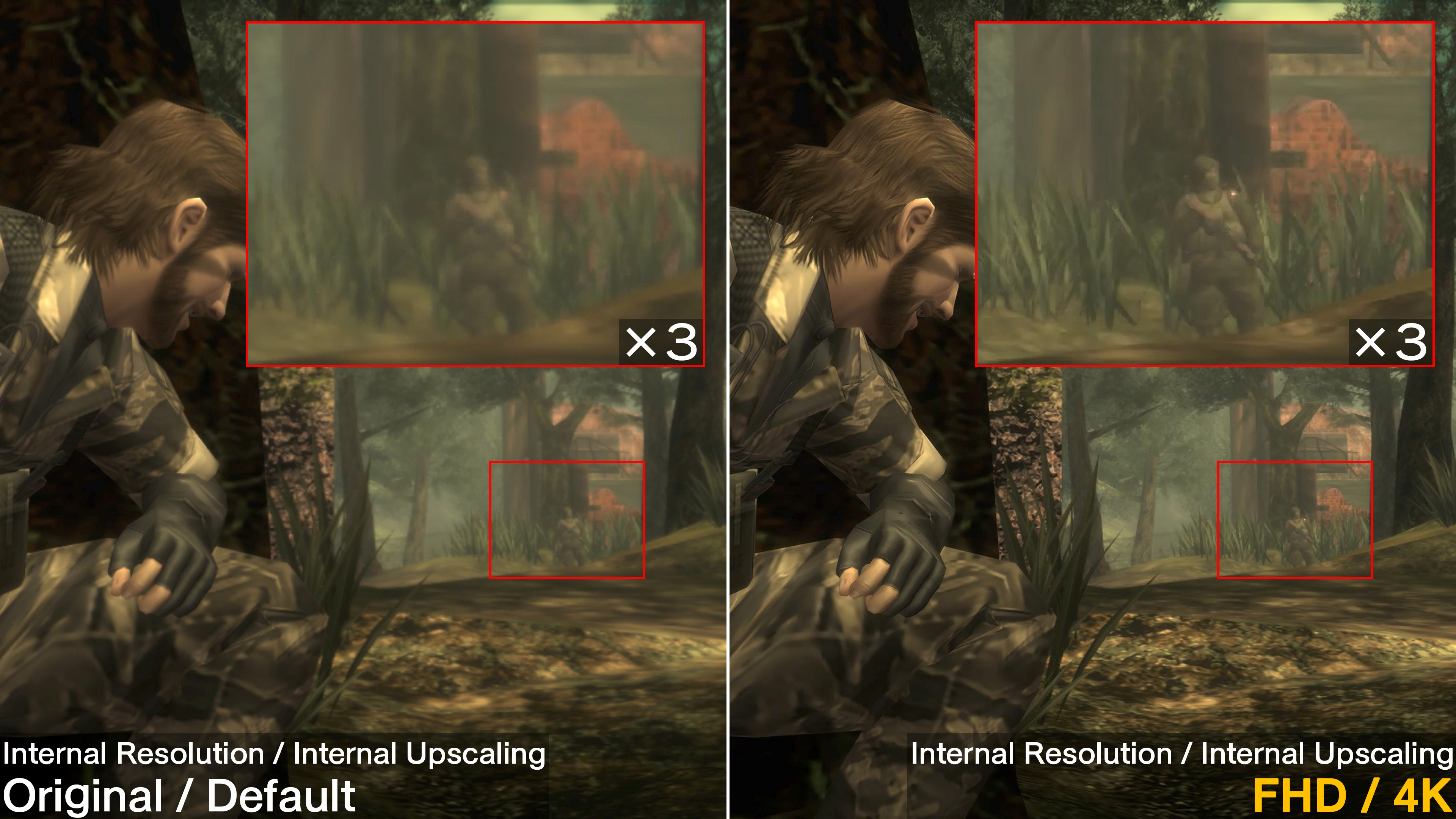
2. Internal Upscaling Under "Internal Upscaling", you can choose to apply additional upscaling methods to scale the game up to your setup's highest possible resolution. Changing this setting will result in sharper visuals. Note that depending on your setup, this may not be selectable.
Default
:
Displays the game at the same resolution as the original Master Collection release.
FHD*1
:
Displays the game in FHD using an upscaling method different to the original Master Collection release. *2 *3
WQHD*1
:
Displays the game in WQHD using an upscaling method different to the original Master Collection release. *2 *3
4K*1
:
Displays the game in 4K using an upscaling method different to the original Master Collection release. *2
*1 May not be selectable depending on your setup. *2 Results in sharp visuals. *3 If your monitor can support a resolution that is higher than the resolution selected, then the game will be displayed using the original Master Collection release's upscaling method at the highest possible resolution available.
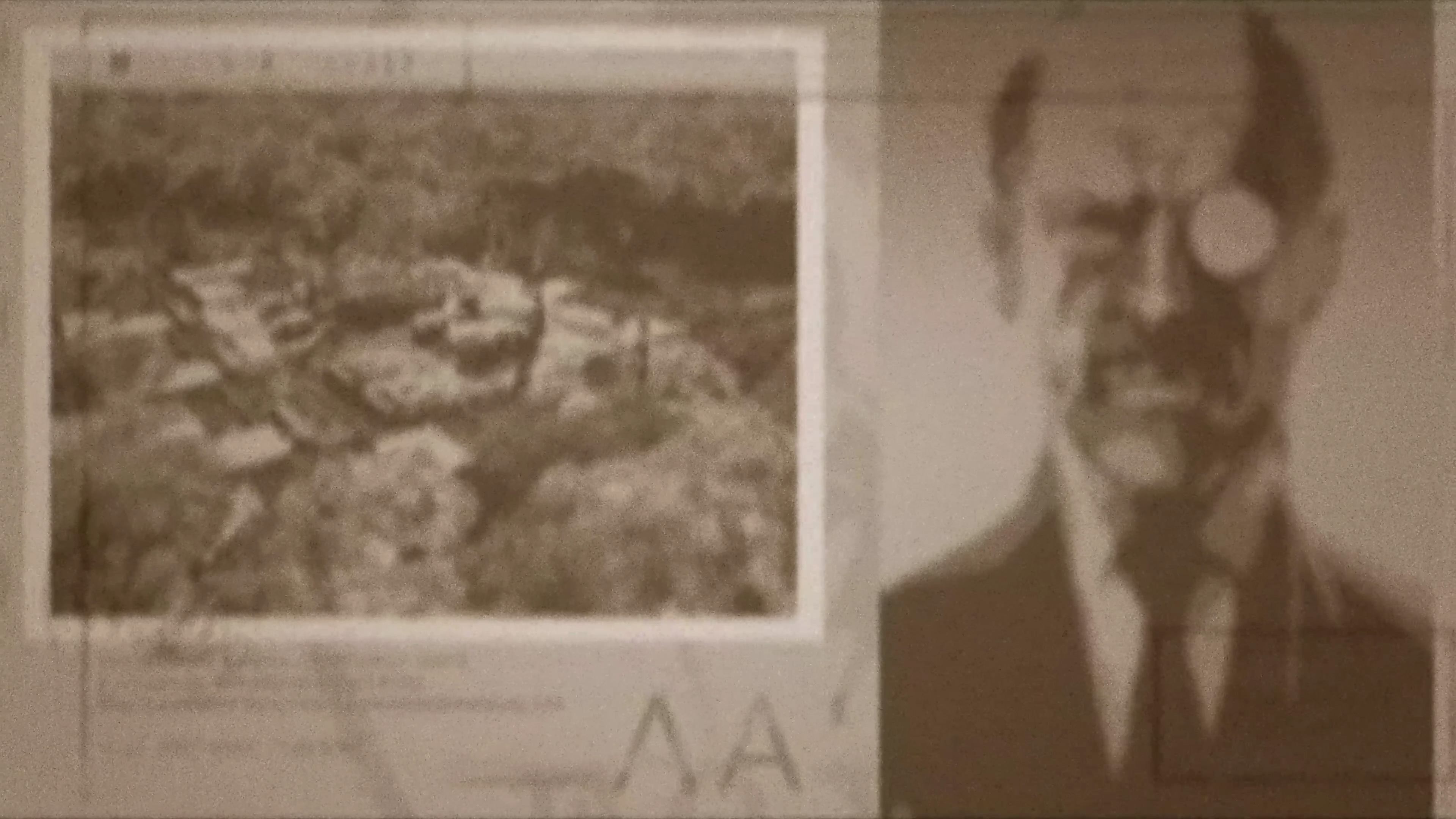
3. Movie You can choose to set in-game movies to their original or higher resolution versions. When selected, some movies will be displayed at a higher resolution.
Movie: Original
Movie: High Resolution
○ Additional Control Settings
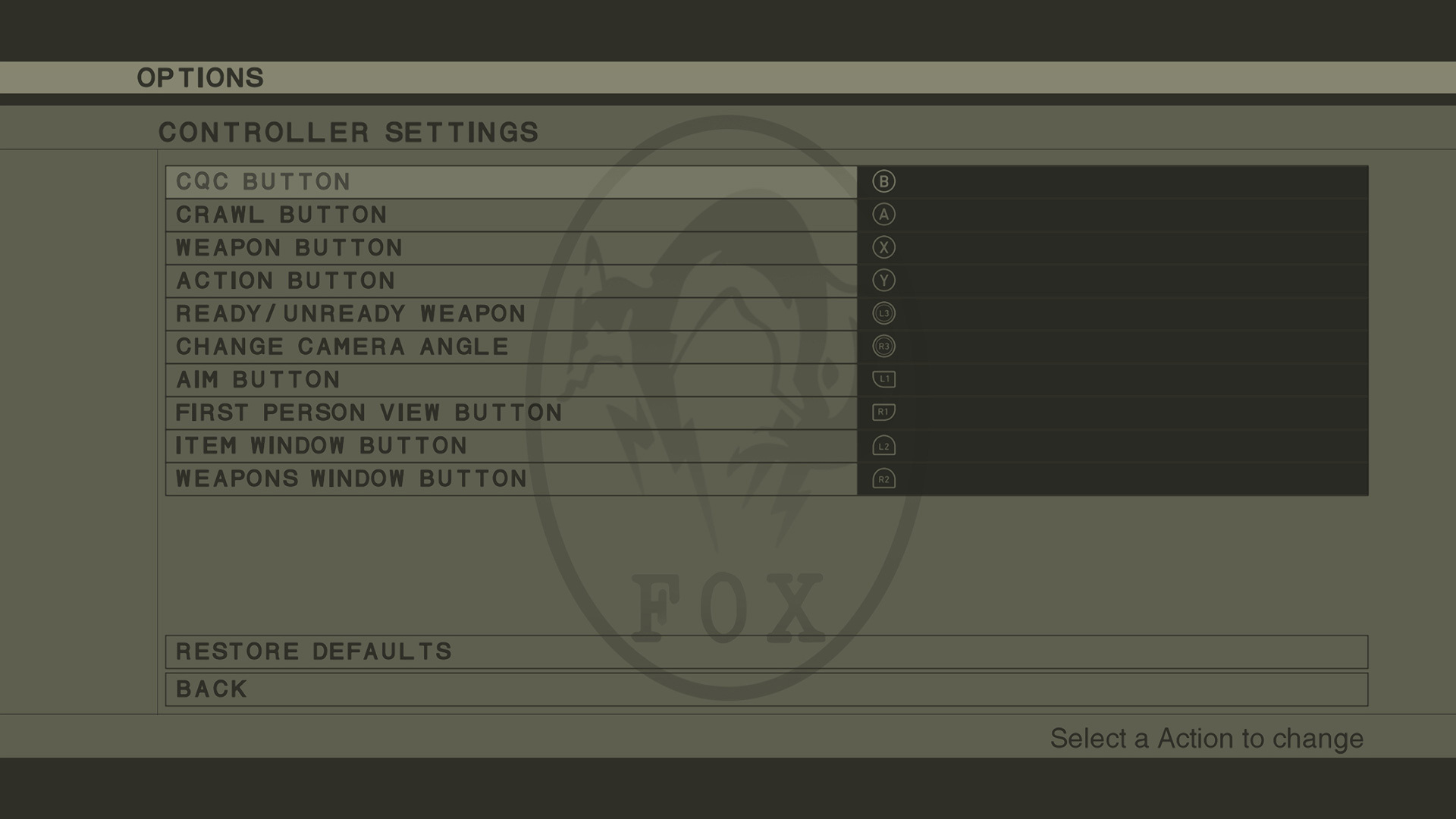
"CONTROL SETTINGS" has been added under ADDITIONAL SETTINGS. The following settings can be changed under CONTROL SETTINGS:
1. CONTROLLER SETTINGS
You can assign controls for your controller under "CONTROLLER SETTINGS".
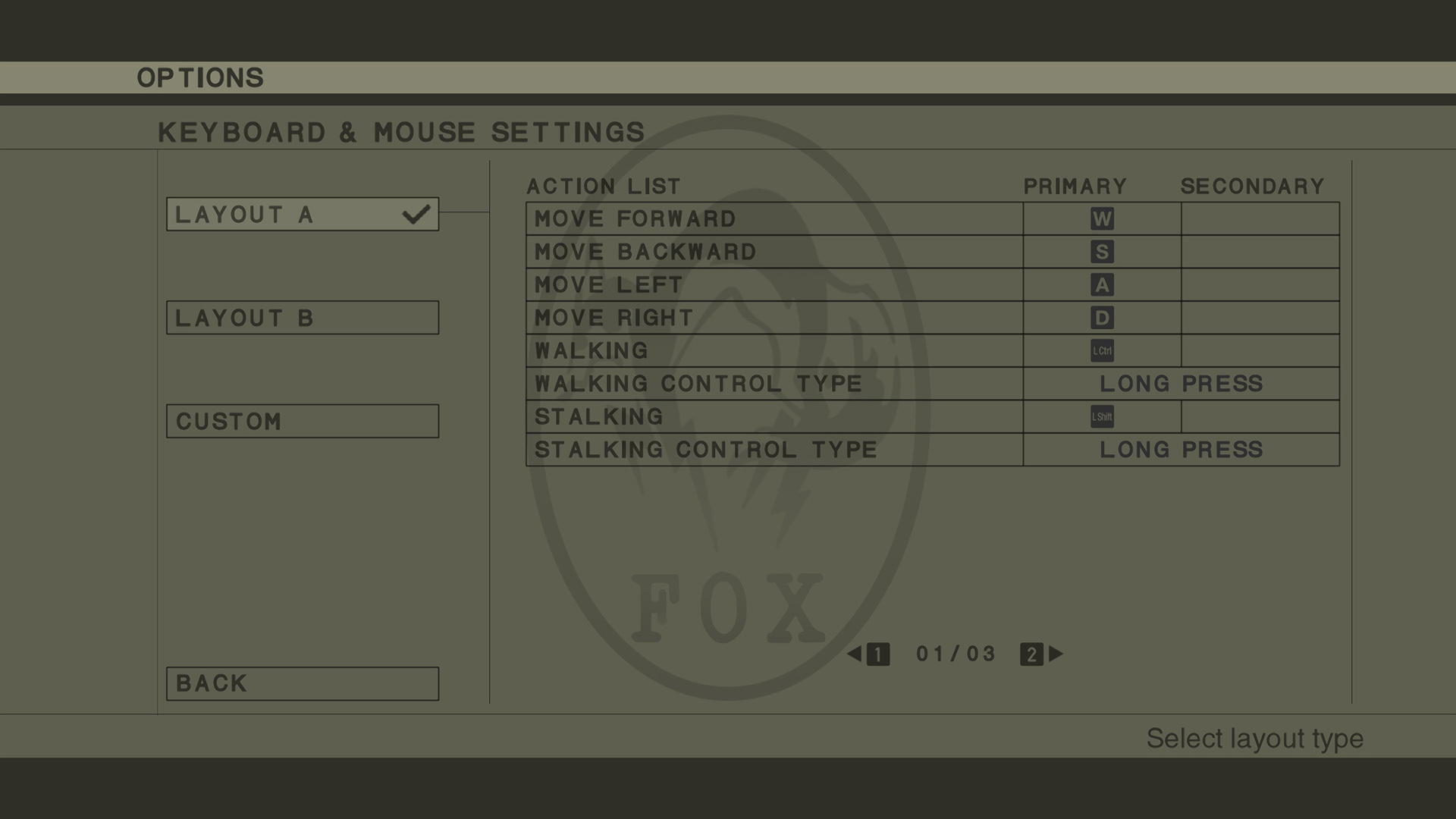
2. KEYBOARD & MOUSE SETTINGS
You can select one of three Layout Types under "KEYBOARD & MOUSE SETTINGS", and if you choose Custom you will be able to assign your own controls.
LAYOUT A
:
The control layout used up to Ver.1.5.1.
LAYOUT B
:
The new control layout that can be selected after Ver.2.0.0.
CUSTOM
:
A control layout that can be freely customized.
*If there are overlapping controls, some actions may not function properly. *In the event some actions do not function properly, please attempt reassigning them.
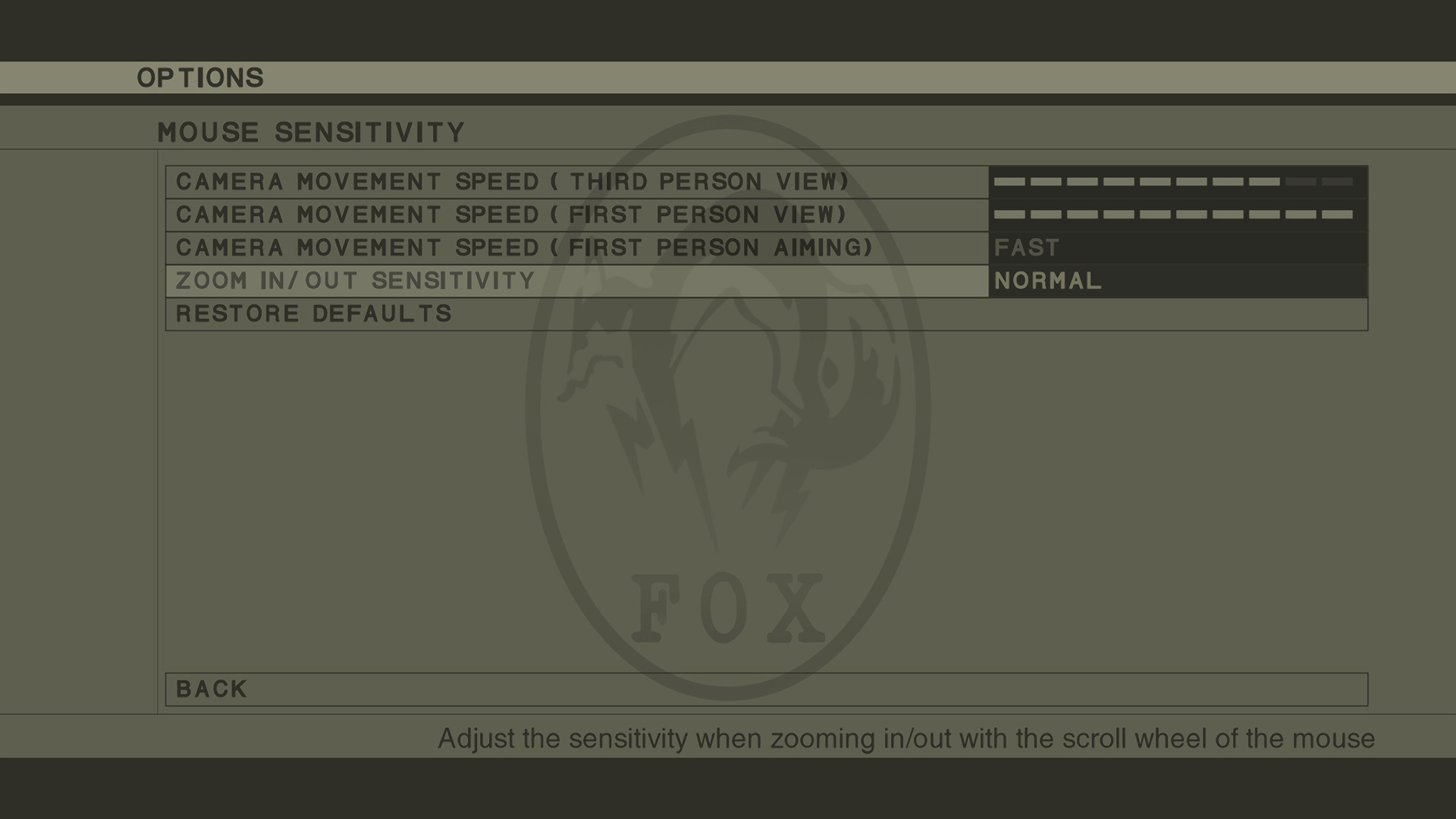
3. ZOOM IN/OUT SENSITIVITY
"ZOOM IN/OUT SENSITIVITY" has been added under MOUSE SENSITIVITY. You can adjust the scroll wheel sensitivity when zooming in/out.
○ Support for Steam Trading Cards/Badges *No patch will be necessary for Steam Trading Cards/Badges. Community Assets are now available for METAL GEAR SOLID 3: Snake Eater - Master Collection Version bringing uniquely Metal Gear series art and icons for users to update their prof
○ Support for Steam Trading Cards/Badges
*No patch will be necessary for Steam Trading Cards/Badges.
Community Assets are now available for METAL GEAR SOLID 3: Snake Eater - Master Collection Version bringing uniquely Metal Gear series art and icons for users to update their profile. Show off your new MGS3 themed Trading Cards, Badges, Emojis and more... even if they do not give you a tactical advantage.
For more information on Community Assets: https://help.steampowered.com/ja/faqs/view/70F3-F690-1013-237F https://steamcommunity.com/tradingcards/faq/
Ver.1.5.1 is now available as of Apr. 2nd, 2024! Ver.1.5.1 Patch Notes Please check the list of changes below for details on the main improvements and fixes in this patch. Fixed an issue where the vibration feature of certain controllers would not function Fixed some other minor
Ver.1.5.1 is now available as of Apr. 2nd, 2024!
Ver.1.5.1 Patch Notes
Please check the list of changes below for details on the main improvements and fixes in this patch.
Fixed an issue where the vibration feature of certain controllers would not function
Ver.1.5.0 releases Mar.13.2024. Ver.1.5.0 Patch Notes Please check the list of changes below for details on the main improvements and fixes in this patch. Fixes of previously known issues are marked with an asterisk. ○ Added "ADDITIONAL SETTINGS" feature Audio options, screen opt
Ver.1.5.0 releases Mar.13.2024.
Ver.1.5.0 Patch Notes
Please check the list of changes below for details on the main improvements and fixes in this patch. Fixes of previously known issues are marked with an asterisk.
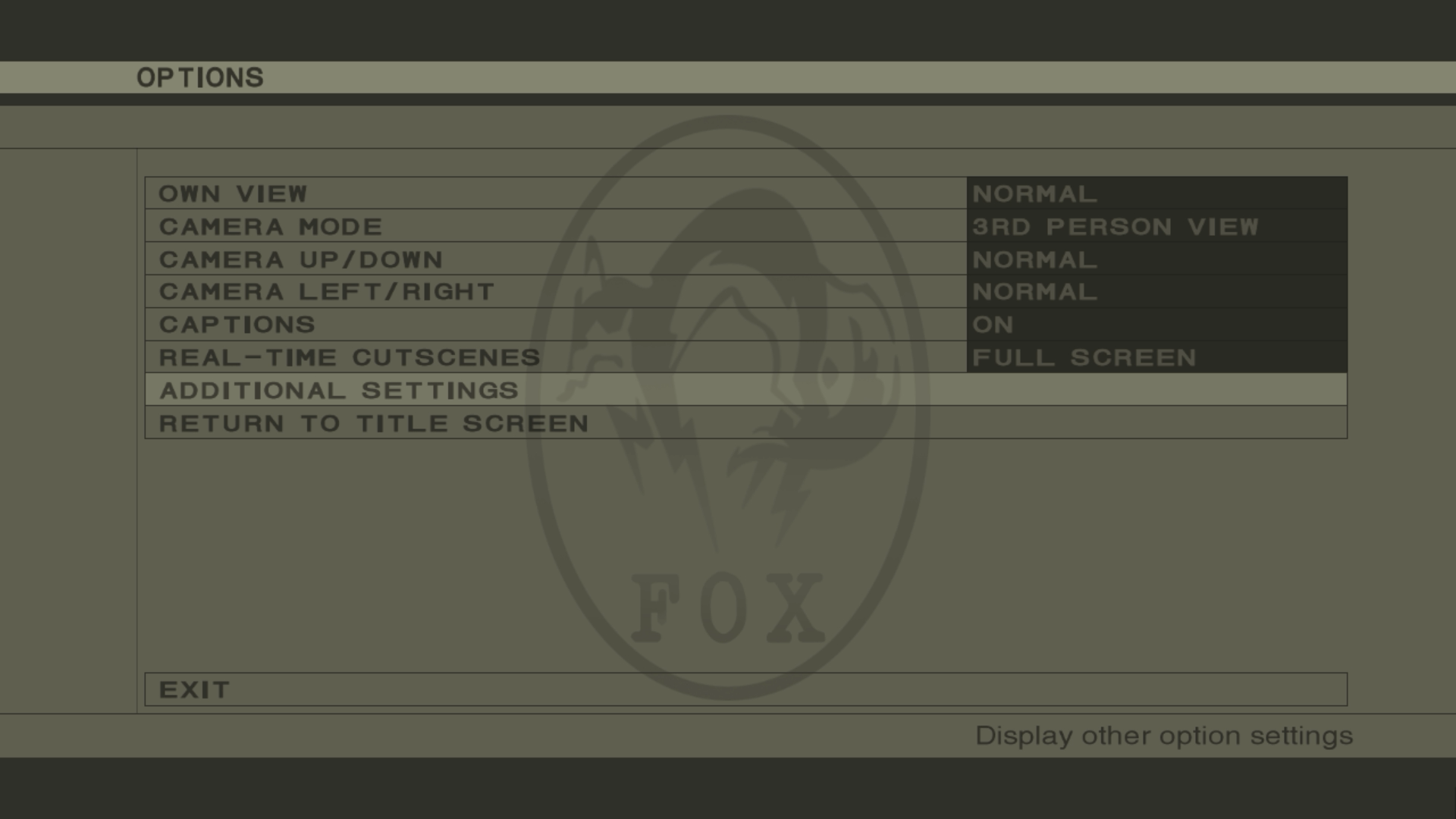
○ Added "ADDITIONAL SETTINGS" feature
Audio options, screen options, mouse sensitivity options, the online manual, and returning to the main menu can be accessed via "ADDITIONAL SETTINGS" within the Options menu.
○ Added "MOUSE SENSITIVITY" options
Mouse sensitivity can be adjusted via the Additional Settings menu.
○ Fixed an issue where a portion of character textures were displayed at a low resolution*
○ Fixed a portion of in-game text
○ Added Steam Input support
○ Fixed an issue where inputs via the keyboard were registered in-game even while the Alt key was held down
○ Fixed some other minor issues
Ver.1.4.1/Ver.1.4.1D releases Jan. 29th, 2024. The version for users playing on Steam Deck™ will be noted as Ver.1.4.1D in the game. Ver.1.4.1/Ver.1.4.1D Patch Notes Please check the list of changes below for details on the main improvements and fixes in this patch. Fixes of prev
Ver.1.4.1/Ver.1.4.1D releases Jan. 29th, 2024. The version for users playing on Steam Deck™ will be noted as Ver.1.4.1D in the game.
Ver.1.4.1/Ver.1.4.1D Patch Notes
Please check the list of changes below for details on the main improvements and fixes in this patch. Fixes of previously known issues are marked with an asterisk.
- Added Steam Deck™ support
- Fixed an issue where inputs via the keyboard were registered for the game even when the Alt key was held down*
- Fixed some other minor issues
Issues Under Investigation
We are investigating the issues below and working to resolve them. We will provide further details regarding fixes for these issues at a later time.
- An issue where a portion of character textures are displayed at a low resolution
We will continue to provide regular updates on future improvements and fixes as further details are finalized.
Ver.1.4.0 releases Dec. 20th, 2023. Ver.1.4.0 Patch Notes Please check the list of changes below for details on the main improvements and fixes in this patch. - Fixes of previously known issues are marked with an asterisk. - Added an audio settings feature Settings for the game v
Ver.1.4.0 releases Dec. 20th, 2023.
Ver.1.4.0 Patch Notes
Please check the list of changes below for details on the main improvements and fixes in this patch. - Fixes of previously known issues are marked with an asterisk.
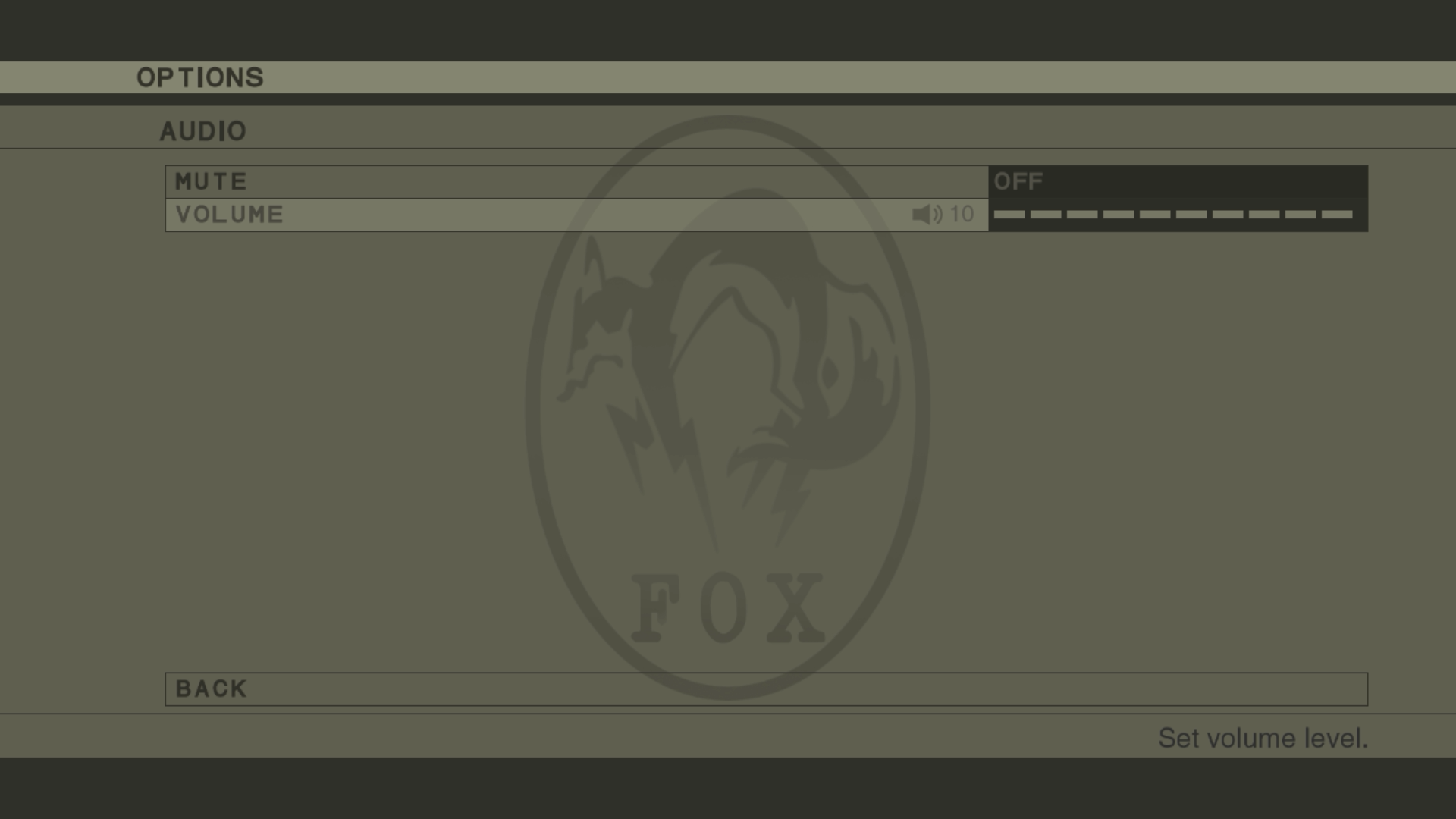
- Added an audio settings feature
Settings for the game volume and main menu volume can be changed prior to play. Only the game volume can be changed during play.
Settings Screen - Before Play
Settings Screen - During Play
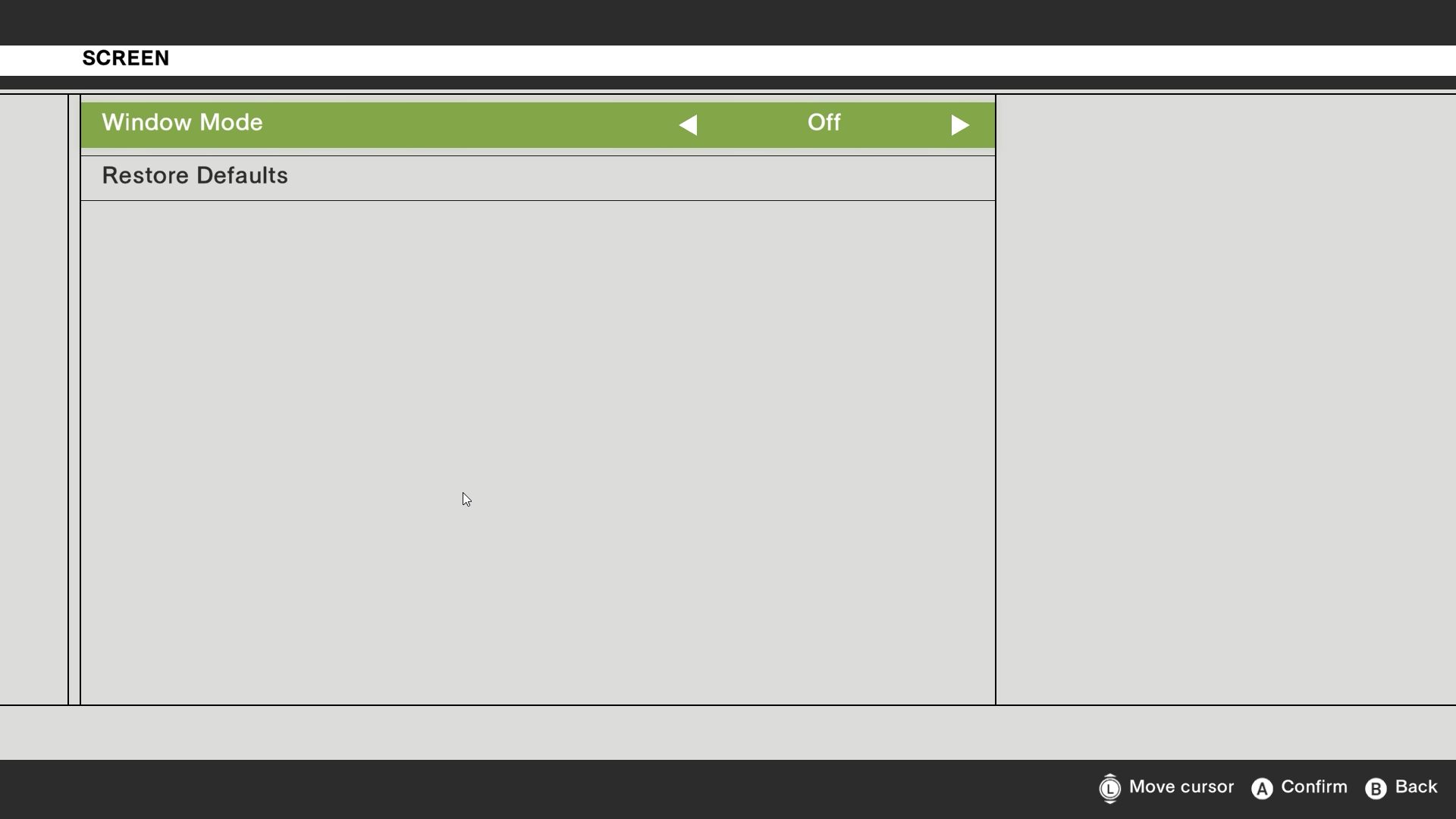
- Added a "Window Mode"
Added the ability to change the game to a "Window Mode" prior to play. This feature can be turned ON or OFF by pressing Alt + Enter on the keyboard.
- Applied fix to have the game give priority to user set button designs
- Fixed an issue where certain face paints are displayed at a lower resolution*
- Fixed some other minor issues
Issues Under Investigation
We are investigating the issues below and working to resolve them. We will provide further details regarding fixes for these issues at a later time.
- An issue where a portion of character textures are displayed at a low resolution
- An issue where inputs via the keyboard are registered for the game even when the Alt key is held down
We will continue to provide regular updates on future improvements and fixes as further details are finalized.
Ver.1.3.0 is now available for users on all platforms! Ver.1.3.0 Patch Notes Please check the list of changes below for details on the main improvements and fixes in this patch. Fixes of previously known issues are marked with an asterisk. Fixed an issue where some buttons were a
Ver.1.3.0 is now available for users on all platforms!
Ver.1.3.0 Patch Notes
Please check the list of changes below for details on the main improvements and fixes in this patch. Fixes of previously known issues are marked with an asterisk.
Fixed an issue where some buttons were assigned multiple functions (Details on the updated controls are available in the Online Manual)
Fixed an issue where the audio was out of sync with certain videos*
Updated the Online Manual
Removed the "Download" section from the game launcher (Check here for our guide on how to install/uninstall the DLCs)
Fixed some other minor issues
Issues Under Investigation
We are investigating the issues below and working to resolve them. We will provide further details regarding fixes for these issues at a later time.
An issue where some face paints are displayed in a lower resolution
We will continue to provide regular updates on future improvements and fixes as further details are finalized.