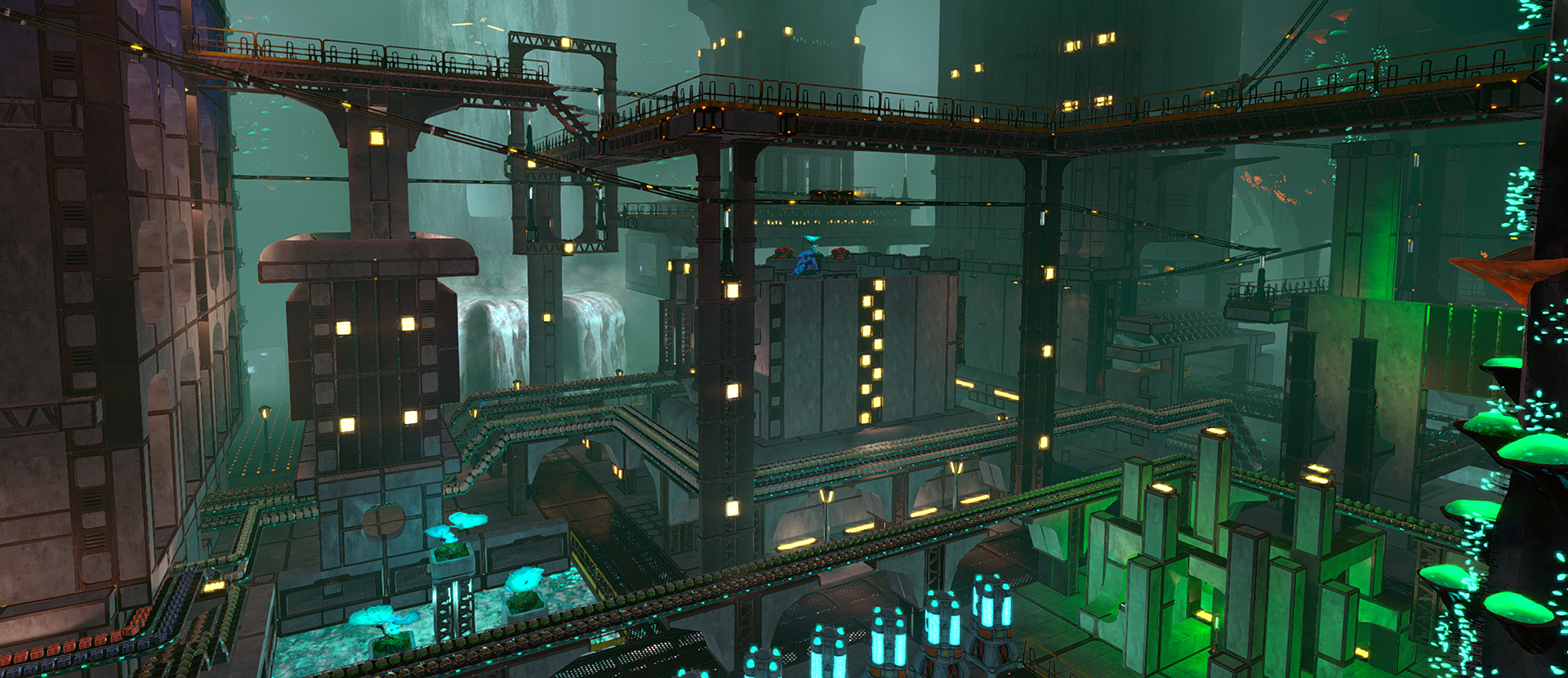
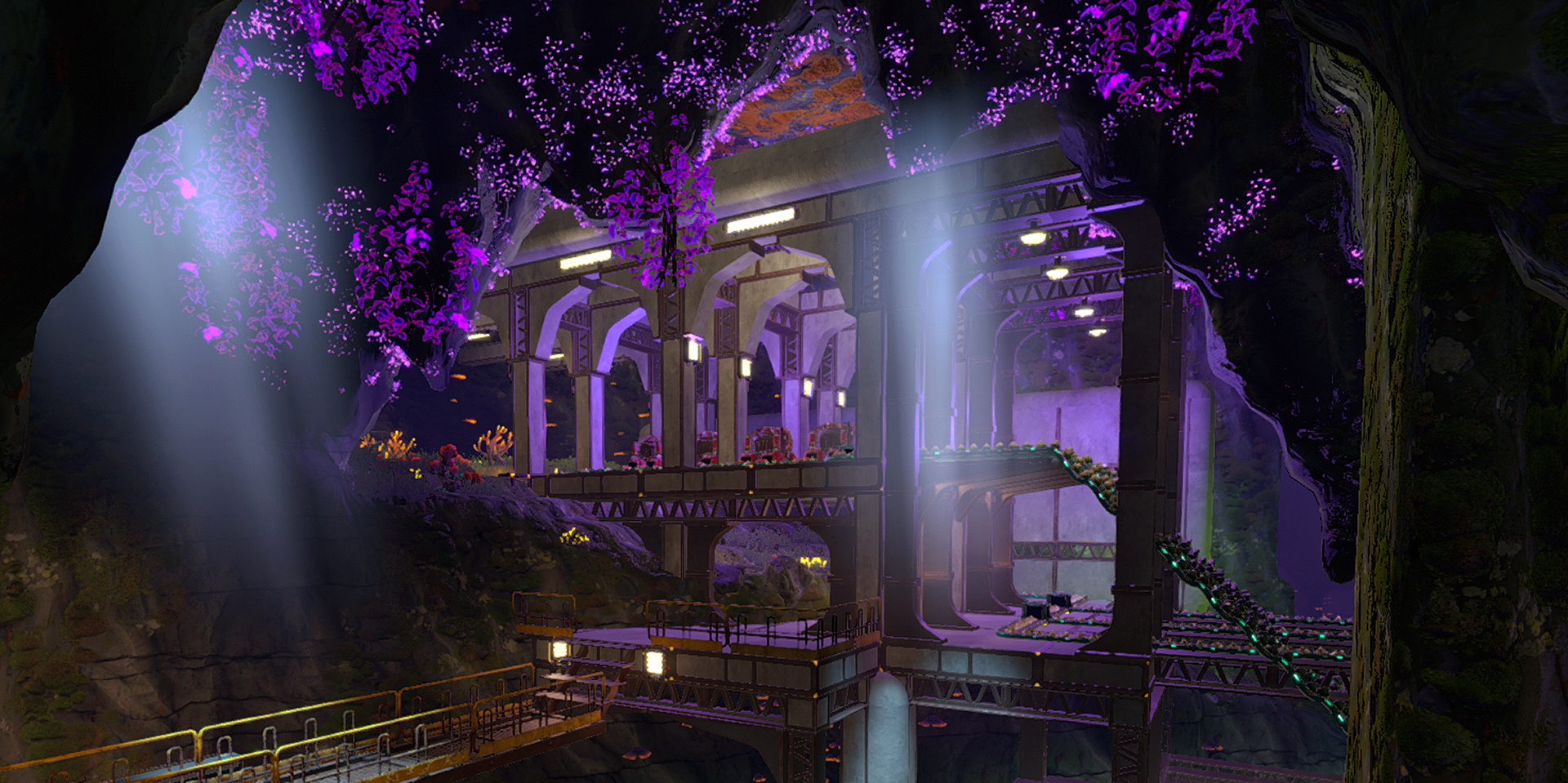
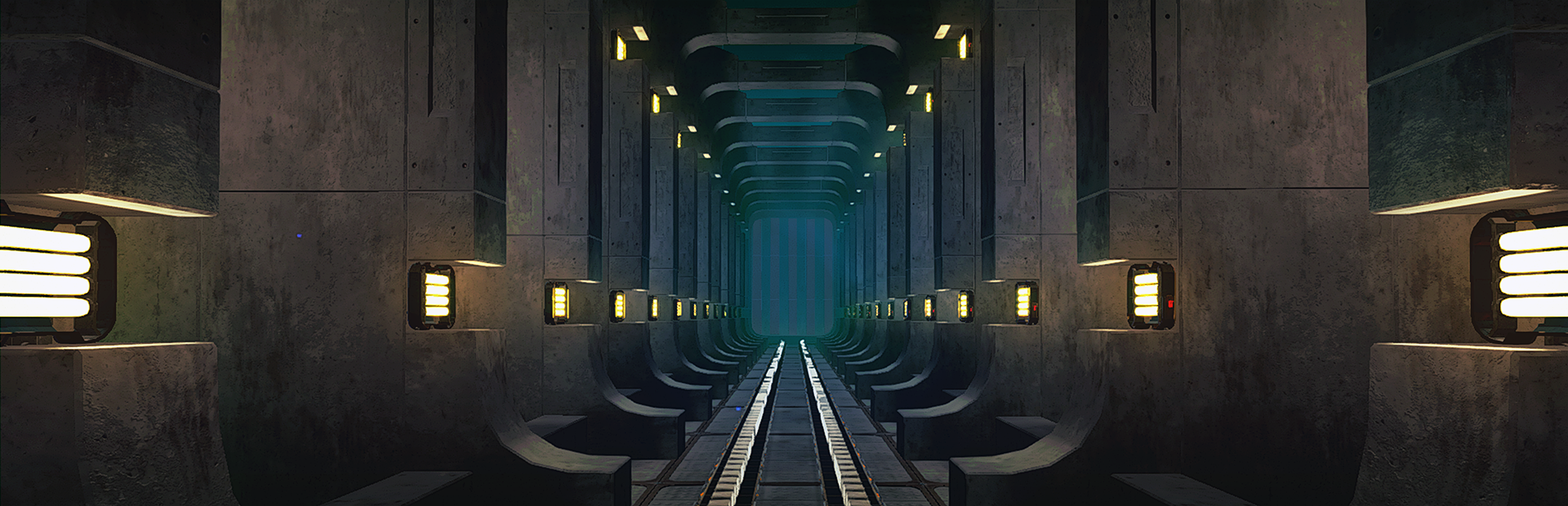
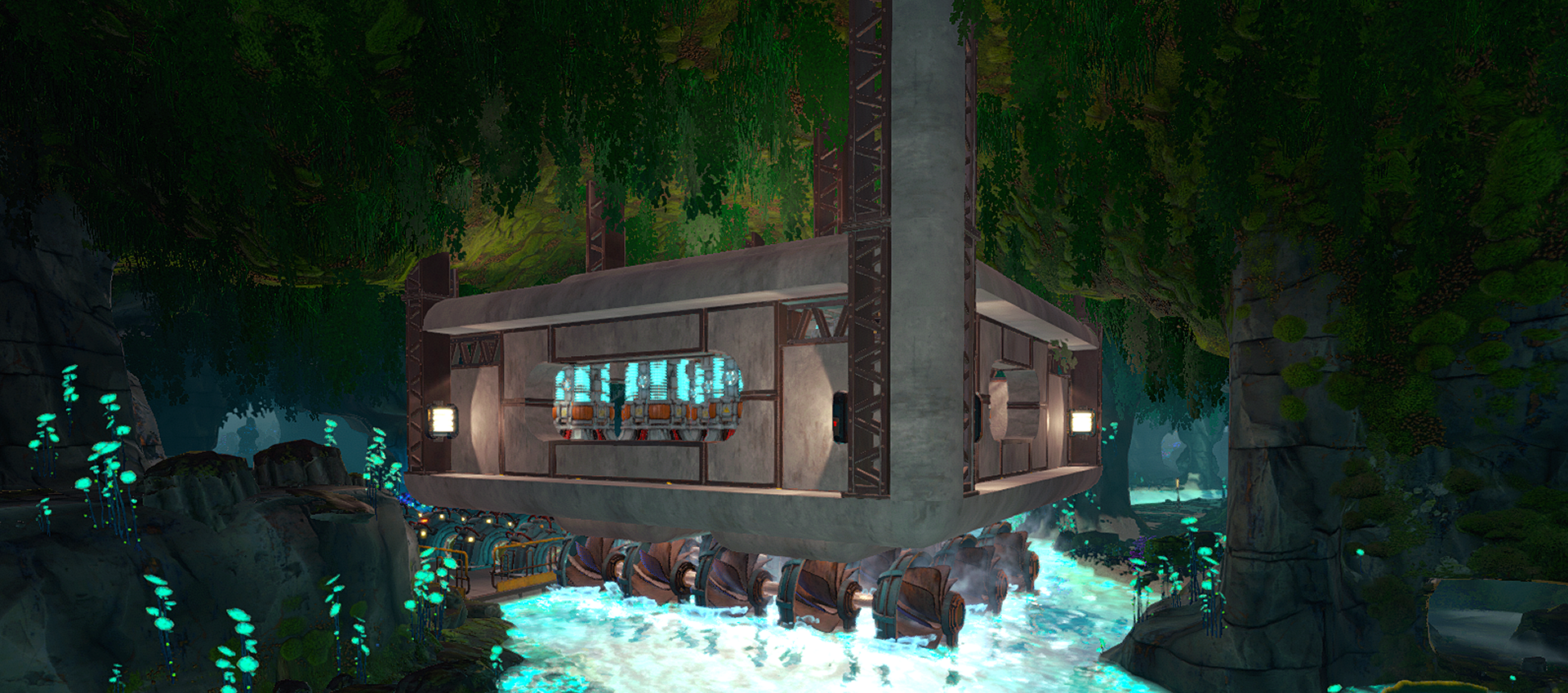
With the launch of Satisfactory 1.0 and Factorio Space Age, it's a good time to be a fan of making intricate stacks of machinery that handle all your work for you. Joining the roster is Techtonica 1.0 , which might be the prettiest automation sandbox game I've seen so far. Set in
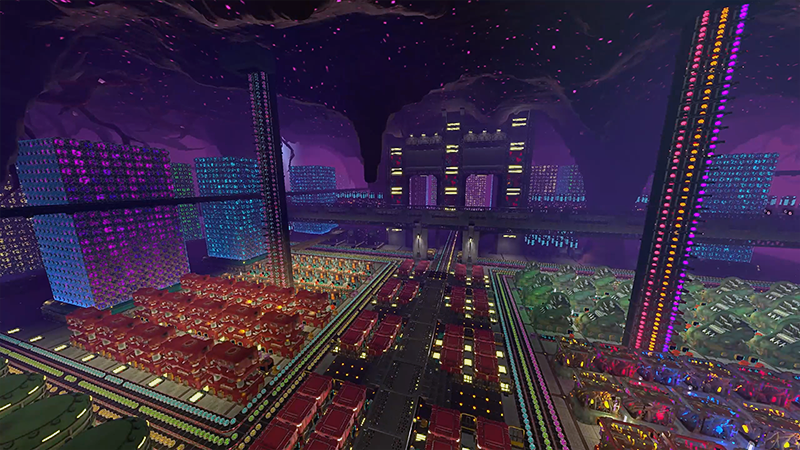
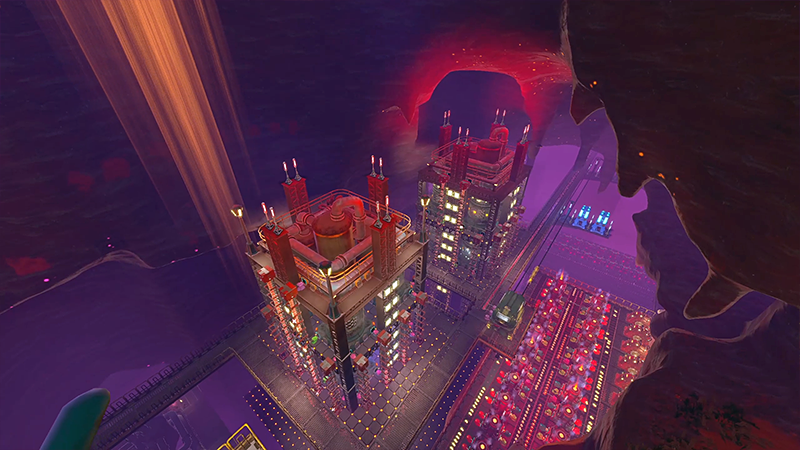
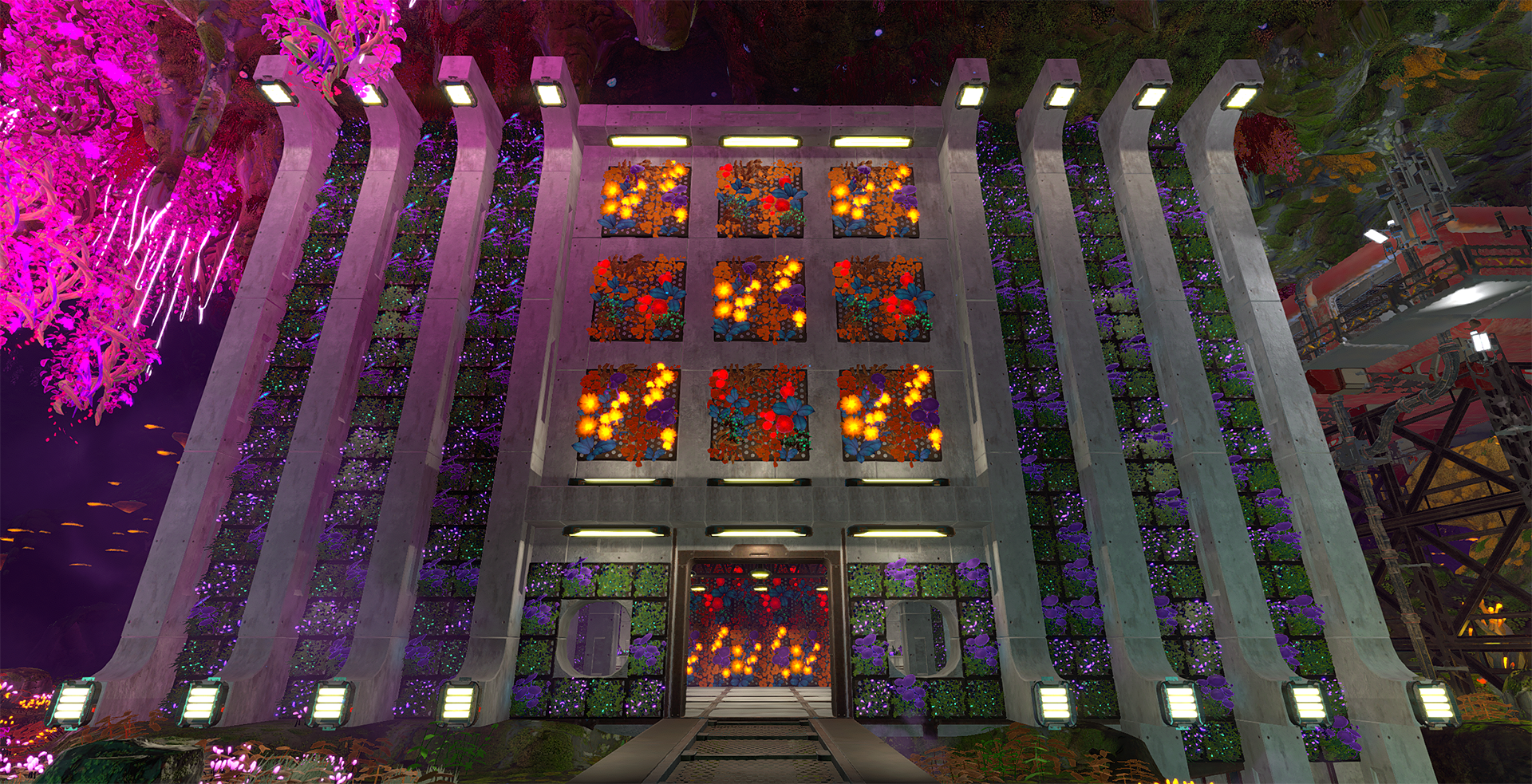
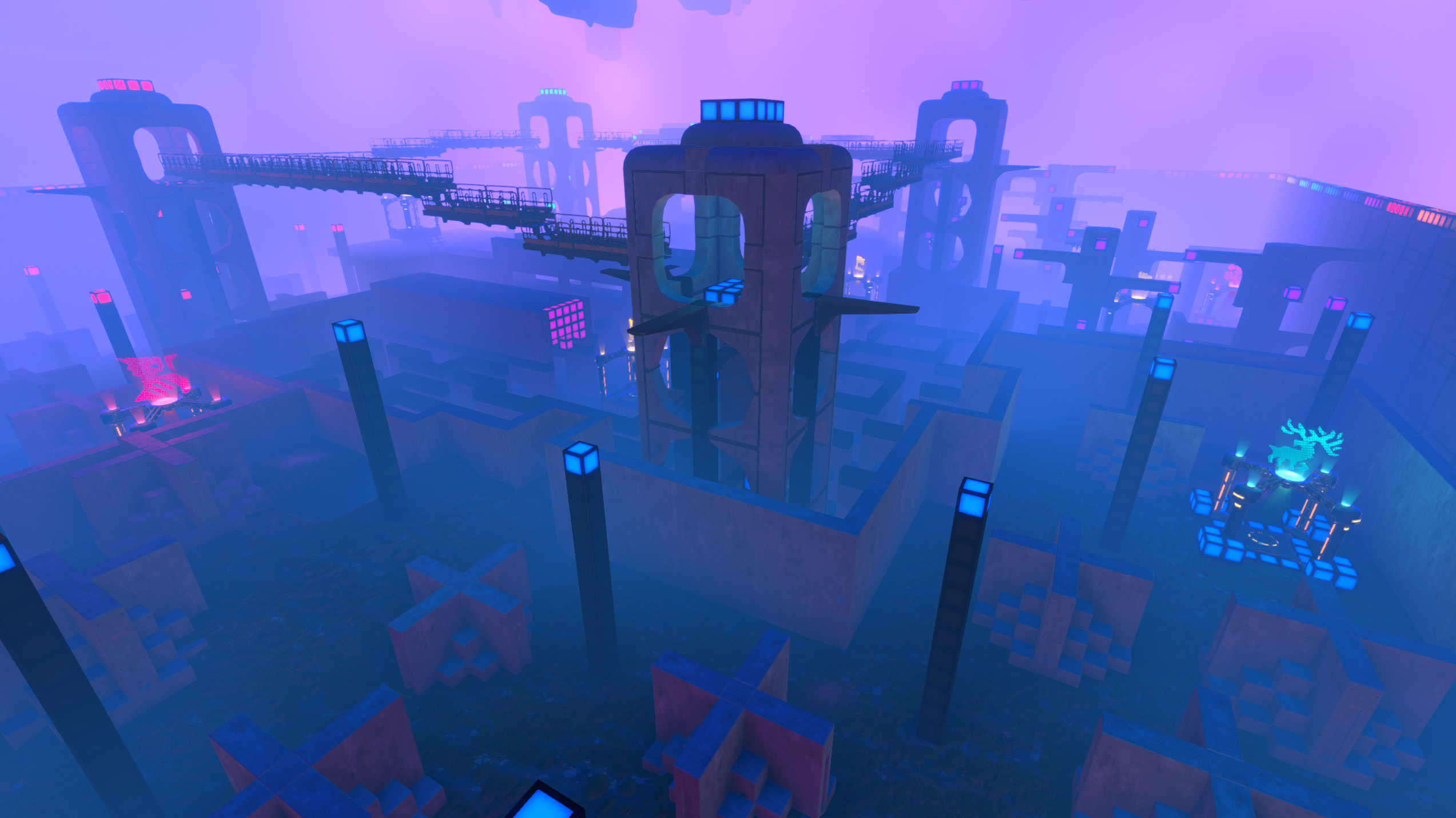
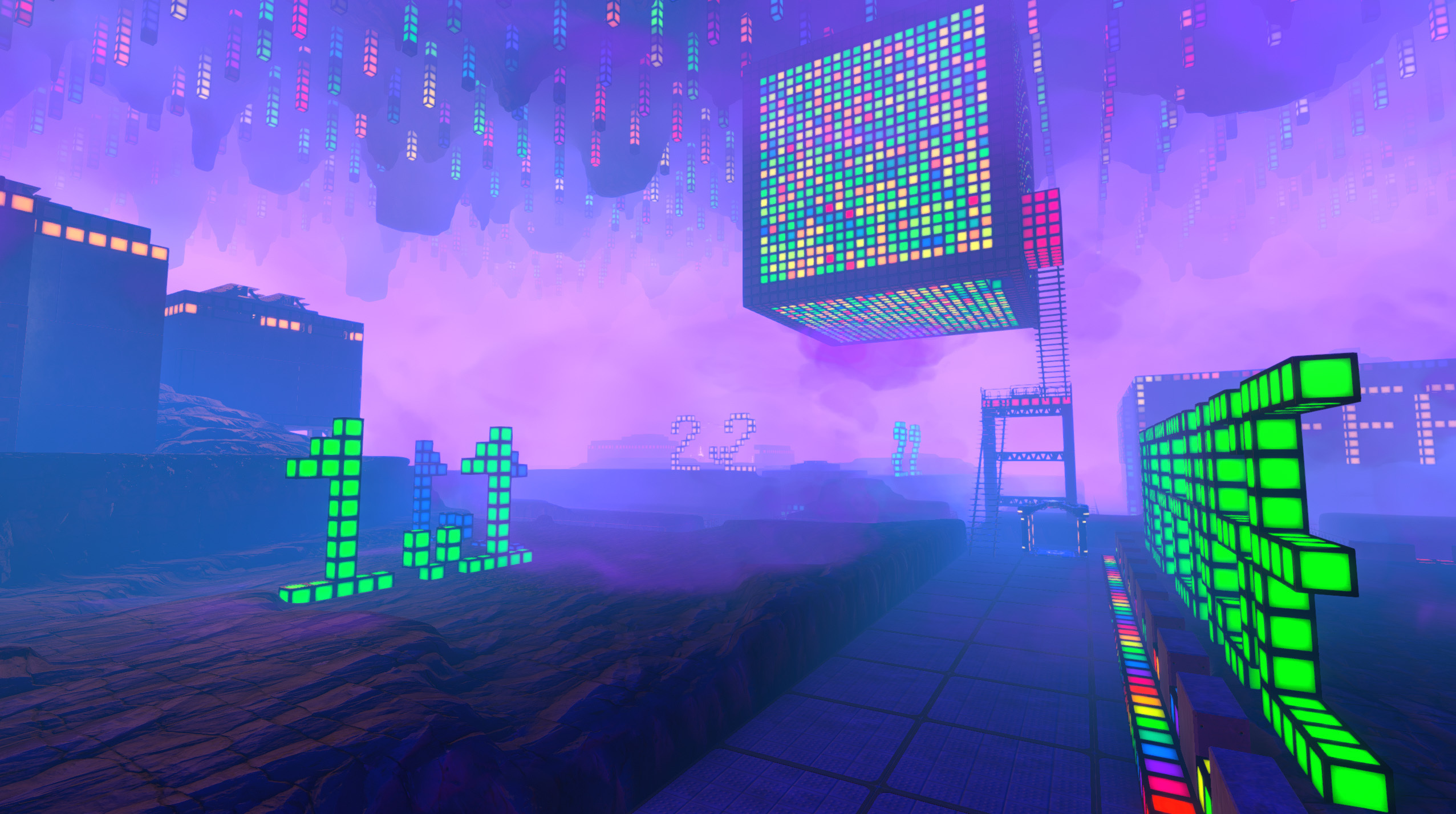
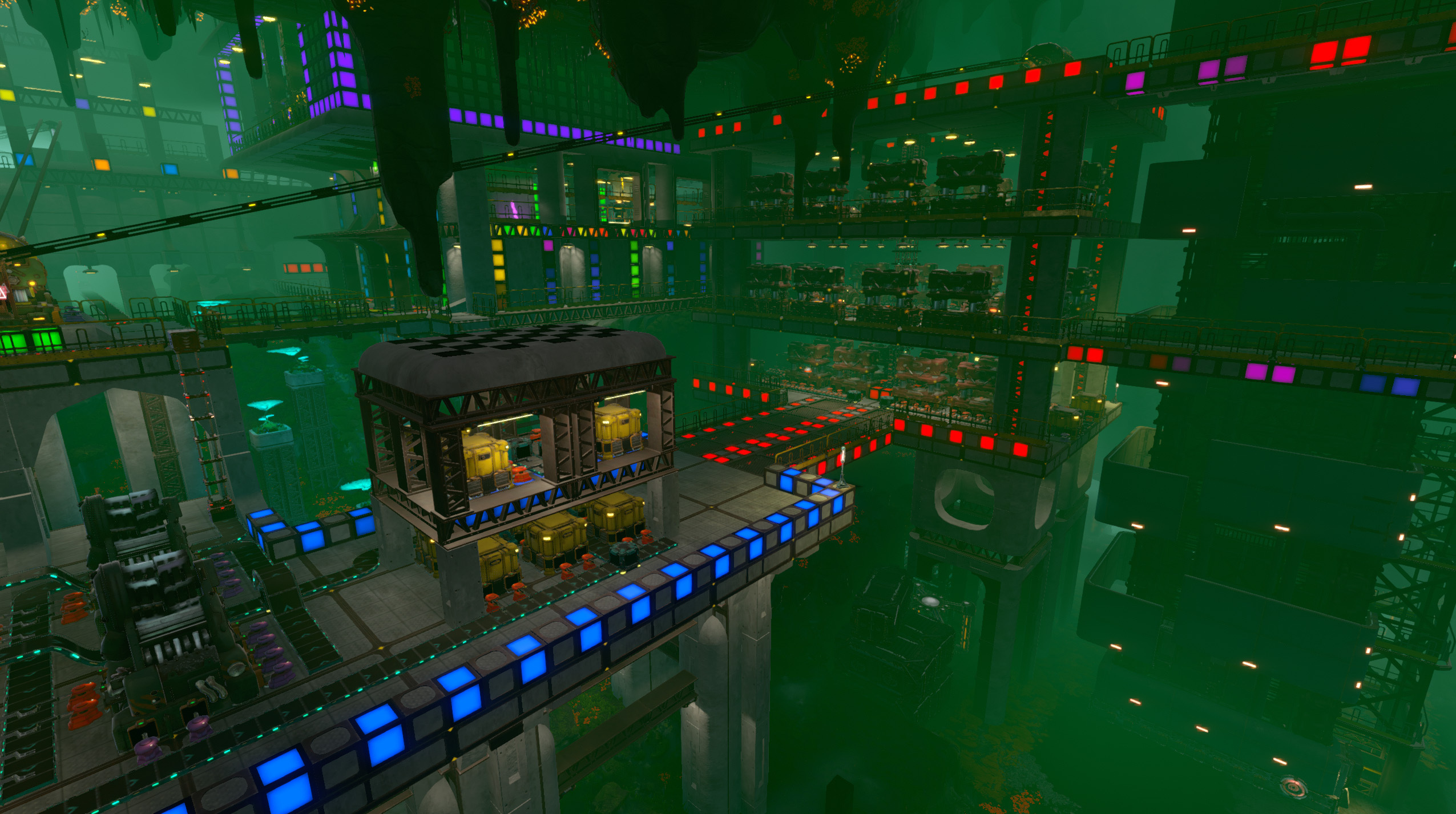
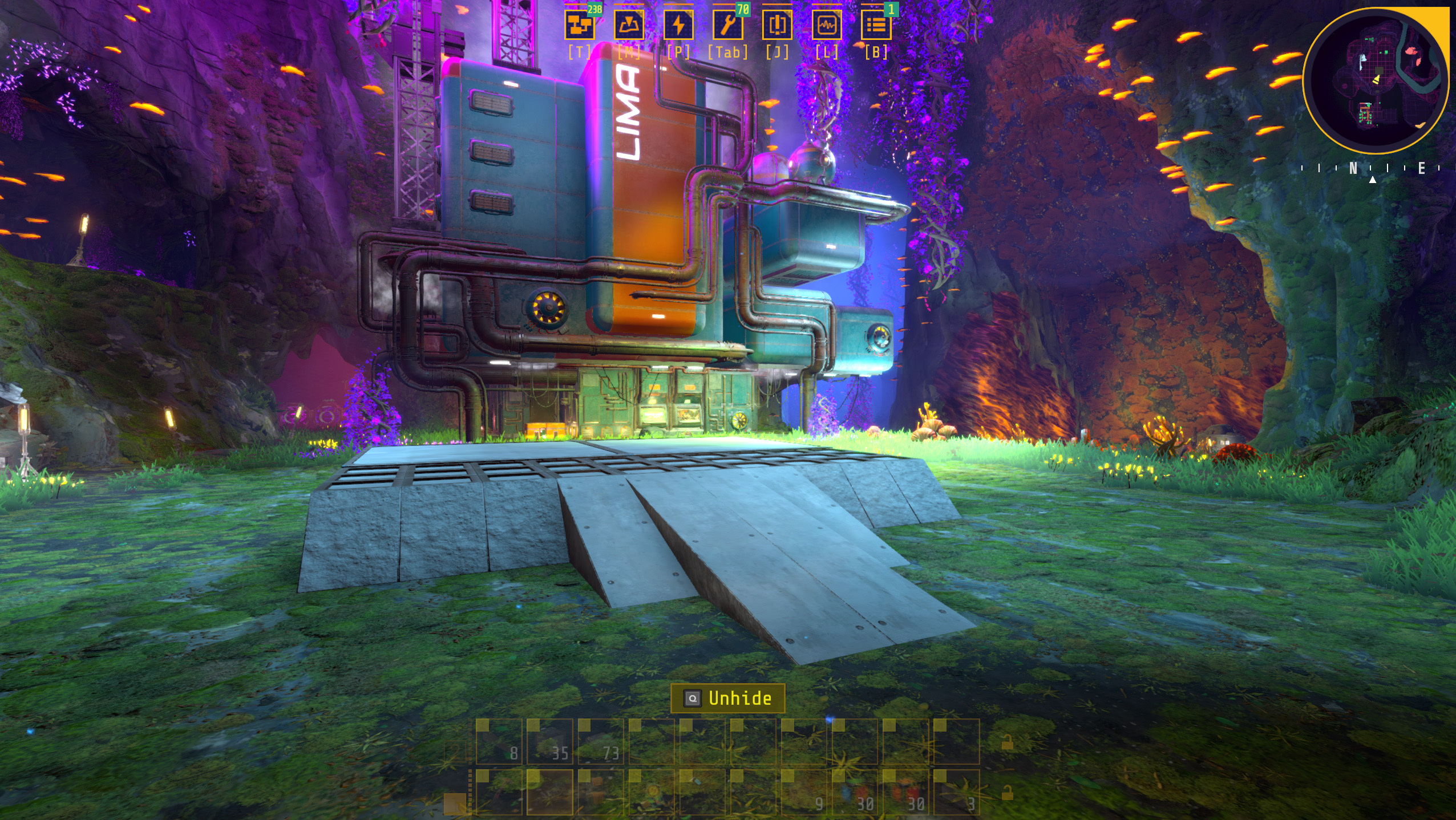
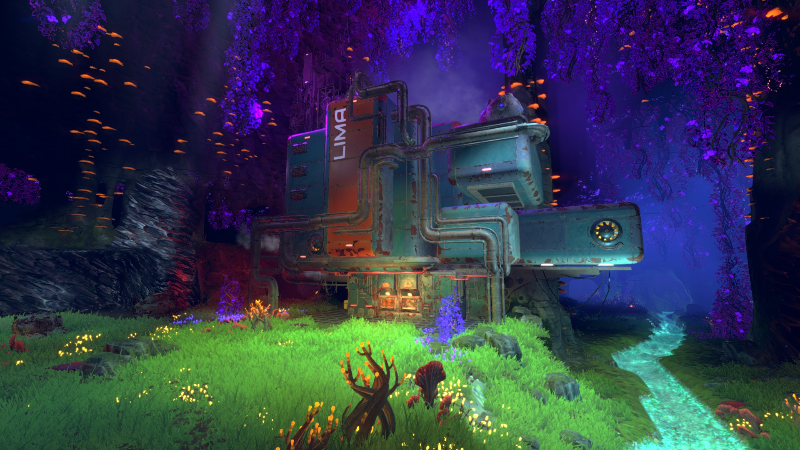
With the launch of Satisfactory 1.0 and Factorio Space Age, it's a good time to be a fan of making intricate stacks of machinery that handle all your work for you. Joining the roster is Techtonica 1.0, which might be the prettiest automation sandbox game I've seen so far. Set in a beautiful, bioluminescent fantasy world, Techtonica combines the factory-building elements you love with large-scale world terraforming reminiscent of Astroneer and a mysterious narrative in the style of Subnautica, and you can jump in for cheap thanks to a generous Steam sale discount to celebrate its arrival out of early access.
Fire Hose Games is excited to announce to Groundbreakers both new and old that Techtonica has launched out of Early Access and is available now in 1.0 for Steam, Xbox Game Pass, and PlayStation 5! To celebrate the occasion, Techtonica on Steam is 34% off through launch week . Tec
Fire Hose Games is excited to announce to Groundbreakers both new and old that Techtonica has launched out of Early Access and is available now in 1.0 for Steam, Xbox Game Pass, and PlayStation 5! To celebrate the occasion, Techtonica on Steam is 34% off through launch week.
Techtonica is a first-person factory game with a gripping sci-fi mystery about mining your way out from the depths of an alien planet. Explore bioluminescent caves, mold destructible terrain with a black hole gun, and construct a massive subterranean factory.
Dig your way toward answers and discover the secrets of Calyx alone or with friends in up to 4 player co-op. Gather resources, uncover new areas, and build your machines in the only factory automation game to offer a fully voice-acted narrative campaign that gives you a reason to forge ahead. ⛏️
Techtonica 1.0 Highlights
The massive Techtonica 1.0 release “Going Up” has been over a year in the making and brings a ton of new features to the game, including:
A complete sci-fi mystery narrative for players to unravel
New Desert Biome
Traveling between Floors with the Freight Elevator
Jetpack Upgrade
New Machines, Production Loops, Intermediates, and Resources
Many player requested QoL and performance improvements
You can find a full list of patch notes hidden below:
Show details
Headliner Features
Completed Narrative
All mysteries revealed!
New story related cutscenes, and improved cutscenes for major plot reveals
New Desert Biome
Sand Sea mechanics
New resources: Sesamite, Scrap Ore, Carbon Veins
New narrative
Use the Freight Elevator
The original map has been made better, faster, and stronger - split up into multiple levels, there’s more to explore than ever before!
16 levels to explore & industrialize: 11 River Biome levels, 5 Desert Biome levels
Doubled overall explorable area
Transfer materials and power between levels through the elevator
New machines: Crusher & Sand Pump
New desert-related power source
Even more machines!
Electric Smelter
Long Stack Filter Inserters
Fast MKII Planters
Big MKII Containers
Core Composer Redesign
1x1 Research Cores
Green and Yellow Research Cores
Complete machine and recipe rebalance
New Jetpack upgrade: Fly to any height!
Omniseeker gets a much improved redesign
Highlighted Changes
MKII Assemblers buffed to output 4x resources per recipe instead of 2x.
Extensive removal of most Protection Zones/Areas.
Adjusted all recipes to have more friendly throughput rates.
All fuel rates now show up to two decimal places when needed in the inspector - you’re welcome.
Improved Core Boost mechanics
Removed clearance rules on Mining Drills, Monorail Depots, and Containers.
Base Crank Generator Duration has been buffed from 5 to 10 minutes (and yes, it stacks with CrankSpan). Enjoy your extra exploration time!
Placing drills is smoother now.
Most UI Menus in game have received a major facelift.
Hidden crates around the map can now be deconstructed after they’ve been emptied. Enjoy your clean Echosketch.
Machines
MKII Assemblers buffed to output 4x resources per recipe instead of 2x.
Added Crusher, a large, high utility machine that can create and split apart resources in addition to generating power when given the right ingredients.
Removed clearance rules on Mining Drills, Monorail Depots, and Containers.
Added Sand Pump, a towering oil rig-like machine that drains sand, but has a big appetite for fuel.
Added Electric Smelter.
Added Long Stack Filter Inserters.
Added fast MKII Planters.
Added big MKII Containers.
Core Composers now reserve space for their Cores when built, and come in 3 variations (2k, 4k, and 8k). These changes also help optimize cores and core composers.
Research Core size is now 1x1 instead of 2x2 (!!!).
Added Green and Yellow Research Cores.
Adjusted Blast Smelter and Blast Drill to be non-destructive towards finite resources.
Placing drills is smoother now.
Updated visuals for the Beacon.
Added Blast Smelter Overlay Mode Support.
Molten Lava Effect for the M.O.L.E disappears when it is not in use
Improved textures for numerous machines.
Tools
Added a Jetpack Upgrade for the Hoverpack enabling unrestricted flight.
Hoverpack now allows sprinting. 🏃
Redesigned Omniseeker
Omniseeker now highlights distance and direction to tracked objects
Omniseeker tracks all types of ores, fragments, upgrade drives, and hidden chests.
UI
Most in-game UI Menus have received a major facelift.
All fuel rates now show up to two decimal places when needed in the inspector - you’re welcome.
The entire contents of a Save Slot can now be deleted as a group.
Added Crusher recipes to the crafting menu for items which are not crafted anywhere else.
Loading screen now has an animation and reports what is being loaded in.
We upgraded some icons in game to make them more representative.
Assembler Recipe Picker UI now shows the quantity yielded by a recipe.
Activating technology in the Tech Tree now has a flashier notification for other players.
Stripped ability to rename Monorails and Nexuses in order to prevent a localization issue which could brick save files for players using wide font characters including Japanese, Chinese (Simplified & Traditional), and Korean. Sorry, and you’re welcome.
Sparks should be orange in the log, and now she is - System has taken her old color.
Other small and miscellaneous UI tweaks and adjustments.
Tech Tree
Redesigned Core Boost technology to function exclusively with late game Yellow Research Cores.
Significant changes to ordering of technologies and pricing within the Tech Tree.
CrankSpan and CrankConnect are now available earlier in the Tech Tree.
Introduced 8 upgrades that boost the in-air speed of the Groundbreaker.
Introduced 2 late game resource sinks for post-game rewards.
Introduced 5 additional Accumulator upgrades, now capping out at a 1000% charge capacity increase.
Introduced 2 additional PowerTrim upgrades for Assemblers, Drills, and Threshers.
Introduced 2 new Mining Drill Speed upgrades, now capping at a 400% mining speed increase.
Introduced 2 new Smelting and Threshing Speed upgrades each, now capping at 300% speed.
Recipes
Over 40 new recipes.
Over 25 new intermediates.
Adjusted all recipes to have friendlier throughput rates.
Moved Biobrick Diesel Refinement Loop to the Crusher.
New Seed Pod Loops for converting Kindlevine to Shiverthorn and vice versa.
New Seed Pod Loops for generation of infinite seeds.
New Scrap Ore Loops for salvaging advanced parts.
New Sesamite Ingot Mutation Loops for generation of abundant amounts of Iron, Copper, Steel, and Atlantum Ingots.
Map
Added 2 new ore voxel types, Carbon Veins and Scrap Ore Veins.
Added Sesamite Sand Sea to Desert Biome caves, a drainable sea of sand which can be used to extract the valuable Sesamite resource.
Wholesale removal of most Protection Zones.
Hidden crates around the map can now be deconstructed after they’ve been emptied. Enjoy your clean Echosketch.
Added a significant number of new caves within the River Biome across all levels.
Removed the extra maps accessible via custom games. They are not supported with the new elevator system. Sorry friends!
Broken Light Stick fragments now emit a small amount of light.
Adjusted all ore veins to be friendlier, and provide ‘boxier’ surfaces to build mining drills against.
Upgraded waterfall splash visuals to be smoother and more natural. 🌊
Restored missing glowing pink vines near Hydro facility.
Narrative & Quests
Quests have been reordered and refactored to accommodate new elevator-based progression.
Moved Assemblers to be the first technology loop learned in VICTOR. Planters and Threshers have been moved to the Warehouse. Related voice lines have been removed.
Unlocking Laser Games is no longer required/flashed as a tutorial.
The conditions to reach the Freight Elevator Cutscene have been made easier and adjusted to work with the new Freight Elevator design.
Added yellow highlighting to the warehouse office door and initial mining charge use quest.
FTUE quest will now check if the player has laid down 3x3 OR 5x5 platforms before Sparks warns you about having Generators and Assemblers without floors
The “All Scans Complete” quests that notified players of a fully scanned facility has been disabled. It was behaving poorly.
Optimizations
Optimized belts!
Added optimizations for voxel terrain.
Rendering system optimizations.
Optimized and reduced memory footprints, reducing crashes on lower end hardware.
Optimized the lighting system.
Added many other performance optimizations.
Save File sizes have been dramatically reduced.
Balance
Conveyor Belts have been nerfed. Sorry, they were too powerful.
MKI Conveyor Belts now move items at 240 -> 120/min.
MKII Conveyor Belts now move items at 480 -> 360/min.
MKIII Conveyor belts remain at 720/min.
MKI Mining Drills now dig 25 -> 10 digs per minute.
MKII Mining Drills now dig 38 -> 15 digs per minute.
Buffed base Crank Generator Duration from 5 -> 10 minutes (this stacks with CrankSpan to make the upgraded duration from 30 -> 60 minutes).
MKI and MKII Crank Generators now fit 10 Cranks to every 1 Water Wheel.
MKII Crank Generators now generate 1200 -> 1000 kW.
MKI Assemblers now consume 50 -> 150 kW.
MKI Threshers now consume 200 -> 400 kW.
MKII Threshers now consume 1200 -> 4000 kW.
Monorail Depots now consume 42 -> 1 MJ per batch and consume 50 -> 450 kW.
Significantly reduced and simplified the Production Terminal upgrade quotas.
Rebalanced over 100 existing recipes. NOTE: MK II Assemblers yielding 4x output means that from mid-game on some recipes have been slightly nerfed.
Machine Recipe Changes
Assemblers now use 2 Inserters and 2 Iron Frames instead of Copper Wire, Mechanical Components, and Kindlevine Powder.
MKI Conveyor Belts now use 4 Iron Ingots and 3 Copper Wire in place of Mechanical Components.
Crank Generators now take 4 -> 8 Copper Components and 10 -> 4 Electric Components and take 30 -> 5 seconds to craft.
Fast Inserters no longer require Processor Units.
Inserters now take 2 -> 1 Mechanical Components.
MKII Mining Drills now take 2 -> 4 Mining Drills, use 8 Cooling Systems and 10 Processor Units in place of Iron Frames and Electric Components.
Monorail Depots now use 4 Iron Frames and 16 Kindlevine Powder in place of Mechanical Components and Accumulators and take 6 -> 3 seconds to craft.
Intermediate Recipe Changes
Advanced Circuits now use 1 -> 2 Processor Units, 1 -> 2 Cooling Systems, 2 -> 4 Atlantum Ingots, and take 6 -> 1.875 seconds to craft.
Biobricks now make 5 -> 10 items, and take 25 -> 30 Plantmatter and 50 -> 60 Limestone and take 5 -> 30 seconds to craft.
Biobricks (Mass Alt) now makes 250 -> 125 items, and uses 1 Carbon Powder Brick and 2 Sesamite Gels in place of Plantmatter Bricks and Limestone Bricks.
Cooling Systems now make 1 -> 3 items and take 4 -> 10 seconds to craft.
Electric Components now take 2 -> 1 Iron Ingots and take 3 -> 10 seconds to craft.
Mechanical Components now make 2 -> 8 items, take 4 -> 2 Iron Ingots, and take 4 -> 3 seconds to craft.
Processor Units now take 2 -> 15 seconds to craft.
Relay Circuits now takes 100 -> 50 Advanced Circuits and takes 12 -> 60 seconds to craft.
Relay Circuits (Alt) now take 5 -> 15 seconds to craft.
1x1 Glow Blocks, 1x1 Calycite Floors, 3x3 Calycite Floors, 1x1 Calycite Ramps, 1x1 Hanging Lamps, and 7x2 Hanging Lamps now use earlier game resources having been bumped to earlier in the Tech Tree.
Iron and Copper Ingots now take 2 -> 4 ore and take 4 -> 8 seconds to smelt.
Kindlevine and Shiverthorn now take 2 -> 4 minutes to grow.
Kindlevine Stems and Shiverthorn Buds now take 6 -> 12 seconds to thresh.
Other miscellaneous balance fixes.
Misc.
Fixed numerous issues with auto-saving.
Steam players should now properly see 30 auto-saves with mostly recent saves and a few older saves.
Auto-saving has a new 3 save system on Microsoft platforms and PS5.
You can now toggle the Groundbreaker’s headlamp. Find the option in the settings menu.
Players on Xbox will now see all Post Processing effects, including most of our lighting.
Popping out of the world now respawns the player.
Added Glass into Filter Inserter Menu at the appropriate unlock.
Disabled auto-saves during cutscenes.
Placement holograms are now disabled while teleporting, respawning, and changing levels.
Bug Fixes
Fixed an issue with save data where backed up Monorails could prevent players from loading their save.
Fixed an issue with loading saves causing Monorails to lose in-transit batches.
NOTE: Due to the nature of Monorails and this specific bug, we had trouble consistently reproducing the issue. Based on community reports and our own internal investigation, we believe we have solved this in most cases.
Fixed issues with Drill visual effects.
Fixed issues with Nexus teleporting causing crashing and terrain vanishing.
Fixed issue where Nexus connected to power through HVC were not consuming energy and appeared unpowered.
Fixed issue where horizontal Hoverpack movement speeds were inconsistent.
Fixed issues with recipes showing higher tier recipes in the crafting menu.
Fixed issue with Thresher inspector not working after loading a save.
Fixed issues with Thresher not accurately reflecting its state in overlay mode.
Fixed bug where players could assign tools without owning any via the crafting menu.
Fixed issue with selecting inventory slot items in certain rows of the scrolling inventory menus on machines not working (usually the 8th row).
Fixed issue where scrolling the mouse wheel while holding a material stack would simultaneously scroll the inventory and adjust on-hand quantity.
Fixed schematics UI reporting the incorrect output quantities for recipes with multiple outputs.
Fixed target buildable UI name changing when assigning a buildable to the active slot while mid-quick copying.
Fixed localization issues with custom game settings in custom game modes.
Fixed issue when activating Erase Mode, player was prompted with the option to go “Back to Copy” even if there were no copied items.
Fixed issue where changing languages caused the Research Core requirements listed for Tech Tree entries to all say 888.
Fixed issue where Laser Games UI could appear over the Carousel Menus.
Fixed issue where opening the Assembler Schematics screen for the first time displayed all contents scrolled down.
Fixed Green Glow Blocks to unlock with the other glow blocks.
Fixed issue with large boulders in water near Hydro facility not allowing clearing and building.
Fixed issues with a few terrain textures generating black spots.
Fixed issues with terrain lighting looking flat in certain angles.
Scannable computer in Freight Elevator office now has its screen back as well as a scannable shine.
Fixed issues where Voxel Terrain doesn’t render or generate colliders properly near the edge of the map.
Fixed issue with Cauldron Giant Sconce textures.
Fixed instances where facility doors would shut after being opened when reloading a save.
Fixed issue where Achievements were not being unlocked on Easy Mode.
Fixed issue where loading a manual save could trigger the Build 100 Conveyor Belts Achievement early.
Fixed issue where Vertical Belts quest was not clearing properly.
Fixed snapping rules when aiming at objects through the floor.
Fixed issue where snapping items to the terrain wall would jump around unintuitively.
Fixed issues with voxel crack effects appearing in weird places.
Fixed issue where music would sometimes not play after the music for finding PT VICTOR was played.
Fixed issue where Inserter Databank entries listed incorrect cycles per minute.
Fixed issue where several Databank entries implied incorrect power functionality for machines.
Fixed issue where changing graphics settings from Low to Max or vice versa caused terrain to lose collision.
Other Miscellaneous Bug Fixes
Known Issues
Inserters attempting to put items into Crushers that are full of that item show a Red X.
In Overlay Mode, the Crusher does not properly display what item it is working on without items in its inventory.
The Omniseeker box highlights for fragments, upgrades, and hidden chests are positioned at the bottom of the items rather than encasing the item.
When building Vertical Belts from the top down when there is only 1 belt in the entire hologram chain, the direction of the belt flips.
In some complex edge cases with Conveyor Hubs, turning Conveyor Belts can result in prioritizing rotating off the more recently built belt.
Sometimes, a turned belt visually appears to be connected to other belts and hubs incorrectly. Traveling and returning to the level or saving and reloading will fix the visual issue.
Traveling to PT Sierra can occasionally cause a 5 second to 3 minute reduction in framerate on some graphics cards.
Nexus icons appear for Nexuses on all levels when you are playing Nexus Capture laser game. Just ignore them.
The Excavation menu has some translation issues.
Some small Korean characters have transparency issues.
The Load Game option in the Pause Menu is grayed out until you create a manual save or load an auto-save.
Switching languages from Japanese to Polish causes TEMP icons to appear.
Players can hear other player’s Laser Pointer pings on different levels.
The Core Composer machine inspector text does not line up for non-English languages correctly.
The Light Stick fragment to the right of the makeshift camp on Level 3 - Storage cannot be scanned easily. You’ll have to work for this one.
Aiming at floors that are at the exact same level as voxels can cause the toolbar text to glitch between aiming at the floor and the voxels.
The “(Hold) Deactivate” suggestion can sometimes get stuck in the Tech Tree menu until the card it was triggered on is revisited.
The Groundbreaker can get stuck standing on certain objects within the facilities. Respawning is the only way out of these scenarios.
Placing a large number of floors under certain conditions can inconsistently cause clients in a multiplayer to get disconnected.
Rotating inserters with items on them does take the item, but does not report the item was taken in the HUD’s System Log. Don’t worry, you got it.
Until the player has interacted with the game at least once, the Main Menu takes input from the player even if they are focused on a different window.
The incorrect button icon shows up on the button to Start Laser Games
A certain end-game item only produces as a single item in the Assembler, instead of using the output multiplier.
Along with the aforementioned additions, Techtonica 1.0 brings a wild amount of new content, numerous new mechanics, and a full story with voice acting.
Here’s to the next era in Techtonica – we hope you enjoy and happy building Groundbreaker!
Hey Groundbreakers! My name is Brandon (aka Cityfires) and I've been working as a dedicated (and the only) member of the Audio Team here at Fire Hose Games for several years! Today I wanted to just chat a little bit about my experience working on the music and sound for Techtonic
Hey Groundbreakers! My name is Brandon (aka Cityfires) and I've been working as a dedicated (and the only) member of the Audio Team here at Fire Hose Games for several years! Today I wanted to just chat a little bit about my experience working on the music and sound for Techtonica!
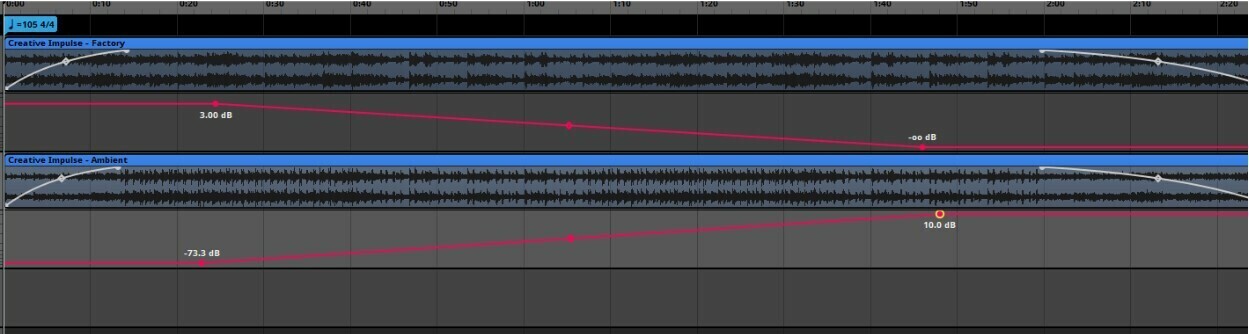
The goal for Techtonica's music was always to have a relaxed, ambient feel to the soundtrack when you were out exploring Calyx. But our game director Richard really was hoping we would have some way to distinguish the music when the player was in their factories. With too many assemblers and smelters in the area, the music would potentially not quite match the vibe of what's happening on screen.
Dynamic music is something a ton of games have, but our unique situation was deciding what it means to be "in your factory". So we tried several different ways to track this sort of information, and ultimately we landed on counting the number of "loud machines" near the player at any given time. We defined a "loud machine" as anything that was visually big and/or produced substantial noise. We then had each of these machines track if you were within their music activation range, and if the number was greater than the requirement, the music would swap! This ended up working very seamlessly, because it meant that the music could change as you enter and leave different areas in your game, it could suddenly swap when all your machines become active, or the music could "power down" along with your factory if you experienced sudden power issues.
After we did some video tests to confirm that everything made sense and was worth doing, we had to work on building a prototype! Our game uses a very popular audio middleware called FMOD to handle audio events, so I worked for a while to build a system that worked entirely through FMOD and didn't really use any Unity code to trigger it. The results were...... "successful". It turns out you should use programmers to help you implement your advanced audio triggering, but for what we needed at the time for a prototype, it worked surprisingly well. Honestly it was a really wonderful experience in how to build an early concept, present it to your producer, then schedule programmer time to get it done correctly!
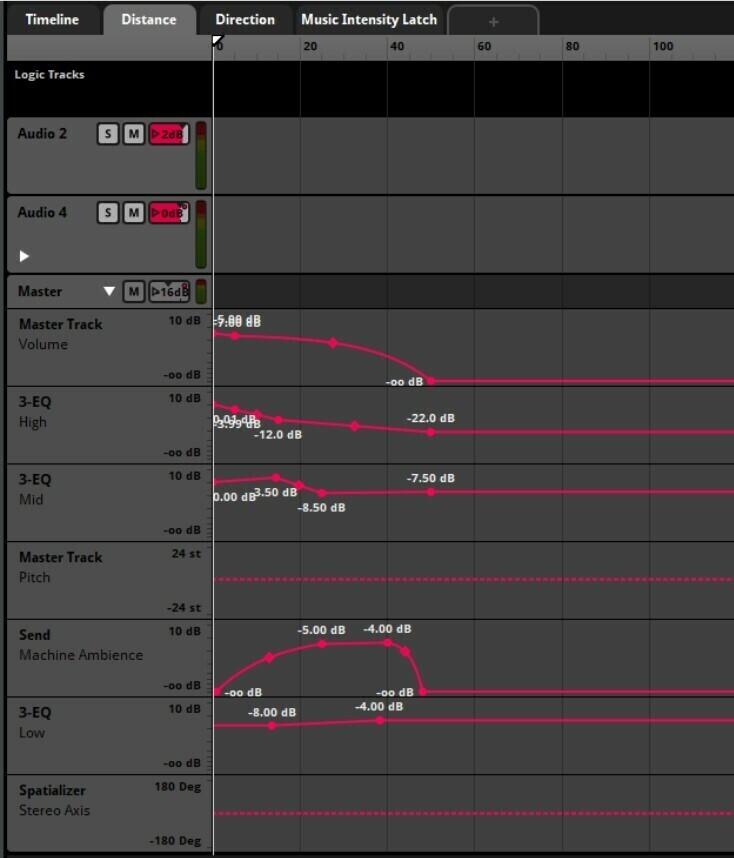
Once we finished getting that concept implemented, we took a lot of time to balance how far away machine audio would activate. It was really important to make sure you could hear everything from the correct distance, and we did a lot of manipulation to control how far away different parts of machines could be heard. We also added a reverb mix for all machines that could be heard between the cutoff points, so when you're standing in the distance you can hear the large cloud of machine audio all around you.
Creating a functional dynamic audio system in a sandbox game had a lot of challenges, but I had a lot of fun figuring out all the right ways to control things!
All the new music for 1.0, including the desert biome playlist and several narrative music tracks, will be available on Steam and Bandcamp when 1.0 launches on November 7th! And we’ll make sure it gets added to streaming platforms as soon as we can after launch.
Thanks everyone for the support, and we hope you enjoy playing AND listening to the game when it launches next week!
Groundbreakers – we’re less than a month away from Techtonica 1.0! As we approach our November 7th launch date, we’ll be streaming every Thursday on our Twitch channel (around 1p Eastern) to show off and go over some of the major features and changes arriving next month. ICYMI, l
Groundbreakers – we’re less than a month away from Techtonica 1.0! As we approach our November 7th launch date, we’ll be streaming every Thursday on our Twitch channel (around 1p Eastern) to show off and go over some of the major features and changes arriving next month.
ICYMI, last week on our twitch channel we had our game director Richard on to deep dive into some of the fundamentals and features of the Desert biome. You can find the VOD here.
This week we’ll be taking a look at the Freight Elevator in all of its 1.0 glory with our narrative designer Will. Join us in chat if you have a chance, otherwise be sure to check the VOD afterwards – and of course be sure to join our Discord for more community discussion!
Hello Groundbreakers! I’m Greco and I’ve been working on optimization for Techtonica since I joined the team in January. I'm going to explain some of the optimization work that has been done in previous updates and what’s coming next for 1.0. One may ask what does optimization me
Hello Groundbreakers! I’m Greco and I’ve been working on optimization for Techtonica since I joined the team in January. I'm going to explain some of the optimization work that has been done in previous updates and what’s coming next for 1.0.
One may ask what does optimization mean in practice? Fundamentally, program optimization is about reducing the amount of resources we need to achieve the same result, this includes memory usage, CPU usage and GPU usage. Usually this is achieved through a combination of better algorithms and taking into account the “low level” hardware details, the main constraint in modern PC and console hardware is memory bandwidth, therefore most of the optimization efforts focus on improving the memory layout of the data so that we can maximize the throughput of the core game loops. One great way to learn about this is to study Data Oriented Design, here’s a good video introduction:
The Unity game engine has some technology built around this concept of DOD, in Techtonica we’re mainly using 2 things: The Burst compiler and the Job System.
Unity has a separate compiler from the built-in .NET Mono compiler and the IL2CPP compiler called Burst, this compiler is built on top of LLVM which tends to produce much better x86-64 code compared to Unity’s Mono JIT compiler, “burstable” C# code also has a lot more constraints, such as no managed memory and containers not being allowed to alias which allow the compiler to emit better code. If you’re a programmer and are interested in learning more about Burst you can watch the following talk:
The Job System allows us to more easily add multithreading to the game, it works with native memory and integrates easily with Burst, oftentimes Techtonica needs to process X amount of independent items, (usually called “embarrassingly parallel”) so the job system is a perfect fit for this.
Techtonica was initially released as a pure managed Mono C# game, but we’ve been slowly migrating our most data intensive systems to a DOD approach, some of these optimizations include:
Most of the streaming systems have been rewritten to be more performant (around 5x-10x faster), these include streaming of rendering for plants/environmental objects and visuals streaming for all the machines, this reduces stutters when moving around the map.
Mesh generation for Monorails has been almost entirely rewritten to both be faster and to reduce the amount of memory they occupy, from gigabytes to just a few megabytes.
Streaming textures from disk on Xbox and PS5 to reduce the total amount of memory used and therefore reduce the amount of game crashes caused by out of memory errors.
Overall memory usage for machines has been reduced.
Large rewrite for most of the rendering systems, using an optimized approach for uploading matrix data and performing culling on the GPU.
Deferred lighting has been significantly optimized by using a tiled renderer, this significantly reduces GPU usage.
Reduction of the amount of memory and CPU used by all the plants and environmental objects.
Various optimizations to reduce the loading time of save files, including machines and environmental objects.
Optimizations for specific machines such as conveyors to reduce the overall amount of CPU usage.
We’ve made some pretty big improvements to the way we handle research cores for core composers, making them much more performant.
Terrain mesh generation has been rewritten to be much more performant, this impacts both loading times and runtime modification of voxels such as when using the M.O.L.E
These optimization efforts have enhanced Techtonica’s performance and stability, by leveraging Data Oriented Design, the Burst compiler, and the Job System, we’ve managed to reduce memory usage, improve CPU and GPU efficiency, and minimize loading times. As we continue to refine and optimize, we look forward to delivering an even smoother and more immersive experience in the upcoming 1.0 release. Thank you for your support!
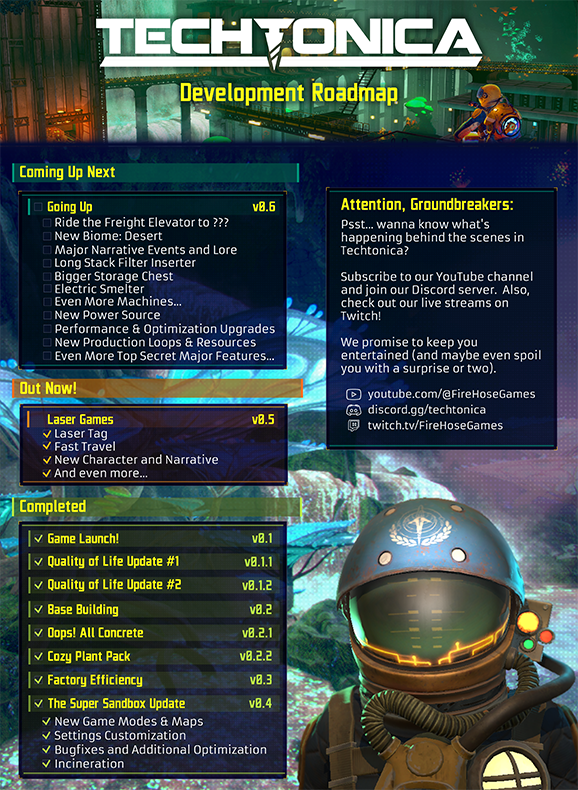
We’ve got some big news - we'll be launching Techtonica out of Early Access on Nov 7 for Steam, Xbox Game Pass, and newly announced PlayStation 5! The Going Up update (previously 0.6) has grown and morphed into full launch with a massive content release that's over a year in the
We’ve got some big news - we'll be launching Techtonica out of Early Access on Nov 7 for Steam, Xbox Game Pass, and newly announced PlayStation 5!
The Going Up update (previously 0.6) has grown and morphed into full launch with a massive content release that's over a year in the making! We’re introducing a new desert biome, a world map revision and expansion, access to the elevator, the jetpack upgrade for the hoverpack, as well as new machines, production loops, intermediates, resources, and much more. And most importantly, a complete narrative with an exciting ending!
The dev team have been pouring their hearts into Going Up and we're truly excited to get this into your hands. In particular we want to thank our community for all their feedback during the Early Access period - the suggestions we’ve received have been the basis for much of the content we’ve added, and we wouldn’t have been able to make Techtonica without you. We’d also like to thank our secret cabal of experimental testers for trialing all these changes early and helping us fine tune everything for the general population.
And with that let’s dive right into the 1.0 Road Map and Preview Video so you can see what’s new!
Please note: there is a LOT of additional content and bug fixes included in this update that we aren’t listing here. We don’t want to spoil all the details for you so you can experience the new content organically. Additionally, we’re sorry to say that 1.0 will break saves from Early Access - you’ll need to start a new save file for 1.0 content.
We’ll be coming out with a lot more detail about 1.0 in the coming weeks leading up to launch. If you’re excited and want more information join our Discord where you can talk directly to our development team!
We all know that the heart of Techtonica belongs to sprawling factories and clever logistics chains, but what happens when we step back from our creations and think “Why does this look like a pile of spaghetti that’s been barfed up by the dog and then covered in rivets and rusty
We all know that the heart of Techtonica belongs to sprawling factories and clever logistics chains, but what happens when we step back from our creations and think “Why does this look like a pile of spaghetti that’s been barfed up by the dog and then covered in rivets and rusty paint?” Well Groundbreakers, we’re here to tell you that you’re not alone. Here are 9 helpful tips on how to build aesthetically pleasing structures in your very own playthrough!
Build Bigger
Nothing is worse than building out a whole structure and realizing that you’re a few spaces short of the perfect machine layout. They say measure twice, cut once, but really, who has time for measuring? Just build huge instead! We promise that once you’ve fit all of the embellishments, decorations, lights, and supports your bases need to look beautiful, that factory floor isn’t going to be quite as big as you thought it would be. Just throw down a few more of those 5x5 Floor pieces and you won’t regret it. Make that ceiling just a bit higher than you think, and your bases will start feeling airy and effective, rather than cramped and oppressive. We might be living in a cave, but we’re not dwarves, we’re Groundbreakers!
Mixing Materials
Now you may have noticed that the majority of base building pieces in Techtonica are made of two distinct materials, concrete and steel. That doesn’t mean that you’re stuck making bland boxes of gray walls with brown lines all over them! By mixing up your ratios of concrete pillars and metal beams, or pairing concrete walls with metal catwalks, you can create interesting patterns that outline your machine layouts in visually pleasing ways. In the Oops All Concrete! Pack we’ve even given you the ability to forgo metal supports altogether, allowing you the flexibility to frame your factories the way you want, where you want.
Lots of Layers
If there’s a single word that defines beautiful base building in Techtonica, it’s “layers”. What’s that? What does that even mean? Why do you keep saying it over and over while I’m just trying to build my main bus in peace? Well, it’s because that main bus could be a beautiful bus if you just listen! The key to crafting truly attractive outposts is all about creating patterns on top of patterns, supports in front of walls, beams under walkways, and wallplants overtop those very same beams. This is the reason you should be building bigger because that 1-voxel thick wall suddenly balloons into a 3-voxel thick facade that also somehow looks even better with a 5-voxel thick matrix of pillars and angled supports in front of it.
Repetition Repetition
The architectural assets in Techtonica are largely inspired by the design sensibilities of the Brutalist movement in the 1950s and 60s. The style is characterized by raw concrete, simple geometric shapes, and repeated patterns. The same holds true for building in Techtonica, and each base building piece lends itself to being used in large quantities. Why use 6 walls when 24 will look more imposing? Why design a 2-floor structure when you can build 8? Repeating patterns by spacing the same piece out over and over can not only help your buildings look sharp but also help you expand your buildings quickly and easily when it comes time to grow your factory.
Mesmerizing Motifs
Repeating one type of piece can boost your look, but what should you do when you want to enhance your architectural aesthetics even further? Try creating small designs out of multiple pieces, keeping in mind the previous tips about mixing materials and layering pieces, and using that design in different parts of your buildings. Build a 10x10 facade using walls, pillars, beams, and angled pieces, then repeat that design over an entire 20x50 building for a cohesive and pleasing look.
Level Up Your Lighting
While the bioluminescent flora is enough to illuminate much of the wilderness of Calyx, it’s often not enough to illuminate your more industrialized sectors. Using the various light assets in Techtonica is a great way to not only show off your factories and bases but also enhance them with bright points of interest. Hiding colored lights behind walls or in recessed pockets between pillars is also a great way to direct yourself or other Groundbreakers through your factories with subtle cues. Try rotating your lights using the Variants feature to create dramatic uplighting along your walls, or downlighting to highlight your machines! And remember that vast factory floors will require an equally vast number of lights, so don’t forget our tip about repetition!
Elevating Elevation
With the release of the Factory Efficiency Update, it’s never been easier to build up, and up, and up. Why limit yourself to two dimensions when the possibility of creating a towering city of steel spires is so enticing? And while your factories don’t necessarily need proper support structures to hold them up, you can elevate your designs by reinforcing your floors with a variety of pillars and brackets. While a concrete cube may not look compelling on its own, two concrete boxes stacked on top of each other with some pillars in between starts to look like a deliberate design choice, and in the design world, intent is half the battle.
Don’t Forget Decorations
Don’t forget to festune your factories with the many decorative pieces available to you in Techtonica, from angled support struts, to wall planters, to tiny bonsai versions of the flora that appears naturally on Calyx. Tired of bare metal girders? Try adding some hanging plants to cozy them up! Bored of concrete? Checkerboard your vast walls with the various living wall pieces to add some plush plantification! And don’t forget to throw some lights above your bonsai to let them really shine.
Break the Rules
Last but certainly not least is the tip that overrides all of the others, but only after you’ve learned them! While the previous guidelines can point you in the right direction, we’ve tried to design the base building pieces in Techtonica to allow you to express your industrialist architectural self in ways we couldn’t have anticipated!
We hope that by following these tips help you to realize your full potential when it comes to building bases in Techtonica. Feel free to drop by our Discord and show off your creations in the #show-off-your-factory or #base-showcase channels! We look forward to seeing what you come up with, Groundbreaker! Now, let’s get to work.
Hello, Groundbreakers! My name is Will O’Neill. I’m credited as ‘Narrative’ on Techtonica, and that is more precise than you might think. Unlike a larger (AA / AAA / AAA / AAAA / AAAAA?) studio with a dedicated team of writers in addition to specialists in story structure, quest
Hello, Groundbreakers! My name is Will O’Neill. I’m credited as ‘Narrative’ on Techtonica, and that is more precise than you might think.
Unlike a larger (AA / AAA / AAA / AAAA / AAAAA?) studio with a dedicated team of writers in addition to specialists in story structure, quest design, casting, worldbuilding, voiceover production and beyond, my responsibility at Fire Hose Games is to wear all of those hats while collaborating closely with other many-hatted individuals. This kind of role isn’t for everyone, but I like it.
Best of all is that it affords me the credibility to walk you through one of the most exciting processes we go through: Adding a new character to the game!
Auditioning a New Voiceover Talent
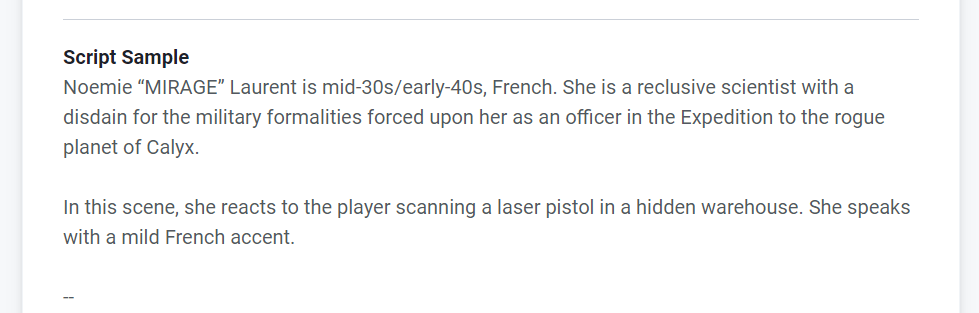
A slice of the briefing provided to performers auditioning for MIRAGE
To ensure that we recruit the right performer, our process begins by utilizing an online platform built exclusively for connecting talent with a wide variety of voiceover jobs. As a small indie studio, it isn’t realistic for us to hire celebrities, hold live auditions, or spend months making decisions, so doing everything efficiently and online is crucial.
For performers, auditioning for a new role is fairly straightforward - we ask them to record a brief monologue from the script for their character. However, this audition script is often a slightly altered version of what the actual lines will be, as we are also using the audition process to ascertain how a performer approaches specific challenges related to the role.
For example, because our new character (MIRAGE) for 0.5 was French, we inserted several extra lines into the audition that required them to utilize a French accent while speaking both French and English, as well as make use of several English expressions where it would sound natural for the character to ‘drop’ the accent somewhat. We’ll also move bits and pieces of a script around to get a feel for how performers transition between different tones and emotions that we know they’ll need for future character developments.
Once all of the auditions are received, we typically compose a shortlist of around five performers to discuss internally before making our final decision. In the case of a character like MIRAGE, part of that evaluation also involves consulting with a native French speaker to evaluate the authenticity of the accent.
One additional thing I will say about casting is that it is extremely competitive not only from a performance standpoint but from a baseline equipment perspective as well. Because we record our sessions remotely, the performer we hire must have access to professional gear - this often includes a high-quality microphone, preamp, isolation booth, and the software and hardware that puts it all together.
The Recording Session
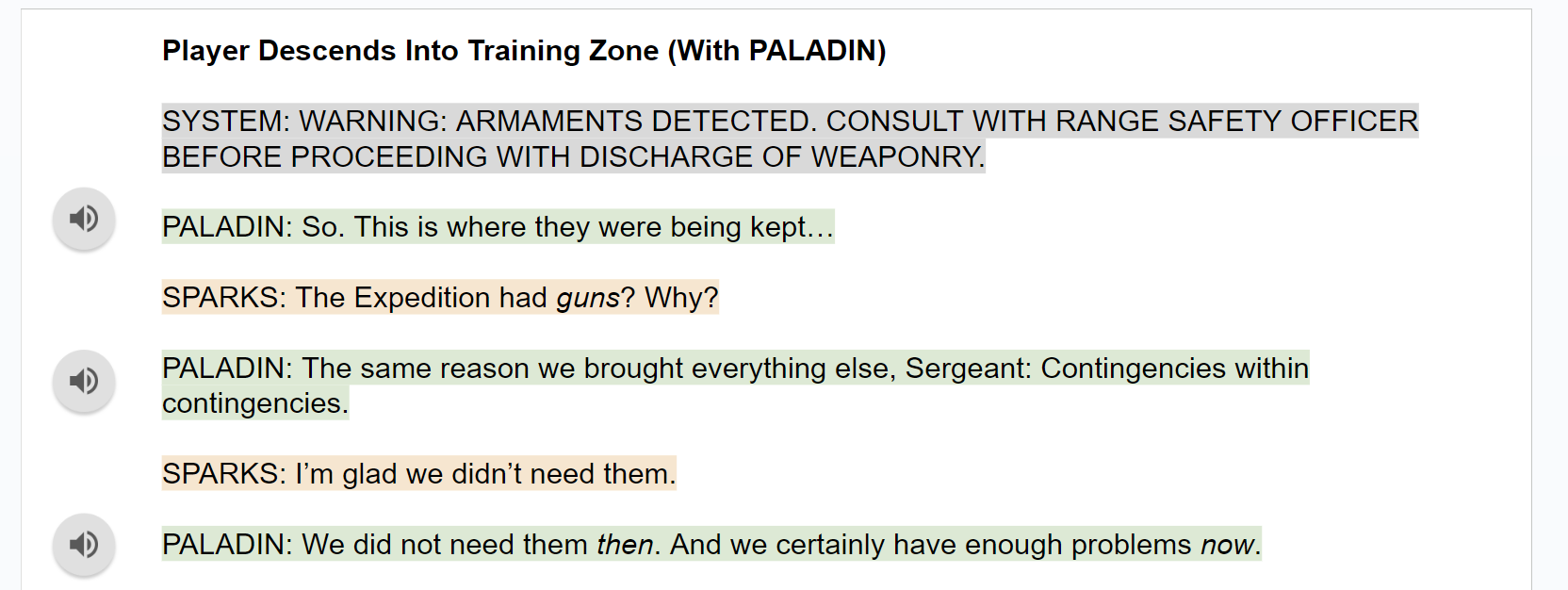
Excerpt from the September 2022 recording session script for SPARKS
Once a new performer has been selected and the script finalized, we are ready to begin! Typically, we record in sessions between one and two hours, as we are only doing incremental additions and revisions to our narrative throughout Early Access. Another nice thing about Techtonica is that it doesn’t require our performers to repeatedly undertake melodramatic reactions to various forms of violence, so our sessions are pretty light on vocal fatigue.
As a voiceover director, my background is more in corporate voiceover stuff, so I probably wasn’t raised right as a voiceover director for games. That said, I’d say my general principles are to always take things all the way through on the first go, trust the performers to find interesting possibilities that I hadn’t considered, and to be thankful that we are living in a digital age where it is easy to record as many options for a given line or scene as we want. There used to be people with razor blades and glue and gigantic reels of tape! I’m sure there still are.
I’ll say as well that performers also do a ton to prepare their minds, bodies and voices for a recording session, and that I appreciate it.
Selection and Implementation
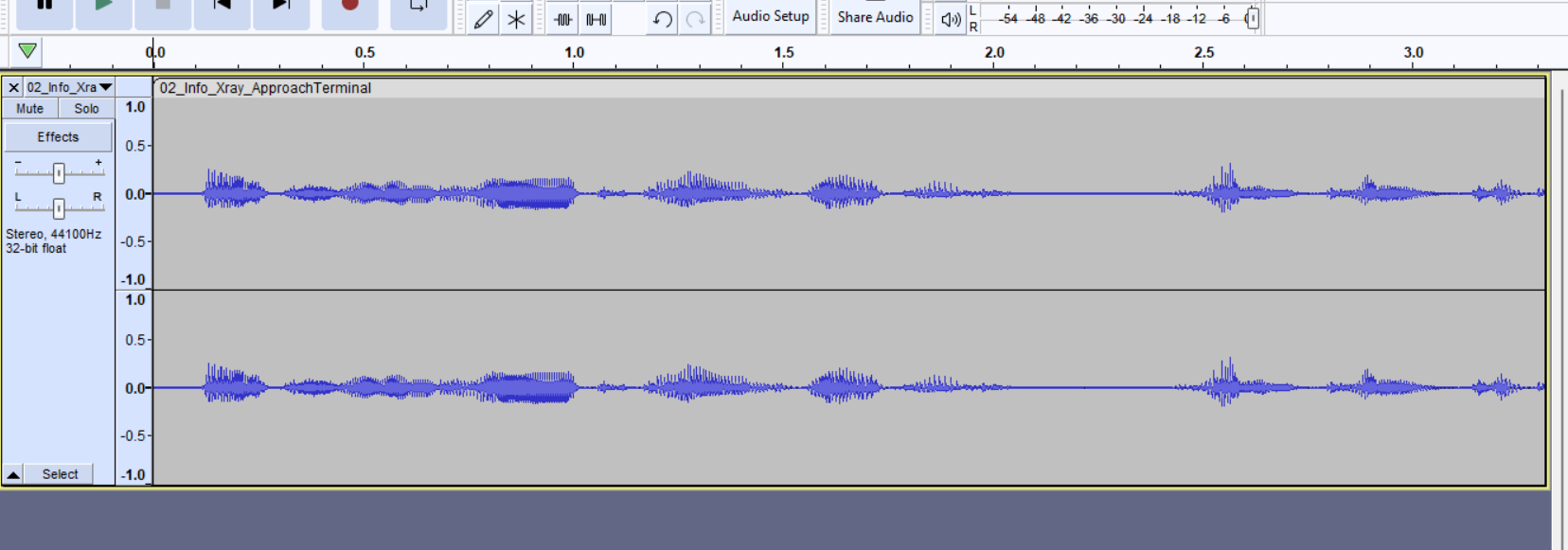
Raw waveform from a section of the October 2023 Recording Session with PALADIN
A few hours after recording, the performers will send us a single file that contains the entire session. From here, we go straight into editing - splitting things up as needed, choosing the best takes, splicing them all together, and then implementing them into the game itself.
Making careful selections and determining which individual reading of a line is the best one is, in my opinion, the most important part of this entire process. I think being both the writer and director makes a big difference here, as I have a seamless understanding of what a line sounded like in my mind as I wrote it, where to go looking for it while directing a performer, and how to bring those things together in an intangible kind of synthesis that makes my ears perk up at one tiny but meaningful variation of a line read over another. I know which takes to choose because I know what it should be, if that makes sense. Anyway, my point is that AI is trash and cannot do this.
Finally, rather than being ‘added’ to the game at this stage, the finished files replace existing placeholders that you may have listened to if you've ever played on our PTC branch. These synthesized ‘robovoice’ files allow us to put new narrative events into the game for testing and feedback before the final voice files are ready. It’s important to get a feel for the pacing and flow of the narrative events themselves - especially when they coincide with gameplay elements - so these placeholders are invaluable!
My final step is to hand the baton over to our musician / audio overlord / sound-hat-guy Brandon to ensure that everything vibes and sits right in the game. Post-processing and stuff like that is done in FMOD, which is that thing with the logo you see everywhere.
At that point, I’m done! I don’t have to work anymore! Until I have to start all over again!
Techtonica is 34% off on Steam for the next two weeks! Grab our factory automation game today for only $19.79 and start building your own – or build with friends (up to 4-player co-op) Be sure to stay tuned for new Tectonica announcements coming later this month as well, until th
Techtonica is 34% off on Steam for the next two weeks!
Techtonica launched into Early Access 1 year ago, and what a year it’s been. With 5 major updates and 4 minor updates, we’ve been chugging along with development as fast as we can. We truly appreciate the support of all our Groundbreakers! In honor of that, I’m pleased to announc
Techtonica launched into Early Access 1 year ago, and what a year it’s been. With 5 major updates and 4 minor updates, we’ve been chugging along with development as fast as we can. We truly appreciate the support of all our Groundbreakers!
In honor of that, I’m pleased to announce our largest update thus far, Going Up. Let’s check out the Roadmap.
Over the coming months, we will start peeling back the curtain on what this update entails, but we’ll leave you to speculate for now. We mentioned previously that we’re switching to a longer development cycle for this one, so blogs will also slow down. As soon as we can show you the new content, we will!
Hey folks! Now you can get two great games, bundled, at a 10% discount on Steam. We’ve partnered up to bundle Techtonica and Astro Colony. This is a Complete The Set bundle, and that means you’ll still get the discount if you buy the game you don’t already own through the bundle.
Hey folks! Now you can get two great games, bundled, at a 10% discount on Steam.
We’ve partnered up to bundle Techtonica and Astro Colony.
Techtonica is officially 40% off here on Steam, which is the biggest discount we’ve ever had! It’s the perfect time to get Techtonica for the summer. Pick up the game, grab some friends, and experience 4-player co-op. Together, you’ll build your factories, dig into the terrain, a
Techtonica is officially 40% off here on Steam, which is the biggest discount we’ve ever had! It’s the perfect time to get Techtonica for the summer.
Pick up the game, grab some friends, and experience 4-player co-op. Together, you’ll build your factories, dig into the terrain, and argue over which color of glow blocks to decorate with.
In case you missed it, we did a Town Hall this week where we answered a ton of questions from you, the community! Watch the VOD below, or read on for a loooot of Q&A from Richard, our Game Director, and Lauren. And now, let's dive in to all the questions: Q: Are there any upd
In case you missed it, we did a Town Hall this week where we answered a ton of questions from you, the community! Watch the VOD below, or read on for a loooot of Q&A from Richard, our Game Director, and Lauren.
Q: Are there any updates in regards to performance on Xbox and frequent crashes?
A: In the upcoming update, we're focusing heavily on performance improvements. Many of the crashes on Xbox stem from memory issues, so we're actively working on optimizing memory usage to reduce these issues. As players accumulate more hours in the game, managing memory becomes more challenging, but we're making significant strides in this area.
Lauren plans to do a deep dive on what is coming for performance and optimization in the next update, so we’re going to have a super super technical update for you all at some point.
Q: Is it possible to make a controller prompt to transfer the same materials to a storage box?
A: Adding a controller prompt for transferring the same materials to a storage box is something we'd like to add. However, it depends on our current development priorities. We'll keep it in mind as we plan future updates.
Q: Curious what end game balancing will look like. With the addition of blast processing, you can generate a lot of materials...but it doesn't seem like you need that many. Any quests or recipes that would require large volumes of materials?
A: Endgame balancing will continue to evolve as we scale up content. Currently, endgame content may feel a bit unbalanced since it's at the limit of our current content progression rather than the actual endgame. As we add more content, such as quests and recipes, they will naturally require larger volumes of materials to challenge players who reach that stage. Balancing will also consider new players, long-time players and those returning after a break, aiming to provide a positive experience for all stages of gameplay. Our goal is to create a solid experience that scales appropriately with the addition of new content and mechanics.
Q: I'm just wondering if you guys plan on keeping the game on the old gen consoles due to the performance issues that have been going on as the bigger updates have come out?
A: We're committed to supporting the game on Xbox One, despite the challenges. The key issue with Xbox One is its constrained memory, which affects performance. To address this, we're continuously optimizing memory usage by refining how saves are managed, clustering data more efficiently, and streamlining texture loading to reduce memory overhead. Our goal is to implement more optimizations over time to improve performance and ensure a smoother gameplay experience on all platforms, including older generation consoles.
Q: If you could go back, would you still release the laser tag update or do you think it was a mistake?
A: If we could go back, we would still release the laser tag update, but with adjustments. Looking back, we might have marketed it more as part of a Fast Travel update rather than focusing on laser tag. Each of our updates since 0.2 has aimed to cater to different player needs: from quality of life improvements in 0.3, to diverse gameplay modes like sandbox and hardcore in 0.4. In 0.5, recognizing the importance of multiplayer fun, we introduced laser tag alongside features like Fast Travel, improved communication tools, and multiplayer animations, for a more immersive experience.
Through this, we've realized the need to slow down and deliver more comprehensive updates that cater to all players rather than frequent small updates. This change aims to ensure that each update has something for everyone, therefore reducing disappointment and frustration from players who feel the update “isn’t for them”. Our upcoming update, set in the new desert biome, marks the shift towards this approach. It's larger in scope and aims to please a broader range of players. We're excited about its content and confident it will resonate well with our community. Moving forward, we're focused on delivering more substantial updates that enrich the gameplay experience across all fronts.
Q: Could a possible mod menu in-game be incorporated like some other games?
A: We would love to have mod support, however, it’s just not something we’re going to be able to hit as of right now. It takes a lot of time out of other development work that we’re trying to get done, so sadly it’s just not something that we have the bandwidth to support.
Q: Any response to the its_bitz video? More specifically, the direction of the game vs these seemingly extracurricular updates.
A: We actually talked with Bitz for about an hour this morning! We had a really good call with him and went over the direction of the game, and our ideation behind that, and where the game is going. We clarified that while features like laser games might seem extracurricular, they were intended to add fun multiplayer experiences. Regardless, for people concerned laser tag represents a directional change in the game, the core gameplay of Techtonica has been and remains the intersection of automation, terraforming, and narrative exploration. These elements remain fundamental to the game's identity, and our next major update will especially highlight that more than any of our previous updates.
Our upcoming updates, including the new biome and its other features, have been in development for years, reflecting our long-term vision for the game. All in all, the new pieces that are going into this update, that we won't share details on, is stuff that has been planned out for ages.
We’re very excited to get this stuff to everybody. That’s the core of the game, whereas laser tag was a mini-game that we thought was a fun build off of the base building pieces in order to get multiplayer a way to goof off with your friends while in the factory. For example, if people wanted to have either factory idle and build stuff for them while they were messing around, or if they wanted to take a break from building for a little bit - we just wanted a fun way to let players have some fun with their friends. However, this is not telling in any way of the actual direction or core of the game. We’re not making a pivot in terms of the direction of the game. Our future updates have not really changed at all.
Q: Where is the game going? Will there be different maps with stories, or DLCs that offer new gameplay styles?
A: We're currently focused on extending the game's story and adding new content like biomes. While we're not introducing entirely new maps, these biomes come with new mechanics and features that aim to improve gameplay beyond just visual changes. We’re trying to make the game feel different in a good way that still tethers back to all the automation and terraforming roots of the game.
Q: I would like to know about the netcode/desync problems. Are they known? My friends and I had to stop playing the game pass version after 5-6 hours because items that are "not there" for one player start polluting belts and assemblers. Unfortunately, I couldn't find any tips about fixing it.
A: If you go on our Discord, our QA team is actively aware of these issues and is actively working on addressing them. They can assist you in troubleshooting and resolving these problems. Desync issues in multiplayer can stem from various factors due to the complexity of simulating multiple factories and processing multiplayer events simultaneously. Reporting specific instances of desyncs helps us identify and fix these edge cases.
Restarting the game can sometimes mitigate desync issues temporarily, although we understand it's not a permanent solution. We're continuously working on improving the netcode and addressing desync issues, so your feedback and reports are invaluable in this process.
Q: Any plans to include calculator-like tools in the game? The community-made website lags behind too often.
A: We've been relying on community-made tools to fill that space because we don't have the capacity to keep them updated regularly. Unfortunately, it's unlikely we'll be developing a built-in calculator tool ourselves. Heyko, who manages the community-made calculator and website, does a great job of updating it. We try to provide him with information to assist in keeping it up-to-date, but we understand that having a calculator tool directly in the game would be nice.
Q: I'm trying to get back into the game. I love the different recipes but they are kinda overwhelming. It would be nice to have a recipe book. Like press R to look up all the recipes for an item. Or U for uses. (Totally stolen idea from Minecraft mods)
A: That idea plays into the calculator tool concept. While it would be nice to have, it would require time that could otherwise be spent on implementing other features we want to include. It's something we'd consider, but feasibility is uncertain. Maybe one day, but our focus is always on what we can realistically achieve given our development priorities. We understand and appreciate your feedback.
Q: Can we eventually get character customization, like changing our suit colors, helmet types, and different skins?
A: At Fire Hose Games, we have "Innovation Weeks" about twice a year where team members prototype fun projects. Skins have been prototyped but are not finalized for the game yet. Character customization is something we've considered. It's been on our minds, and if feasible, we'd like to explore it further for the game. If time allows, we'd love to implement them.
Q: Any plans to make monorail with junctions, like multiple destinations (think train network)? If not, any future techs for versatile material transport?
A: We do have plans for expanding the monorail system, including junctions and more complex routing options. However, we can't provide a timeline for these features as development timelines can be unpredictable. We introduced monorails early due to the terrain challenges, but enhancing them with junctions is something we've thought about a lot. Many players have shown interest in more complicated train network mechanics, and it's definitely on our radar for future updates.
Q: Can the map change so we can drag it around and view other areas we’ve already built in?
A: Fun fact: the map is actually the world map with different rendering.
Right now, basically, everything that is simulated, we’re simulating it visually only right next to you. Implementing a feature to drag the map around and view distant areas would require loading additional resources and could significantly impact performance. Currently, our focus is on optimizing performance, and doubling processing for such a feature isn't reasonable. If we can improve performance sufficiently in the future, this may be considered, but it's not a near-term priority due to current technical limitations.
Q: Do we have a roundabout timeline for this new update?
A: You’ll get more information on this in July! We’ll definitely share information when we’re ready to talk about it.
Q: If you're planning on slowing down the bigger update dates. Could you maybe do some more of the small content cosmetic packs ( when the art team is free of course)?
A: The art team is currently fully dedicated to the next major update. Previously, we did cosmetic packs when the team had availability, but now they are focused solely on the upcoming content. With the new biome requiring extensive new art, the entire team is concentrated on this major update. Moving forward, we may reduce smaller updates if they don't cater to everyone's needs. This approach will allow us to focus more on substantial updates that involve the entire team, like the upcoming one, which is quite substantial in scope.
Q: Me and Equinox were modding like mad and really want to get back into it, just need something to bring us back. End game we made our own as you know, so it’s a bit bland. Are we saying 0.6 will be the one to pique interest again? Performance being the biggest issue as we play every factory game, as you know. This is probably the worst at end game, which is a shame as I love it!
A: We often discuss the "end game" in terms of Techtonica, but it's important to remember that this is still early access and not the final end game. Currently, the end game refers to when players finish existing content with some additions to support ongoing gameplay. We have exciting plans for expanding the end-game experience with more mechanics, narrative, and content updates. As we continue to add to the game, the end game will evolve and become more engaging. In the next update, we'll focus on adding mechanics to enhance the end-game experience and address performance issues, aiming to keep players engaged and excited.
Q: In terms of terraforming, any plans to allow us to add any dirt back to the world we may have dug by mistake?
A: This isn’t a great answer, but currently, you can somewhat achieve this with the flattener tool, although we know it's not ideal. We've prototyped various add tools in the past, like a shovel for moving materials, and even created a sand duck once. However, none of these prototypes got to a point where we felt comfortable releasing them. If we find a solution we're happy with, we may introduce it in the future, but we can't make any promises at this time.
Q: Can we expect a mapmaker inside the game?
A: It would be cool to have a map maker, but currently, we don't have the time. Creating tools for players to make maps is complex and not something easily moddable with our current setup. While we can't release our internal tools for map making, it would be interesting to show how we create maps and possibly support community efforts to recreate them through mods.
Q: What is with the mouse and keyboard support for Xbox?
A: From previous discussions, enabling mouse and keyboard support on Xbox isn't as straightforward as on PC, where it's already implemented. The tech team would need to answer this.
Q: More Sparks when?
A: Next update, every update.
Q: Can we get a feature that allows us to build directly from our inventory instead of placing items on hotbar?
A: We used to half-support this feature, and there might be a hacky way to do it now. However, it broke a while ago, and I haven't checked it recently. If it isn't working, we likely won't be adding it back soon due to other priorities. It might be available on Xbox, where the button for it exists on the controller. I'll need to investigate further to confirm.
Q: Will we ever be able to repair existing buildings?
A: Existing buildings were designed as complete structures and then demolished to look weathered and shifted, making their pieces misaligned and they are part of a different system. Repairing them isn't feasible due to this design. If you ever find a working piece of equipment, it’s using a completely separate system from the fragments that you find in the environment. The fragments you find are part of a separate system, same as the plants actually, and not integrated with the pre-built structures.
Q: How is there a laser game game mode?
A: We wanted to create an update focused on multiplayer fun. Initially, we considered a water-gun mini-game but found that laser tag was more enjoyable. It allowed players to build their own laser tag arenas using existing base-building pieces. This update aims to enhance the multiplayer experience with a party-pack theme, featuring fun elements like RGB floors to make it more exciting for summer.
Q: Have you changed any processes/plans because of the "backlash" (besides this stream) just out of curiosity?
A: You won’t be seeing updates coming live every month or so anymore. We’re going to slow down updates and focus on core updates like our next major update without the smaller pattering of updates that are targeted at different subgroups within the player base. These big core updates take a lot of time, our update pacing will look a lot different!
Q: Will stacked Planters work in the near future?
A: It’s unlikely because they don’t transfer power easily. It’s something we’d have to investigate further, which will take some time and likely won’t happen until after the next update.
Q: Have you tried not rendering the items on belts on the mini-map? It seems quite useless and maybe could help performance.
A: It's actually super cheap to render those on the mini-map because they’re all represented by the same box. So, it doesn’t significantly impact performance to display them.
Q: Will we ever be able to make use of the red stations (repair, clean, arrange items inside, etc.)?
A: No, the Red Stations are part of a different system that is strictly narrative-focused. They are not designed to be easily integrated into the gameplay mechanics. Players can sort of repair abandoned base building facilities by scanning items and rebuilding them, which many do. Adding support for something like that to the red stations would be too chaotic for us to manage.
Q: Will we get fluids added at some point?
A: We have ideas on how we might implement fluids, but it depends on the overall development flow. While we have many plans, we can't promise this feature at the moment. If we do add fluids, we want to ensure it's done in an interesting way.
Q: With the new biomes, will we get an option to start the game in a certain biome rather than at the tutorial zone?
A: We've discussed it, but the main focus is on maintaining a cohesive narrative and game flow. In the far future, we might add maps or alternative progression without a narrative, but it's tricky because progression is linked to machines being exposed at certain times. It's more likely that this feature would be added through a mod rather than by us due to time constraints.
Q: Why did you choose Unity at the beginning of development and not Unreal, for example? I personally think Unity is good for simpler games. but it feels like it needs more resources than other engines for graphically complex games.
A: Both Unity and Unreal are engines capable of complex graphics. Our choice of Unity was based on our team's previous experience with it. While creating advanced graphics in Unreal isn't magically easier, Unity allows us to leverage our existing knowledge and tools. Switching to Unreal would require significant time for our developers to learn the new engine. Unity isn't just for simpler games; with the right expertise and enhancements, it can handle complex projects effectively. We've added many advanced features on top of Unity to achieve our desired results.
Q: Have you got any more easter eggs planned for the future?
A: We’re always adding easter eggs!
Q: Please show us that you also use the feature upvote site. Finding posts that stay "unread by dev" for...ever makes one wonder. I'm pretty sure you also take notice of those reports that remain tagged as unread, but it'd be great if communication there was bidirectional.
Lauren: I oversee reading Feature Upvote, and I was on vacation recently. Before the release of 0.5, there was a lot of work, and then I took some time off. I’ll be catching up on reading it this week. I check it at least once every two weeks during our Sprint review. I note all submissions and group similar ones together. Bugs are forwarded to QA for troubleshooting. During our bi-weekly Sprint Review, I present a slide deck to the team with top-upvoted ideas, interesting suggestions, and feedback. While I can’t respond to every individual post due to time constraints, rest assured that all feedback is read, noted, and shared with the team. Many suggestions do make it into game updates.
Richard: We highly value player feedback, especially on high-priority issues. We’re continually looking for ways to incorporate your suggestions unless it’s something we know we can’t do, which is rare. We’re always trying to find ways to implement your ideas, even if it requires slight adjustments.
Q: Was it worth it as a dev to have your game on Game Pass?
A: Absolutely. Game Pass definitely helped make the game a lot bigger. We would say a large amount of our players are on Xbox, so we do get a lot of support there, which is great.
Q: When will you be able to talk about the future? July?
A: We’re gonna do an anniversary party in July where we’ll be announcing a lot of information there.
Q: When will the road map be updated?
A: We don’t like sharing info until it's 100% certain, and there’s a lot we might add. We don’t want to add something to the roadmap and then disappoint players by having to cut it.
Q: I don't understand the backlash, they gave us something fun to do, people really dislike it? why? Do they just want to invite their friends into their game and stare at conveyors for hours?
A: We understand why people were upset. We think people thought that this update kind of came out of nowhere and that it was distracting from the core of the game. We shared a video with more details about the update to educate players on all the other features coming in the update besides Laser Games.
Q: Can we get blueprints like in Factorio?
A: There is currently a mod available for this. We can’t speak to when or if we’ll get to something like that, but we’ve certainly wanted to do that.
Q: Is there a number somewhere to tell us how much concrete is required for the achievement?
A: It's a lot - we can’t tell you - but it's a lot.
Q: Will the monorails ever be fixed for being full causing lines to back up, which starts to create materials out of thin air? Also, storage limiting on monorails pls?
A: Storage limiting would be a good idea. Monorails backing up is a known issue and something that we’ll be looking into in the future. It’s a bug that we kind of have to balance with other things we’re trying to add.
Q: Can we get a way to set the stack size on the stack inserters vs defaulting to the highest unlocked?
A: You can control them with the deactivate option, however, it only happens on a global level. We don’t have plans for stack inserters to have their own UI to control each one individually.
Q: Has the game grown bigger than you thought it would when you released the game a year ago or is it at a stage that you expected?
A: It’s about where we expected it to be. We certainly have shifted timelines, but we’re pretty happy where it is and view the game as a success.
Q: I would have spent time/money on dedicated servers, instead of an unrelated “feature” like laser games.
A: You are misrepresenting the cost and time it takes for laser or dedicated servers. It would be a lot more expensive, and Laser Games was a very small update comparatively.
Q: Any plans for automation and smart control of the machines?
A: Someone during innovation week prototyped something like that, so it’s something we’re interested in, but we don’t know if or when we’ll be able to put it into the game. It’s certainly something high on the request list.
Q: Can we get modes to scan larger areas with the scanner?
A: It's certainly something we’ve talked about doing, but we can't promise it.
Q: Will there be a day when protected areas will be removed? They are so annoying.
A: We do that so you don’t break the game. There is a mod to remove it, but it will break. It’s to protect things in the game so it doesn’t become janky.
Q: You said that Game Pass is more important than Steam, does it mean you consider stability for Game Pass to be your priority over Steam?
A: We never said they were more important, we said that we had a lot of players there. Anything we do on Steam will help Xbox performance as well.
Q: Have we figured out "the wall/door" issue?
A: Yes, thankfully. That was either a “we delay an update” or remove a wall. We chose to remove the wall in order to not block people who have been in the game a long time from narrative content.
Q: Will we get an angled mode for the mole to make ramps easier?
A: We have a plan for it, but we can’t promise when (or if) it will be implemented.
Q: Have you solved the invisible land?
A: There are actually two different types of invisibility bugs in the game. If you're encountering invisible objects when you load a save, it typically indicates a critical failure during the loading process, often related to a specific machine or component in the save file. This issue is relatively rare but can occur. Our QA team has a few recommended solutions, such as loading older saves or trying to resave the game, but for specific cases, it's best to join our Discord and discuss with QA to provide them with detailed logs and information about your issue.
If you're referring to the voxel land issue where chunks of land appear missing or invisible, this is generally resolved by simply reloading the game. It's not indicative of a serious game issue but rather a rare visual glitch.
In both cases, if you're experiencing these problems, reaching out to our QA team via Discord will help us understand and address the issue more effectively.
Addendum: This comment originally addressed some older issues we were familiar with. We definitely know about the newer Fast Travel problem and how using Nexuses to teleport around can make machines disappear. Reloading should remedy this, and we are actively working to fix it permanently!
Q: Are there any plans for a way to throw away items? Or maybe you plan to solve this with recipe changes down the road? #biomass
A: We added an incineration recipe for a lot of different items. Not everything, but you can burn quite a lot of things into carbon powder, and then you can burn carbon powder into less carbon powder. [Addendum] Plantmatter Bricks can be smelted into Carbon Powder and Incinerated away. There are 4 recipes for Plantmatter Bricks to support incinerating various forms of plant byproducts. Plantmatter is completely incineratable already!
Q: Is it possible to have a MOLE mode to sculpt rivers?
A: No, because we’d have to do water physics. It would take a lot of time and cause performance issues.
Q: I found a dummy waypoint manager in the code, will we be able to place custom waypoints similar to the quest markers?
A: You can do that with a beacon, that is a waypoint. It only shows up on the compass right now. However, we do want to revamp that at some point in the future.
Q: On the water thing. How is water coming into the world (lore-wise) It says "scanner needed" Is there a reason behind it or is it just a placeholder?
A: You can’t scan the water, but there are items that if you follow the water you can find things you can scan.
Q: Are there plans to expand the map technology?
A: Currently, the river biome is at the largest size it can be. We’re adding a new desert biome, which is a new space. In terms of Echosketch size - that is a performance limit.
Q: Are there any plans for an overflow system for belts or some kind of priority output for storage boxes?
A: Logic is a thing that we’ve prototyped but we don’t have a timeline yet.
Q: Speaking of the desert... Does Calyx have more than one sun?
A: The answers are in the lore about the type of planet Calyx is!
Q: With respect to power gen, I do think there's a reason why every advancement civilization has had for power generation comes back to more ways to boil water haha - in some ways certain things become staples in a genre like chopping trees and mining stone are part of survival games, but I guess this is a topic bigger than this town hall.
A: We very much enjoy it when games have unique ways to generate power - and we have that coming!
Q: Can we expect more technological storage than boxes?
A: We certainly have plans for it, but no timeline
Q: Do you look for new voices?
A: Yes! We’ll have a blog up soon about this.
Q: Is there a way to keep the lights on? I play on Ultrawide and notice flickering on the sides of the screen with lights at the set LOD.
Currently, the way lights function in the game is divided into two types: Unity lights, which are more resource-intensive, and "fast lights," which are a modified version of a plugin designed for faster performance. We support up to 2048 of these fast lights per quadrant of the screen. If there are more lights than this maximum, they will start to blink out, prioritized by their distance from the screen. Using fewer lights or adjusting their quantity can help mitigate this issue, but currently, breaking this limit or altering the system to handle more lights per quadrant isn't straightforward. In the future, we may explore options like breaking up the lighting system into smaller sections or optimizing it further, but for now, this is the technical constraint we're working with.
Q: Is there anywhere else where we can provide feedback in addition to Steam reviews that can help your team out?
A: Absolutely! We have our feedback website, Steam forums, and Discord.
Q: How did you guys meet Cityfires?
A: He’s been working with us for a very long time!
Q: You mentioned the hamster wheel as a fun off-spec addition to the game, what is a fun off-spec that might actually make it into the game down the road? Definitely under the context of no promises and how you foresee the development of the game right now.
A: We’re still rooting for aquaponics, but we don’t want to spoil anything. We also had a cool pneumatic power system as a plan, and I’m still hoping we figure out a way to do it.
Q: Is there a plan for signs in the game?
A: We hope we can get something like that soon in the game.
Q: Where do you get inspiration for environments in the game or planned to be in the game?
A: We have so many environments that we have wanted to do - and choose the best ones. Inspirations come from all over, traveling, games, etc. Some are from mechanics - such as the desert - but we don’t want to spoil anything.
Q: How long do you plan to update the game?
A: For as long as the game continues to fund the development.
Q: How much coffee does everyone drink?
A: Somehow, Richard does not drink coffee.
Q: Are there plans for 2x2 and 4x4 walls and floors? My OCD flares up when I play this game.
A: No, it bothers us too. We do have the 1x1s though. We used odd-numbered things as we didn’t want to add a million pieces. We also just don’t have the time to create all those pieces. It would super bloat the crafting UI.
Q: Since 0.6 involves going up the elevator, will the current elevator sequence be replaced with a new one, or will additional repairs be required?
A: We can’t talk about that yet!
If you've made it this far, thanks for reading! As always, we're a small indie team that truly appreciates your support and feedback. You're what makes Techtonica so great! We'll see you next week for a special announce.
Groundbreakers - let’s chat. We know that many of you are concerned with the recent additions to the game. We want to address this and talk about our vision for v0.5 and what we’re currently working on for Techtonica. This coming Monday, June 24th at 12pm ET, we’ll be hosting a t
Groundbreakers - let’s chat.
We know that many of you are concerned with the recent additions to the game. We want to address this and talk about our vision for v0.5 and what we’re currently working on for Techtonica. This coming Monday, June 24th at 12pm ET, we’ll be hosting a town hall meeting on Twitch for you to ask any questions you have that aren’t answered here.
For a while now, most of our team has been working on the Going Up update, while a smaller team has been handling the quality-of-life fixes and fun additions that came with Laser Games. We’ve been focused on frequent smaller updates for the first half of the year, but our next content update will take much longer than previous updates - and you’ll see why soon.
We wanted to give players a fun, small multiplayer feature for gaming with their friends this summer - not change the direction of the game. We missed the mark on messaging that. Much of the work that went into Laser Games laid the groundwork for our next big update - with some added passion projects thrown in. MIRAGE, the Fast Travel stations, and some of the background engineering work that came with it are all necessary for our next update.
We could never stop the designers from making specs, and it turns out we can’t stop them from making new maps, either - which is why we included a brand new map in v0.5. We’re currently hard at work on the desert biome, the elevator, and a lot of narrative content - more specific details will be announced soon.
As always, we’re listening to your feedback and appreciate your patience as we work to make improvements and updates to Techtonica. We’re an indie team so your support means the world to us. Please continue to share your thoughts and suggestions, and join us Monday, June 24 at 12pm ET for a special town hall meeting on Twitch.
Welcome to the thunder factory-dome, Groundbreakers! V0.5 has some unique updates that we think you’ll have a lot of fun with. A new character, fast travel, bug fixes, new construction modules, and as many of you have heard, laser mini-games. When you need to take a short break f
Welcome to the thunder factory-dome, Groundbreakers!
V0.5 has some unique updates that we think you’ll have a lot of fun with. A new character, fast travel, bug fixes, new construction modules, and as many of you have heard, laser mini-games.
When you need to take a short break from endlessly organizing conveyor belts and want to shoot at something, check out the new defense asteroid-shooter game in single-player mode, or shoot at your friends in some exciting laser games. Or, carry on the way you were playing before. There’s something for everyone!
Check out our trailer (that was so fun to make!) here:
A new character joins the cast - and she isn't particularly thrilled about it! Watch for the (CS) facility signal to discover this expeditionary scientist.
Nexuses
The multifunctional new Nexuses offer fast travel and serve a purpose in laser mini-games. Build custom Nexuses to teleport between any two points for a cost of 10MJ per use (equivalent to one fully charged accumulator). For free fast travel, take advantage of the pre-built Nexuses located at Lima, Victor, Xray, and the Elevator.
These nexuses also serve as interactive bases for laser tag games, displaying team information and status while allowing you to select which game type you want to play.
Ping Tool / Laser Gun
I don’t know about you - but sometimes I get lost in caves (ok, fine, maybe I get lost frequently). Now we have a handy ping tool for you or your friends to ping at locations and resources! Just point and click and you and your friends will be able to see the ping with information displayed next to it.
The fun thing about this handy ping tool is that it’s also a laser gun! Just switch to laser mode and shoot at your friend, or take out the aggression in our new laser mini-game modes. Don’t worry - getting shot doesn’t hurt them. It just means they can’t shoot back for a short countdown.
Additionally, while progressing through the narrative, you’ll now find a small 1v1 Arena for laser tag hidden away in the standard Techtonica map.
New Laser Tag Arena Map
In our new Laser Tag Arena map, you can battle it out in Capture the Nexus mode across three exciting areas: 1v1, 2v2, or Free-for-all. Sneak strategically through the maze-like areas or charge in with lasers blazing to capture Nexuses and steal points from your opponents.
Game Modes
Capture the Nexus
In our new Laser Tag Arena Map, you can play Capture the Nexus in our new 1v1, 2v2, or Free-for-all areas. Sneak through the maze-like areas, or go in full laser-gun swingin’ to capture Nexuses or steal points from your friends by shooting them.
Defend the Nexus
Play solo or team up with friends in a holographic wave-shooter. Rack up points by destroying asteroids, spaceships, missiles, and bosses. Watch out for landmines and keep an eye on the Nexus' health to survive.
Disco and Glow Blocks
For those who crave organization or want to add a touch of fun to their factories, you can now utilize disco or glow floors! Color-code your factory and pathways for efficiency, or create a bright and festive mood. Customize your disco floors with six different light modes: Diagonal, Horizontal, Rainfall, Chaos, Synced, and Follow-Player. Glow blocks offer a vibrant palette of Red, Orange, Yellow, Green, Blue, Purple, and Magenta.
Concrete Ramps
Unleash your creativity with three new concrete ramp base building pieces, available in sizes 1x1, 1x3, and 1x5.
We’re super excited for this update and hope you have fun! And now, without further ado, the complete patch notes:
The Complete v0.5 - The Laser Games Update Patch Notes:
Major Changes
New fully-voiced character & main story narrative
Nexuses
There are pre-built nexuses scattered across the map, including at LIMA, VICTOR, XRAY, and the Freight Elevator. Travel from these Nexuses for free!
You can also build Nexuses anywhere you want - time to make a base in a random, far away cave!
Nexuses cost 10MJ to travel - aka one fully charged Accumulator.
Nexuses can also be used to start the laser mini-games!
Ping Tool and Laser Gun
New mini-game modes
Nexus Defense:
Arcade-y Mini Game where you defend your Nexus from holographic asteroids, ships, missiles, and more. Play alone or with your friends! There's loads of depth and challenge to this mini-game including boss fights, power-ups and strategy!
Nexus Capture
For 2+ Players! Mini Game where you can challenge your friends to a match of laser tag. Capture Nexuses throughout your arena for points, or steal them from your friends by shooting them!
We highly highly recommend making your own arenas! Almost as fun as playing laser tag. Share your creations with us!
Mechanics and Feature Changes
Disco and Glow Blocks
6 Disco Floor Variants - All variants will be available under one unlock
Diagonal - Rainbow wave along diagonal, direction of movement follows rotation of block.
Horizontal - Rainbow wave along horizontal, direction of movement follows rotation of block.
Rainfall - Drops of different bands of color fall both horizontally and vertically, direction of movement follows rotation of block.
Chaos - Follows a random color rainbow cycle.
Synced - Follows globally shared color rainbow cycle, rotation of block offsets the phase of the color cycle (i.e. there are 4 different color cycle phases to choose from).
Follow Player - All players have a glowing RGB effect follow them around when they are close to the blocks.
7 Glow Floor Variants - All variants will be available under one unlock
Red, Orange, Yellow, Green, Blue, Purple, Magenta
Concrete Ramps
3 Concrete Ramp Base Building Pieces
Sizes are 1x1, 1x3, 1x5, Make the roof or slanted floor of your dreams!
Characters in multiplayer now animate showing what tools they are holding and if they are using them. The M.O.L.E. FX now shows for other players using the M.O.L.E.
World Changes
Laser Mall Map and Game Mode Preset
1v1 Arena, 2v2 Arena, Free-for-all Arena, and Defend the Nexus Arena all available in one giant map! Go here if you’re interested in diving right into a match of Laser Tag without building your own map!
Laser Arena hidden away in Standard Map
A small 1v1 Arena for Laser Tag is hidden somewhere in the Standard Map for you to find as you progress through the narrative!
Settings, UI, and Performance Changes
Improved performance for power floors and other base building pieces.
Monorail Depots and Nexuses can now be renamed.
Bugfixes
Some chairs in the world were not appropriately weathered. We dropped them off some rooftops and tossed them into the river, they look better now.
Conveyor Hubs now no longer slow down items. We have given the hamsters inside extra caffeine, they’re good now.
Biobrick Diesel Pure and Impure versions now show on the filter inserter menu
Drills no longer sound like a car failing to start.
HUD menu now no longer interactable during cutscenes.
Pause menu now shows Easy Mode description.
Connected players now see the Game Mode information in the Pause Menu.
Base Building pieces now cannot be built inside the ground - aka outside the world map. RIP to your factories in the void.
The Pulse Room waypoint no longer disappears before all TAP wires are turned in.
Fixed an issue where Mining Drill MKIIs always consumed 1680kW ignoring the status of MDR PowerTrim Upgrades.
Voltage Stepper “Inspect” button now shows the Power Menu. This one personally bothered me a lot, so I’m glad someone finally did something about it.
While in the Monorail inventory, hitting RT or LT no longer blanks the player inventory.
Fixed a bug where belts were dipping into the ground in certain locations.
Fixed issue with a black patch in Moss Terrain texture that was visible when De-Tiling was turned off.
Fixed a bug where autosaving began to cause errors after more than an hour during a long game session on Xbox platforms.
Fixed a problem where machine SFX sometimes behaved oddly in Hyper Mode custom games.
Fixed a bug where power floors did not light up with expected VFX when receiving power.
Fixed a bug where some unwanted UI elements could appear on-screen during cutscenes.
Fixed a bug where using the Respawn function would cause problems with the world geometry, or result in the player falling out of the level.
The Monorail Depot now shows which item is selected.
A certain door on Calyx was jamming up on older saves. We made a new one.
Known Issues
Some important laser games voice messages may not play if SFX volume is set to 0.
Laser games UI contains temporary translations in localized languages.
Distant structures in the laser mall level may appear in the background of Nexus Defense games.
The Nexus Capture UI may draw over other carousel menus.
If a dialogue event is playing when a Laser Game starts, an empty dialogue box stays on-screen.
Special event music cues may override the Laser Games music and it will not resume.
Some Laser Games sound effects might repeat in random moments, especially if playing as a client.
If the player presses the Remove button while rebinding keys while using a controller, they will lose the ability to input anything in Techtonica. This can be resolved by restarting the game.
The Nexus Capture UI may draw over other carousel menus.
Disconnects while laser games are initiating can lead to some funky laser game states! Try restarting the laser game.
Techtonica is officially 34% off here on Steam, which is our biggest discount. v0.5 launches this coming Monday, so it's the perfect time to grab the game and get ready for lasers. Grab the game, tell a friend, and experience 4-player co-op. Together, you’ll plan your factories,
Techtonica is officially 34% off here on Steam, which is our biggest discount. v0.5 launches this coming Monday, so it's the perfect time to grab the game and get ready for lasers.
Grab the game, tell a friend, and experience 4-player co-op. Together, you’ll plan your factories, dig into the terrain, and on Monday, fight each other to the death respawn in Laser Games.
The Laser Games Update launches next Monday, June 17th, at 1pm ET! Let’s dive into what’s coming in v0.5. Next week, you’ll get more in-depth Patch Notes with the full details. So, what can you expect in v0.5 of Techtonica ? New character and main story narrative Disco floors, gl
The Laser Games Update launches next Monday, June 17th, at 1pm ET!
Let’s dive into what’s coming in v0.5. Next week, you’ll get more in-depth Patch Notes with the full details.
Have questions? Want to chat about the update with devs and the community? Looking for a place with other spaghetti aficionados? Join our Discord at https://discord.gg/techtonica.
Over the past few weeks, we’ve explored the content coming in v0.5, the Laser Games update. As a refresh, this update includes: New character and main story narrative Disco floors, glow floors, and concrete ramps Fast travel Ping tool Laser mini-games New laser arena map Without
Over the past few weeks, we’ve explored the content coming in v0.5, the Laser Games update. As a refresh, this update includes:
Without further ado, the release date for v0.5, the Laser Games update, is…
June 17, 2024!
Want to check out Laser Games? We’ll have Rob, Allie, and our new QA team member, Bruno, joining us for a special dev stream this Thursday, June 6, from 1-2pm ET!
Future Update Reveal
I mean it when I say this is the most exciting update title I’ve had the honor of revealing. Keeping this a secret has been like, really really difficult.
The next major update for Techtonica will be…
Going Up
You heard it here first, folks! I can’t share any details yet, but we weren’t kidding when we said there are big things comin’. We're really trying to elevate your Techtonica experience so stay tuned for more info!
Want to freak out with other belt-riding cowboys? Hop into our Discord at discord.gg/techtonica. See you next week!
Greetings, Groundbreakers! Today, we're going to pull back the curtain and give you a glimpse into the complex process of how we designed the new Nexus and balanced the heart-pounding action of the new Asteroid game mode in Techtonica. The Nexus The Nexus is more than just a pret
Greetings, Groundbreakers!
Today, we're going to pull back the curtain and give you a glimpse into the complex process of how we designed the new Nexus and balanced the heart-pounding action of the new Asteroid game mode in Techtonica.
The Nexus is more than just a pretty structure in Techtonica. You'll use it for fast travel throughout your subterranean world and to host the new laser minigames. We envisioned the Nexus as both functional and visually unique, drawing inspiration from the existing Production Terminals (like the LIMA terminal below) while incorporating elements unique to its role.
Our primary goal was to ensure the Nexus seamlessly integrated into the existing Techtonica aesthetic, particularly since it would be located near Production Terminals as fast travel points. To achieve this, we drew inspiration from the Production Terminal design while adding our own unique twist.
We also wanted the Nexus to reflect its connection to the new laser minigames, which utilize holographic vector-inspired graphics. This led us to incorporate projector lenses into the design, adding a futuristic touch that complements the minigame aesthetic.
The Design Process
Three structural mockups were created to get ideas about scale and usability. Version 3 was chosen because it had a balance of being visible at a distance and having an open pedestal which was necessary for Loot the Nexus. Having the arms was also helpful for adding the holographic projectors and lighting.
We then created a refined greybox of version 3. We wanted the Nexus to have brightness and a lot of lighting.
After the Model was finalized, a quick paintover helped us visualize the materials and their arrangement before diving into the final textures and effects. You can see the evolution of the Nexus in the images below, culminating in the final model with textures and captivating holographic effects.
Here is a look at some quick concepts and various effects for the final textured Nexus model:
Asteroids Mini-Game: Striking a Balance Between Challenge and Survivability
First things first, the Nexus health. We started with a small number but quickly realized it didn't allow much flexibility. So, we cranked it up! This gave us some breathing room to adjust the damage dealt by those pesky asteroids and the power of your health packs. More than just keeping you alive, we wanted to give you a chance to strategically manage your resources, utilizing health packs at the right moments to weather the asteroid waves. The higher Nexus health provides this opportunity, allowing for a gradual recovery rather than an instant game-over. It's all about striking a balance between challenge and survivability, ensuring a challenging, but also engaging and rewarding gameplay experience.
Crafting the Perfect Asteroid Onslaught
Now, let's talk about those space rocks. Every asteroid in the game is carefully crafted and tested. We've got spreadsheets (yes, spreadsheets!) full of calculations for things like asteroid speed, distance from the Nexus, and even the time you have to react before they make impact (which we call "Time To React" or TTR). We use the horizontal (X) and vertical (Y) distances from the Nexus to calculate the actual range (Z) of an asteroid. This, combined with the asteroid's speed, allows us to precisely determine the TTR.
Reload Time and Accuracy vs. Wavelength
We also factor in your weapon's reload time and accuracy. We want to ensure that you can feasibly defend your Nexus against incoming threats. By analyzing wave lengths and potential asteroid quantities, we can adjust spawn timers and enemy parameters to create a fair but thrilling challenge.
Let's say an asteroid has a speed of 10 units per second and spawns at a range of 10-50 units from the Nexus. This means you'll have between 1 to 5 seconds to destroy it before it hits. This might be a bit too difficult, so we need to adjust the parameters here.
By comparing how much time there is for the wave and how many asteroids you’re given per wave, and assuming an accuracy rating of 45% (aka how well you shoot), let’s take a wave length of 60 seconds with 33-60 asteroids.
This means the reload time of the gun doens’t need to be below 0.4, and above 0.8 is more than enough. This helps set the quantity of asteroids by ensuring it isn’t utterly impossible to beat, but still challenging.
The chart below shows the maximum asteroid kills a player can get between the gun reload time and time between asteroids. Anything below a 1 is impossible to beat, so that’s where we cap it
All of these numbers (if you’re still with us, it’s a lot of numbers) helped us create borders on the edges of charts that all of the asteroids needed to fall between.
Testing, Testing, 1, 2, 3...
Once we have the numbers crunched, it's time to playtest! We run countless simulations, tweaking enemy types, wave lengths, and asteroid parameters. We're looking for that sweet spot where the game is challenging, engaging, and most importantly, fun.
It's a bit of an art, really. But hey, that's what makes game development so exciting! Want to give us feedback on how you think Asteroids is balanced? Hop into the Public Test Cave branch on Steam right now to test out v0.5! This branch closes Monday, June 3rd, so check it out now and give us feedback before v0.5 releases.
We hope this gives you a better understanding of the thought and effort that goes into balancing the Asteroid game mode. Stay tuned for more updates as we chug closer to v0.5 launch!
Have questions? Want to chat about the update with devs and the community? Looking for a place with other spaghetti aficionados? Join our Discord at https://discord.gg/techtonica.
Fire up Steam, you can test out v0.5 of Techtonica right now! An important note on this round of testing: The v0.5 Public Test Cave branch will close on June 3 at 1pm EST. If you want to hop in and test out Laser Games , and all the other cool updates, you have two weeks to do so
Fire up Steam, you can test out v0.5 of Techtonica right now! An important note on this round of testing:
The v0.5 Public Test Cave branch will close on June 3 at 1pm EST.
If you want to hop in and test out Laser Games, and all the other cool updates, you have two weeks to do so! Check out the video below for some details on v0.5 of Techtonica and details on what’s coming.
One thing we’ve always felt was missing from Techtonica is being able to mess around and goof off doing silly stuff. This breathes life into many of our favorite games, and we wanted to take that step with Techtonica! We love adding easter eggs like voice lines and hidden secrets, but we wanted to give players something they could control more on their own.
The upcoming Laser Tag update is a perfect example of this—it’s playful and fits right into our Base Building system, plus it ties in nicely with cool features like fast travel with the Nexus. Laser Tag allows players to take a break from automating their factories - just like the real Groundbreakers did! - while waiting for your factory to churn out those critical parts.
Laser Tag isn’t the sole focus of this update, either - we’re adding a new, fully voiced character who moves along the main story, Fast Travel points, a Ping Tool, buildable Glow Floors, Disco Floors, and Concrete Ramps, and even more that we haven’t shown off yet!
Want to watch the team player Laser Games?
This Thursday, May 23rd, we'll be playing v0.5 on Twitch from 1-2pm EST! Tune in to ask the team questions and check out v0.5 of Techtonica
Before we jump into the patch notes, a bit of housekeeping.
Things to Know About the PTC
Want to chat about the Public Test Cave? We’ve created a section on Discord just for you! Do not talk about features, narrative, and anything else you see in the Public Test Cave outside of the PTC channels. There is also a subforum on Steam to discuss PTC content. No one likes spoilers!
We would love to get your feedback on v0.5! The best place to give us feedback is on our PTC feedback website.
Your save files from the Public Test Cave will not work once you switch back to the main branch of Techtonica. Make sure you have backed up your main game before switching!
You can access the PTC by switching branches on Steam. Right-click Techtonica in your library, then select the “Properties” tab which will bring up a new window. Next, click “Betas”, and under Beta Participation, select the Public Test Cave.
The features in our updates are accessible in all supported languages; however, because these features are not yet finalized, they may not include translations of related in-game text. A 'TEMP' prefix or '???' indicates localized text that is not yet fully available.
As a reminder, the Public Test Cave is a work-in-progress build. Please be aware that PTC game content may not be complete, will contain bugs, and is subject to change.
Want some more details on how the Public Test Cave works? Check out this blog post!
The complete v0.5 Public Test Cave patch notes:
Major Changes
Added a new character along with main plot narrative. No spoilers in the patch notes, you’ll need to discover this yourself!
Laser Gun
Gun Mode
Shoot your friends with lasers.
Use in Laser Tag matches.
Defend your nexus from combat training simulated asteroid threats.
Ping Mode
Ping locations to your friends and leave temporary beacons on the map for them to see where you’re pointing.
2 New Laser Tag Mini Games
Capture the Nexus
Capture Nexuses to get points and steal points from your friends by shooting them. Play 1v1, 2v2, 2v1, 3v1, or Free-for-all!
Defend the Nexus
An arcade-style wave shooter with asteroids, spaceships, missiles, landmines, boss fights, and more! Play single-player or with friends and let us know your high score!
Nexuses
Build and use Nexuses to Fast Travel between points of your choice. Nexuses consume 10MJ per teleport (Equivalent to one full accumulator).
Pre-built Nexuses can be found on the map at Lima, Victor, Xray, and the Elevator (these do not consume any charge to teleport).
Use Nexuses as bases for Laser Tag games.
Disco and Glow Blocks
6 Disco Floor Variants - All variants will be available under one unlock
Diagonal - Rainbow wave along diagonal, the direction of movement follows the rotation of the block.
Horizontal - Rainbow waves horizontally, the direction of movement follows the rotation of the block.
Rainfall - Drops of different bands of color fall both horizontally and vertically, direction of movement follows the rotation of the block.
Chaos - Follows a random color rainbow cycle.
Synced - Follows globally shared color rainbow cycle, rotation of block offsets the phase of the color cycle (i.e. there are 4 different color cycle phases to choose from).
Follow Player - All players have a glowing RGB effect that follows them around when they are close to the blocks.
7 Glow Floor Variants - All variants will be available under one unlock
Red, Orange, Yellow, Green, Blue, Purple, Magenta
Concrete Ramps
3 Concrete Ramp Base Building Pieces
Sizes are 1x1, 1x3, 1x5, Make the roof or slanted floor of your dreams!
Laser Mall Map/Preset
1v1 Arena, 2v2 Arena, Free-for-all Arena, and Defend the Nexus Arena all available in one giant map! Go here if you’re interested in diving right into a match of Laser Tag without building your own map!
Laser Arena hidden away in Standard Map
A small 1v1 Arena for Laser Tag is hidden somewhere in the Standard Map for you to find as you progress through the narrative!
Characters in multiplayer now animate showing what tools they are holding and if they are using them. The M.O.L.E. FX now shows for other players using the M.O.L.E.
More Optimizations!
Bug Fixes
Pure and Impure Biobrick Diesel should now show up on the Filter Inserter Menu.
Adjusted Startup sound of Mining Drills to be smoother.
Fixed a bug where belts were dipping into the ground in certain locations.
Fixed issue with a black patch in Moss Terrain texture that was visible when De-Tiling was turned off.
Fixed issue where Mining Drill MKIIs always consumed 1680kW ignoring the status of MDR PowerTrim Upgrades.
The Monorail Depot now shows which item is selected.
Known Issues for v0.5
Warning: there are some spoilers in the Known Issues section!
Multiple Nexus capture sound effects may play at once if the player exits and enters the loot Nexus range again.
Laser Game end voiceover involving Paladin will play before the player has rescued him.
Game Over screen UI elements might appear jumbled if a match is ended prematurely.
Monorail Poles are having an issue rotating right now!
CTRL is appearing in Nexus menus instead of the correct assigned input. It still works, it’s just showing the wrong tooltip!
Special event music cues will override the Laser Games music and it will not resume.
Playing for a long period of time and/or using Fast Travel to the Freight Elevator may result in the Freight Elevators's ports and plug not loading, making it not possible to complete the Freight Elevator repairs until the game is reloaded. Fast Travel may also turn machines invisible. A restart should fix this!
The Barracks door leading to the Mech Suit Parts during the Mirage quest line might not open. We're working on a fix for this!
Nexuses and Fast Travel are not currently working if No Quests is set.
We’re so excited to hear your thoughts on v0.5 of Techtonica! If you have any feedback for us, share it on our PTC website, in our Discord, or on the Steam subforum for the Public Test Cave. Thanks again and we will see you next week!