
Hi Again,
So today I want to talk about the game’s aerodynamics.
On the previous blog I talked about the morphing parts in the game, and I mentioned briefly that those morph tweaks do have an effect on a wing’s flight model. Today I want to get into more detail on how each of the changes you can make affect the flight dynamics.
So, simulated flight for a game is all about vectors and geometry, when you get down to it. In a nutshell, it’s about taking in values from the physics simulation, like where things are and where they are going, and using that along with measurements of your aircraft to calculate the actual forces that act on the vehicle. If you do that well enough, the result is something that feels very much like flying.
In a typical flight simulator, where you know in advance what the aircraft type is, the usual way to do this is to set up known flight handling parameters for each aircraft in advance, which you then tune until it feels right and accurate for that plane.
In Balsa, however, we don’t actually know what the aircraft looks like, because we aren’t making them, the players are. So we can’t have pre-tuned flight handling stats for each vehicle.
What we do have is information about the parts you use. We know where they are, and using the Morphing Parts system, we can also know their final shapes as well, by looking at the mesh vertices.
I went over that in detail on the previous post, but basically what the aerodynamic surface parts do is look at specific vertices on the part’s mesh, and use those to figure out the dimensions for the various measurements that define the surface.
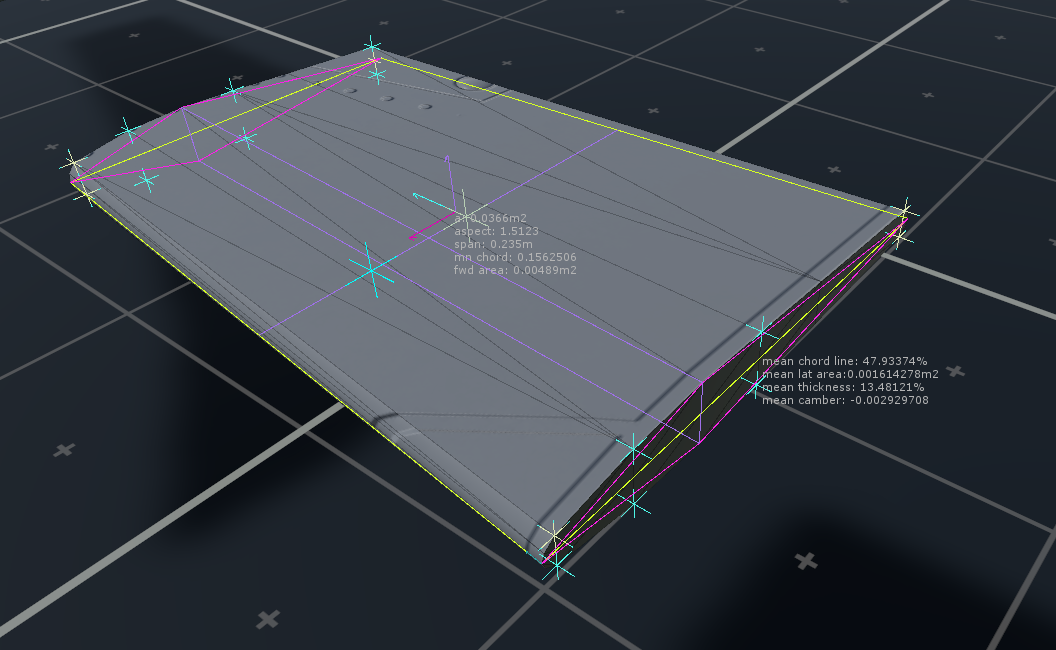
So with that we have enough information to figure out the general shape of your wings. Now, how does that shape actually affect the flight physics?
Fortunately, lots of very smart people in the past have already figured all of this out, so this information can be easily found out there, and after some digging around I was able to piece together what each variation in wing geometry does on its own.
There are some essential dimensions that define a wing, and they all have specific names. I’m going to go over some of them here, and try to explain how the game factors in their effects:
Span, Chord, Area and Aspect Ratio
Span is the length of the wing, looking at it from above or from the front. It’s essentially the length of the wing. The Chord is how ‘deep’ the wing is. That is, how long it is in the longitudinal (front/back) axis of the vehicle. These two dimensions together define the basic shape of a rectangular wing , and more importantly, its area.
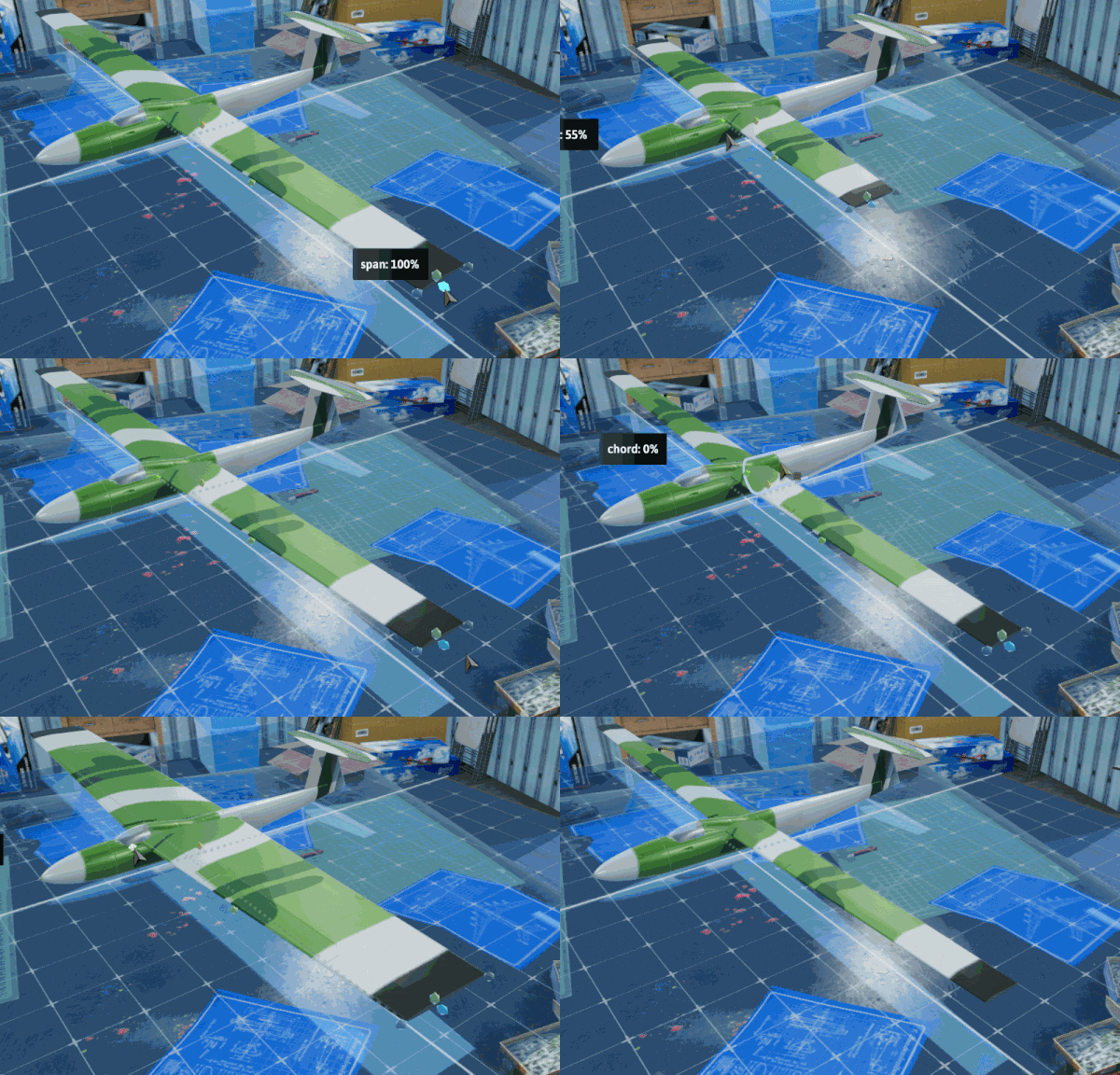
The area of a wing surface (also called the Planform Area) is the area of the wing looking at it from above. Interestingly enough, the amount of lift you get out of a surface is actually only dependent on its area. The ratio between span and chord doesn’t actually change that, although it has other effects.
This ratio between chord and span has its own name: Aspect Ratio. It basically represents how ‘square’ or rectangular a wing is. High aspect ratio wings are long and skinny, like in a glider; low aspect wings are short and stubby, like in a fighter jet.
The main effect of aspect ratio for a wing is that it affects the stall Angle of Attack of the wing. Higher aspect wings tend to stall at a lower angle than low aspect ones. However, high aspect wings also create less induced drag than their stubby counterparts (that is the part of the lift force vector that isn’t perpendicular to the airstream, so it acts like drag). This makes them great for gliders, where you want to minimize drag losses as much as possible.
However, really long wings also have higher moments of inertia, which makes the plane harder to turn, so if maneuverability is your goal, you probably don’t want that.
On the other hand, low aspect wings are much more resistant to stalling, and will normally tolerate much higher angles of attack before they enter a stall.
In game, notice how a low aspect wing design, like the DeltaRay M1 tends to lose lots of speed when you pitch up and down hard (try it at low throttle), but also has pretty soft, forgiving stalls. On high aspect wings like on the Glider One, on the other hand, notice how the long wings make the plane really hard to roll.
Dihedra
Dihedral is the name for the angle the wings make to the horizontal plane. This angle causes the wing on the inside of a banking turn to produce more lift than the one on the outside, which will cause the plane to roll back out of the turn on its own. Dihedral isn’t a morph tweak in Balsa, as it’s achieved by simply rotating the wings using the Rotate tool.
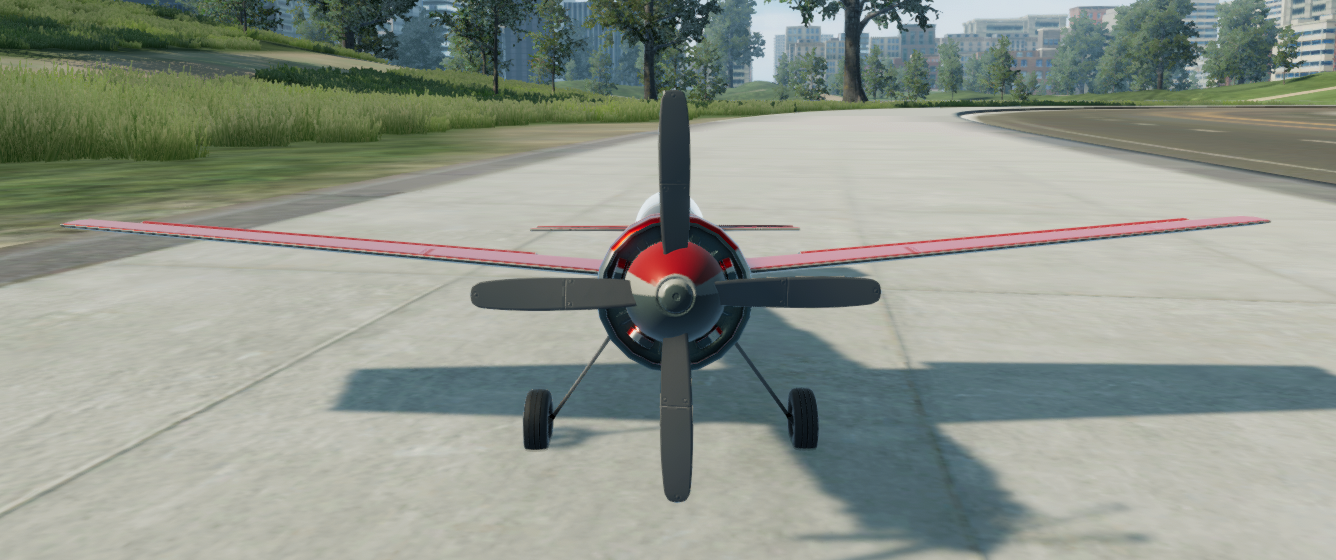
In model aircraft, especially ones with no aileron control, a good amount of dihedral angle can really help the plane stay level as it flies. Keep in mind though that extremely high angles aren’t all good, because you are effectively reducing your planform area when you are level, and stability is also always a tradeoff against maneuverability.
Dihedral always means a positive angle. The opposite case, where wings are tilted down, is called anhedral.
Sweep
This is the angle at which the wing, erm, sweeps, back. Swept wings are usually found on high speed aircraft, as they perform better than straight wings as you approach transonic speeds. There are other lower speed effects, however, that you are more likely to see in model scale:
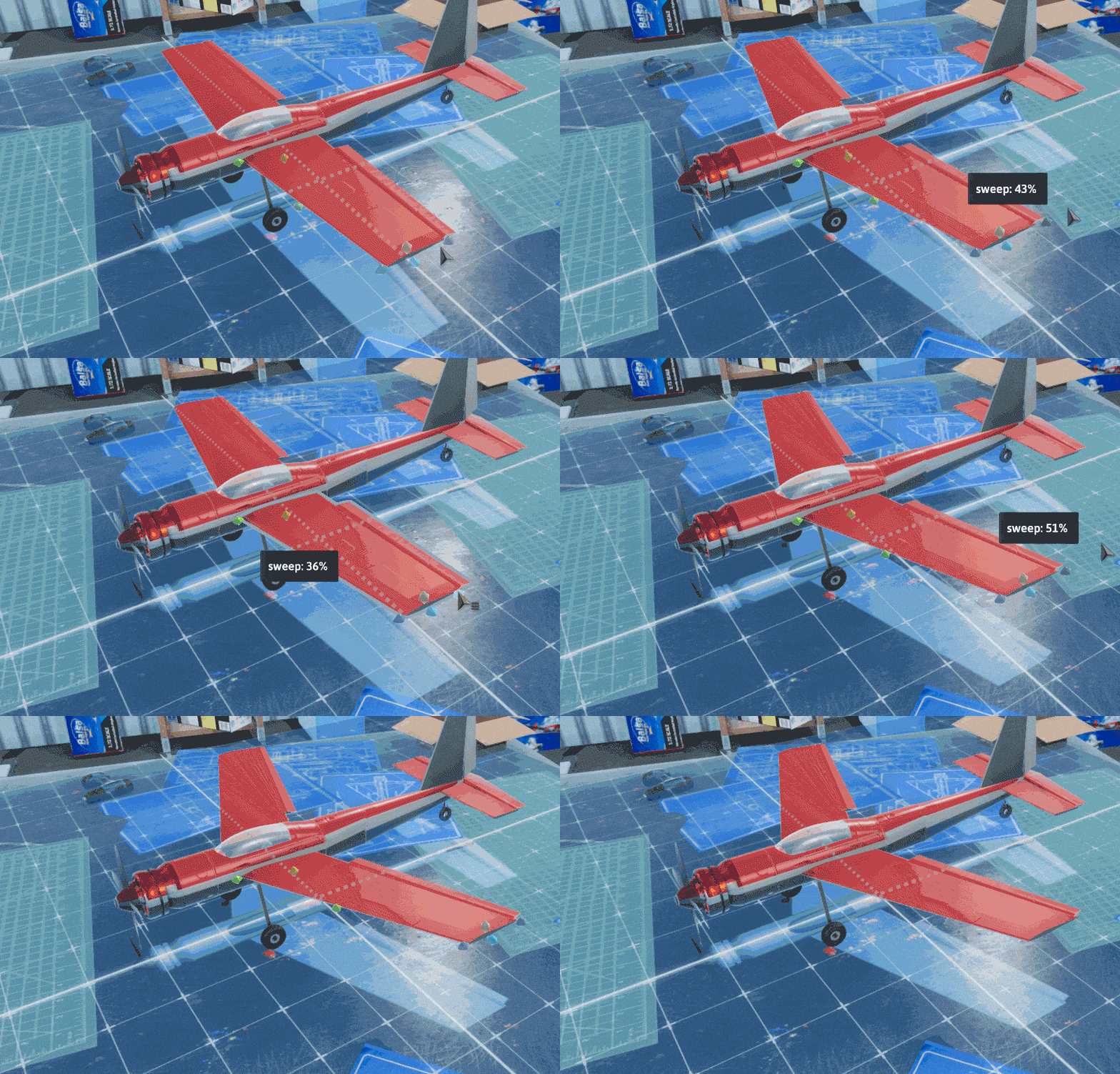
A swept back wing presents its leading edge at an angle to the airstream, when the plane is flying forward. This means swept back wings will produce more or less lift as you yaw left and right, which causes the aircraft to roll in response to yaw slip. This is known as roll/yaw coupling, and it’s pretty significant. It's the reason why highly swept, high wing aircraft (e.g. the Antonov An-124) have anhedral wings.
Swept wings also tend to be more pitch-stable, as the tip sections are located aft enough to be able to lever against the CoM for pitch. (flying wing aircraft are all swept wings for this reason. Their wingtips are their tails)
Thickness
Thick wings tend to have a 'soft stall' as angle of attack increases, compared to thin ones, so they are generally more forgiving. This is not quite the same effect as aspect ratio has, however, as what changes here isn’t the angle at which the stall happens, but rather how sharp the transition is between normal and stalled flight.
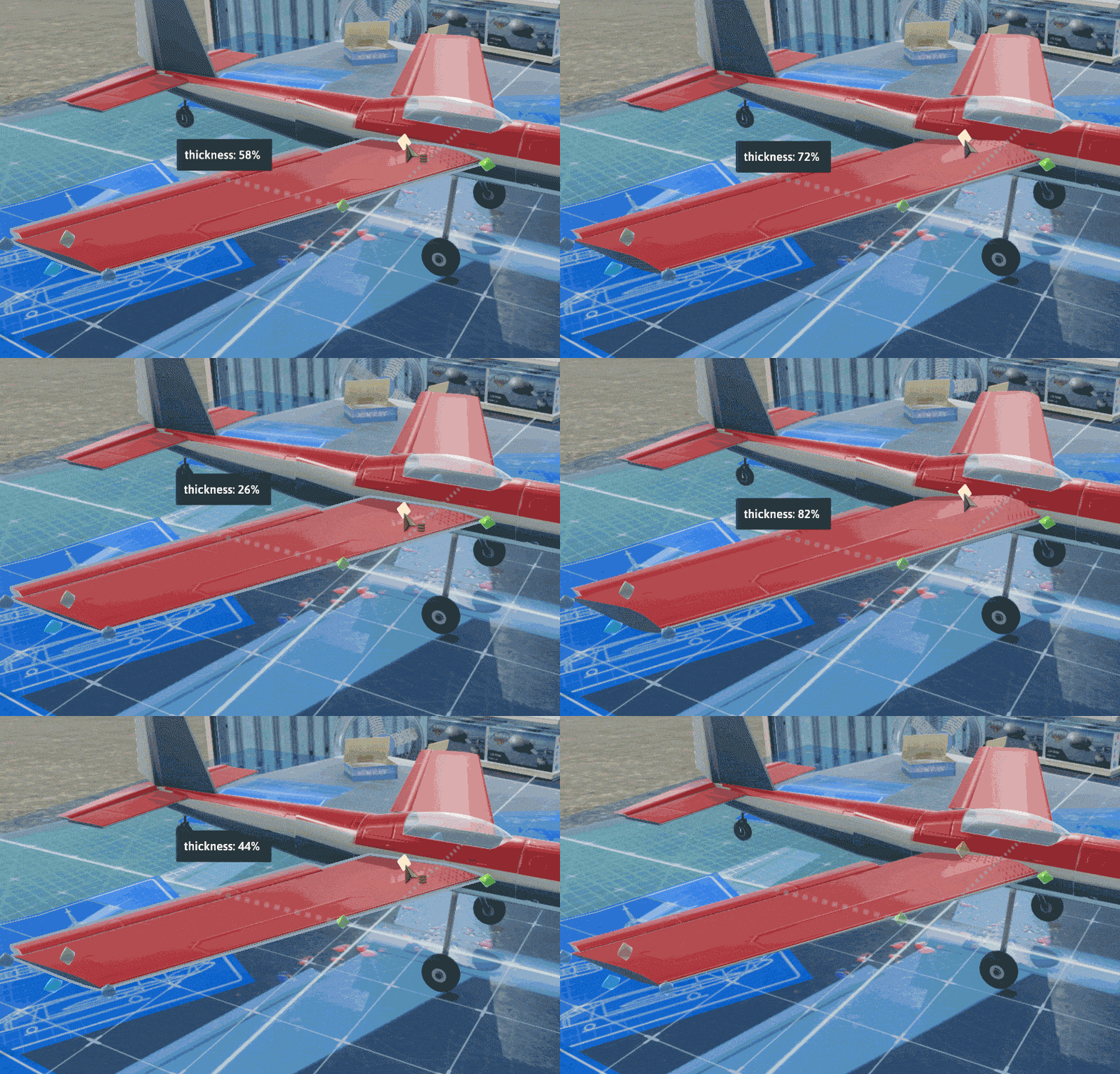
Thick wings also have more forward area, on the other hand, so they have more drag at zero AoA, this means thin wings can fly much faster, as they can effectively cut through the air more easily.
In game, the effects of thickness and aspect ratio are achieved by altering the lift-vs-AoA curve that wings use to calculate the lift for any angle of attack. We start with a standard curve that represents an average shape airfoil, and for each surface, we assign it a modified version of that curve based on its specific geometry values.
Taper
Tapering simply means that the measures of the wing change from root to tip. In Balsa, we have two controls for tapering horizontally and vertically separately.
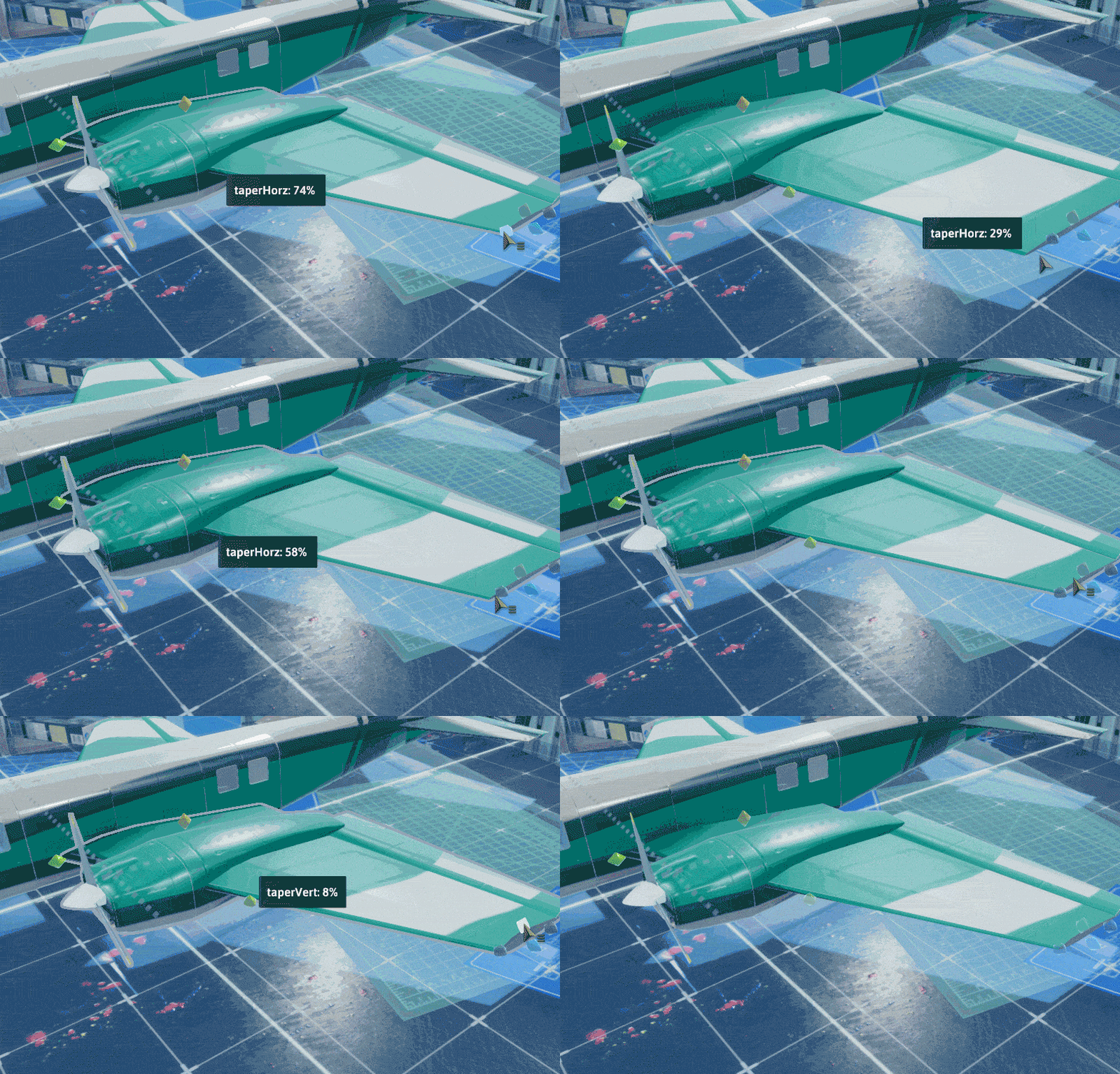
Horizontal tapering causes the wing chord to decrease towards the tip, so it becomes a trapezoid shape. Aerodynamically, this has some effects, as a highly tapered surface will have the center of pressure (the point where aero forces act on) closer to the fuselage.
This also affects the moment of inertia for the whole vehicle, as the mass is more concentrated towards the center. Of course, tapering also affects the total area of the wing in general, so it has a very direct effect on the amount of lift generated.
Vertically tapered wings get thinner towards the tip, which simply means that the effects of thickness will be different at the tip and the root. Generally most aircraft wings will become thinner towards the tip, both for structural reasons (you don’t want a thin beam having to support a big heavy thing at its end), and also to make sure that when the wing stalls, it begins stalling from the tips inwards, to reduce the chance of going into a spin.
Multiple Aerodynamic Surfaces
All this I’ve explained so far is just part of the story. You might have noticed that while these dimensions and angles describe the shape of a wing, they are all straight lines and corner angles. None of that is saying anything about curved wings.
The way we handle curving sections on wing parts is to use multiple straight surfaces in a single wing. Usually there are three on each wing part (with a few exceptions like the Weevot control surface and Modwing 0). Each surface tracks a smaller subsection of the wing, and does its simulation for just that section. The resulting forces then combine together to act as a more complex shaped wing.
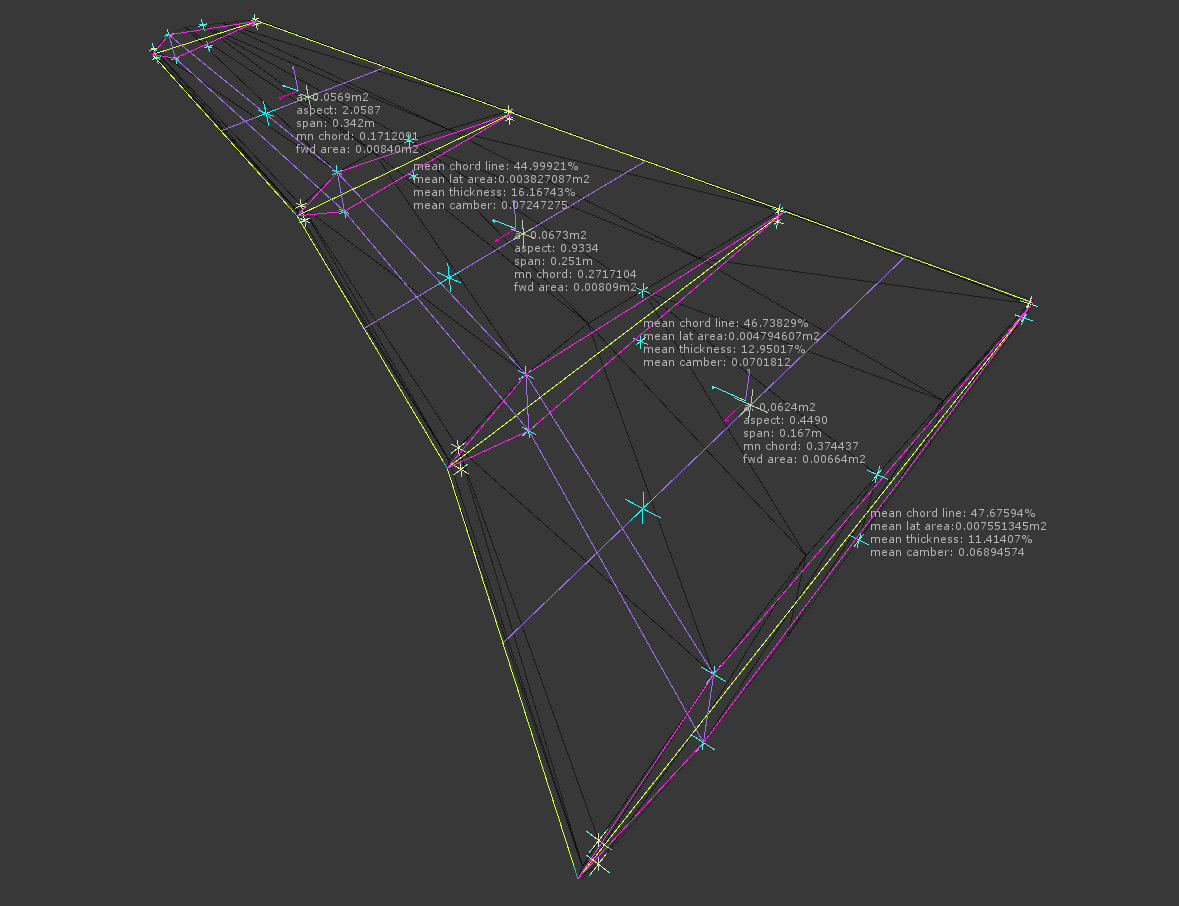
This has the same effect as what you get when you build a larger wing in the vehicle editor using multiple smaller wing parts, except that it’s already built in on the part itself.
In the end, these small surfaces all work together, taking in their local airstream velocities, and using their internal measurements to output the forces for lift and drag on themselves. With each surface contributing its own forces to the vehicle rigid body, you get a very convincing model for simulated flight, in a way that works for any shape of vehicle, no matter what it is.
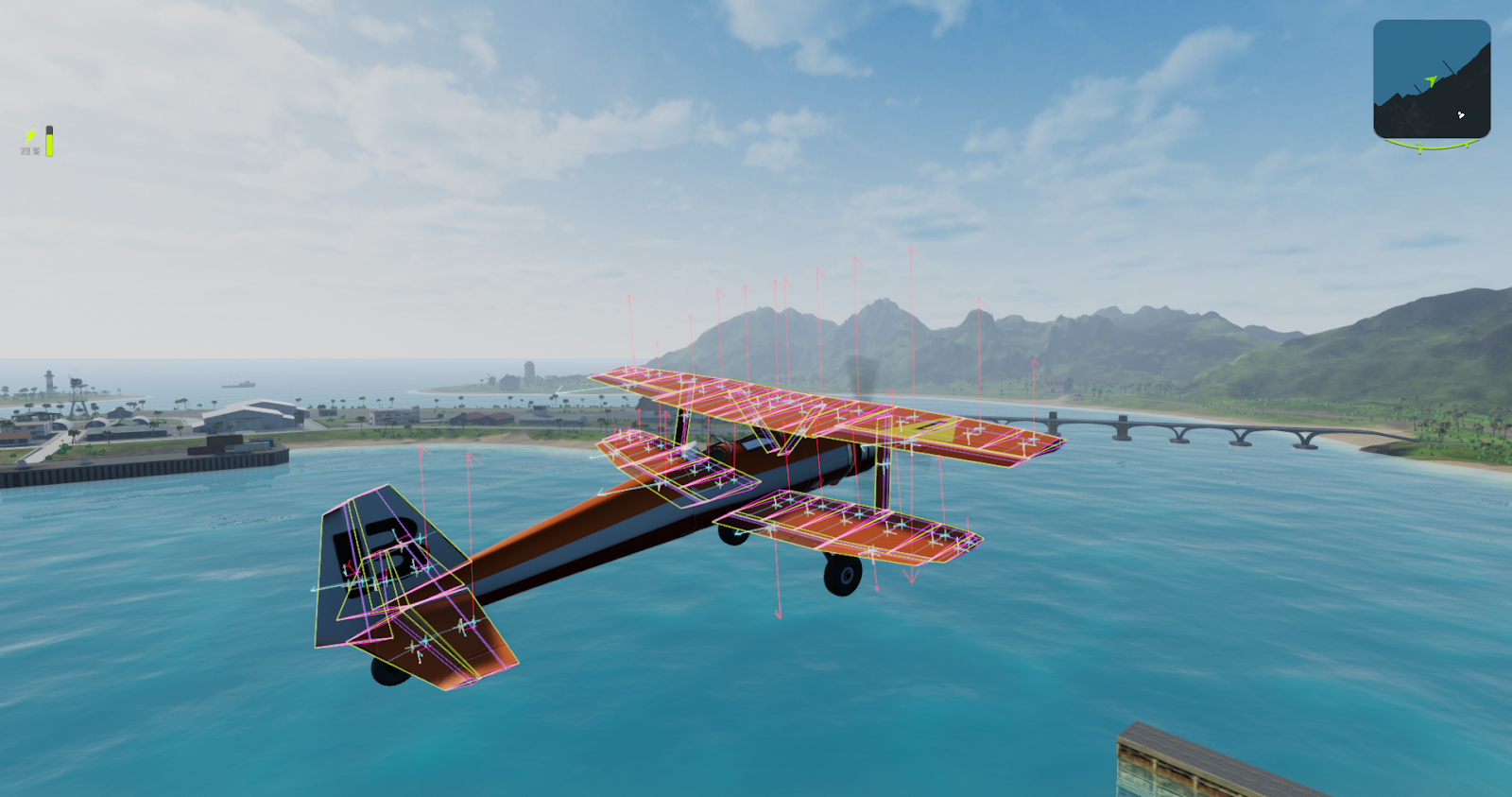
Also, this parts-based simulation naturally already supports things like breaking vehicles down into pieces. If you lose half your wing, we don’t need to code rules into the game for how to respond to that. It will happen on its own, as the broken off wing is no longer there to produce any lift. It also automatically takes care of simulating control surfaces. These are also using the same flight model, but being able to rotate, they can change their angle to the airstream in very much the same way real ones do.
Of course, none of this is to say the aerodynamics of Balsa are complete in any way. There are lots of areas I want to continue expanding on in the future. For instance I really want to get the downstream effects of surfaces (say a wing) affecting the incoming airstream for other surfaces further aft, and to factor in the effects of prop wash, ground effect, and so on. There is still a lot of room to grow with Balsa’s aerodynamics, but I think with our current model, there is quite enough there to have a lot of fun tinkering and experimenting with different designs.
For now, happy flying, and thanks for reading! See you on the next dev blog!
Cheers