
Greetings, dear Tinkerers & Tycoons,
A very rare phenomenon is happening! We've been able to bend space-time and transform Summer into a Christmas-like season for you. Ho-ho-ho, an awesome present awaits... We're stoked to finally treat you with the long-anticipated update "Work Smart" - Good Company v0.7.0!
Actually, many of you already had the chance to experience some of the additional features, polished mechanics, and many bug-fixes during the Beta Test. And with your dedicated feedback, you've helped us shape this exciting update into its final form.
We're super proud and happy to release Good Company's biggest leap so far, which wouldn't be possible without the support of our community! Fetch yourselves a drink, maybe some snacks even - the following patch notes will be quite a long read. We hope you will enjoy the treats we have prepared for you.
All the best,
Your Chasing Carrots
--
Please note: due to the big changes introduced with this update, we strongly recommend players (re)play the first three campaign levels, which tutorializes the new features!
--
Patch Notes v0.7.0 - “Work Smart”
Work Zones
As an integral part of the updated core system and a foundation for future updates to come, we're introducing Work Zones to Good Company. These are areas players can define in order to better structure and organize their production lines.
- By default, each building starts with a predefined Work Zone
- Player can flexibly create, modify, and delete Work Zones
- There is no minimum or maximum size for the zones
- Work Zones function independently from each other, and so does their logistic setup
- Basic logistic connections can’t be made across several zones
- Logistic Points have been removed, logistic employees will be directly assigned to zones instead
- A logistic employee assigned to a zone will handle all logistic connections within the zone
- Work Zones have a subtle visual representation in the normal mode
- Zones have a stronger visual representation in the new Work Zone mode
- Work Zones can be named individually, and be marked with one of 36 colors to choose from
- The logistics mode is now part of the Work Zone mode
- Players can choose between automatic and manual logistic connections for Work Zones
- By default the logistics within a zone is set to automatic
- Every Work Zone that uses or provides goods requires a Courier Pallet
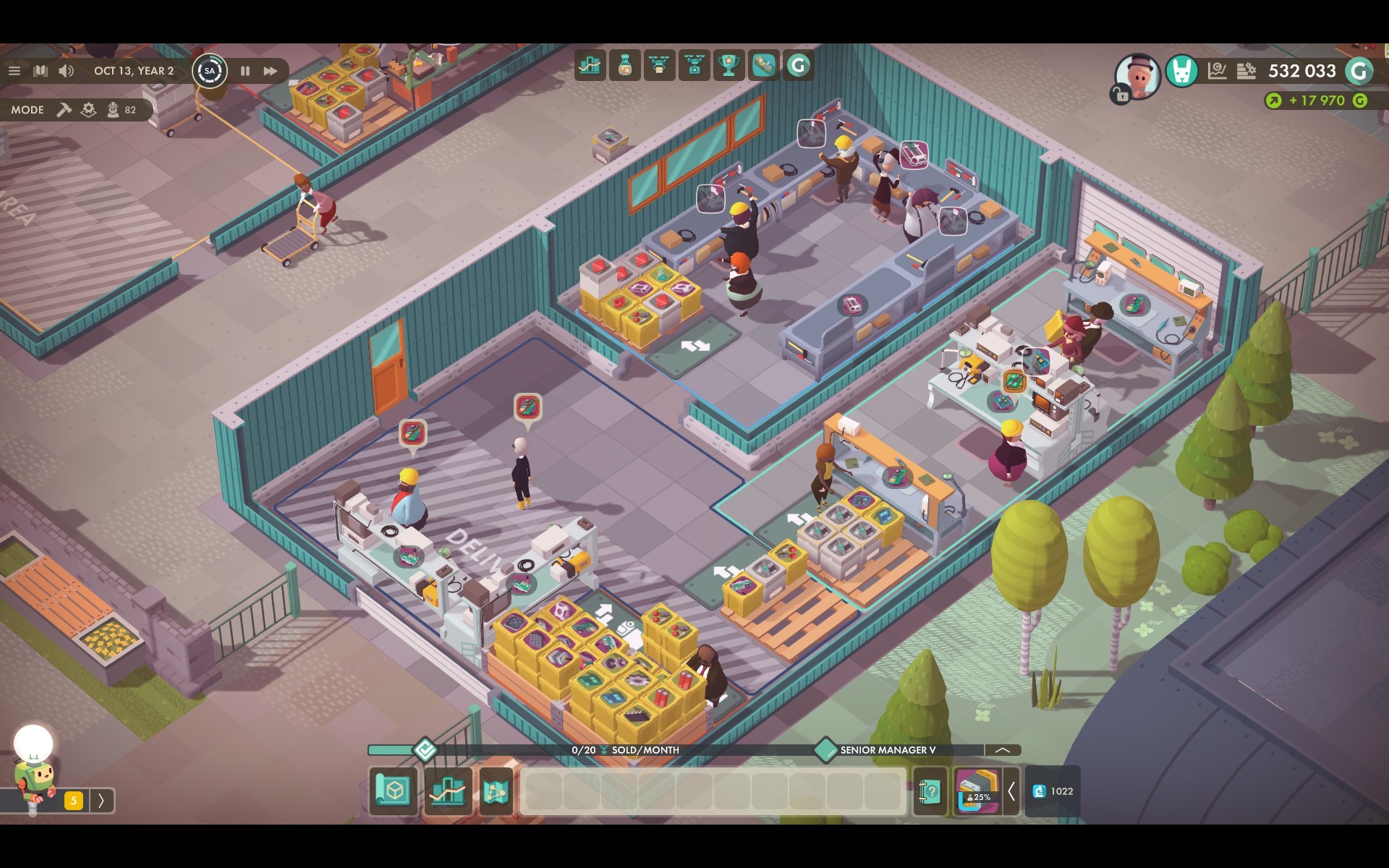
Automatic Logistics
A new feature to ensure an easier approach to setting up a production. By default, the automatic logistic mode is activated. It will try to connect workplaces and inventories within a single Work Zone and set inputs and outputs on Courier Pallets.
- Automatic connections are active by default
- Automatic connections can be deactivated in Work Zone mode -> Logistics
- Whenever players make changes to a workplace, its connections get updated
- The system will always use Courier Pallets as start and end point for a production line
- If additional inventories are placed within a zone, automatic logistics will try to consider those as intermediate storages for the production
- Don’t forget to hire logistic employees on a Work Zone when placing shelves!
- If a Courier Pallet is placed in a Work Zone's Delivery Area, buy and sell orders will set accordingly
- Buy orders for base materials will be made automatically, if possible
- Sell orders for products will be made automatically, if possible
- Logistic employees will now attempt to clean up inventories
- If a shelf contains items which are not required there, employees will try to restock them where needed within the Work Zone
- If there's no need for these items, employees will place them in the Courier Pallet and create an outgoing request for couriers
Courier Pallets
The Buy- and Sell-Zones have been removed from the game. Instead we're introducing Courier Pallets. They serve as multi-purpose objects to enable transportation between Work Zones, as well as setting buy and sell orders (as long they are placed within a Delivery Area).
- Courier Pallets can be purchased through the construction menu in the Storage category
- Players can place as many pallets as they want
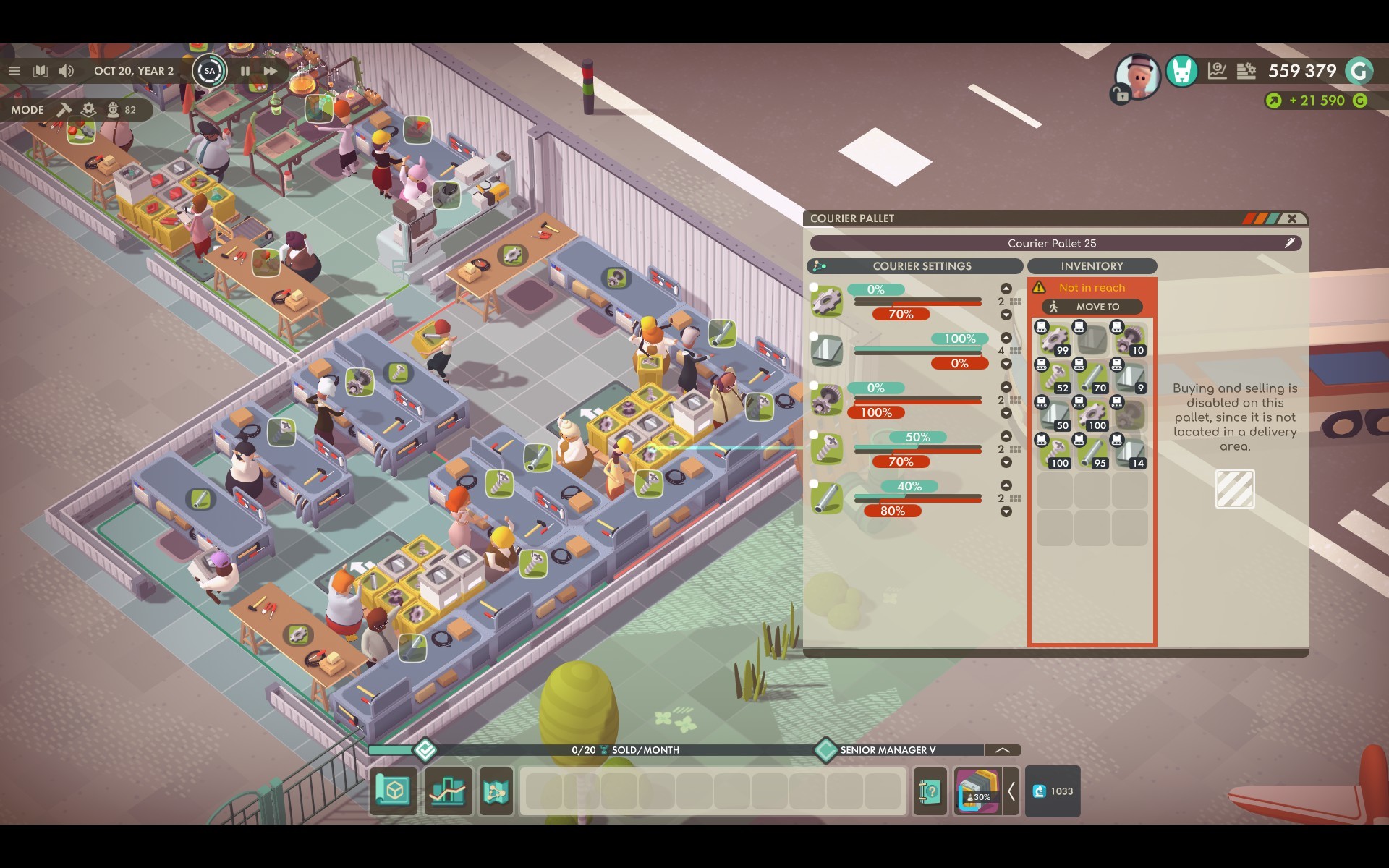
- A Courier Pallet has 18 inventory slots
- Courier Pallet placed in a Delivery Area can be used to buy and sell items
- Delivery Areas are marked by a white striped area on the ground
- They are usually located at garage doors near the public street
- Courier Pallets can be served by logistics or by the Courier System
- Courier Pallets make use of a threshold system where limits are set for selling or transporting
- 80% threshold on input means the courier will fill up to 80% of the reserved space
- 80% threshold on output means the courier is allowed to take 80% away, but the last 20% are reserved for the Work Zone itself and must not be transferred
- 80% threshold on sell orders means that everything above 80% can be sold
- Buying works with absolute numbers of stacks up until which the pallet will buy missing materials to restock those stacks
- The company will only pay for the difference of restocked materials
- The pallet will add default settings for the Courier System based on the setup in the Work Zone
- If an item is being consumed in a zone but not produced -> 100% input
- If an item is being produced but not used in a zone -> 100% output
- If an item is being produced and also consumed in a zone -> 50% output
- If an item is set to buy -> it’s considered as if it were produced in the zone
- If an item is set to sell -> it’s considered as if were consumed in the zone
- Players can manually change thresholds by activating an advanced mode. It's even possible to combine input and output settings.
Courier System
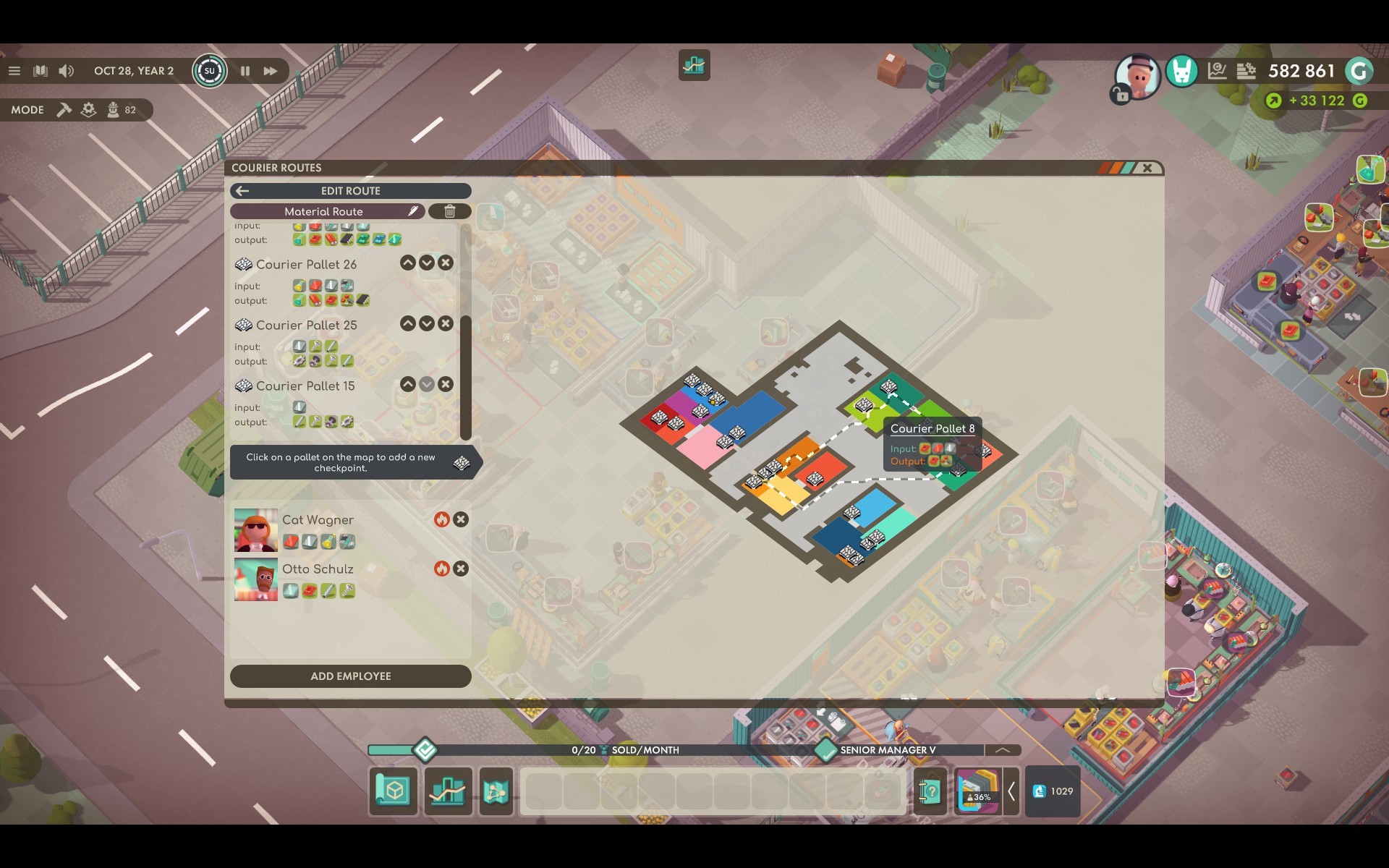
Couriers are employees with special equipment to transport large quantities of items between two or more Courier Pallets. This system works mostly automated and independent from what happens within a zone – it will simply focus on the states of Courier Pallets.
- The courier menu button can be found at the bottom bar of the HUD, left of the player inventory
- It can also be accessed via the hotkey N
- It is possible to add, edit or remove courier routes through this system
- After a Courier Route is created, players can add waypoints by selecting the pallets on the map
- A route needs at least 2 waypoints to work
- A pallet can’t be added twice
- The order of pallets can be changed afterwards
- Courier Pallets have an input and output. If a route has an input and an output for a specific item, it will be added to the route for transportation
- Players can modify input/output settings for pallets to a certain degree
- Otherwise input and output depends on the internal logistic setting of the Work Zone
- A courier can transport up to four different items
- If there are more than four items to be transported, additional couriers can be hired
- A route will display a warning in its overview, if necessary
Market Updates
We are constantly iterating the market system of Good Company in order to improve it. While major updates related to markets, marketing, etc. will be introduced in the future, we now want to introduce some short term approaches to improve market balancing.
- Market phases now need to be advanced manually (Freeplay only)
- In order to advance a market phase, players need to accumulate a certain amount of sales for a product
- If the required sales amount is reached, players can click a button to advance the market phase
- Through manual market phase progress, the former phase duration got removed
- Market phase changes were rebalanced (Freeplay only)
- A new market phase now is more challenging, expecting more additional features
- Demands will increase with each market phase instead of being stable
- The potential profit margin will increase over phases instead of dropping
- Product prices now depend on the expected feature values
- Each product has a base price for each phase, while in Freeplay the product price modifier will affect only the base price
- The base price will be increased for each feature point (0.1) added during the product design
- This price bonus depends on the added features. Usually, it's 10G per 0.1 feature point
- The price bonus can exceed the limit for the market appeal - the bar will then fill from right to left in a different color.
- Several products in the campaign have been updated to match the new general balancing
Balancing Update
We're putting a continuous effort into balancing Good Company. With the 0.7.0 update, we decided to implement quite drastic changes, which affect the recipes/crafting of all modules. Instead of listing single changes, we want to share with you a general balancing breakdown.
- The duration of a day was changed from 15s to 20s
- Base crafting time has been increased from 10s to 20s
- On one hand, we want to make crafting times easier to calculate, but this also mitigates the huge effect walking times of crafting employees had on production costs
- Tier 2 crafting times have been increased from 4s to 12s
- Machine-based crafting time is now 40s or 5 batches (8s each)
- Pick-up time got changed from 1s per inventory to 2s per inventory
- Many module recipes have been simplified, especially for the later game
- The amount of consumed and produced components have been reduced
- All modules should now yield a profit, even if the production efficiency is not maxed out
- Several properties of modules are now distributed more evenly throughout the tiers
- Features points per field
- Drawbacks per features
- Production cost per feature
- Sampling time per data point
- Cases now always have the same amount of slots,no matter what product they are used with
- Small cases can’t be used anymore for the first bots
- Tier and cost for the first small chassis have been reduced
- Stack sizes have been unified
- 20 for all modules
- 50 and 100 for base materials and components
- The amount of items that can be sold per component/module is now set to 2 stacks per week
Levels & Campaigns
Due to the extensive changes introduced for Work Zones, balancing and automatic connections we had to change some levels and challenges. However, most of the content is still the same, with slight balancing adjustments.
- Level 1 - 3 have been completely reworked
- The new logistics and Work Zone mechanics are explained in levels 1 and 2
- We recommend everyone play those two levels, even experienced players
- Level 3 is now an in-depth research and market tutorial
- Level 4 to 8 got minor adjustments to fit the new balancing
- The challenges "Module Mania" and "Chassis Parade" now have completely new ‘modules’ as the old recipes were changed
- All campaign levels got a new ‘season’ for their highscore
- If you switch to game version 0.6, you can still play the old challenges with old highscores
New Conveyor Parts
We are aware that handling conveyor belts is not as optimal as possible yet, and in future updates we want to address several issues related to belts. What we found most important though, was adding new segments to the system which aim to improve the gameplay of conveyors in general.
- Overhead Transporter
- A segment with the fixed length of 3, 4 or 6 tiles, of which 2 (start and end) are on ground level
- Players, other belts and equipment can be placed underneath the overhead part
- This makes it possible for belts to cross
- Automatic Storage System
- This element takes items from a belt, machine, etc. and places them in an inventory (shelf)
- No employees are required to operate it
- The setup for this element is pretty much automatic
- Automatic Retrieval System
- This element takes items from an inventory (shelf)
- Players are able to define ratios to make sure that items arrive in the expected order at the end of a conveyor belt or machine
- The system offers additional configurations to wait for a specific stock amount before starting to work, or the ability to skip items in a specific order sequence
- Freeplay maps now include Conveyor Hatches
- Hatches are vents in a building wall
- It is not possible to change position of hatches
- Conveyor belt lines can be built through hatches instead of doors and gates
New Map & Products
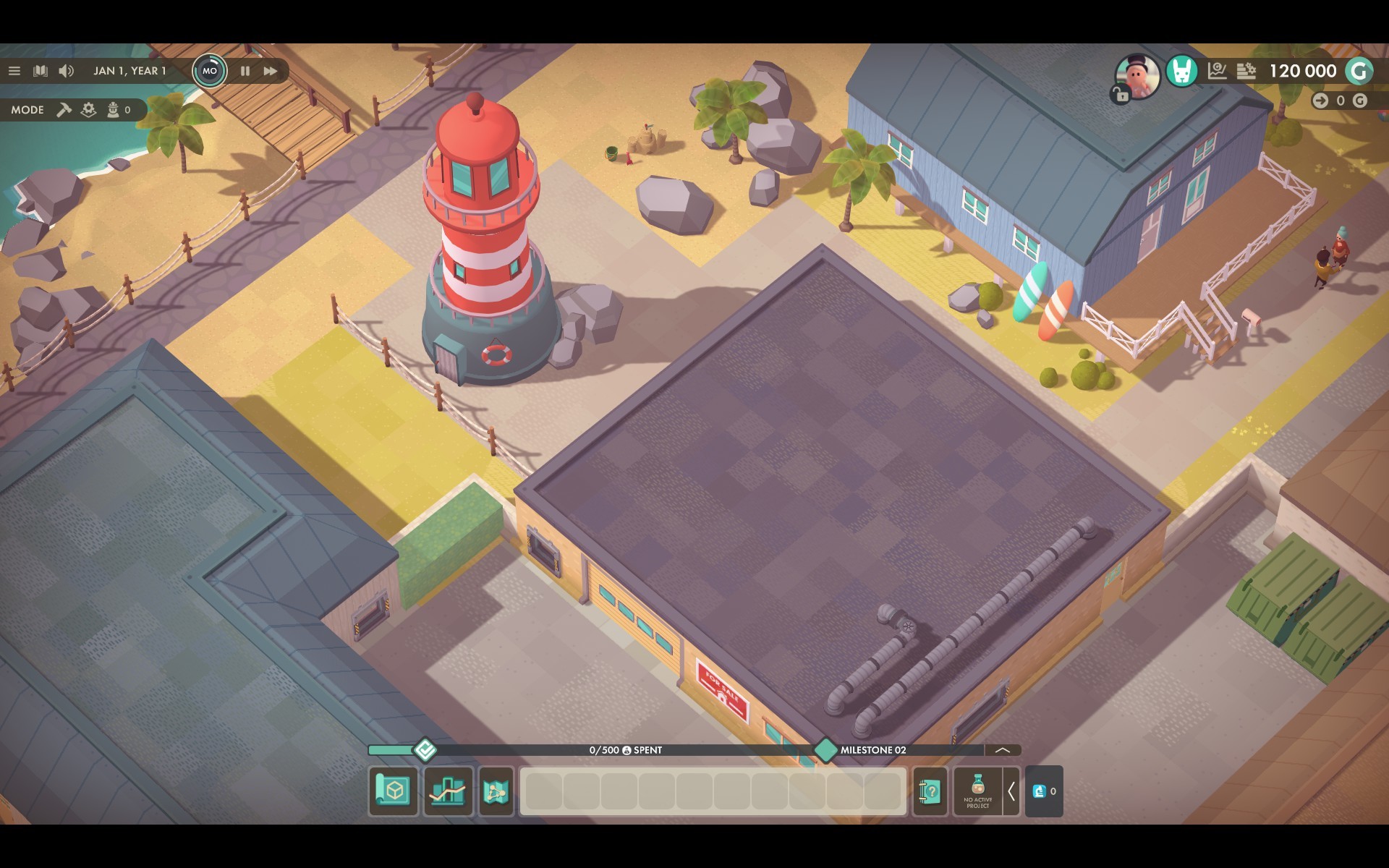
To enhance Summer feelings, we're happy to extend Good Company with a new Freeplay map set on sandy shores, as well as a new product.
- When starting a new game, players can now select a map to play on
- A second Freeplay map called ‘Silicon Summer’ was added
- This is a bigger map with larger buildings and features a beach theme
- Freeplay now starts with two products instead of one
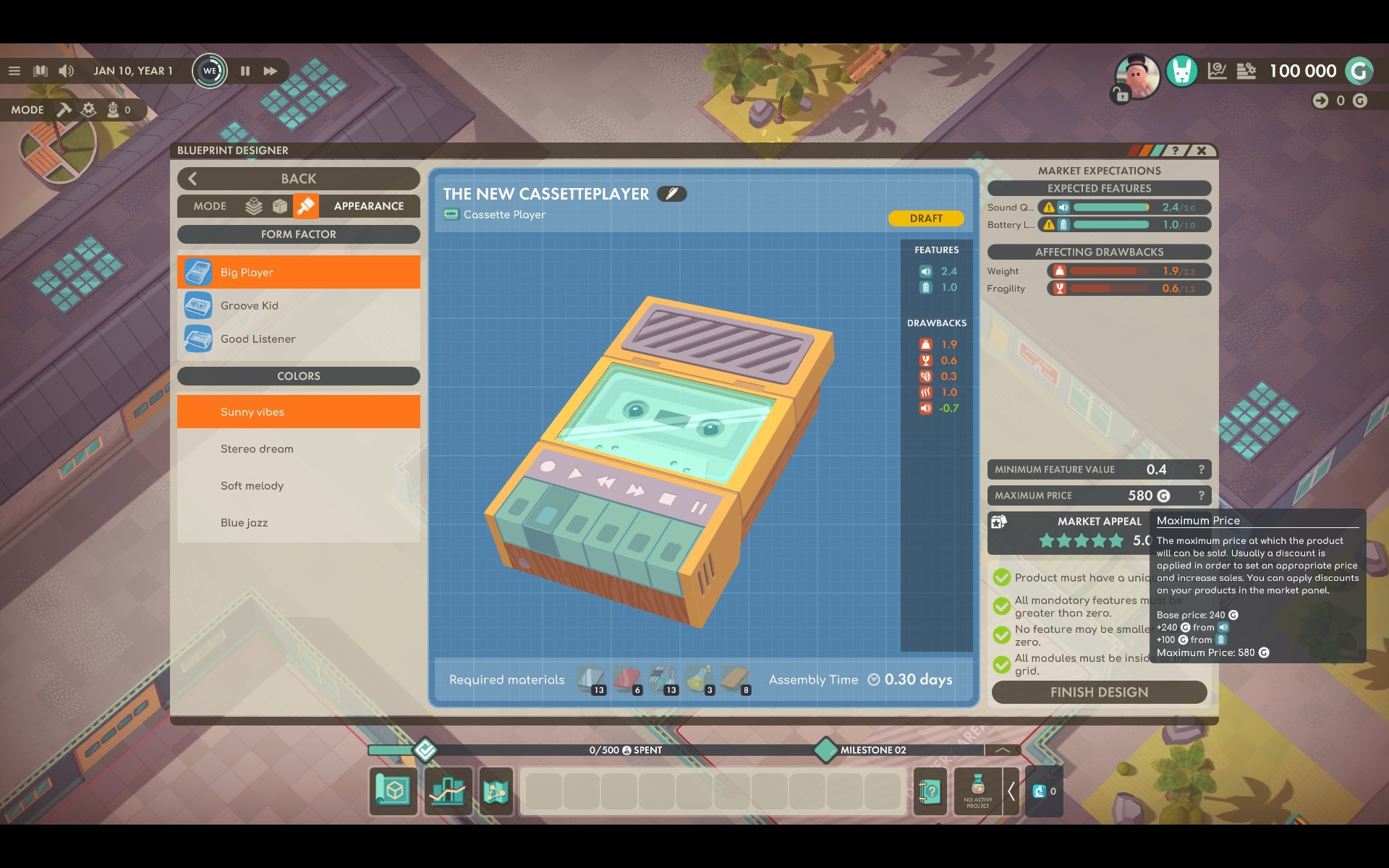
- With the new Cassette Player, we are introducing a new product type which is between the Calculator and the Small Game Devices
- The Cassette Player requires fewer features
- The average expected feature amount for each feature is higher than for other products on a similar level
- The Cassette Player also replaces the Calculator as the product in level 2
New Machines
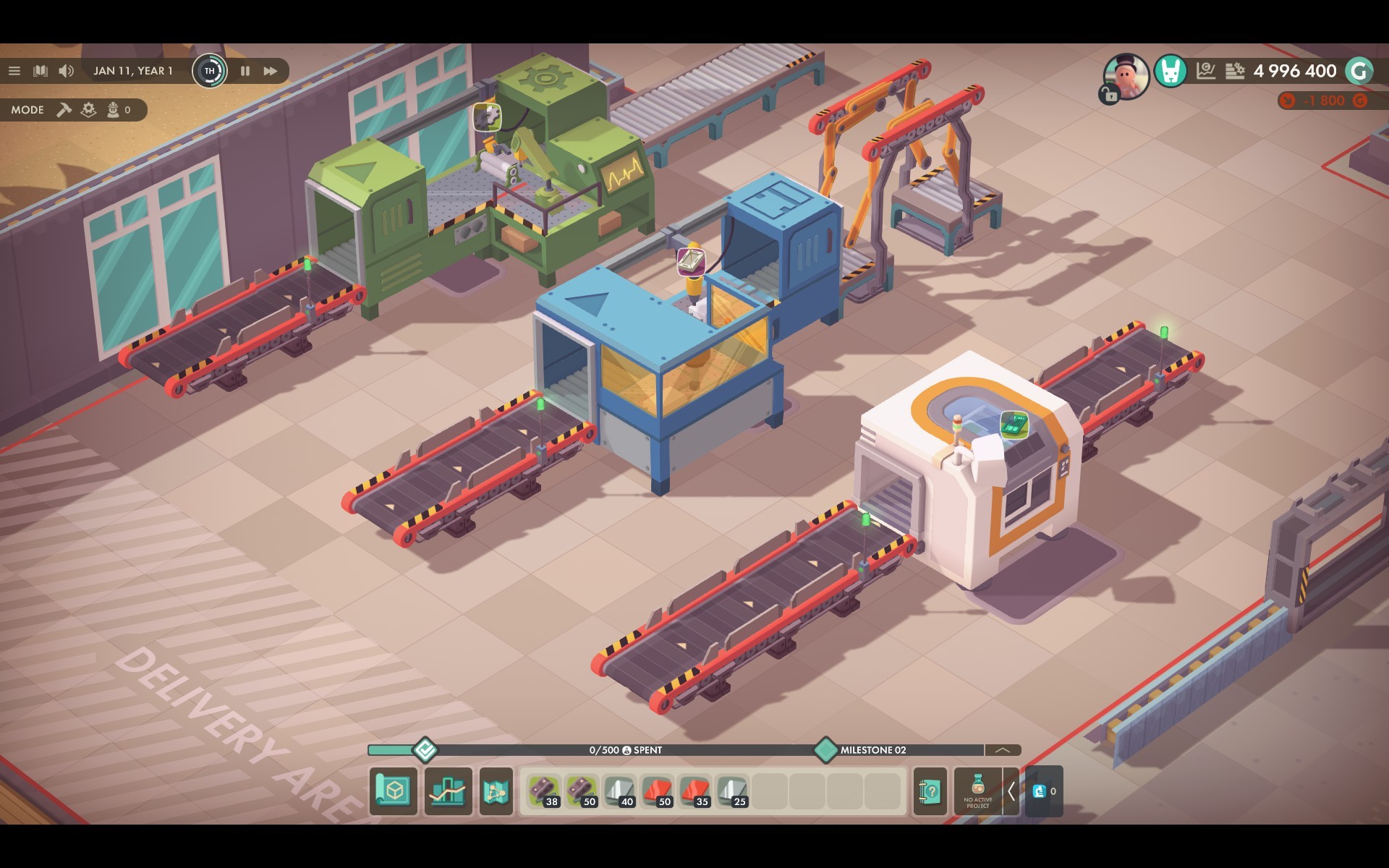
Also, we are introducing two new machines to Good Company. This addition is another move of shifting production setups towards mechanically automated systems.
- Small Case Machine
- Unlocked through milestone 5 during the Freeplay
- Produces any type of small cases in a batch of 5 within 40 seconds
- Does not require employees to operate
- Can be connected to conveyor belts
- Metal Processing Machine
- Unlocked through milestone 5 during the Freeplay
- Can produce any metal component in a batch of 5 within 40 seconds
- Does not require employees to operate
- Can be connected to conveyor belts
Design Desk removed
For an easier handling of the product design process, we have removed the Design Desk.
- The Blueprint Designer can be accessed at any time using the button at the bottom of the screen, on the left of the player inventory
- Players can also use the hotkey B to open the design view