
Hey Autonomics,
This is a closed-alpha update for Kickstarter backers with alpha access.
Waiting to try Autonomica?
We’re aiming for a public demo in November or December, though that window is still tentative.
We still need to coordinate release logistics with Steam. Depending on those arrangements, the demo may be available on Steam or through our website for a limited time.
To make sure you don’t miss it, join our Discord or sign up for news updates on our website. We’ll share dates and access details as soon as they’re confirmed.
WATCH UPDATE TRAILER:
A quick note for our alpha testers
With over 10,000 changesets in V3, we expect a few rough edges. We’ll be actively monitoring your reports and working on fixes, so please flag any issues on Discord. Maybe we’ll get lucky and everything will work perfectly. We’re standing by either way.
Your next adventure takes you into the BioLab. Your production lines are getting customers. And back at home, there are new crops to grow, fertilizers to make, clothes to find, and a whole lot more control over the machinery keeping everything running.
Welcome to The Cucu Incident.
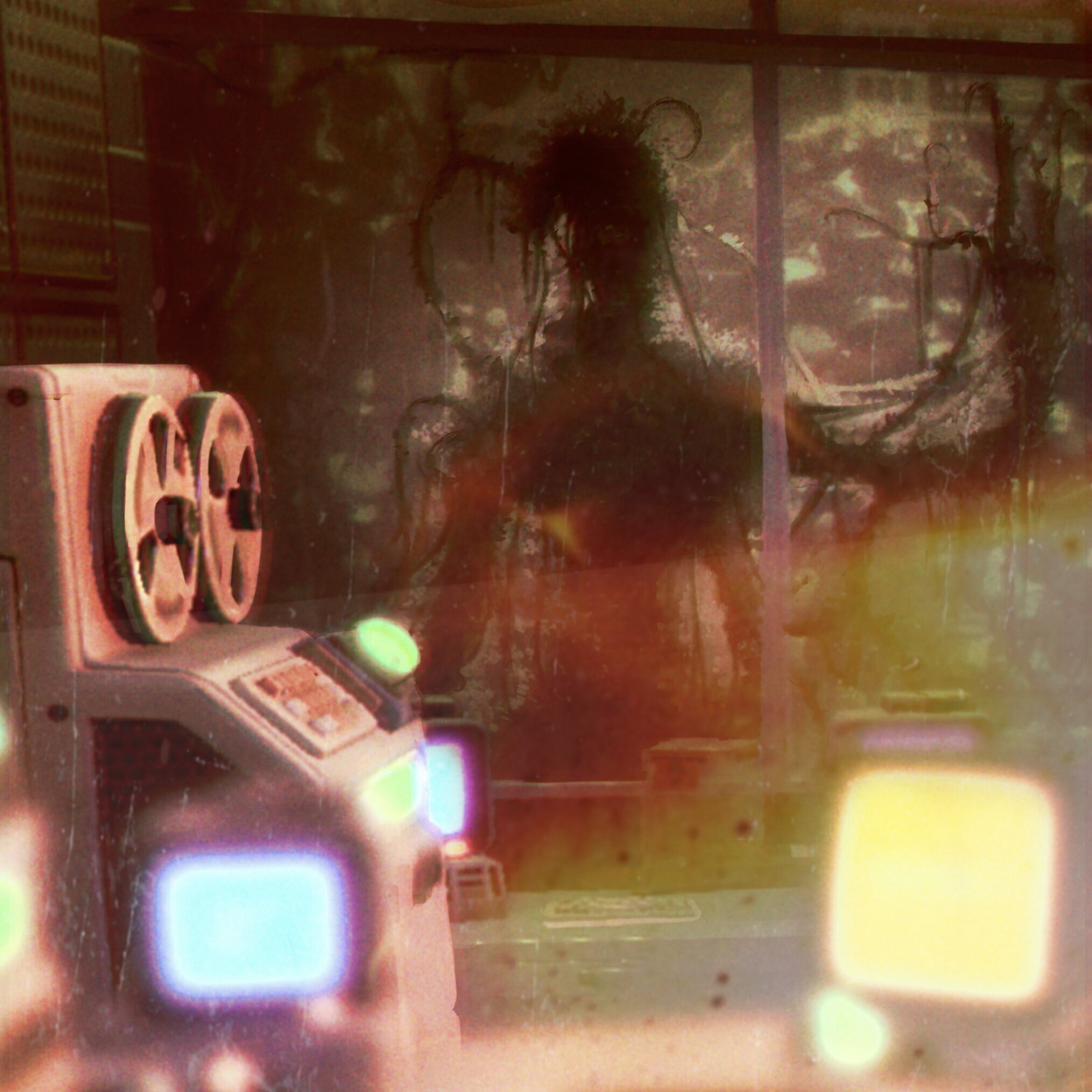
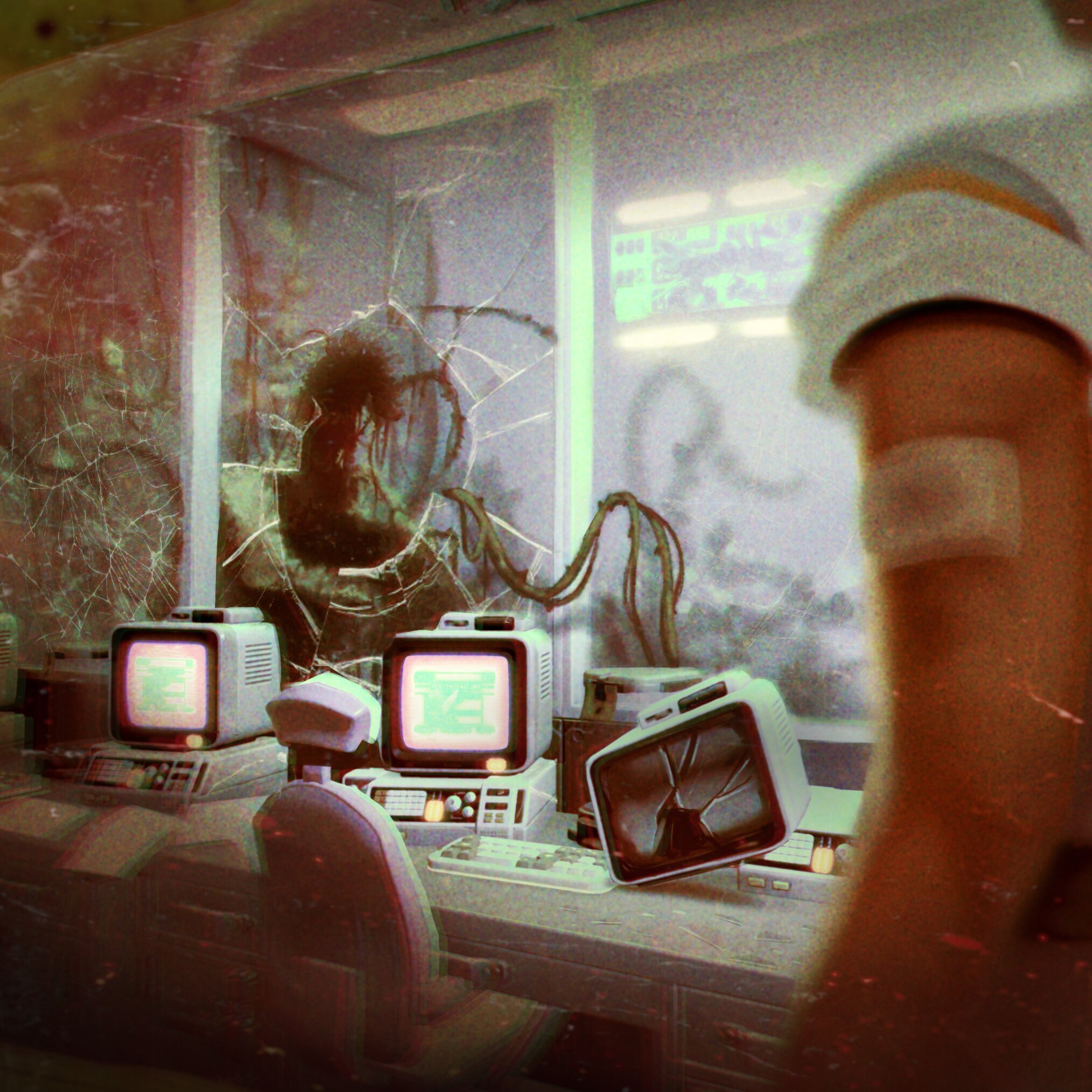 Beneath the island, some very serious people have been conducting research on cucumbers. Something has gone wrong. You'll meet Yuna, explore the facility, and start uncovering what happened there. We'd like to say the situation is under control. You can form your own opinion when you arrive.
V3 also brings a lot back to the surface. Take on contracts and send out drone deliveries. Put the Plasma Cutter to work across your farm and factory. Build electrical networks you can monitor, name, and customize. Turn chemical ingredients into fertilizers, expand your harvests, and put those conveyor junctions to use.
We've spent a long time on this update, including the things you'll notice every time you play: how a plot gets watered, how a stack moves between containers, how your character handles the stairs, and how you save your progress. Yes, you can finally save without leaving the game.
There's a new story to step into and plenty to get your hands on at home. Here are the features, improvements, and fixes that make up V3.
THE CUCU INCIDENT: INSIDE THE BIOLAB
There's more to this island than the view from your front door. V3 opens the BioLab, an underground research facility with its own spaces to explore, equipment to investigate, and a rather unfortunate incident to piece together.
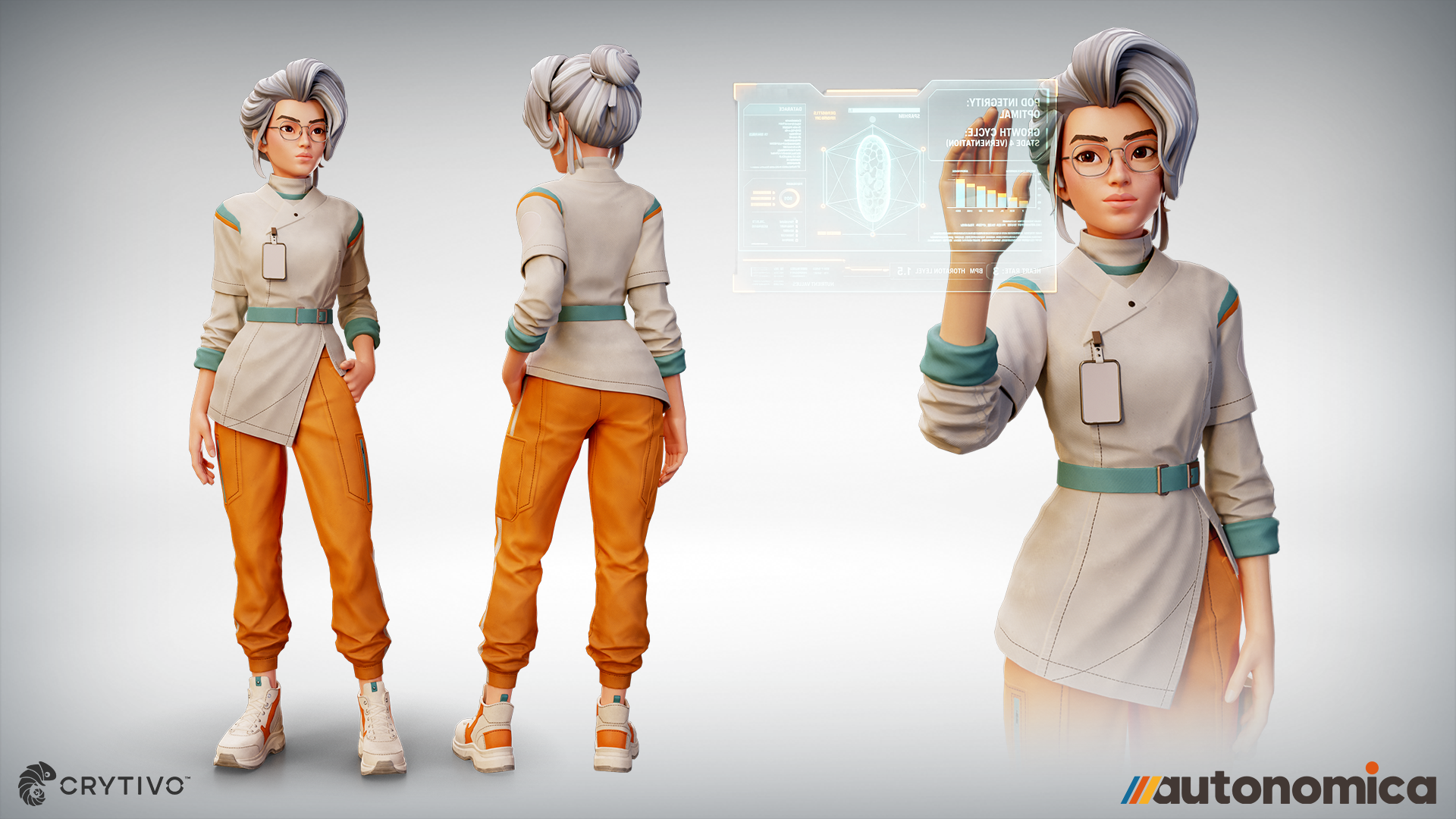 You'll meet Yuna Ren, a research assistant caught up in what happened here. Through voiced conversations, cinematic scenes, and the records left around the facility, you'll get to know more of the people behind Autonomica's world. The new questline takes you into the lab; the story logs give you reasons to pay attention to what you find along the way.
 This visit begins a larger part of the game's story. We've built the setting, interactions, and presentation around that introduction, from the doors and terminals you use to the voices and sounds around you. We'll leave the puzzles and discoveries for you. Cucumber research deserves a little mystery.
A new place and a new face
Explore a new underground BioLab area through a dedicated questline.
Meet Yuna through voiced dialogue and cinematic scenes with animated character interactions.
Encounter new interactive doors, terminals, and equipment throughout the facility.
Improved camera transitions to reduce abrupt jumps when BioLab scenes begin.
Added new environmental sound, music, and voice mixing for the lab.
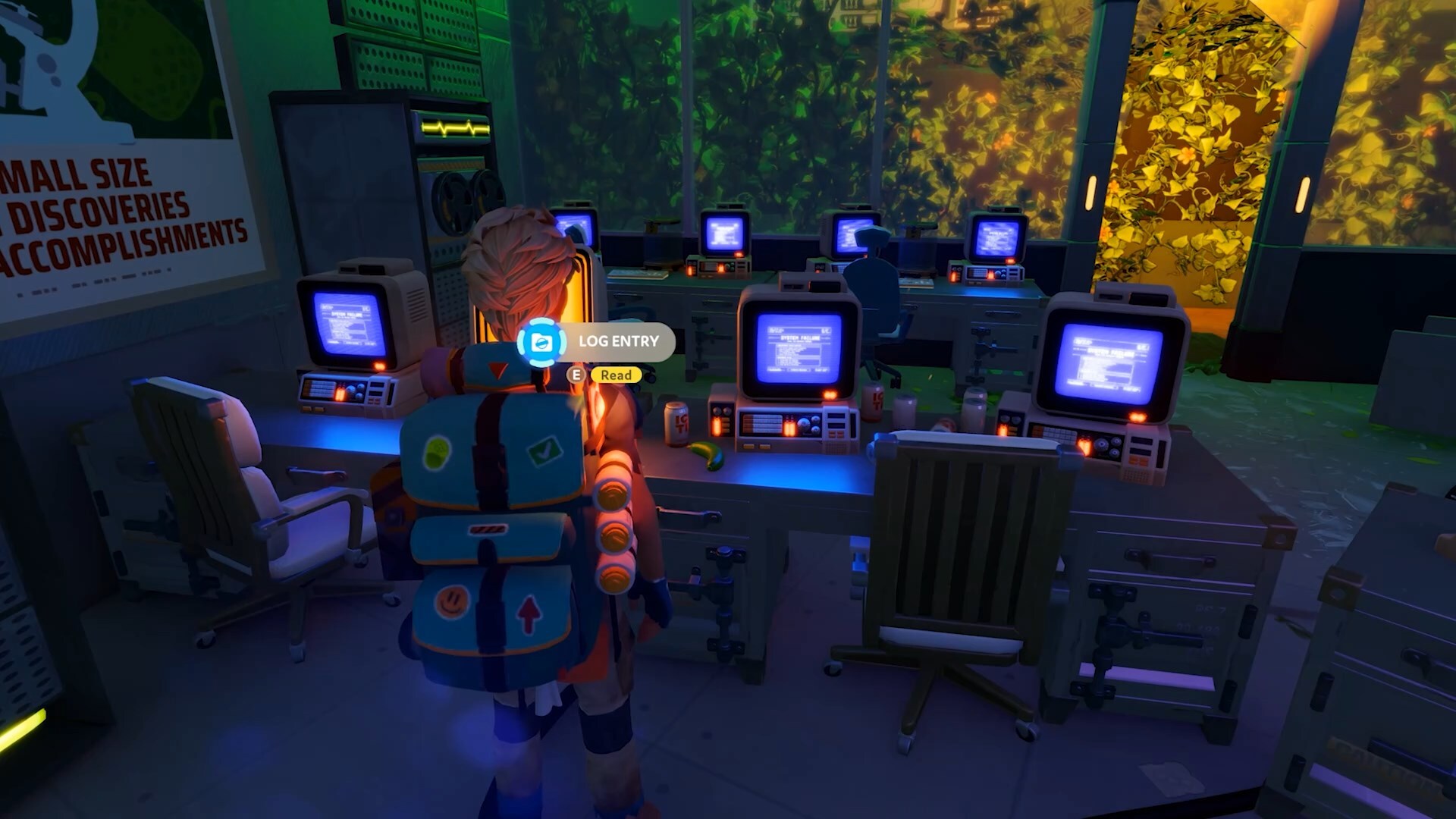
Story logs
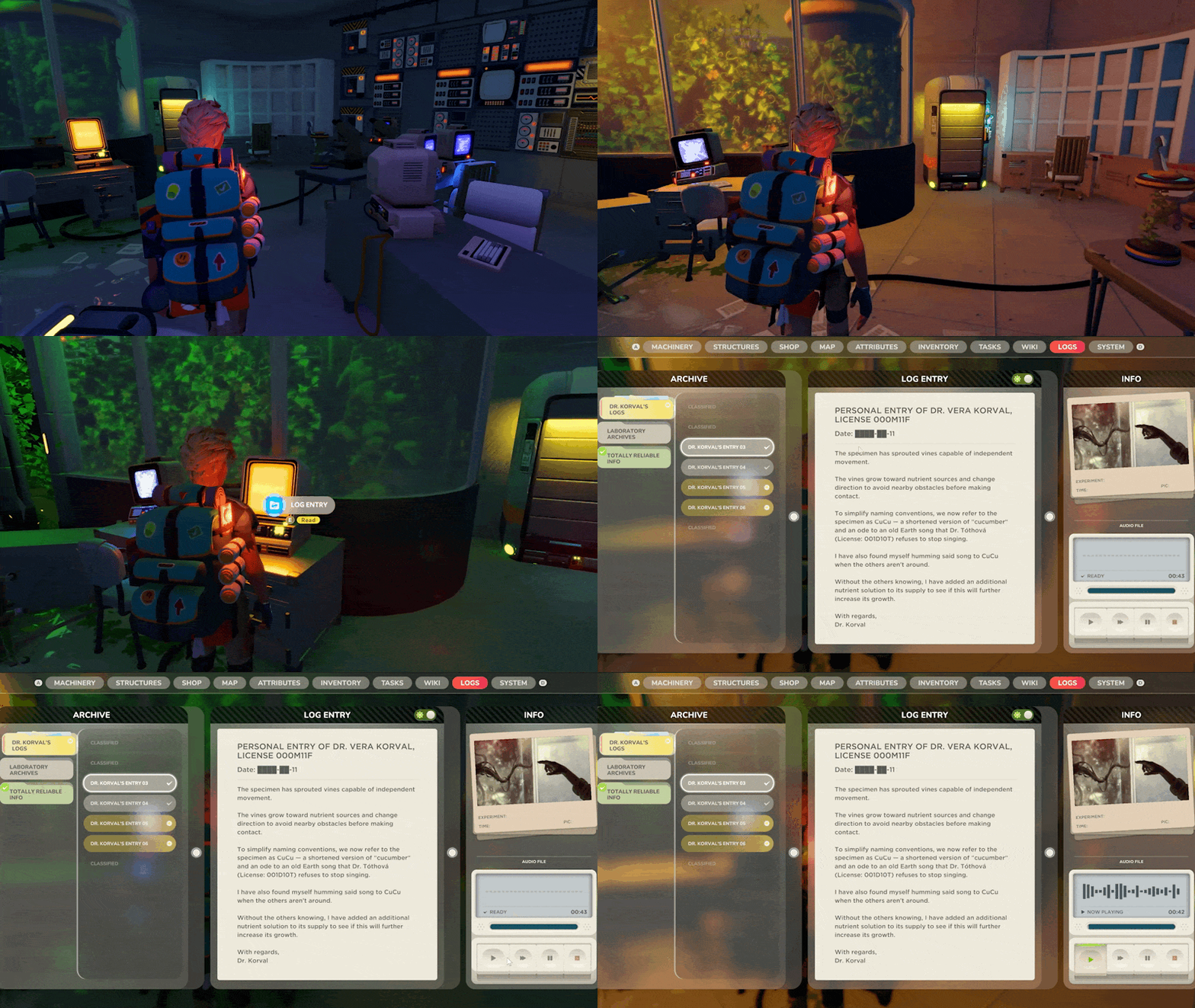
Discover story logs that reveal more about the facility and the people who worked there.
Browse collected logs in a dedicated panel, organized into categories.
Track which logs you have unlocked and which you have read.
Listen to recorded logs with pause, resume, and stop controls.
Adjust audio-log playback speed.
Added subtitles and an audio-playing notification for logs.
Log interactions now use shorter titles where the full title would be too long.
Fixed errors when selecting a log without an audio recording.
SUPPLY RELAY & CONTRACTORS
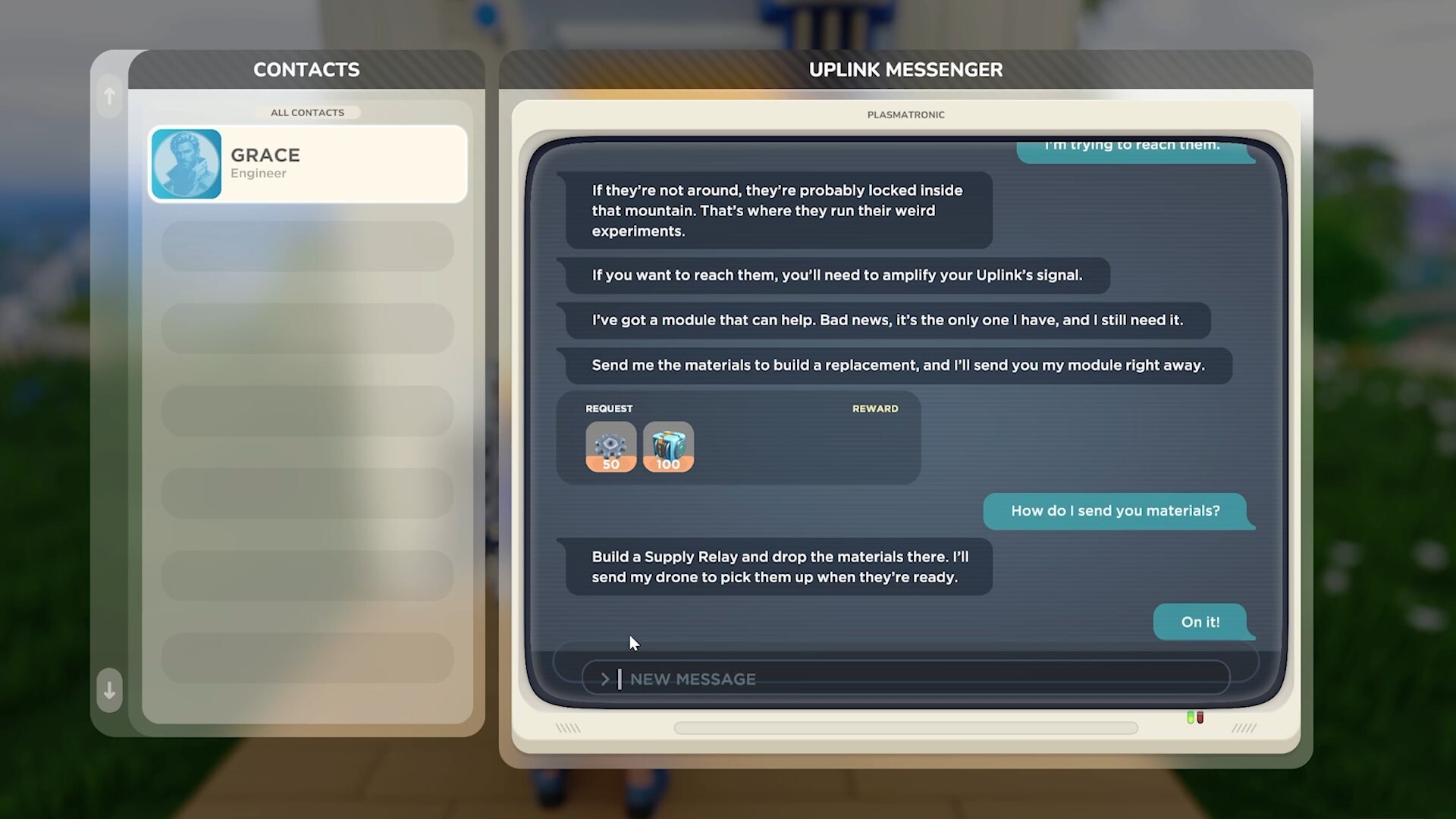
That production line you've been building now has someone waiting for what comes out of it.
The Supply Relay introduces a new reason to plan and expand your operation. Contractor requests arrive through the Uplink messenger, with conversations currently available for Grace. Take on a request, supply the resources, and send them out by drone to earn Bucks and work toward further requests and unlocks. Your next production project can start with a customer asking for something you know how to make.
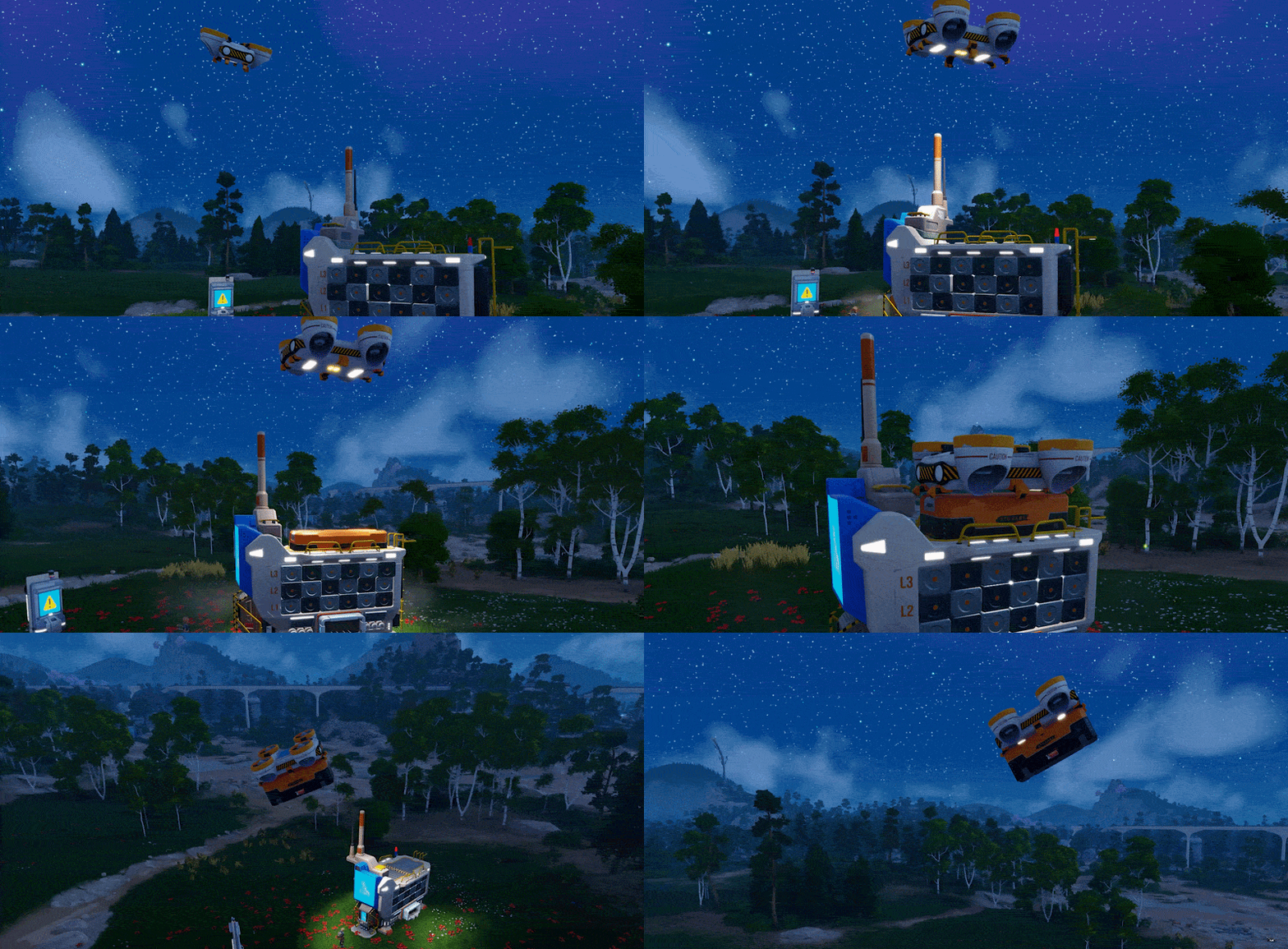 You can begin by carrying materials over yourself. As your operation grows, connect conveyors to the Relay and enable automatic pickups. Then manage the orders, check what's been delivered, and decide what to produce next. The messenger, Relay, drones, and contractor progression all work together to make that process something you can build around.
Of course, contractors have budgets. Apparently we couldn't find anyone willing to buy an unlimited amount of everything. We asked.
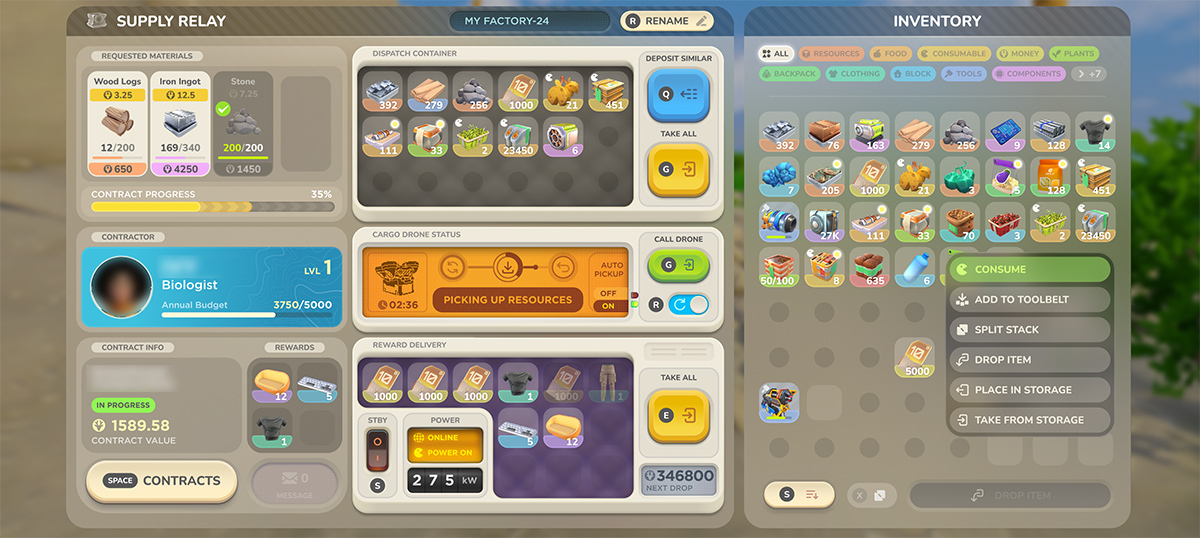
Contracts and progression
Added the Supply Relay for collecting and dispatching requested resources.
Added contractor conversations with Grace through the Uplink messenger.
View requested items and offered rewards directly in contractor messages.
Earn Bucks by supplying requested resources.
Progress through contractor levels to access further requests and rewards.
Complete supply orders to unlock additional buildable items.
The next order becomes available as you complete the current one, with support for repeatable final orders.
Contractor budgets limit how much they can buy.
Added budget warnings to help explain why a contractor cannot accept another delivery.
Relays and drone pickups
Load resources into a Relay manually or connect conveyors to supply it automatically.
Request a drone pickup from the Relay panel.
Enable automatic drone pickups for ongoing orders.
Send available requested resources without needing every requested item type in storage at once.
Assign orders to individual Relays and move an assigned order to another Relay.
Name your Relays to make a larger operation easier to manage.
Resources already fully delivered are no longer included in subsequent drone pickups.
Items reserved for an incoming pickup remain protected from conflicting inventory actions.
Drone requests and automatic pickups respect the Relay's power state.
Improved drone handling to address pickups becoming stuck.
Order information and the Uplink
Added order-progress displays and clear completion indicators.
Added an order history showing the items involved in previous orders.
Added hover information for requested items and rewards.
Improved message scrolling and layouts for longer conversations.
Messages track unread, in-progress, and completed states.
Improved behavior when the Uplink loses power or a required data connection is unavailable.
Fixed Relay displays showing information belonging to a different Relay.
PLASMA CUTTER MULTITOOL
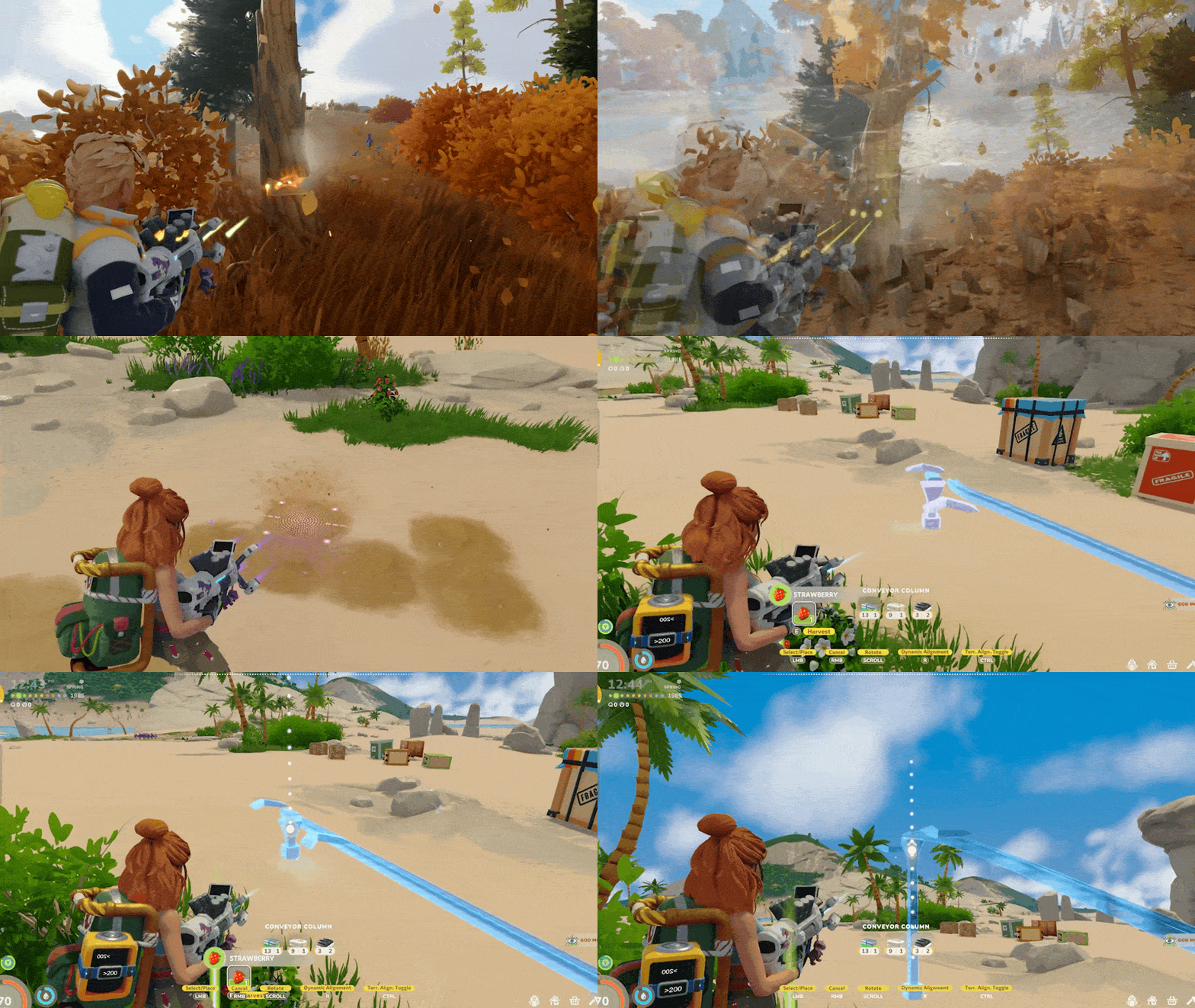
Chop a tree, mine a resource node, lay out a farming plot, then get back to connecting your machines. The Plasma Cutter puts several of those jobs into one tool.
It responds to what you're aiming at, selecting the appropriate function from its available modules. Crafting upgrades expands what it can do, so the tool can take on more of your everyday work as you progress. You still decide what you're building or gathering; you spend less time switching equipment.
We've also worked on how it feels in your hands. Plotting follows the terrain, and heat builds visibly as you use the tool. Put it away and it keeps cooling. Pull it back out when you're ready for the next job.
There's also a dangling dinosaur charm. It contributes absolutely nothing to the explanation above, but we thought you should know.
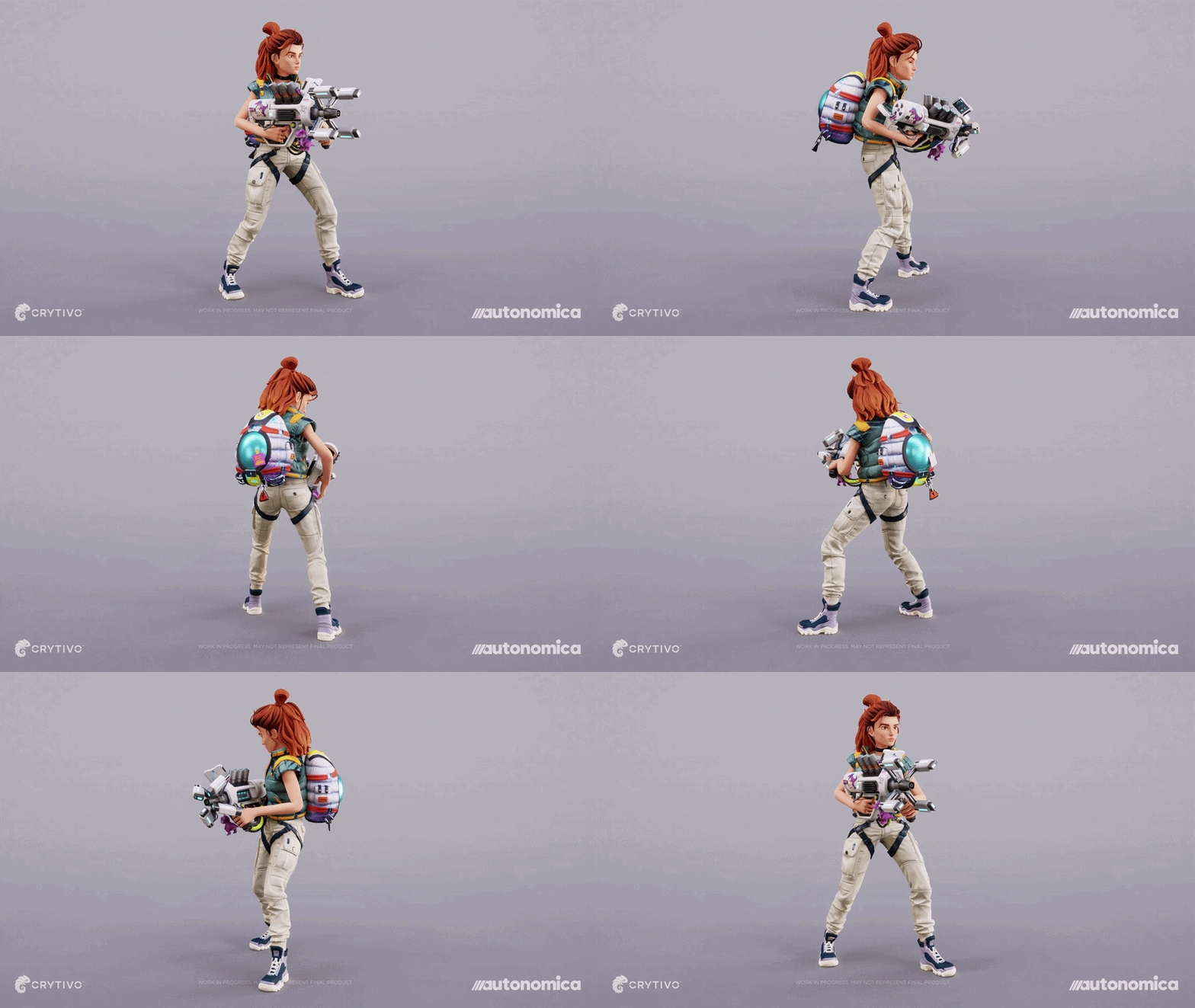
Tools and upgrades
Chop trees and mine resource nodes with the multitool.
Clear suitable rocks and vegetation while gathering resources.
Create farming plots with the plotting module.
Harvest crops with the multitool.
Use available modules for dismantling, wiring, and conveyor placement.
Added craftable multitool upgrades with different module availability.
Higher-tier upgrade recipes use the previous multitool as an ingredient.
Updated the equipment radial menu to include multitools and the Pickhaxe.
Handling and feedback
Added aiming and zoom support for tool use, including plotting and dismantling.
Improved contextual module selection when wiring and conveyor targets overlap.
Improved selection of underground connections with the contextual wiring module.
Plot-placement indicators now follow the terrain's angle.
Fixed farm plots sometimes being placed sideways by the multitool.
Fixed errors when creating a plot immediately after breaking a crate or another breakable object.
The multitool no longer tries to harvest a crop that has already been harvested.
Added visible heat buildup, overheating effects, and related sound feedback.
The multitool continues cooling down while it is unequipped.
Fixed tool lasers sometimes remaining invisible after re-equipping.
Added the dinosaur charm and its movement effects.
FARMING, NEW CROPS & FERTILIZERS
Your farm has a few new decisions waiting for it. Lemons and Honey Mushrooms join the crop selection, more wild crops are out there to find, and fertilizers give you another way to influence what happens between planting and harvest.
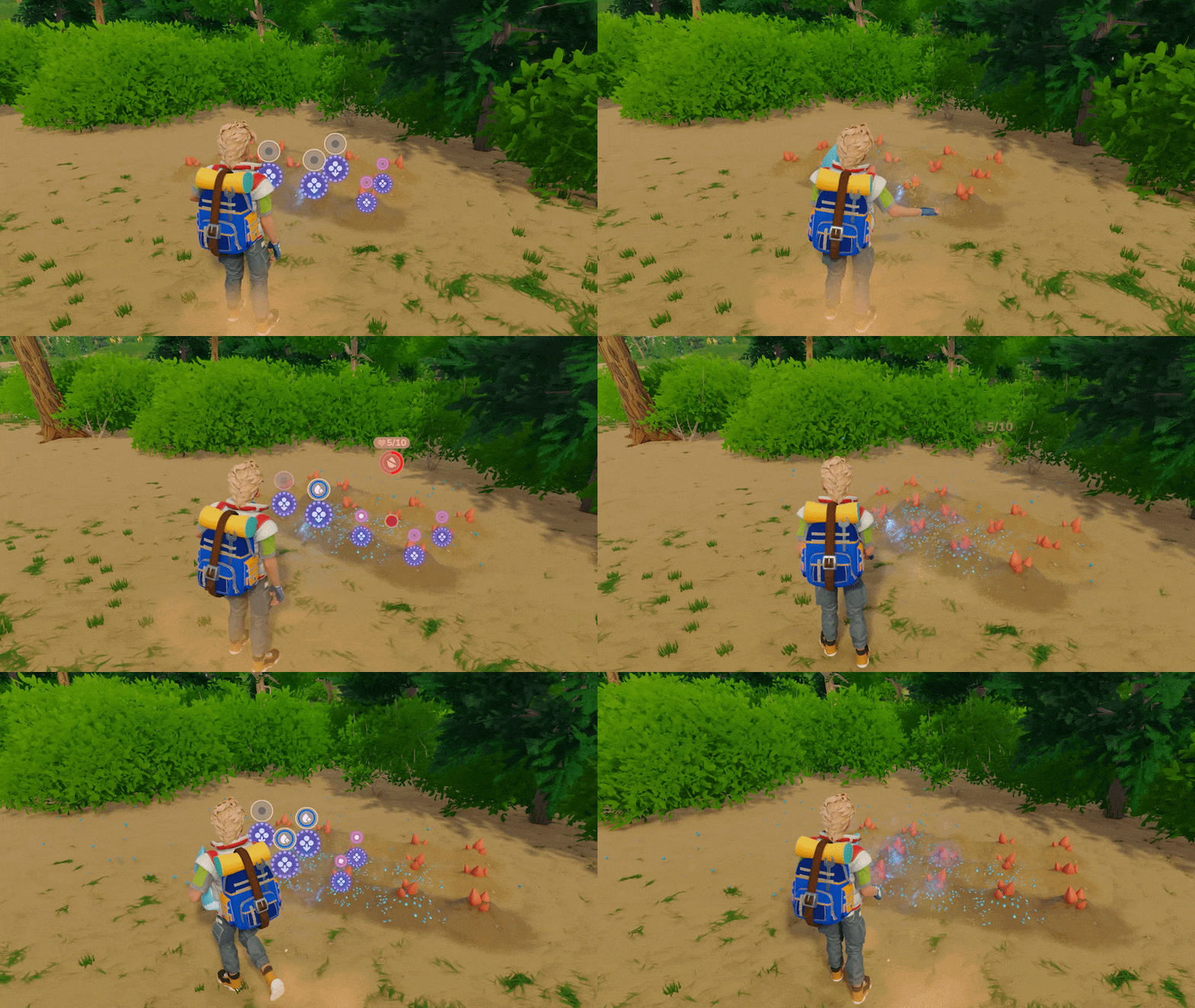
The crop panel brings together what you need to make those decisions: growth and water information, the fertilizers you're carrying, and effects you've already applied. There's even a revival fertilizer for crops that need a second chance. We've also added fertilizer recipes to the Centrifuge, giving chemical production a useful place in your farming routine.
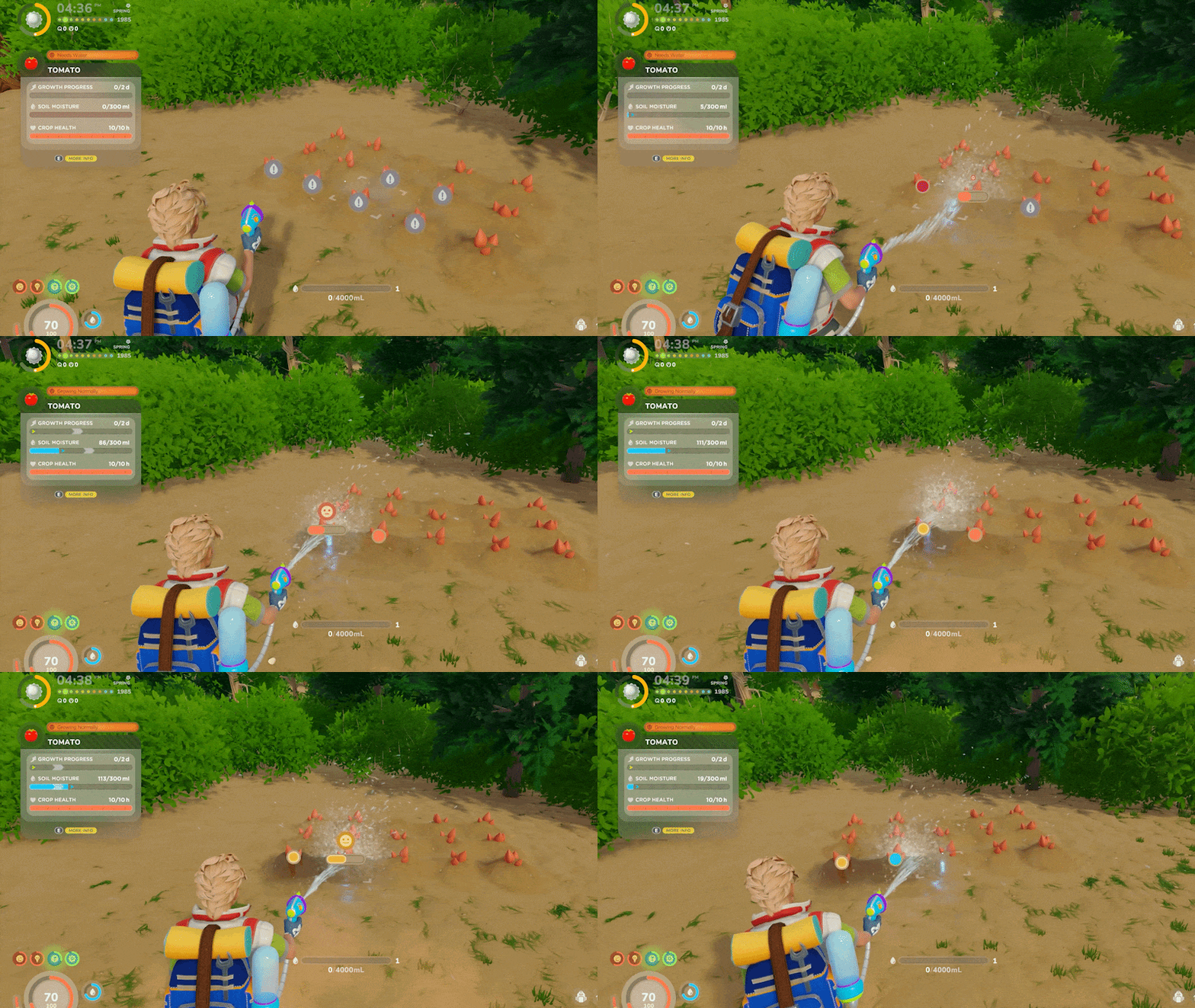 And then there's watering. We've reworked the way it selects a plot so the one you're highlighting actually receives the water. That change comes with work on crop states, planter moisture displays, harvesting, and restoring your farm after loading a save. Your plants can be demanding. The interface should at least tell you what they're demanding.
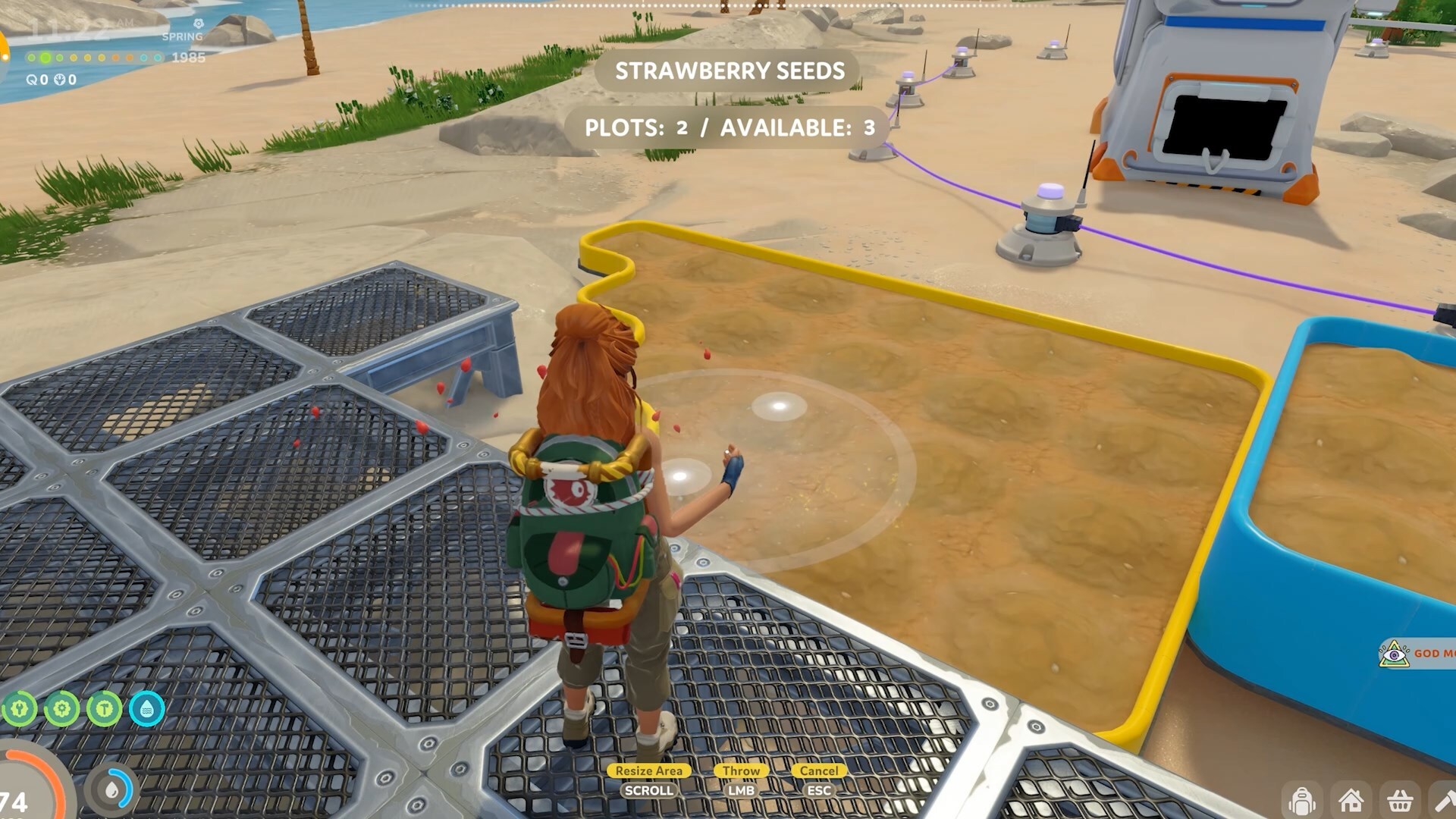
Crops and harvesting
Added lemons to the crop system, with lemon seeds available from the Vending Machine.
Added Honey Mushrooms as crops and wild forage.
Added wild cucumbers and expanded wild-crop placement, including cotton and strawberries.
Rebalanced growth rates and harvest yields for cultivated and wild crops.
Added harvest notifications and clearer information about the items a crop will produce.
Wild-crop interactions now say "Harvest" instead of "Take."
Fixed incorrect crop-loot stack displays and harvest-result calculations.
Fixed errors when harvesting wild crops and cases where harvested crop models stayed visible.
Fertilizers
Introduced fertilizers with different crop effects.
Added a revival fertilizer for bringing crops back to life.
Apply fertilizers through crop interactions and the crop panel.
The crop panel filters your inventory to show available fertilizers.
View fertilizer details and the effects already applied to a crop.
Added application particles and colored plot markings for fertilizers.
Improved fertilizer targeting to account for the area being treated.
Fixed applied fertilizers not refreshing correctly in the interface.
Fixed crop information failing to return after using a revival fertilizer.
Adjusted fertilizer recipes and production times.
Watering and crop information
Reworked plot watering so the highlighted plot receives the water.
Improved the aim and visual trajectory of watering.
Fixed the crop water bar displaying incorrect values when moving quickly between crops.
Added clearer growth-state text and improved crop status displays.
Fixed crops incorrectly showing a dormant state when ready to harvest.
Improved expansion and collapsing of the crop information panel.
Fixed plot water levels restoring incorrectly after loading.
Fixed wild plants regrowing incorrectly after loading a save.
Wild-crop regrowth now follows world time, including time acceleration.
Plots and planters
Improved tree-plot selection when sowing.
Added soil-moisture colors to planter plots.
Fixed moisture coloring when a plot already contains a crop.
Improved planter snapping and shape updates when neighboring pieces are changed or dismantled.
Improved plot-placement checks around floors, other plots, unsuitable terrain, and excessive water depth.
Seed and fertilizer throwing no longer activates when there are no suitable plots.
ELECTRICITY & DATA NETWORKS
As a base grows, a few wires can become a network you need to understand. V3 gives you more ways to build that network and see what it's doing.
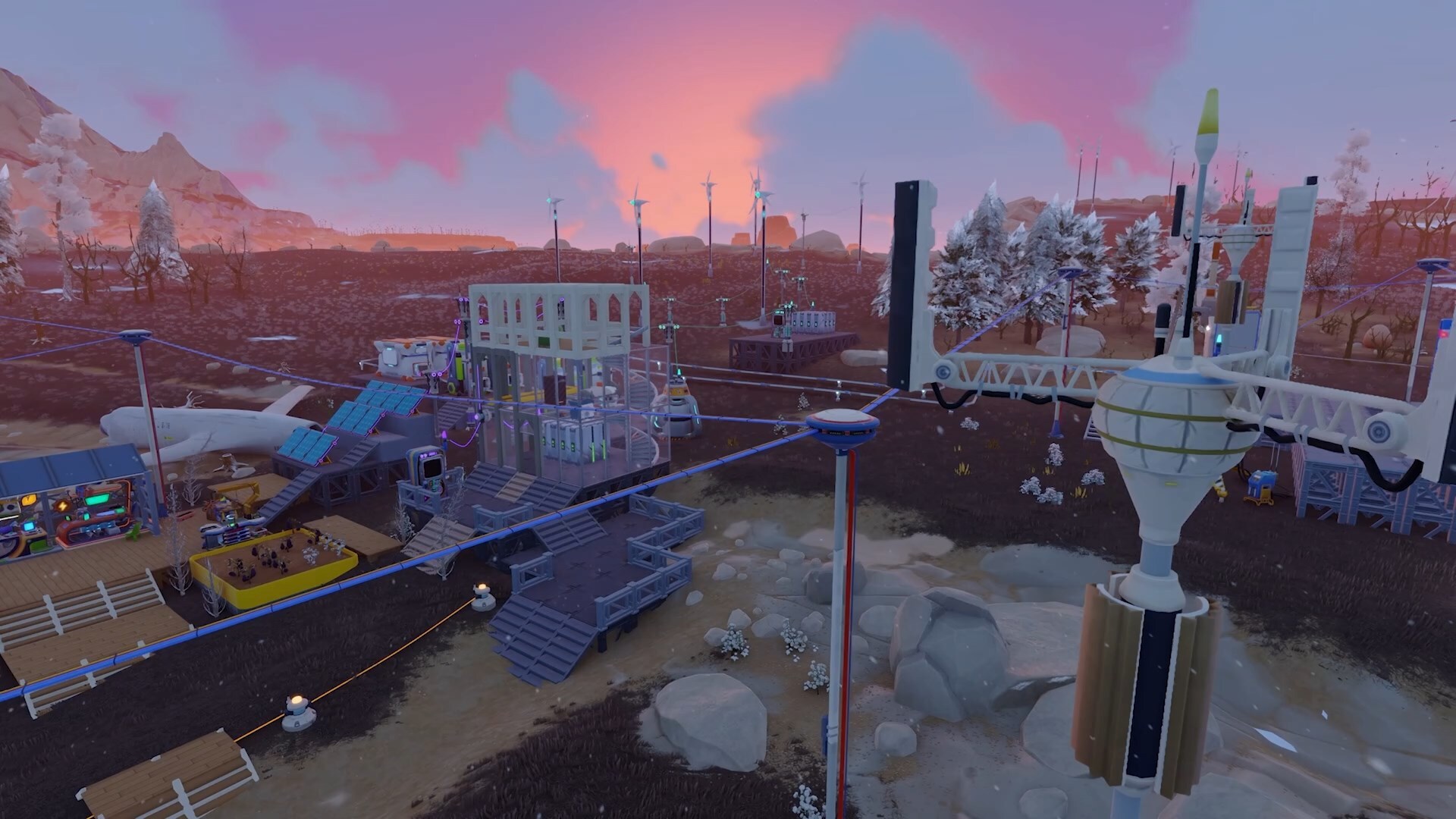
The Energy Grid Terminal brings generation, consumption, connected equipment, and battery information into one place. Give each grid a name, choose its wire colors and glow, and check how it's running as you add more machines. Adjustable poles and underground connections give you more freedom to route everything around your build.
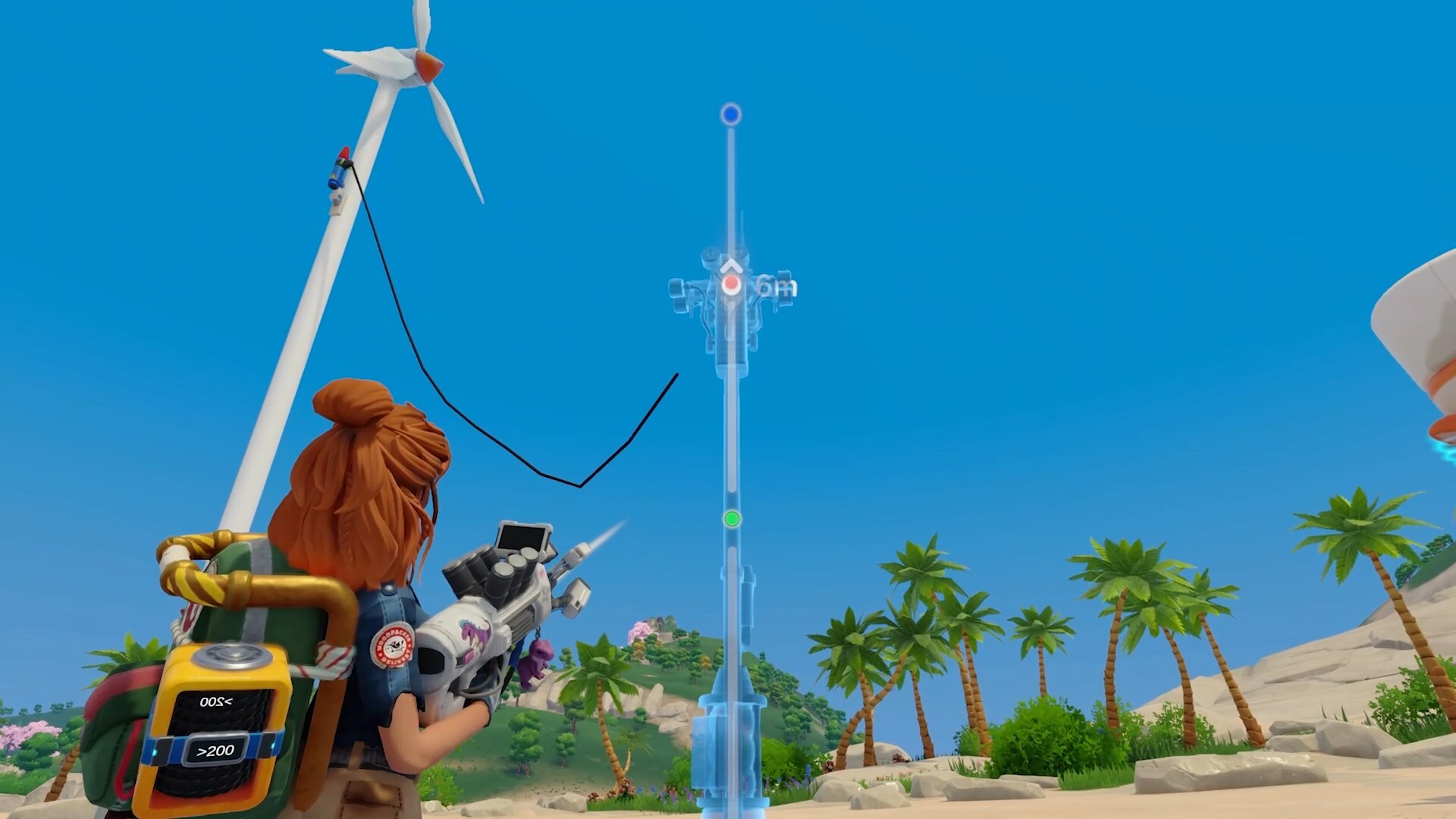
 Generation deserves some planning, too. Solar panels account for the sun's direction and environmental conditions. Wind turbines benefit from elevation, while battery arrays give you more ways to arrange your storage. The placement previews and information panels help you see those choices as you make them.
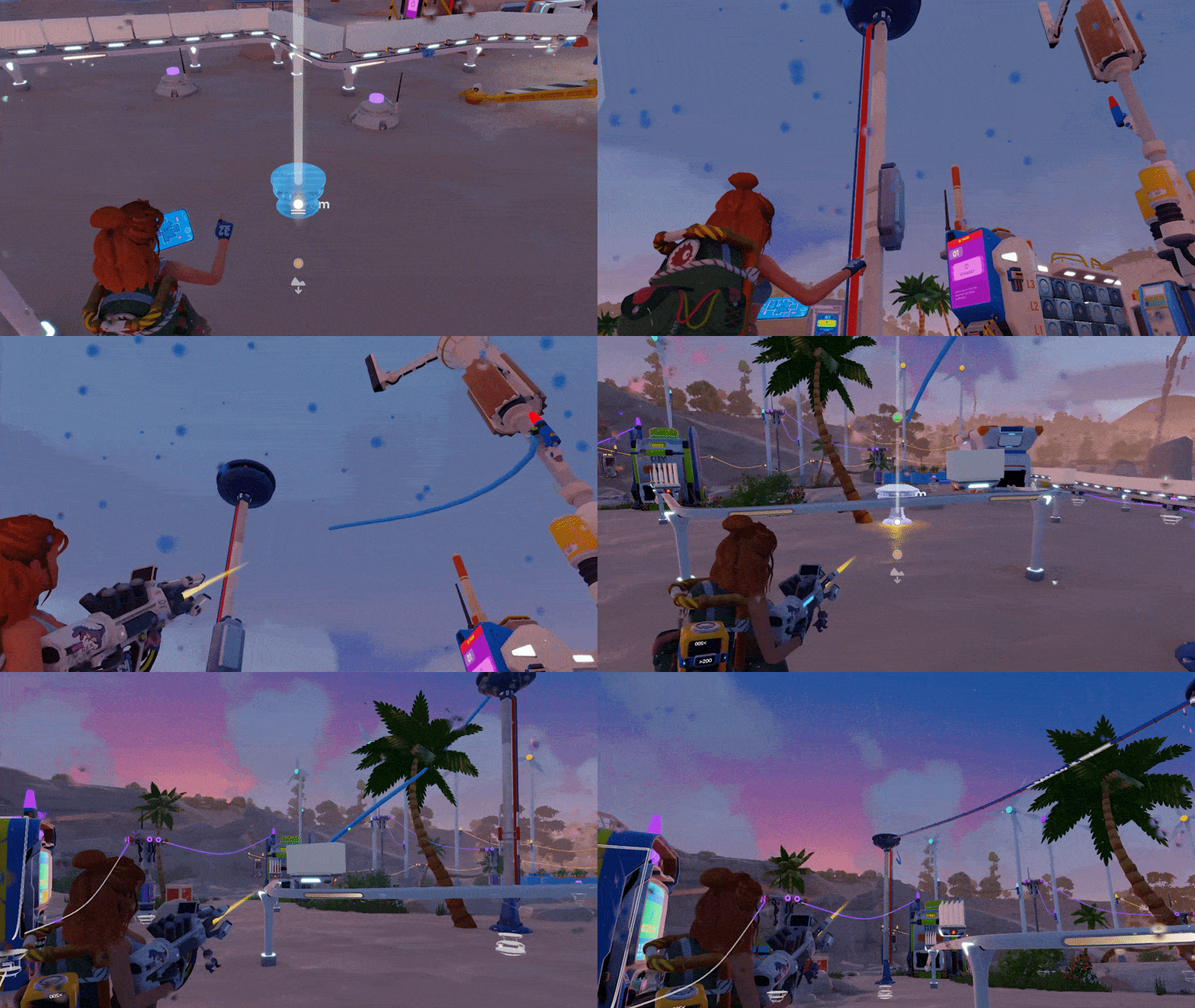
 And when one wire ends up in the wrong place, you can remove that individual connection. We suspect a few of you have been waiting for that sentence.
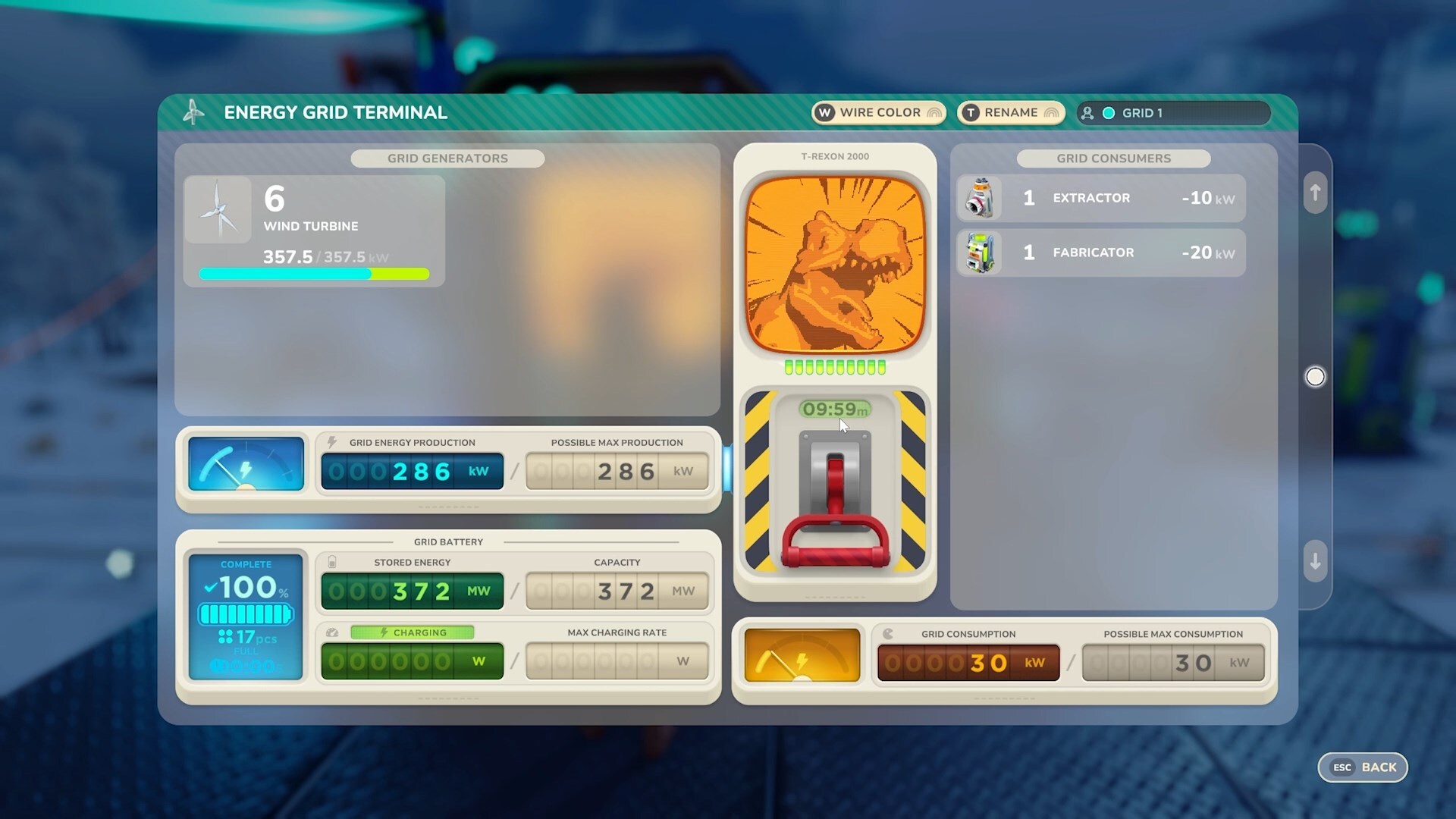
Energy Grid Terminal
Added the Energy Grid Terminal for monitoring electrical networks.
View generation, consumption, and connected equipment from the terminal.
Name individual networks and preserve their names when saving.
Customize network wire colors and glow.
The terminal's battery displays distinguish charging, discharging, and stable states.
Fixed incorrect charging/discharging labels and battery values that did not refresh.
Improved network customization behavior when networks are joined or split.
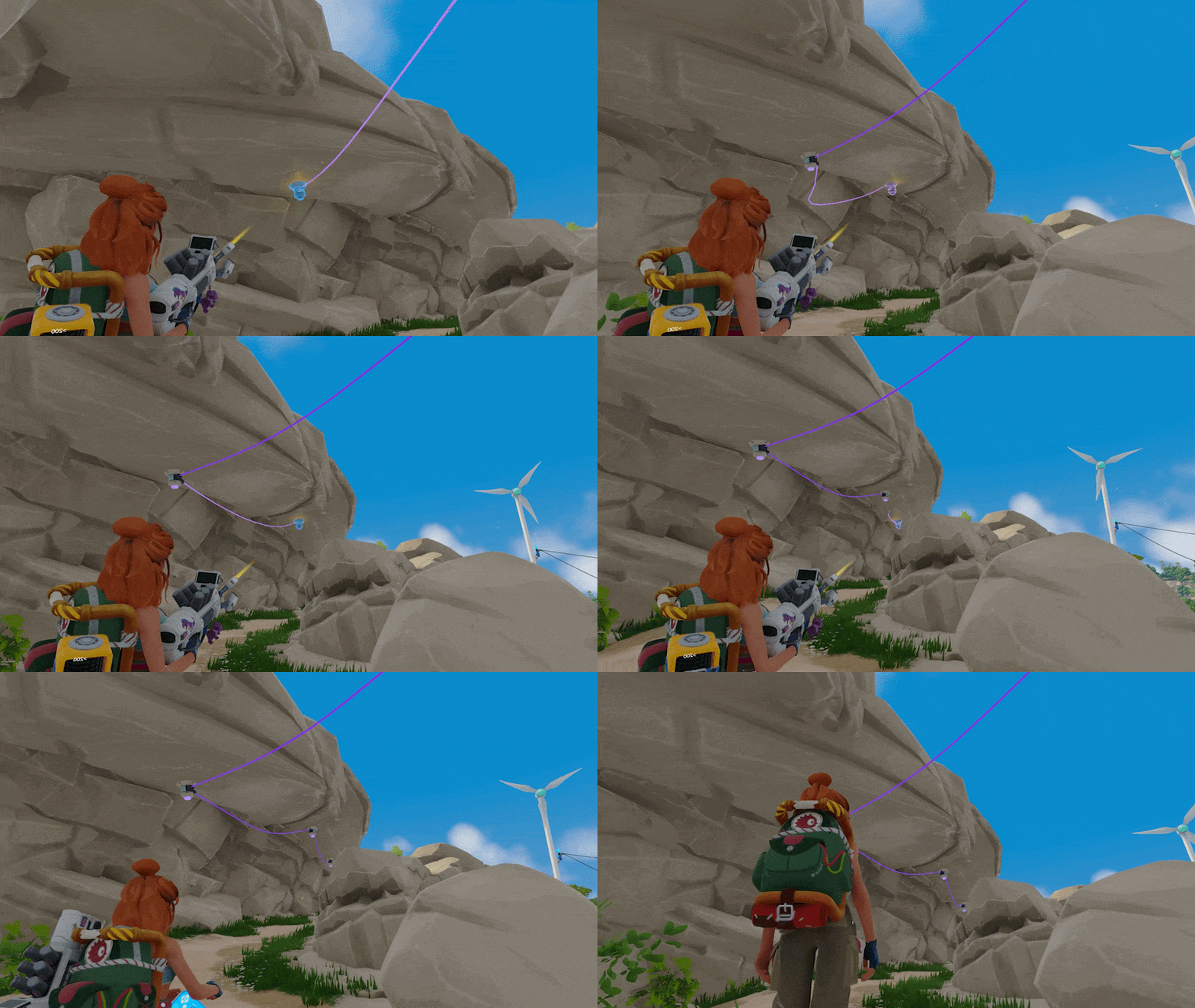
Wiring and poles
Remove individual wires without dismantling the connected equipment.
Recover wire when dismantling a connection.
Adjust pole heights during placement, with height readouts and intermediate snap positions.
Stack poles and use wall-mounted and underground connection options.
See wires behind walls and underground while wiring or dismantling.
Snap additional poles into place while extending a wire.
New poles placed during wiring can inherit the setup of the pole you are extending from.
Added placement warnings when automatic connections would remove or relocate existing wires.
Improved automatic reconnection when equipment is added to or removed from an array.
Reassigned connections respect maximum wire length and available connection points.
Improved connection highlighting and reduced accidental selection of unsuitable network types.
Fixed invalid underground placement when stacking poles.
Solar panels
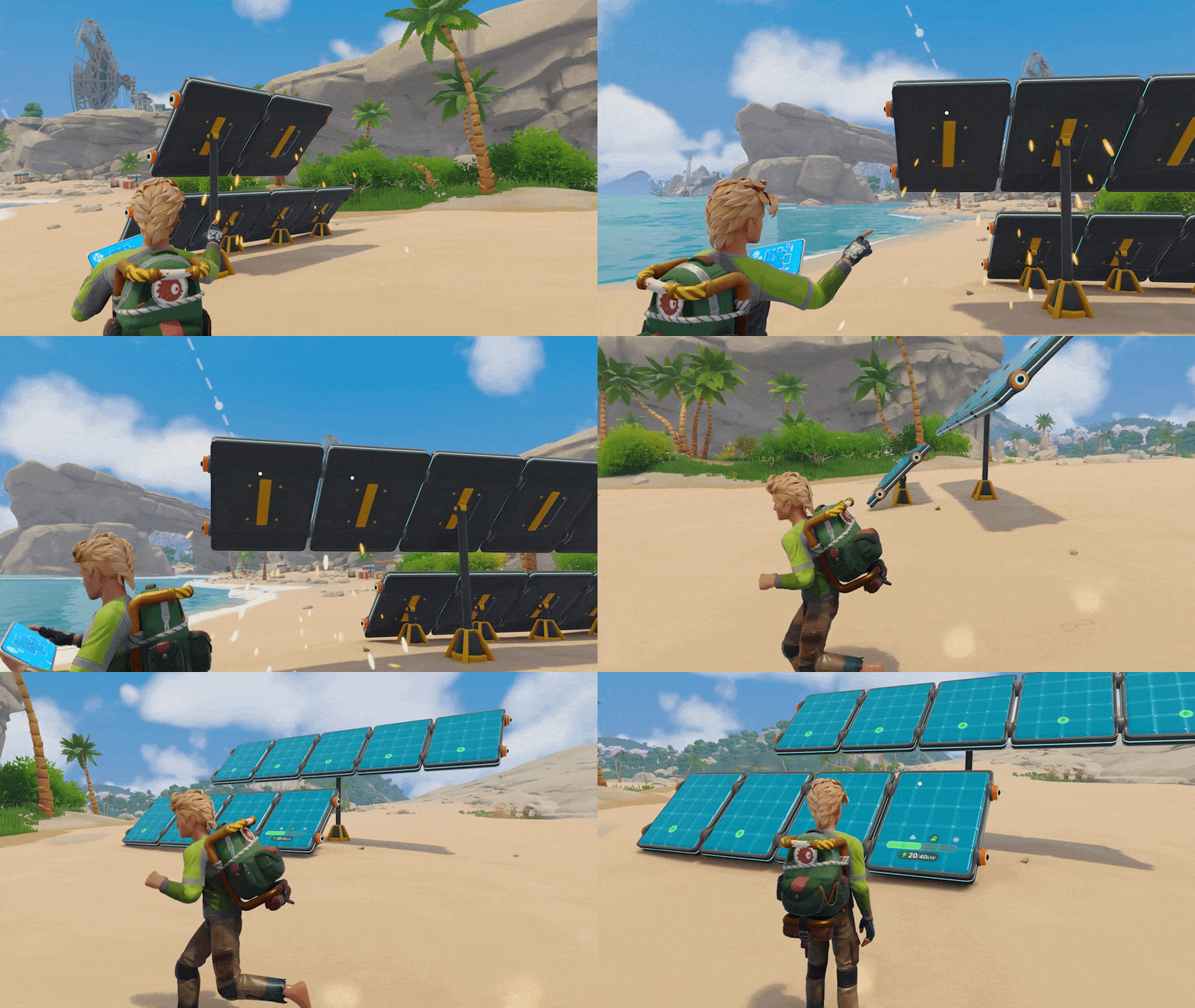
Solar generation accounts for the direction of the sun.
Environmental conditions, including fog, affect panel generation.
Added sun and moon trajectory previews while placing panels.
Expanded panel height options and improved adjacent snapping.
Improved wall placement and automatic panel orientation.
Fixed connection points on medium and tall panels.
Improved current-output, potential-output, and efficiency information.
Improved generator-array bonus calculations.
Wind turbines and batteries
Wind turbines receive an elevation-based generation bonus.
Placement feedback now shows elevation-related information for turbines.
Adjust turbine wire-connection height using selectable connection points.
Turbines can be placed on foundations and suitable rocks.
Fixed turbine foundations extending through overhanging rocks to the ground below.
Connect batteries into arrays, with vertical snapping and rotation in 90-degree steps.
Battery arrays gain increased charging capability as the array grows.
Indicators on the batteries themselves change color when charging, discharging, or holding steady.
Battery panels show remaining charging or discharging time.
Improved wiring access for disconnected battery arrays and hiding of unused connection poles.
Data connections
Added Data Receivers for equipment that requires a data connection.
Added data poles and data cables alongside the electrical wiring system.
Equipment can have separate electrical and data connections.
Added data-consumption information to network displays.
Fixed incorrect requirement displays on machines that do not need electricity or data.
CHARACTERS, CLOTHING & SURVIVAL
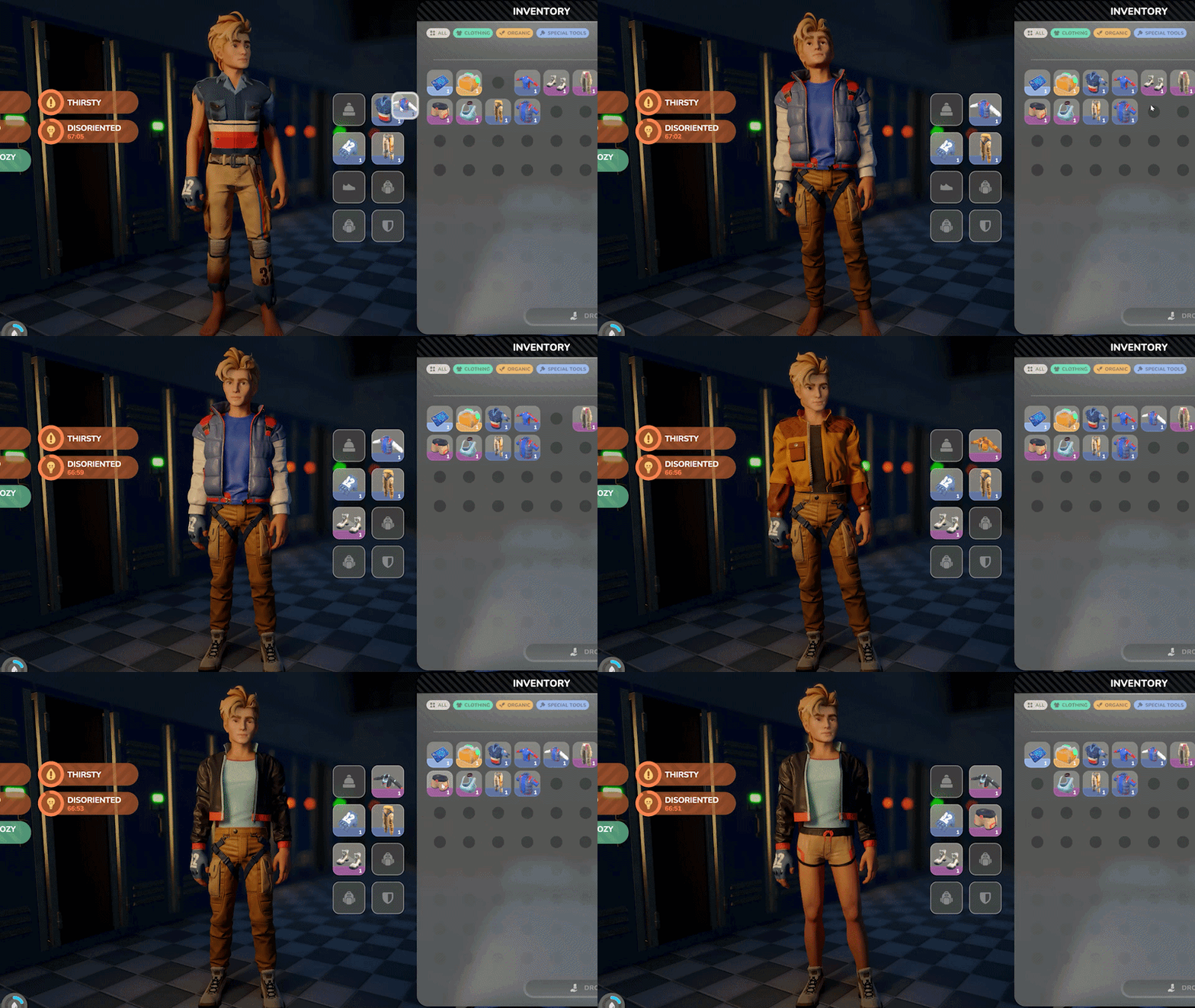
Find an outfit, bring it home, and change into it. Clothing is becoming something you collect and wear, with inventory slots, shortcuts, and lockers to help look after your wardrobe.
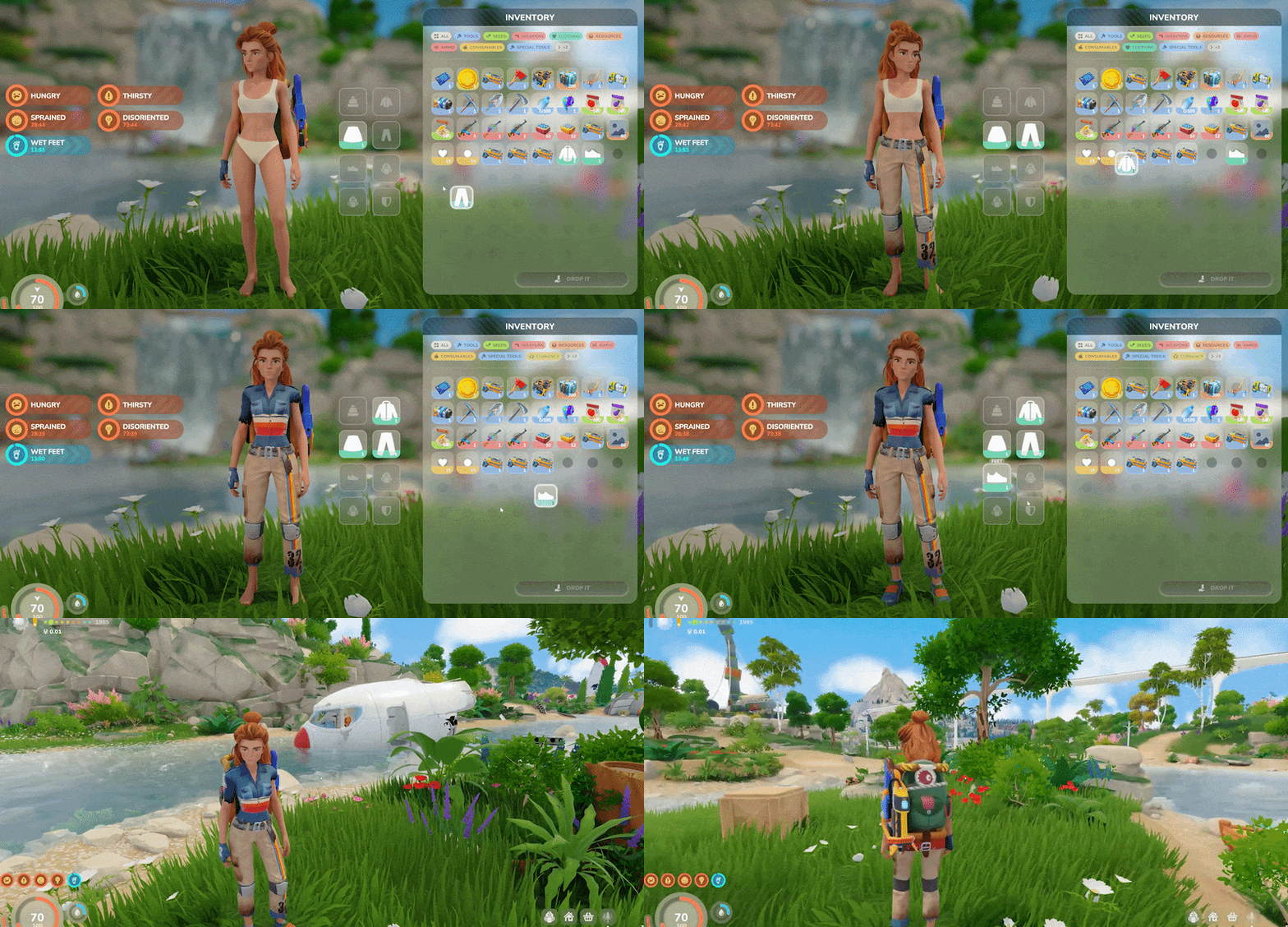 That arrives alongside updated playable characters and work on the way they move through the world. We've adjusted jumping, stairs, camera movement, and the less dignified business of falling over and getting back up. There are also changes to resting, respawning, and finding your dropped belongings after things go wrong.
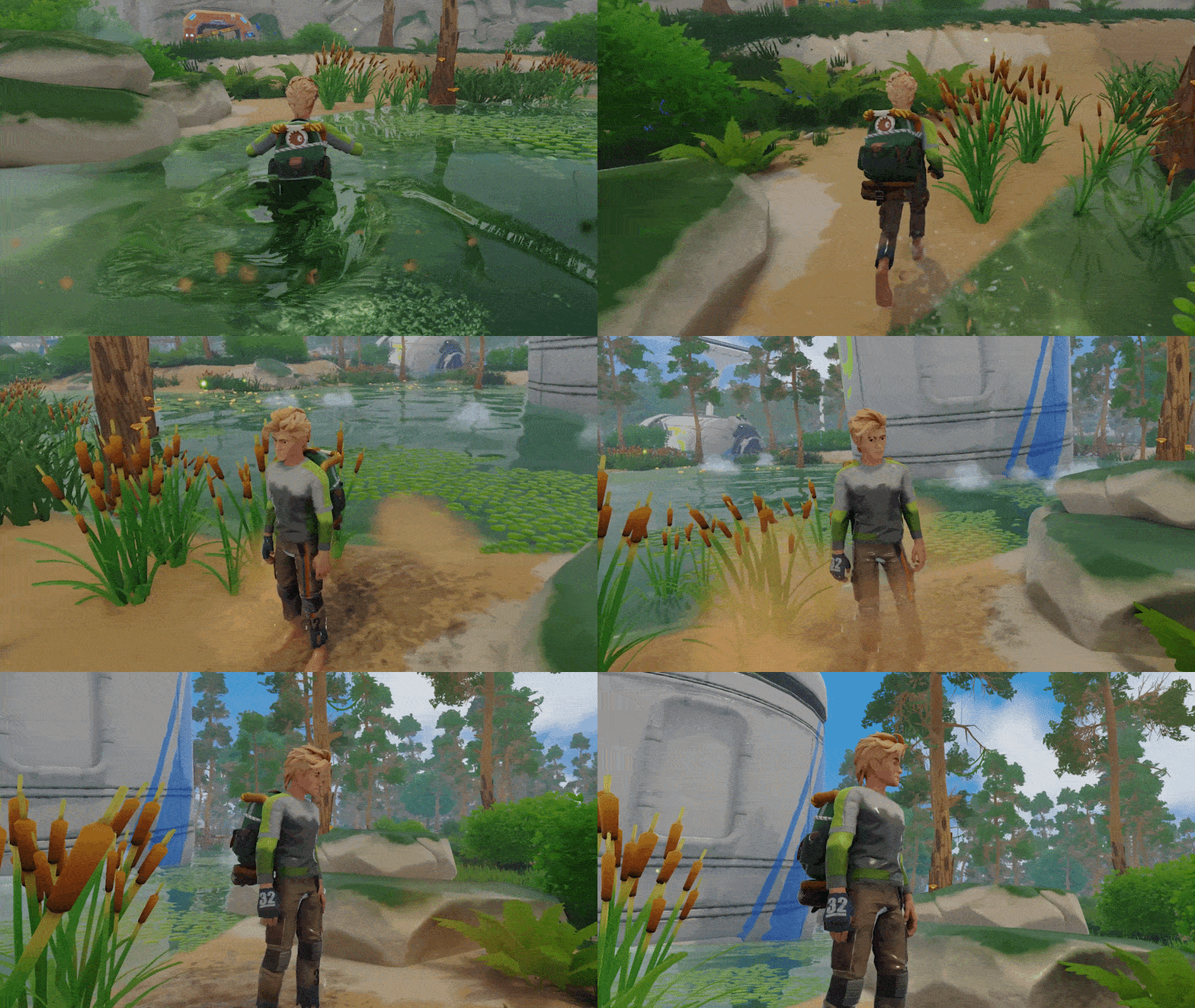
Survival balance has had a pass of its own. Hunger, thirst, and fatigue build more slowly in the situations described below, while starvation and dehydration have clearer consequences. We've revised several status effects and corrected excessive buff stacking. The aim is to give everyday needs room in your plans while making it easier to understand why your character feels the way they do.
Characters and clothing
Updated playable character models and their animation setup.
Added clothing as lootable, equippable inventory items.
Added clothing slots and clothing lockers.
Equip clothing through inventory shortcuts and context-menu actions.
Added an unequip action and improved clothing removal.
Improved clothing compatibility between male and female characters.
Fixed underwear and clothing clipping, including layers not hiding when other clothing was equipped.
Fixed clothing state not saving correctly.
Fixed errors when moving clothing into lockers.
Movement and physical reactions
Adjusted jumping momentum and fixed incorrect jumping and landing poses.
Improved grounding when walking across stair seams and edges.
Reworked clumsiness and reduced excessive tripping on stairs.
Improved ragdoll smoothing to reduce jitter.
Improved collision handling during falls to reduce unstable movement and falling through the ground.
Improved camera behavior in tight interiors and when moving away from walls.
Reduced camera wobble when entering or leaving sprint.
Survival and status effects
Reduced fatigue accumulation.
Reduced hunger and thirst drain across idle, walking, jogging, and sprinting states.
Starvation and dehydration now interrupt health regeneration and cause health loss.
Starvation and dehydration can combine, increasing the consequences of neglecting both needs.
Updated the stamina and fatigue effects associated with starvation and dehydration.
Adjusted Craving, Wet Feet, Soaked, and Well Rested effects and durations.
Fixed Inspiring effects applying their stamina-regeneration bonus incorrectly.
Fixed positive buff stacking granting excessive stamina benefits.
Corrected stamina drain and regeneration calculations.
Fixed buff triggers failing to reset correctly after death and respawning.
Resting, respawning, and recovery
Updated bed resting-time balance.
Added respawning at the closest bed.
Expanded the death screen with tombstone information and selection.
Tombstones now persist and no longer disappear through a timeout.
Improved tombstone placement so it uses positions the player has actually visited.
Improved ragdoll-camera recovery during respawning, including cases where the camera could go underground.
FUBAR: OPENING THE STUBBORN STUFF
Some things in the world aren't interested in opening politely. That's where the FuBar comes in.
Take it with you while exploring and look for suitable doors, containers, and equipment to breach. The interaction asks you to follow a sequence of directional inputs, with prompts and feedback as you work. It's another way to get involved with the objects you find, including during your visit to the BioLab.
Once you have the tool, interacting with a suitable target equips it for you. Successful breaches change the object's state, and that progress stays with your save.
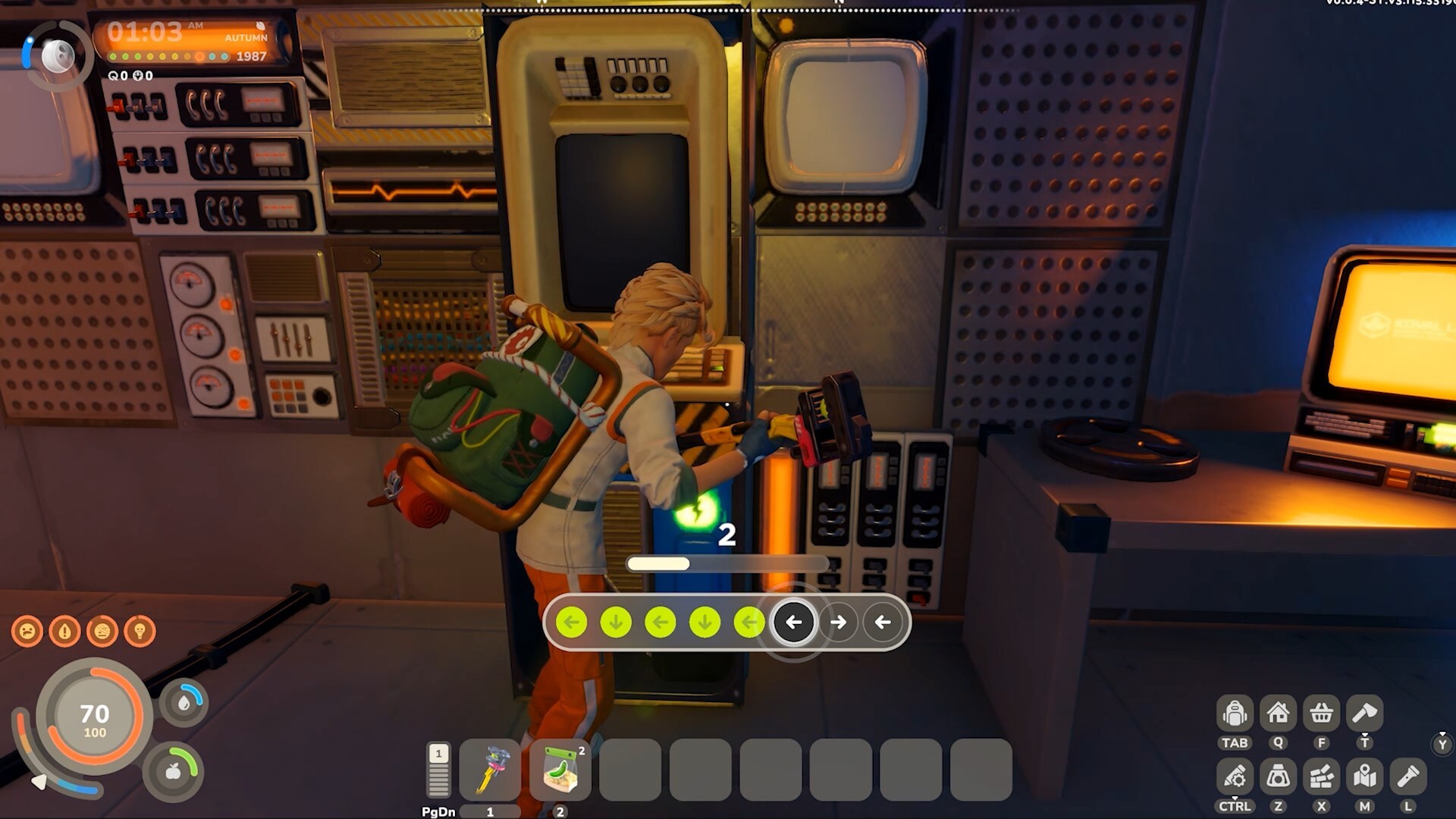
Added the FuBar tool and breaching minigame.
Added breachable containers, doors, and equipment around the world.
The FuBar equips automatically when you interact with a suitable object while carrying it.
Added a clear "Requires FuBar" prompt when you do not have the tool.
Added directional input indicators and feedback throughout the interaction.
Breached objects change their appearance to reflect their state.
Breached objects retain their state when saving and loading.
Improved the transition back to character movement after breaching.
Adjusted the breaching minigame's balance and interaction sequences.
THE CENTRIFUGE
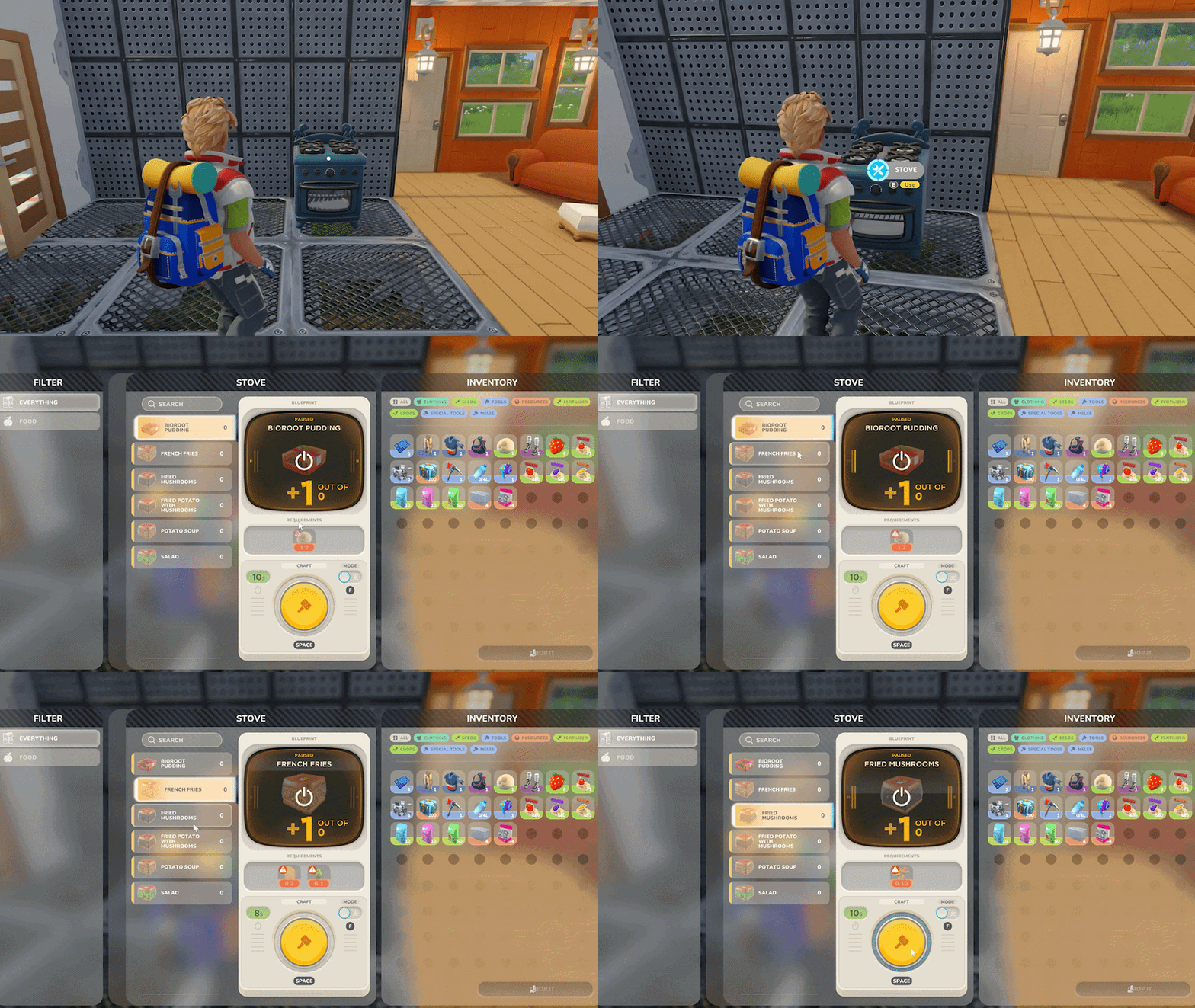
Your farm and your workshop now have another reason to share a production area. The Centrifuge processes liquids and chemical ingredients, with recipes that include fertilizers for your crops.
Load the required ingredients, check the liquid quantities, and set a recipe running. The station supports continuous crafting, shows its progress through its own interface and world display, and stops when the output is full. It also remembers your last recipe, so returning to the machine is a little easier.
Filters, acid, and nutrient slurry join the ingredient selection, alongside changes to several related recipes. It's a new set of things to produce and put to use across your growing operation.
Added the Centrifuge station with its own crafting interface and world display.
Added liquid-processing ingredients, including filters, acid, and nutrient slurry.
Added fertilizer recipes to the Centrifuge.
Recipe requirements use the amount of liquid in a container, rather than simply counting bottles.
Added a water-requirement bar and an indicator when the requirement is met.
Added continuous crafting and manual recipe cancellation.
Production stops when the output container is full.
Manually turning off the Centrifuge cancels the active craft.
Items being used by an active craft are protected from conflicting transfers.
The Centrifuge remembers its last selected recipe.
Fixed water bottles displaying as empty in the Centrifuge interface.
Fixed incorrect start-button states and panel refreshes after loading.
Added distinct sounds for crafting completion and power interruption.
CONVEYORS, MACHINES & CRAFTING
There's a satisfying moment when a production line connects and the resources start moving. V3 gives you more control over getting to that point, then more information to work with once the machines are running.
Conveyor Junctions handle merging and splitting, continuous placement lets you build through them, and better alignment and connection feedback help when the layout gets busy. We've also updated machine snap points and the displays you use to check production and power.
Crafting gets attention throughout the process: selecting a recipe, moving its ingredients, starting the job, and coming back for another batch. The long list below includes changes to each of those steps, plus Magnetite extraction and updates to several manufacturing recipes.
Conveyor building
Added Conveyor Junction functionality for merging and splitting lines.
Continue placing a conveyor line through junctions as well as support columns.
Improved selection of conveyor connection points.
The conveyor placement display shows how many compatible input or output connections are available.
Machines with no available conveyor connections are skipped when dragging a new connection.
Improved horizontal alignment and snapped rotation against existing conveyor lines.
Added block-variant switching during conveyor placement.
Invalid conveyor previews now turn red without abruptly stopping the preview at maximum distance.
Fixed cases where a new conveyor line could not be started.
Fixed multitool placement unexpectedly leaving continuous-conveyor mode after a column or junction.
Improved item rotation as resources travel along conveyor lines.
Fixed conveyor items not appearing correctly on inactive lines after loading.
Machines and production information
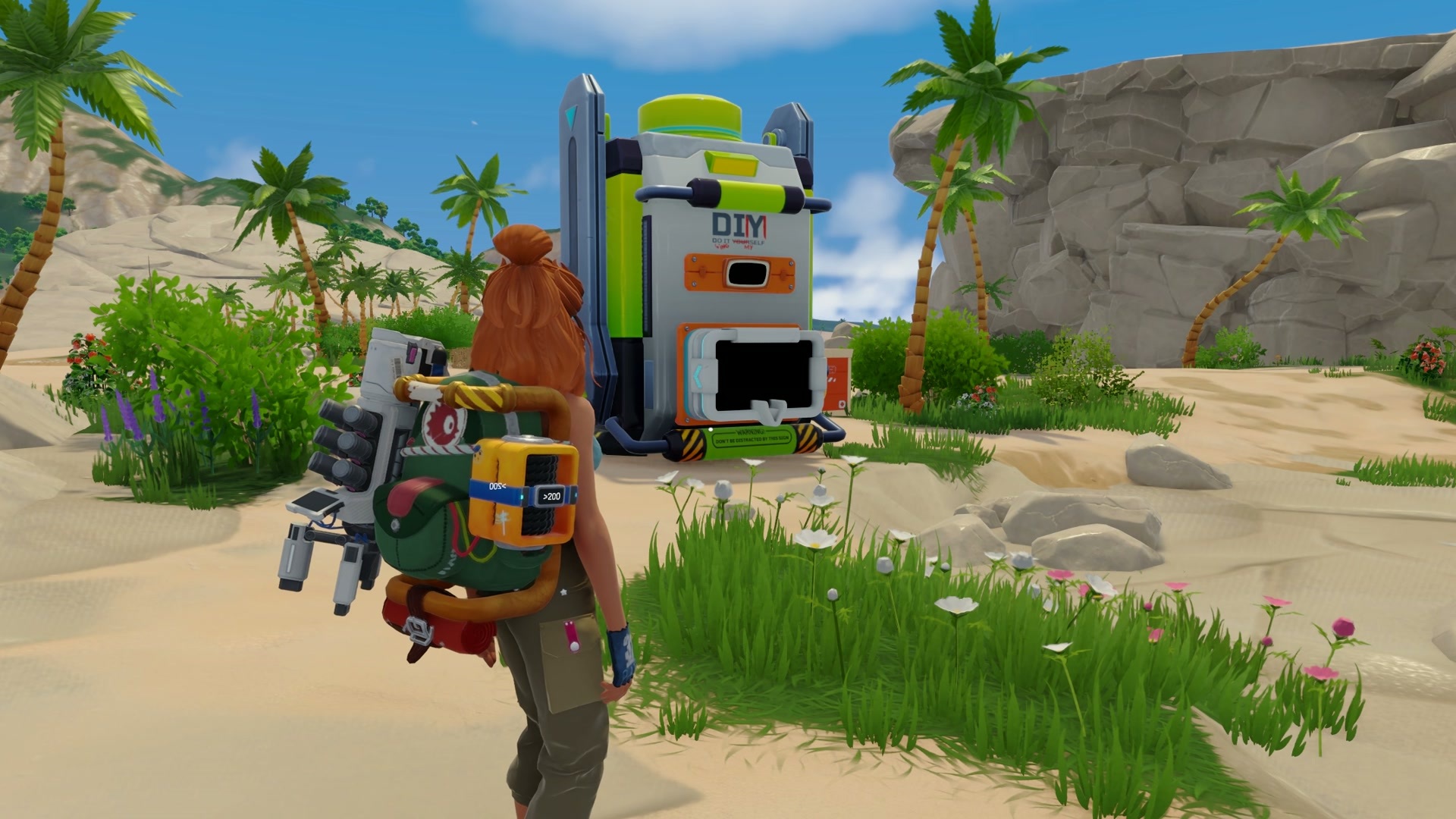
Renamed the Miner to the Extractor.
The Extractor can now mine Magnetite ore.
Added production information to Extractor and Smelter panels.
Added clearer power-state displays to the Extractor, Smelter, and Centrifuge.
Extractor containers can use colors associated with the resource being extracted.
Improved interaction areas and connection selection around machines.
Improved Fabricator snap points and updated conveyor connections on Mixers and Assemblers.
Fixed conveyor items visibly clipping through the interiors of Fabricators and Assemblers.
Removed the electricity requirement from the Invention Station.
Crafting and recipe browsing
Crafting lists now refresh when the contents of your inventory change.
Recipe panels remember the last selected recipe and retain the page after crafting where appropriate.
Added a warning when changing a recipe would require more inventory space than you have available.
Fixed locked recipes appearing in machine recipe selection.
Fixed machines showing stale recipes when no recipes are available.
Fixed the crafting display failing to reset after producing a one-time item.
Fixed the resource button in blueprint panels not responding.
Fixed back buttons and dismissal of warning popups in machine panels.
Added a shortcut for the craft button and updated the crafting panel's lock-mode shortcut.
Updated recipes for items including Electrolyte, Salt, Power Cells, and Power Banks.
BUILDING & MAKING YOURSELF AT HOME
Your base has to hold a lot: somewhere to sleep, somewhere to grow, and an increasingly ambitious collection of machines. It should also feel like somewhere you chose to live.
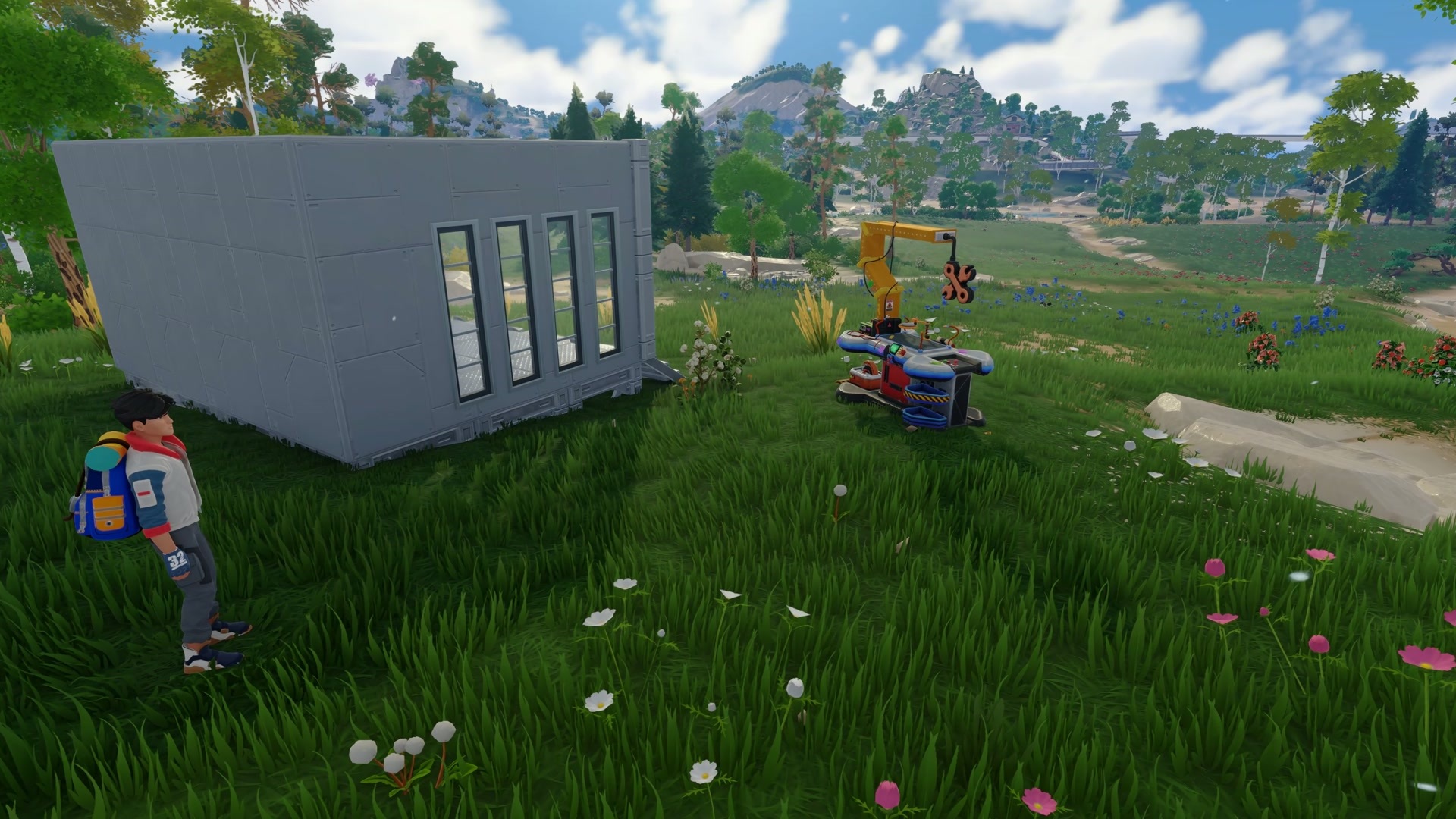
We've expanded the metal construction set, added curtains and wooden-block customization presets, and updated building pieces across several sets. Alongside those options are improvements to snapping, placement previews, purchase information, and finding things in the menus. Put together a workshop, make room for the new equipment, and leave yourself a comfortable place to come back to after the lab.
Metal construction pieces
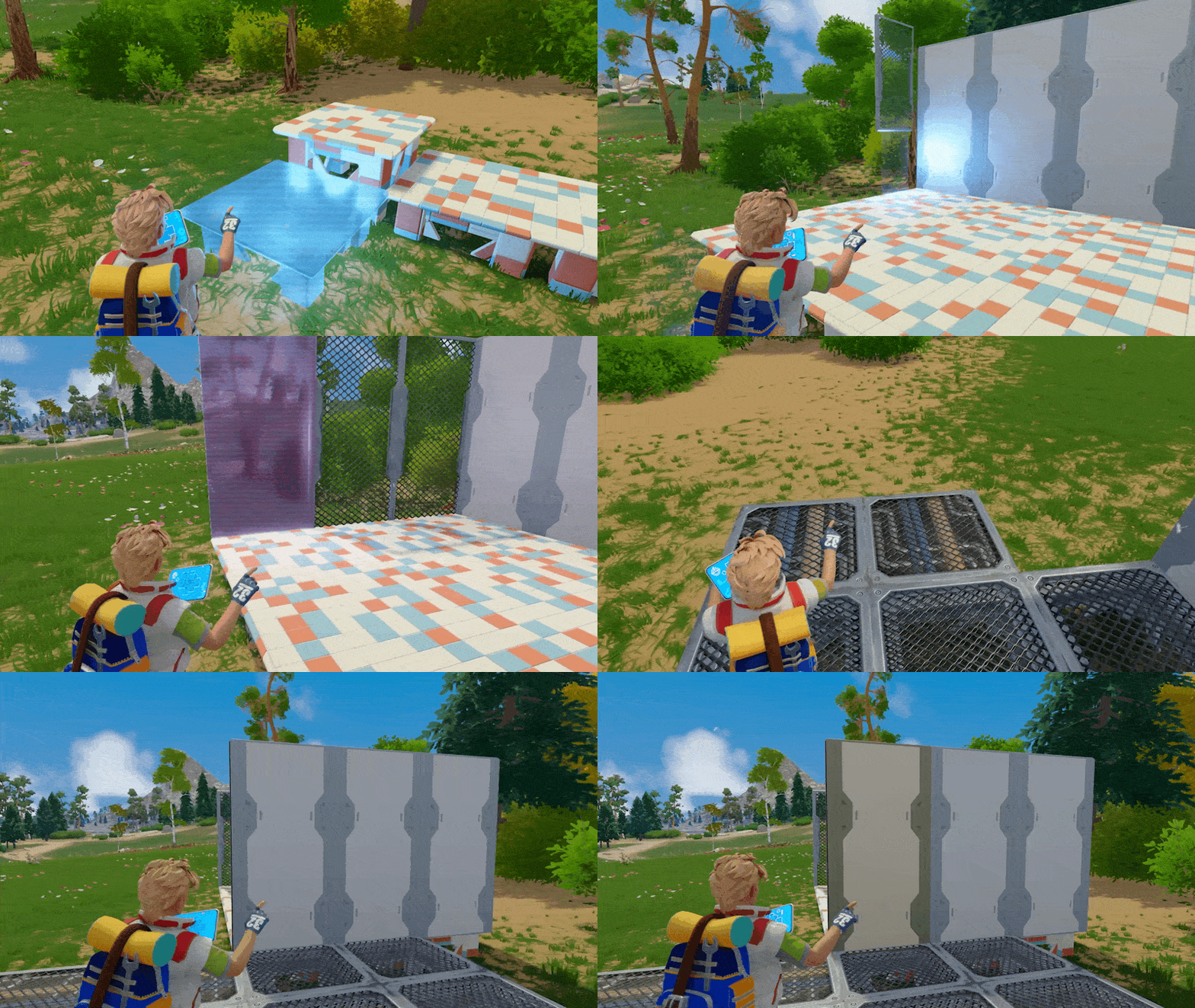
Foundations, floors, and wall panels for an industrial build. Expand below to see the floor and wall variants.
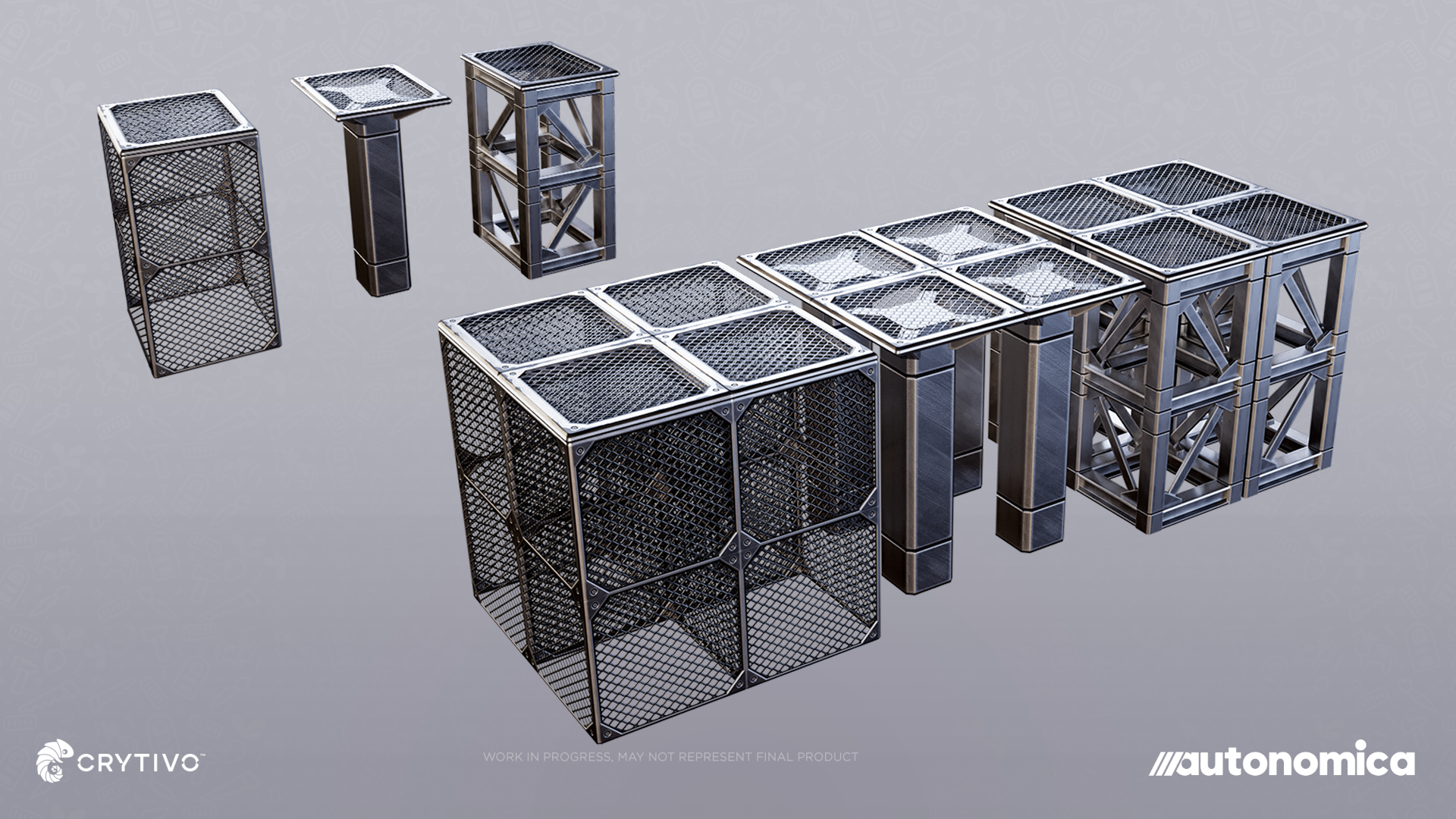
Metal grid foundations
Show details
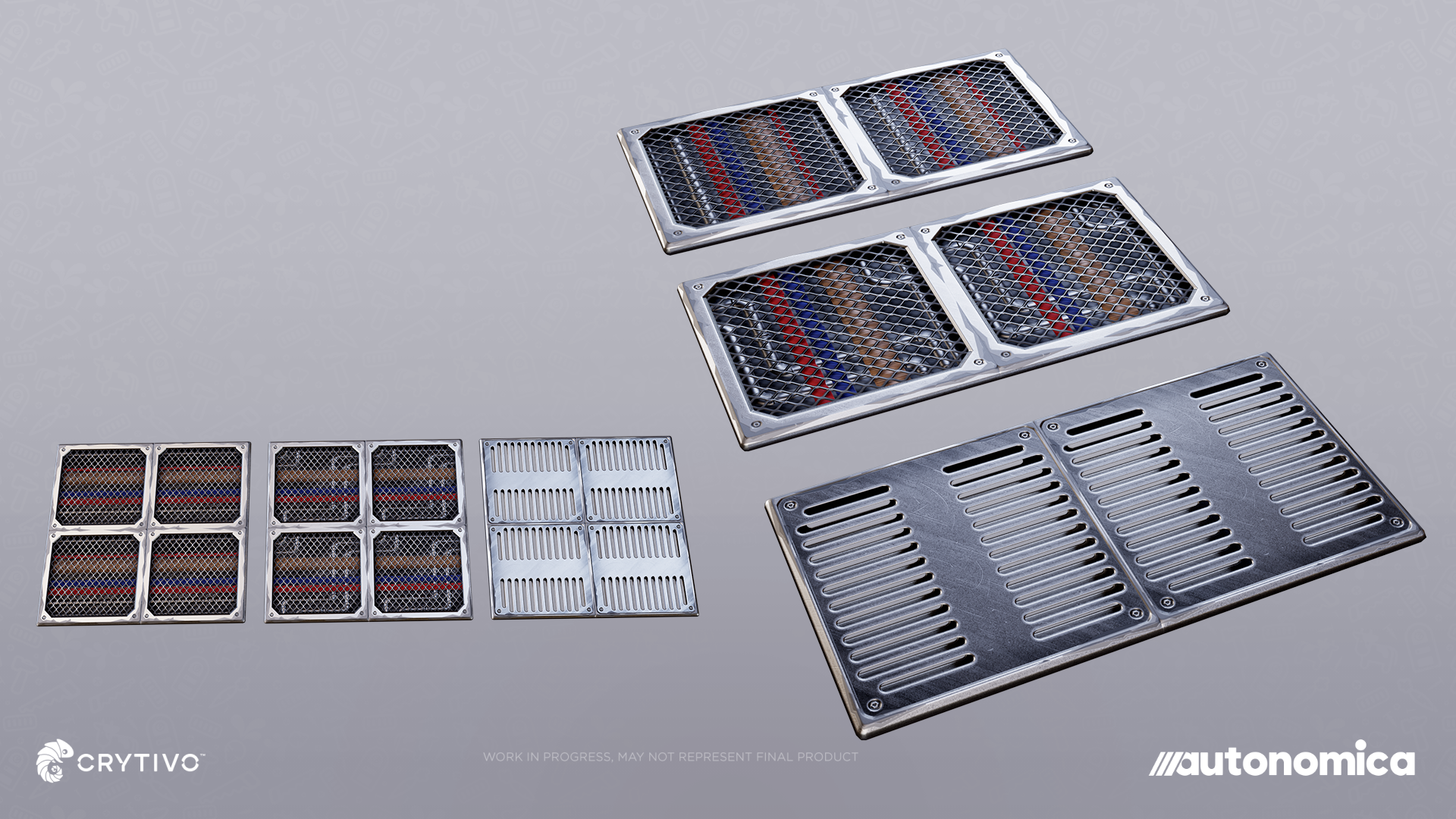
Metal grid floors
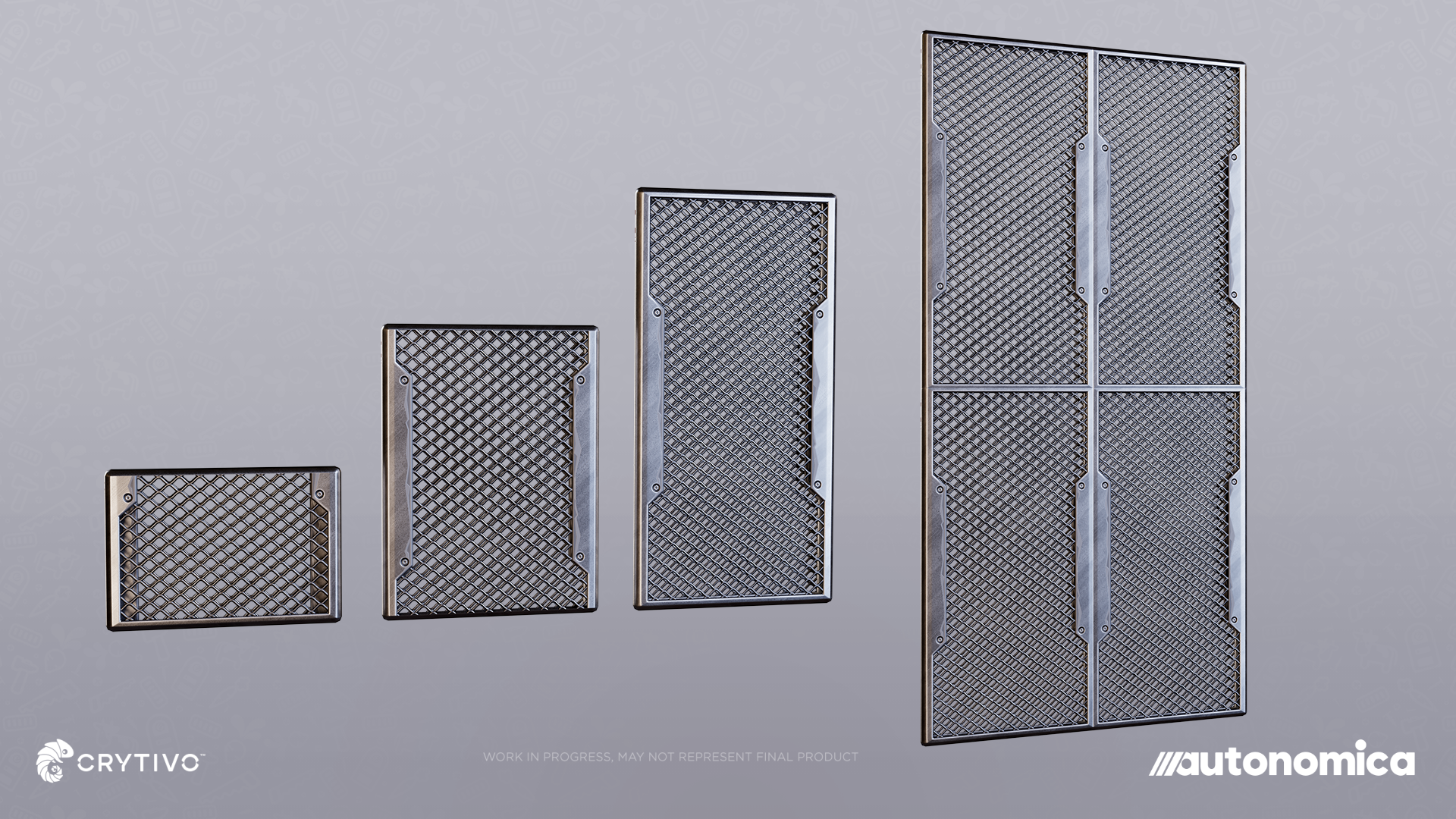
Open metal grid walls
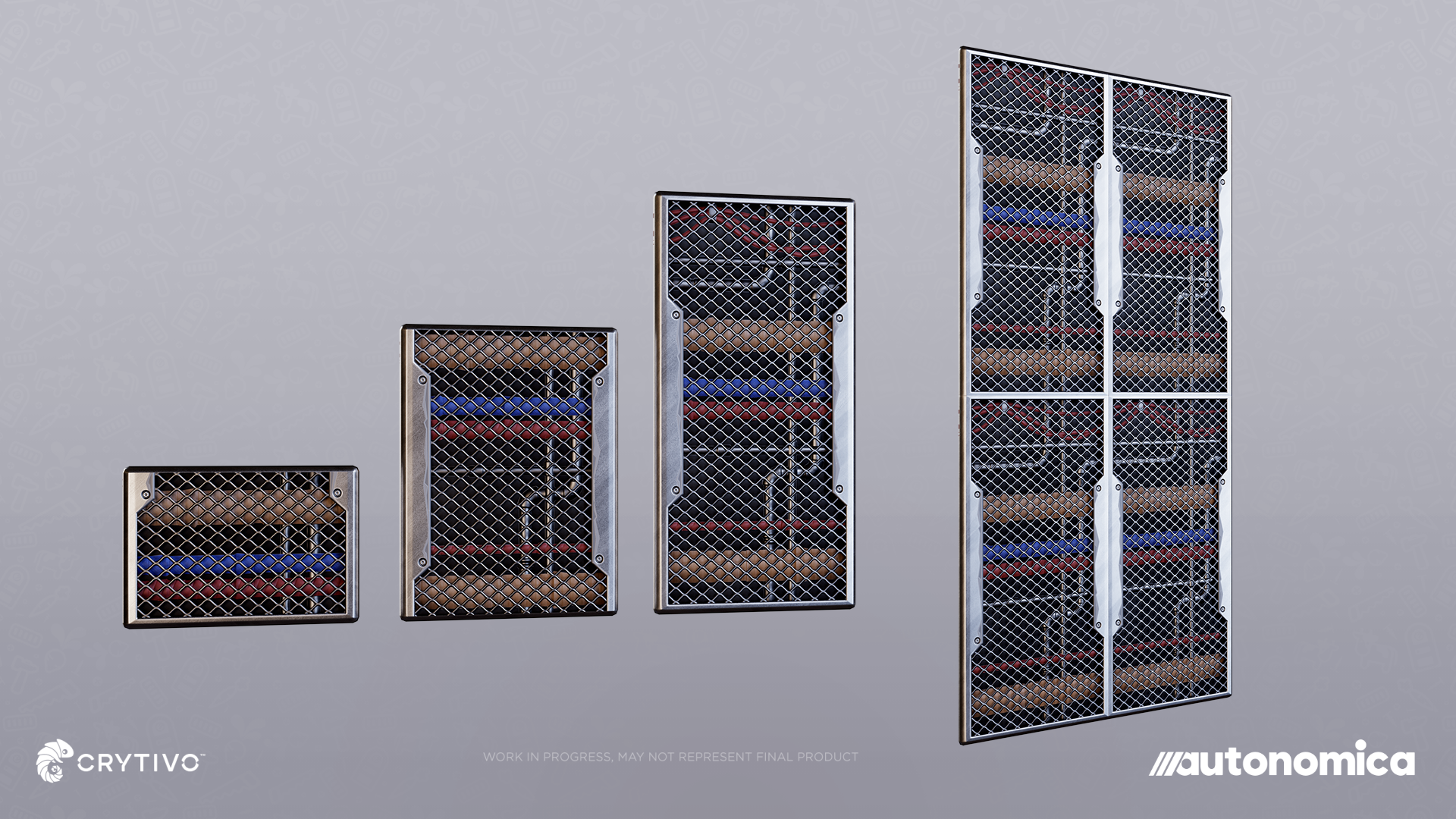
Metal grid walls with exposed piping
Blocks, furniture, and customization
Expanded the metal construction set.
Updated pieces across the floor, foundation, roof, and stair sets, with additional sound effects.
Added curtains with customization options.
Added new customization presets for wooden building blocks.
Fixed customization on stone roofs and wooden and stone planters.
Improved filters and categories in construction, machinery, and furniture menus.
Wall finishes
Perforated metal panels and upholstered walls offer two very different looks. Expand below to see the upholstered panels.
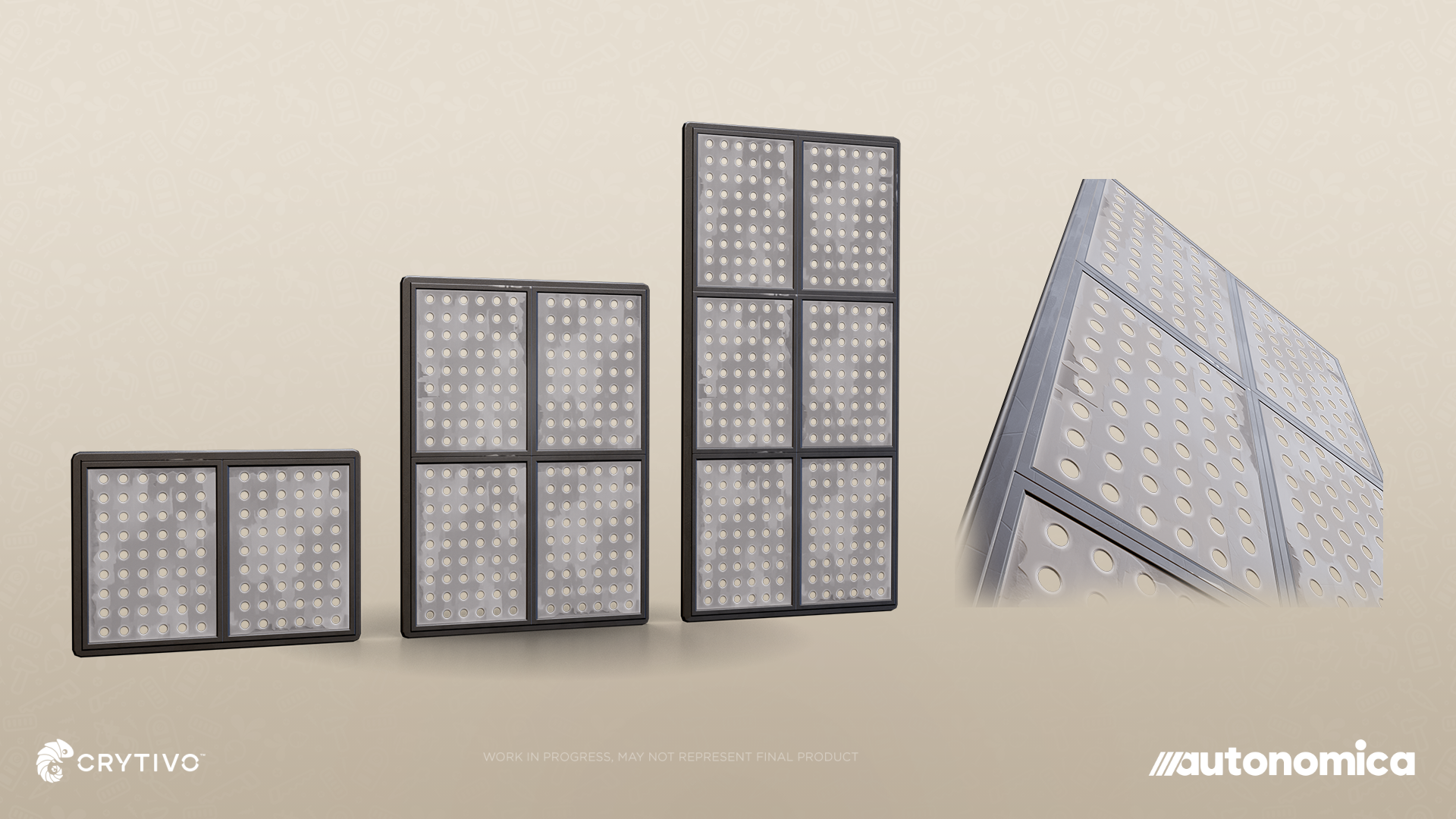
Perforated metal panels
Show details
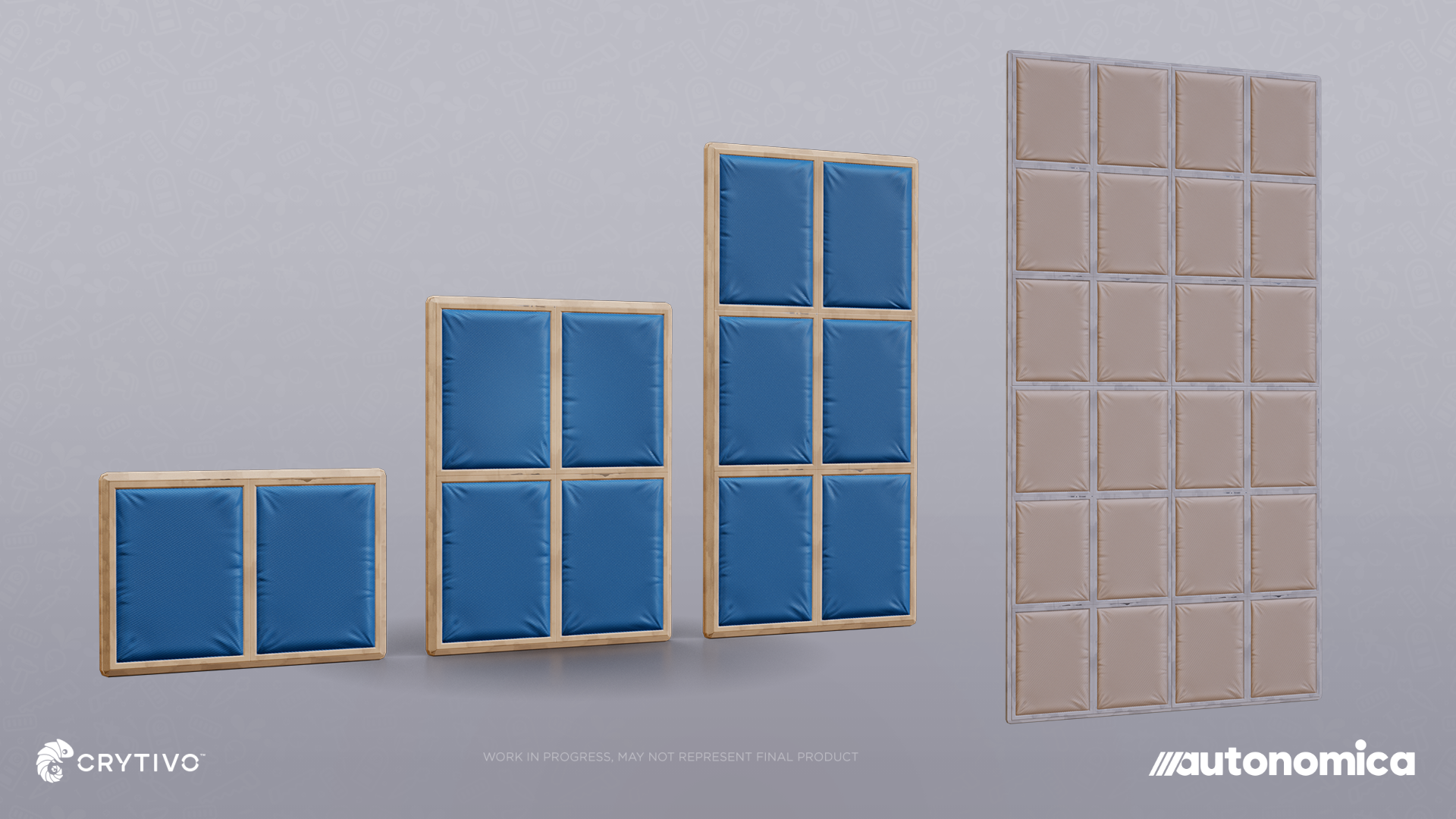
Upholstered wall panels
Placement and interaction
Added a "Place Item" context-menu action for suitable inventory items.
Improved stairs and roof-eave snapping.
Added clearer warnings when an item requires a roof or ceiling for placement.
Improved restrictions around placing structures on resource areas.
Improved furniture purchase validation and display of building costs.
Fixed charging the player again when placing an item already owned in their inventory.
Fixed moved sleeping bags and other inventory-placed blocks falling through the ground.
Improved window-placement previews, including glass visibility and pixelated outlines.
Fixed draggable customization panels moving outside the screen.
Make room to unwind
A closer look at the seating styles. Expand below for the Victorian sofa, industrial sofa, and farmhouse development view.
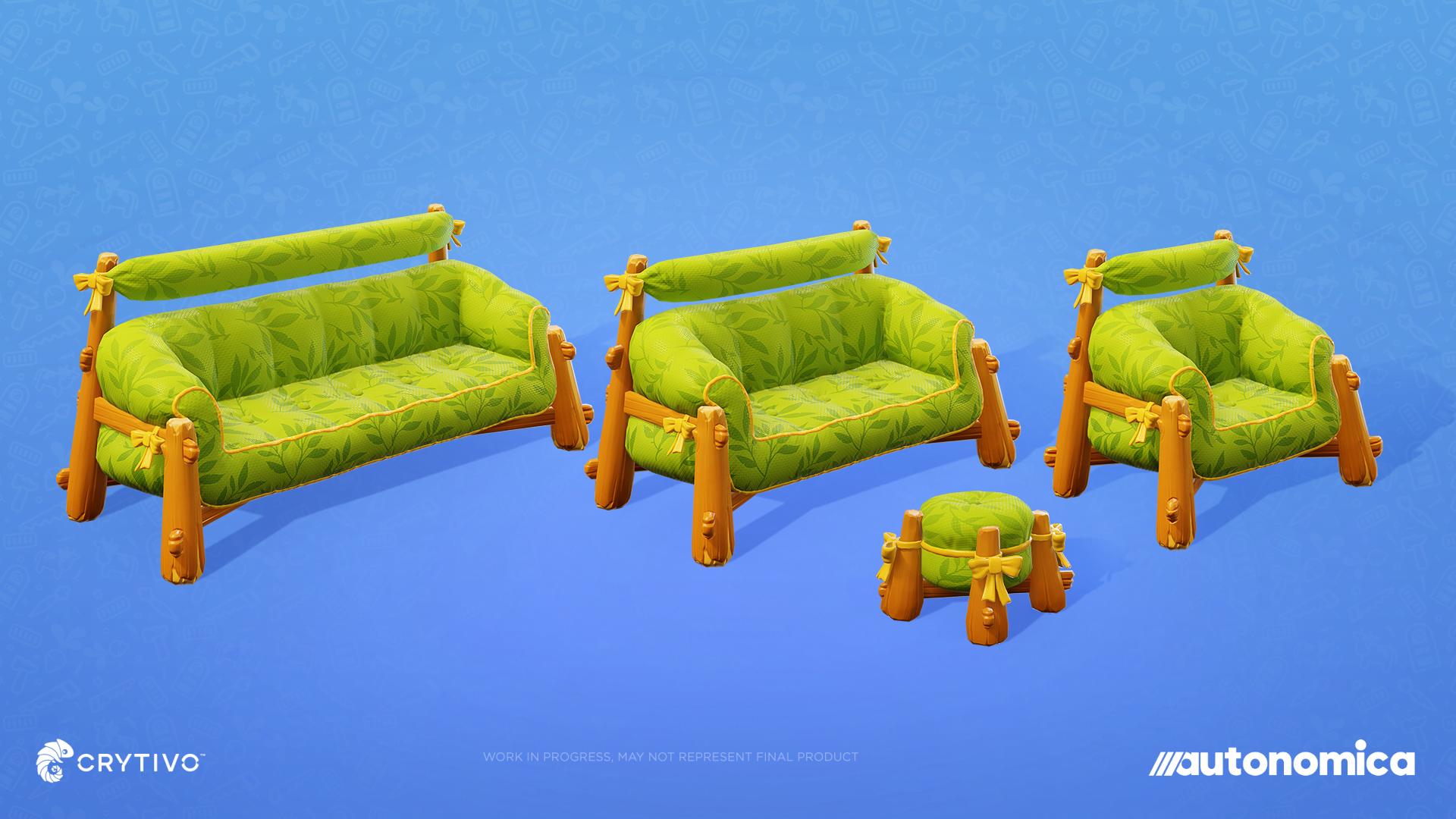
Rustic seating set
Show details

Victorian sofa
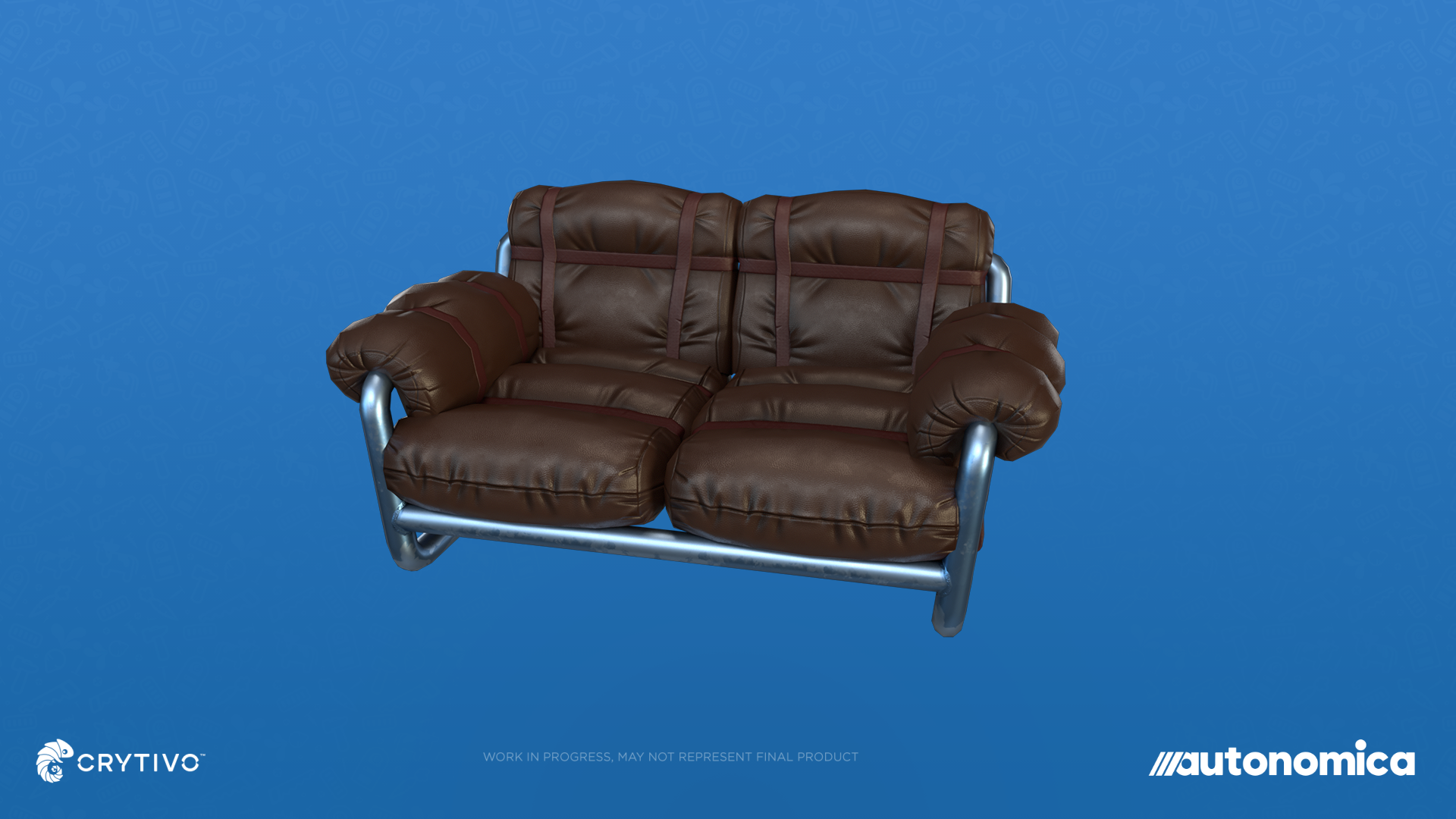
Industrial sofa
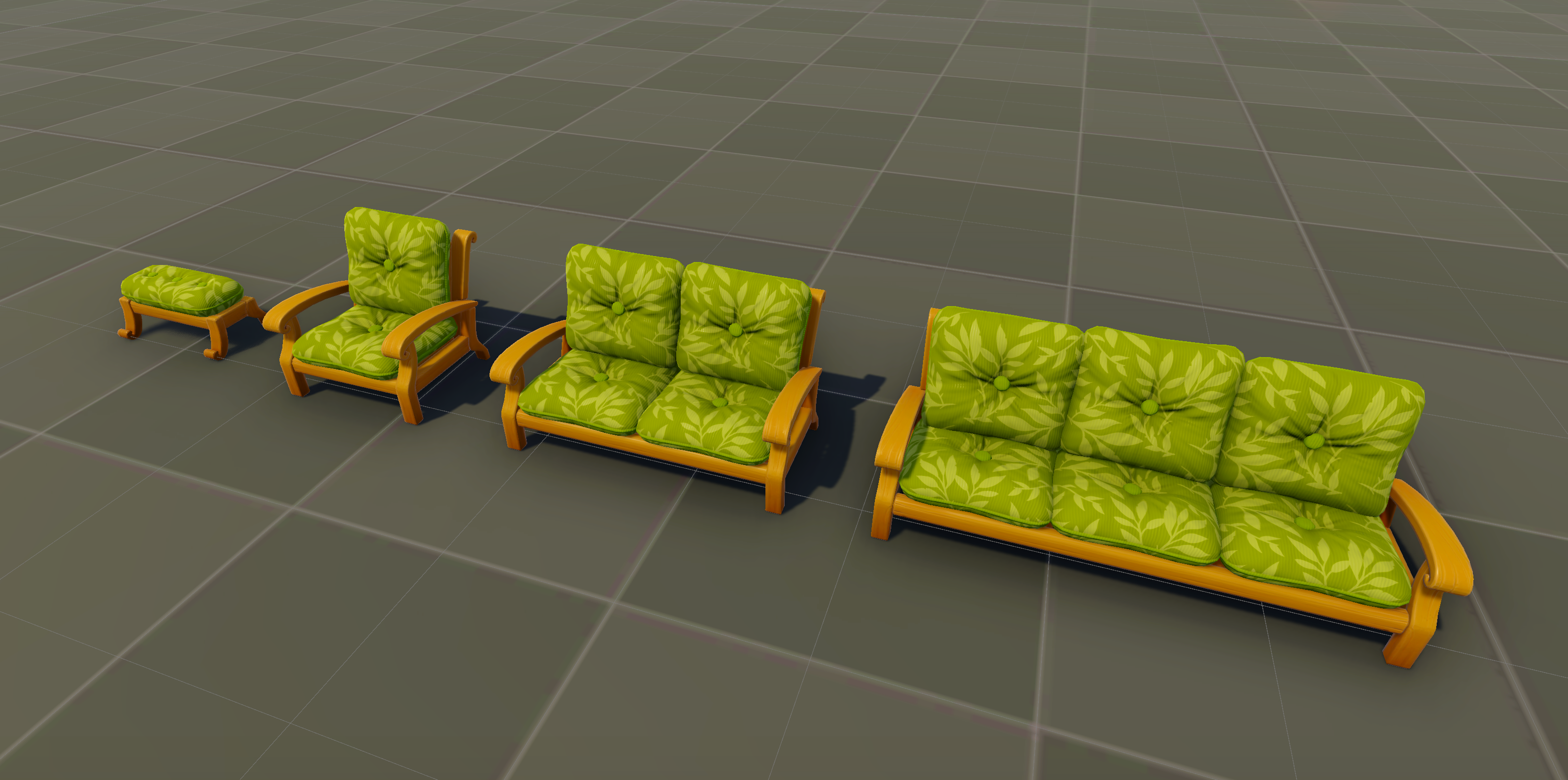
Farmhouse seating — development view
SAVE & LOAD
You can save without leaving your game now. We know. This one has been a long time coming.
Finished a build you like? About to head back out? Open the pause menu and make a named save. The new interface lets you browse your worlds and their saves, choose where to continue, and see a confirmation before overwriting a file.
We've also worked on what comes back with you: completed objectives, pinned quests, machine settings, supply orders, and the story records you've discovered. Saving should fit naturally into a play session, and returning should let you pick up what you were doing.
Save directly through the pause menu.
Create named saves and browse the saves belonging to each world.
The save panel automatically selects your current world.
Added confirmation before overwriting an existing save.
Added save-name validation and prevented duplicate names that differ only in capitalization.
Added warnings when a save's version does not match the game version.
Improved Escape-key behavior when leaving save and load panels.
Fixed autosaving when exiting and errors involving the first autosave in a world.
Fixed completed tasks, pinned quests, and quest markers restoring incorrectly after loading.
Story-log unlock and read status now persists across saves
BioLab interactions now retain their progress when you return to a save.
Improved restoration of Supply Relay orders and rewards.
Machine on/off selections are preserved in saves.
INVENTORY, LOOT & MONEY
Bring back a haul, put part of it into storage, keep what you need, and send the rest to a machine. Those simple decisions involve a lot of inventory handling, so we've worked on the actions between them.
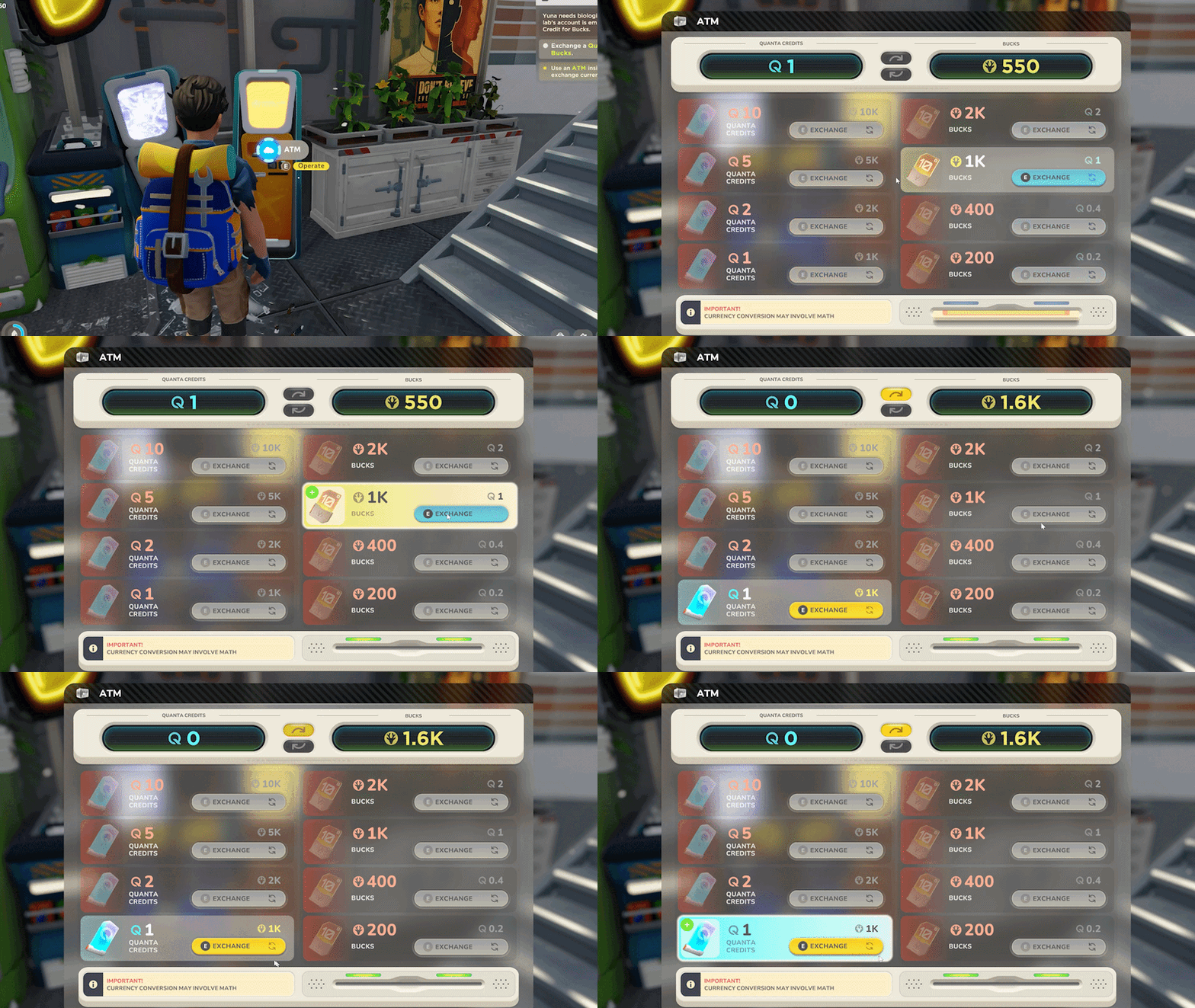
There are more shortcuts and context-menu options for transferring, splitting, equipping, and dropping items. Existing stacks get filled before empty slots, quantities behave more consistently, and the toolbelt handles swaps more cleanly. Money and price displays have also been updated across crafting, shops, storage, and loot. It all adds up over an evening of gathering and building.
Moving and using items
Added context-menu actions and shortcuts for moving items between containers.
Transfers now fill existing stacks before using empty slots.
Split stacks across storage and machine panels.
Split stacks moved into another container now combine with matching items.
Fixed incorrect split amounts and the middle-mouse split-stack shortcut.
Dragging one toolbelt item onto another now swaps their positions.
Fixed dragged items remaining visible after a toolbelt move or dropping unintentionally between slots.
Drop eligible item stacks by dragging them outside the inventory.
Drop a full stack or a selected quantity through the context menu.
Added equip and unequip actions for suitable items.
Essential items no longer display an unavailable drop action.
Consumables no longer show an inappropriate equip action.
Fixed incorrect equipment changes when consuming the last item in a stack.
Toolbelt entries now clear when their items are used up or destroyed.
Fixed context menus remaining open when changing tabs or appearing outside the visible interface.
Dropped loot now shows the correct quantity.
Prices and currency
Added Quanta credits as a new currency.
Improved currency and price displays in crafting, shops, and inventory.
Improved currency conversion and the formatting of money in loot notifications.
Corrected prices for seeds and consumables that were using the wrong currency denomination.
Updated furniture and inventory-item prices.
Fixed money displays not updating correctly when a value reached zero.
Improved the ordering of currency values in the Furniture Menu.
Prices are not final and are still being balanced.
CONTROLLERS, MENUS & INPUT
Managing a base means moving between a lot of different screens and actions. We've expanded controller support across that journey, including crafting, storage, contracts, farming, customization, and saving.
Building gets more controls for selecting variants and adjusting windows. Menus get better focus, scrolling, and navigation hints. We've also addressed cases where changing pages or connecting a controller after starting the game left the interface in the wrong state. The changes below cover both the new systems and the controls you use to move between them.
Expanded controller support across the main menu, pause menu, and settings.
Added controller navigation for inventory, context menus, and stack splitting.
Expanded controller support for crafting, blueprint, and machine panels.
Added controller navigation and scrolling for the Uplink and Supply Relay.
Added controller interaction for the FuBar and fertilizer application.
Added controller support for customization and Energy Grid Terminal color selection.
Added controller selection of building variants during placement.
Added controller window rotation and resizing controls.
Expanded controller support in save/load panels and the death screen.
Fixed controller prompts not initializing when a controller was connected after starting the game.
Fixed focus and selection when changing pages in menus and settings.
Improved selection outlines and visible navigation hints.
Fixed errors when changing key bindings in settings.
Added resolution options to the settings panel.
Fixed the water-bottle refill binding for keyboard and controller.
Prevented window-resizing controls from also activating construction or destruction.
WEATHER, SEASONS & THE WORLD
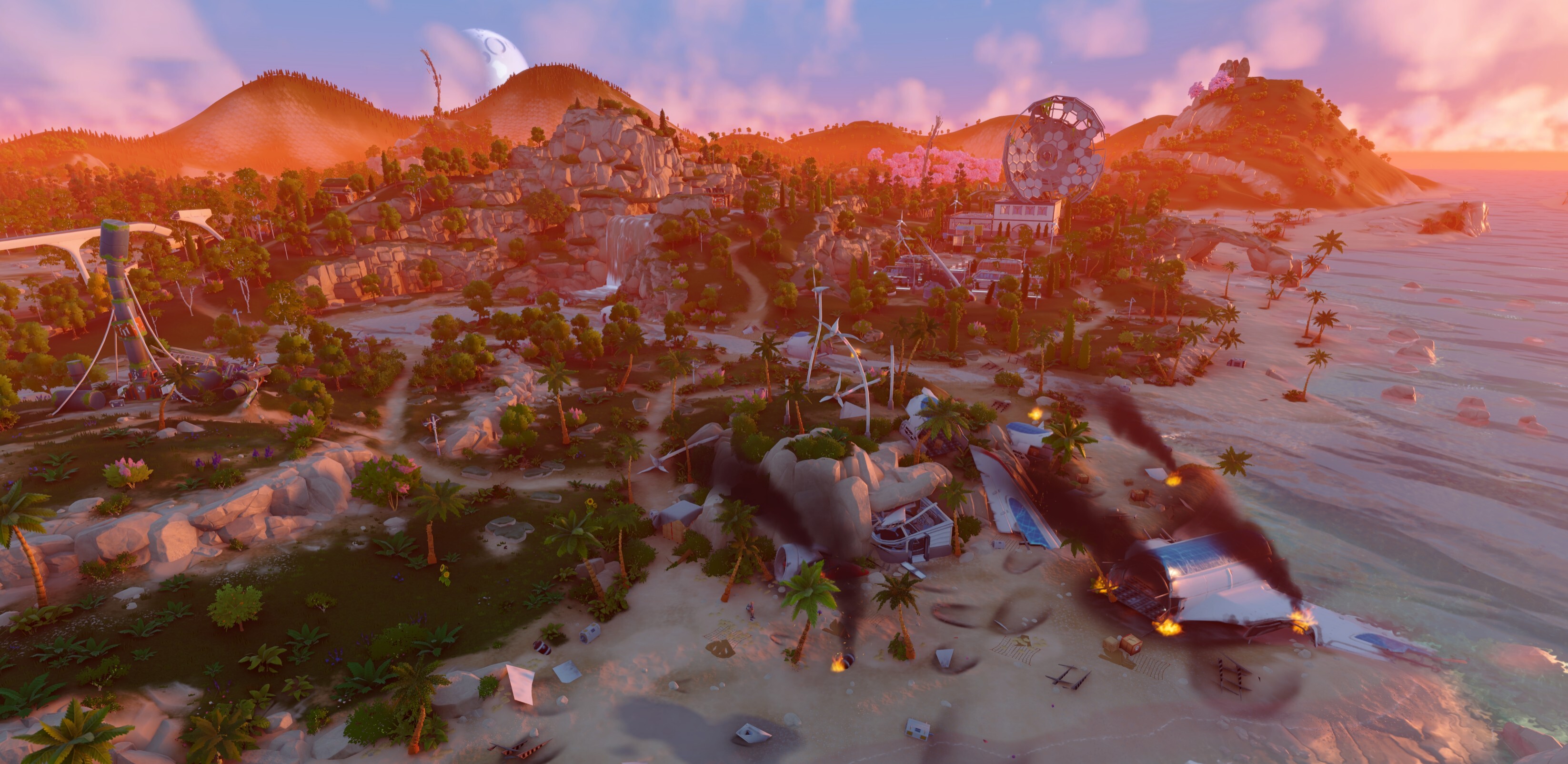
The island around your base keeps changing as you work. Snow builds up and melts, daylight fades into twilight, and the weather affects both the view and parts of your operation.
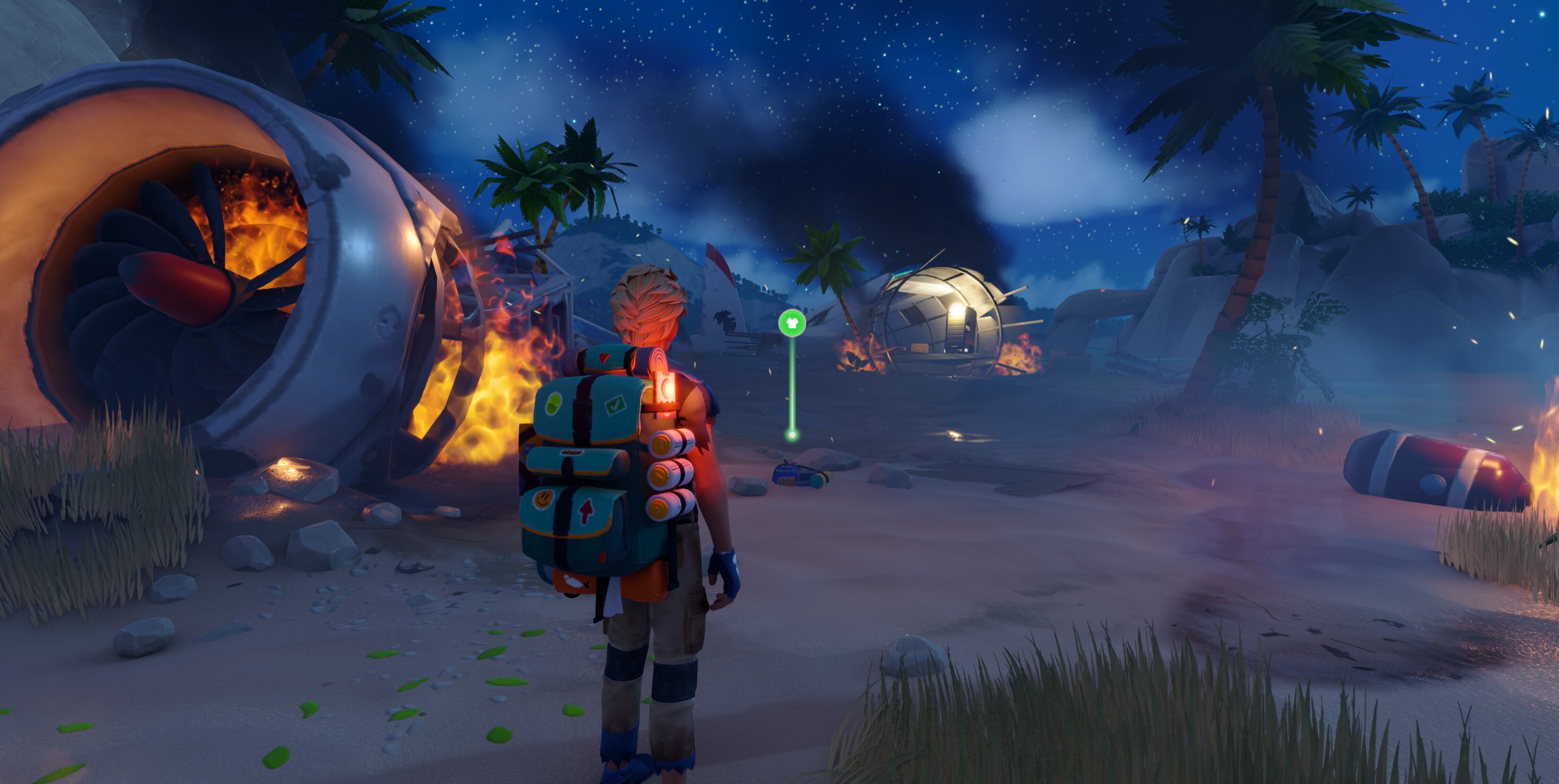
We've reworked those transitions and spent time on the details that make the scenery hold together: distant grass disappearing under snow, roofs and glass keeping it outside, clouds rendering correctly, and trees reaching farther across the hills. There are also improvements to paths and world-object placement. Take a walk between jobs; there's plenty here you'll notice away from a machine panel.

Weather and lighting
Reworked snow accumulation and melting.
Improved the transition into and out of snowy conditions.
Updated snow-particle visuals.
Fixed distant grass remaining visible through accumulated snow.
Updated seasonal weather balance, including reduced spring rainfall.
Fixed abrupt weather changes at midnight.
Extended and smoothed twilight transitions.
Improved the overlap between twilight and moonrise or moonset to reduce overly dark transitions.
Adjusted daytime lighting to address washed-out colors and weak shadows.
Fixed flickering black spots in volumetric clouds.
Reduced fog while viewing the map.
Scenery and building interiors
Improved distant tree coverage and draw-distance options.
Improved paths and refreshed pathfinding around the crash area.
Corrected misplaced world objects, including boxes below ground.
Fixed roofs, ceilings, supports, and other building pieces failing to block snow correctly.
Fixed glass failing to block snow and building previews incorrectly clearing snow before placement.
Improved glass transparency in the underground facility.
Fixed visual mismatches between terrain and sand during cutscenes.
QUESTS, BLACK BOX & WORLD INTERACTIONS
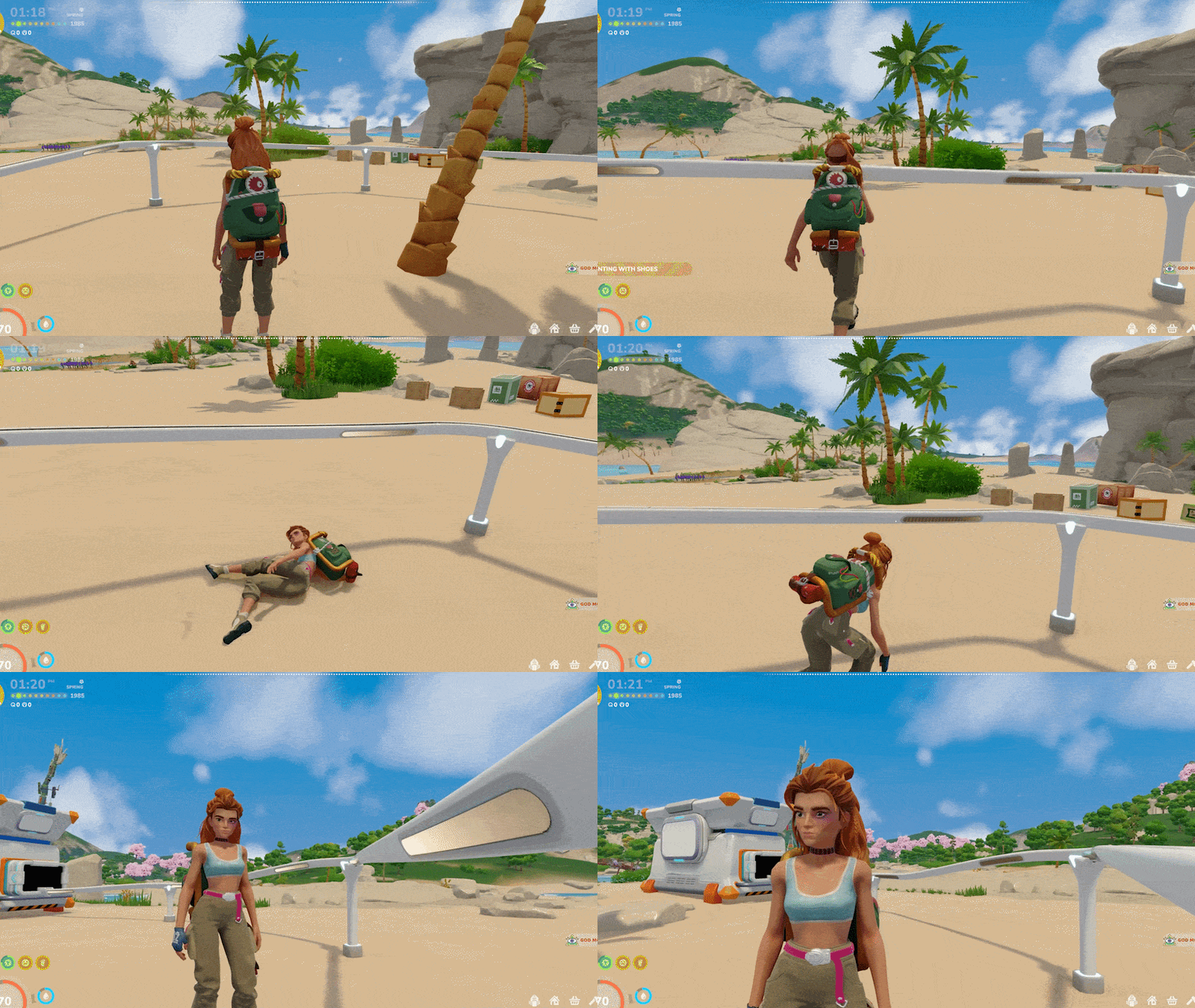
There's more to follow in V3, from the BioLab story to farming objectives and supply requests. We've updated the quest flow and the checks that keep track of what you've already done, including work completed before a related objective becomes active.
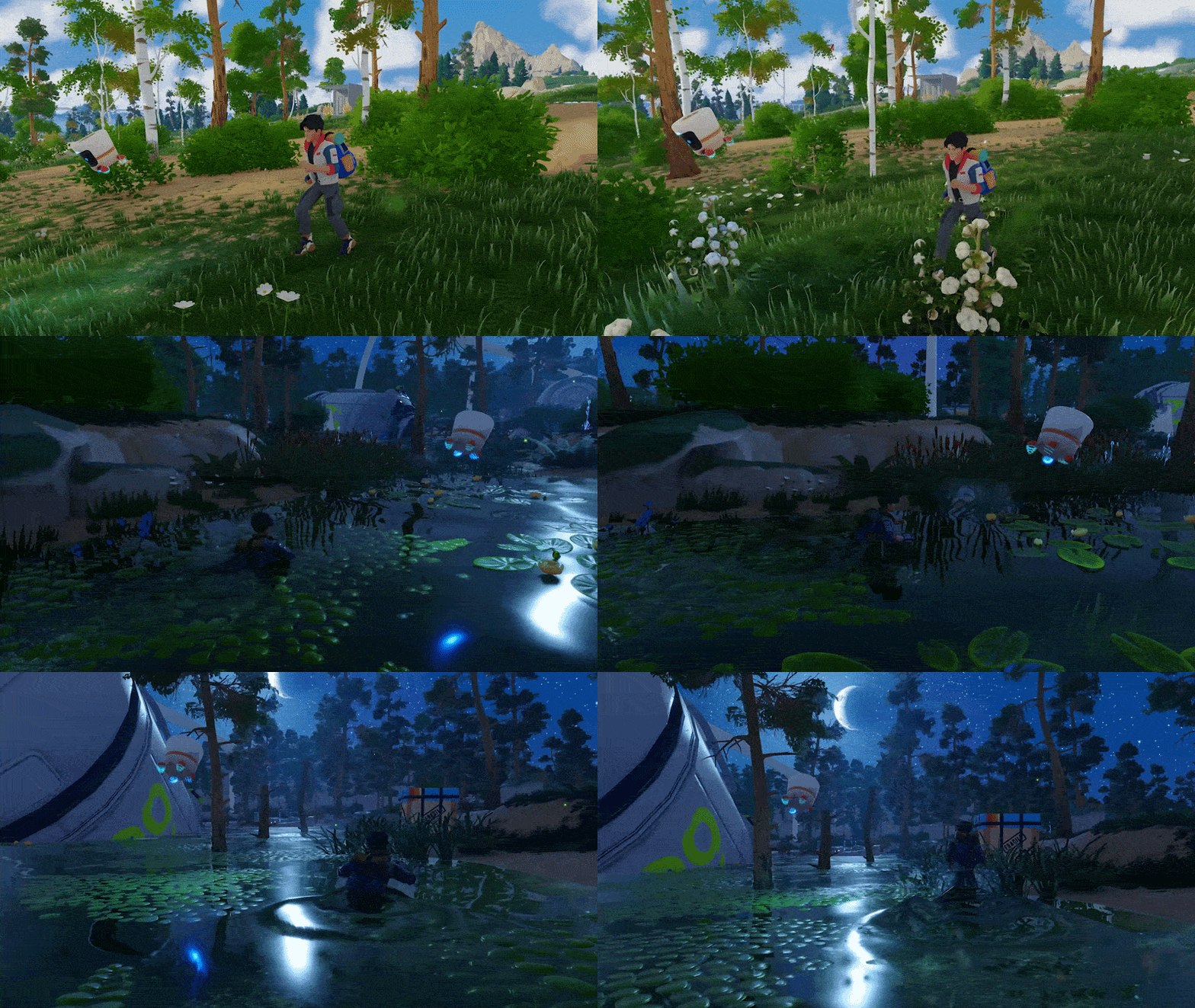
Black Box's guidance and reactions have had attention alongside those changes. Requests should behave more consistently, markers should stay where you need them, and the right lines should play at the right point in your progress. Black Box still has plenty to say. We're helping with the timing.
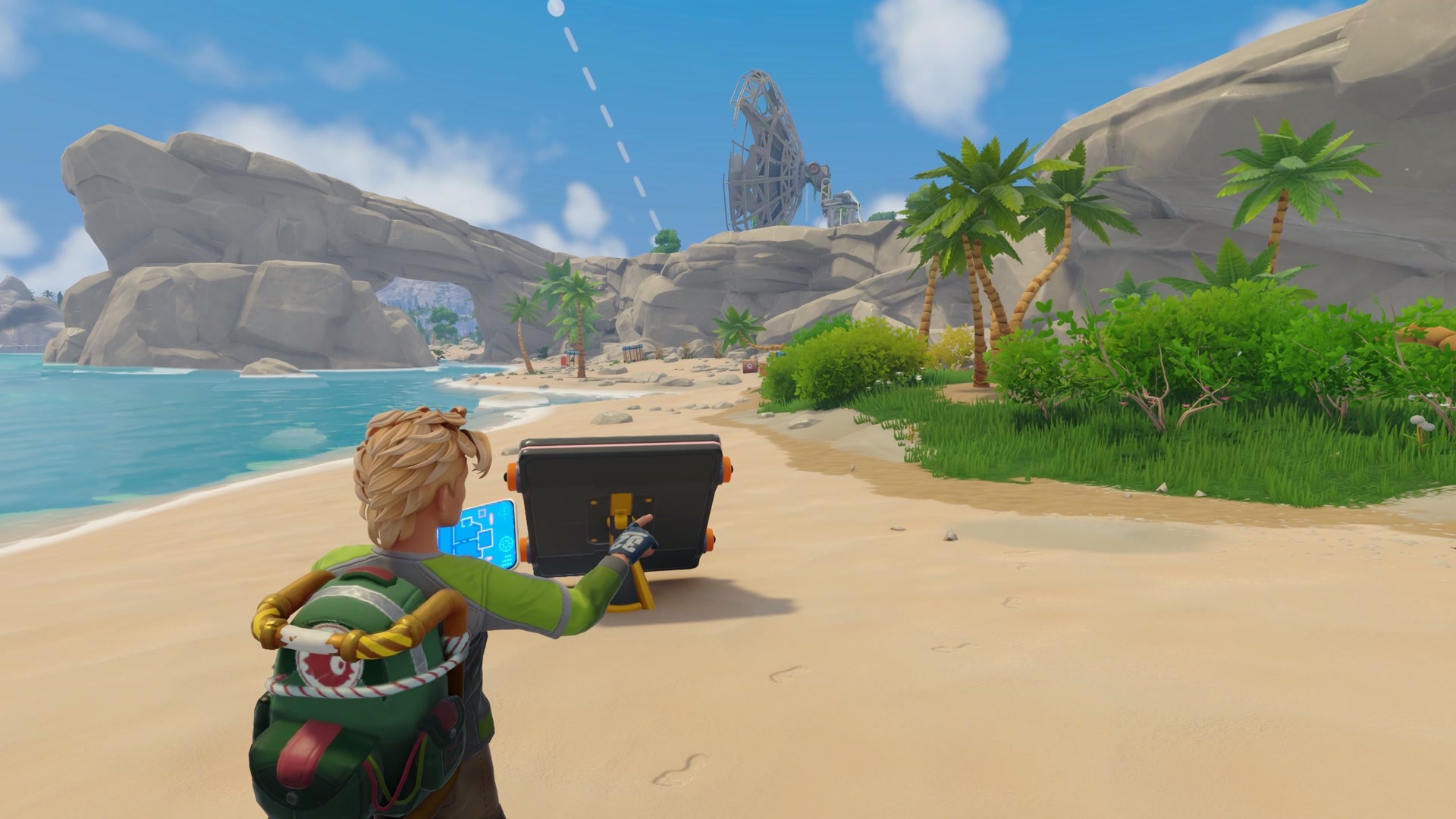
Quest progression
Updated the quest flow for farming, supply orders, and the BioLab.
Updated shelter-building and bed-placement objectives.
Improved completion checks when a contractor has already reached the required level or is already assigned to a Relay.
Previously delivered resources now count toward relevant supply objectives.
Fixed quests failing to complete when the HUD was hidden.
Fixed quest categories changing unexpectedly or failing to highlight correctly.
Empty quest categories are removed once their final quest is completed.
Restored missing task-completion notifications.
Black Box guidance
Prevented repeated guidance requests while Black Box is already guiding you.
Fixed guidance markers disappearing when selected.
Added reactions for blocked guidance or failed pathfinding.
Reduced Black Box shaking when caught in a corner.
Improved the timing and quest conditions for Black Box reactions.
Fixed head-bonk dialogue repeating when an unrelated buff ended.
Improved guidance initialization after loading a game.
World interactions
Improved interaction displays for loot, crops, and wild crops.
Added item-transfer shortcuts and stack splitting to point-of-interest panels.
Excess resources submitted to a point-of-interest objective are returned to inventory.
Fixed water-station interaction issues.
Fixed errors during point-of-interest interactions and when restoring their interactive objects from a save.
SOUND, MUSIC & FEEDBACK
You'll hear more of your work as you play: machinery running, the FuBar breaking through, footsteps changing with the surface, and a different signal when a craft finishes or loses power.
We've added and refined sounds across the new equipment, movement, and story content, then worked on how they sit together inside rooms and across the world. The settings menu also lets you preview audio while adjusting volume, so you can hear what you're changing.
Added and refined operating sounds for machines, conveyors, solar panels, turbines, and battery arrays.
Improved the positioning of wire-connection sounds.
Added breaching sounds and a new successful-opening sound for the FuBar.
Added and refined footsteps for metal, tile, carpet, and glass surfaces.
Added more sound feedback for jumping, landing, stumbling, falling, and getting back up.
Improved the way footsteps and ambience respond to indoor and outdoor spaces.
Added death-screen music, sound filtering, and a respawn fade.
Added sound previews when adjusting volume sliders.
Improved preview mixing and ensured preview sounds stop when leaving settings.
Fixed missing sprint footsteps when wearing shoes.
Fixed Supply Drone sounds.
PERFORMANCE & STABILITY
We've also worked on the cost of keeping the world running around you. That includes foliage across the landscape, physics near your character, machinery outside your immediate view, and interfaces that were doing unnecessary work.
The changes below focus on reducing that overhead and addressing specific errors and interruptions. Some support the new content; others improve the systems you were already using. We'll continue tuning performance as Autonomica grows and we hear how it behaves on your setups.
Optimized tree, grass, and other foliage rendering.
Improved how distant plants and scenery switch to simpler detail levels.
Reduced unnecessary processing when applying unchanged draw-distance settings.
Fixed removed or hidden objects reappearing after changing draw-distance settings.
Reduced the processing cost of distant machinery and Extractor container movement.
Reduced unnecessary collision processing for distant static scenery.
Improved the distribution of physics and other recurring updates to reduce processing spikes.
Reduced unnecessary processing in subtitles and messenger panels.
Improved audio handling for distant drones and turbines.
Fixed an inventory freeze that could occur when dying in fire.
Fixed errors during the transition from the main menu into the world.
Fixed an error in how the game tracks object visibility.

THANK YOU, AND WHAT’S NEXT
Thank you for your patience, your feedback, and for sticking with us while we brought this update together.
The Cucu Incident is a big and important step for Autonomica. A lot of the work here builds the foundations for systems we’ll keep expanding: quests, automation, farming, character progression, and more. With those foundations in place, we expect to spend more time building on them and bring you updates more frequently going forward.
Since our last major update, the team has recorded over 10,000 changesets across development. A changeset is a batch of work added to our project’s history, covering everything from code and artwork to audio, world-building, and fixes. Some are tiny adjustments. Others bring entire systems together.
And work on V4 is already moving along really well. Co-op is getting very close, and we can’t wait for you to jump in together.
V4 will bring expanded questlines, new stories, new NPCs, and more automation. We have something special cooking on that last one. You’ll love it.
Farming is getting new features too, including piping and automatic irrigation systems. Character stat progression is also on the way, along with proper customization for objects and structures so you can make your builds feel more like your own.
Further performance improvements are coming as well. Making Autonomica run better remains a priority as we keep expanding the game.
And yes, a proper, useful map is coming. Forgive us, the current one is still insufferable. We know.
There’s plenty more we’ll share as we get closer. For now, enjoy The Cucu Incident. Build something ridiculous, tell us how the new systems feel, and keep an eye on those cucumbers.
With love,
The Crytivo Team
Playing V3? Share your builds and feedback with us.

