
CSC Alpha - 0.9.116
Updates:
UI Update
- Massive UI update on the Gameplay screen, Station Hangar Screens, and the Profile
- The ESC Key now functions to exit the game, access Game options, access the Support portal, access the CSC Wiki, Clear Cache, and also copy your Player ID
Loadout
- Can now filter through more types of items by clicking the icons
- Filters are: All, Modules & Equipment, Ore & Refined, Components (this includes Misc items), Personnel, and Ships
- If more than 9 hardpoints are on a ship, the UI can be dragged to the left or right to view the full hardpoint bar
- Docking drone speed has been increased
Profile
- User can now update their Profile icon and change the color of the CSC Username
- News Section
- Users can access the News tab through the Profile once in-game
- This section highlights new updates, sales, and a general store place
- Also added to the Profile Section is a new Store tab where users can look through sales and also any crates in their inventory to open
Chat System
- New chat system has been enabled; you can toggle between Chat and Logs
- This is an early implementation with UI that is not final
- Users have the ability to link NFTS and FTS in chat by typing this formula: [nft:itemID] or [ft:itemID]
- Net tab has been removed
- Users now identifiable through last 5 numbers of Player ID being added to end of username
- Swear Filter enabled in chat
System Chat
- The ability to chat with users in the same system
- When you travel to a new system, the previous messages in that chat will disappear and update to the chats of the new system
Private Chat
- This is Private Chat where you can talk to other users privately (DM).
- To start a Private chat, Click the gears icon in the Chat window and invite a user you see on the list by pressing "Add"
- You can also add multiple users for a group chat
- To accept Private Chat Invites- Click the Invites tab that is under that Gears Icon
- To leave a Private Chat - Click the Leave Button
Trade Chat
- The purpose of this chat is for users trading with each other, this chat is global enabled.
- Global Chat
- In this chat, users can talk to any other users no matter what system a user is in
Gear Tab
Local
- In this section, you will see any active or inactive users in the same system you are in and this list will change when going into another system. The green or red circle dictates their status. You can filter users if you are looking for a particular user; users can search by name or CSC Player ID (SEAddress). If you want to send DMs to users then this is the place to do it.
- Currently, this shows first 100 users only
All
- You can search all users in this tab however it does not show you any users unless you do a search
Invites
- In this section, users will see any invites they receive to a Private Chat
Gameplay Screen
- When looking at Missions in the Gameplay screen, if users click the icons of their Objectives- the GoTo feature will pop up
Power Update
- Power Drain added when going over 100%
- From 101%-150%--1-10% base power value of a module is applied as a drain of power per second
Workshop/Manufacturing
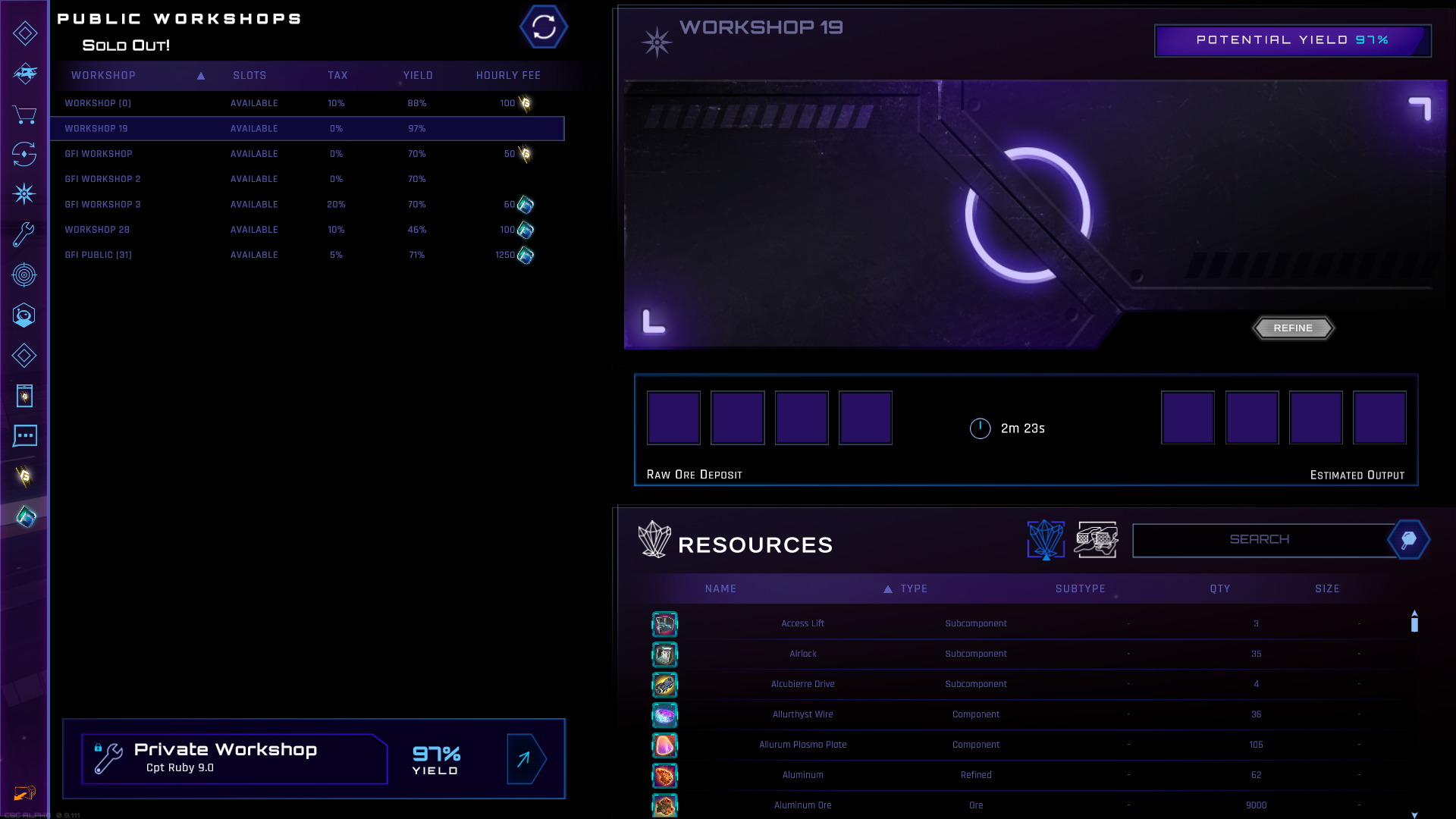
- Users now have the ability to stop jobs
- Users can now choose if they want invention chance disabled (this option appears when you start a job)
Ablative Armor Update
- New Ablative Armor numbers for ships that have this pre-equipped mod
- Reaper Ablative Armor - 82,000
- Reaper Ablative Partial Armor - 30,000
Ore
- Ore zone respawn times have been changed
Super Jumpgate
- Super Jumpgates now cost 1 whole canister/2,000 TCF to use
SE Ships
- New SE ships have been implemented (blueprints pending release)
- Carrier
- Packer
- Prospector
- Vanquisher
- All SE ships have crafting recipes now
GFI Security Fleet Only enabled in 43 Beta Comae Berencies, EQ Pegasi & Proxima
- In Star Sytems where PvP is not permitted, users will receive pop-up warnings alerting them to disengage all hostile actions. After being warned a certain number of times, a fleet of GFI Security will be summoned to destroy the aggressor. Once the GFI is called, the aggressor will also become disrupted(Depending on the system).
- The GFI Security Fleet will only leave once the aggressor is destroyed or if the aggressor leaves the system
- Warnings will expire. However, for warnings that are close together before they expire, the time it takes for your last warning to expire increases exponentially. The first warning expires after 60 seconds, the second warning expires after 75 seconds, and the third expires after 120 seconds.
43 Beta Comae Berencies
- Commanders get 3 warnings before the GFI Security Fleet shows up
- Users will not be EMP'd
EQ Pegasi
- Commanders get 2 warnings before the GFI Security Fleet shows up
- Users will not be EMP'd
Proxima
- Commanders get 1 warning before the GFI Security Fleet shows up
- Users will get EMP'd
Guilds - DISABLED
- Guild System coming soon
Resource Containers / NFT Containers DISABLED
- Containers hold X amount of resources and apply a weight reduction to the compressed ore or refined
- Containers are an NFT item that can be minted.
- These can be manufactured by manufacturing an Empty Resource Containers first
Emergency Escape Ship Modules / EES DISABLED
- EES modules enable users to escape on to a ship in their hangar bay when destroyed- note* users cannot choose which ship if there are multiple ships in a hangar bay of the same class.
- 4 EES modules: quality of module determines size of ship AND distance ship is dropped away from destroyed location
Mastery Blueprint DISABLED
- A Mastery BP is a consumable way for users to boost their mastery for T1 creation
- Mastery BPs will ONLY get you up to mastery level (100 skill points for T1)
- if you have 90 skill point and use it you will go to 100
- if you have 100+ skill points it won't let you use it
- if you have more than 1 mastery skill blueprint in a stack and try to consume them it wont let you use it
Insurance System DISABLED
- Reclaim is now Ship Insurance
- Filter by Pending Claims to see destroyed ships
- Currently, there will be no Insurance Costs and no Cooldowns for recovering ships. In the next few weeks we will be slowly rolling these insurance features out starting first with rolling cooldowns.
Fixes:
- SFX fixed on destruction impact from various weapons
Known Issues:
- Jumpgates not showing in Target List
- Must use capital letters for FT items when typing itemID out to link in chat; using lowercase will give an error
- Jumpgate is not auto consuming canisters
- Mining logs sometimes not appearing- restart client to fix