
Additions
The key binding for duplicating parts using the middle mouse button in the Dock scene can now be customized.
Fixes
Fixed a performance issue in the Dock scene caused by modded parts not benefiting from spatial query optimization.
Fixed an issue in the Dock scene where certain triangles on parts with scaled meshes could not be picked by the mouse.
"Broken Mod" Warnings
Following this update, we have received several reports of broken mods.
After an initial investigation, we were unable to reproduce the reported issues. The broken mods we are currently aware of are those previously identified as having issues such as incorrect AssetBundle packaging or disabled mesh Read/Write settings, rather than issues introduced by the latest update.
We therefore suspect that some of these reports may have come from returning players who have been away from the game for over a year and encountered errors with their old mods after updating to the latest version.
This may be related to protective mechanisms introduced over the past several updates. Certain modded parts that may cause rendering errors or crashes in specific scenes are no longer loaded by default.
If you wish to use these modded parts, please enable Load Non-Readable Mesh Parts in Settings.
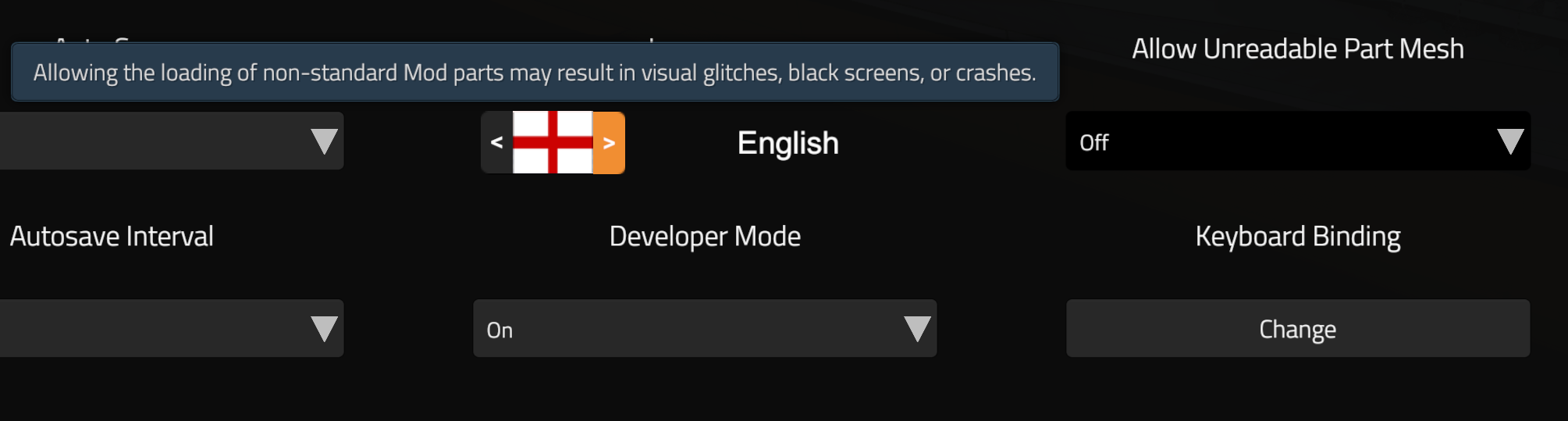
If the errors persist after enabling this option and restarting the game, please send us the affected mods via email so that we can investigate the issue.
Request for Information on Save File Corruption
We have received several reports of corrupted or missing save files.
As shown in the image below, this issue typically occurs when attempting to load a save file. The loading process stops, the affected save has no preview image, and the folder background displays the placeholder normally shown when no saves are available.
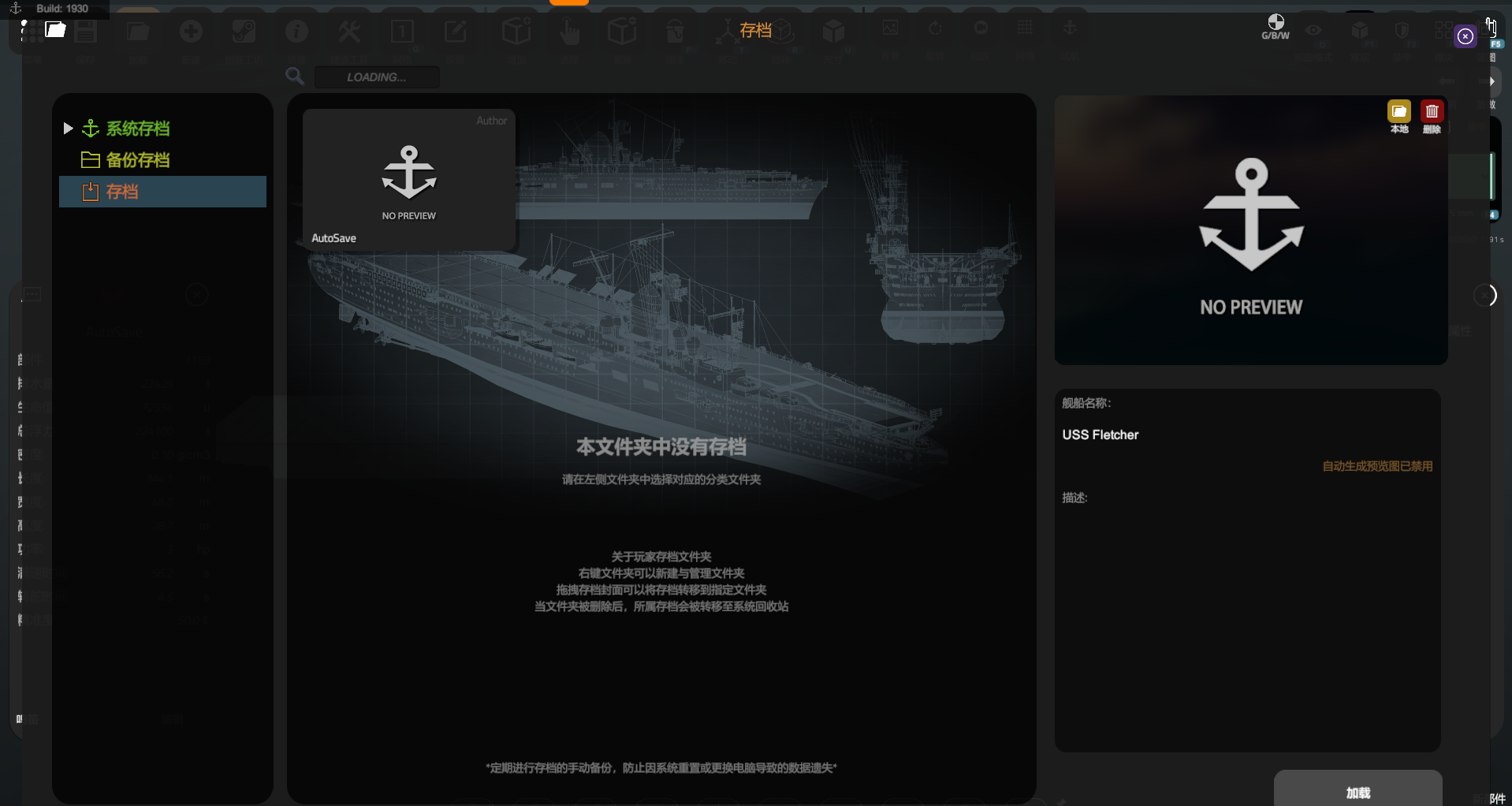
In previous versions, we made several improvements to the safeguards involved in loading save files. Despite manually corrupting save files and preview image data in our tests, we have still been unable to reproduce this issue.
Due to insufficient information, we have been unable to identify the exact cause. We are therefore requesting save files from players experiencing this issue.
If you have encountered this problem, please compress all your save files into an archive and send it to us via email so that we can identify the underlying cause.
The default save file location is:
C:\\Users\\[Your Username]\\AppData\\LocalLow\\RZEntertainment\\NavalArt
Note: You will need to enable Hidden items in Windows File Explorer.
Email: