
Well well! Feels like quite a lot got done this month, when I look back and list it all out, it's a fair bit. Plenty of pictures too! Let's dig in!
Backpack UI
A big focus for this month has been updating and fixing the UI for various parts of the game. I spent a while figuring out how I wanted things to look, trying out different mockups in Affinity Designer, iterating and finally deciding on a direction to take.
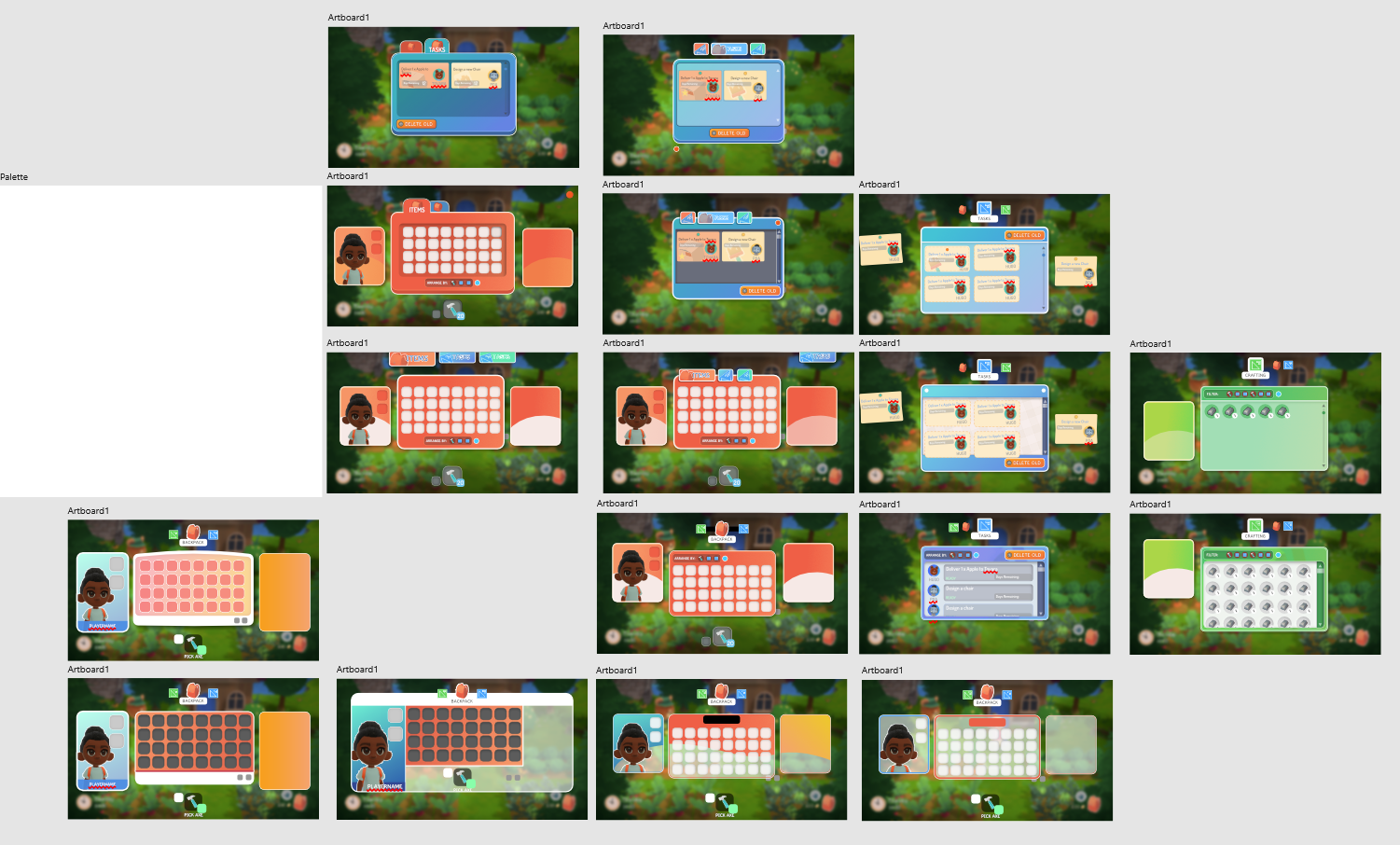
Iterations and ideas
Once I had gotten to a place I was happy with as a starting point, I hopped into Unity and started implementing the new UI
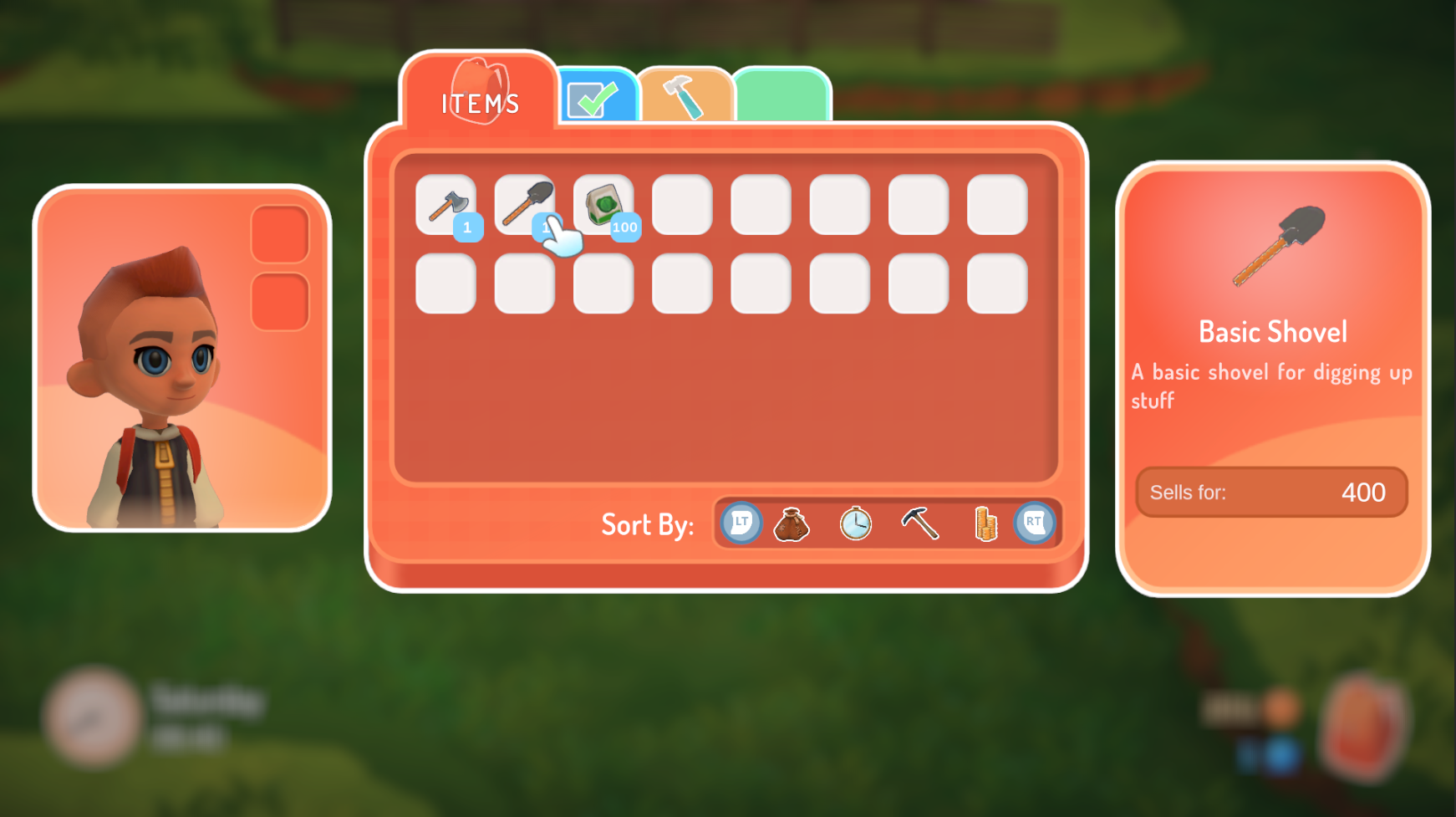
The new Backpack Screen
I started with the backpack, and updated the inventory, requests and crafting screens.
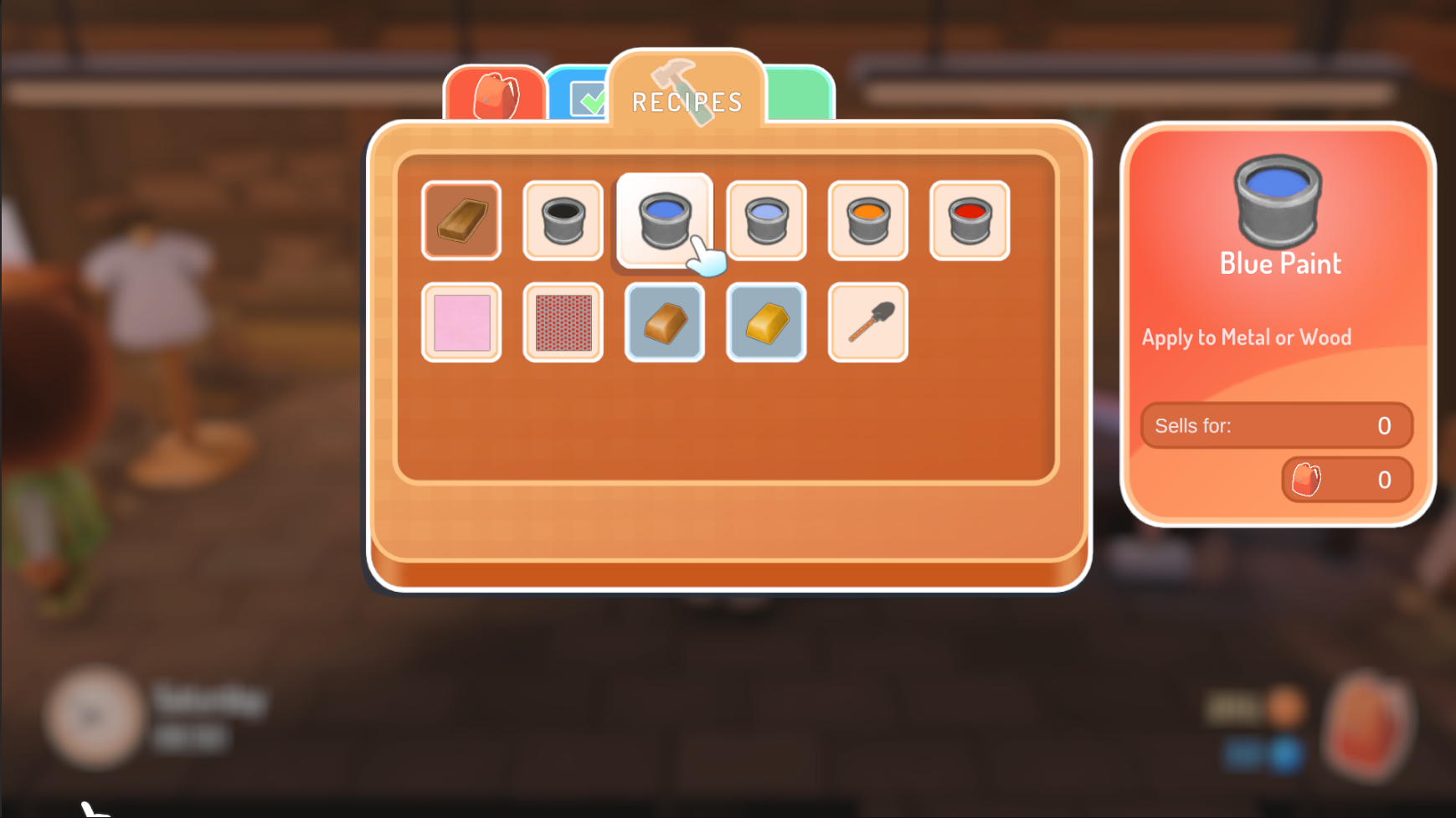
Updated crafting screen
While I was in there I added some features to the inventory screen, allowing players the ability to sort items based on things like their value, when they were picked up, amount etc. I also fixed a host of bugs and added some nice animations so the UI feels a bit more responsive.
Painter UI
Taking the elements used for the backpack I moved onto the Painting Tool. I wanted to make the UI generally cleaner and cosier, as well as colourful.
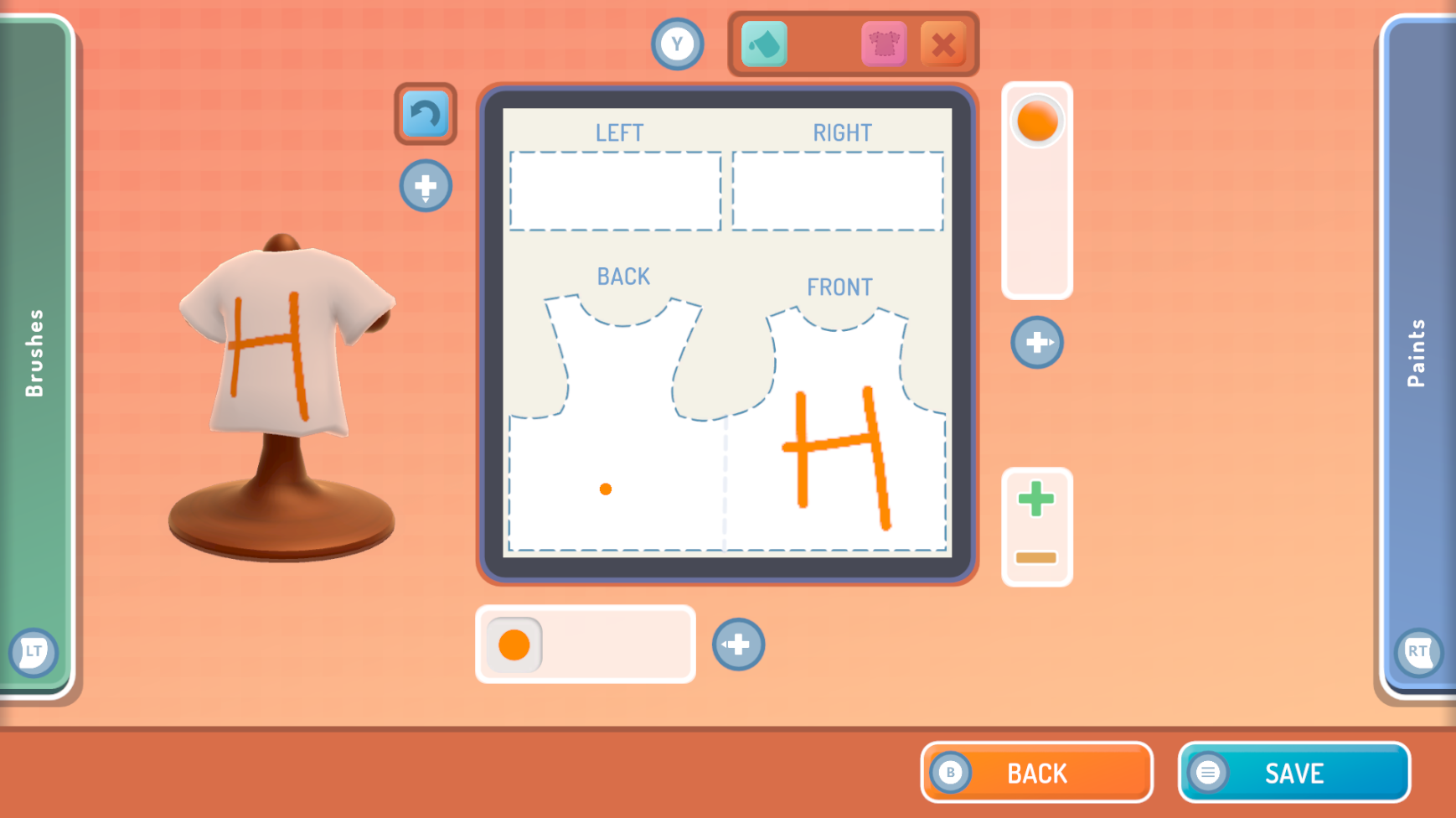
The updated Painting Tool
Design Tool
After the Painting Tool it was on to the Design Tool for its update. The UI was worked into, and I spent some time fixing up small annoying bugs that affected how the tool was to use.
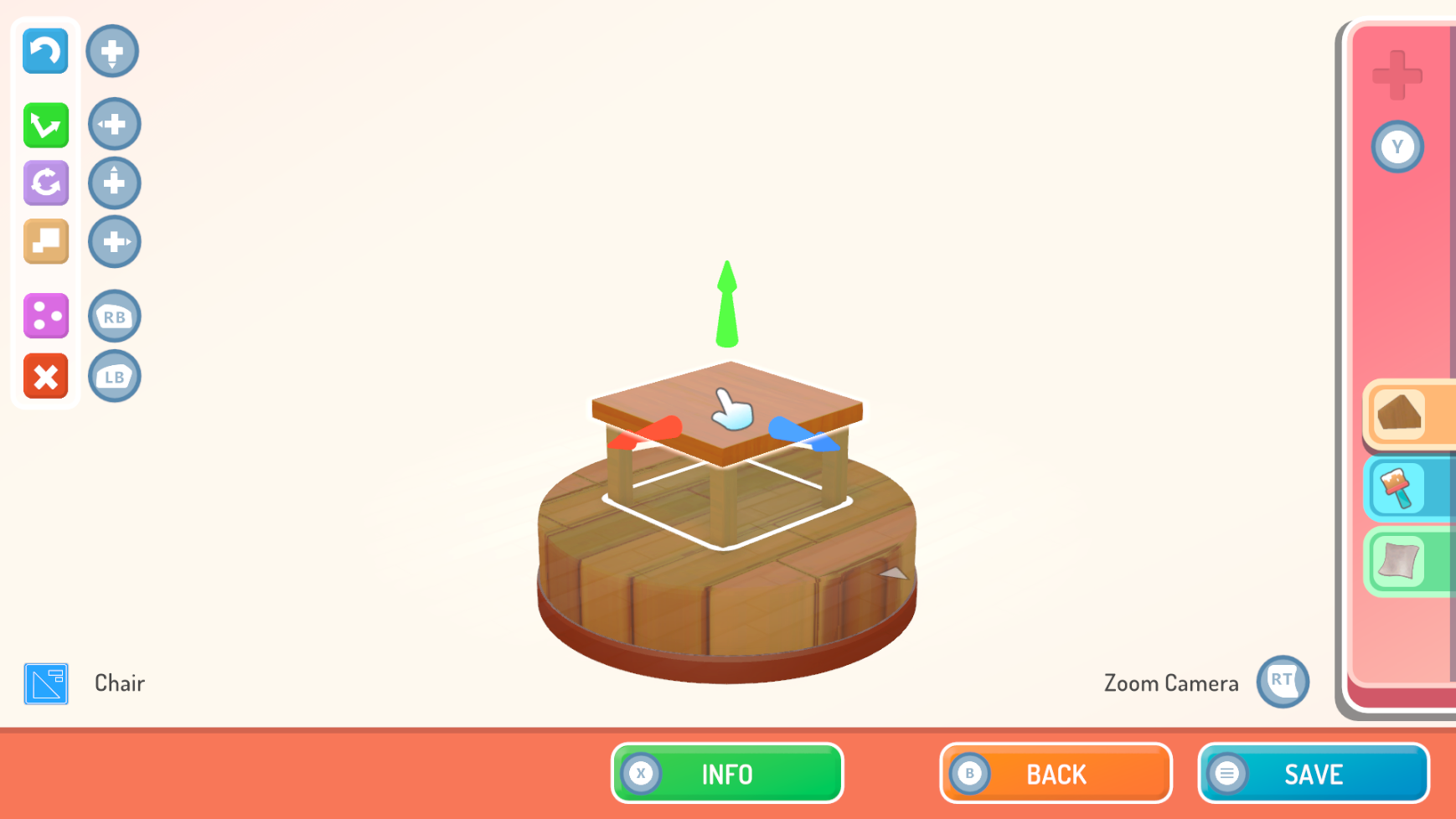
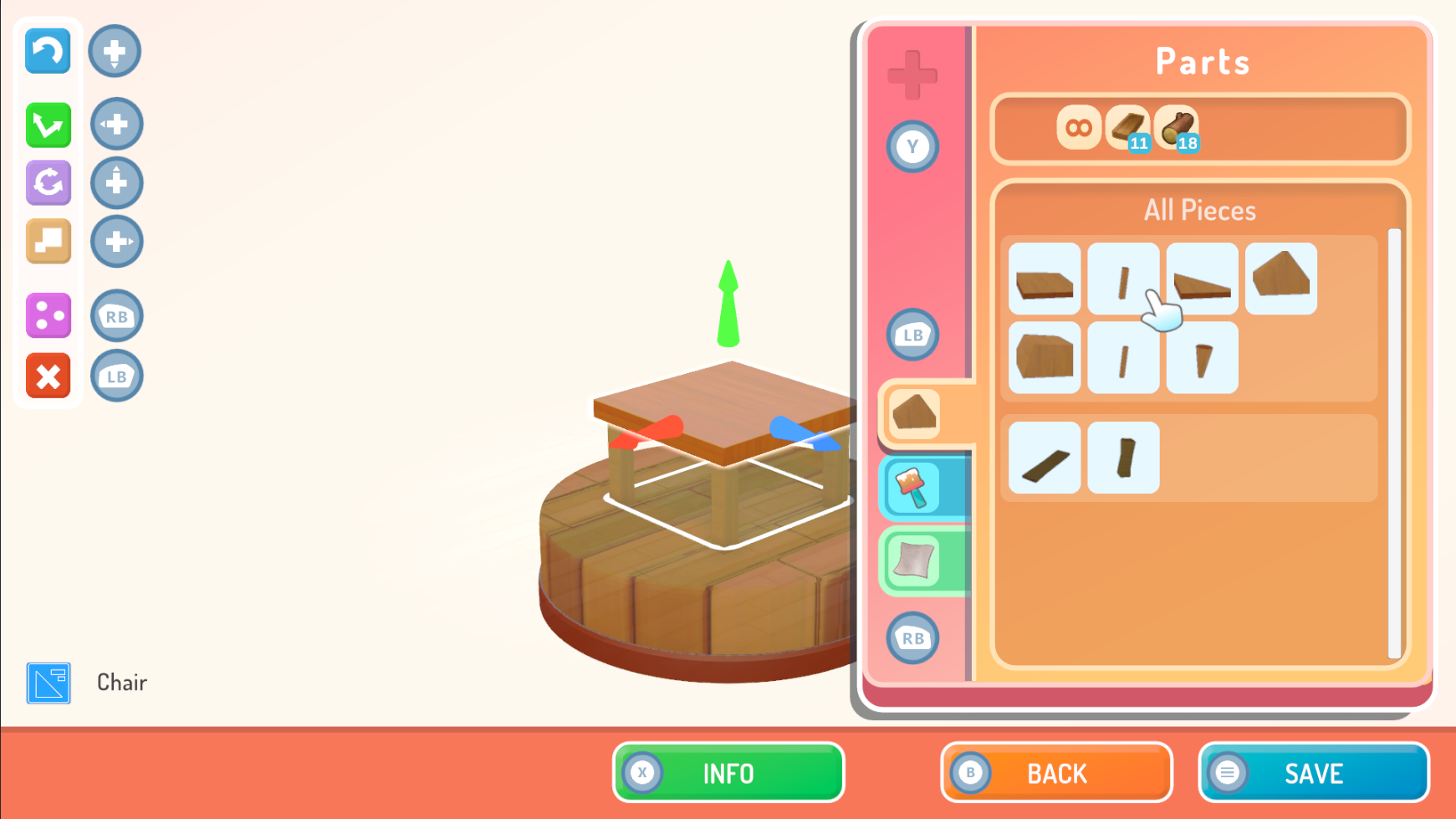
Updated Design Tool
On top of this I worked into giving the Player better information with regards to rules that their creation must follow. Often a piece of furniture will have a maximum size, or require certain pieces, for example.
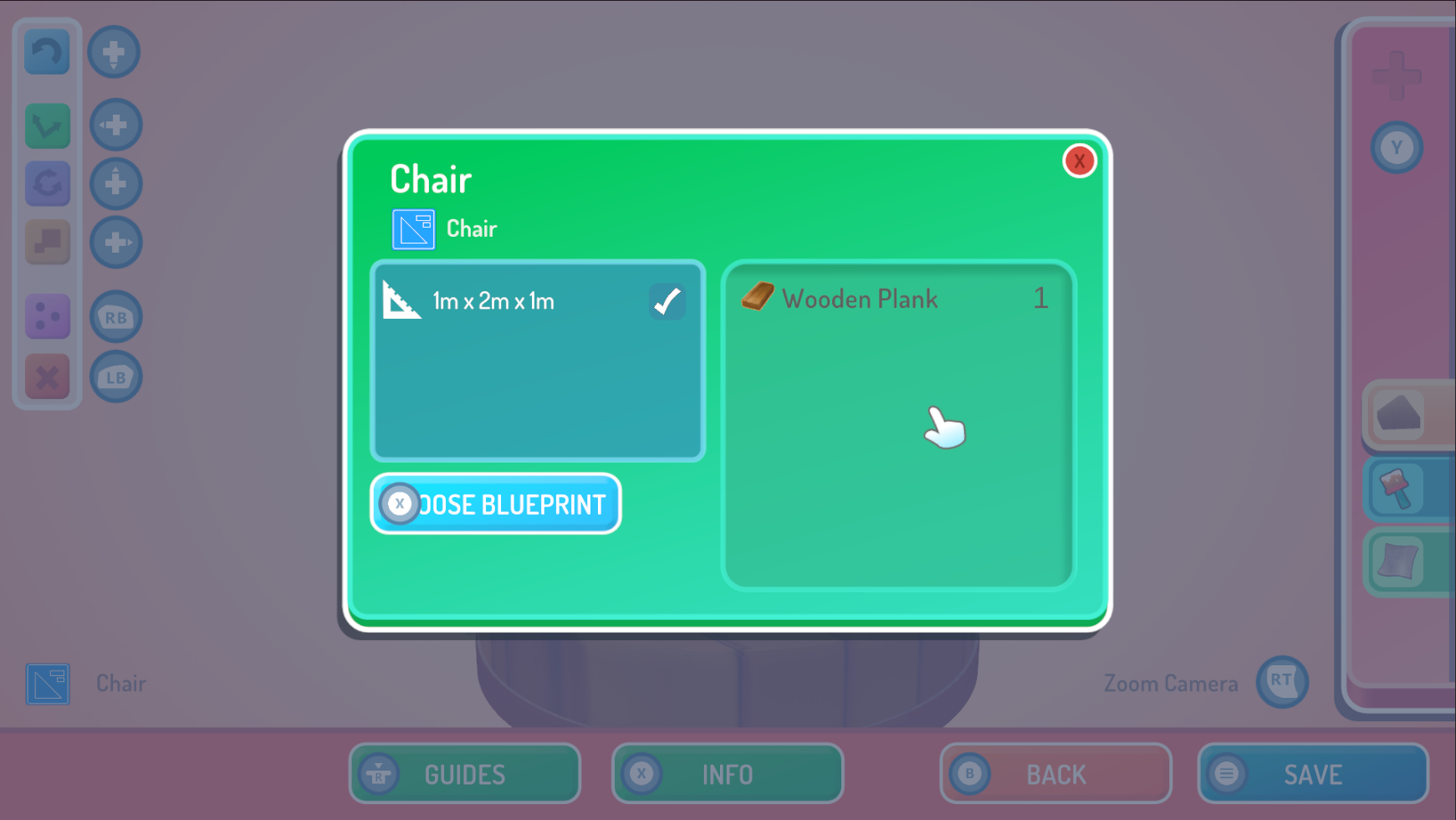
Information Screen giving list of used Resources, as well as rules that need to be followed
You can also now toggle a view that will show you in 3D the size limits, as well as an indication of how a character will interact with your object. In the picture below you can see how the Player or a Villager would sit on the chair, as well as how big it can be.
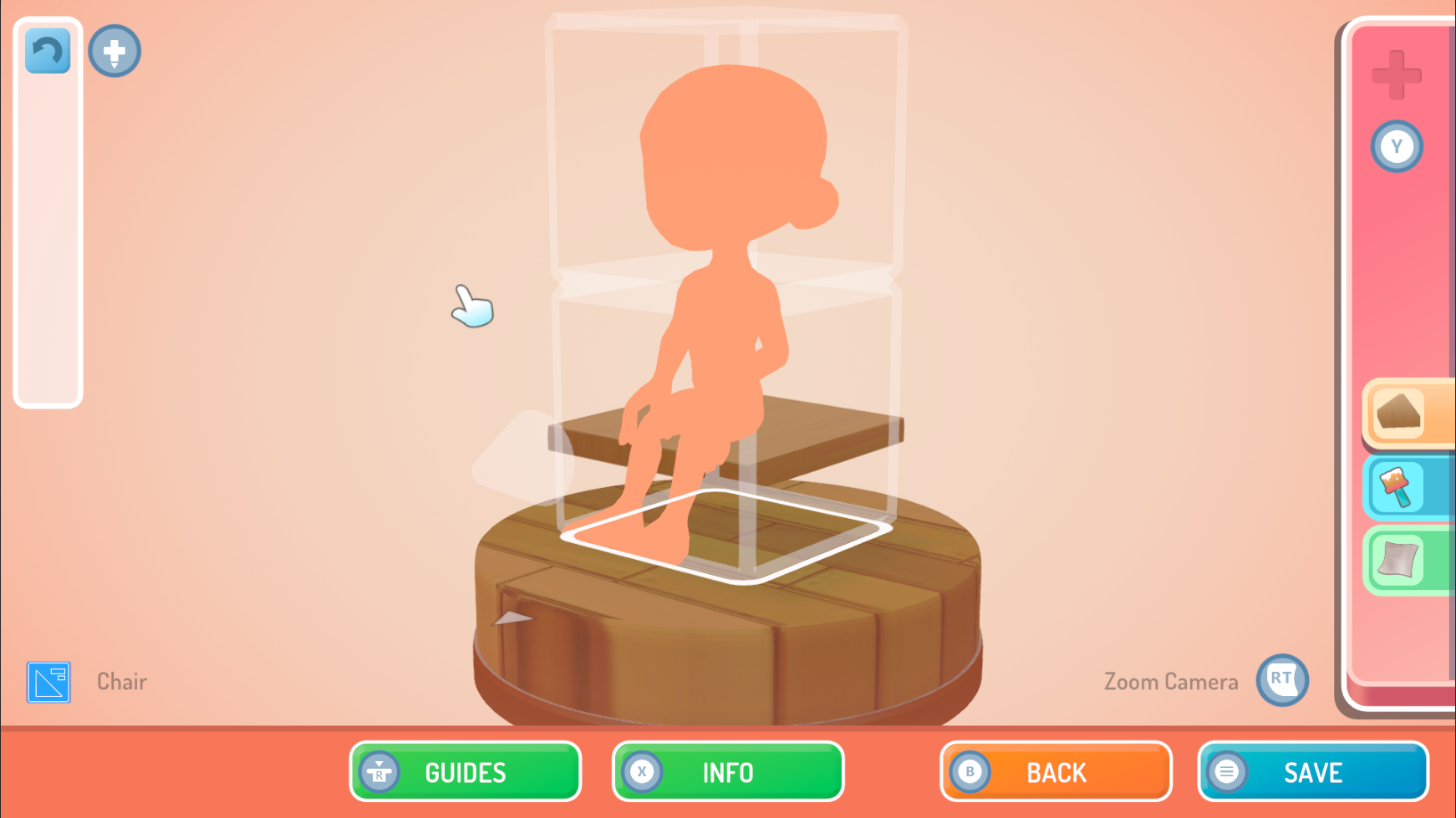
3D Guides
Though they look a little intimidating perhaps, this sort of information means you can easily see if there are going to be any issues with your furniture, before you place it in the world.
Equipment HUD
I added a small element to the interface which shows you what tool you currently have equipped. It will also show you how much you have remaining, if you're carrying seeds, or have a rod with bait attached.
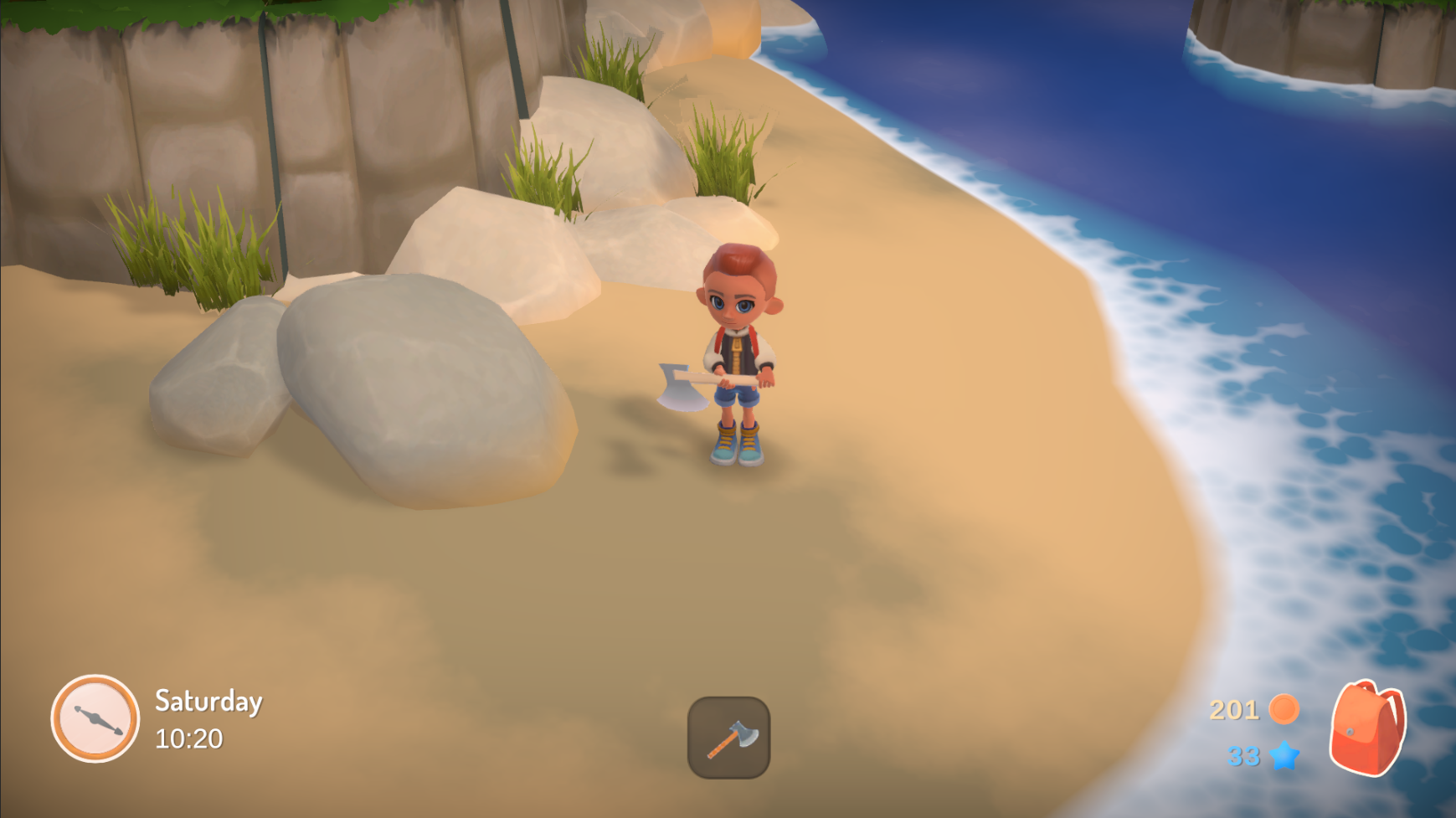
Axe is equipped and shown on the lower screen
I also added a small pop-up interface that lets you select equipment from your backpack, without having to open the whole backpack screen. Pressing up on the d-pad will show this little menu from which you can choose something to switch to.
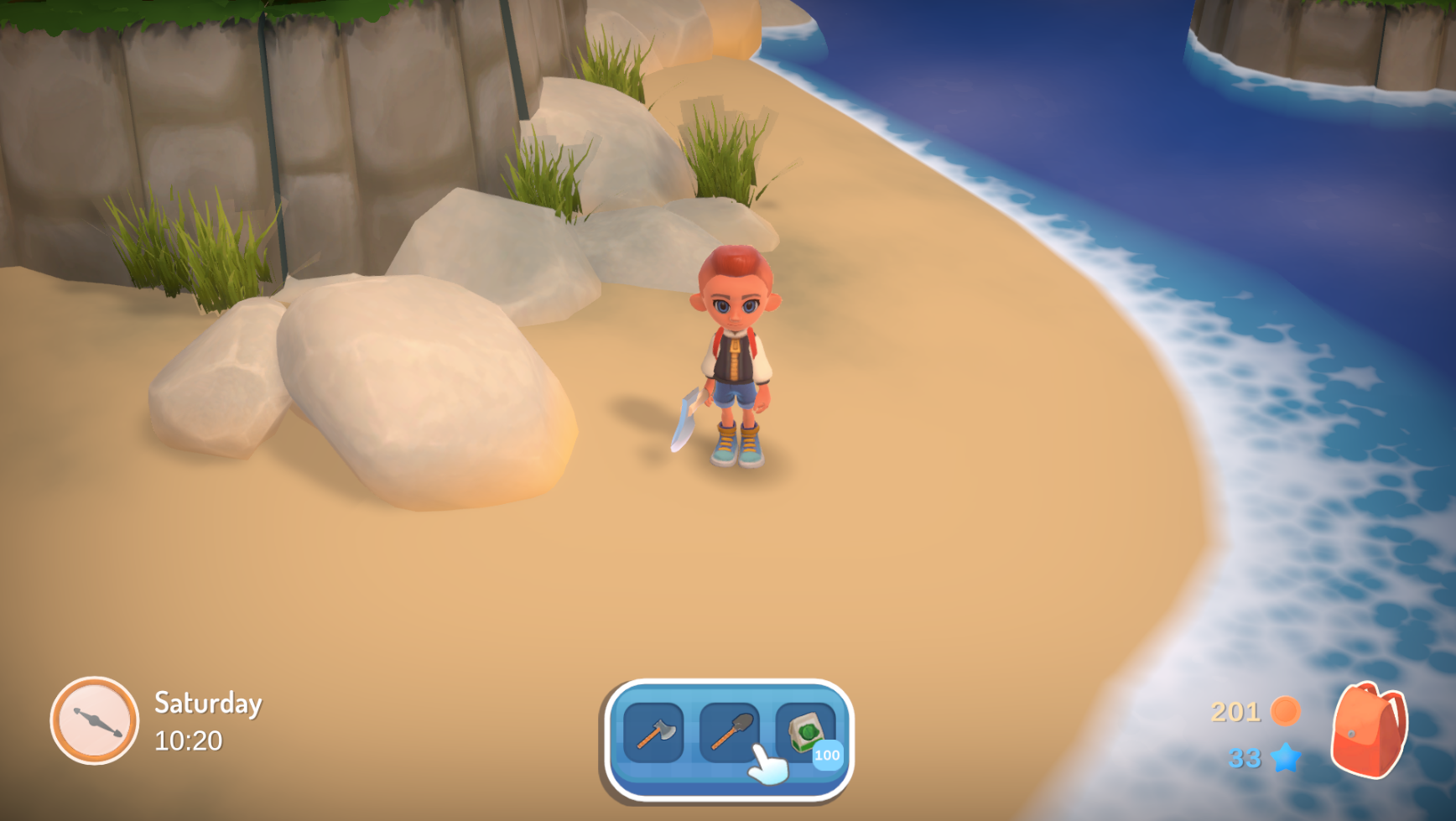
Popup UI for choosing equipment
Other bits and bobs
Outside of these updates, I also:
- Set up "Brush packs" - similar to the Piece Packs for the Design Tool, I moved brushes used in the Painting Tool into packs that can be unlocked as you play, giving the player something else to save up towards and expand over time.
- I reworked the saving and loading in the game, making the whole thing less all-over-the-place and hopefully more reliable. I also added save backups, so that the game gets backed up every so often, just in case a future save were to go wrong.
- The village manager got fixed up as well; making sure that villagers appear where they should, that they don't just disappear from the world.
- You can now see when villagers are at home, with lights on and chimney smoke.
- Villagers can once again interact with stuff! This broke at some point, but now they can sit on chairs and open doors again!
Team 17 Art
The folks at Team 17 have been busy beavering away too.
We've worked into the lighting as well as foliage for the Town areas, which I must say have come a long way!
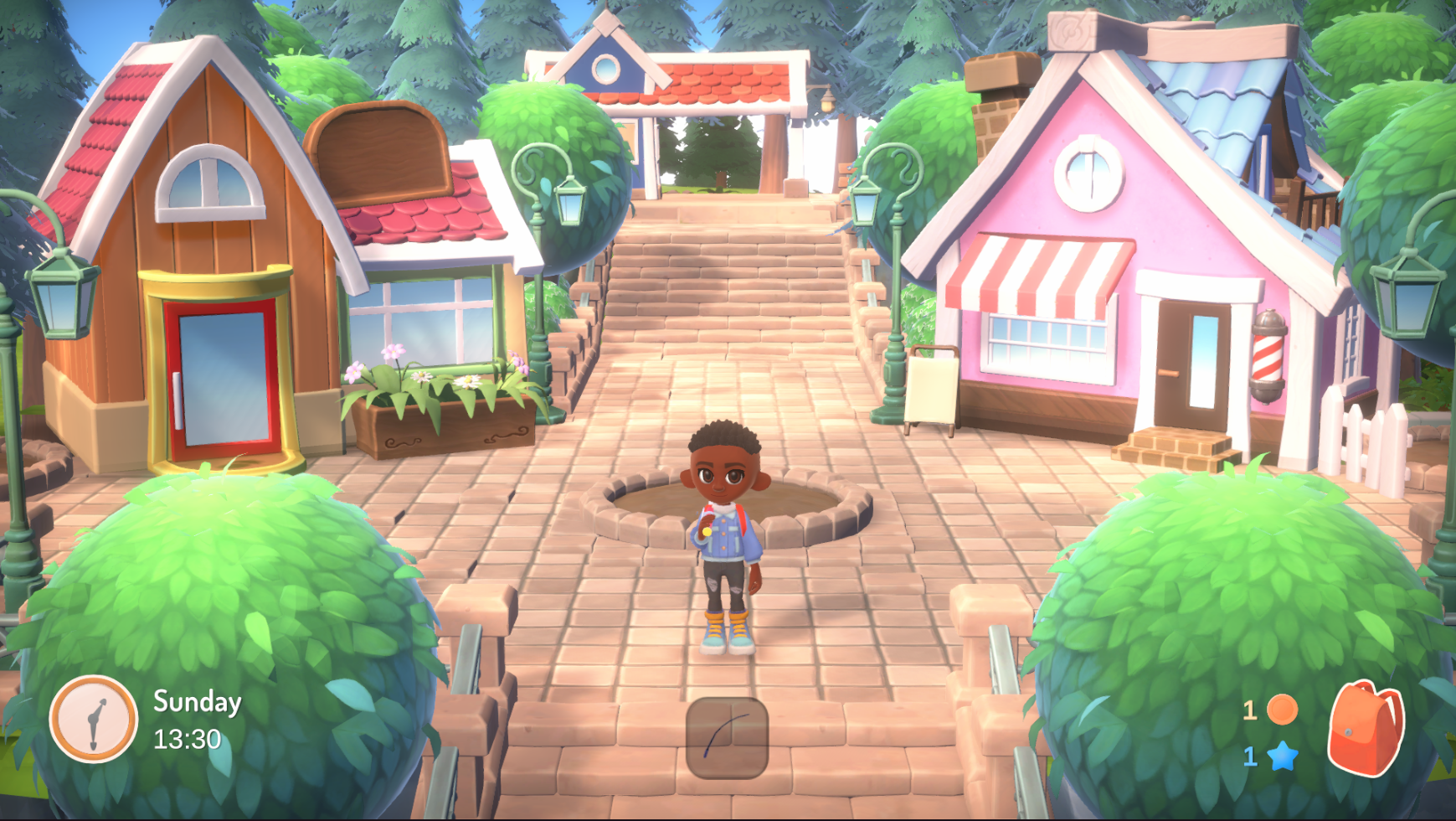
Updated Town Center with new Art
They also got started on building "props" for the game; these are Interior Items that can be used to decorate homes and the world. We put together a scene where you can see all of the items, and have been focussing on getting the models correct before moving on to texturing later.
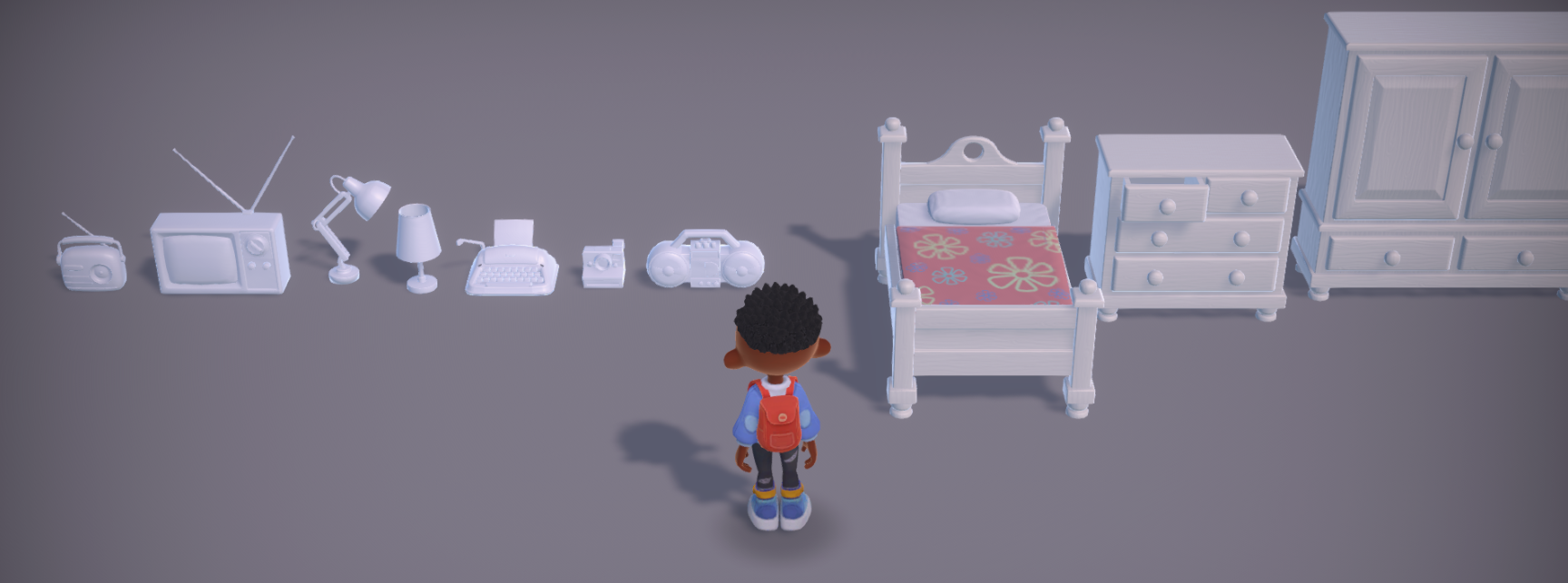
Props scene with initial items
More Clothing!
Eva's been pumping out more clothing items too! We've been focusing on getting new meshes into the game, ready for textures later. The new items she's worked on include:
- Boots
- Sneakers
- Dainty Shoes
- Tank Top
- Rounded skirt
- More trousers!
These are in the mesh stage at the moment, so we'll have some lovely shots with textures coming soon!
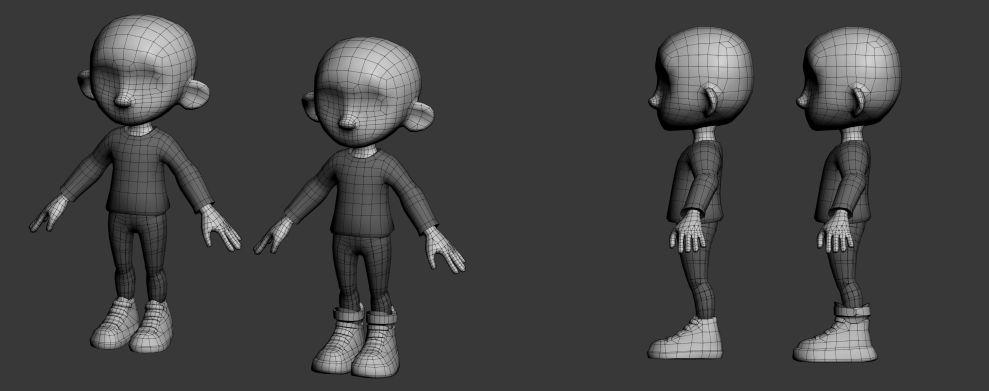
Sneakers in comparison to other shoes
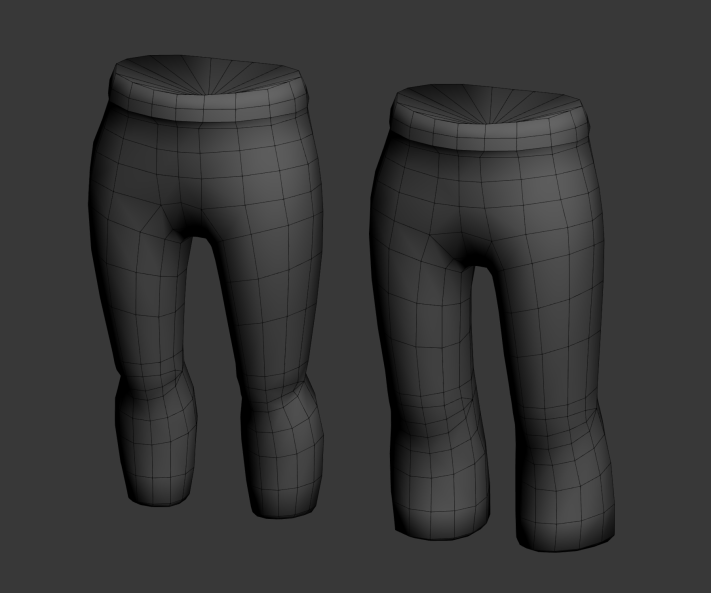
Bigger Pants!
More music
Chris has spent more time on the project, working into the music tracks. We've started filling out more of the times of day, so now we have a daytime, evening and night track we're happy with.
There we go! Another month has flown by and the game is coming along nicely I'd say!
It makes such a big difference now that others are involved, and the quality is just improving constantly. Writing this post has made me very happy, being reminded that Hokko is becoming something really wonderful 🥰
Thanks for reading, and for your support! As always, let me know your thoughts in the comments, or in our Discord server!
Take care of yourselves!
from Robert