
Hi, fans of upcoming videogame “Faye's Factory”! I was refreshing a Steam page of the game during the weekend, and the game is now “management-rpg”. We talked about management part last time, so here’s a little focus on rpg component.

it takes time to figure yourself out
While we have a lot of rpg-elements, and I’ll talk about them in next diaries, every role-playing game starts with a robust save system. With different paths to walk, and all the bad decision to make, you have to know that your progress is safe and sound, waiting for you to roll-back and see what would happen if you take the other route through the quest. (and then decide that your first route was slightly better, but you forgot to save at the end of it, so now you roll-back again and speedrun through the quest, but at least you now know that this is the best route. rpgs!)
Over here at “Faye's Factory” we strive to push the boundaries of rpg genre, so here’s how I approach saves in this game.
quick saves
“Faye's Factory” is coming to personal computing machines first, and so I had to include the foremost staple of pc-gaming: save-scumming the shit out of F5. Yes, just as you expect, you can press F5 to quick save, and F9 to load up after making a real dumb choice.
You can’t quickly save in the middle of a duel or a conversation. The reason for this is I didn’t want to make save-scumming *too* easy, because it corrupts the best of us (remember how you could quick load *in the middle* of a dialogue in Fallout 4, and retry the charisma check with zero hustle?). With just a little friction, I’m hoping you would think twice about this absolutely illegal way of playing the game.
In any other situation, you are allowed to quick save any number of times, and the game stores three latest quick saves, while erasing anything older.

begone, notification!
manual saves
If you want your save file to be more permanent and more prestigious, you can save manually from the pause menu. I know that some hardcore old-school rpg players like to save their progress often (old games were hard!), so there is no limit for this (except your disk space), and it’s quick and snappy. Again, you can only save outside of a duel and conversation.
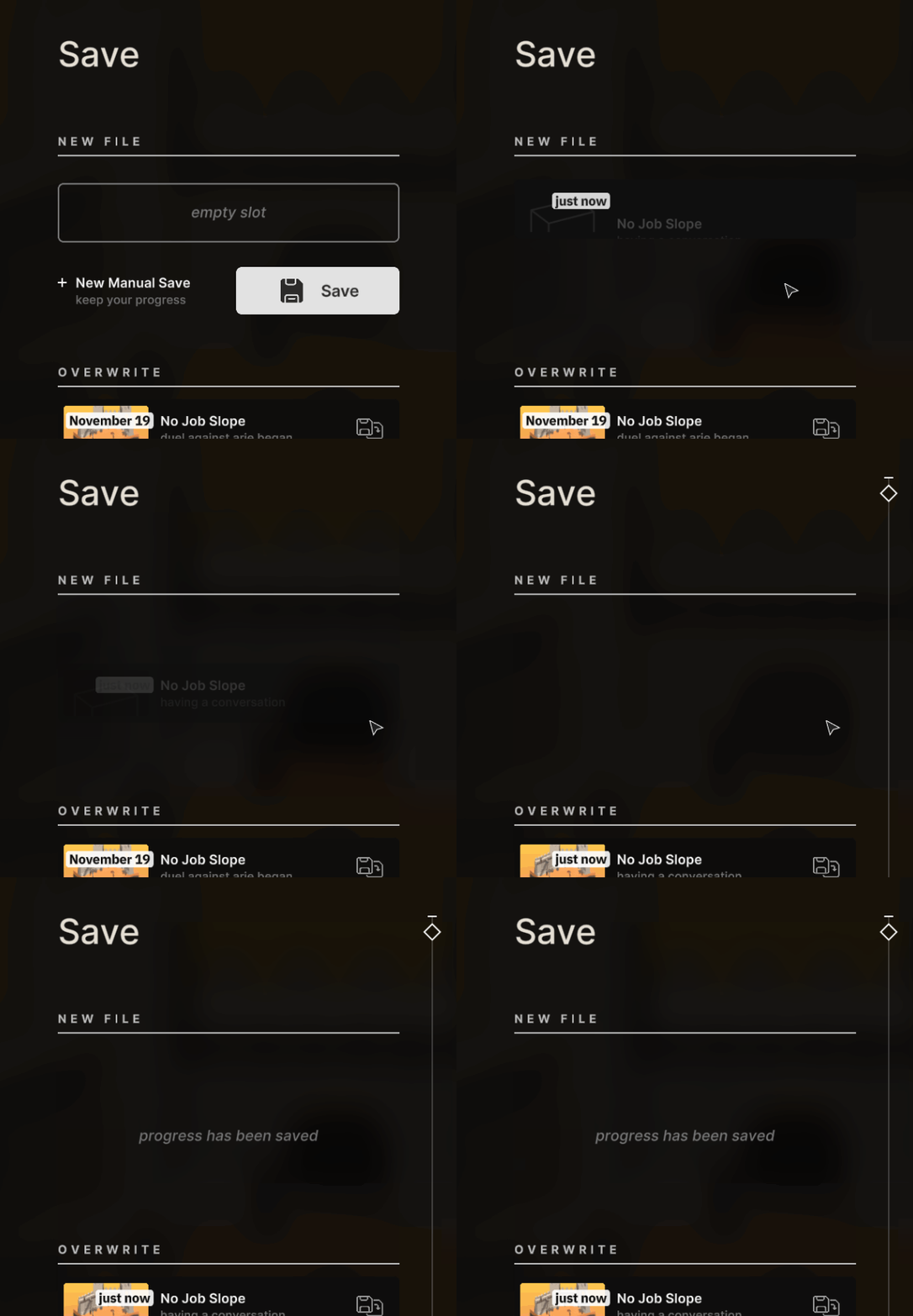
snappy?
turning point saves
Saving is a hustle, really, and takes you out of the game flow. Of course, what takes you out of the game flow even more is encountering a fatal bug or locking yourself into a terrible decision by accident which you are too late to reverse.
No worries, “Faye's Factory” got you covered here. At certain points (mostly when you start an adventure), game creates permanent saves for you to rollback to. This happens automatically, so you don’t need to worry about losing too much progress in case something very undesirable happens. It also was very easy to implement, but I don’t think any game does? Innovations!
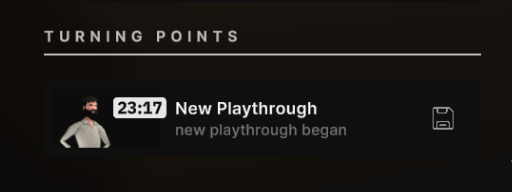
you spent so much time creating you character, we had to save it!
and, of course, autosaves
Come on, it’s the 2022th century, so your progress automatically saves on certain points: when skipping between islets, starting and finishing duels, conversing, etc. We also keep three latest autosaves so you have more options when something goes wrong.

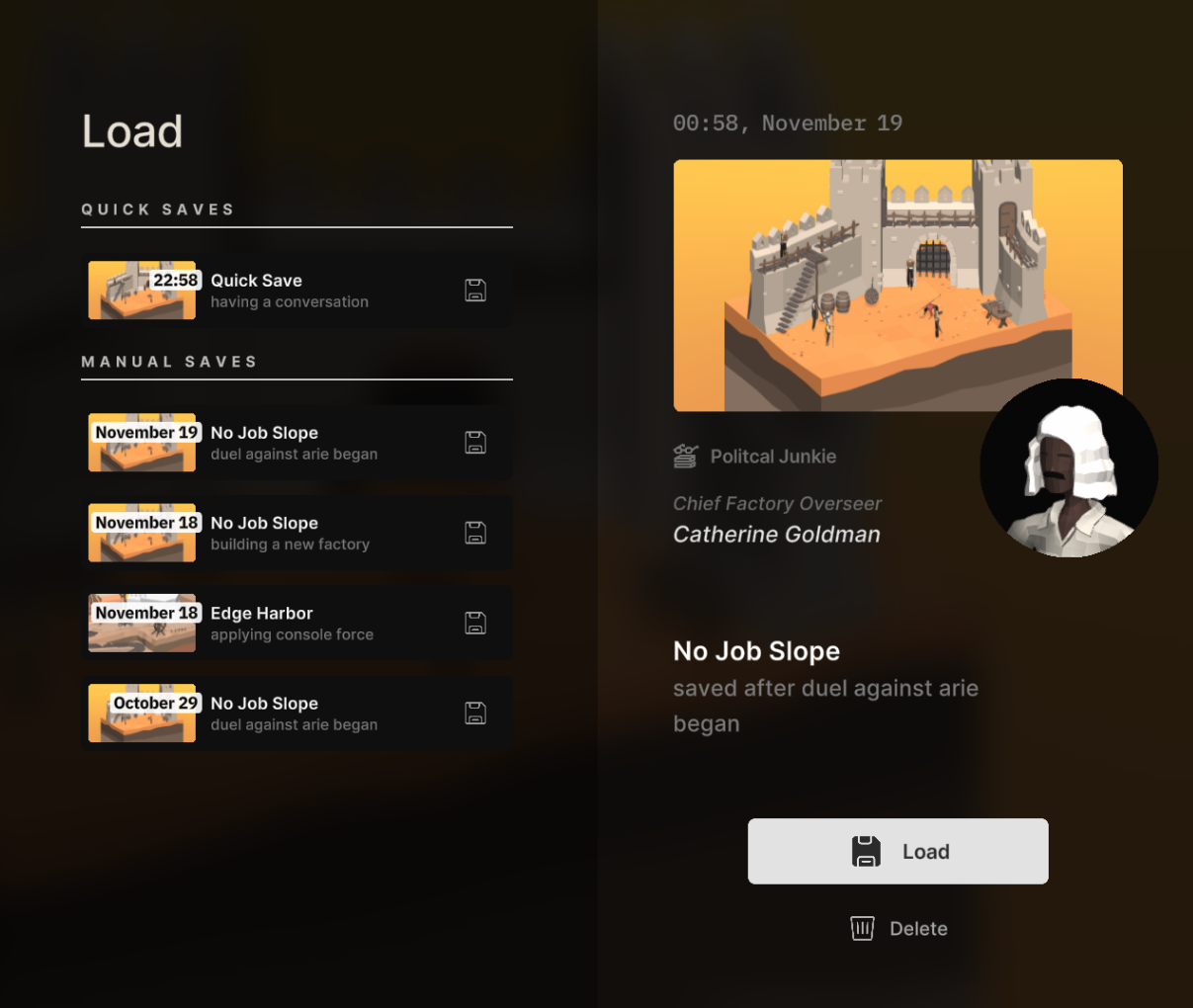
a lot of saves!
All these savefiles! But how do you tell them apart? Basically, there are three things game like to do:
- timestamp a save (you remember what were you doing in the game on february 28th 16:32, right?)
- give savefile a name (maybe, current quest or location), or, worse yet, make a player name their own savefiles (which inevitably results in new_save#1, new_save#2, and a bunch of other new_saves)
- attach screenshot to a save (this is good, no notes!)
I’m doing all of this in some form, but also - game knows the context for saves, and tells it to you in human language (“duel against Arie began”, “factory layout changed”, “arrived at new islet”)! We are generating those from the origin script that prompts the autosave, and for your own savefiles, we use the latest save reason we had (hopefully, it closely matches what prompted you to save.)
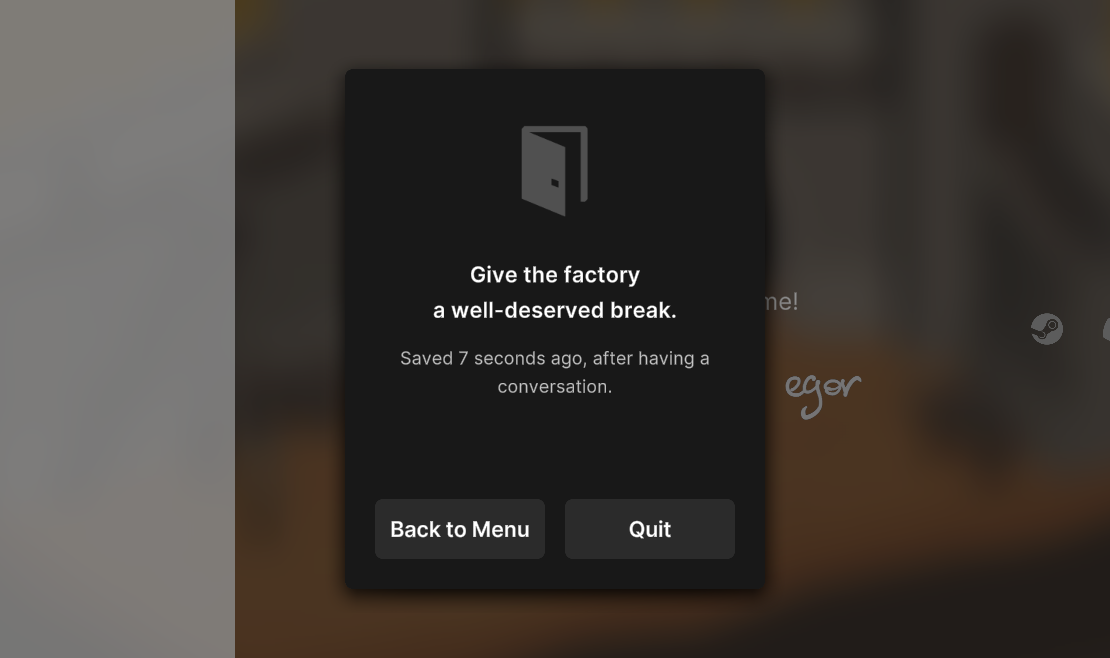
we show the same reason when you need to know when game was saved as well: yes, we remember how you’ve just defeated that Arie character, you can quit the game with a peace of mind
This is the save system in “Faye’s Factory”. I’m hoping it’s familiar to Professional Gamers, unobtrusive for casual players, and still has a few surprises for rpg diehards. Thanks for reading this deep-dive into a completely technical part of the game, join the Discord, see you next time!