It's highly recommended to disable motion smoothing before running Front Defense: Heroes. To do this, uncheck "Enable motion smoothing" under SteamVR Monitor -> Settings -> Applications -> Motion Smoothing.
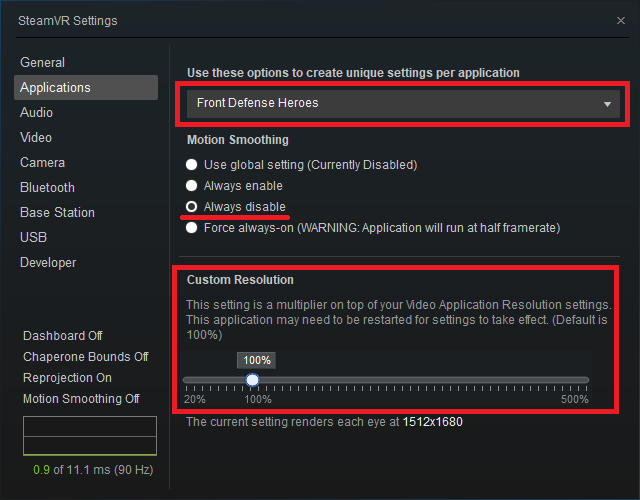
And also in Video setting.

It's highly recommended to disable motion smoothing before running Front Defense: Heroes. To do this, uncheck "Enable motion smoothing" under SteamVR Monitor -> Settings -> Applications -> Motion Smoothing.
And also in Video setting.
Recorded Steam release date:
Within one calendar day of this post (UTC). The listed date does not establish an exact launch time.