
Hello luthiers!
The last few days have been very productive. Here is a summary of the content coming in the next update, as well as future plans regarding new mechanics and gameplay features.
New Map

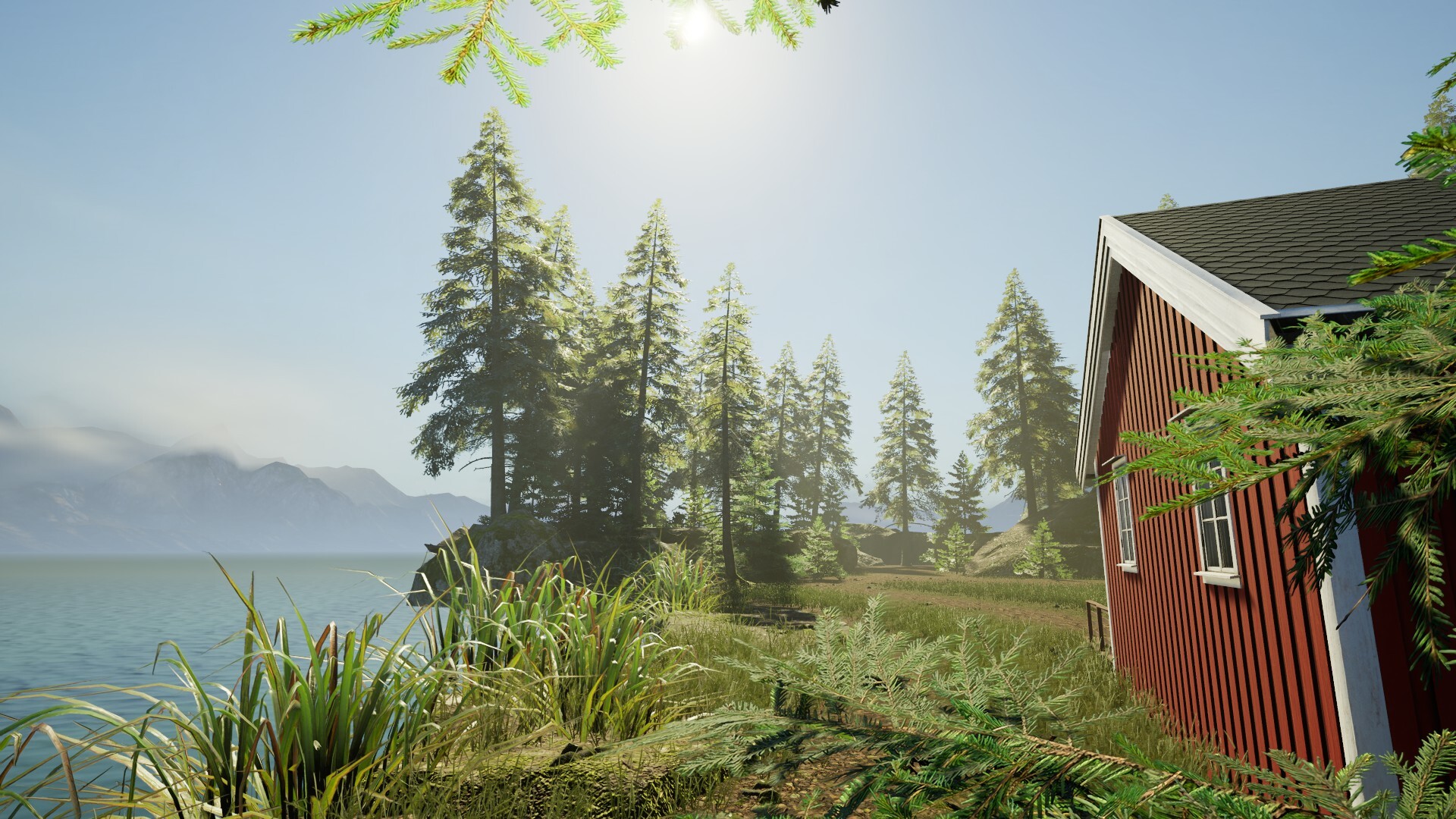
A map set in a Nordic environment is currently in development and will be available.
New Instruments and Upgrades
Nashcaster Classic Vintage (NEW)
Duskhorn Single Cut (NEW)
Upgraded Vyperion model
Upgraded Spectrum model
New Procedural String Generation System
I’ve created a custom plugin that allows for automatic, procedural generation of strings on instruments.
The system generates strings along a path driven by sockets placed directly on the components; string diameter is calculated automatically, regardless of the desired number of strings.
String anchors (ferrules) are also generated.
This makes managing different necks much easier and ensures compatibility with various bridge and tailpiece types.
Guitar Shader V2
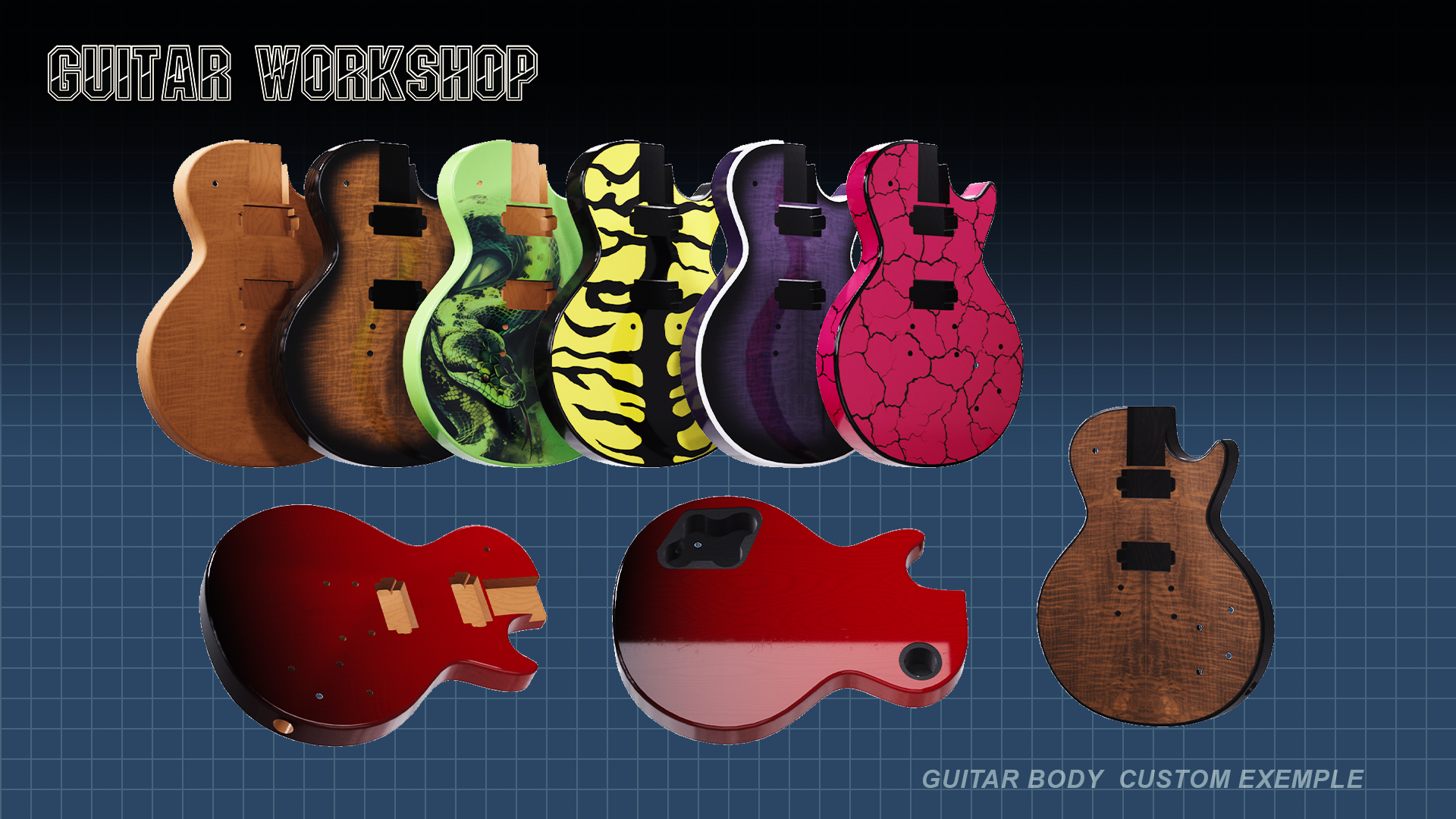
I have modified the main shader controlling the appearance of guitar bodies and necks. I added new parameters and renamed others for clarity. Save files will be affected; you will need to repaint your saved instruments if you used additional masks.
Additional Masks:
The "Burst" effect now corresponds 100% and exclusively to the shading effect around the edge of the guitar top.
Each part of the body (top, back, edge/binding, front contour) is customizable if you enable the associated mask.
Wood & Shading Adjustments:
The base wood texture is now multiplied directly with the custom wood texture instead of applying as an overlay mask.
The wood texture selector has been removed from the painting station; this option will move to the futur body and neck creation station.
In the meantime, wood textures will be applied directly to purchased bodies with proper placement, rotation, and scale.
Specular values have been separated and rebalanced: raw wood and varnish now have distinct values, resulting in a darker, more realistic look for the paint and clear coat effect.
Custom Textures & Modding:
The game includes textures by default, but you can add your own and share them on the Steam Workshop.
Check the modding guide on the community hub for instructions on locating the mod directory on your computer.
(Do not exceed 4096x4096px texture resolution to maintain performance.)
Custom textures created in external drawing software using the downloadable UV templates.(Available Soon on the Accretion Games web site).
Painting Station Updates
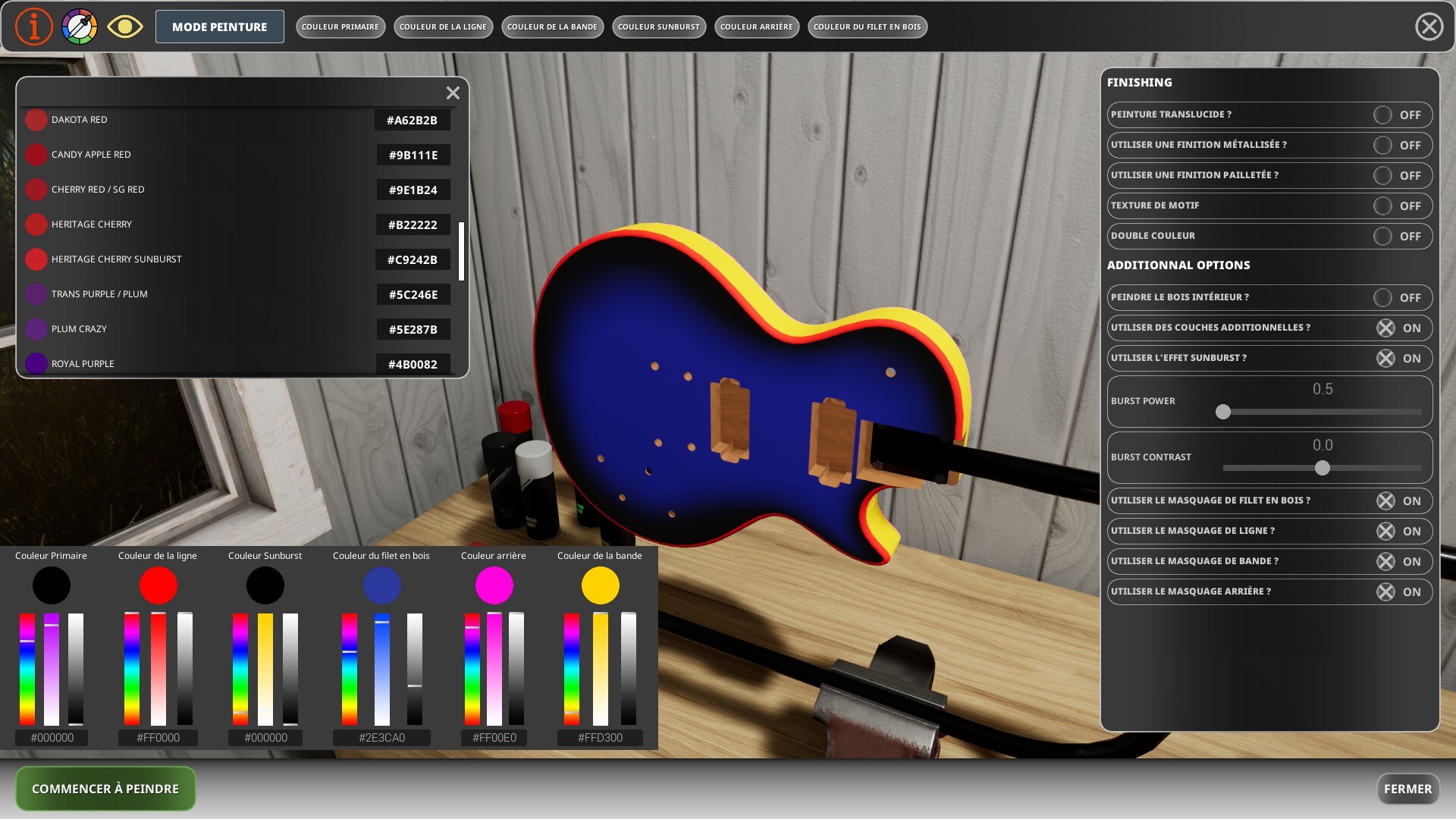

(Wood texture options are removed)
Custom Colors & Textures: A dedicated "Custom color" spray paint item replace all the old paint spray items.
Loading it into a paint slot will open an RGB color picker directly in the interface, allowing full hex/RGB color customization.
A second Spray paint item "Custom Texture" can be use to apply direcly a skin to the body from in game body skin and from mods.
A list of all the real paint colors are available and you can direcly copy and past the color code into each RGB selectors !
The wood in the holes and cavities can be left natural or painted as well.
Realistic Guitar Tuning System


I'm excited to introduce the brand-new Interactive Guitar Tuning System!
From string replacement to final setup, you can now tune every instrument on your workbench just like a real guitar tech.
Here is what’s new:
Interactive 3D Peg Controls: Zoom in on the headstock and turn each tuning peg with precision. Hold Shift for faster turns or make micro-adjustments to hit the exact frequency.
Real-Time Chromatic Tuner: A dedicated digital tuner widget analyzes the pitch in real time, displaying the detected note, octave, and a responsive tuning needle with visual feedback when you're in the sweet spot.
Dynamic MetaSound Audio: Hear the pitch and tension of each string change in real time as you tune and pluck strings.
Multiple Tuning Presets: Support for various tunings (Standard, Drop D, Drop C, Open D, Half-Step Down, DADGAD, etc.)
Physical String Tension: Fresh strings start completely slack and need to be wound up to pitch. Be careful not to overtighten, or you might snap a string!
Dynamic Client Requests: Clients will now bring instruments with their own preferred tuning setups, adding dynamic tuning objectives after repairs or string changes.
Installing and removing a guitar string:
Installing and removing strings is now done by interacting directly with the tuning pegs (right-click to open the options menu for each peg).
To remove a string, you must fully loosen it, once a string is completely slack, you will hear a sound indicating it is ready to be removed.
To remove it, click the middle mouse button (scroll wheel) while hovering over the peg. You must be in Normal mode to interact with the tuning pegs.
You don't need to switch to tuning mode for a peg to remove a string; in normal mode, click on a peg to focus the camera on the headstock, then hover your mouse over the peg and scroll the mouse wheel downwards to loosen the string—hold down the Shift key to speed up the rotation.
SAVE SLOTS

Save slots are now visible inside a window after pressing the Continue bouton inside the main menu
You can direcly remove your saved game here and select your saved game to load from here.
Career mode and sandbox mode each have their own separate saves, and both modes are now functional!
Bug Fixes
Fixed an issue where the mouse cursor disappeared when the radial action wheel opened while browsing the shop.
Fixed a bug where a broken item was equipped instead of the new item selected in the item selection window during assembly mode.