
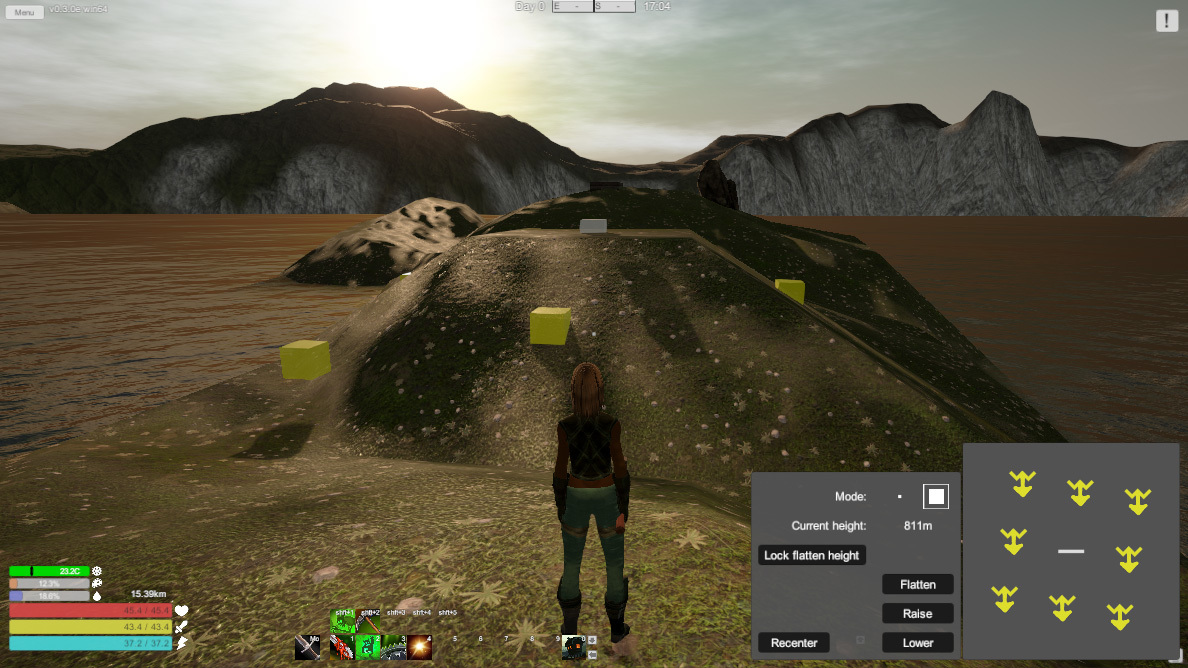
Terraforming is back with new features, minus the bugs! It's now very easy to make flat spaces using the flatten tool while in "face" mode as opposed to "point" mode for terraforming. This turned out to require a rediculous amount of logic checks to be sure that each point is pulling from the correct terrain within an infinite landscape.
Now that we have an easy system for flattening areas, I'll be looking to get back on track with farming and fishing.
v 0.3.0e - 2018.09.02
Terraforming
- Fixed and re-enabled terraforming (default key: y)
- Split terraforming into two modes: point and face
- Face mode can flatten an area
- While in face mode you can lock the current height to flatten neighboring areas to the same height
- Max steepness increased to 10m
General
- Terrains will now save their border heights the first time they are generated to prevent the rare occurrence of heights shifting between plays which previously could cause player buildings to end up above or below ground when built directly on terrain borders.
- Interactable interfaces (trashbins, forges, etc) will now allow you to switch between crafting and inventory without breaking the connection to the actual facility. Closing the main interface is now what breaks the connection.
- Fixed mobs getting stuck due to an implementation mistakingly left out of the last patches patch notes. The game world shifts back to zero every 8192 meters traveled to prevent floating point precision errors. This used to cause mobs to sometimes get confused as their spawn points are saved for them to run home to. Post world shift, their spawn point would be 8 kilometers away all the sudden and caused mobs to disappear sometimes. The fix that I implemented in 0.3.0d was causing them to constantly update their spawn point in some cases. Both problems are now fixed.
- Fixed a bug that would caused dropped items to reappear after reloading even if picked up
- Fixed using "interact" to close windows causing them to pop open immediately again
You may need to restart Steam for the update to begin.
To opt into Beta you only need to go to your Steam Library, right-click on Solace Crafting, select Properties, click on the Beta tab, and opt-in to the beta. The beta is only available to Windows 64-bit users.