
The HUD Overhaul
This update gives the in-game HUD a complete refresh. Everything you look at during a match has been cleaned up, made easier to read at a glance, and given a little more life - without getting in the way of the action. The overall look you know is still there, it just works a lot better now.
Here's everything that changed.
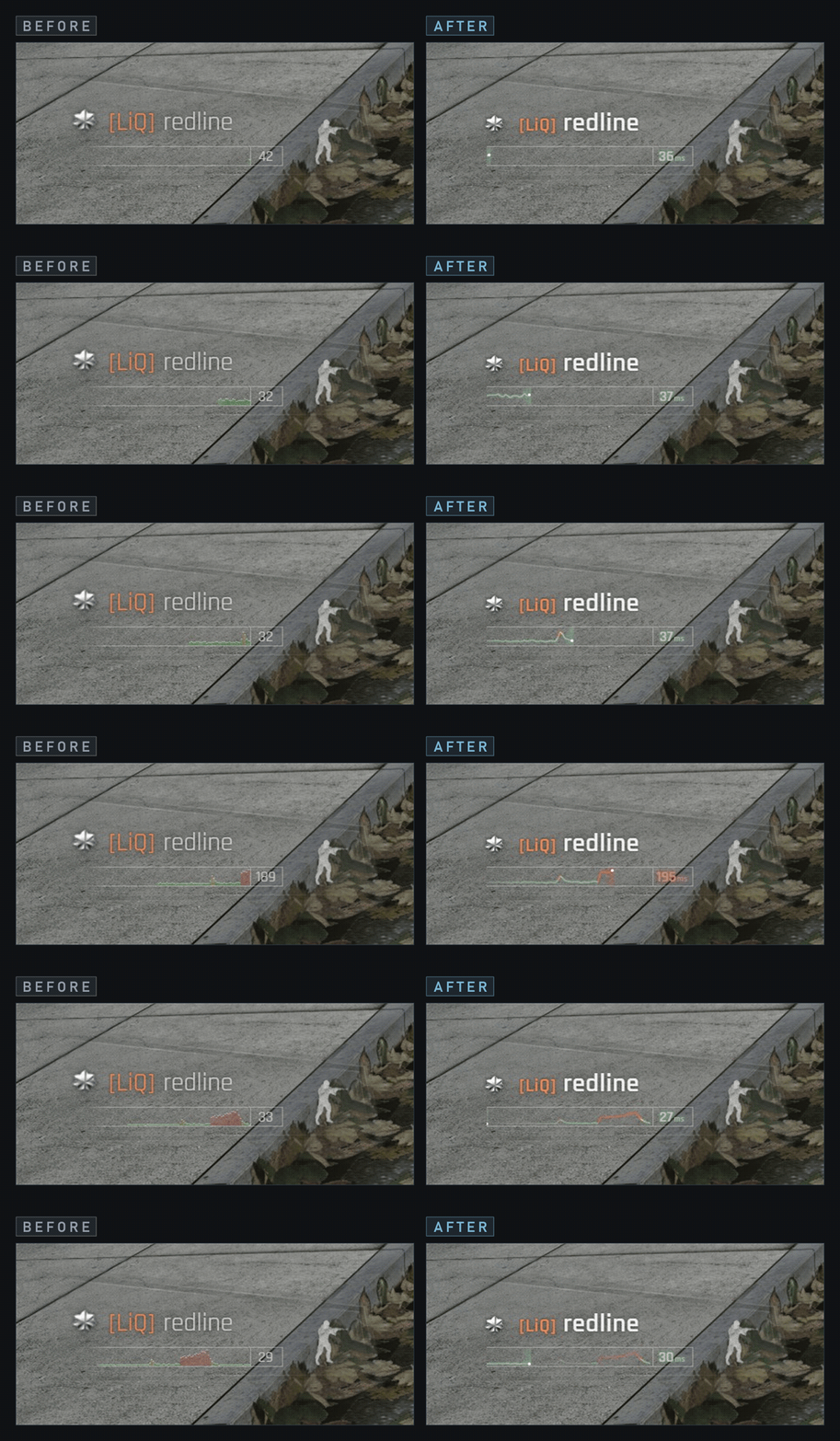
Ping Graph
The little graph in the bottom left now draws your connection as a smooth live line that sweeps from left to right, a bit like a radar. It stays green when your connection is good, turns yellow when it starts to slip, and red when it's bad, so you can tell how you're doing without reading a single number. The number next to it now has a small "ms" so it's clear that it's your ping.
Hit Markers
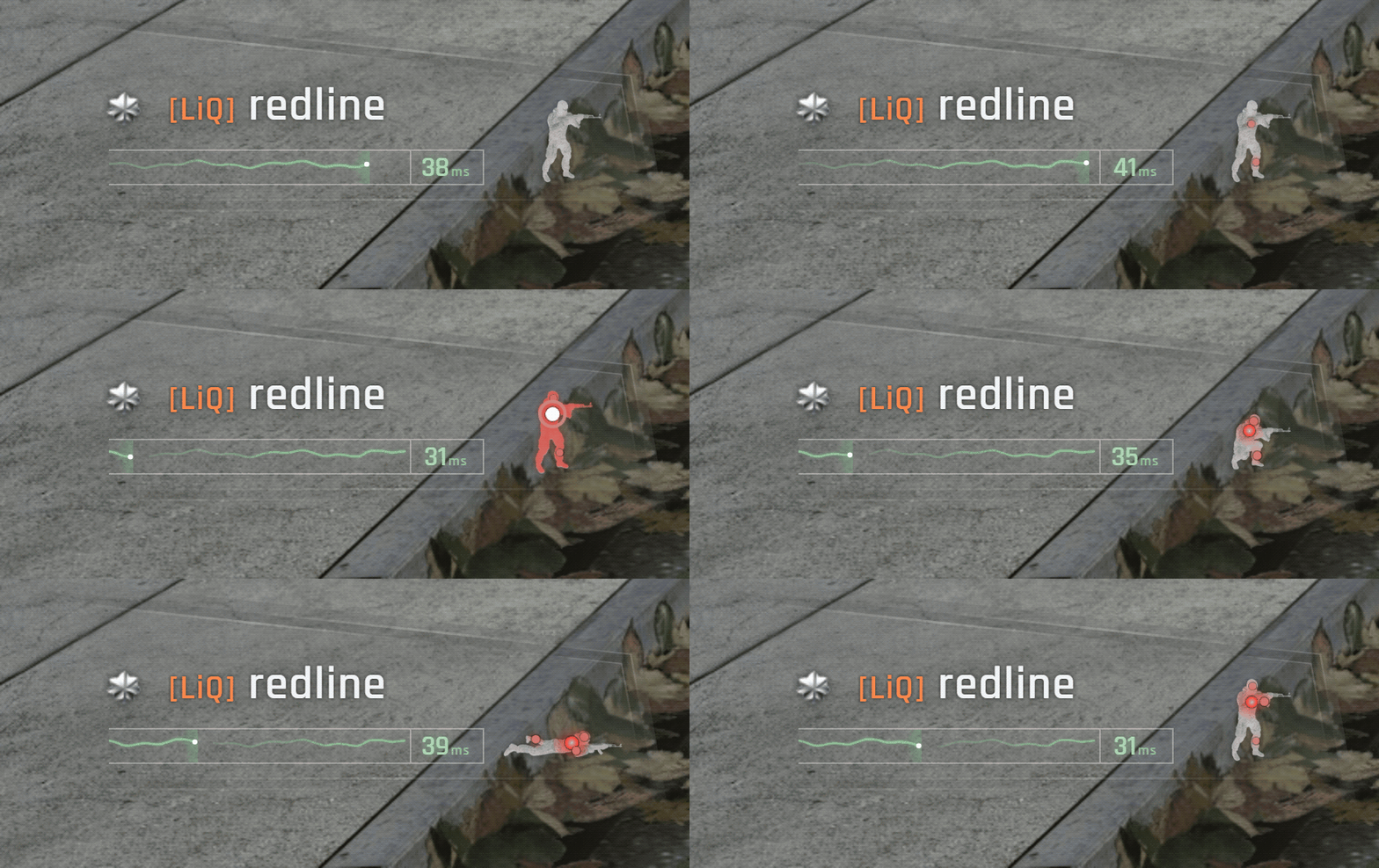
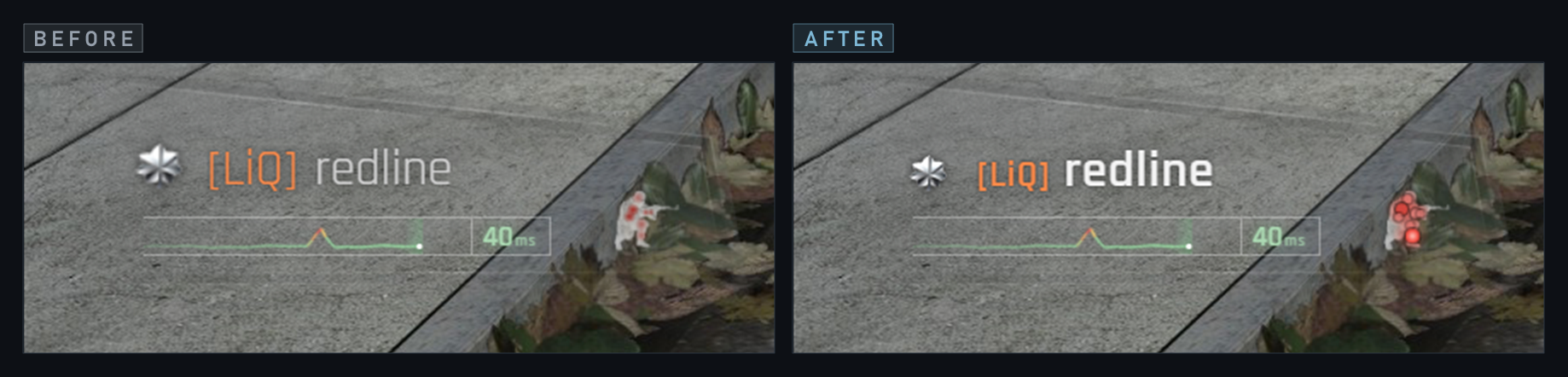
The figure next to your name shows where you've been hit, and it's a lot more alive now.
- Every hit lands with a flash and a ripple on the exact part of your body that was hit.
- Hurt spots glow and gently pulse. The more you get hit in the same place, the stronger they glow.
- The figure flinches when you take a hit, so you notice it even in the middle of a fight.
- Standing, crouching and going prone now move smoothly from one pose to the next, and the hit markers follow along.
- Everything clears when you respawn.
Weapon Panel
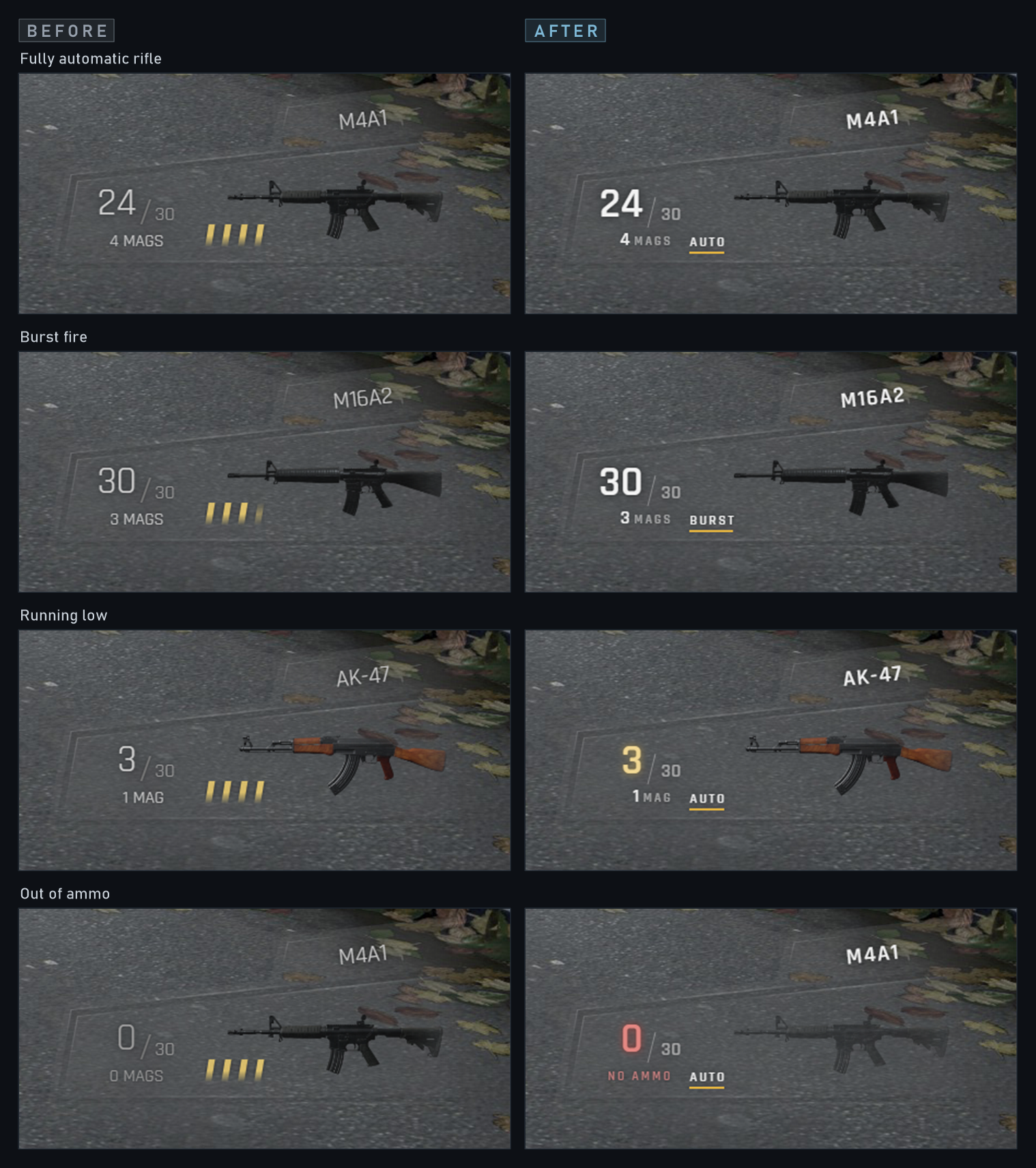
- Your fire mode is now spelled out (AUTO, BURST, SEMI or BOLT) instead of the old yellow bars.
- Your ammo turns yellow when you're running low, and red when your magazine is empty.
- When you're completely out, it says NO AMMO and the weapon picture fades.
- Bigger, sharper numbers, and long weapon names shrink to fit.
Round Clock
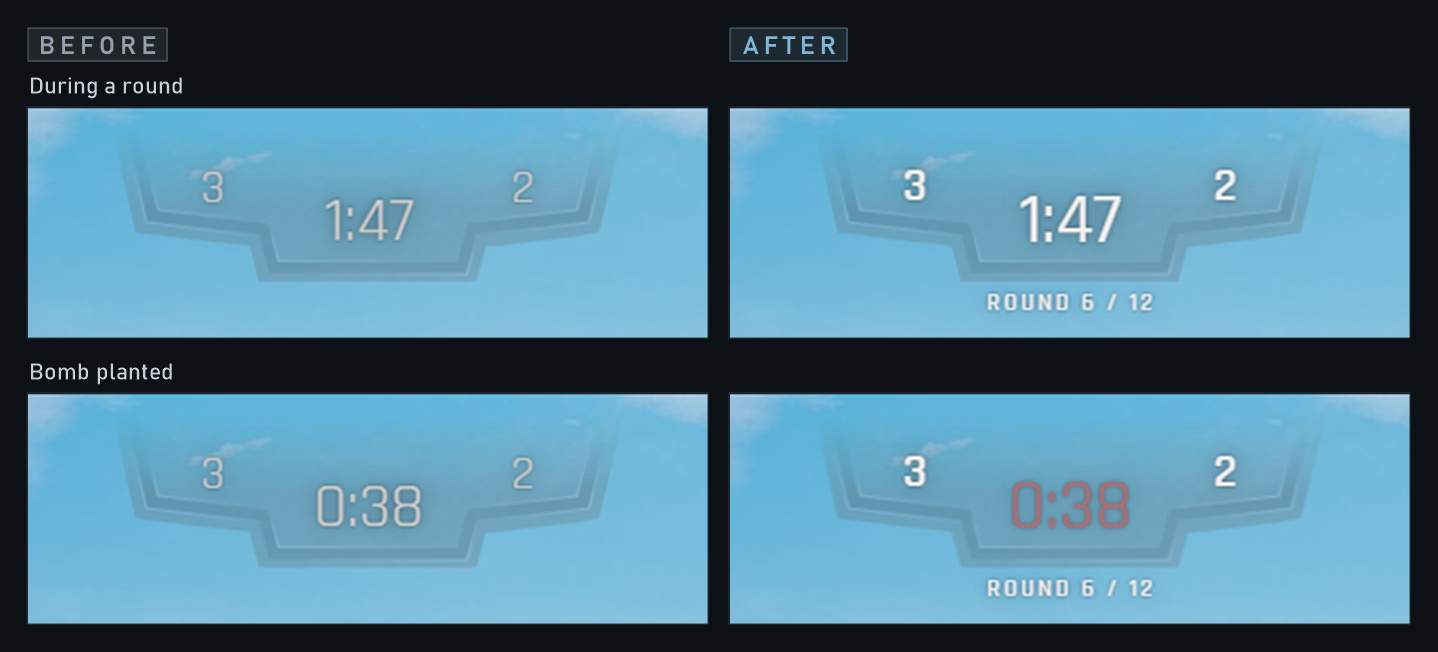
- The clock is bigger and centred, with the round number shown underneath (for example ROUND 6 / 12).
- The last 10 seconds of a round turn red, and the clock pulses red once the bomb is planted.
- Between rounds the clock dims, so it never looks like a round is running when it isn't.
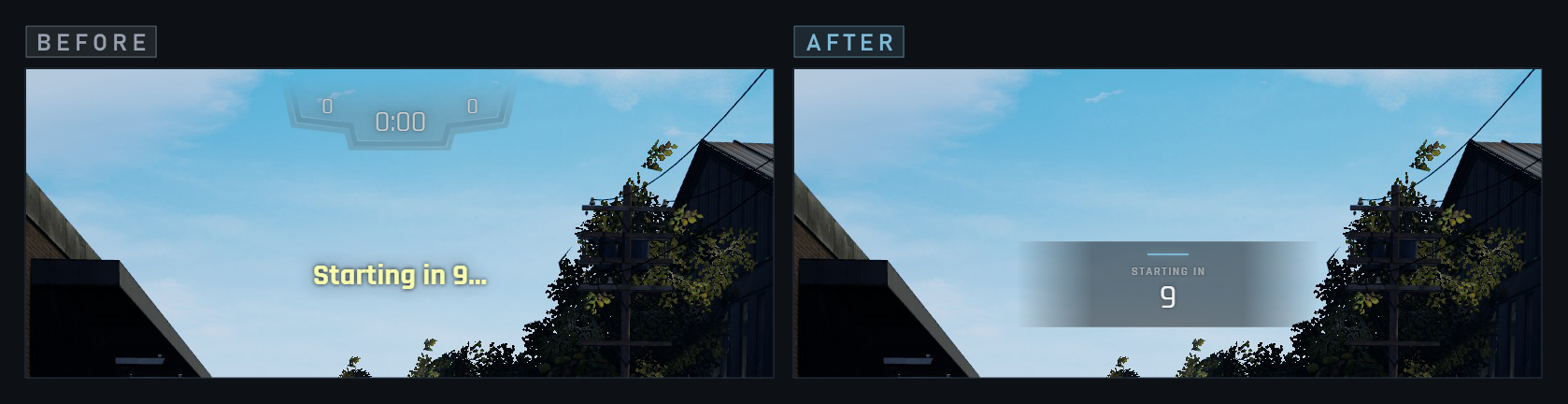
- Before a match starts, the clock gets out of the way and only the "Starting in" countdown is shown.
Announcements
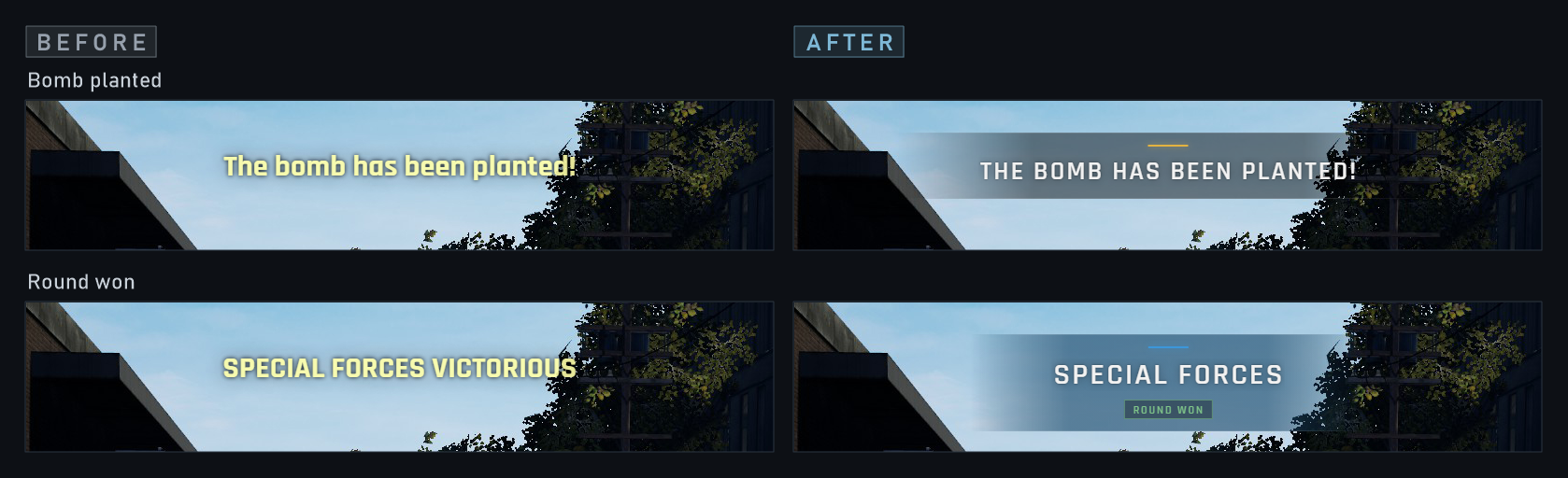
Messages like "The bomb has been planted!" and round wins now appear on a clean banner in the middle of the screen. When a round ends, the banner tells you whether your team won or lost.
We also fixed the countdown before the second map, which used to stop at 3 instead of counting all the way down.
Kill Feed
- Weapons are now shown as icons instead of text, and guns point at the player who was killed.
- Player names are in their team's colour.
- Team kills get a clear TEAMKILL tag, and headshots get their own icon.
- Each entry has a stripe in the killer's team colour.

Chat and Voice
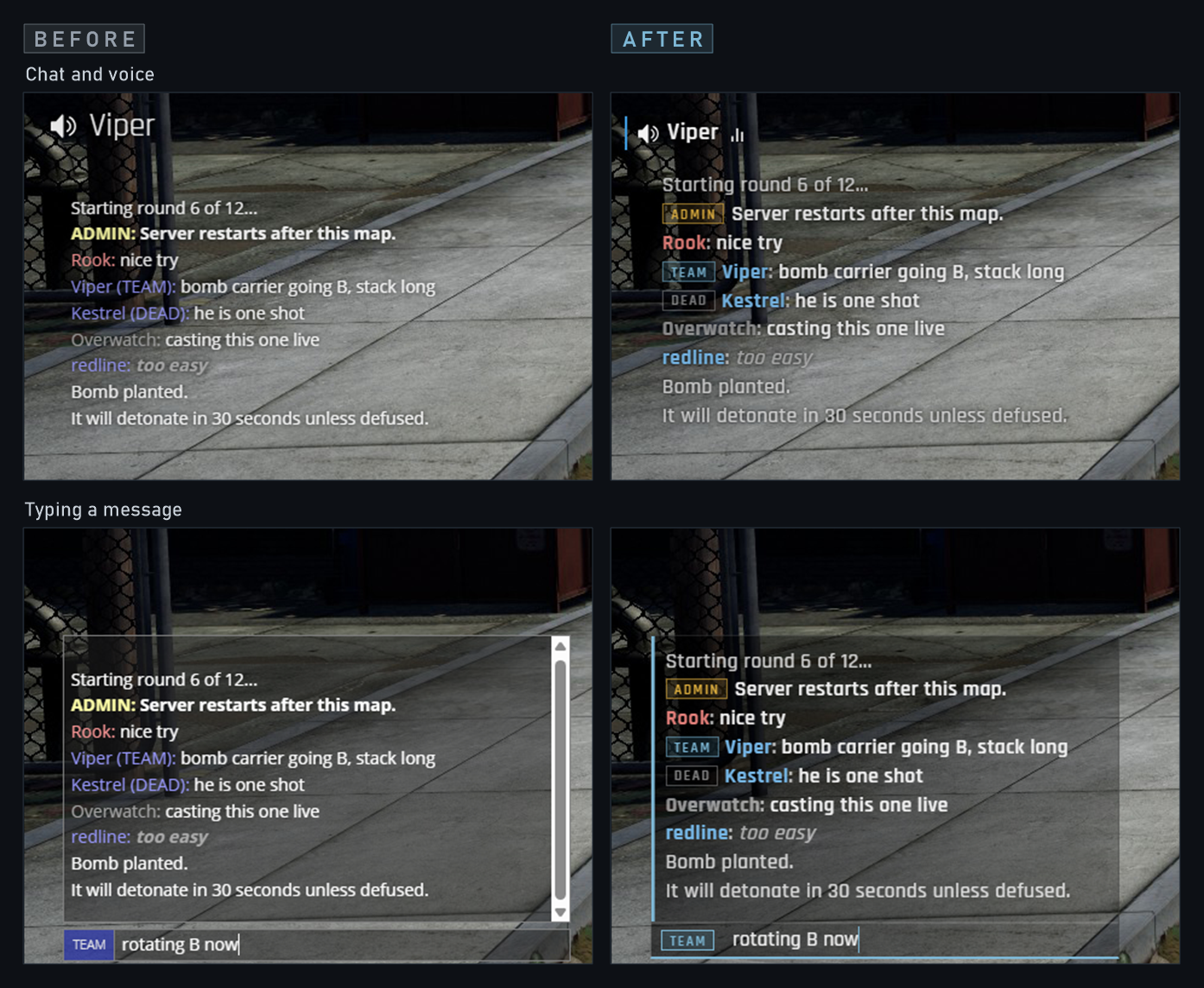
- Team messages, messages from dead players and admin messages now have small TEAM, DEAD and ADMIN tags.
- Names are shown in their team's colour.
- The chat box has a cleaner look and shows whether you're talking to your team or everyone.
- The voice indicator shows who is talking, in their team's colour.
- If you open the chat while the end-of-round screen is up, the chat now shows on top so you can see what you're typing.
Killed By
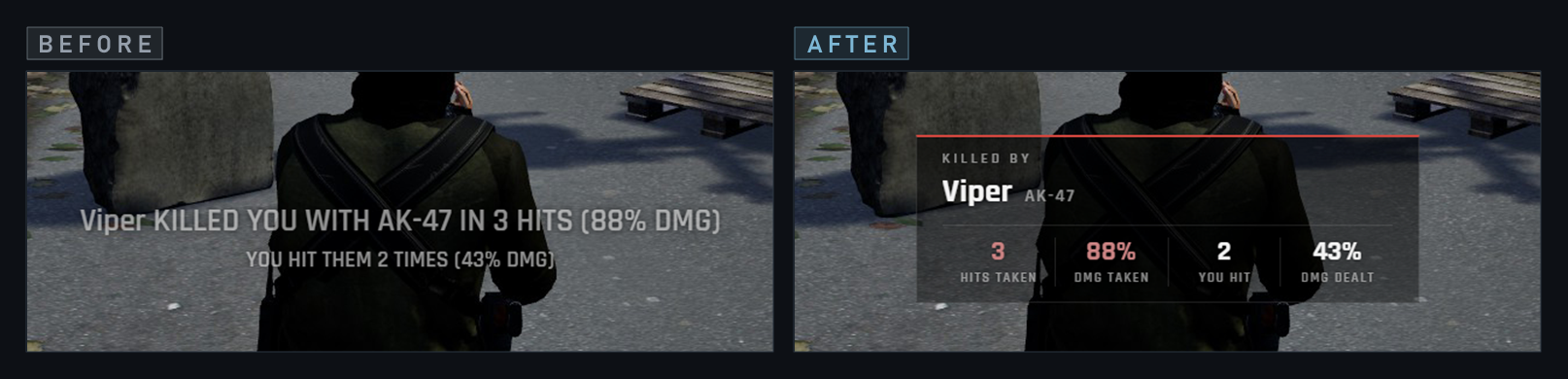
When you die, a new panel shows who killed you and with what, along with how many times you were hit, how much damage you took, and how much damage you dealt back.
Scoreboard
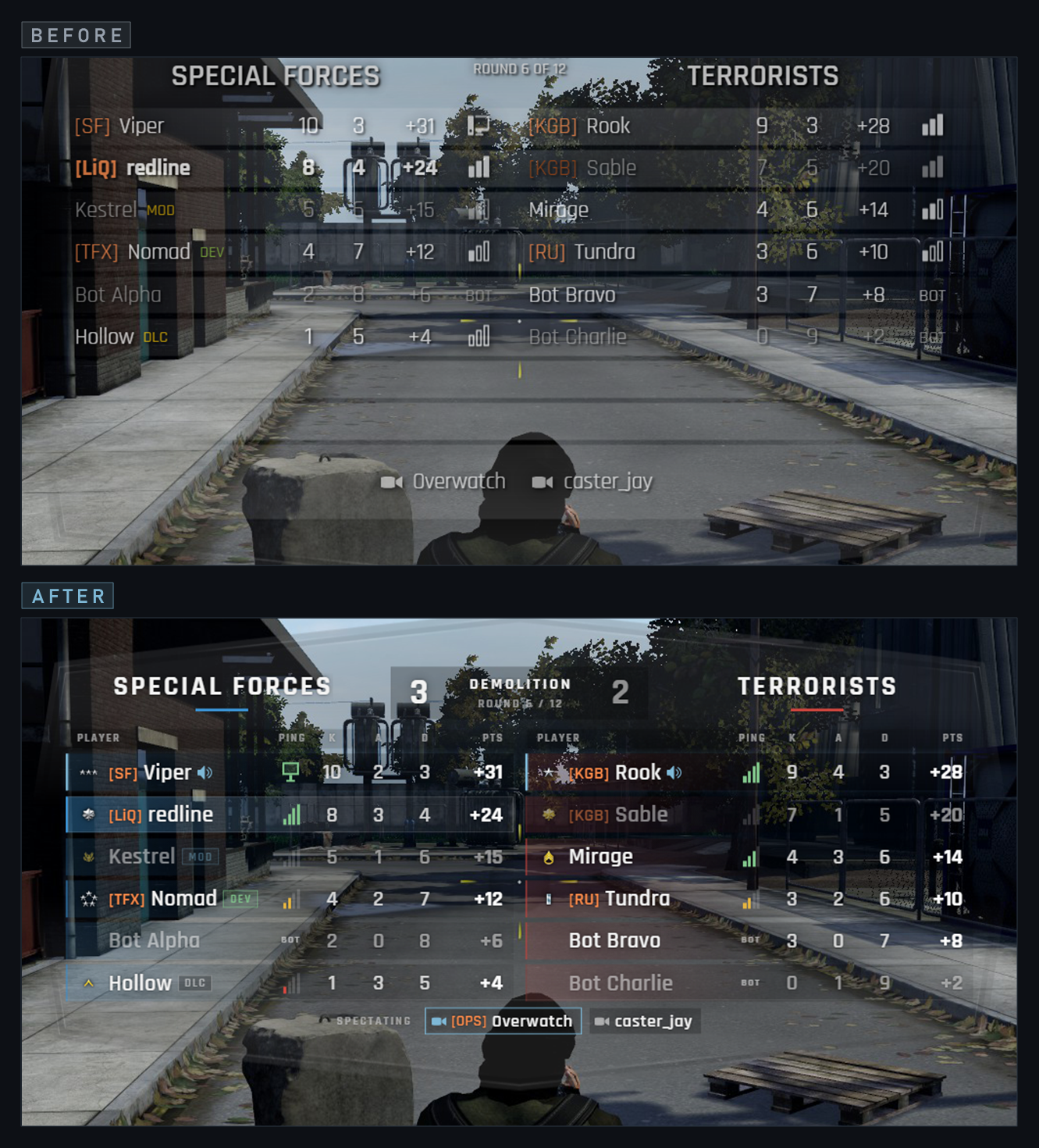
The scoreboard has been completely rebuilt.
- Ranks, clan tags, and DEV, MOD and DLC tags for every player.
- A new assists column, and connection bars that light up green, yellow or red (the host shows a computer icon).
- Your own row is highlighted so you can find yourself instantly.
- The team names, the score, the game mode and the round number are all at the top.
- Spectators are listed along the bottom.
- It fits any number of players.
End of Round and End of Match
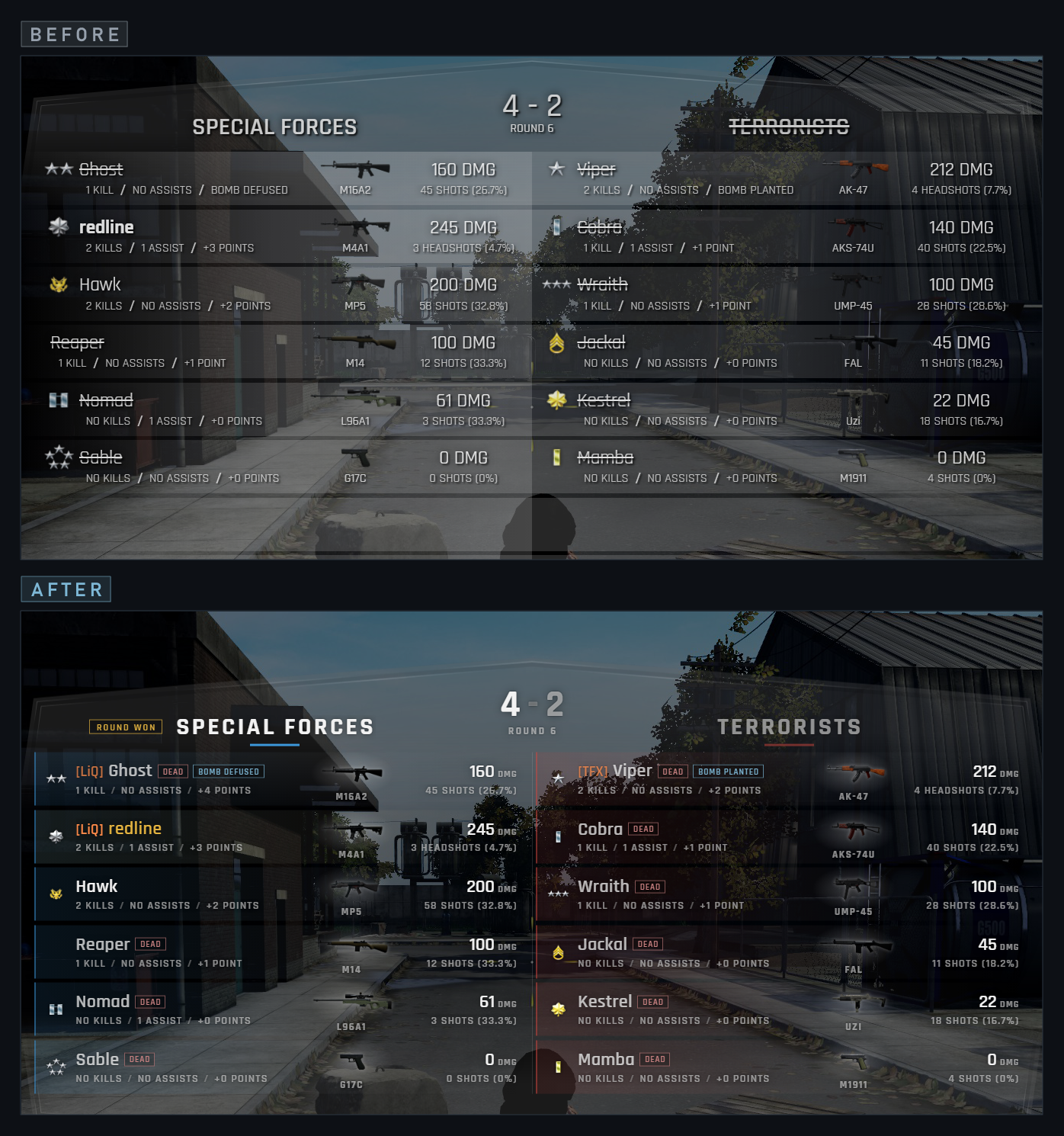
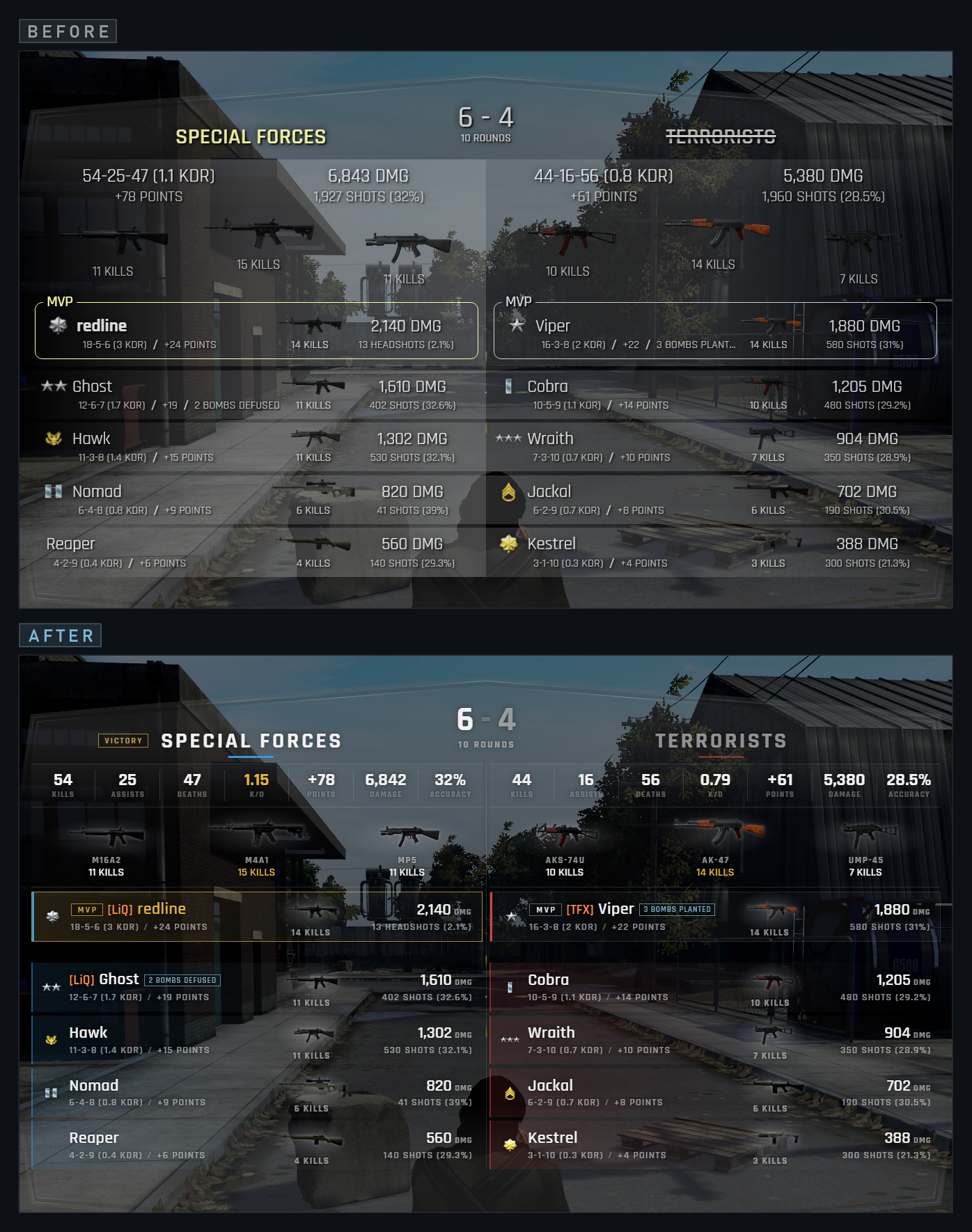
The screens at the end of each round and at the end of the match have a fresh, easier to read layout.
- Clear tags for who died, who planted or defused the bomb, and who was the MVP.
- Each player's best weapon, damage and accuracy.
- At the end of the match: team totals for kills, assists, deaths, K/D, points, damage and accuracy, plus each team's most used weapons.
And More
- Emoji support: emojis in player names, clan tags and chat now show up properly across the whole game.
- Button prompts: keyboard keys are shown as clean key icons, and mouse and controller buttons as pictures.
- Sharper text: tags and labels are lined up and centred properly.
- Every screen size: the whole HUD has been checked at every resolution, including 4:3 and ultrawide.
Thanks for playing, and let us know what you think!