
A much more hands-on way to learn
I’ve been working on this update for a while, and this one feels like a big step for Falltone. It is no longer only about watching a MIDI file play, you can now use it as a place to actually learn the song.
Learn Mode
Turn on Learn Mode from the song’s right-click menu and Falltone waits for you to play the next note or chord before the song continues. Chords can be played in any order, and the timing is a little forgiving instead of trying to hit every note with robot precision. You can choose exactly how each track behaves:
Learn: the track becomes the part you play.
Muted: the track stays in the arrangement but does not play back.
Hidden: the track is removed from the visual display.
Leave both unchecked if you still want to hear and see that track while learning another one.
You can learn multiple tracks at the same time, keep accompaniment audible, and use the sustain pedal as part of the exercise. When the song ends, Learn Mode shows notes hit, notes missed, and a completion percentage so it is easy to see your progress.

Music Sheet Mode
If falling notes are not your thing, switch the learning display to Music Sheet Mode. It uses a two-staff piano layout with treble clef on top and bass clef on the bottom, follows the song from right to left, and highlights the notes as they arrive. The sheet is designed to stay readable while the window is resized or fullscreen, and chords share their timing instead of turning into a pile of unrelated marks. It is not trying to replace real music sheet or apps like Musescore, but it should feel much closer to reading an actual piano part than the first version did that wasn't public.
QWERTY Playing
No MIDI keyboard? You can now play with the computer keyboard. Choose between Virtual Piano and Multiplayer Piano layouts, with Shift for black keys where the layout uses it.
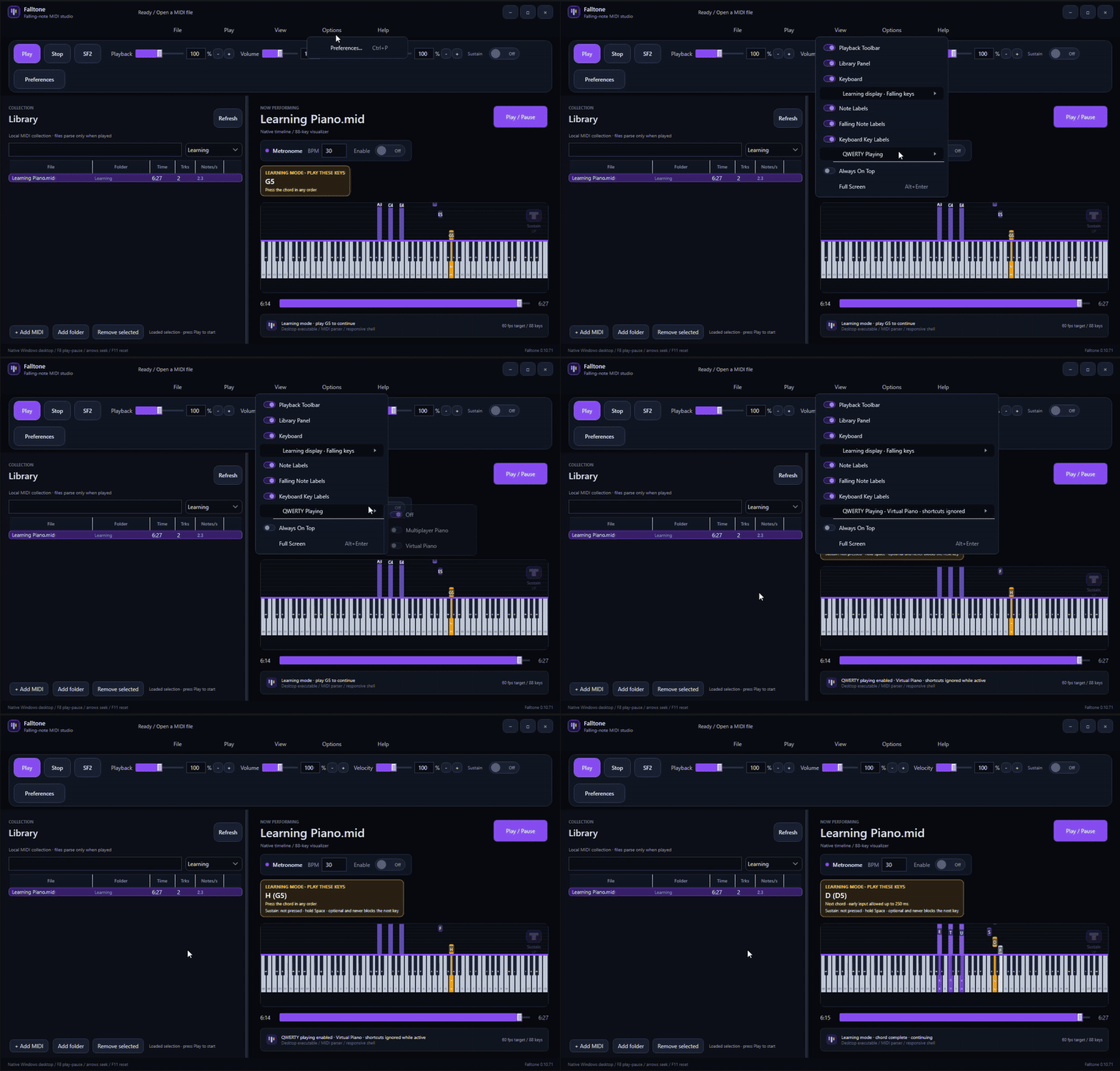
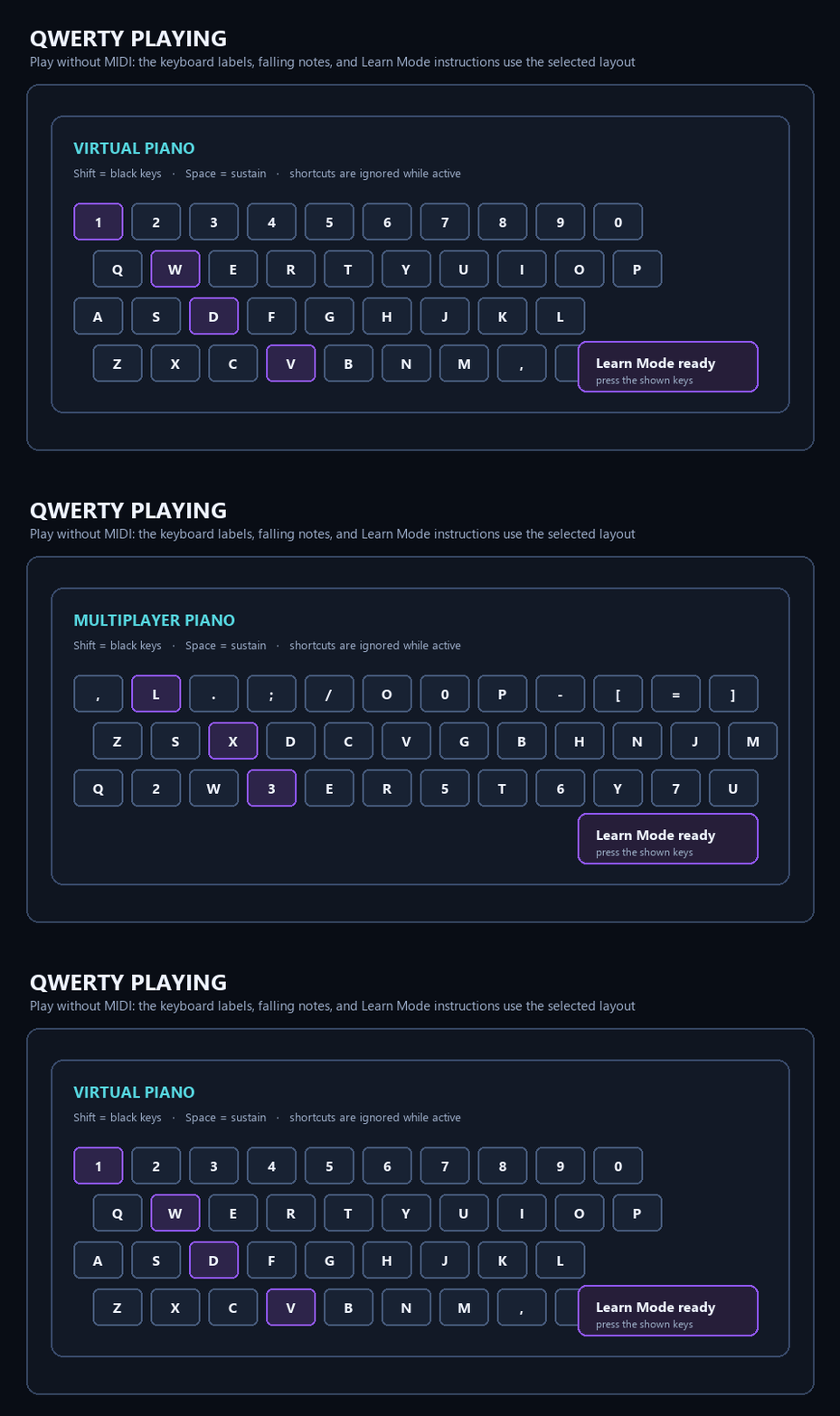
When a layout is enabled, the falling-note labels, piano keyboard, and Learn Mode instructions all change to show the computer keys you need to press. Space controls sustain, and normal shortcut keys are ignored while QWERTY mode is active so a note key does not accidentally mute or stop the song.
A few other improvements
Clearer sustain feedback for MIDI pedals and QWERTY sustain.
Left-hand, right-hand, and unclear track observations when the MIDI makes that possible.
Better scaling in windowed and fullscreen views.
Independent track visibility, audibility, and learning selection.
Smoother chords, forgiving early inputs, missed notes, and track changes during a lesson.
This is the update I wanted to release first when I published Falltone to practice: something that can show the music, listen for what I play, and get out of the way when I just want to perform. If you try it, I’d love to know which setup feels best to you, falling keys, the music sheet, a real MIDI keyboard, Virtual Piano, or Multiplayer Piano.
Best Regards,
Ren.