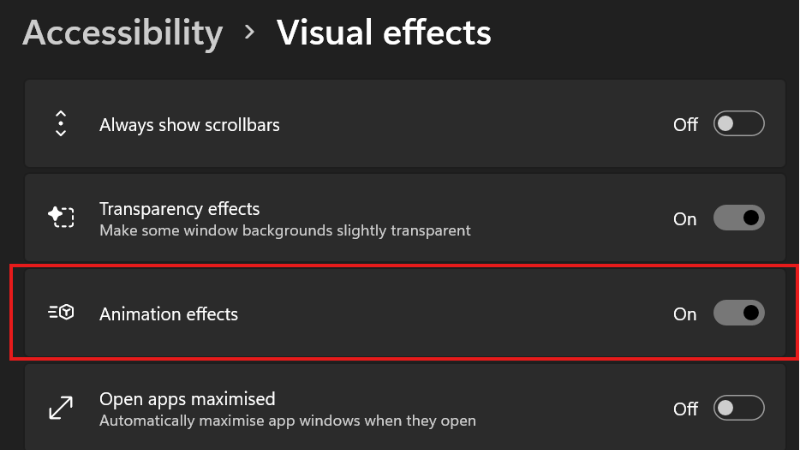
We have found an issue related to a Windows setting. Please make sure the setting 'show animations in windows' is enabled.
In Windows 11: Settings > Accessibility > Visual effects > Animation effects.
In Windows 10: Settings > Ease of Access > Display > Show animations in Windows.
We will add an alert ingame when the setting is disabled, until then, this is a potential fix