

1.1.1 Local Music Update
You can now play and organize music from your own computer in Nonoko!
This update adds a new “Local Music” tab beside the original music library. Create your own albums and enjoy familiar music while studying, working, or relaxing.
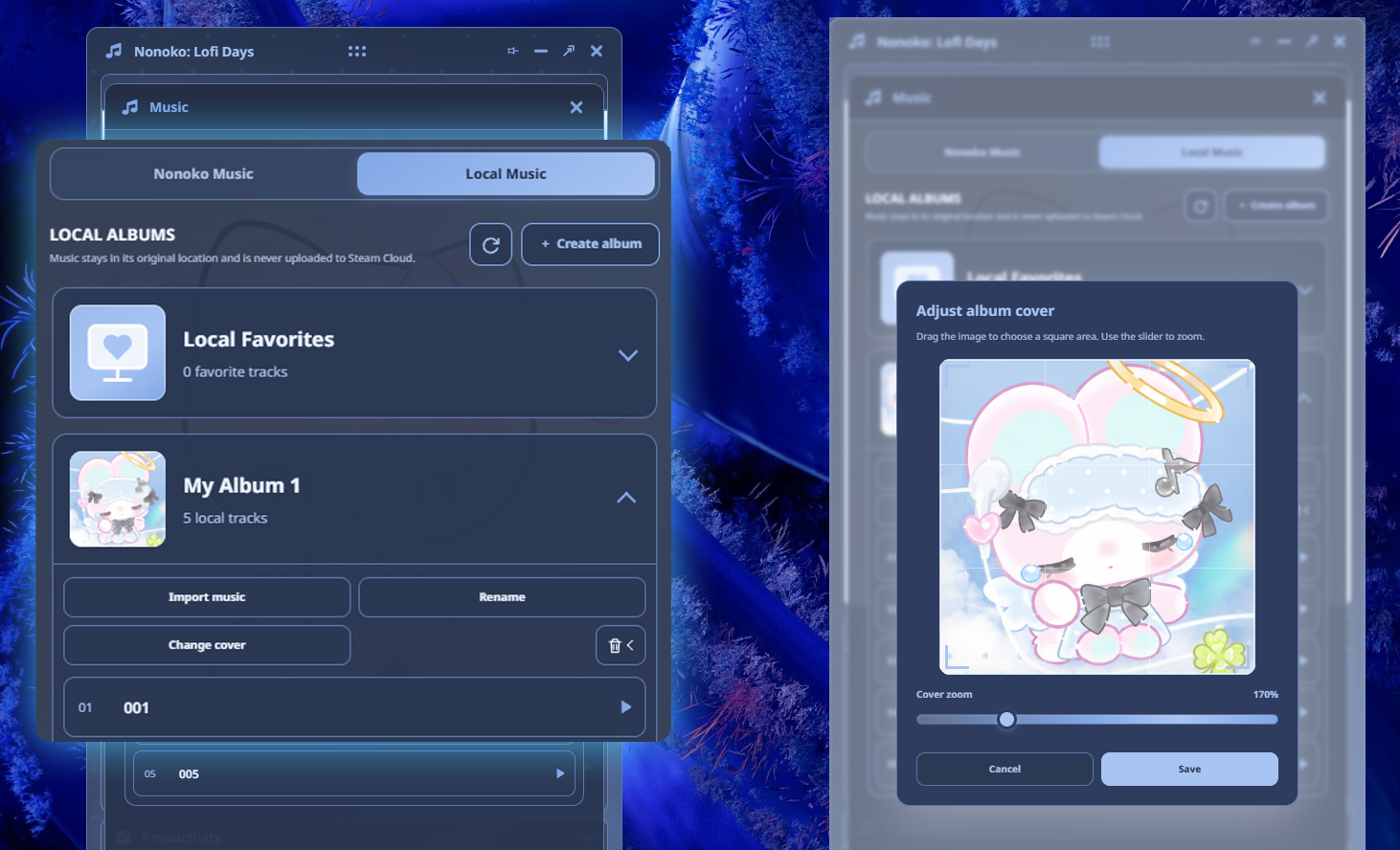
Local Album Management
• Create, rename, and delete local albums
• Import one or multiple tracks from your computer
• Choose, crop, and zoom custom album covers
• Remove individual tracks you no longer need
• Supports MP3, WAV, M4A, AAC, FLAC, OGG, and OPUS files
Separate Local Favorites
Local tracks have their own Favorites album, separate from your favorite built-in Nonoko music. Simply click the heart to quickly collect and organize the local tracks you love.
Missing File Detection
If an original music file has been moved, renamed, or deleted, use the refresh button to check its status. Nonoko will also update the track when playback fails, making unavailable tracks easy to find and remove.
Your Music Stays Yours
Imported music remains in its original location on your computer and is never uploaded to Steam Cloud. Removing a track or album from Nonoko will not delete the original music files.
This update also includes several improvements to window display, sizing, and interface details.
We hope this new feature makes Nonoko an even more personal companion for your day. Thank you for all your feedback and support!