
I've added more control over Lowmoor's layout in 1.6.9, reorganized Options, and fixed several cases where automatic upgrades or saved preferences were being missed.
Arrange the game around your log
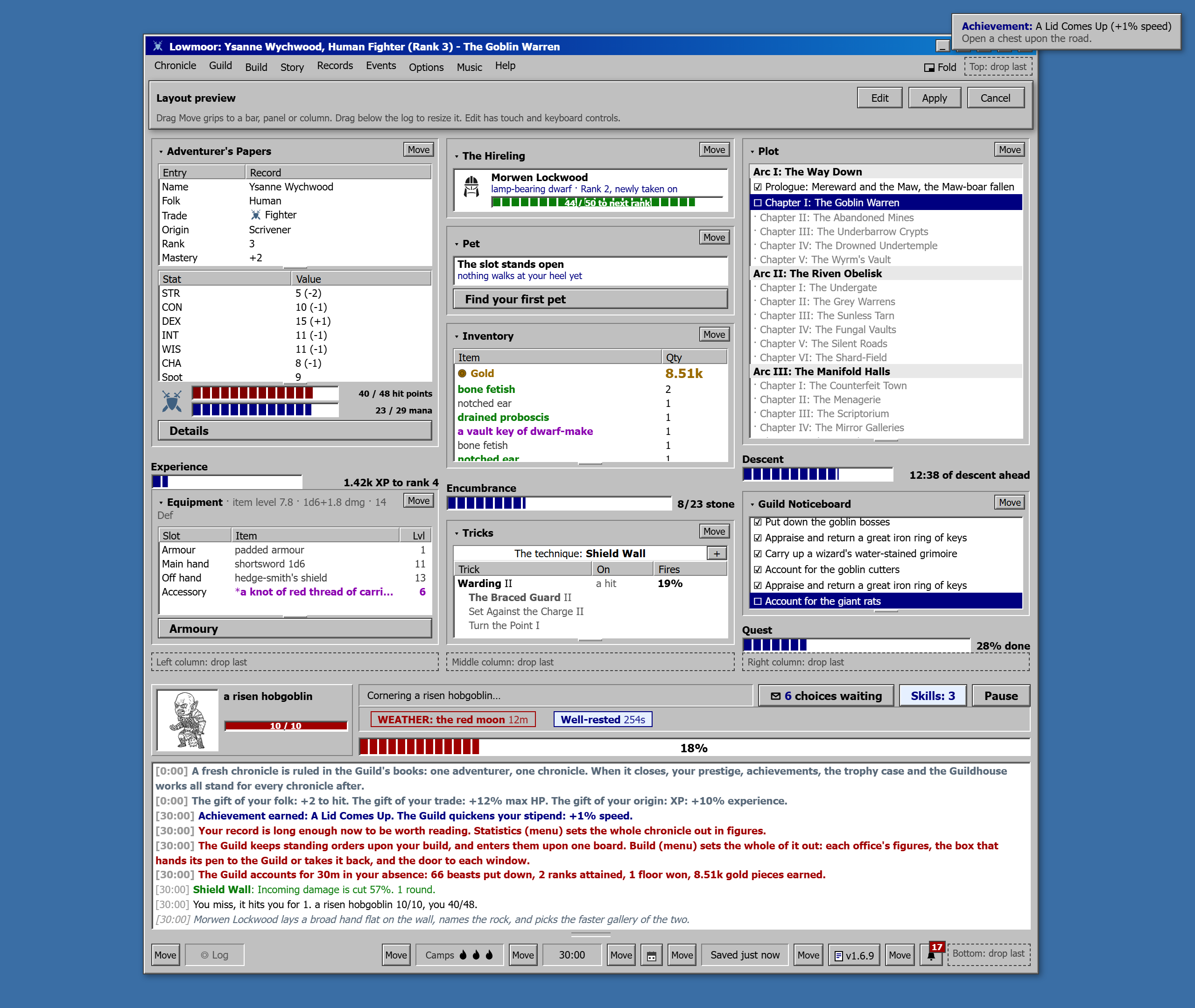
Open Options, choose Interface, then Edit layout. You can move panels between columns, change their order, and put the version, calendar and notices at the top or beside the log. Progress bars move with their panels.
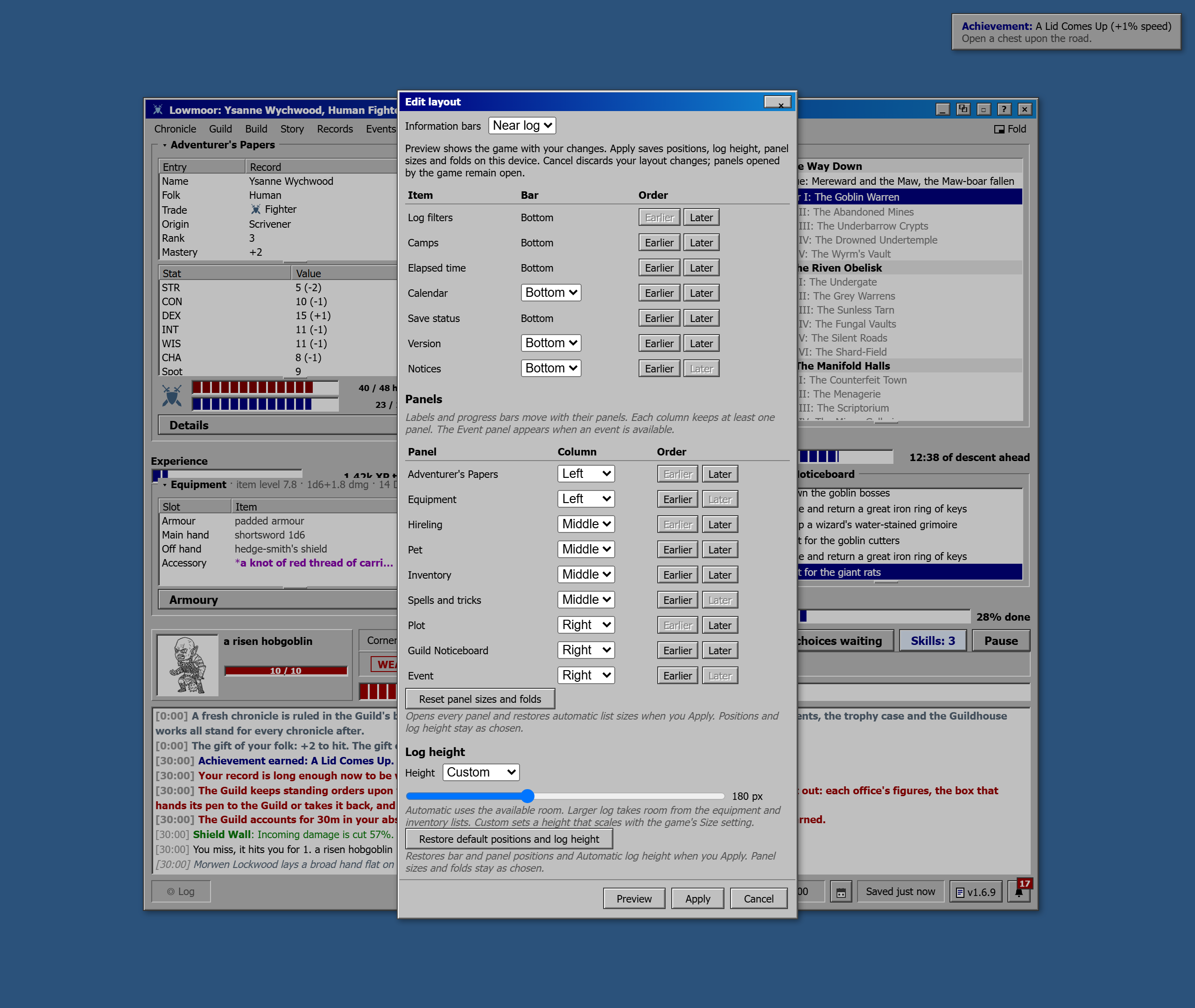
Preview lets you try positions, panel sizes, folds and log height before saving. Drag the Move controls or use the editor's position and order controls. Apply saves your layout on this device across adventurers; Cancel discards your layout edits. Existing layouts and log height choices carry over.
Choose Automatic, Larger log or a Custom height. Separate reset buttons restore positions and log height, or panel sizes and folds. Long entries and progress figures also wrap inside their panels on small screens, and notices stay within the window.
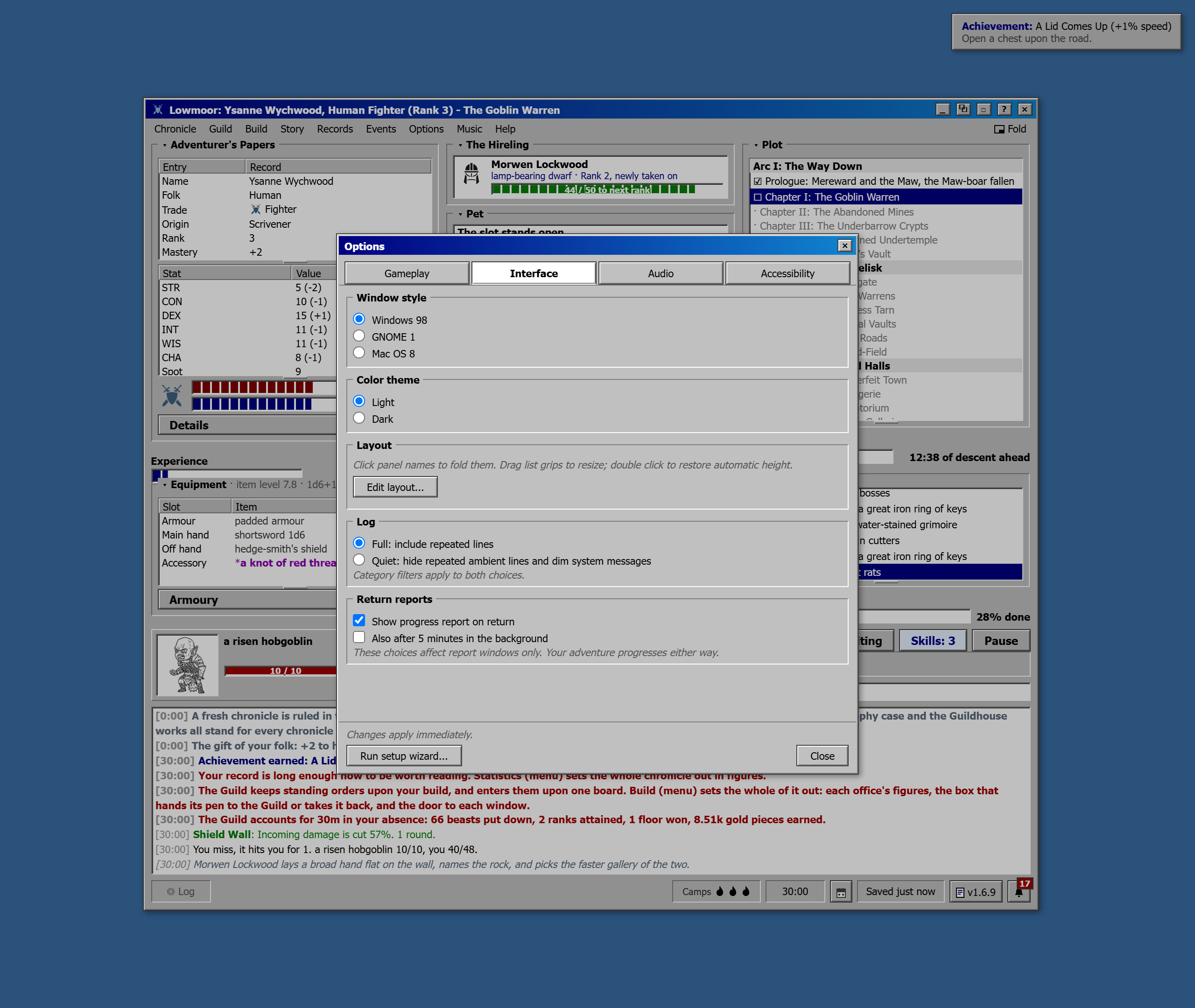
Options has four categories
Settings now sit under Gameplay, Interface, Audio and Accessibility. The tabs support keyboard navigation, and Close stays reachable on smaller screens. Ordinary settings apply immediately; layout edits use Apply.
Custom automation shows your status with a shortcut to Build. Closing setup without choosing Auto or Manual preserves your individual choices. Prologue settings explain when Old Maps is required and that changes apply to future adventures.
Motion and return-report controls explain their dependencies and retain your choices while disabled. The second music arrangement now lives in Music and stays selected while music is off. Events connection details explain which requests send your character name and event identifiers.
See critical hits and XP in the log
Combat rounds highlight separate counts of your critical hits and the enemy's. Hover over a round to see each critical hit's damage. Kill summaries now include XP beside the loot.
Fixes
Offline progress loads faster and continues in the background. Saving or switching windows during loading preserves the time still owed.
Auto-equip fits better Armoury gear when a save loads. Artefacts and special rewards respect the same switch, and dream weapons keep stronger gear equipped.
Your fitting preference survives reloading after retirement, and banked forge failures carry over to the next adventurer.
Automatic spell and technique upgrades take effect and save whether their window is open or closed.
Choice results appear in Story and their own log category. Hidden entries no longer displace visible ones, and automatic answers no longer announce a waiting choice.
The Pale Plate restores HP and MP in ordinary fights. Dhampir healing includes bosses, and both effects report the points restored.
Charter tooltips show small ability-trigger increases correctly and report caps only when reached. School bonuses are labelled as multipliers before limits.
Spend them for me assigns all available skill points with visible progress, including after large resets. It previously stopped at 600 points or froze the game.
Skill Tree search highlights every visible match, including attack skills in the Fury. Highlights were previously cut off at 60.
If you run into a problem, send the details on Discord:
Lowmoor Discord