
5.1.3This Update
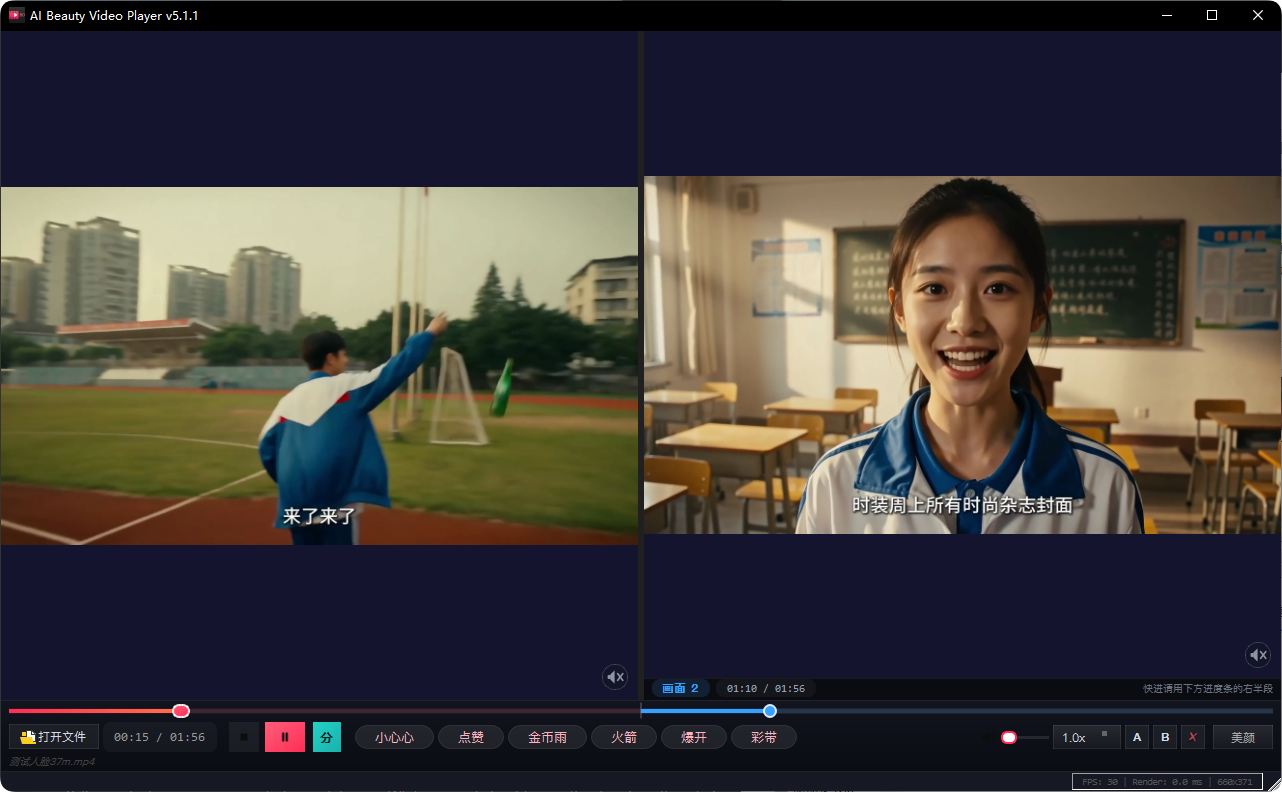
【Split Screen】
· New split-screen feature: View two videos simultaneously in one window, either vertically or horizontally, with easy switching
· Both videos apply the same beauty effects, so adjustments to one side update both
· A small speaker icon in the lower right corner of each video cell – click on it to hear that video, with the other muted automatically
· A single progress bar controls both videos: Dragging the left half adjusts Video 1, dragging the right half adjusts Video 2
· Speed adjustments apply to both videos simultaneously, with the later video automatically adjusting to the current speed
【Smoother Performance】
· Significant improvement in frame rate for high-resolution sources (2K/4K) and split-screen mode: Local 4K split-screen went from around 20 frames to 30 frames (full frame rate source)
· Videos are rendered at their actual grid size, saving performance without sacrificing clarity
· Beauty effects only calculate pixels in the skin area, avoiding unnecessary calculations on hair and background
【Beauty and Image Quality】
· 5 new sliders added: Texture, Yellow Reduction, Shadow, Midtone, Natural Saturation
· Smoothing and "Keep Pores" separated into two options – you can adjust texture separately if you don’t want a plastic-like face
· Contour enhancement no longer reveals just-smoothed pores, only enhances background edges
· Yellow reduction is now separate from whitening: Whitening only brightens without making the whole image look cold
· Whitening/smoothing/yellow reduction recalibrated – low settings are really just a little, and maxing them doesn’t result in overexposure, graying, or color distortion
【Full Screen and Window Mode】
· True full screen: Right-click menu pops up directly within the video, a progress bar appears when the mouse reaches the bottom of the screen, Esc or F exits
· Full screen no longer blocks the taskbar, making it easy to find an exit
· Fixed a bunch of high-resolution screen issues: Windows didn’t fit the screen, buttons in the top right corner would go out of view, and videos would zoom to a corner when not scaled 100%
【Other】
· Accelerated playback no longer distorts sound (2x speed no longer sounds like a chipmunk), all speeds from 0.25x to 4.0x maintain original pitch
· English interface is now complete, switching to English doesn’t show half in English and half in Chinese; button widths adjust with text to avoid clipping
· Stability of fast-forwarding and dragging progress bars for large files and AVIs has been further improved