
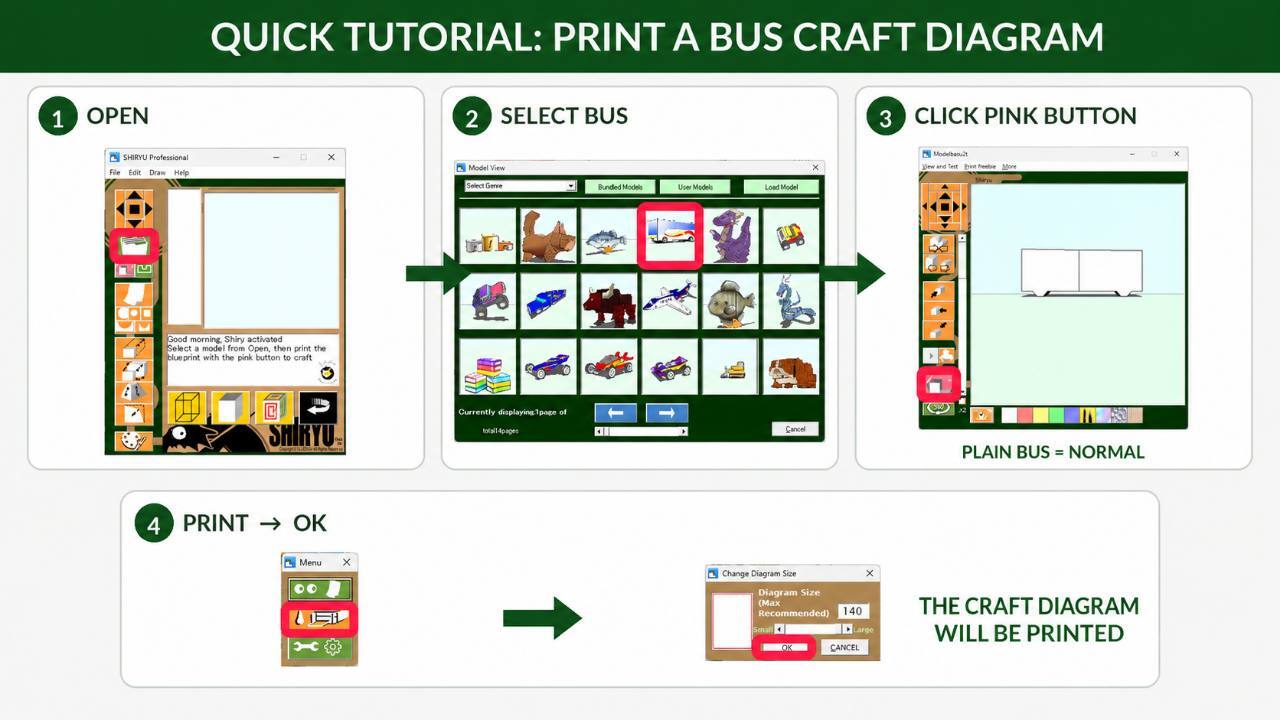
FIRST: OPEN A BUNDLED MODEL
SHIRYU includes more than 70 ready-to-print models. You do not need to create a model first.
- Click the folder icon near the upper left of the SHIRYU window.
- Choose a model under Bundled Models.
- In the model screen, click the large pink button.
- Click the orange printer button, then confirm with OK.
You can print the craft diagram and start building immediately.
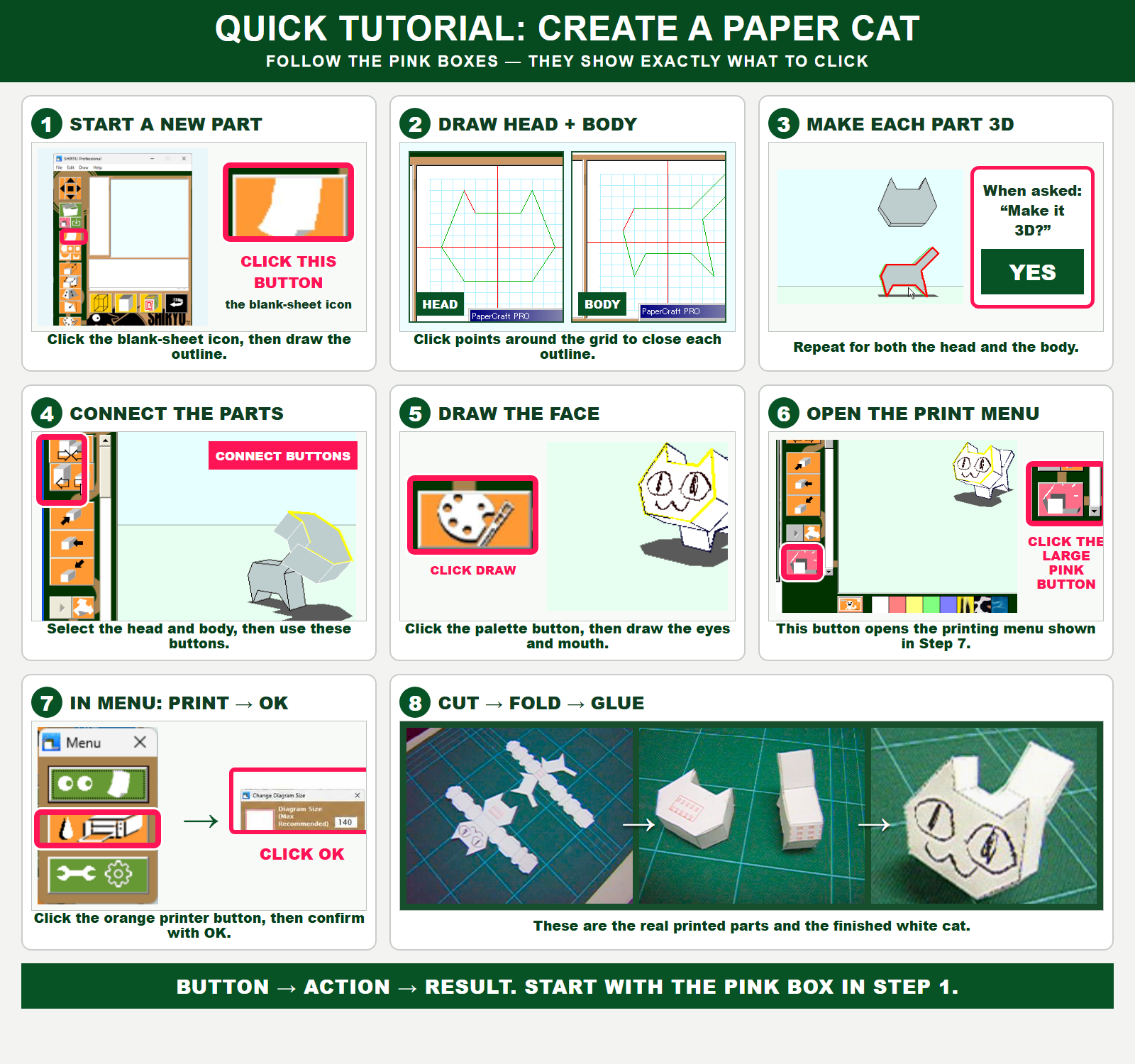
WATCH: CREATE A PAPER CAT
See the complete workflow—from a blank sheet to the finished paper cat.
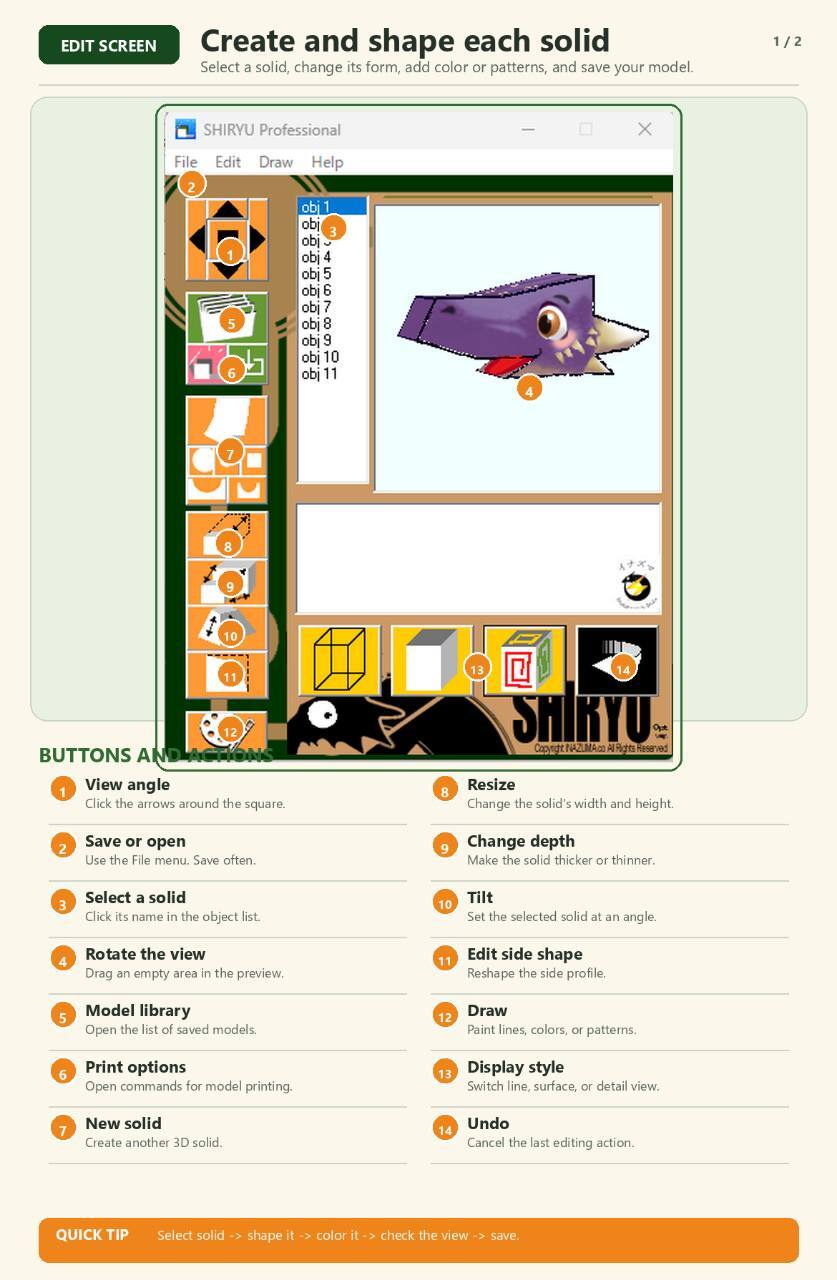
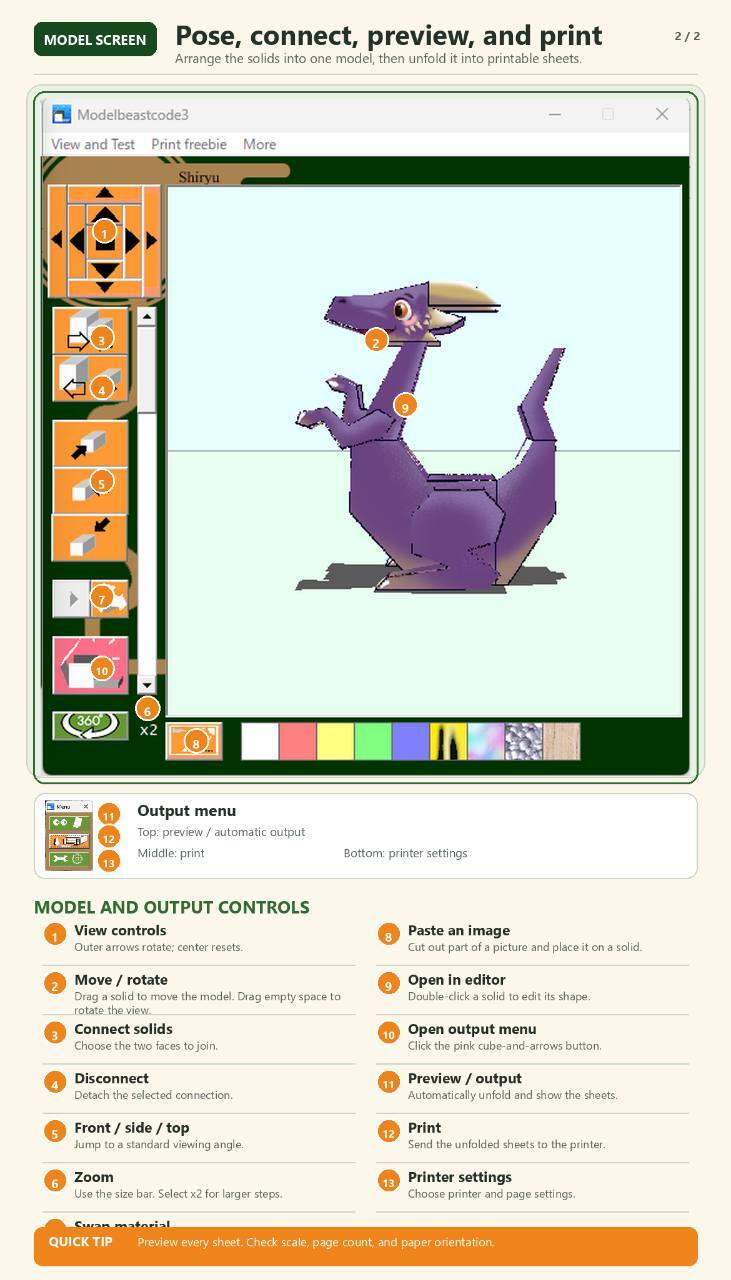
QUICK REFERENCE
Use these two pages whenever you need a button guide.
Online guide: Open the English online guide