
Daymark 1.2.0 updates the companions with new looks, improved keyboard and mouse reactions, music effects, and better click-through behavior.
New Companion Looks
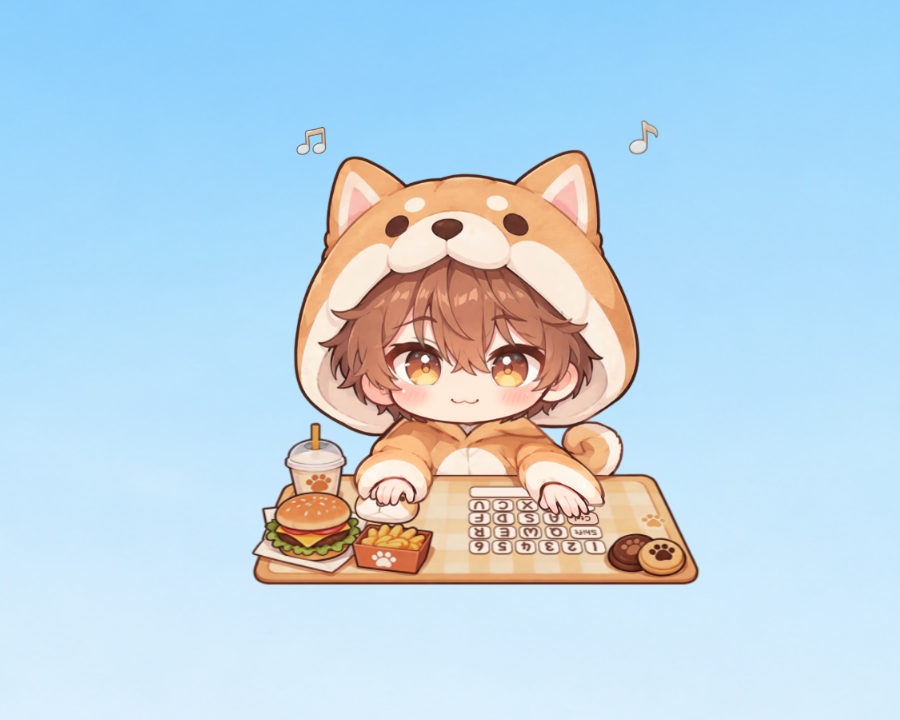
Kiki, Devon Rex, Shiba Inu, and Teddy Bear now have new default looks and updated Live2D behavior.
Added matching themes, music note effects, and character assets.
Character thumbnails in navigation, appearance selection, Career, and other areas now match the currently selected look.
New players will now start with a random companion from the current five instead of only Kiki or Bongo Cat.
About the Old Looks
The retired looks are now legacy collectibles. Existing owners can continue using them. New players will no longer receive them by default.
On the first launch after updating, Kiki, Devon Rex, Shiba Inu, and Teddy Bear will switch to their new default looks.
This happens once.
After that, Daymark will keep your own selection. Your current companion, progression, and previously owned looks will not be removed. You can switch back to any old look you already own.
Better Keyboard and Mouse Reactions
Improved multi-key input for the new default looks of Kiki, Devon Rex, Shiba Inu, and Teddy Bear.
Held keys now remain active while the companion reacts to additional key presses.
Improved directional mouse reactions when a game captures the cursor.
Adjusted several keyboard and mouse reactions and related visual details.
Automatic Click-Through While Gaming
Added Automatic Companion Click-Through While Gaming (Experimental).
It is enabled by default and can be disabled in Settings.
When the foreground application is fullscreen or captures the mouse, the companion temporarily enters click-through mode to stay out of the way.
When neither condition is active, the previous interaction state is restored. If click-through was already enabled manually, it remains enabled.
If a game stays fullscreen, the companion remains click-through even when a pause menu releases the mouse cursor.
A configurable Companion Click-Through Hotkey has also been added. The default key is F5.
Press it once to toggle click-through. Press it again to switch back.
To change the binding, select the hotkey field in Settings and press the key you want to use. Press Esc or Backspace to clear it.
Click-through notifications now also follow the current theme, both inside and outside the main window.
Music and Rhythm
Rhythm settings now apply immediately and save automatically.
Adjusted the wording and layout of options including Status Display and Browser Media.
When media is detected without artist information, only the media title is shown.
Added a Music not detected? help entry. Some players may need to enable SMTC (System Media Transport Controls) in their media player. Software updates may disable this setting.
Rhythm help can now be dismissed with Don't show again. It remains available from Rhythm Settings.
Added music note effects and related settings for the new companion looks.
UI and Stability
Updated character themes, navigation artwork, and thumbnails for better consistency between looks.
Adjusted several prompts and localization strings.
Fixed startup issues that could cause the main window to appear blank or prevent the custom tray from loading correctly.
Next: Multiplayer and Steam Workshop
Two areas are currently in development:
Multiplayer Companions: Bring your companions together with your friends on the desktop. Position, scale, and other local display settings remain under each player's control.
Steam Workshop: Open Daymark to community-made characters and looks, with support for different companion interactions.
This update also restructures character assets and interaction systems in preparation for both.
Multiplayer and Steam Workshop are not included in 1.2.0.
More details will be posted when they are ready.
Thanks for playing Daymark.
See you in the next update.