
Thank you for playing the DashBreaker Demo.
This update makes training easier to follow when learning the basics, and improves combat module setup and several parts of combat.
Training improvements
- Reduced training target counts and durations, and eased the attack patterns in the Phase Armor trial.
- During training, fuel is unlimited, incoming damage is reduced, and HP cannot fall below 1. Your ship automatically repairs itself after a short time without taking damage.
- Added the option to skip the current tutorial. Press F7 or X on a controller during its briefing or gameplay, or use the on-screen skip button during training.
- Added a notice when entering the first regular combat sector to explain that training protection has ended.
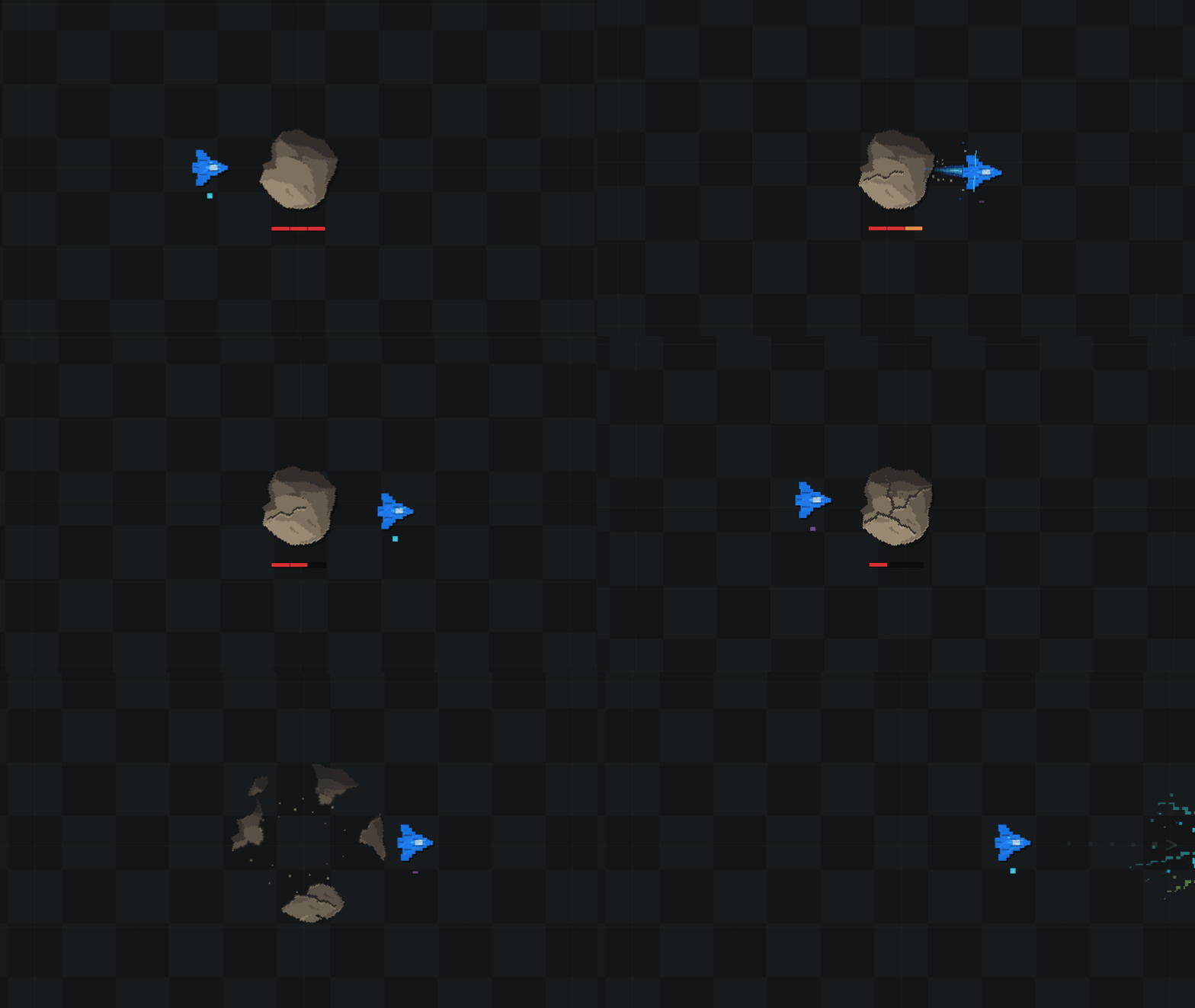
Large asteroid piercing trial
- After piercing four small rocks, you now face a large asteroid.
- The large asteroid breaks after three passes. Each pass reduces its HP and leaves cracks on its surface.
- Added impact feedback during piercing and a breakup effect.
Combat module screen and controls
- Added a Done button and made the control hints easier to read.
- Use Space / controller X to equip or unequip modules, and Enter / controller A to finish editing.
- Fixed repeated equip/unequip actions and screen transitions when holding a key.
Combat and other improvements
- Improved Carrier and Dreadnought collision detection to match their visible hulls, and refined Pierce Dash exit detection.
- Improved Phase Armor visuals so the armor on the side that absorbs a missile visibly reacts.
- Made briefings, module descriptions, and other in-game instructions clearer and more concise.
- Fixed the mouse cursor disappearing after keyboard input or connecting a controller, or being hidden behind pop-ups.
Please share any issues or feedback through the in-game feedback menu or Steam Discussions. We will continue improving the demo.
Thank you!