
Inspectors,
One more run does not have to replace the last one. This update brings multiple save slots and more controller options to the full game, alongside a clearer interface and improvements to the demo’s ending.
Make room for another run
The full-game menu lets you manage multiple saves. Continue a run or make room for another without treating every attempt as the same slot.

The main menu shown in the Steam gallery. Save management belongs to the full-game changes listed below.
Find your way into the fight
Configurable aim assist gives controller players another way to tune their setup, while clearer purchase feedback makes shop interactions easier to follow.

The in-game weapon shop. Screenshot from the Steam gallery; Spanish interface.
A demo with a proper ending
The demo plays its complete ending trailer and restores Spanish and English title artwork. Its available content and save separation remain the same.

Street, El incidente, in the level selector shown in the Steam gallery.
A glimpse of the action
Take a look at a short gameplay excerpt from the original official trailer, then read the complete changes for each edition.
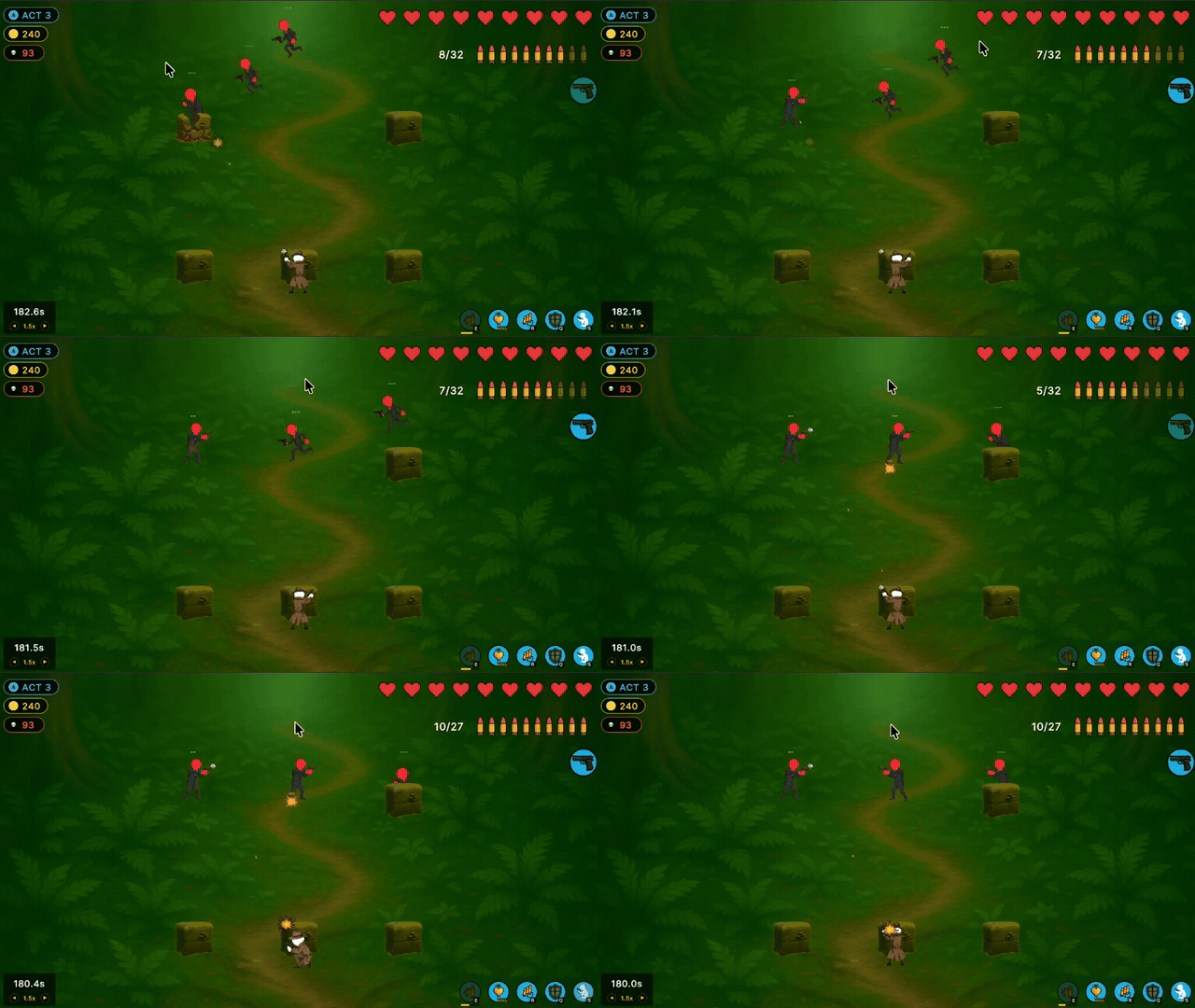
Gameplay excerpt from the original official trailer. It illustrates the full game; it does not add Jungle to the demo.
The complete update notes
Full game
- Manage multiple save slots from the menu.
- Configure gamepad aim assist in Options.
- Hold PLAY to start, with a hint when released early.
- New weapon, ability, and achievement art, plus clearer purchase feedback.
- Updated level previews, a Cover icon matching the equipped character, and backgrounds for wider displays.
- Cover durability now progresses by level. Fixes to returning to the menu, erasing progress, navigating Options, and pausing.
Steam demo
- The ending plays the full trailer, then returns to the menu when completed or skipped.
- Spanish and English title artwork has been restored.
Builds: full game 25512743; Steam demo 25512823.
Extended update details
Saves and progress · full game
- Save slots support creating, loading, saving, copying and deleting runs. The menu offers the actions available for each slot’s state.
- Returning to the menu correctly abandons the current run. Resetting progress also clears session upgrades and pending coins, preventing autosave from restoring earlier data.
Controls and interface · full game
- Gamepad aim assist provides gentle assistance and can be enabled or disabled in Options. The hold-to-play hint appears after releasing before the charge completes.
- Purchases gain animation, a flash and sound. Prices, labels, spacing and gamepad focus are adjusted to avoid overlaps and awkward jumps.
- Buttons keep their centre when growing on hover. Dialogs place the affirmative action on the left and distinguish dangerous actions more clearly.
- Back navigation works from every Options section. Gameplay stays paused while a menu, the Steam overlay or another pause reason remains active; losing the controller does not resume combat.
- The HUD hides under pause, the Cover icon updates with the equipped appearance, and locked achievements show their state more clearly.
- Backgrounds better fill especially wide displays. Cover durability scales with the level, and level previews reflect the updated HUD.
Demo ending
- The ending trailer finishes before completion actions appear. Finishing or skipping it correctly returns to the menu.
Discover Stick Crisis
The original official game trailer.
Find the next lead with us
Found an issue or want to share your run? Send us your feedback and join the community.
Discord TikTok Steam Official website
See you on the next run.
The Stick Crisis team