
This week was almost entirely one feature. The map editor has had tools for shaping coastlines, placing cities, and decorating the world with sprites. What it didn't have was a way to actually draw on the map - to put a pen to parchment, so to speak. That's what landed this week.
Grouping and Sorting
One of the things that has been pretty static for a while is the Market Hall window. After some feedback about the sheer amount of information in that window, i did some work on it in order to make it clearer and more customizable to what the user wants to see. There's now Groups and Sorting of the good. This means you can quickly find what you are looking for and/or spot good deals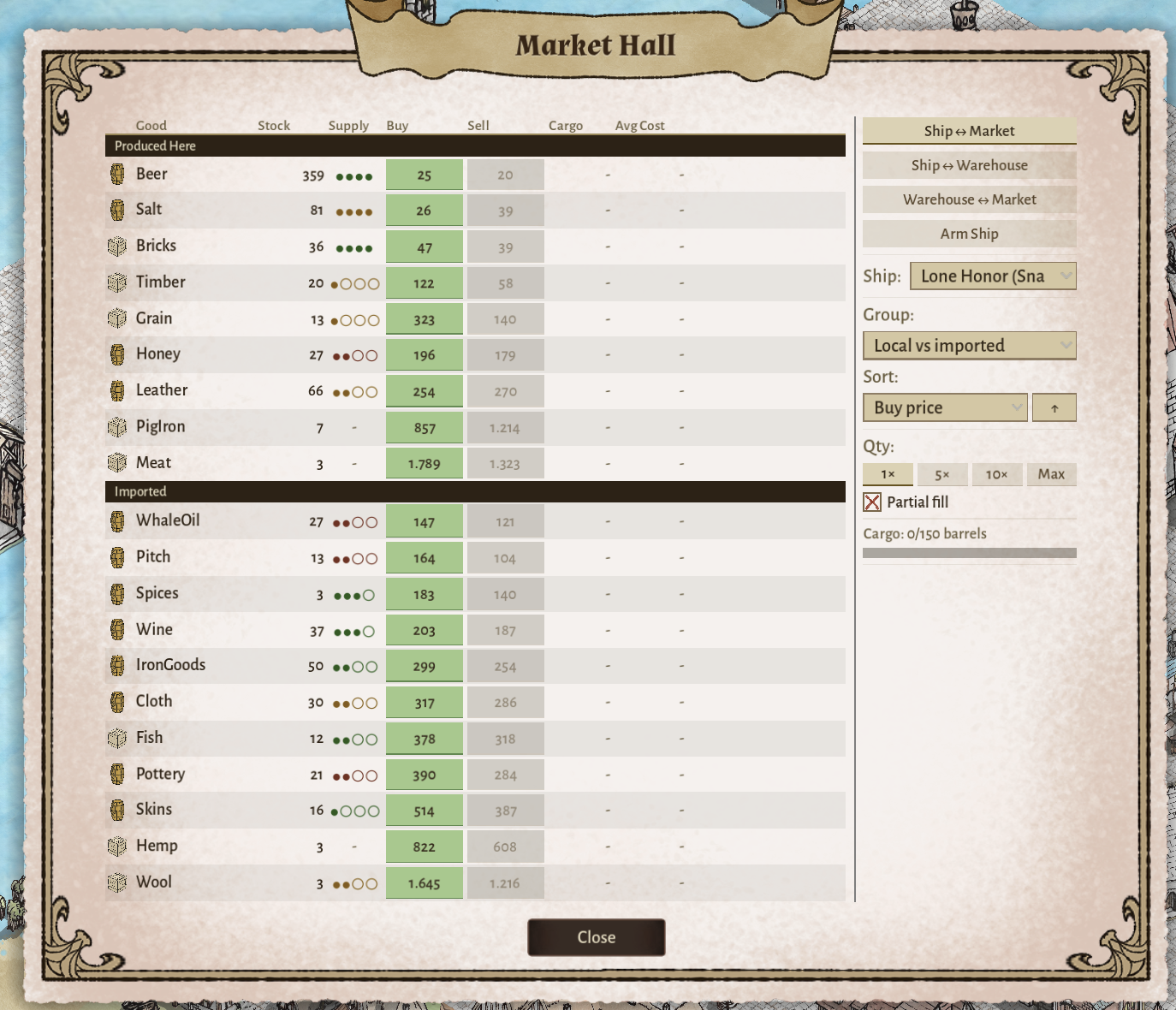
This should help players, especially those new to the genre to understand what they are looking at.
The ART tools
The editor toolbar already had two groups: Nav for terrain and coastline editing, and Deco for sprite placement. There's now a third group - ART - with three tools built around a shared idea: marks you make should look like they belong on a period chart, both in the editor and when the map is loaded in-game.
Line tool (hotkey D)
Click to place polylines, or draw freehand. The path is simplified on release so you don't end up with thousands of micro-vertices from a loose stroke. After placing, an edit mode lets you drag individual vertices, insert a point on any edge, delete a vertex, or Alt-drag the whole line to reposition it.
Style controls cover width, colour, opacity, solid/dashed/dotted patterns, optional curve smoothing, and dot or arrow end-caps. Lines live in the same depth space as sprite decorations, so you can layer them naturally with anything already on the map.
Text tool (hotkey X)
Three sub-modes:
Place - drop a straight label. The text field focuses immediately so you can start typing.
Curve - lay text flowing along a path you draw. Click to place path points, double-click to commit. The classic use case is sea names and region labels that follow a coastline rather than sitting flat on it.
Edit - select, reposition, reshape the curve, or restyle an existing label.
Seven thematic fonts are bundled: Almendra, Alegreya Sans, Uncial Antiqua, Pirata One, and a few others. Size, colour, opacity, rotation, letter-spacing, outline, drop shadow, and Z-order are all per-label. Rendering is per-glyph so straight and curved text share one code path - it's what makes the curve flow work cleanly.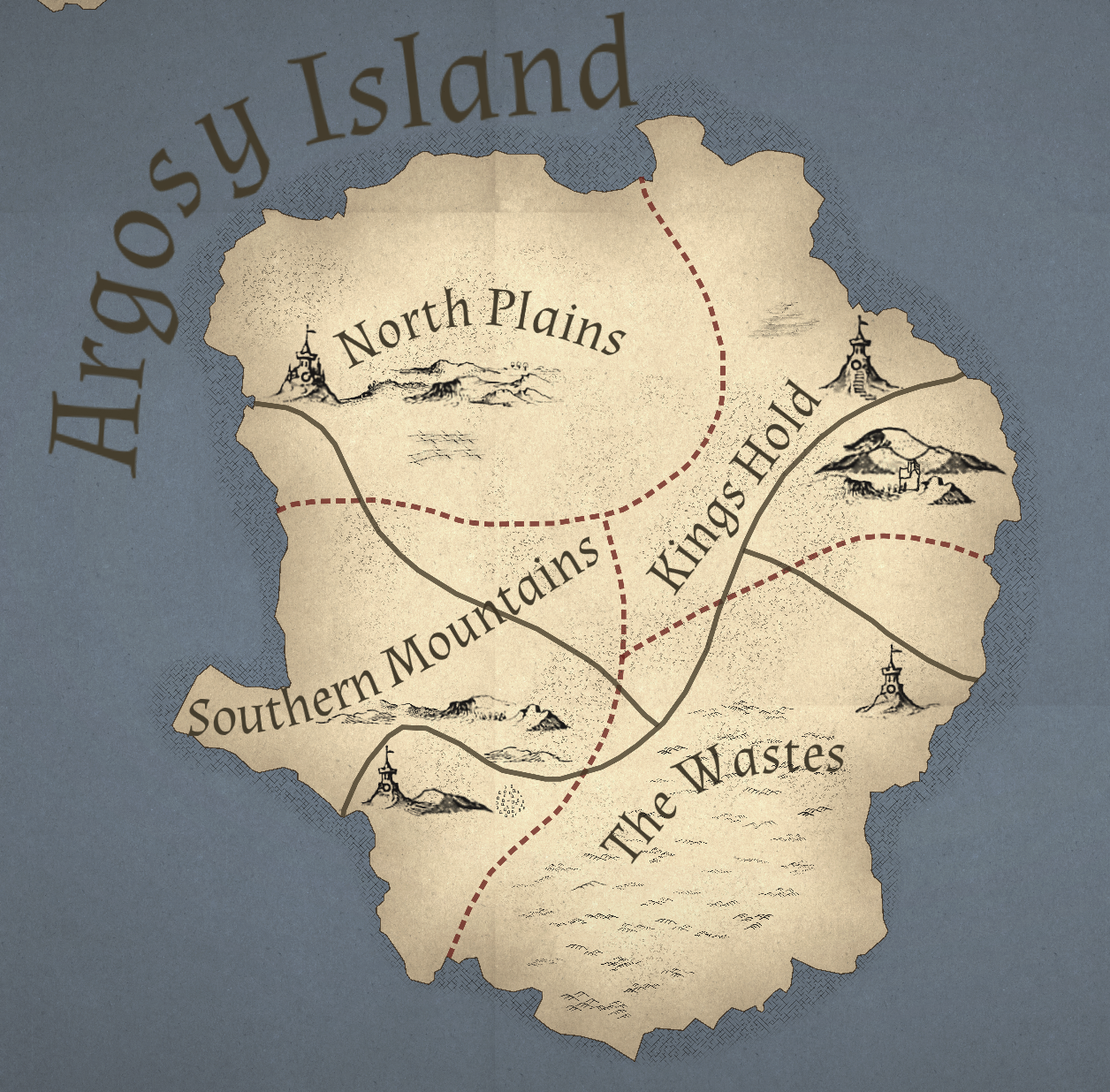
Texture Paint tool (hotkey A)
This is the most involved of the three. Paint alpha masks directly onto the map, which reveal a world-locked tiled texture underneath. Each layer has its own tint and opacity, and layers always sit beneath sprite and line decorations so they feel like the ground rather than something placed on top of it.
The brush is a soft round with adjustable size, softness, and flow. E toggles an eraser that removes paint within the current layer. New layers can be set to Low, Default, or High resolution.
Masks are saved as separate files next to the map. Only layers you've changed rewrite on save, and the folder cleans itself up if you delete the last layer.
The bundled textures
Twelve seamless engraving-style tiles are now bundled with the editor:
Dense stipple, sparse stipple, fine speckle, diagonal hatch, crosshatch, water lines, marsh tufts, grass ticks, dunes, scales, light wash, stain mottle. All of them carry the ink in the alpha channel so the layer tint controls the colour - blue for water, warm ochre for land, grey for highland. Every tile is seamlessly repeating, so they tile cleanly across any canvas size. All original work, all CC0.
How it exports
The game runtime and map format are unchanged. At export time everything bakes down into the existing format as ordinary image decorations, so a chart with hand-drawn art looks identical in-game to one built entirely with sprites. Lines and text render through an offscreen pass at 4x anti-aliasing. Paint layers composite on the CPU from their masks and tile. Hidden layers are treated as drafts and don't export.
If the art content is large, lines and text bake at half resolution and the export dialog tells you. The export itself is now asynchronous - it shows live progress rather than freezing the editor while it works.
That's the full picture for this week. If you've been building maps in the editor, you now have a pen, a set of typefaces, and a brush. The existing sprite library is still there for placed decorations - these tools sit on top of it.
A quick teaser:
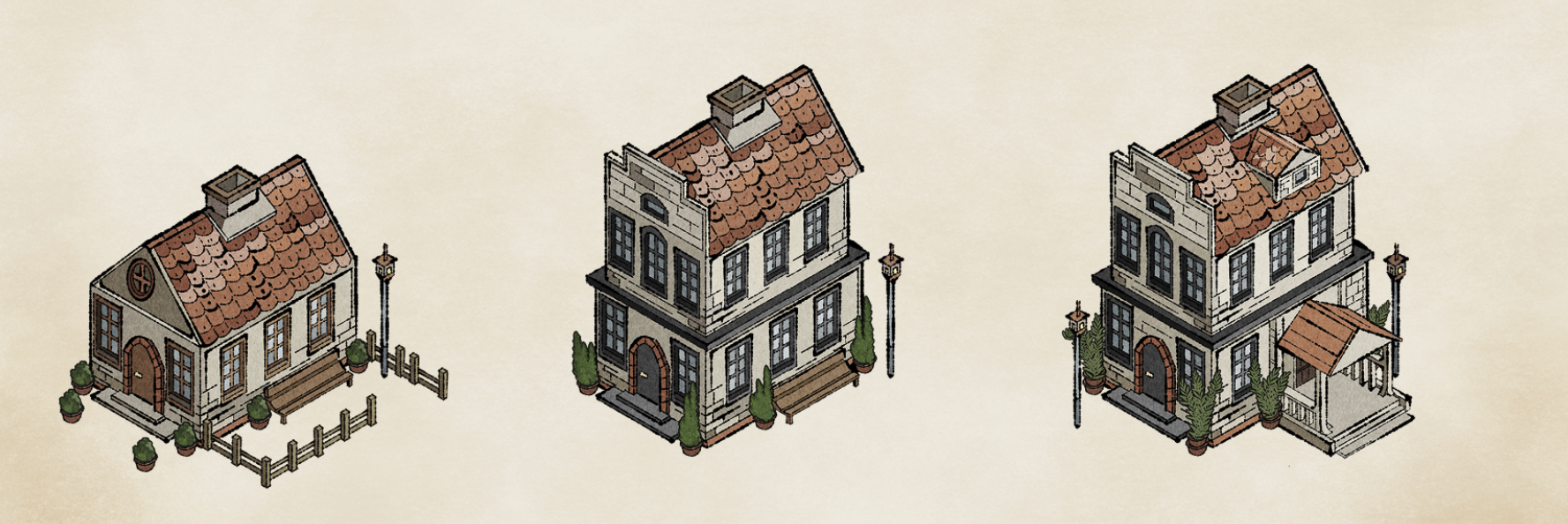
Here are some of the residential buildings which will be player place able hopefully soon. I really have to hand it to the Artists I'm working with here, they create some really cool things i could only dream of drawing myself.
Discord
Playtest access, early screenshots, and the fastest route to having your feedback reach the build.
discord.gg/CUSVEaEH2f
More next Friday.