
LumaEdge 4.5 - I need more hands for all this stuff!
This started with “hey, that dude on discord showed me a cool use case for Luma”.
Then I broke DPI support, so I fixed that.
Then the intro preset buttons broke, so i fixed that.
Then my wife told me I should make Luma look prettier with her music....and now here we are!
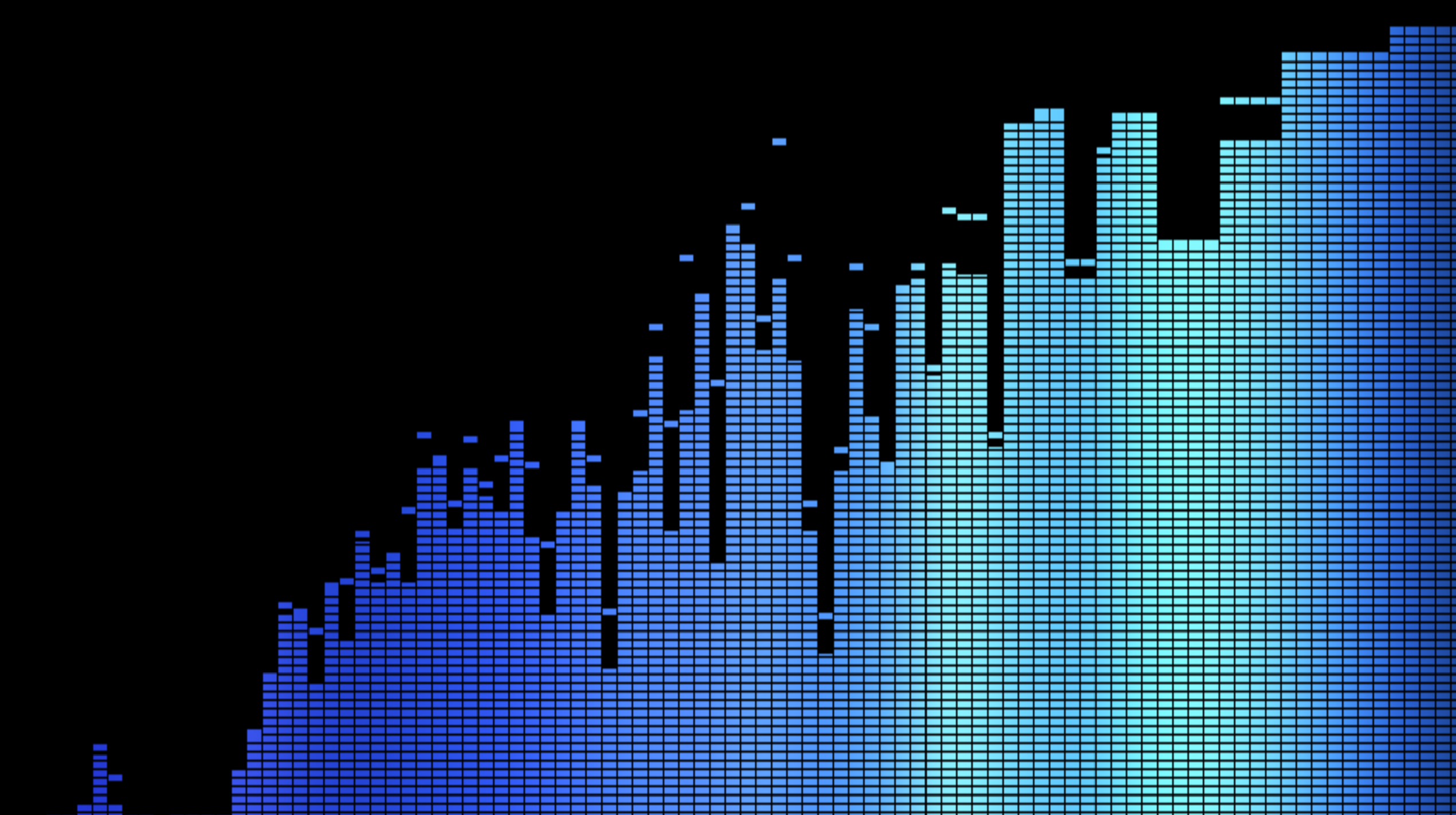 Meet the Visualizer
Luma can now turn whatever’s playing through your speakers into animated bars across your overlays. Still Luma dynamic RGB gradients, so those visualizer bars change colors depending on whats on your screen, or you can lock them to static colors if you want, change the color of the peaks, all kinds of stuff. Scroll down :D
And yes, I kept calling it an equalizer during development, pretty sure that's all scrubbed out, but lemme know if ya find it somewhere. It doesn’t equalize anything. It’s a visualizer. We got there eventually, lol.
There’s quite a bit to play with:
Adjust the bar count, width, depth, and gain.
Choose the lowest and highest frequencies you want displayed.
Flip the frequency direction to suit your layout.
Enable segmented bars, with up to 100 segments.
Show falling peaks and give them their own color.
Adjust how quickly the bars react and how the peaks fall.
Use it with masks and cinematic overlays.
Seriously, try it behind a mask. /drool so pretty!
More masks. More possibilities.
Luma now includes 16 masks, with proper names so you don’t have to remember whether your favorite was “pattern_0006.”
There’s circuitry, geometric patterns, Luma’s own logo, and a dragon. Obviously there's a dragon.
You can also flip masks horizontally or vertically, independently on each overlay. Want two dragons facing each other? You can do that now.
Masks also received fixes for Ultra-wide/Cinema mode, transparency, and staying hidden when their overlay is stopped.
Technically, Masks can load up any .png, if it has alpha transparency cut outs, the glow will fill them in. NO, Luma is not a wallpaper app, yes it supports Wallpapers.
Funbox needed some housekeeping
Funbox grew enough that looking at everything at once was giving me heartburn. So now everything is tidied up a bit more.
Every section is now collapsible.
Sliders are no longer unique and use Luma’s RGB styling.
“Attack” is now “Attack Time,” with a clearer explanation of what it does.
Fixed the awkward empty space above Funbox in the horizontal layout.
Tidied up the layout controls and reordered the tabs.
Same toys. Easier to find the one you want.
New Horizontal layout option
The settings window now has a horizontal layout, so you can spread things out instead of scrolling through one tall panel.
Prefer the original vertical layout? It’s still there. Use the Horizontal/Vertical button near the top of Settings to switch whenever you want.
Same controls, a little more room to breathe. Especially handy when Funbox has approximately a million things in it now, lol.
Oh, and the whole window can be resized if you'd like.
A better demo (NO ITS STILL NOT RELEASED YET)
The demo now gives you 30-minute sessions, and you’re welcome to relaunch it as often as you’d like.
The old feature restrictions have been removed so you can actually try EVERYTHING that Luma has to offer, including the visualizer.
You’ll get a couple of reminders during your session, followed by a countdown for the final five minutes. Those reminders now live inside the overlays themselves.
Some of them bounce around like an old DVD logo.
Some of them involve tacos. (probably too many, I love tacos)
Your local developer still needs to eat.
Fixes and performance work
This update also got a substantial pass through the less glamorous stuff.
Fixes include [the ones I remembered to document :D]:
Unnecessary CPU work at the MAX render setting.
Capture and rendering issues that could cause unstable frames or leave an overlay blank after a failure.
Visualizer readings sticking when audio stops supplying data.
Per-monitor controls behaving differently between rendering modes.
Masks appearing when their overlay should be hidden.
Transparency looking too faint in Fit and Center modes.
Profile, hotkey, and settings recovery problems.
Monitor-change handling and demo popup focus protection.
Maximum visualizer settings can still be demanding, especially across several overlays. There’s a reason the defaults aren’t “everything at 100,” even if that is absolutely the first thing some of you are going to try.
Thanks for trying Luma, sharing your setups, and helping me make it better.
I should add a taco mask.....of course a taco mask, expect a new patch soon, with just a taco.png in it :D