
Macht 1.3.0 - The Living Universe Update
This is the biggest update Macht has had since launch, and everything in it is new for you: it brings together three large updates that we built and tested over the past weeks.
You are god now, and it shows. A new tool bar puts every power you have in one place, from supernovae and plagues to blessing a people or dragging two empires into war, and every power reacts the moment you use it. A live director watches the universe with you and cuts to the moments worth seeing, and every event is recorded, heard and shown where it happened.
Every inhabited planet has a living world map. Nations are founded, draw borders, make alliances, go to war, lose provinces, fall into revolution and disappear. On Earth, if humans live there, history starts in the year 867 with the real states of the time.
We went down to the surface. Planet surfaces have new lighting, terrain shaped by water and tectonic plates, real rivers and lakes, seasons and weather. Cities were rebuilt for every era, and planets are full of life: birds, herds, whales, cars, trains, ships and planes.
Everything below is new since 1.1.2.1.
Hand of god: the god tools
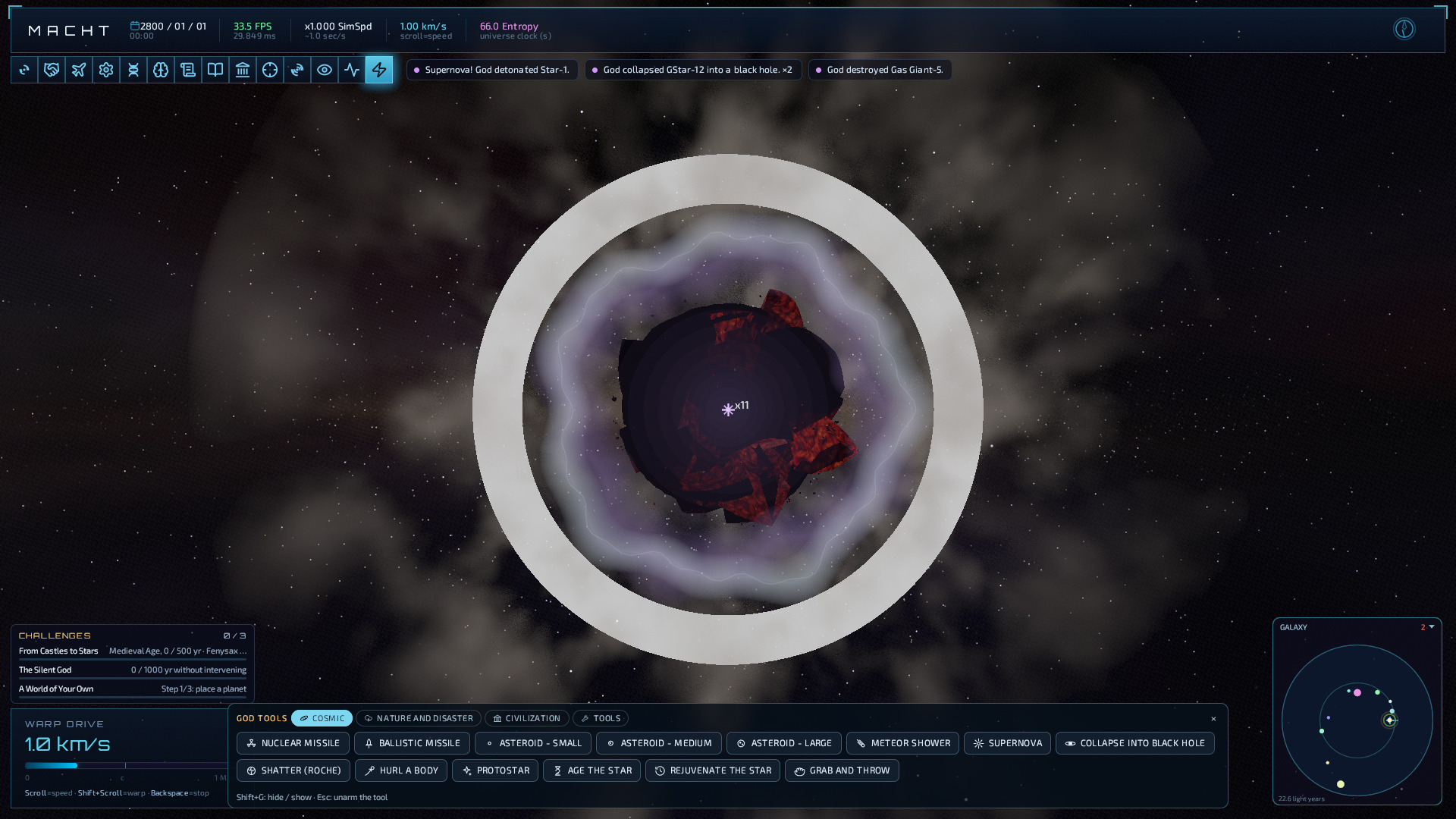
A new tool bar at the bottom of the screen (Shift+G shows or hides it) gathers your powers into Cosmic, Nature and Disaster, Civilization, Surface brushes and Tools. Point at a world and click. Before you use a tool it shows what it will hit, how far the effect reaches and which colonies, people and civilizations are in its way.
- Cosmic: supernova, collapse a star into a black hole, tear a planet apart at the Roche limit, throw a body, birth a protostar, age or rejuvenate a star, meteor shower. Grab and throw: hold a moon, drag it and let go to fling it into a new orbit, with its predicted path drawn ahead of you.
- Nature and Disaster: plague, earthquake, famine, ice age, global warming, terraforming, desertification, lightning and floods along real rivers.
- Civilization: seed a new civilization, grant knowledge, burn the libraries, bless a people with a golden age or curse them, raise a hero, spark an independence revolt. Drag from one civilization to another to declare war, impose peace or forge an alliance.
- Surface brushes: dig and raise terrain, make it rain or snow, plant forests and start wildfires that spread with the wind through dry land, leave scorched ground behind and go out in the rain.
- Tools: inspect, follow, a photo mode, jump back, a space-time grid, time-lapse, and freeze time: stack several strikes while the universe stands still and release them together.
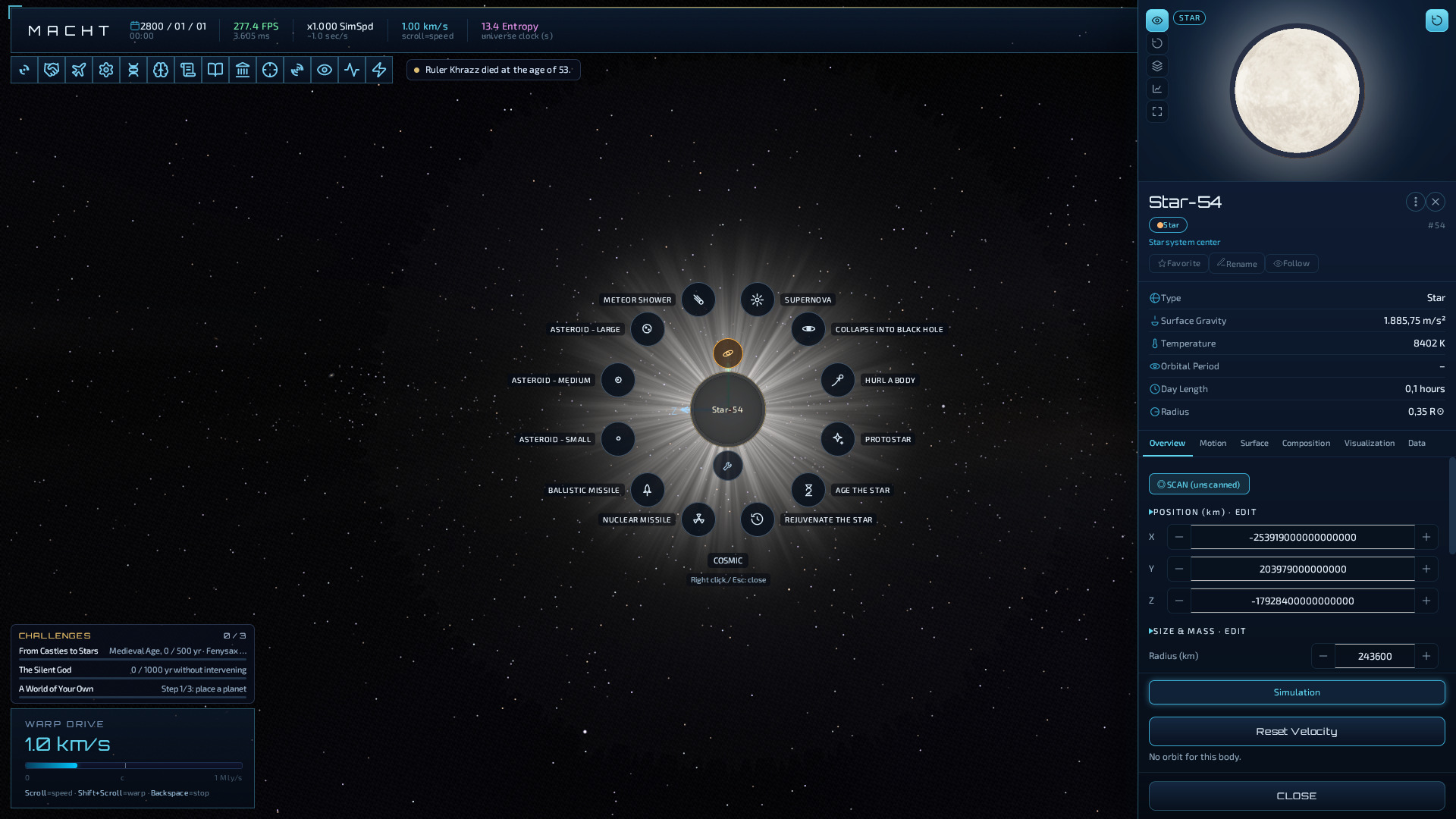
- Right-click any body for a radial menu with the tools that make sense for it.
- Every power reacts the moment you use it: a charge-up at the target, a sound that rises into the impact, a shake, a short slow-motion for the biggest ones, and a mark that stays on the world for a while: glowing craters, plague stains, fault lines, frost, a burnt shell around a dead star, golden pillars over a blessed capital.
- The world answers: struck settlements catch fire, herds flee from impacts and lightning, and on the world map you watch plague spread through a nation, earthquake waves roll out, gold rain over a blessed capital and annexed land slide into its new owner's colour.
- God energy (optional): turn on the God Energy Limit in Tools and every power costs energy that refills over time; tools you cannot afford show how much you need. It is off by default, so the sandbox stays unlimited.
- In VR the god tools are on your left wrist: pick one, aim with the laser and pull the trigger.
The live director and Spectator Mode
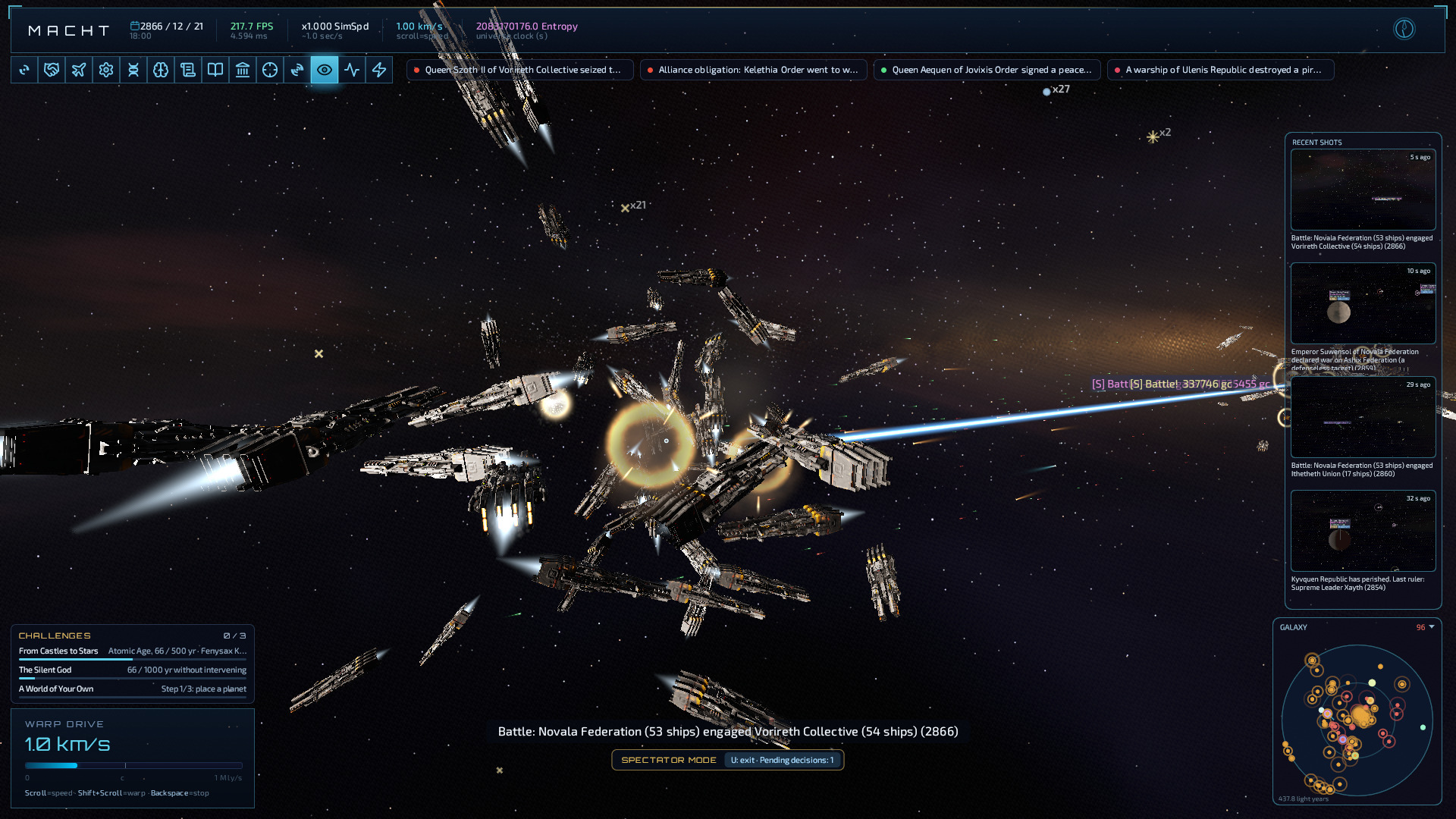
- The universe has a director. Leave the controls for 25 seconds, or press U, and Spectator Mode takes the camera: it finds the most watchable thing happening right now, a battle about to begin, a fleet arriving, a supernova, a new city, a war front on a world map, and films it with real camera work: establishing shots, follow shots, flights that cross from galaxy to surface, the killing blow up close and slow motion at first contact.
- Fleets heading for battle are predicted: time speeds up while they travel and slows down as they meet, so you arrive for the first shot. Ships are already in place when the camera gets there.
- Touch anything and the camera is yours again. You choose what the director shows: everything, important events only or critical events only.
- On a planet's surface the director tours its cities, flies low over marching armies and opens the world map at the front line.
- A subtitle strip tells you what you are watching, and thumbnails of the director's last shots let you jump back to any of them.
- Follow a civilization, a character, a fleet or a planet, and the director tells only its story.
Events that matter
- Event cards are on by default and translated into all 11 languages, and your choices have real consequences: they soften, extend or cancel the event's effects, cost you something, start or end wars, intercept meteors or send you into battle with a monster.
- Every event is recorded once, with its place, the people involved and a sound. Wars, diplomacy, new and dying civilizations and god actions now have their own sounds.
- Notifications come in tiers: a critical strip at the top that never stops the game, a queue of important cards, a live ticker for the rest and an archive. Series are merged ("5 declarations of war this year"), and every line takes you to where it happened.
- Big events carry names and titles: "King Oren III of Vaisfen declared war".
- The AI explains itself: the reasons behind wars and treaties, and each empire's intentions and threats on the galaxy map.
- Crises are visible before they break: rebellion countdowns, vassal loyalty, famine, expiring treaties and migration waves, each with two or three ways to intervene.
- "What's happening now" (Shift+H) lists ongoing wars with their balance of power, epidemics, rebellions, era races and dying stars. A mini galaxy map in the corner pulses where things happen.
- Space battles have sound, and the music follows the mood of the universe: peace, tension, war, disaster, discovery.
- Event cards about civilizations only appear when civilizations exist: no more "Galactic War Ends" in an empty universe.
- The Legends, Myths and Chronicle panels now tell their stories in all 11 languages.
More
- Armies march along the roads of planets at war, with new soldier models for three eras.
- The world map opens from any scale: a colony's label, the planet panel or the galaxy map.
- Reduced motion: long flights fade through black and camera shake is softened.
- Kearth Chronicles scenarios start from the main menu, and three starting challenges wait after the tutorial.
The world map (M)
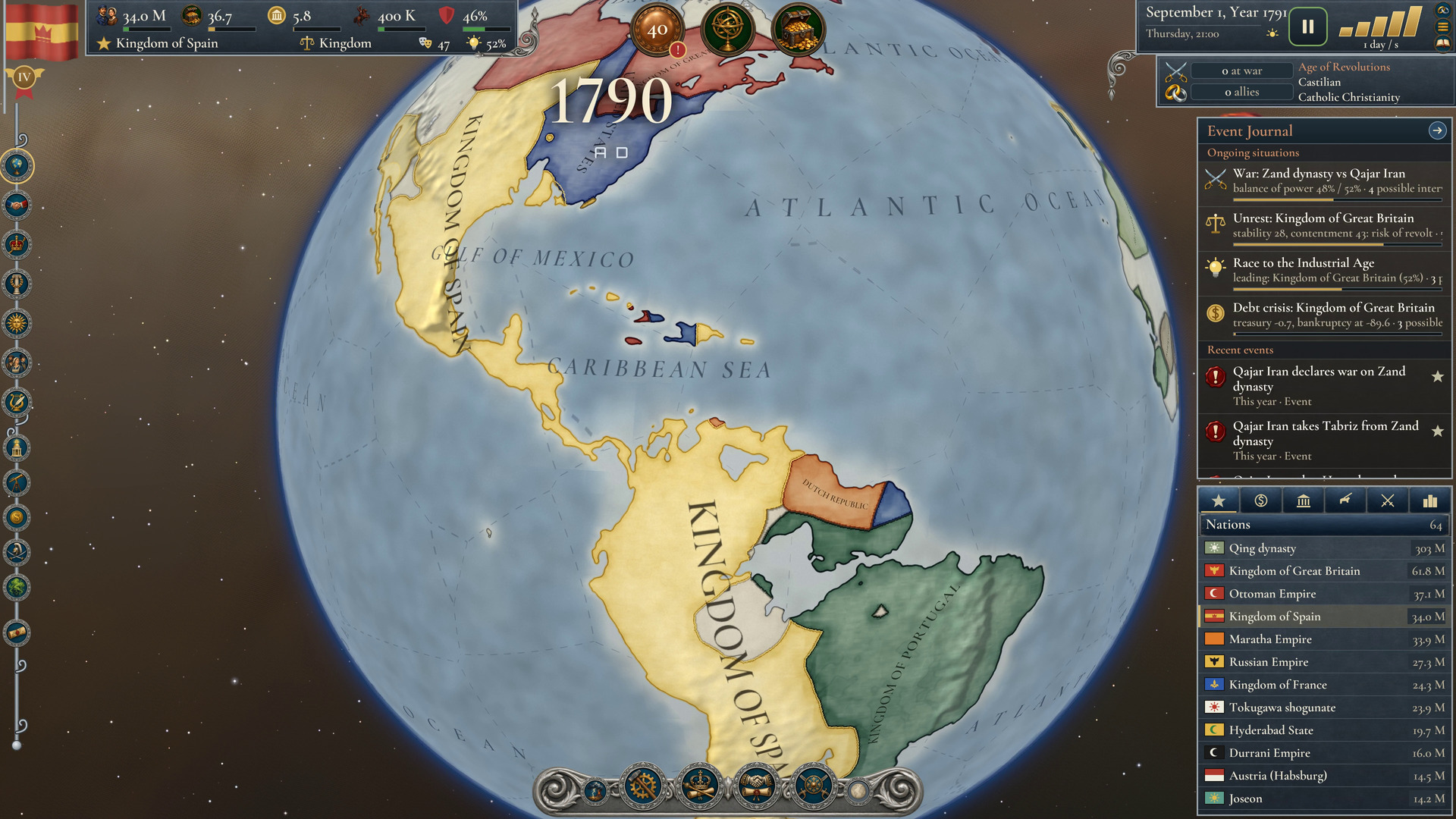
A globe you can hold in your hand
- Press M on a planet and the map opens as a globe of that planet, lit by its real sun and sitting in the planet's real sky.
- Zoom in and the globe unfolds into a flat map. Zoom out and it curves back into a sphere. The camera tilts as you get close, so mountains read in 3D.
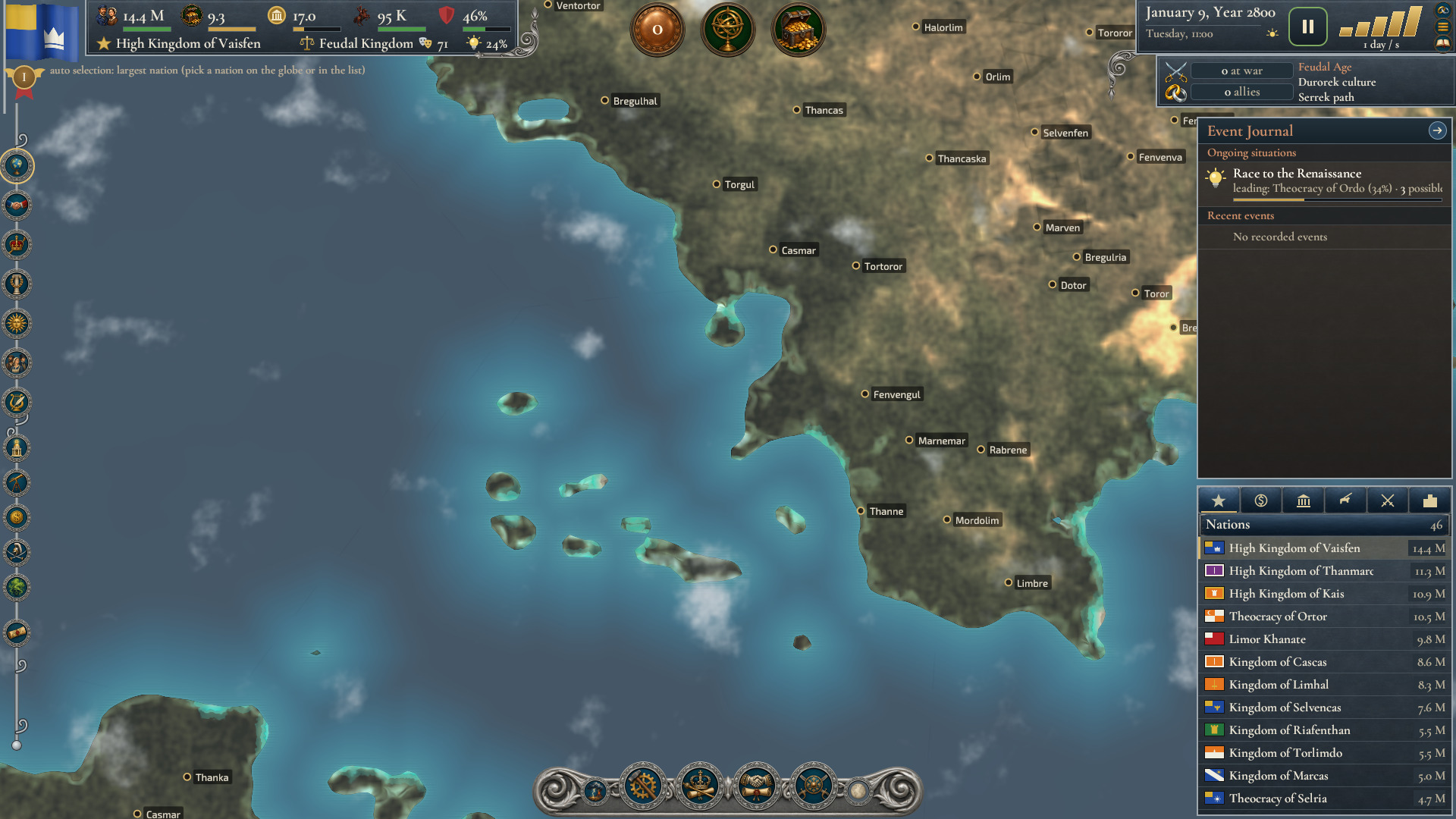
- The map changes style with distance: from far away you see nations in watercolour political colours, closer in it turns into a parchment map with coloured borders, engraved seas and forest dots, and at the closest zoom it becomes real terrain with relief shading, mountain shadows and the planet's own landforms.
- Nation names are written in a serif font along the shape of each country, ocean and sea names in italics. Sea zones are marked with dashed lines and the one under your cursor is outlined.
- Cities, towns and place names appear as you zoom in, and only where they fit on screen.
- Borders are clearly visible, with a soft inner band in the nation's colour and dark coastlines.
- The globe shows polar ice caps on land and a thin atmosphere halo. Lens flare and bloom are switched off on the map so it stays readable.
Nations
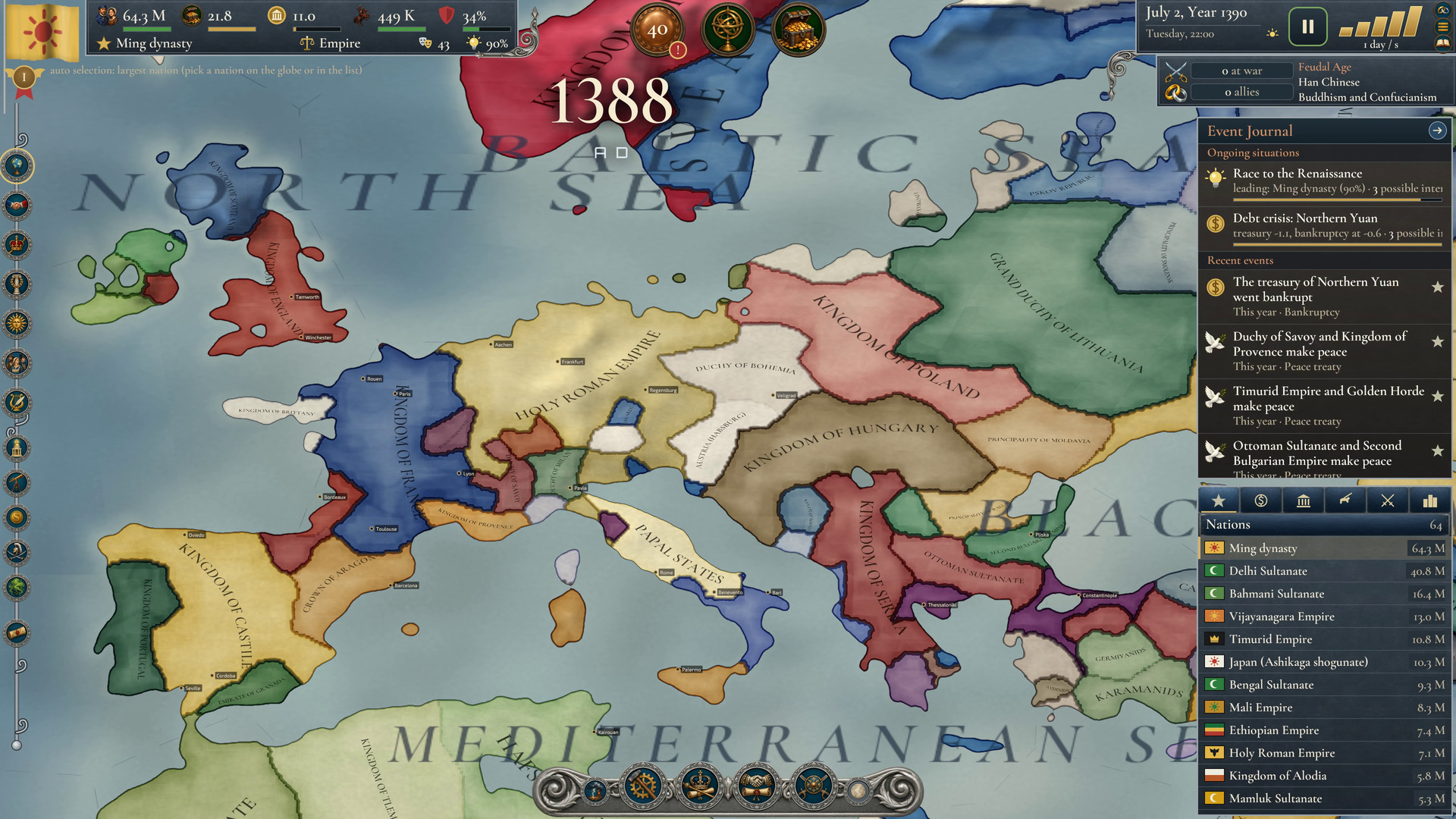
- Every nation has a name, a flag that waves like cloth, a capital, cities, provinces, a government, a culture, a religion, an era, an economy, an army, stability and the contentment of its people.
- Nation titles grow with their rank, from small realms up to empires.
- Nations follow their own rules: alliances weaken over time and can break, diplomacy happens far more often than before, nations that expand too fast become unstable, and population is limited by what the land can feed.
- Inhabited planets other than Earth get their own procedural world: nations with flags, and names built from the sounds of the species that lives there, so an alien planet sounds alien. Every civilization gets a different world and a random history.
- Click a nation to select it. Hover over any land to see its capital, its size in cities and provinces, its relation to the selected nation (at war, allied, neighbour, kin) and its wars. Hover over open sea or unclaimed land and the map tells you that too.
- The top bar shows the number of nations, cities, provinces, wars and alliances in the world, the world population and the date.
Lenses
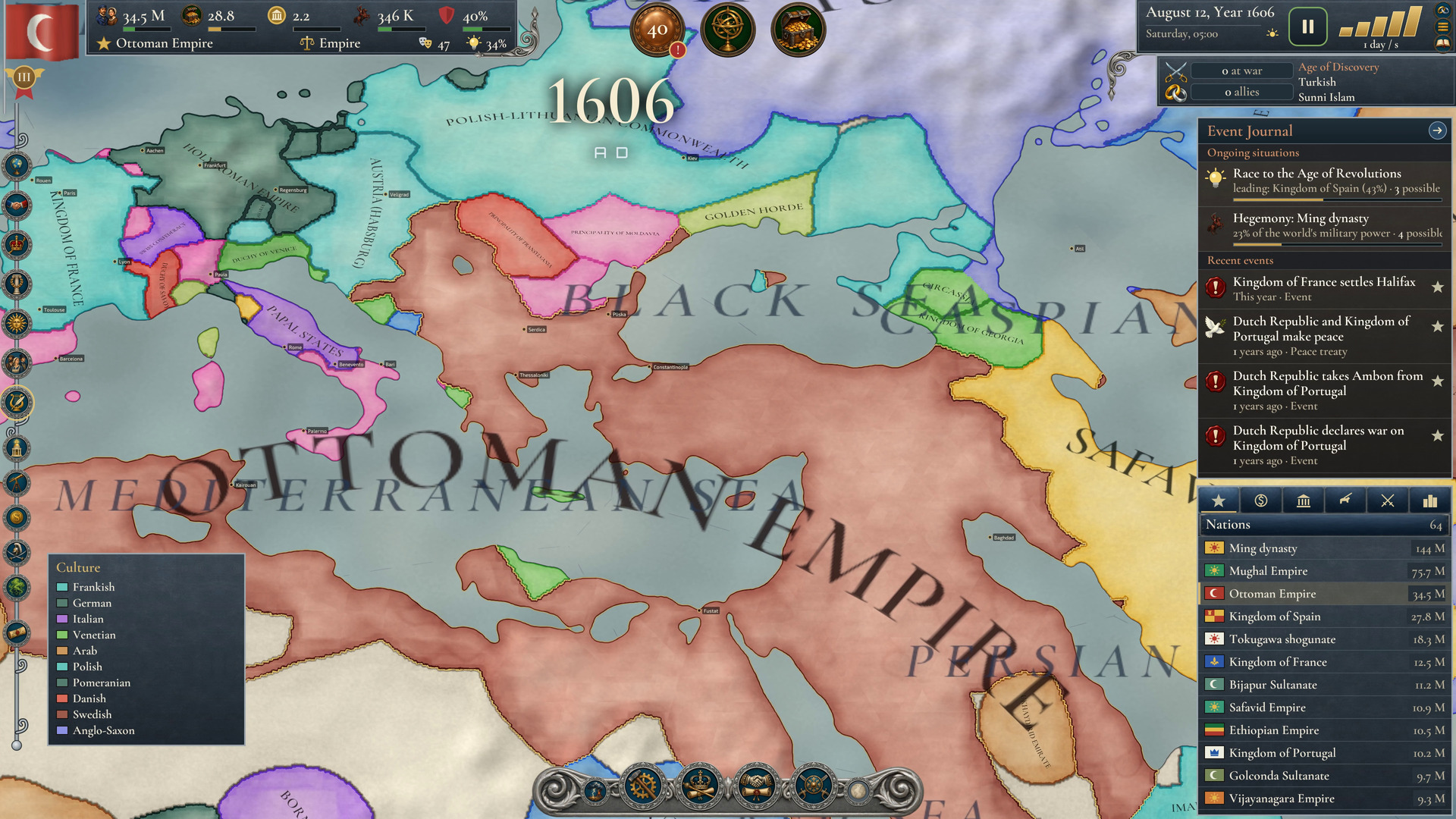
The left column has 12 lenses that recolour the map with live data from the simulation:
- Political, Relations (relative to the selected nation: war, alliance, kin, neighbour), Government, Stability, Contentment, Population, Culture, Religion, Era and technology, Economy (yearly output), Army strength (soldiers times quality) and Plague (epidemic severity).
- The old flat map is still available as the Parchment view at the bottom of the column.
Hand of god on the map
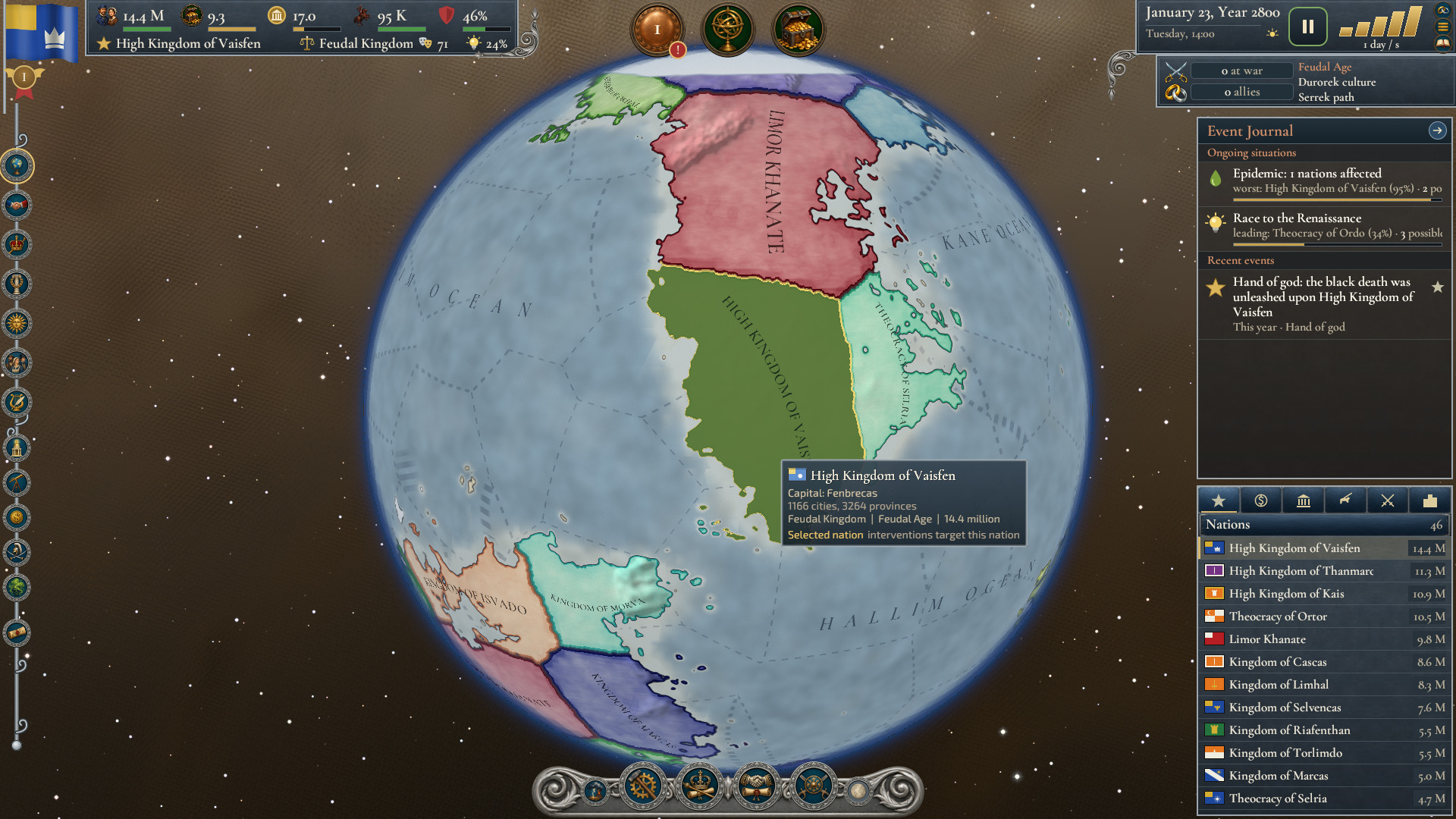
Select a nation and use the buttons along the bottom to intervene. Dangerous actions are marked.
- Production and Science: Rain of gold (six years of income), Treasury gift, Economic boom (output x1.6 for 15 years), Bountiful harvest, Scientific leap (research x2.2 for 20 years), Push into the next era, Seize the treasury, Economic collapse, Burn the libraries (technology regresses).
- Politics and Society: Soothe the people, Secure the throne, Incite revolution (into one of the era's regimes, with a new flag), Military coup, Sow unrest, Birth a new faith.
- Diplomacy: Force a declaration of war (the target's allies may join), Force peace, Forge an alliance, Break an alliance, Force annexation, End all its wars, Independence movement.
- Army: Raise troops, Legendary regiments, General mobilisation, Disband the army, Crushing defeat, Spark a rebellion.
- Disasters and Nature: Unleash the black death (it can spread to neighbours), End the epidemic, Great earthquake, Famine.
- The World: World peace, Golden age, Age of science, Great war (neighbours declare war on each other), World pandemic.
War fronts
- Wars are no longer a single dice roll. Each war has a front that moves province by province, and you can watch the border shift.
- Nations that do not share a land border can still fight: they land troops from the sea.
- When a nation's capital falls it capitulates and the winner takes its lands.
- Wars, peace treaties, conquests, capitulations, revolutions, collapses and new eras are written into the event log on the right, each with its own icon.
Earth: real history from 867
- On Earth, when a human civilization lives there, the map becomes historical. It starts in the year 867 with the real states of that time and follows a hand-built province history through the centuries: the rise of the Ottomans, the Mongol era and Timur, Ming and Qing China, the Hundred Years' War, the Aztec and Inca empires, the Safavids and the Mughals, Spanish and Portuguese colonies, Tokugawa Japan, Prussia, the partitions of Poland, the Marathas, the United States, Haiti, Napoleon, the world wars and the 20th century, up to the year 2000, with population anchored to historical estimates.
- History is not a slideshow: states still have governments, development, stability, epidemics and alliances that follow the simulation.
- After the year 2000 the AI takes over, and from there the history of Earth is yours.
Time, saving and controls
- Map time is the universe's time. The map is not a separate game: the speed controls on the map (1 to 5, Space to pause) drive the whole simulation, and the top speed on the map is one day per second so you can actually follow what happens.
- The map's calendar matches the calendar in the top bar.
- The state of the map (nations, borders, wars, history) is saved in your save file. Older saves open normally and start the map fresh.
- Every inhabited planet keeps its own world map when you switch between planets. Your save file also keeps famines, god energy, unanswered event cards, edited orbits and your surface edits (digging, planted forests, burn scars).
- While the map is open, game controls are paused, so clicking on the map no longer selects stars or moves your camera behind it.
- The world map, its event log and every name and tooltip on it are translated into all 11 languages.
Lighting on planet surfaces
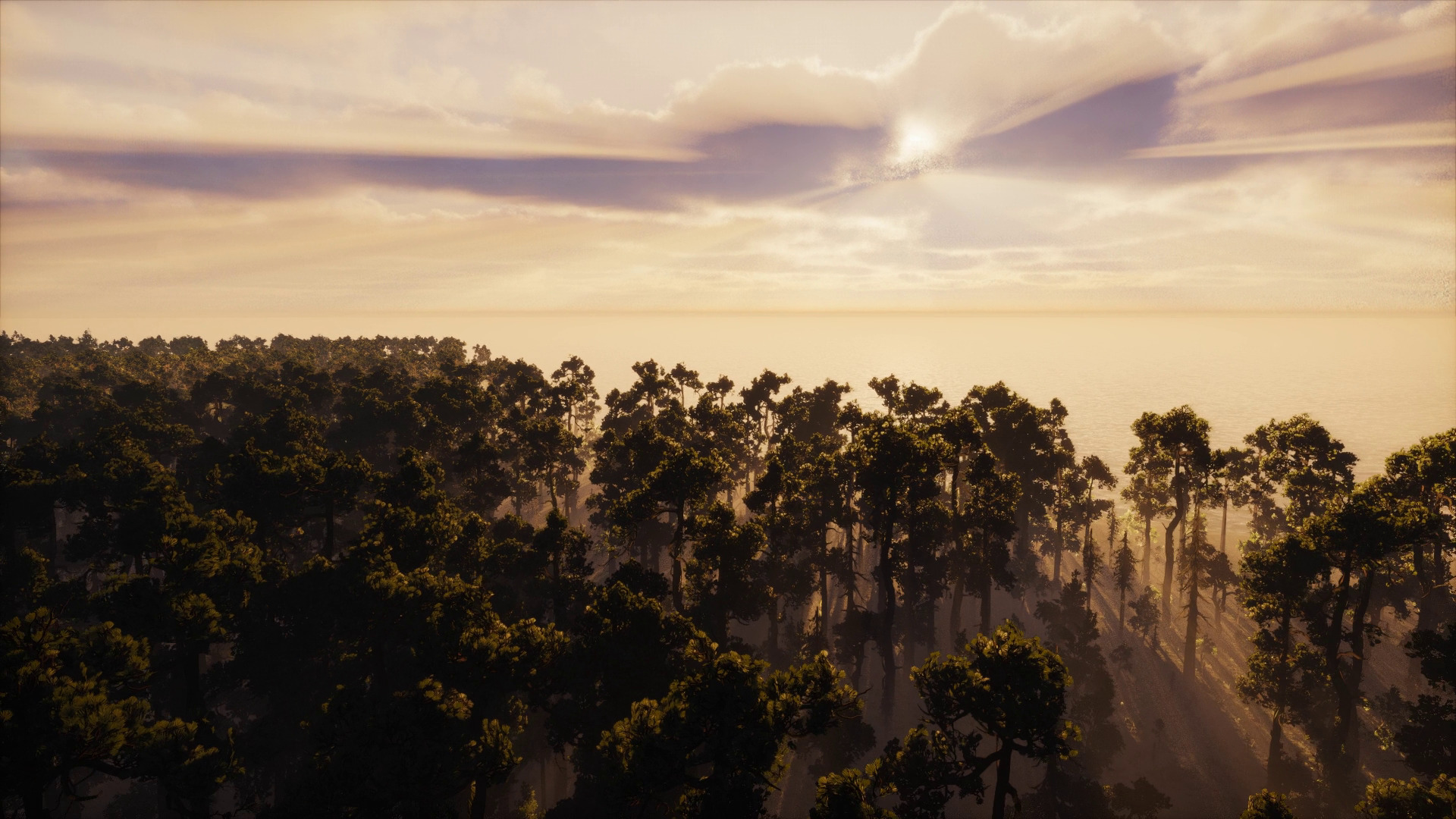
- Below 8 km, planet surfaces are now lit by Photon Shaders by sixthsurge, used with the author's permission. It brings a new sky and sun, volumetric clouds, sunlight and shadows that reach across the landscape, and lighting for terrain, trees, grass, water and cities. The switch from orbit lighting happens with a short crossfade as you descend.
- Photon can be turned off in Settings > Graphics > Photon lighting (surface), applied after a restart, or with the Steam launch option -shaderpack off.
- The post-processing lighting introduced in 1.1.2.1 (TAA, bounce light, auto exposure, soft shadows, volumetric fog) is now turned off. It made the image soft and muddy, especially in forests, and on the surface Photon now does that job.
Terrain and water
- Valleys are carved by erosion and branch into drainage networks the way real river valleys do.
- A planet-wide water flow network decides where water goes: rivers follow it down to the sea, lakes fill basins, salt flats form in dry basins and floodplains along big rivers. River water flows in the direction of the river.
- Coastlines were rebuilt: bays, capes and small islands, continental shelves, fjords on cold mountainous coasts, deltas at river mouths, and both sandy beaches and rocky shores.
- Plate tectonics: mountain ranges rise along plate boundaries, with volcanic arcs, high plateaus where plates collide and rift valleys where they pull apart.
- Physical climate: wind belts, moisture carried inland from the sea, dry rain shadows behind mountain ranges and ocean currents now decide where forests, grasslands and deserts appear.
- Deserts have organic mesas with eroded edges and rock bands, a real desert floor with gravel and sand ripples, and warm sandstone.
- Mountains are made of rock now, with alpine rock, rocky slopes and scree, instead of looking like giant sand dunes.
- New rock, rubble, dune and stony desert textures. Ground textures no longer repeat in a visible tile pattern.
- Rivers and lakes have real water surfaces. Shallow water shows the ground through it and darkens as it deepens, beaches get wet sand and foam, and lakes are calm.
- You can now go underwater and see the ocean floor.
- Snow in narrow gullies no longer draws sharp white stripes.
- Earth's surface now uses real elevation data. Before, its height came from procedural noise, and when you landed, large parts of real land were under the sea: most of Anatolia, India, West Africa and the Amazon. Coastlines follow the real shape too: the Netherlands, the Amazon lowlands and Bangladesh are land, and the Great Lakes, Lake Victoria and Lake Baikal are water.
Forests and plants
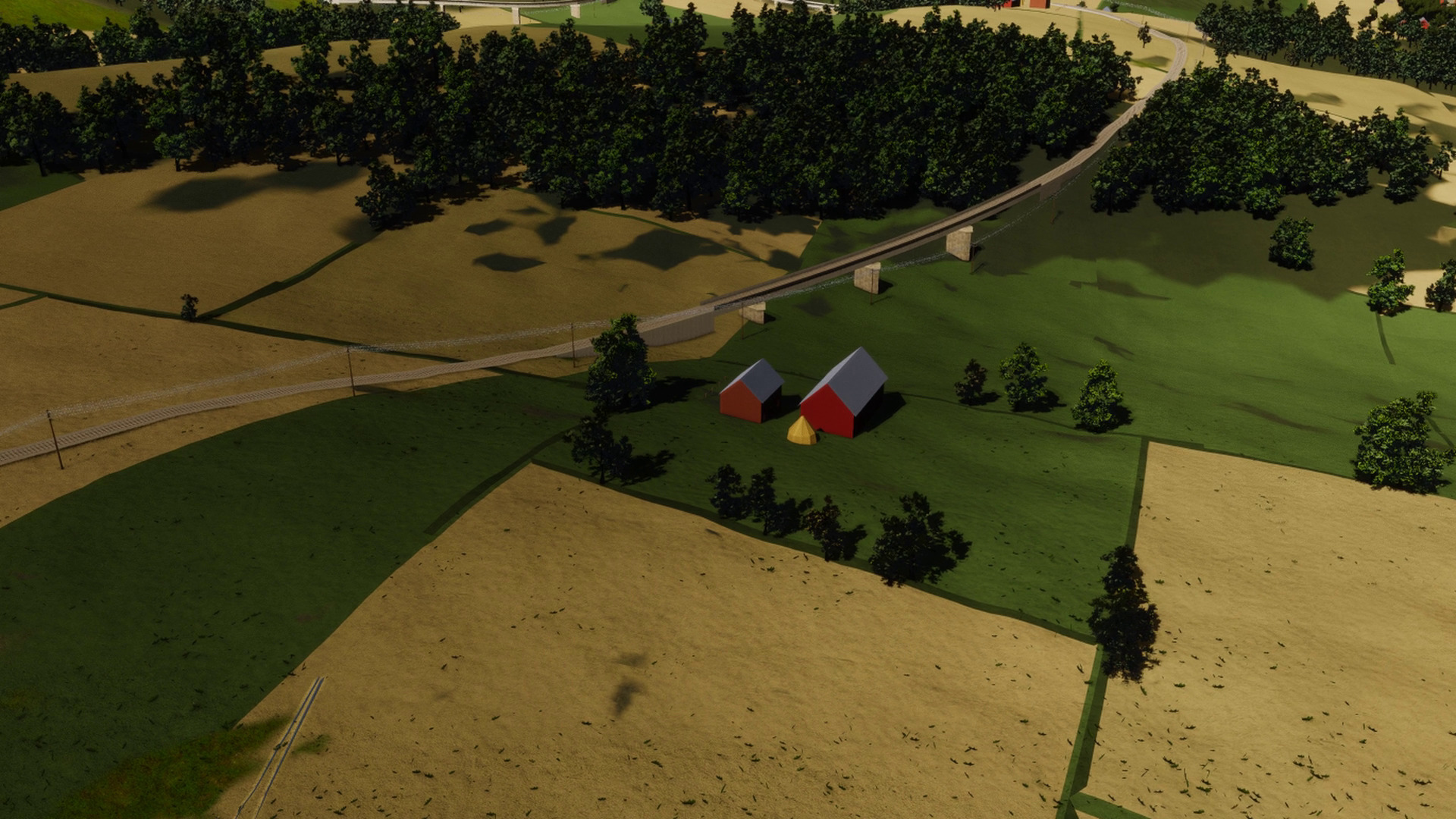
- Forests are much denser, with a real forest floor: undergrowth that follows the trees, clumps of plants, ferns and shade under the canopy.
- Biomes have their own identity, with a new set of plants that includes savanna acacias and maquis shrubland.
- Meadow grass grows in patches of different heights, and plains have their own grass and scattered trees.
- Distant forests are about three times denser and read clearly as forest from 5 km away.
- Fixed a third of all forests showing autumn orange in summer.
- Trees, bushes, rocks and grass no longer pop in, disappear or jump to a new spot as you move. Detail levels crossfade, and distant trees fade out smoothly instead of vanishing.
Seasons and weather
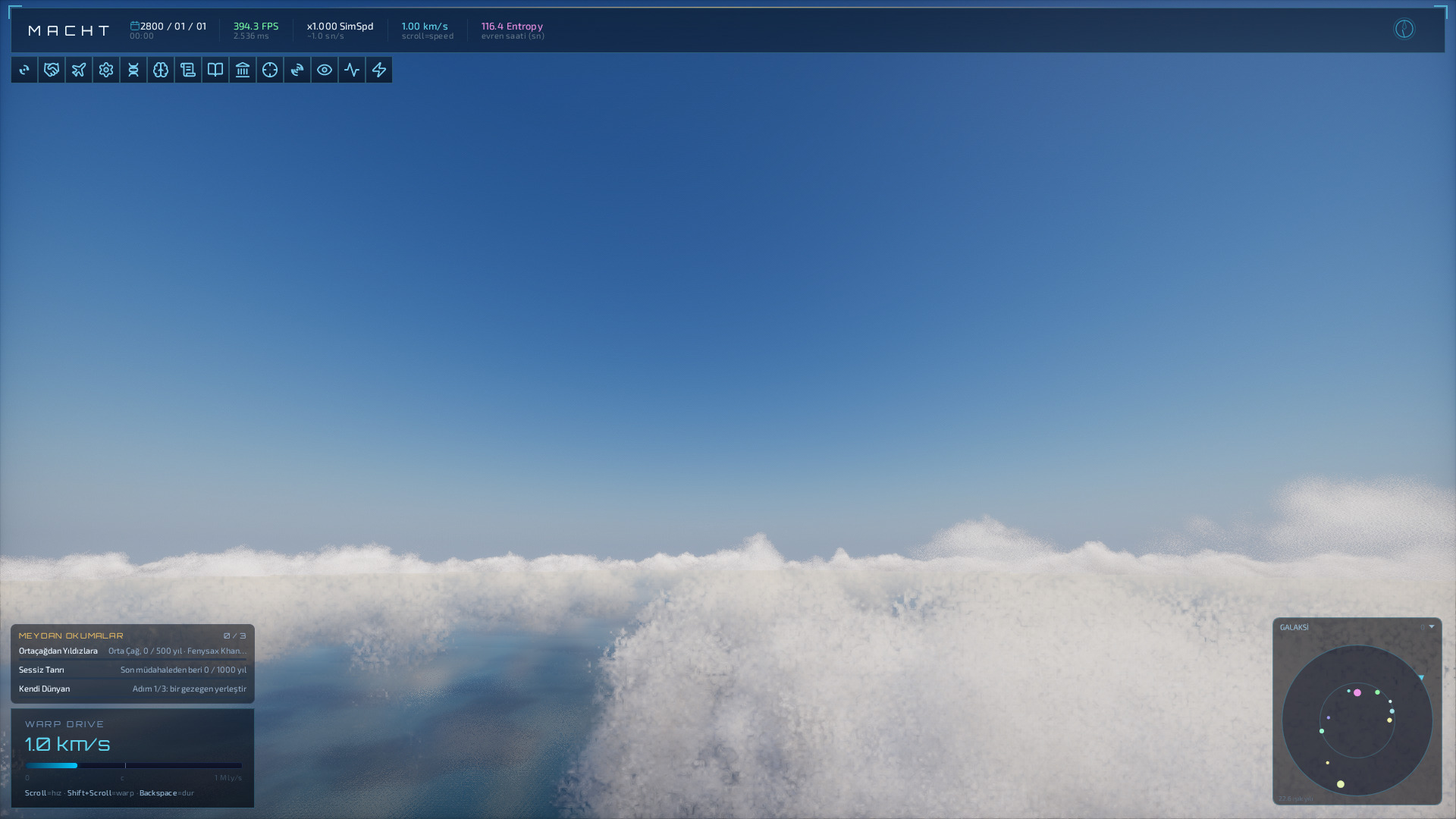
- Seasons follow the planet's real orbit and axial tilt. Leaves change colour through the year, grass dries and yellows, snow arrives in winter and melts in spring.
- Weather comes from the local climate: rain, snow, sandstorms in deserts and fog in valleys.
- Fixed rain that never stopped. Weather systems moved at real-world speed, so on humid continental worlds it could rain for hours without a break. Showers now pass in a few minutes with dry spells in between, and faint drizzle no longer counts as rain.
- In rain the ground gets wet and puddles form, in snow the ground slowly turns white, and the sky clouds over. Rain and snow are lighter under a forest canopy.
- Heavily burned planets lose their clouds, and at worst their atmosphere is blown away.
A living world
- Birds: flocks of crows, eagles, geese, gulls, sparrows and starlings.
- Land animals: horses, cows, sheep, deer, reindeer, antelopes and zebras live in herds suited to their biome, and walk with real four-legged movement.
- Sea life: schools of sardines, mackerel and sea bass, dolphins, orcas and humpback whales that leap and surface to breathe, and gulls diving for fish.
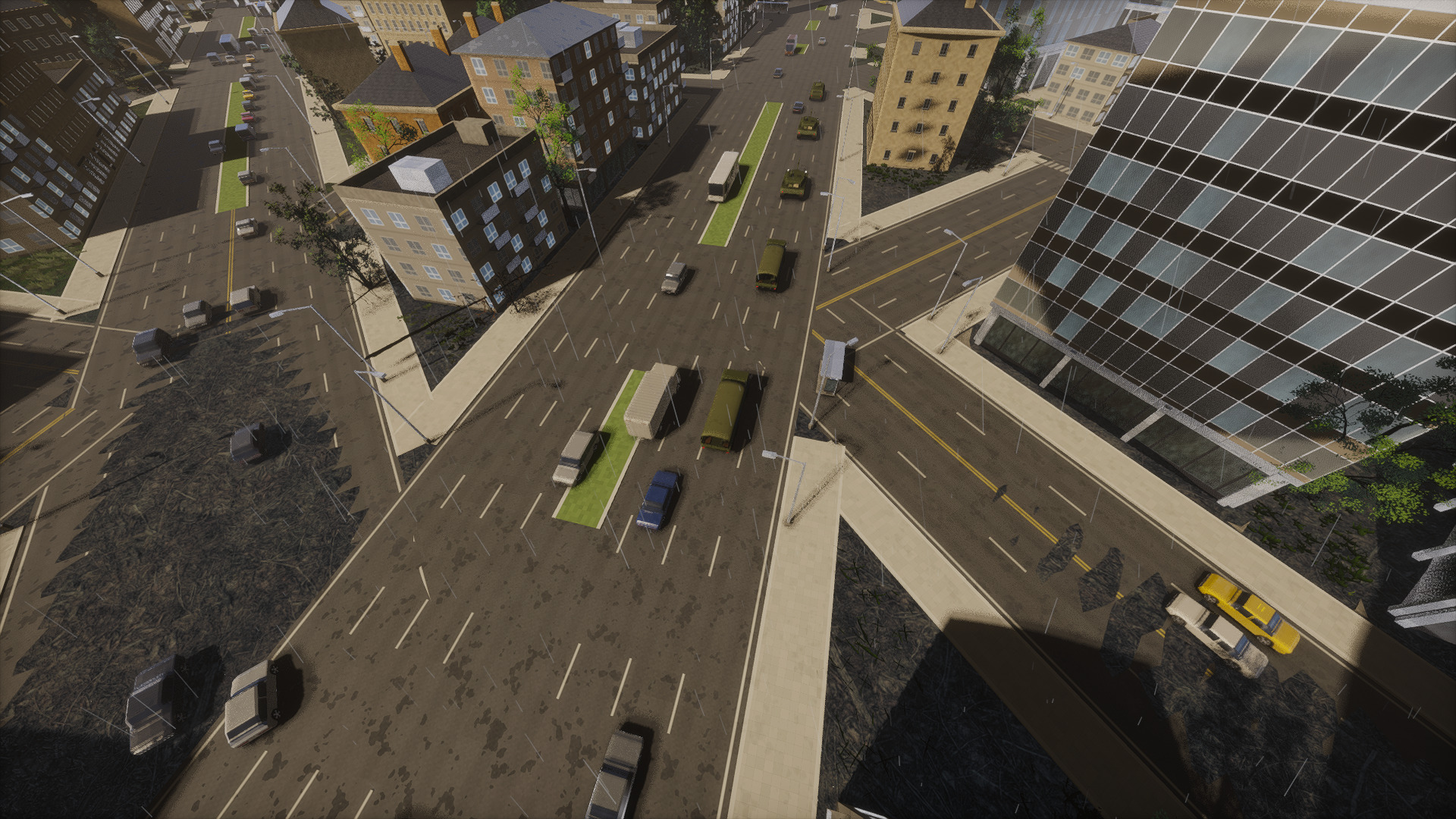
- Traffic: sedans, hatchbacks, SUVs, vans, taxis, buses and trucks drive on modern roads with realistic traffic flow and traffic lights at junctions.
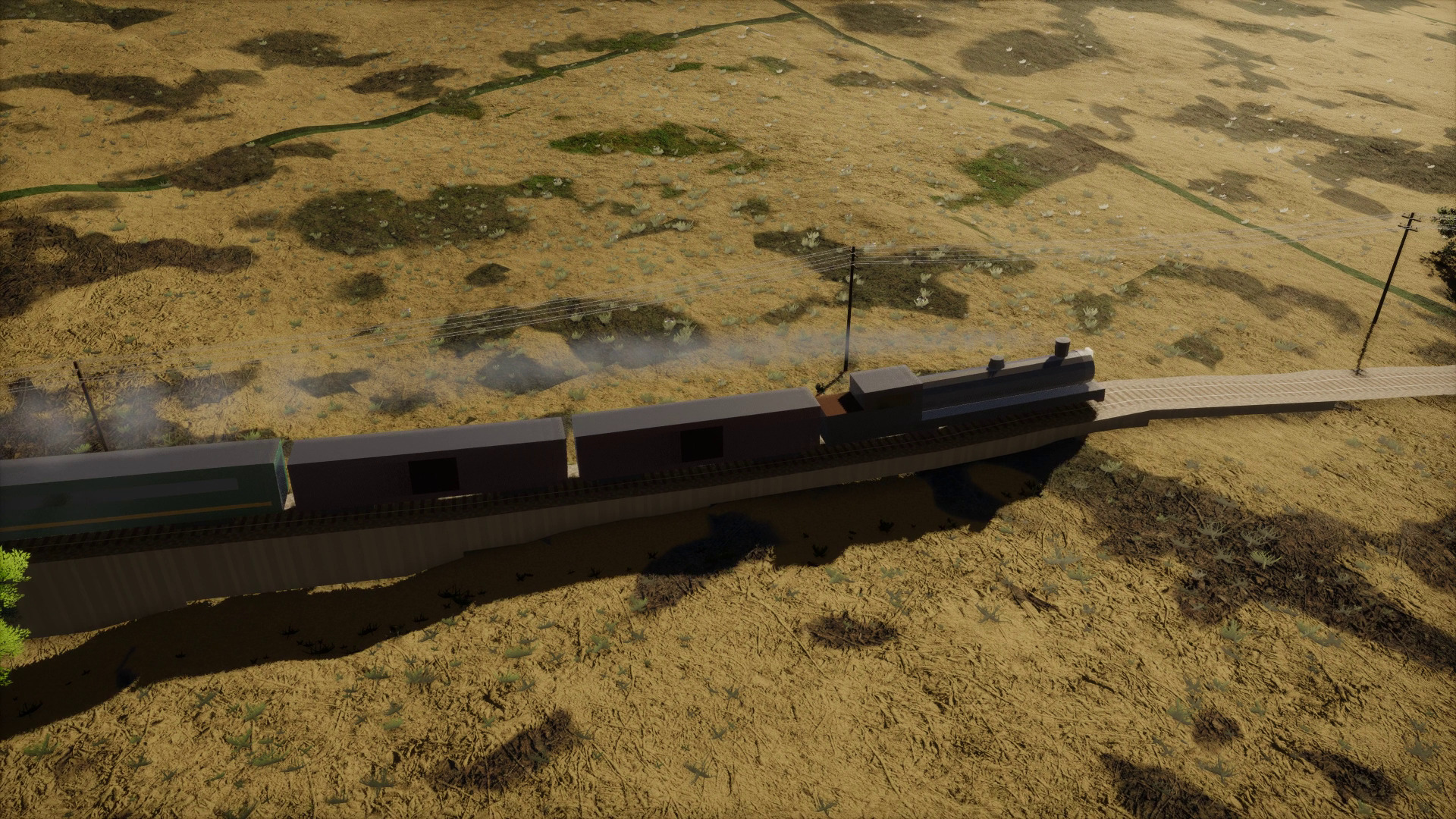
- Railways: railway lines connect cities, with stations, steam and electric locomotives, passenger and freight wagons, bridges and overpasses in the modern era, and overhead wires on masts.
- Air and sea: airliners with contrails, and fishing boats, sailing ships, steamships and cargo ships with wakes and funnel smoke.
- Smoke: chimneys smoke, and the smoke drifts with the wind.
- Infrastructure: high-voltage lattice towers and power lines, telegraph lines in the industrial era, concrete dams with reservoirs on mountain rivers in the modern era, and farms with buildings that match the era.
- Traces of civilization: field patterns change with the era, forests are cleared around settlements, industrial regions get a haze, and road networks light up at night.
- Night lights: car and train windows glow at night, locomotives have headlights, planes and ships carry navigation lights.
- Sound: a new audio engine with its own mixer plays ambient sound on planet surfaces that changes with your altitude, and you hear cities as you get near them.
Cities
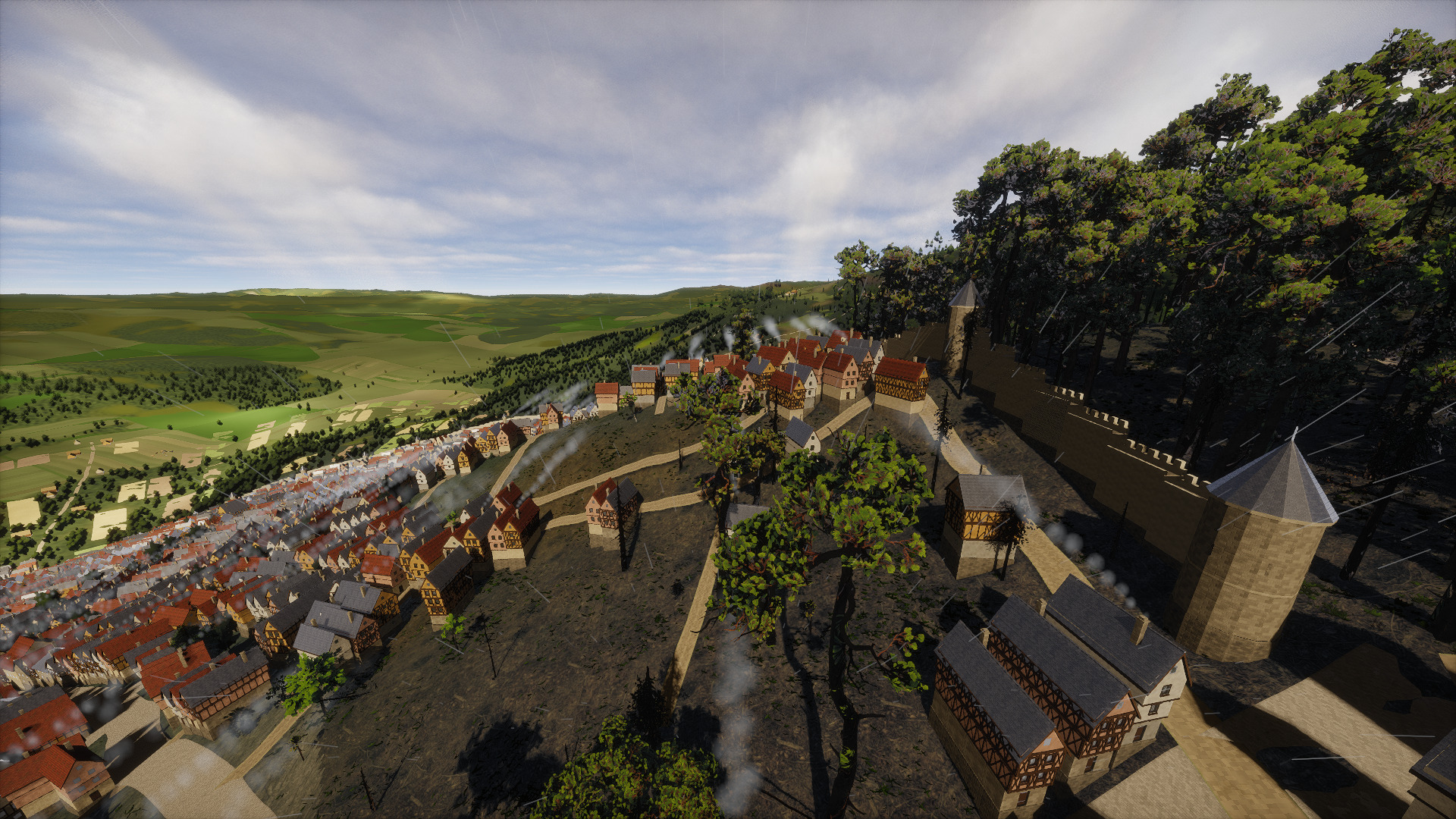
- Medieval cities were rebuilt from scratch with a new set of buildings, organic street layouts and placement that follows the terrain instead of flattening it.
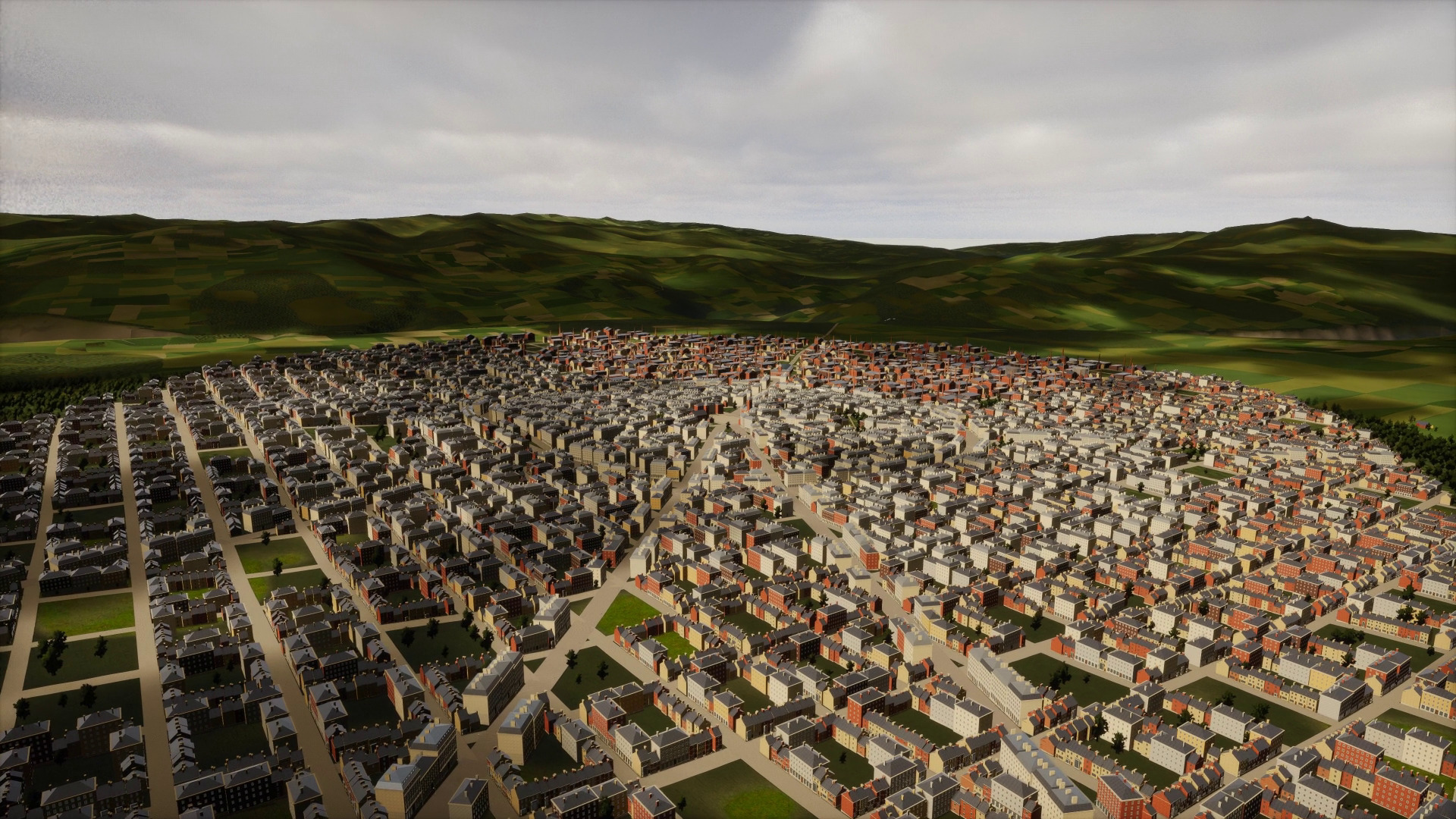
- Industrial cities have grids, boulevards, a railway station and an industrial belt.
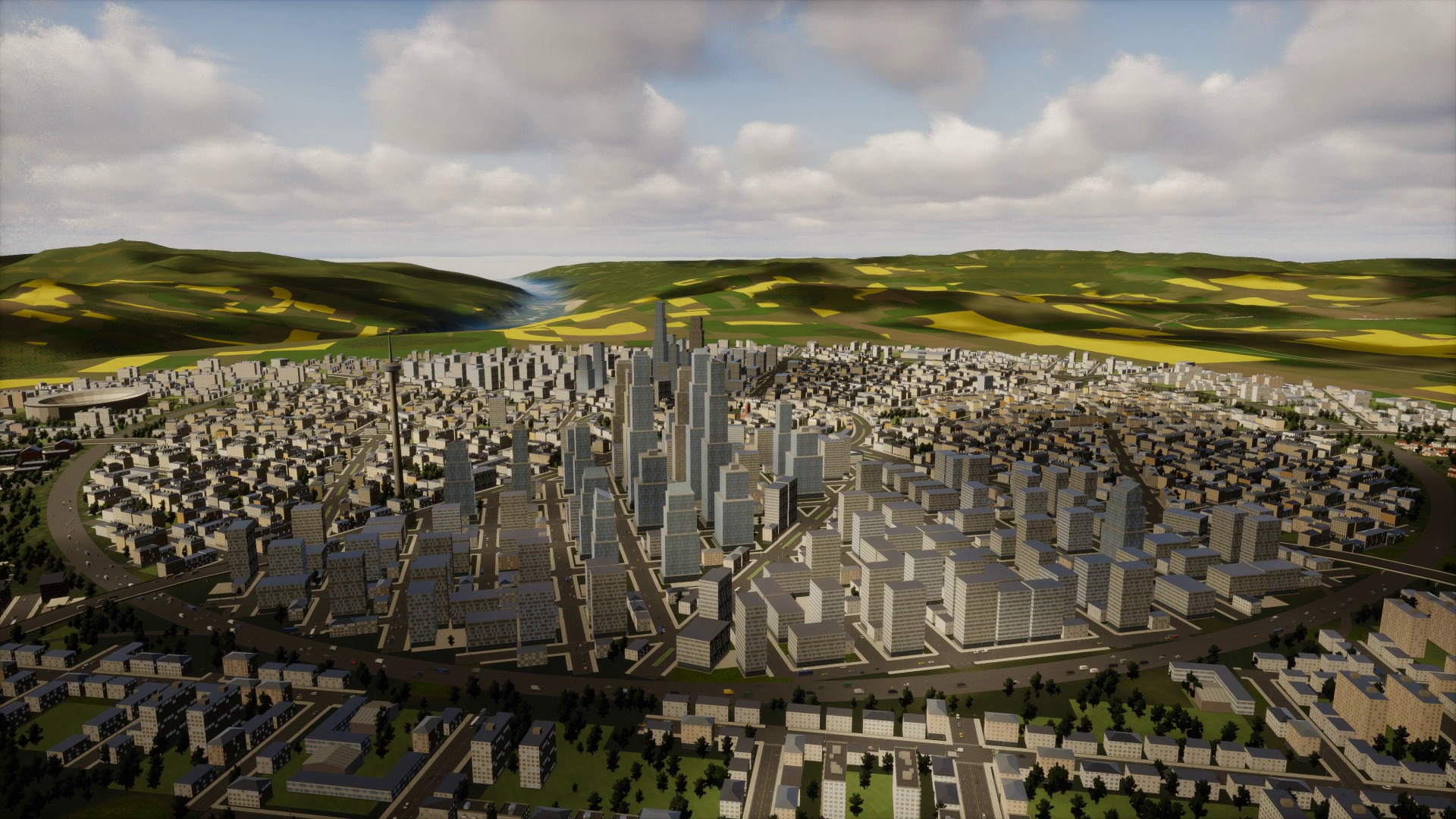
- Modern cities were redone: an organic old core, ring roads, curved arterials, districts on bent grids, superblocks, diagonal boulevards, a compact downtown of towers, highway bridges and ramps, malls, stadiums and TV towers. Modern roads have medians, junctions, curbs, crosswalks, plazas and car parks.
- Cities are now connected by roads in every era, with towns along the roads and villages in the countryside. Fields are bordered by fences and stone walls.
- Modern facades light up at night, even from far away.
Civilizations and simulation
- Eras now last about as long as they did in history: on average around 800 years from the middle ages to the industrial era and around 150 years from the industrial to the modern era, with variation so no two civilizations are the same.
- Research has its own economy, driven by literacy, population and institutions. Population follows what the land can feed and goes through a demographic transition.
- The civilization panel shows development graphs over time.
- The simulation now gives the same results at any game speed. Before, speeding up time changed the outcome: wars often ended in their first year because of a unit error, battles were capped per frame, the calendar could freeze around the year 1089, and colonies could be founded twice on the same planet. All fixed.
- Games with many civilizations run much faster.
Space
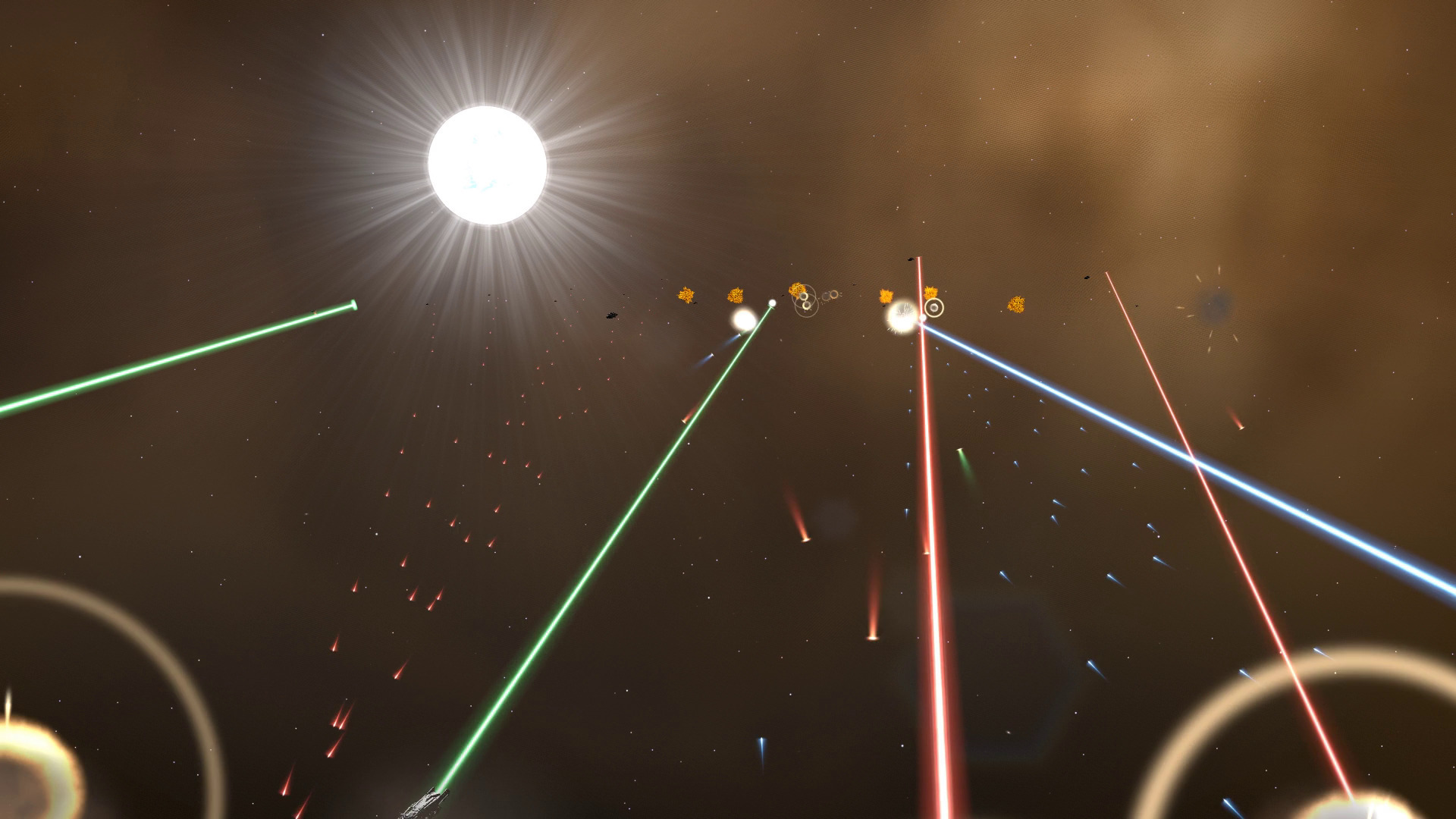
- The galaxy got a new interstellar medium: a brighter core, the local bubble around you and dust that follows the spiral arms. Starlight shines through the dust more clearly.
- Fixed a straight seam line that could cut across nebulae.
- Fixed planets shaking as the camera moved near a very distant Earth, for example one in another galaxy, and fixed the "Civilizations loading" message that never went away on a planet without a civilization.
Physics, light and impacts
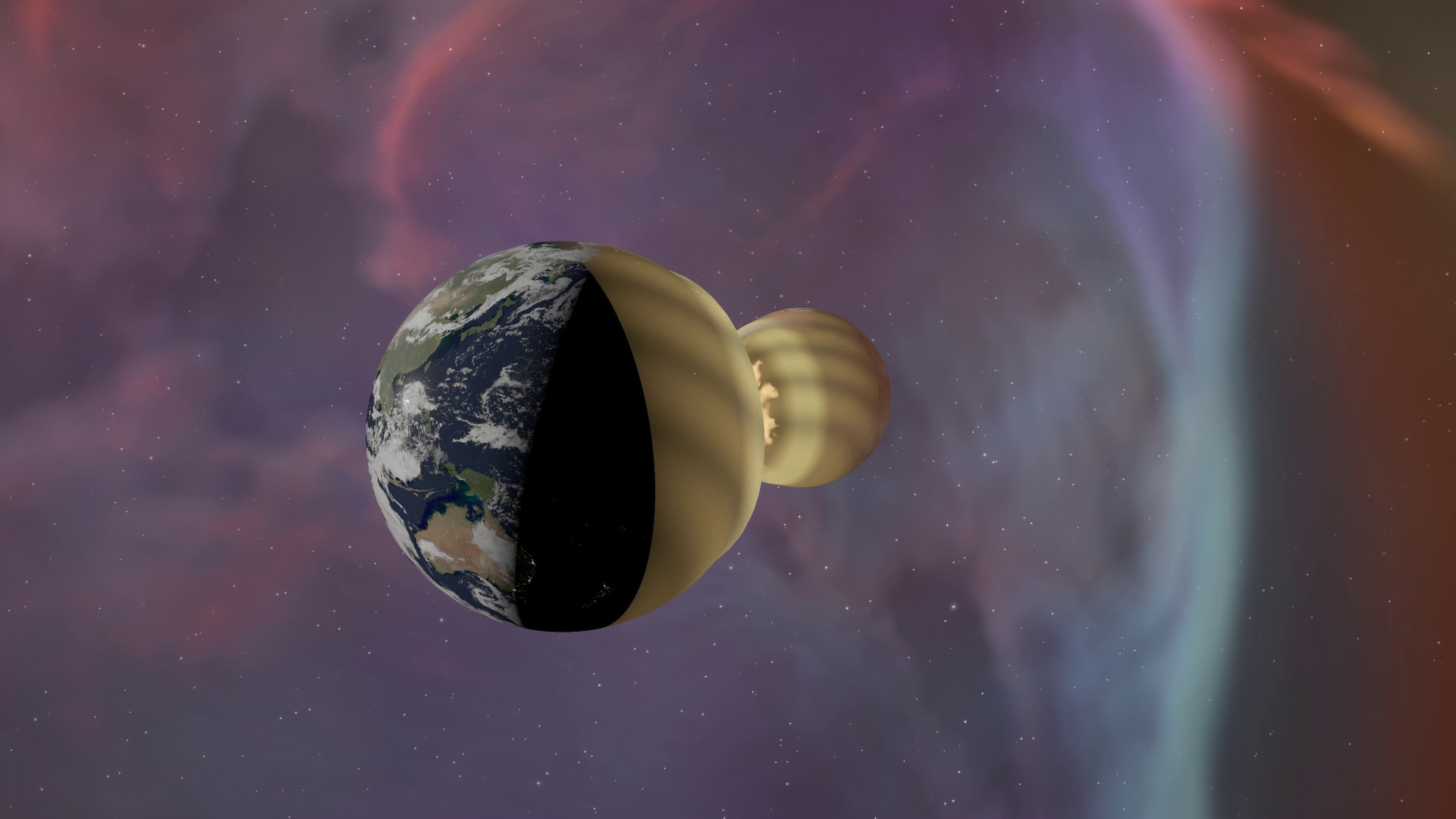
- Bodies could push each other away instead of attracting. We found and fixed the causes one by one: wrong placement velocities, a planet on its orbit rail standing still within the frame, an orbit phase stored with too little precision so planets did not actually move at normal speed, collisions that stayed switched off after many bodies were destroyed, and nearby stars pulling a moon away from its planet. Two planets or two stars now attract each other, and moons stay in orbit.
- Planets and moons are lit by each nearby star from that star's own direction. Before, all starlight came from the direction of the closest star, so planets near the crowded galactic centre were overexposed.
- Moons and planets now cast shadows on each other, so eclipses happen. The Moon and Mars show their craters and relief properly.
- When a moon hits a planet it leaves a crater, visible from orbit, from mid distance and on the surface. Debris from the impact no longer grinds the planet down.
Performance and stability
- Forests and land no longer arrive late after landing, even if you stand still.
- Trees load much faster on graphics cards with less video memory (12.8 s to 4.1 s in our tests).
- Loading a planet no longer makes the whole PC unresponsive. Background work now runs at a lower priority.
- Fixed a freeze of over a second when arriving at a planet by teleport or fast travel.
- Fixed freezes when a planet first appears and when you land for the first time. Shaders are prepared during startup and saved to disk right away, so first visits stutter less.
- Fixed remaining small stutters on planet surfaces, which were worst on laptops and weaker processors.
- Building planet terrain takes about a third less work, so the ground fills in faster.
- Fixed a short stutter when the shader cache was saved to disk. The cache file no longer keeps growing with every update.
Controls and interface
- Holding R no longer resets the universe clock without asking.
- The sequence editor moved from F12 to F5, so F12 is free for Steam screenshots.
- Walk mode (I) only turns on near the ground and no longer slows your camera down in space.
- System editor: dragging an orbit ring works again, clicking the move arrows no longer selects a star behind them, and orbit distance can be edited.
- The habitability of cold planets is now calculated correctly. A frozen planet at -14 C no longer shows as almost fully habitable.
- System editor (O): the hot, habitable and cold zones now match the temperature the game actually calculates for a planet. Before, a planet placed in the middle of the green zone froze at around -13 C, while the truly mild orbits sat at the edge of the hot zone. Habitable worlds in newly generated star systems now form inside the zone, also around dim red dwarfs.
- New Credits screen in the main menu, with a background video. The licenses of the third party software and fonts we use are in THIRD_PARTY_NOTICES.txt in the game folder.
Also fixed
- Dragging a planet on its orbit with the move gizmo no longer snaps it back to where it was.
- A loaded game now faces the way you were looking when you saved. Before, the camera came back in a mirrored direction.
- Digging or raising terrain close to the ground no longer freezes the game for several seconds.
- Rain and snow from the god brushes start within a fraction of a second instead of after about three seconds.
- The controls hint no longer says "P pause": a short tap on Space pauses and resumes, and there is a separate pause key.
- Buttons that did nothing now work: the galaxy map side tools, building megastructures, drag and drop from the inventory, the DNA editor tools and Export in the composition tool.
- The atmosphere slider no longer turns a planet completely white.
- The camera no longer gets flung across space by an unexplained jump.
- The game no longer fills its folder with diagnostic files (about 20 MB per session).
- Civilization cities appear on inhabited planets again.
- On a planet's surface, labels of starports, gates and other planets no longer show through the ground.
- Technology descriptions now match what the technology actually does.
- The Controls page lists digging, brush size and the world map brushes, and the HUD explains what Entropy does.
Known issues
- Photon lighting needs extra graphics power, most of all in dense forests. If your frame rate drops on the surface, turn it off in Settings > Graphics.
- In some dense modern cities trees can grow over the streets. We are working on it.
- The VR wrist menu is new. Tell us how it feels in your headset.
Thank you to everyone who played the test builds and sent us reports. If you hit a problem, email [email protected] and attach _release_diag.txt from the folder the game is installed in.