
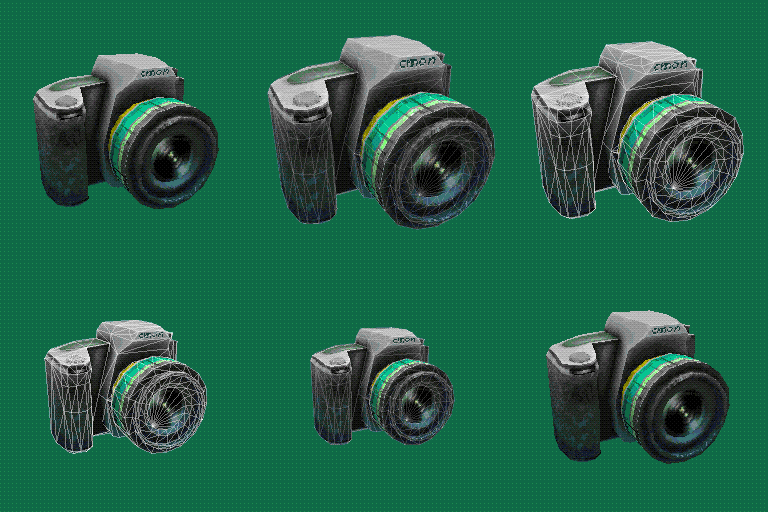
This patch adds quite a bit of improvements to working with selections, and some new additions and tweaks which will hopefully make working in Texelizer easier.
Also, I would like to say a special THANK YOU to everyone who has posted their artwork made with Texelizer to Steams Community Hub -> Artwork page! It has been really inspiring and awesome to see your work!
Marquee / selection changes:
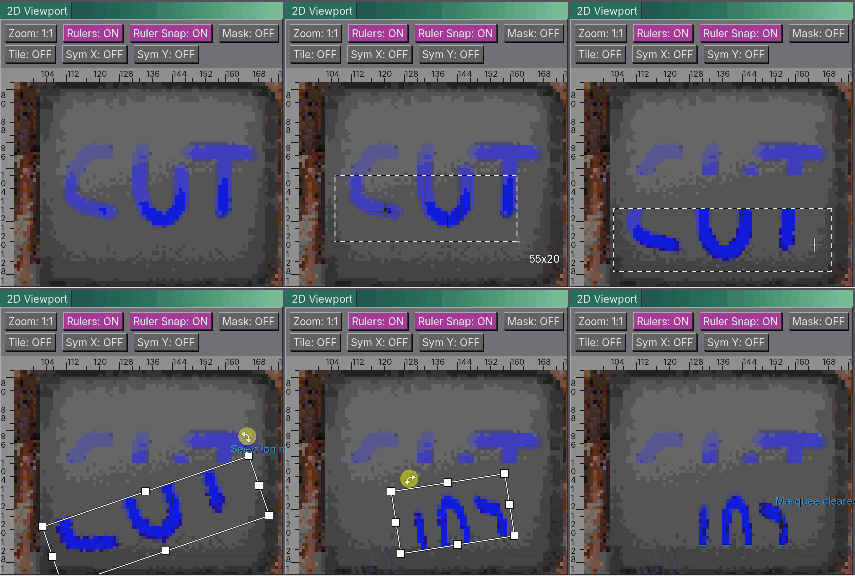
While a selection is active, hold down CTRL and drag inside the selection to cut that selection and move it within that layer.
While a selection is active, press CTRL+T to transform that selection within that layer.
"Invert Selection" added to right-click menu when right-clicking inside a selection.
Marquee tool is now able to select by color threshold, change the mode in Tool Settings panel or CTRL+LMB-click a color. Threshold is adjustable in Tool Settings and whether the selection is contiguous or not.
Transform tool addition:
"Align to Center" added to right-click menu when transform is active. This transforms the transform to the center pixel of the canvas by its bounding box center.
2D viewport changes:
Added Rulers button. This allows you to summon a set of rulers to the left and top sides of the 2D viewport. Drag from the rulers to summon guides, toggle "Rulers: Snap" to toggle snapping brush strokes to those guides. CTRL+Click on a guide to remove it, or drag it out of the viewport.
Shape Tool's preview is now more closely aligned to what the final shape will be in 2D viewport, rather than an approximation.
Added Zoom button. Push this button to toggle between zooming to 100% size and "Fit to viewport" easily.
3D viewport changes:
Added PSX button. This allows you to preview PS1-like vertex snapping and affine texture warping inside the 3D viewport. This is only a preview effect, painting will still function based on unwarped textures and vertices. Magnitude of the effect is customizable from the options menu. If you're using orthographic view, the affine warping naturally won't show, as it requires perspective.
Both viewports addition:
Added Vis Island button. Enabling this makes it so that the island that you're hovering over will be highlighted in the other viewport, making it easier to identify which island you're painting over.
UI changes:
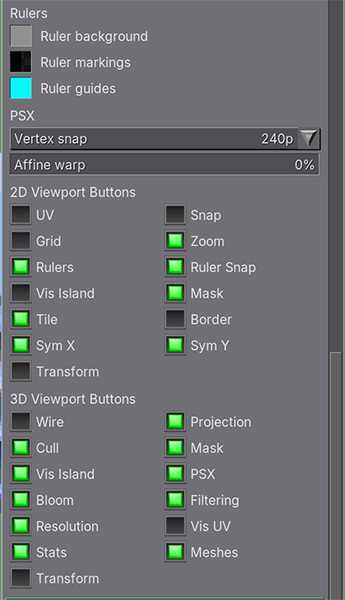
You are now able to choose which buttons appear on the top bar of each viewport, as the number of buttons there was and is getting out of hand as well. Access it from the options menu.
The messages next to the cursor are now also displayed in the bottom right of the window, on the status bar, so that they might be easier to read in some cases. Background color/transparency of this is customizable from options menu.
Options menu has been reorganized, it was getting out of hand. It still isn't pretty but at least it's a start...
Turntable export:
The turntable export dialog has been reorganized as it too was getting out of hand.
Choose from ortho/persp camera projection, and whether to lock turntable export colors to active color palette and whether to apply dithering.
New options for customizing camera movement during turntable animation: orbit arc radius (if you don't want a full 360 orbit), easing, starting angle, orbit direction, static shot (no orbiting), elevation/zoom bobbing (these can still be used with static shot).
Option to enable wireframe display during the turntable.
PSX-style warping is available to be used in exported turntable animation.
Thank you for your interest in Texelizer!