
Thank you for using Pixel Lens!
Pixel Lens v1.5 will be released on October 9, 2026 at 22:00 JST. With two big improvements, image quality at large dot sizes (6×6 to 8×8) is much better — good enough for everyday use. You can now easily enjoy the chunky, characterful pixel art that only large dots give, like on old game consoles, with your anime and game footage. If you already own Pixel Lens, the update is free.
New in v1.5
An AI for each dot size: crisp, unbroken lines, even with large dots
CRT effect: an old CRT TV look that lets large dots blend in naturally
Refreshed official presets: five presets with the CRT effect, named by dot size
Other improvements: Raw Text together with the CRT effect, and a text detection fix
The problem so far: at larger dot sizes, lines faded
The Pixel Lens AI is built around a dot size of 4×4. At larger dot sizes, the picture was first shrunk and then handed to the AI, so thin lines faded or broke up, and the pixel art tended to have blurry outlines. Large dots look striking, but the image quality fell short for actual use.
In v1.5, we tackled this from two directions.
1. An AI for each dot size: crisp lines, even with large dots
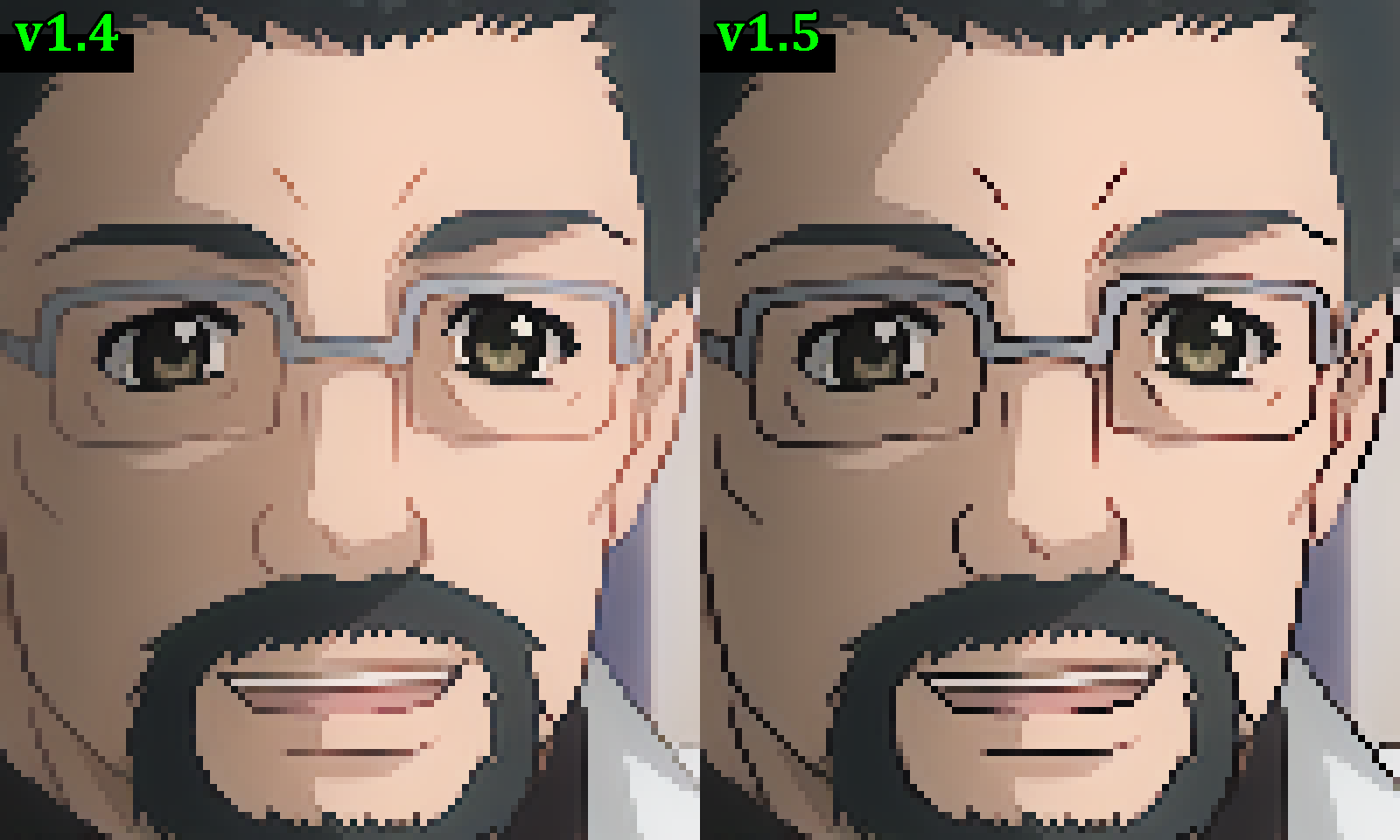
The AI that used to be shared by every dot size has been replaced with a dedicated AI for each dot size. Each one is trained for its own dot size: it restores lines that faded when the picture was shrunk, and redraws them at a thickness that suits the dot size. When you change the dot size, Pixel Lens switches to that size's AI automatically.
Even at 6×6 to 8×8, outlines stay crisp and unbroken
Fine details such as face outlines and eyes keep their shape better
At 5×5 and below, lines come out cleaner too
Performance is the same as v1.4
2. CRT effect: the look of an old CRT TV
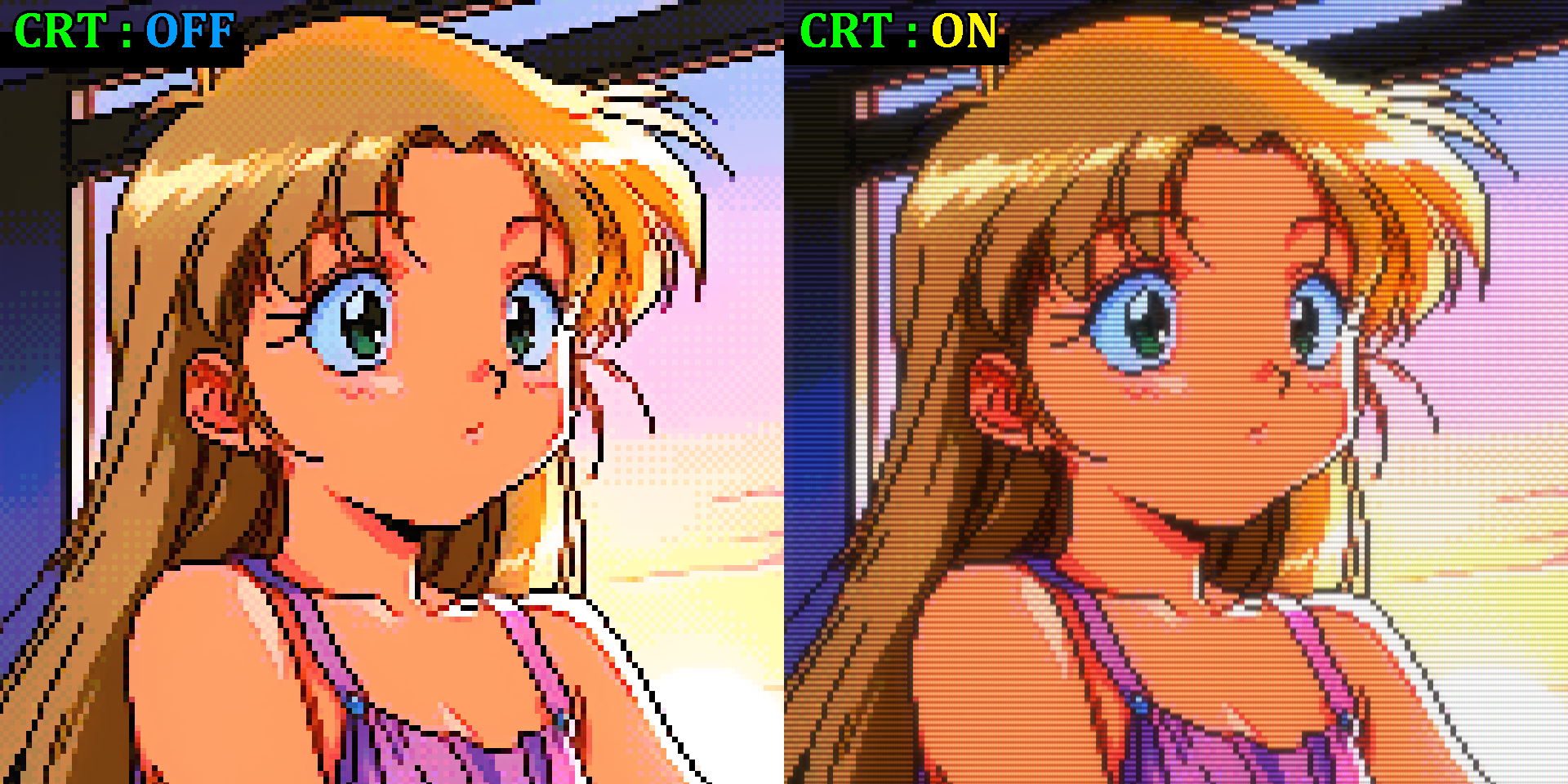
We added a "CRT effect" that shows the picture like an old CRT TV. It recreates scanlines, light that glows out of bright areas, the fine pattern of the screen, a gently curved screen, and more. The margin around the screen is softly lit by the colors of the picture.
On their own, large dots tend to look blocky, with heavy black outlines. With the CRT effect, the blockiness and black outlines are softened just enough, for a familiar look, like playing old games on a CRT TV. It's an especially good match for large dots.
Tick "CRT" on the control panel to open a row where you pick a profile (off by default).
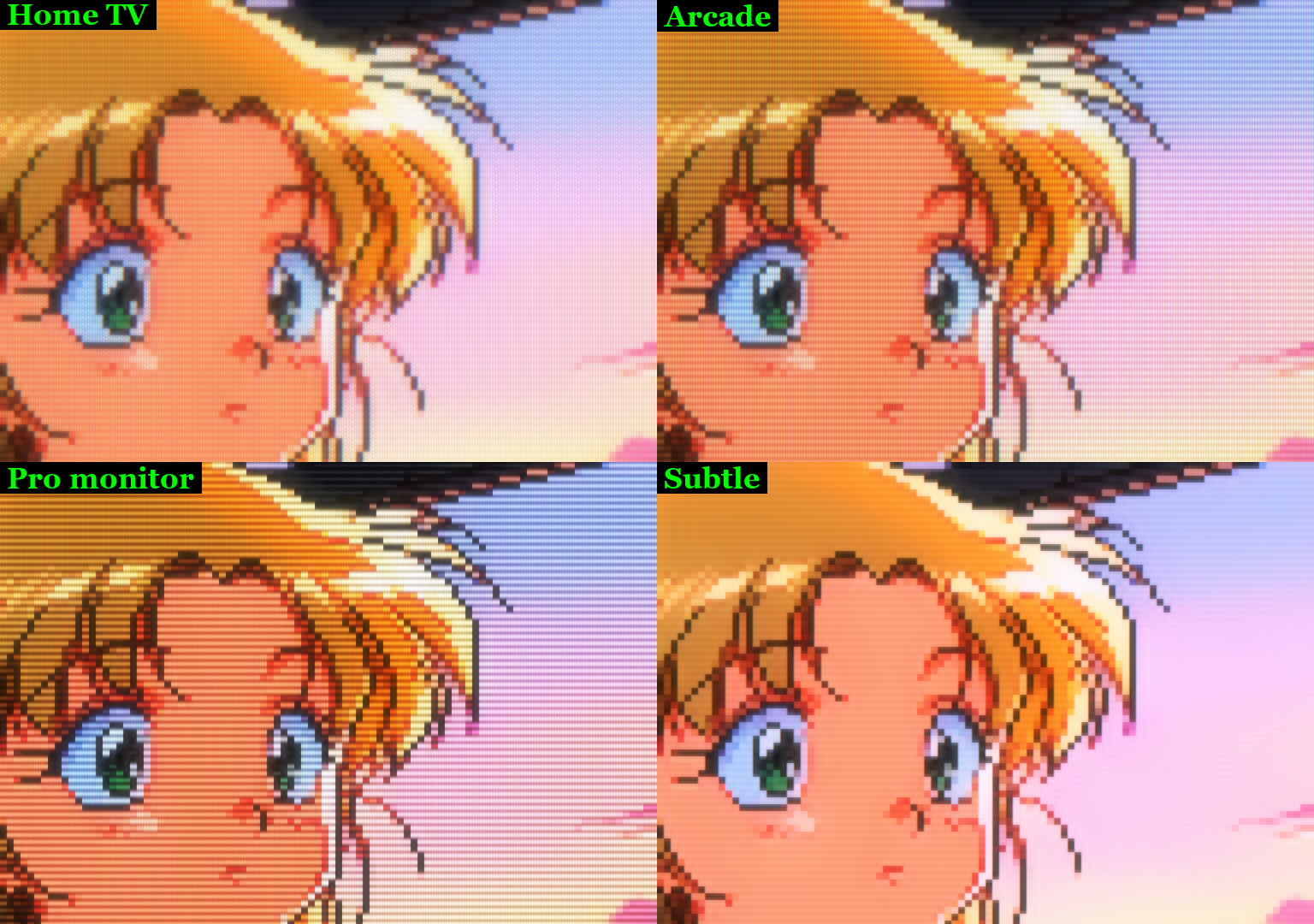
Home TV: a curved screen with soft, glowing light
Arcade: fine RGB stripes and a slight curve
Pro monitor: a sharp picture with strong scanlines, on a flat screen
Subtle: just light scanlines, on a flat screen
With "Details…" you can fine-tune things like the scanline strength and the curve of the screen. Once you adjust anything, the profile becomes "Custom", and you can always return to a profile's values by picking it again. Your adjusted values are saved in presets too.
The CRT effect applies not only to the lens but also to the picture in Stream mode (virtual camera)
Screenshots save an image with the CRT effect in addition to the pixel-art image
It runs on the GPU, so it adds almost no load
The CRT effect off / on at dot size 7×7:
The four CRT effect profiles compared:
3. Refreshed official presets: five, all with the CRT effect
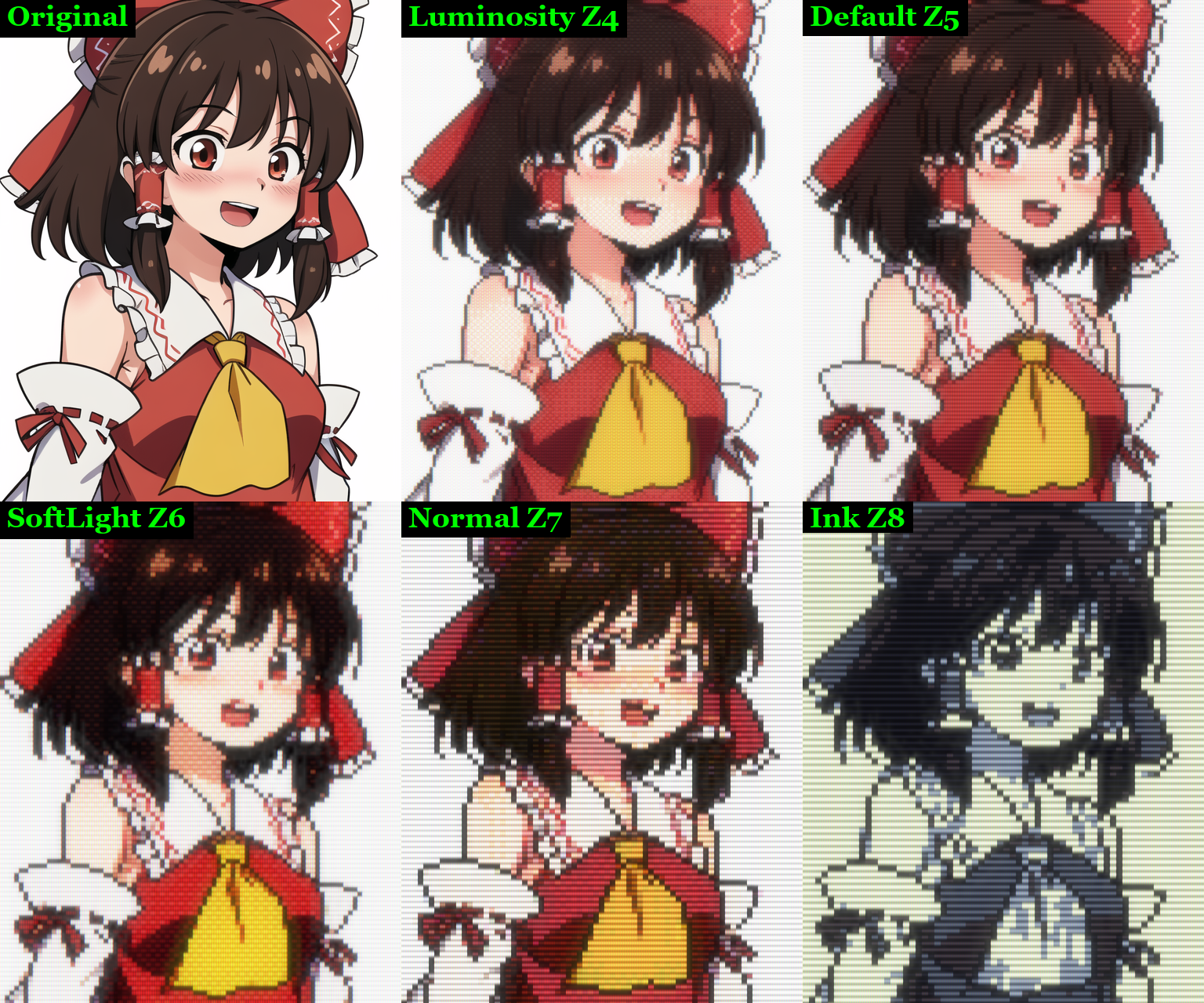
We rebuilt the official presets for the new AI and the CRT effect. Each name now ends with its dot size (Z5 means 5×5), so you can see at a glance how big the dots will be. All of them turn the CRT effect on.
Official Luminosity Z4: shading that takes on the brightness of the 64-color palette "resurrect-64". CRT: "Home TV"
Official Default Z5 (new): no palette, the original colors as they are. CRT: "Arcade"
Official SoftLight Z6: the 32-color palette "endesga-32" layered in Soft Light mode, for a vivid finish. CRT: "Arcade"
Official Normal Z7: the Windows 95 256-color palette layered on top, close to the original picture. CRT: "Pro monitor"
Official Ink Z8: drawn with the 5-color palette "ink", for a monotone finish. CRT: "Pro monitor"
Just pick a preset to try the image quality of v1.5. The previous official presets (Official Ink and the others) have been replaced by the newly named ones.
4. Other improvements
Raw Text together with the CRT effect: when "Raw Text" is on, text such as subtitles is shown as the original picture, without the CRT effect. Text stays easy to read even with the CRT effect on
Text detection fix: fixed an issue in v1.4 where areas that weren't text were more likely to be shown as the original picture
For pixellens-cli users
--crt applies the CRT effect (TV = Home TV, Arcade = Arcade, PVM = Pro monitor, Soft = Subtle). none turns a preset's CRT effect off
Presets with the CRT effect work as they are with --preset, including values adjusted in Details…
Images with the CRT effect are output at the same size they appear on screen (the dot grid times the dot size)
The AI for your dot size is used automatically
How to update
The update will be delivered automatically through Steam. Your current settings and saved presets carry over as they are. The CRT effect is off by default, so to try it, tick "CRT" or pick an official preset.
We'd love to hear what you think of the new image quality with large dots, and your favorite CRT profiles and settings. Bug reports are always welcome too.
Discord: https://discord.gg/wJJZABEbVs
X (Twitter): https://x.com/panzersoft1
Thank you for your continued support of Pixel Lens!