
Thank you for using Pixel Lens!
Pixel Lens v1.4 will be released on October 3, 2026 at 22:00 JST. This update is all about image quality. We improved the unsharp mask (the step that tightens outlines), so the outlines of your pixel art come out crisper. We also reduced the color noise that could appear around characters' eyes and elsewhere in dark scenes. If you already own Pixel Lens, the update is free.
New in v1.4
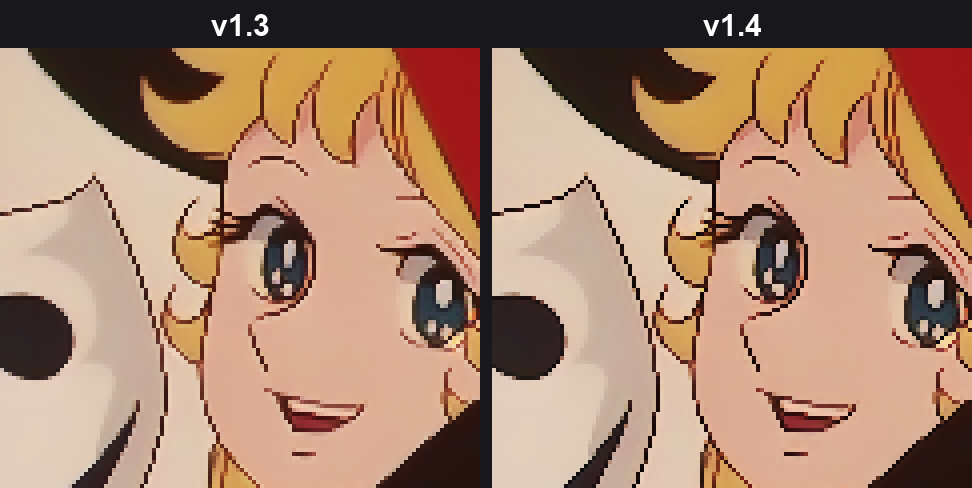
Improved unsharp mask: crisper outlines, with far fewer whitish fringes
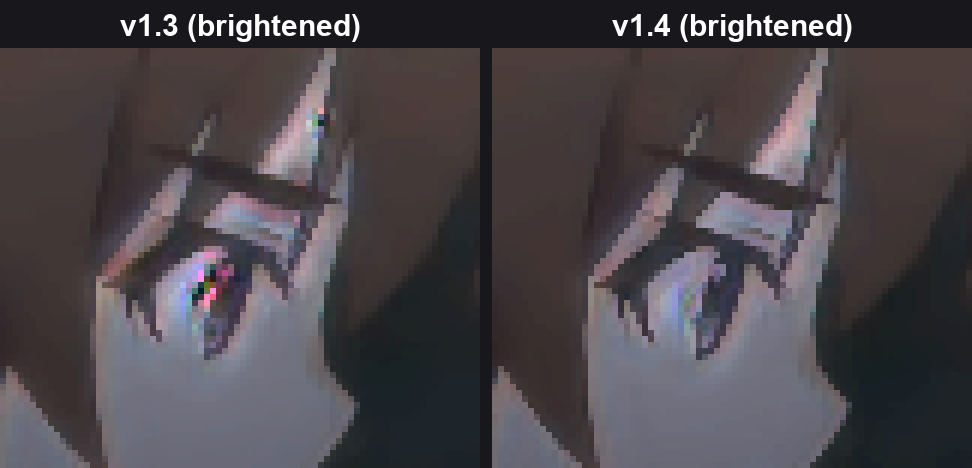
Less color noise in dark scenes: the rainbow noise that could appear around eyes is now much less noticeable
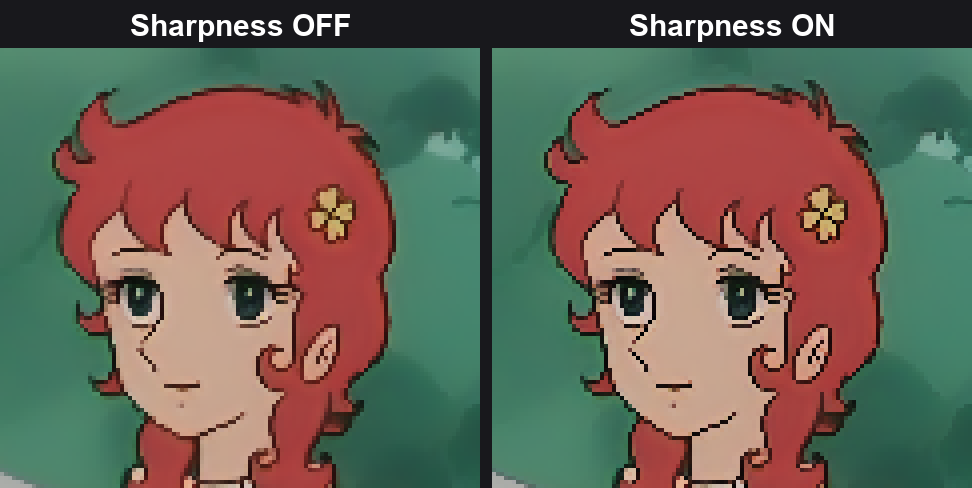
Sharpness is now an on/off switch: turn it off for a calmer, softer look
1. Improved unsharp mask: crisper outlines
We improved the "unsharp mask" that tightens the outlines of the pixel art.
The previous unsharp mask made outlines crisper when applied strongly, but it also left whitish fringes along the outside of the lines, so it had to be kept fairly weak. In v1.4, the outline itself is still drawn dark and tight, but the whitish fringe outside it no longer appears. That lets the effect be applied much more strongly while the image stays clean.
Pixel-art outlines come out darker and crisper
Line steps line up neatly, giving lines that look more like hand-made pixel art
Blurry older anime and footage degraded by compression also get tighter outlines
Performance is about the same as v1.3
2. Less color noise in dark scenes
In dark, low-contrast scenes, rainbow-colored noise that is not in the original video could appear around characters' eyes and similar spots.
In v1.4 we tracked down the cause and fixed it, so this color noise is now much less noticeable. Stray dots of colors that are not in the original video also appear less often in other scenes, so the whole image looks clearer.
3. Sharpness is now an on/off switch
Along with the improved unsharp mask, "Sharpness" in the control panel has changed from a 0–1 adjustment to an on/off switch. When it is on, the improved unsharp mask is applied at the best strength.
It is on by default
Turn it off for softer outlines and a calm, anti-aliased look. Pick whichever you prefer
The Sharpness setting is saved in presets as well
If you are updating from an earlier version: your previous Sharpness value is not carried over, and Sharpness will be on after the update. Presets saved in v1.3 or earlier are also loaded with Sharpness on.
For pixellens-cli users
Sharpness is on by default in the CLI as well. Turn it off with --no-sharpen
The --sharpness option has been removed. If you pass it, it is ignored and a warning is shown (scripts written for v1.3 or earlier keep working)
How to update
The update will be delivered automatically through Steam. Your current settings and saved presets carry over as they are (except Sharpness, which will be on, as described above).
We'd love to hear what you think of the new image quality, and please feel free to report any bugs. Let us know which you prefer, too — Sharpness on or off!
Discord: https://discord.gg/wJJZABEbVs
X (Twitter): https://x.com/panzersoft1
Thank you for your continued support of Pixel Lens!