
Introducing... the HOLY MOLY update for Slumber Realm!

This update is all about JUICE. Confusing, right? We aren't talking about the apple or orange variety of juice. We are talking about the esoteric art of GAME JUICE. What makes a game feel really good? There are a huge variety of techniques game designers use to make a game POP.
Screenshake
White flashes on big hits
Escalating speeds and pitching SFX to create tension
Hit stop (when the game slows down during a big hit)
Characters squish and stretch when attacking and when being attacked
And a ton more!
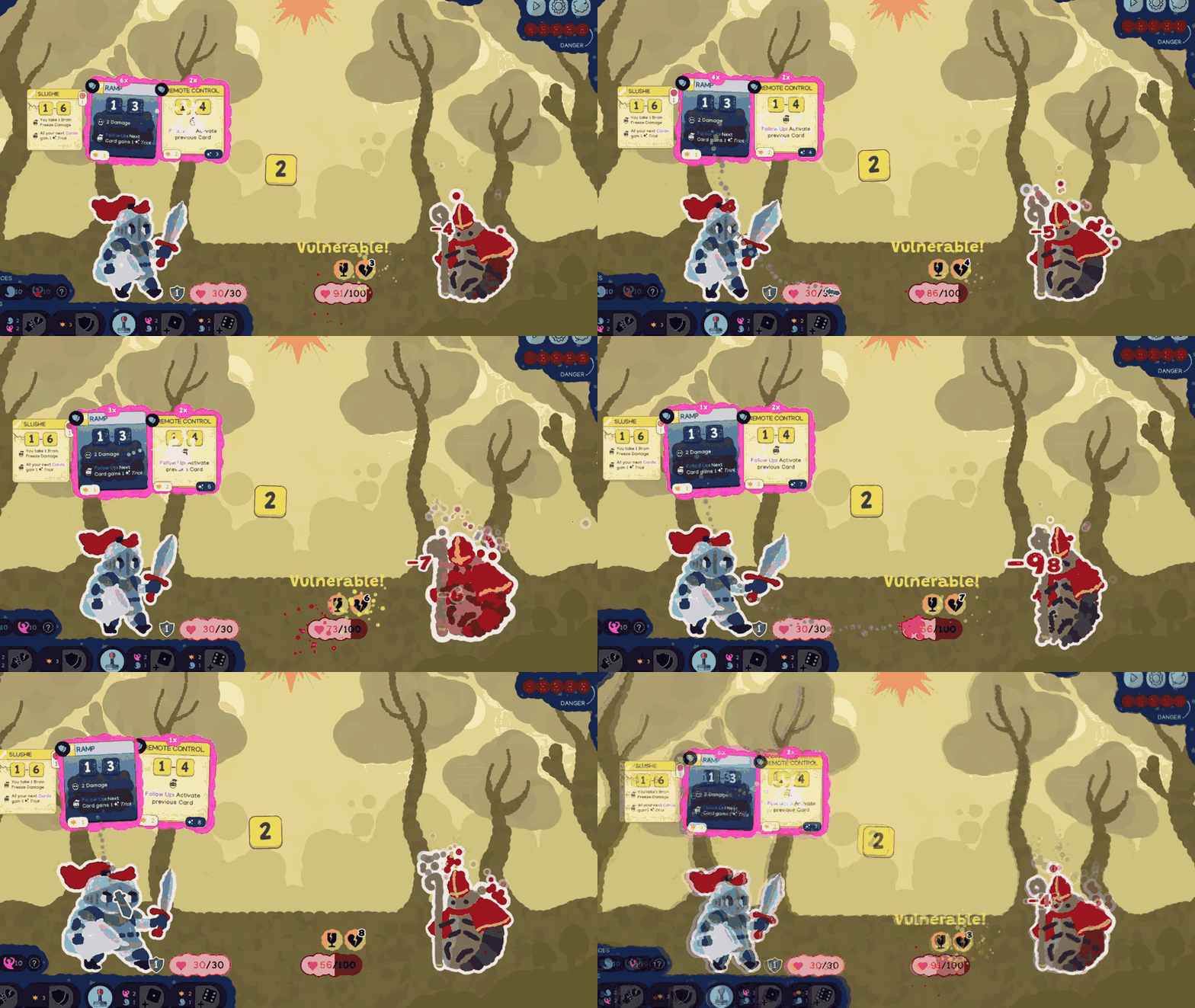
Here is a quick GIF I put together to show off some of the effects. It looks a whole lot better at 4K on your huge monitor.
Full change log below.
0.9.5 (9-24-26)
- Card combos build up: each Card later in a chain pops bigger, shakes harder and plays a higher-pitched sound, and attacking Characters lunge forward.
- Characters wobble like jelly after taking damage, and new damage numbers always appear on top of older ones.
- Big turns get a callout: after an exceptional turn, a rare cheer pops up over your Character and your Character celebrates with a few hops.
- The screen flashes on a killing blow and on the last heavy hit of a big combo. You can turn this off with the new Screen Flash option in Settings.
- Characters defeated by a final hit much bigger than their remaining Health burst apart more dramatically.
- Missed Cards fade: when a die lands, Cards whose range it missed fade and shrink while the Cards it matched pulse, on your rolls and enemy rolls.
- Cards zoom on hover: Cards grow when you hover them in battle, the draft and your inventory, and their tooltip sits beside them.
- Tooltips wait a moment before appearing, which keeps the game smooth while you move across Cards.
- The dotted background bulges around your cursor and the dice.
- The attack and defense icons that fly across the screen are bigger.
- The Card you just added in the draft is marked with pink dots instead of a glow.
- The Night and Day turn sounds and Mod sounds no longer play during the battle intro, and the Mood Ring fades in once the intro ends.
- Enemy previews open on click: click an enemy on the map to preview it instead of hovering over it.
- Clicking another enemy while a preview is open switches the preview to that enemy.
- Elite enemies have their own map tooltip.
- After a draft, market or resource trade, the map scrolls to your next enemies.
- Fixed enemies you can't fight yet staying light grey after the cursor moved away.
- The map waits a moment before scrolling when your mouse reaches the edge of the screen, and hovering your Snacks no longer scrolls it.
- Controller settings: sliders, scrollbars, dropdowns and toggles work with the analog stick while holding A, with finer control on a light push.
- Fixed the D-pad skipping a volume slider when it was set all the way down or all the way up.
- The Dream Log and Credits scrollbars can be dragged with the analog stick while holding A.
- Improved controller support on the map screen.
- Bedroom decorations can be rotated with the controller triggers while hovering or dragging them.
- Fixed the D-pad skipping a Card in your inventory after placing a new Card in the draft, and a draft choice becoming unreachable on the next draft.
- Report card: the D-pad reaches all four grades in order, stays on them, and skips empty inventory slots.
- Spelling Bee: each guess letter can be selected with the D-pad, and the Cards under the letter menu no longer react to the cursor.
- Sort Socks can be played with the D-pad.
- Error messages can be closed with A or B and reached with the D-pad.
- Steam Deck: the feedback button is hidden, since its form needs a keyboard.
- Fixed the D-pad skipping or failing to reach some tilted buttons and Cards.
- Decoration details show how many Cool Points each decoration earns each morning, with a bigger badge for cooler decorations.
- Fixed the bedroom details panel showing the wrong item after closing the corkboard or the catalog.
- Sk8er Card, Board: appears first in your starting Cards even when Sk8er is your second Aspect.
- Fixed tooltips not appearing in the Unlocks menu.
- Tooltip wording fixes: Twig and Stick say "your Health" instead of "Knight Health", and the status effect tooltip on Characters reads more clearly.
- The patch notes on the main menu open faster.
- Updated the credits.