
Session Recap
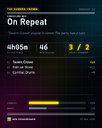
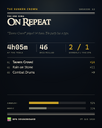
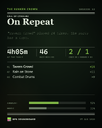
Press Start Session when your game begins and End Session when it's over, and you get a shareable card of the night: how long you played, your most-used sounds, the split between your sound types, and how the dice fell. Save it as a PNG or copy it straight to the clipboard, in a dark or parchment finish.
The sidebar shows a live recording indicator with elapsed time and a running count of sounds played, so you always know when a session is being recorded. Nothing is recorded unless you start a session, and nothing ever leaves your device.
Pick your system
Starting a session now asks what you're playing — Dungeons & Dragons, Pathfinder, Call of Cthulhu, The One Ring, Vampire: The Masquerade, Cyberpunk RED, or anything else. The recap card is scored for it and styled for it: natural 20s and 1s at a d20 table, a critical 01 against a fumbled 00 in Cthulhu, the Gandalf rune against the Eye of Sauron in The One Ring. Your choice is remembered for next time.

Fixes
Start Server and Stop Server no longer share icons with Start Session and End Session — the server buttons now have their own icon in every layout.