
Hi everyone!
LiveWall 1.1 (build 4) is out now! This update is about two things: making a big wallpaper library easier to manage, and making LiveWall lighter on your Mac.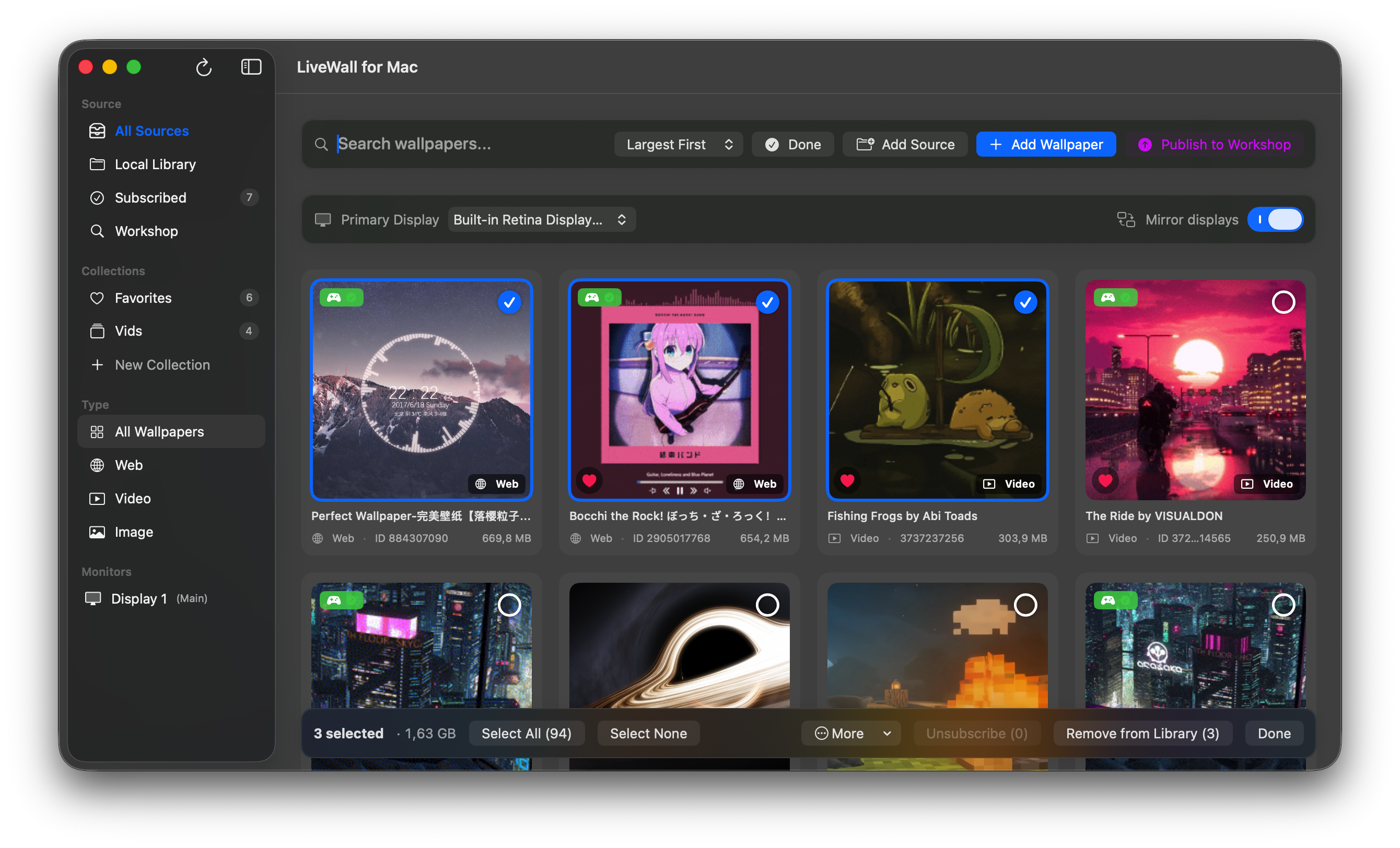
Manage your library faster
Select mode: click Select (or ⌘-click a wallpaper) to pick several at once. Shift-click selects a range, and dragging across wallpapers selects everything in between. Select All covers everything matching your search and filters, across all pages.
Remove a whole selection from your library, or unsubscribe from the selected Workshop items, in one step.
Favorites and collections: click the heart on any wallpaper to add it to Favorites, or create your own named collections in the sidebar.
Sizes and sorting: see how much disk space each wallpaper takes, and sort by Name, Recently Added or Largest First.
Free up space: removing a wallpaper that LiveWall copied into its own library now moves that copy to the Trash. Wallpapers in your own folders are only removed from the library, never deleted.
Regenerate thumbnails from the right-click menu. Video thumbnails now skip dark fade-in frames.
Clicks in the library respond instantly instead of waiting for the double-click delay.
More Wallpaper Engine wallpapers work
Preset wallpapers: many Workshop items are themes built on top of another wallpaper (the "Customizable Module Visualizer" themes, for example). These now load with their own backgrounds, images and settings, as long as the wallpaper they build on is also downloaded.
Fixed wallpapers that froze after a minute or two, mostly 3D scenes. The affected wallpapers also use much less CPU now.
Lighter on your Mac
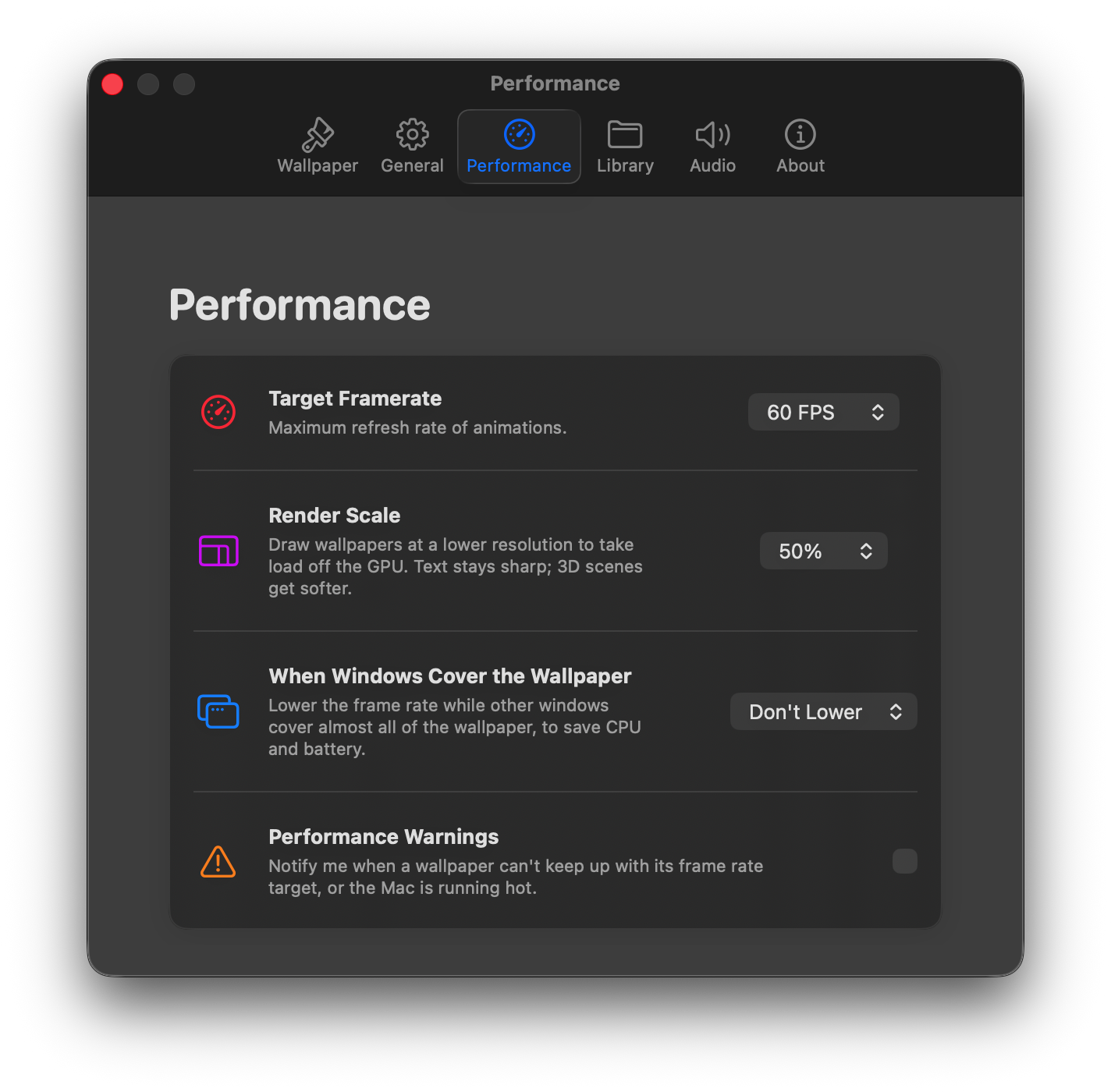
Render Scale (Settings → Performance): draw wallpapers at 75% or 50% resolution. On a heavy 3D wallpaper, 50% cut GPU load from about 80% to under 50% in our tests on a MacBook Air, which also keeps the mouse cursor smooth. Clocks and other text stay sharp.
When Windows Cover the Wallpaper (Settings → Performance): when other windows cover almost the whole desktop, the wallpaper drops to 30 FPS. You can choose 15 FPS or turn this off. Behind a maximized window this cut LiveWall's CPU use by more than half in our tests. It's on by default.
A friendlier audio permission
On macOS 14.2 and later, audio-reactive wallpapers now use macOS's system audio recording instead of Screen Recording. After updating, macOS will ask once for permission to record system audio. LiveWall only listens to what your Mac plays: it never records your screen or your microphone. On macOS 14.1 and earlier, Screen Recording permission is still used.
Also in this update
Loose video files no longer show another wallpaper's preview image.
New thumbnails appear right away instead of staying blank.
Everything new is translated into all 30 supported languages, including the macOS permission prompts.
Thanks for all the reports and Workshop links. Many of these fixes came straight from wallpapers you sent us. If something doesn't look right, let us know in the Discussions.