
Thank you very much for always using Textvas.
New Features
・Text Wrapping
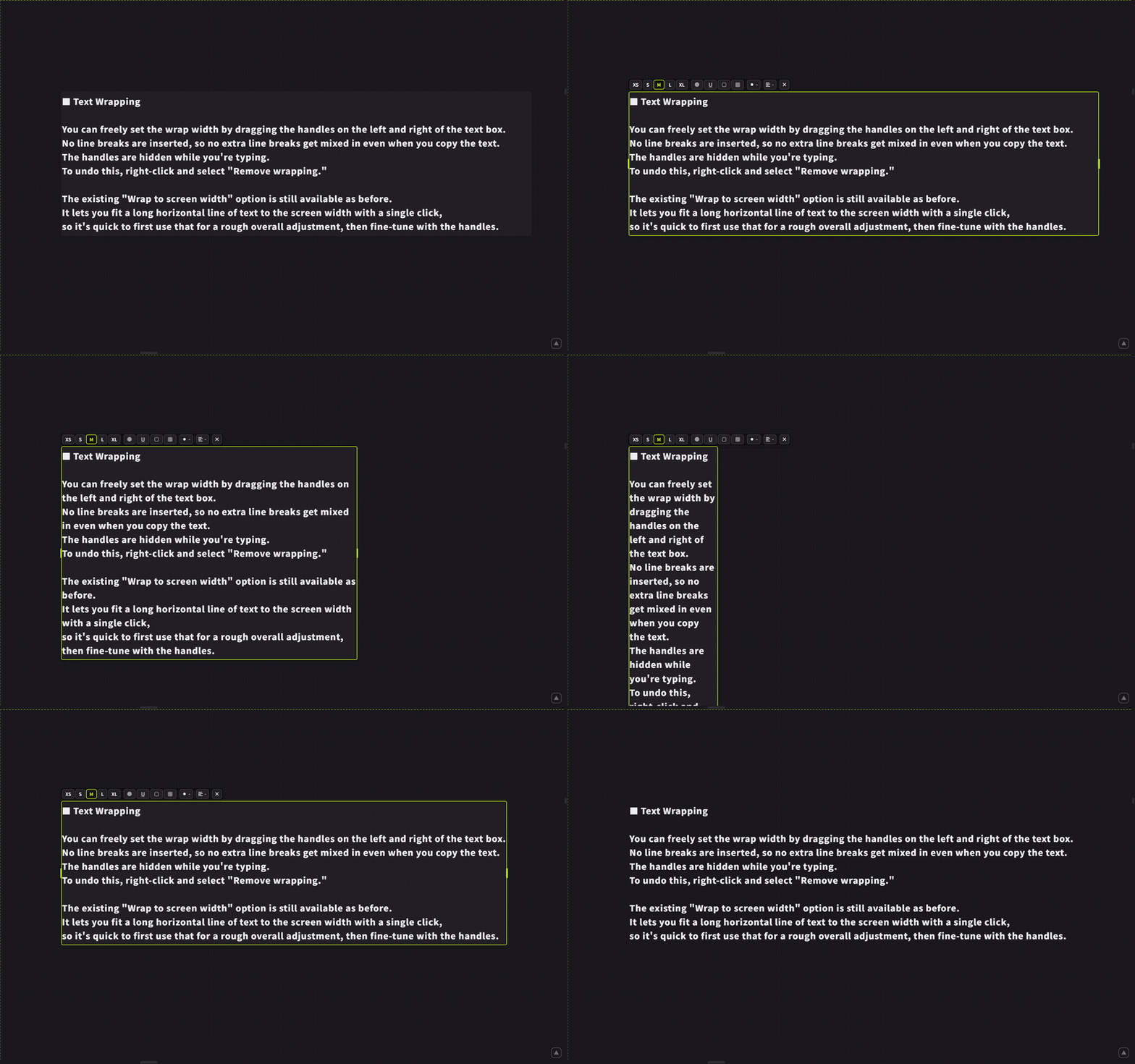
You can now drag the handles on the left and right of a text box to freely set the wrap width. No actual line breaks are inserted, so copying the text won't add unwanted line breaks. The handles are hidden while you're typing. To undo this, right-click and choose to remove the wrapping. The existing option to wrap to the screen width is still available as before. Since you can fit a long line of text to the screen width with a single click, it's fastest to start with that and then fine-tune with the handles.
・Guide Color
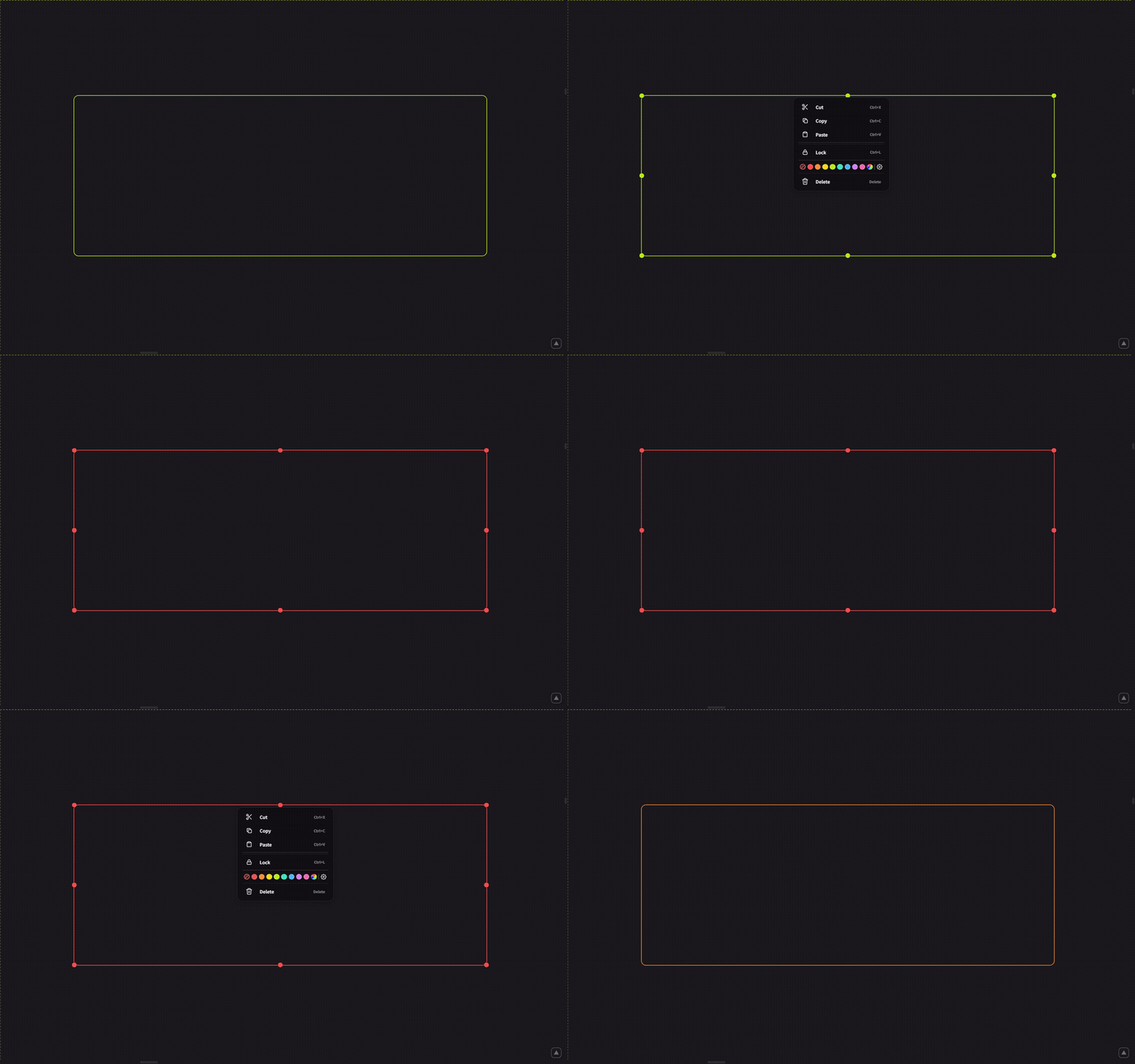
Right-clicking a free guide (vertical/horizontal) or a line guide (vertical/horizontal) now lets you choose its color. You can pick from the 8 text colors, or specify a custom color. The gear icon takes you to the color editing screen. Note that A4 (print) guides are excluded, since they relate to the content of the exported page.
・Board Merging
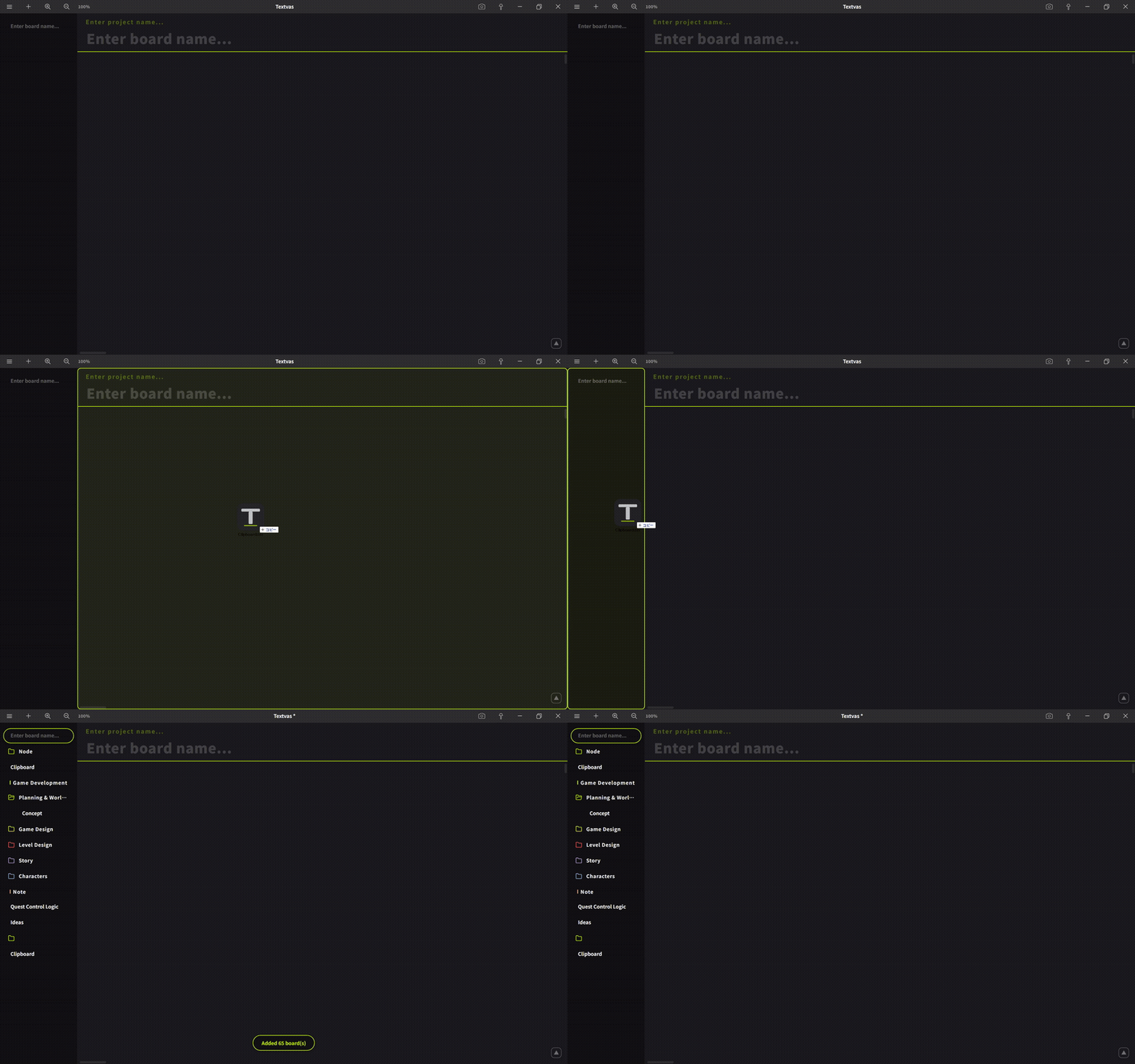
Dragging and dropping a .txv file onto the board list (sidebar) now appends the boards inside it to the end of the current list. Dropping it onto a board, as before, still opens the file. While dragging, a frame shows you which action will happen.
・Image Background Color
Images with a transparent background were hard to see in the dark theme, as lines would blend into the background. Right-clicking an image now lets you choose its background color from white, gray, or black. Selecting the diagonal-line mark on the left restores the original transparency. The image itself is not modified.
Improvements
・Export as Image
Fixed an issue where, even when exporting only a single image, the destination folder selection dialog appeared and the file name was decided automatically. When exporting just one image, a Save As dialog now appears so you can choose the location and name yourself. When exporting two or more images at once, it still uses the folder selection method as before.
・Exporting Boards and Folders Together
Fixed an issue where, when exporting with both boards and a folder selected together, the folder was counted as an export failure.
・Merge Count Notification
The number of merged boards is now shown in a notification.
・Save Confirmation Before Merging
Removed the save confirmation that used to appear before merging. This is because merging doesn't delete your existing boards, and can be undone with Ctrl+Z.
・Export as Text
A message is now shown when there is nothing to export.
・Text Wrapping
Renamed the option to "wrap with line breaks." This makes the difference clear from the option that only changes the visual width without inserting line breaks.
Bug Fixes
・Fixed an issue where closing Preferences with the Escape key would turn the screen black.
・Fixed an issue where no frame was shown when dropping while a folder was selected.
・Fixed an issue where some menus contained translation errors.
We will continue working to improve Textvas.