
Hi farmers, 😄
Thank you very much to everyone who has continued playing the Farm Factory Simulator Demo and sharing feedback, reports, and suggestions with us.
This update focuses on making larger factories easier to organize and manage. Players can now give custom names to their Machines, while speed upgrades have been expanded to improve the movement speed of claw and supply arms.
We have also added several quality-of-life improvements for the Tablet and Bug Report system, along with fixes for conveyors, Processor Machines, Storage selling, controls, animations, and tutorial progression.
While the Demo remains limited to Level 5, this devlog is not limited only to content currently accessible within the Demo. It also covers improvements and fixes for systems that become available beyond the Demo progression as we continue preparing and refining the full game.
Some features or changes described below may therefore not be directly accessible within the current Demo, but they are already part of the broader development of Farm Factory Simulator.
With that in mind, here is what is included in this update.
Main Updates
1. Custom Machine Names
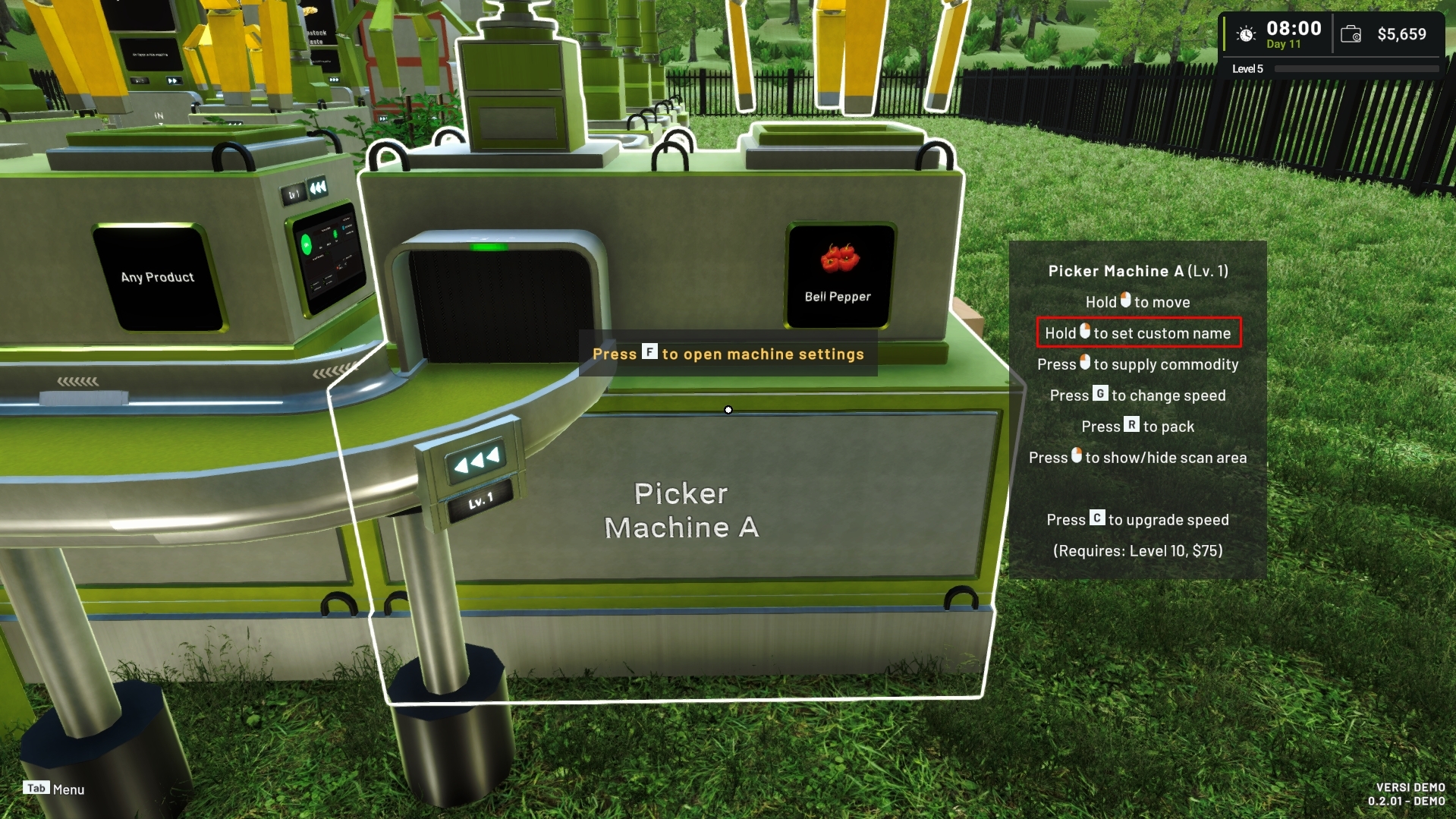
Players can now give custom names to their Machines, making it easier to identify and organize different parts of a growing production line.
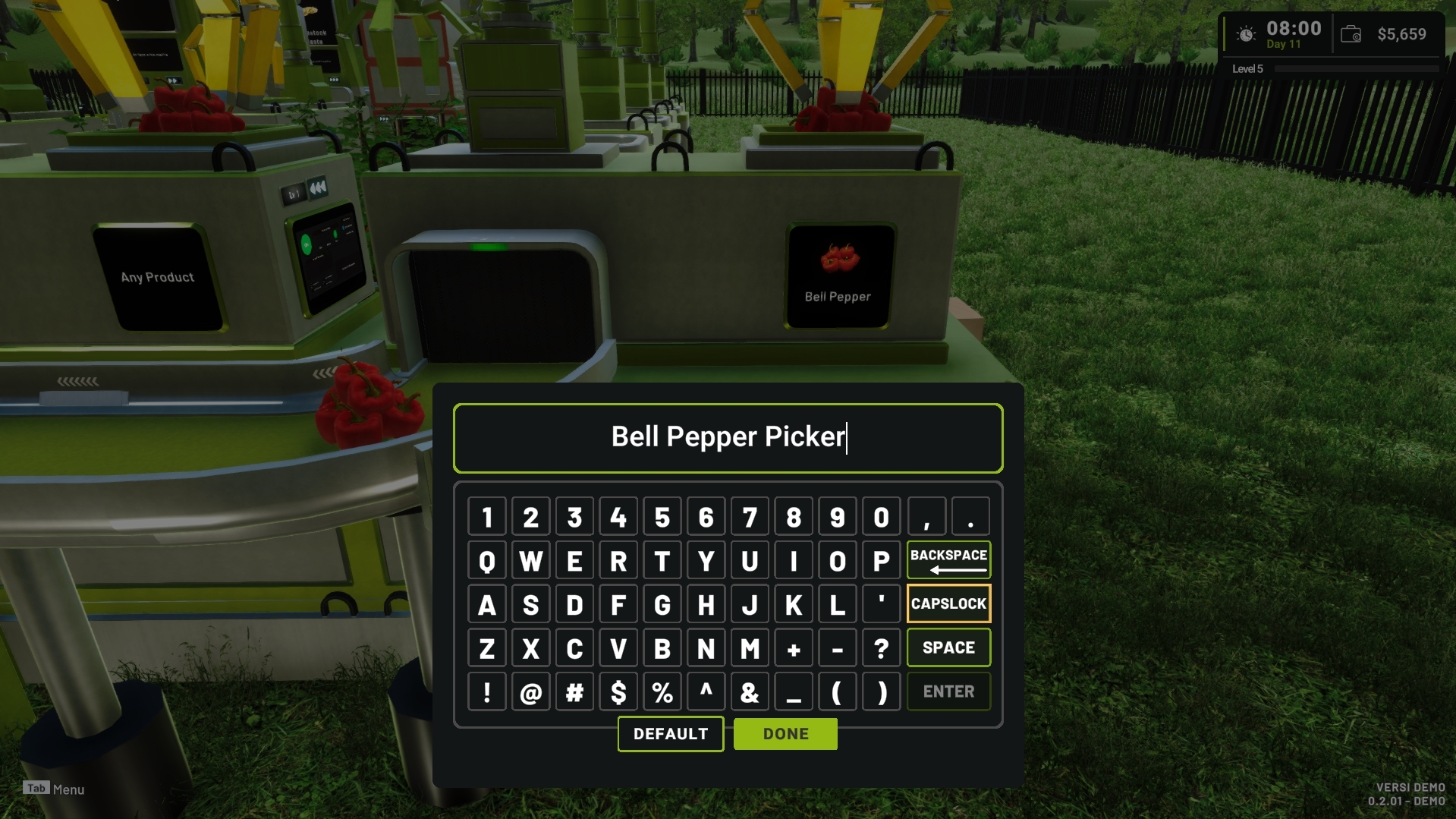
To rename a Machine, hold the rename interaction while focusing on it. A virtual keyboard will appear, allowing the name to be entered using either a keyboard or gamepad.
The custom name will appear:
On the Machine's nameplate.
In the information shown when focusing on the Machine.
On the Machine box after it is packed again.
The original Machine name will remain visible as supporting information, allowing players to identify the Machine type even after assigning a custom name.
Custom names are also preserved when a Machine is packed into a box and placed again. The name will only be removed if the Machine box is sold.
This feature is available across all Machines and can help players organize production lines by purpose, location, recipe, or any naming system they prefer.

2. Supply Arm Speed Upgrades
The existing Machine Speed Upgrade system has been expanded to include the movement of supply arms of machine or equipment that have it.
Speed upgrades now improve arm movement on:
All Auto Harvester Machines.
Plant Farm Machines.
Animal Pens.
As the Machine Speed Level increases, the attached arm will also move faster when harvesting crops or supplying materials.
The upgrade uses the same speed-upgrade system already available on other Machines, so no additional upgrade type is required.
supply arm upgrades can be accessed within the Demo, although their maximum progression remains limited by the current Demo scope.

Improvements
1. Pause When Opening the Tablet
Added a new Pause on Open Menu setting.
When enabled, opening the Tablet will pause the game in the same way as opening the Pause Menu. Time, Machine activity, character movement, and other world simulation will remain stopped while the Tablet is open.
The setting is disabled by default and can be changed through the game settings.
This allows players to review settings, purchases, prices, and other management information without the factory continuing to operate in the background.

2. Improved Bug Report Confirmation
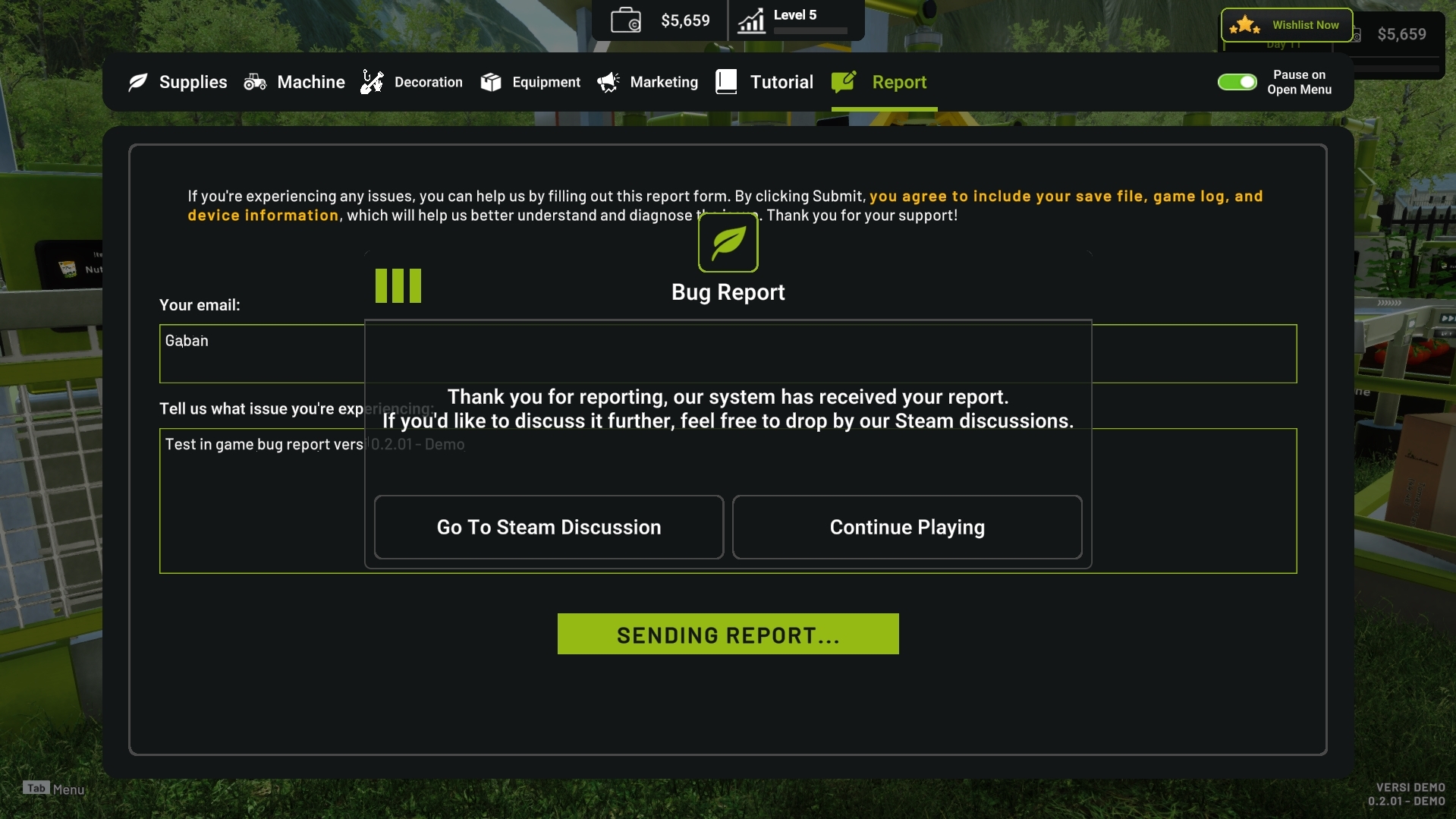
After successfully submitting a Bug Report from either the Tablet or Main Menu, players will now receive an updated confirmation popup.
The popup provides two options:
Go To Steam Discussion: Opens the main Farm Factory Simulator Steam Discussions page.
Continue Playing: Closes the popup and resets the Bug Report form.
This gives players a direct way to continue discussing an issue with the community and development team after submitting a report.
3. Updated Tablet Layout
The Tablet layout has received a minor adjustment to provide more room for its menu categories.
Money and Level information have been moved to the upper-center area of the screen, creating additional space for the category list and making the overall layout easier to read.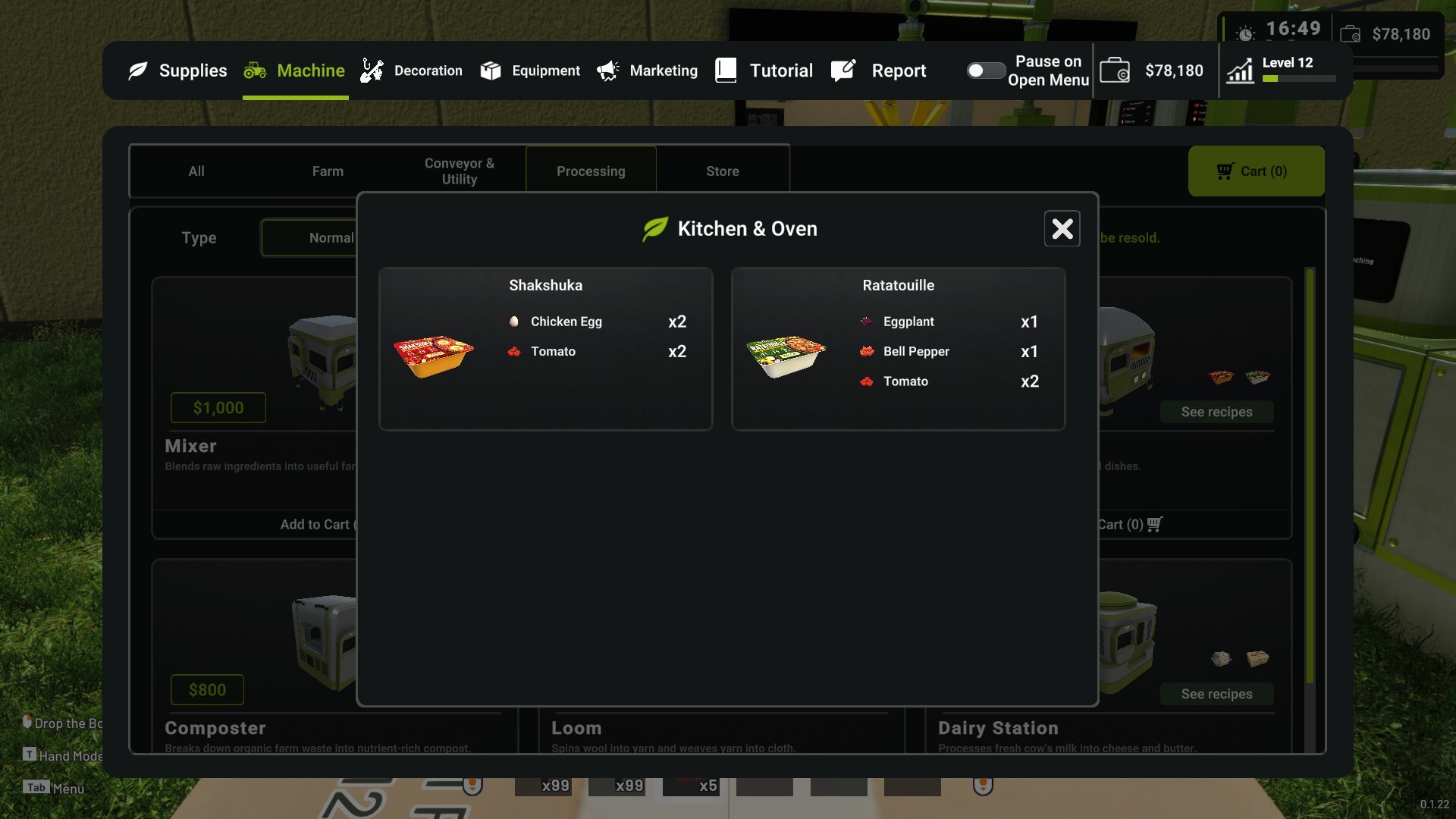
Bug Fixes
Conveyor
Fixed an issue where reversing a Conveyor while commodities were still moving across it could cause them to jump to the wrong position, move in the wrong direction, or lose their previous order.
Commodities will now preserve their position and sequence when the Conveyor direction is reversed.
Farm and Machine Supply
Fixed an issue where Animal Feed could be rejected when placed into the Nutrient Storage inside an Animal Pen.
Animal Feed can now be stored and used by the Animal Pen correctly.
Hand Mode
Fixed several reliability issues that could occur when switching between Carrying Mode and Hand Mode, including carried boxes unexpectedly disappearing or becoming stuck.
Carried boxes will now remain properly registered and can be displayed, carried, or placed normally after switching between the two modes.
Processor Machines
Fixed an issue where newly inserted commodities could be included in an ongoing Eject process.
Processor Machines will now temporarily stop accepting new commodities until the current Eject process has finished. Any attempted input will remain inside the carried box.
Fixed a visual issue where repeatedly supplying a full Processor Machine could leave a commodity floating above the Machine.
The affected commodity was only visual and did not change the actual stored quantity. Commodity transfer visuals will now complete correctly, including when input is repeated or skipped.
Fixed an issue where the transfer animation for Sheep Wool could fail to appear when supplying a Loom from a box.
Sheep Wool will now display the correct transfer animation while being added to the Loom.
Storage and Selling
Fixed an issue where Wholesale Sell could return more than half of the Market Price for commodities with an odd price.
The wholesale value is now calculated from the total sale value before being rounded up, producing the intended result.
Controls and Interface
Fixed an issue where gamepad focus in Price Control could return to the first commodity after confirming a price change.
Focus will now remain on the commodity that was most recently edited, including after the interface refreshes.
Fixed an issue where the scan-range box shown for Auto Harvester B could differ between blueprint placement and its deployed state.
The displayed area now remains consistent before and after the Machine is placed.
Tutorial
Adjusted the appearance Level of several tutorial contents so they now appear alongside their corresponding unlock Level.
Thank you again for playing the Farm Factory Simulator Demo and for continuing to share your reports, feedback, and suggestions.
We are still reviewing everything you send and will continue prioritizing improvements based on their feasibility and impact on the overall gameplay experience.
The current Demo provides access to the basic farming, livestock, automation, storage, selling, and early processing systems with limited content. At the same time, development is continuing across systems and progression that extend beyond the current Demo scope.
If you encounter any issues or unexpected behavior, please report them through the in-game Bug Report Menu and/or the Steam Discussions so we can investigate further.
See you on the farm! 🌱