
Hi farmers, 😄
Thank you very much to everyone who has played the Farm Factory Simulator Demo and continued sharing feedback, reports, and suggestions with us.
This update focuses on making it faster to build production lines, giving players more control over Storage Machines, and expanding the early processing systems available in the Demo.
We have also improved recipe information, updated several purchasing and pricing interfaces, added a new audio setting, and resolved issues reported through the in-game Bug Report Menu.
Please note that the current Demo progression remains limited to Level 5. Some content requiring a higher Level may still be visible, but it cannot yet be unlocked or used within the Demo.
The following updates are included in the latest version and are currently accessible in the Demo.
Main Updates
1. Continuous Machine Placement
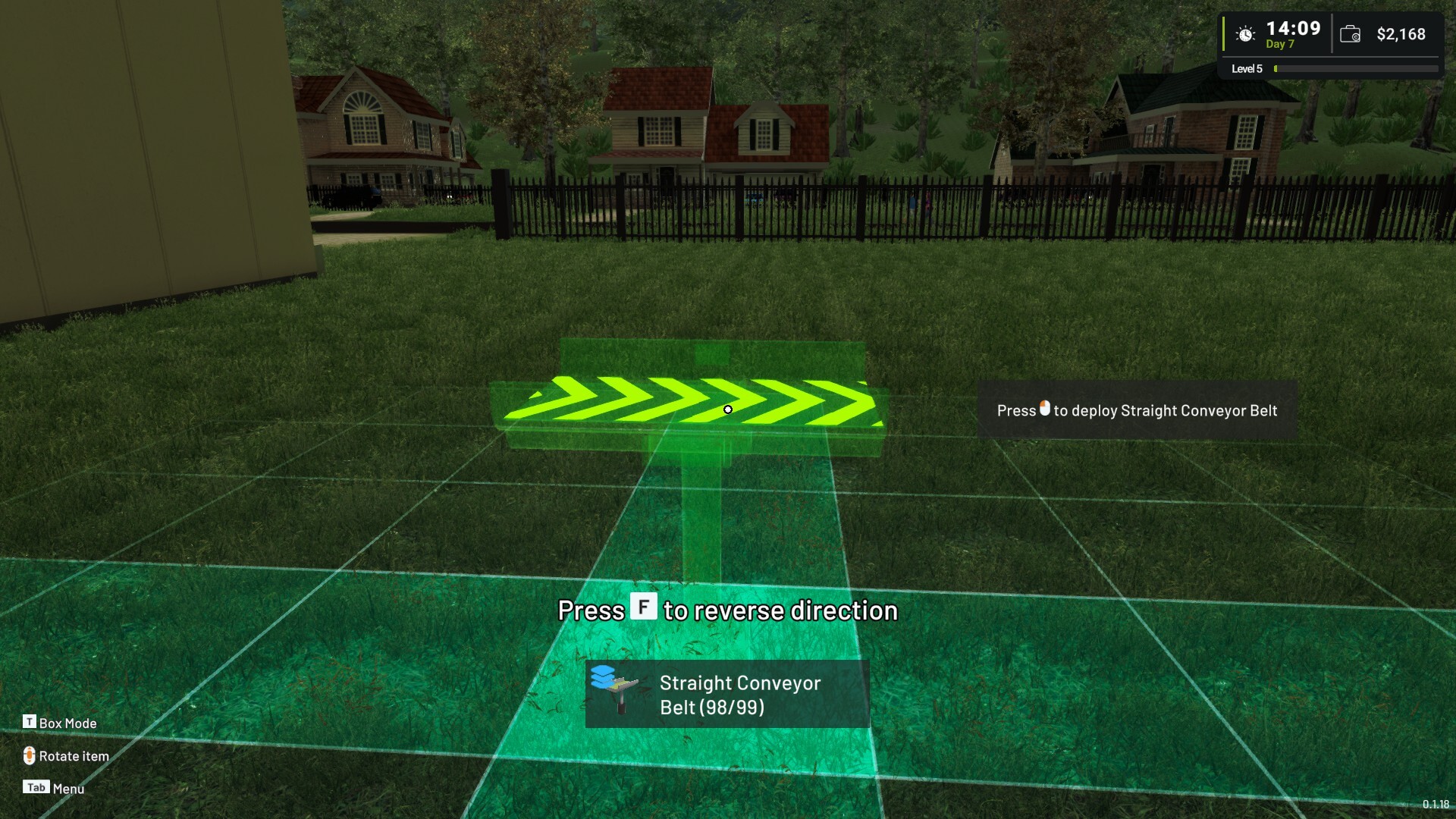
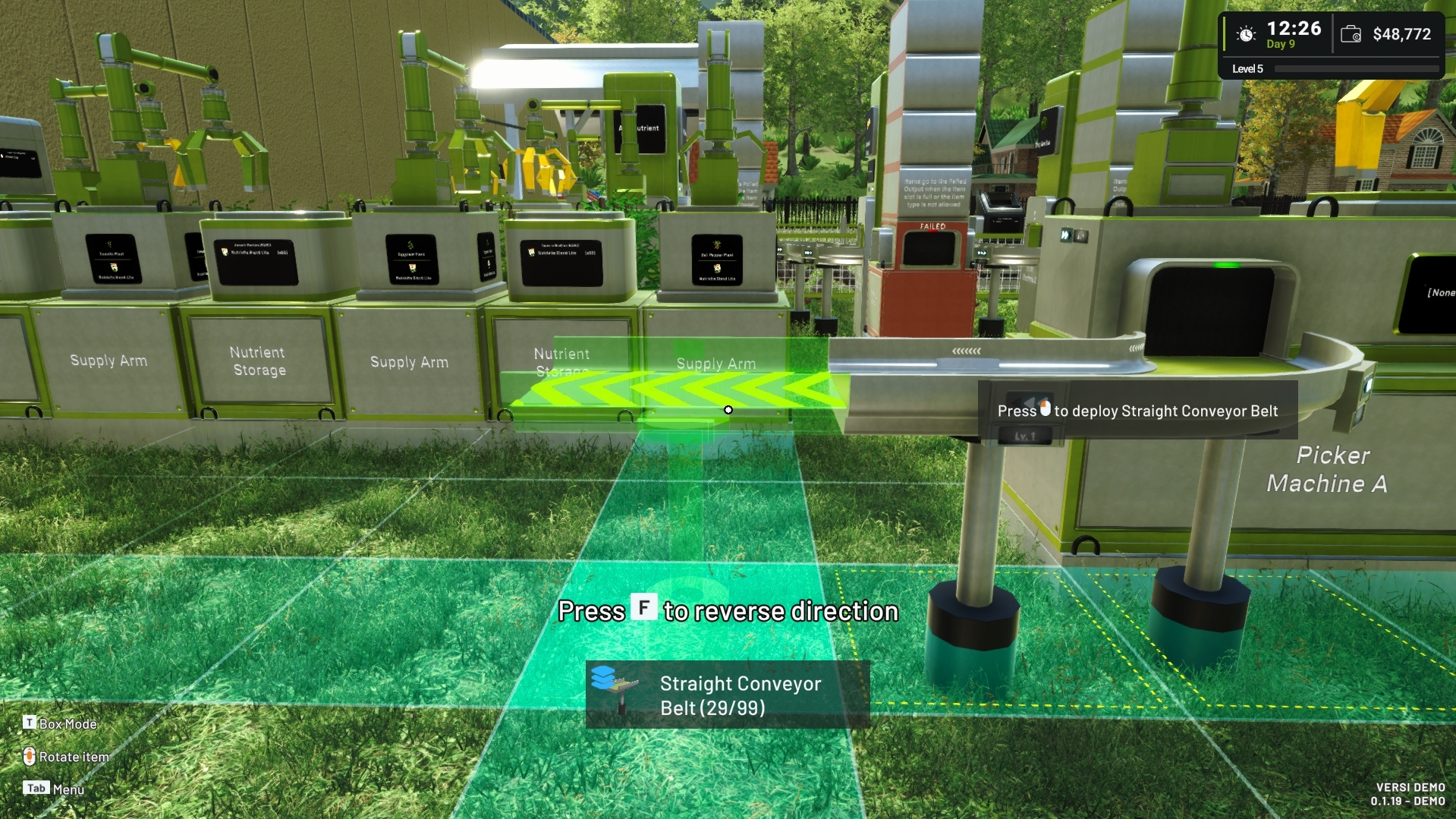
Building production lines is now faster when carrying multiple boxes containing the same Machine.
When Machine boxes can be stacked within the same carrying slot, placing one Machine will immediately prepare the next Machine for placement without requiring you to repeat the box-opening process.
The next Machine will also automatically follow the direction of the previously placed Machine. This behavior applies to all Machine types and continues until the carrying stack is empty or the placement process is canceled.
Continuous placement only applies to Machines. Equipment and Decorations will continue using their normal placement process.
This makes it more convenient to place several conveyors, production Machines, Storage Machines, or other repeated components while constructing and expanding a production line.

2. Improved Storage Machine Management
Storage Machine slots now provide additional controls for organizing and managing stored commodities.
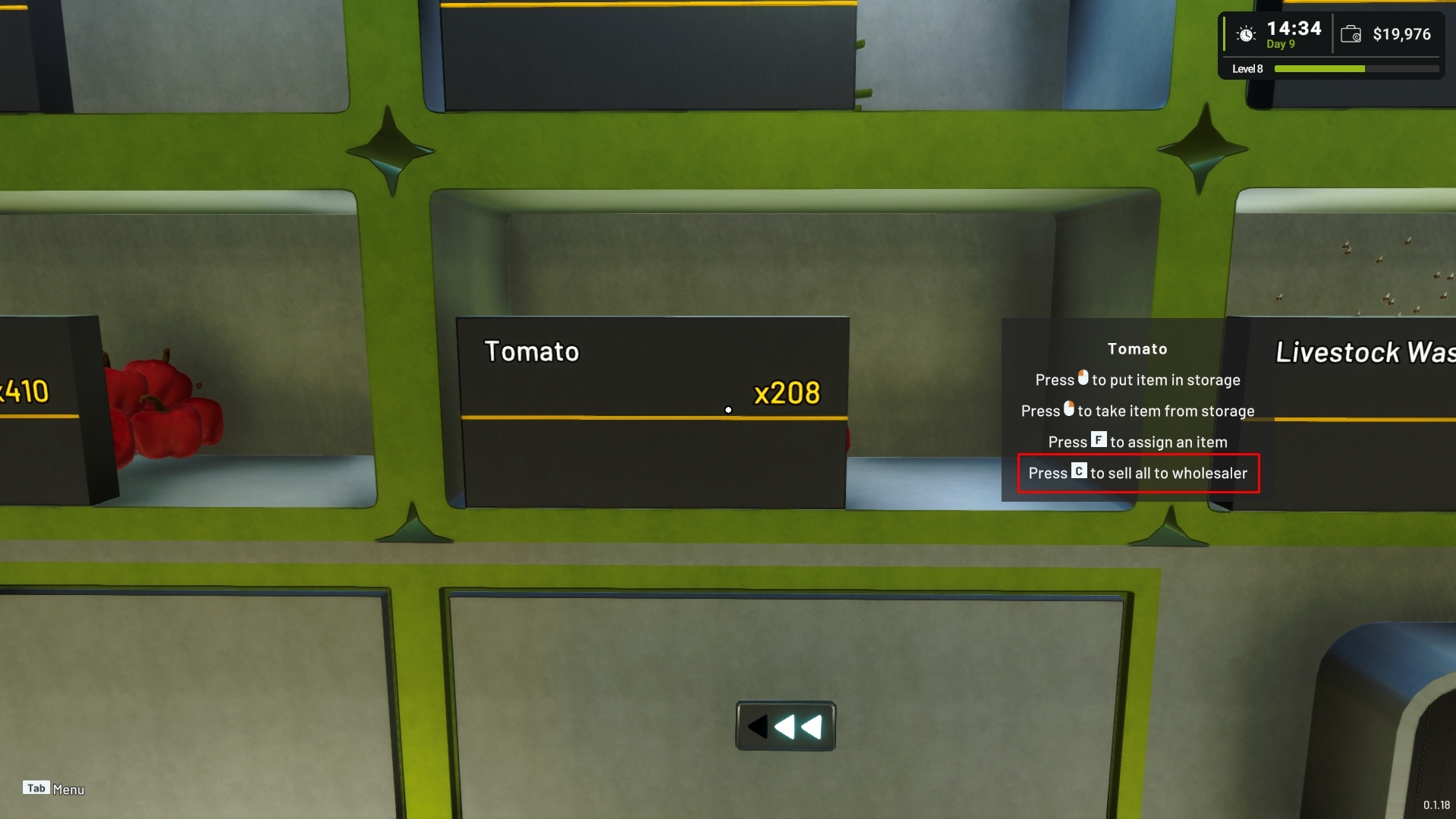
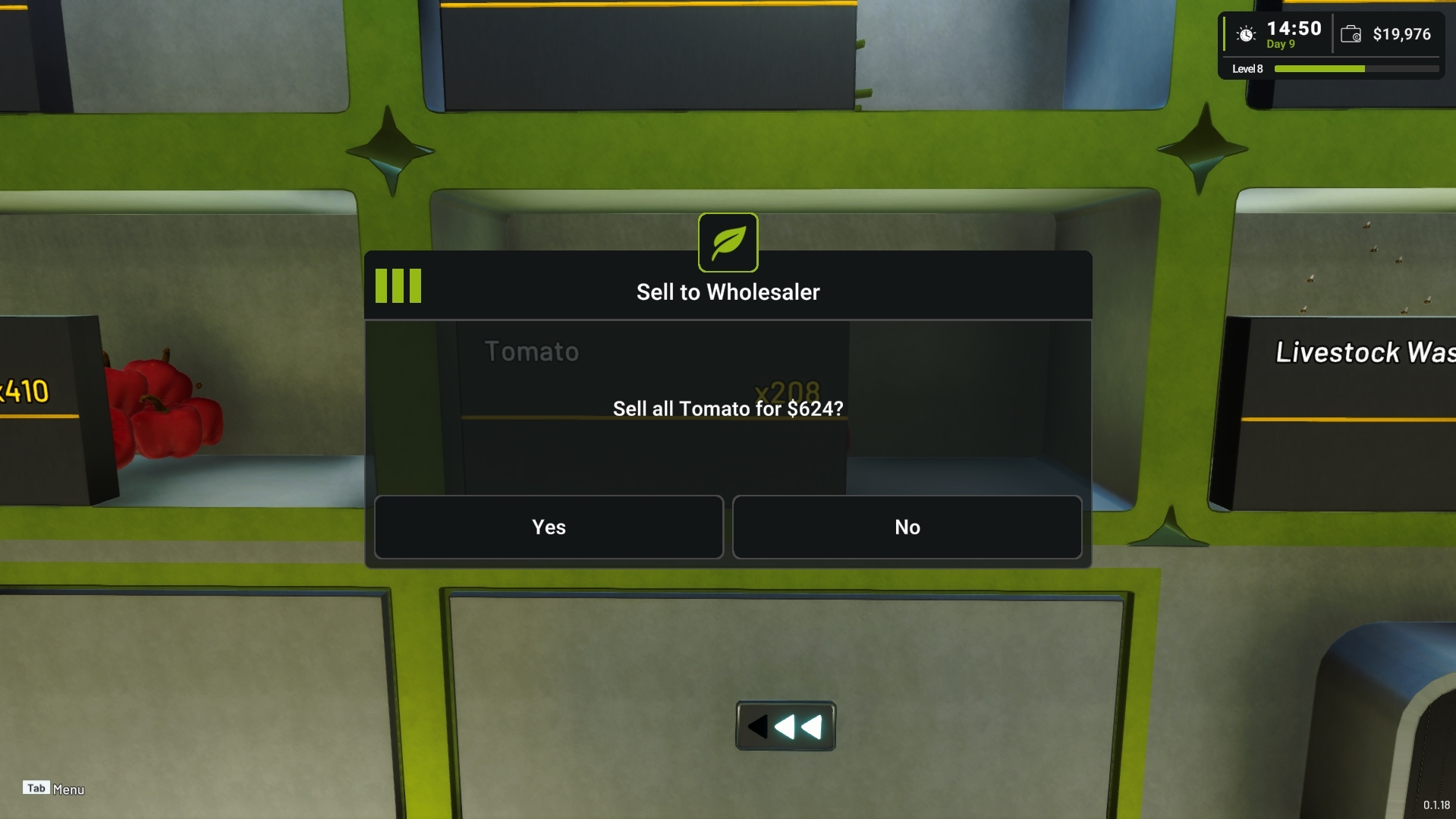
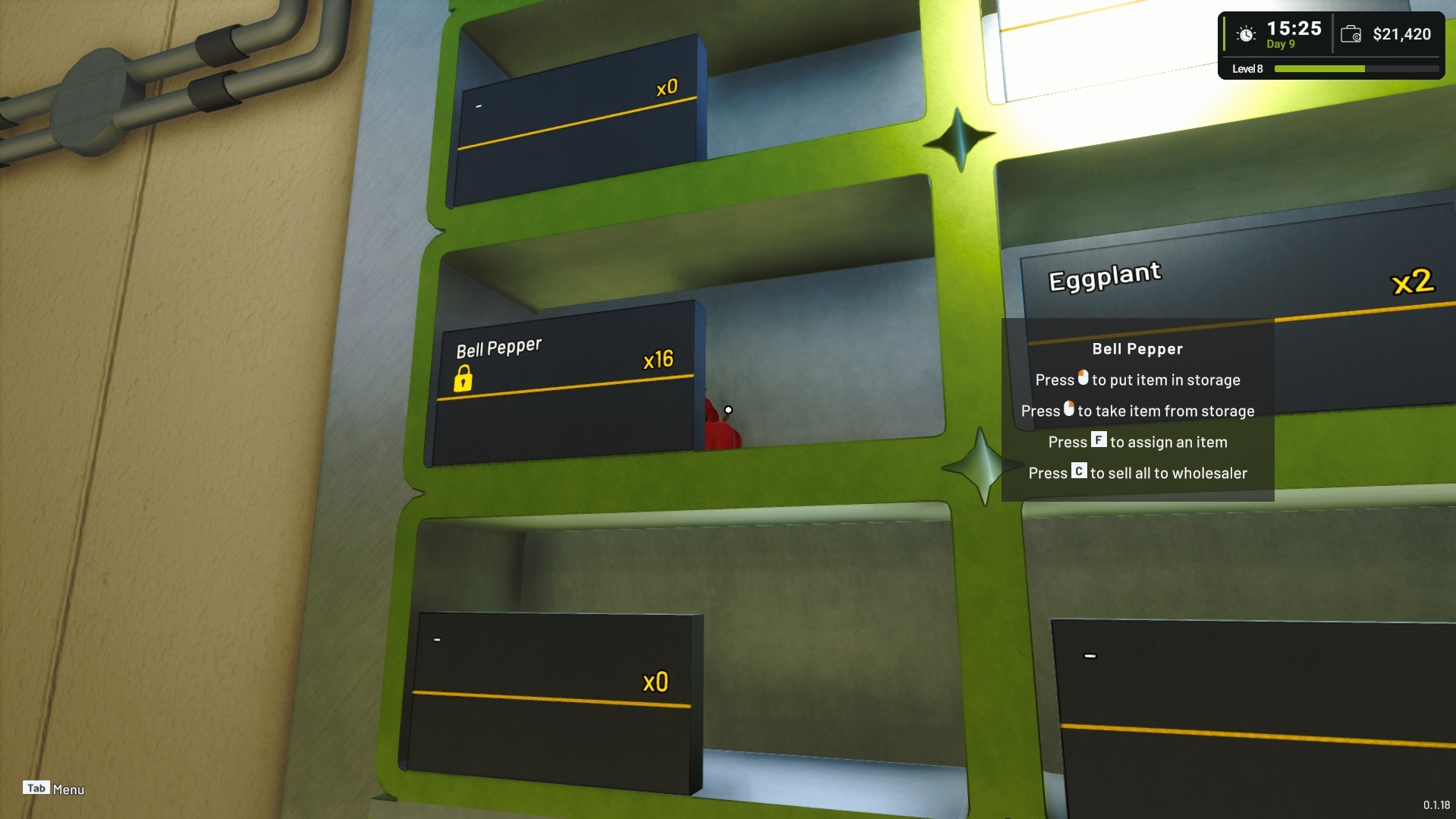
a. Wholesale Sell from Storage Slots
You can now sell the entire contents of an occupied Storage Machine slot directly through its slot interaction.
After confirming the sale, all items currently stored inside that slot will be sold together.
This option:
Is available on Storage Machines.
Can be used for any item stored inside a Storage Machine.
Sells the entire contents of the selected slot.
Uses a wholesale value that is lower than the item's Market Price.
This provides a faster way to clear unwanted or excessive stock without manually transferring every item to a Store Rack.
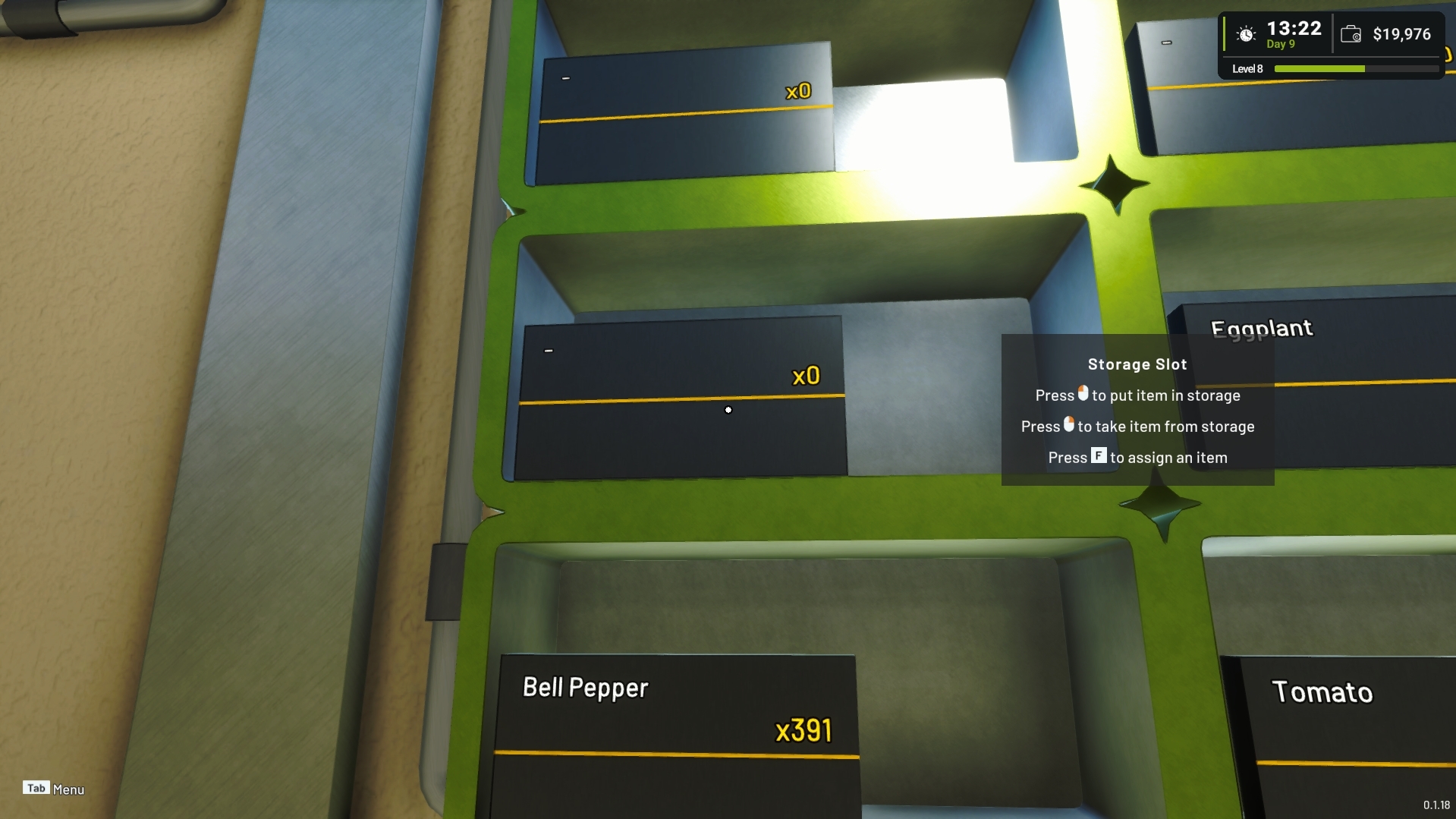
b. Storage Slot Focus Commodity
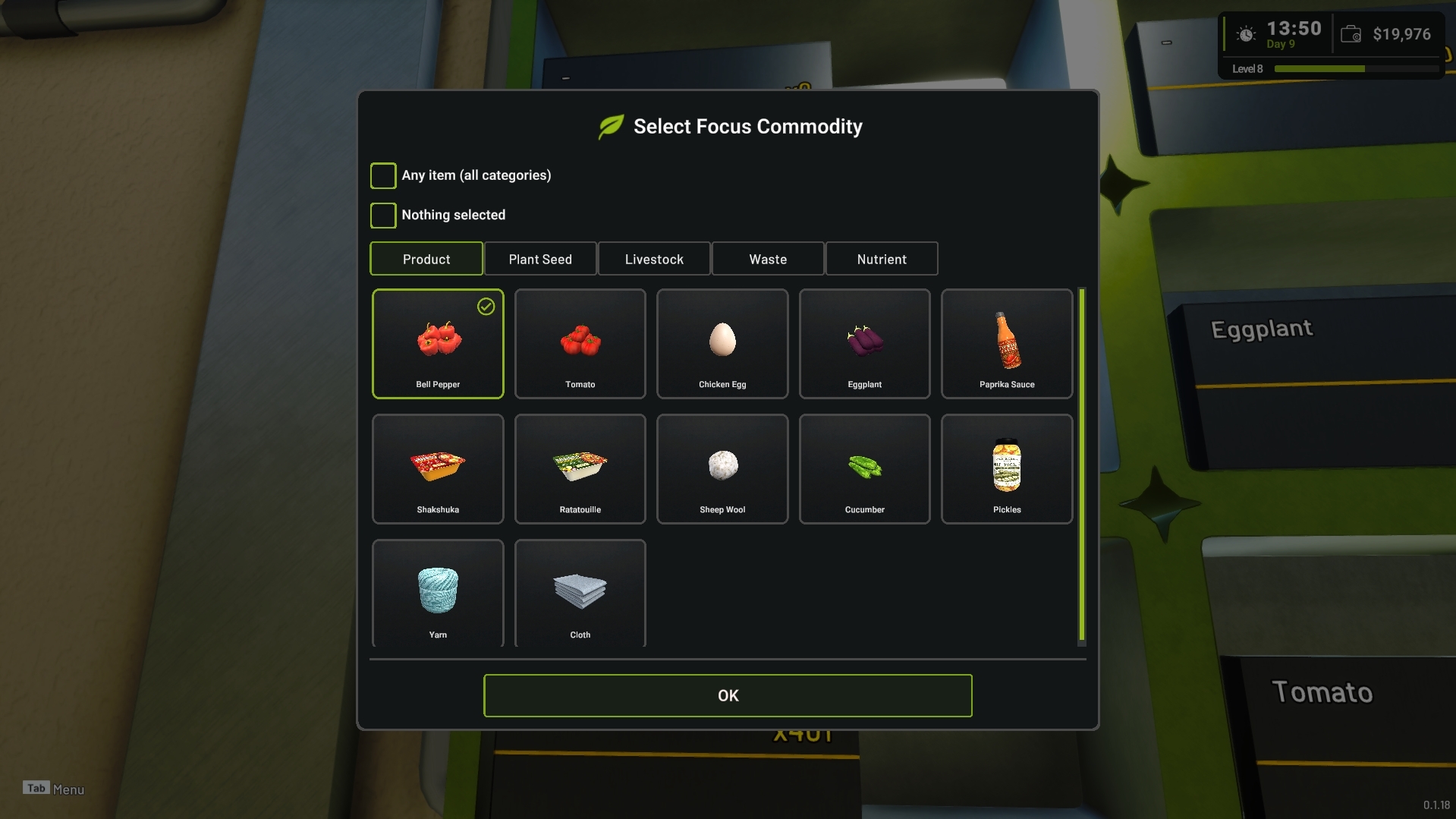
Each Storage Machine slot can now be configured using a Focus Commodity setting.
The available options are:
Any: The slot can accept any supported commodity.
None: The slot will not accept incoming commodities.
Specific Commodity: The slot is reserved for the selected commodity.
When a specific commodity is selected, the slot will only accept that commodity through incoming transfers.
A badge and the selected commodity name will remain visible, including when the reserved slot is still empty.
If a slot already contains a different commodity when its Focus Commodity is changed, the existing stock will remain inside the slot. However, the slot will not accept additional items until the previous stock has been emptied.
Focus Commodity settings are available across all Storage Machines, giving players more control over how commodities are distributed throughout their storage systems.
3. Expanded Processing and Recipe Information
The processing system has been expanded with another Processor Machine, clearer recipe information, and improved visibility for recipes that require a higher Level.
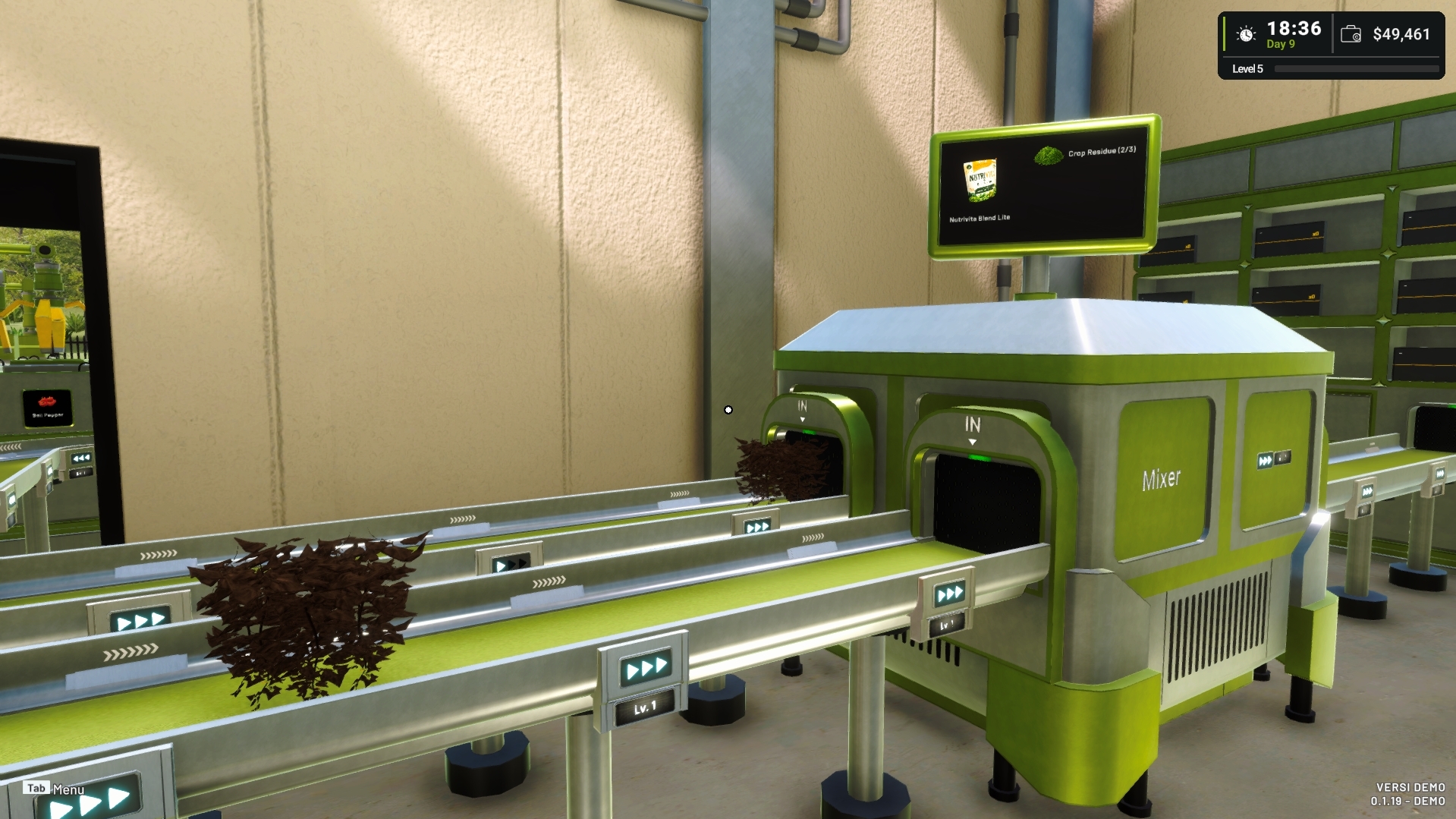
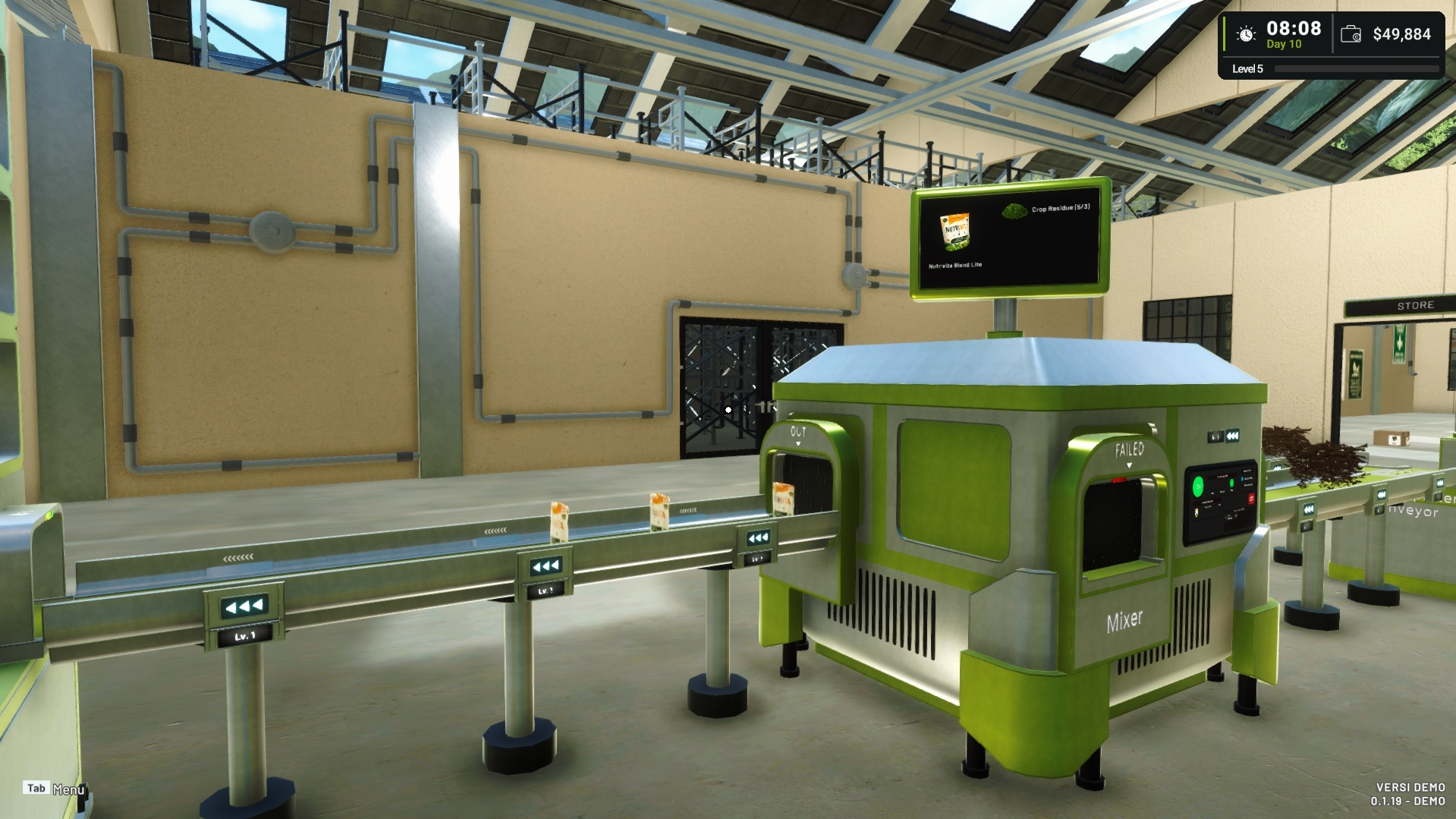
a. Mixer Available in the Demo
The Mixer is now available as an additional Processor Machine within the current Level 5 Demo progression.
The Mixer introduces a new recipe that converts:
3 Crop Residue → 1 Nutrient
Crop Residue collected from dormant plants can now be processed into Nutrient instead of only remaining as unused farm residue.
The resulting Nutrient can be stored inside a Plant Farm Machine and used by the Machine for its plants.
This adds another connection between farming and processing, allowing materials produced at the end of a plant's lifecycle to return to the farming production flow.
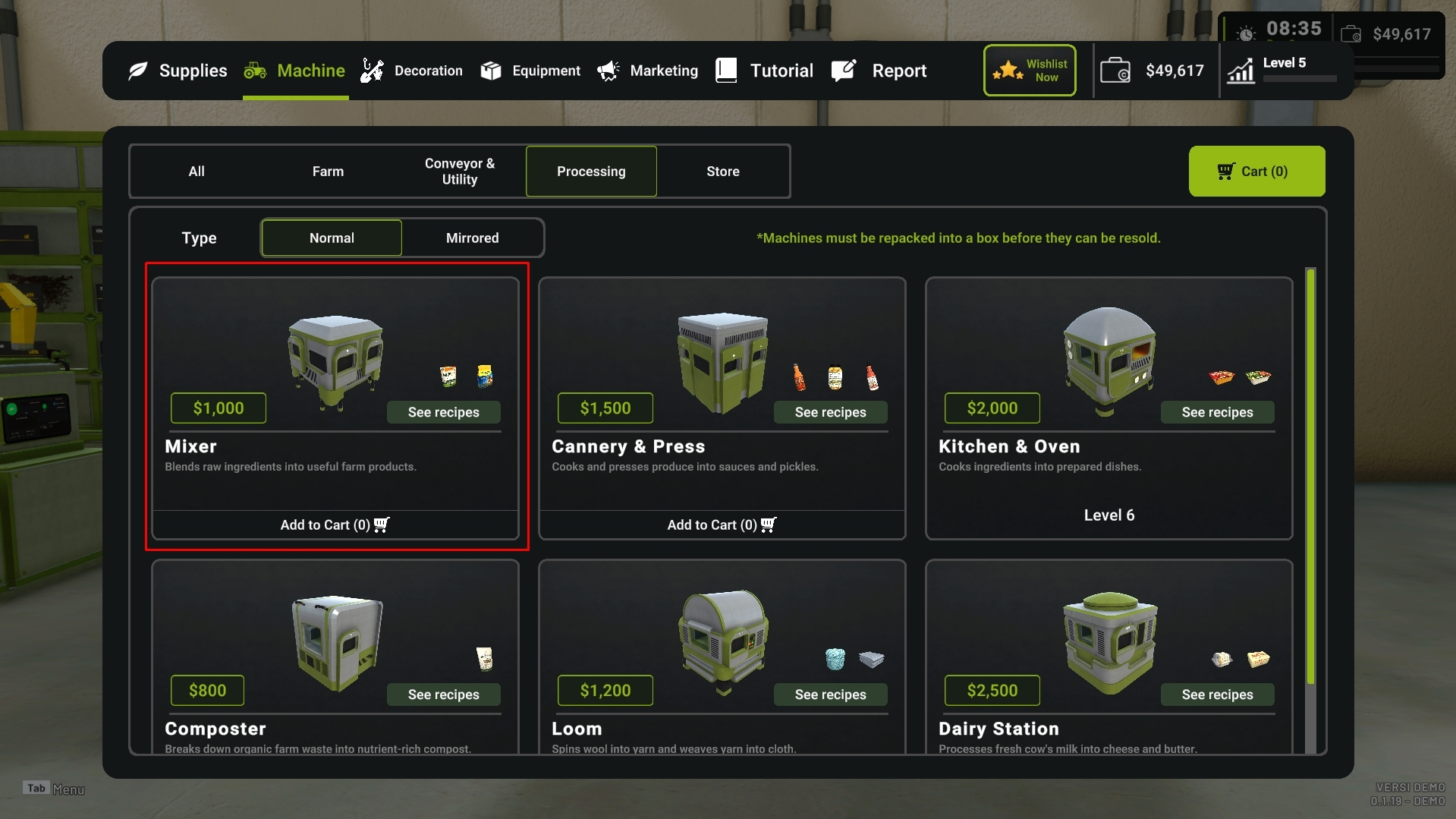
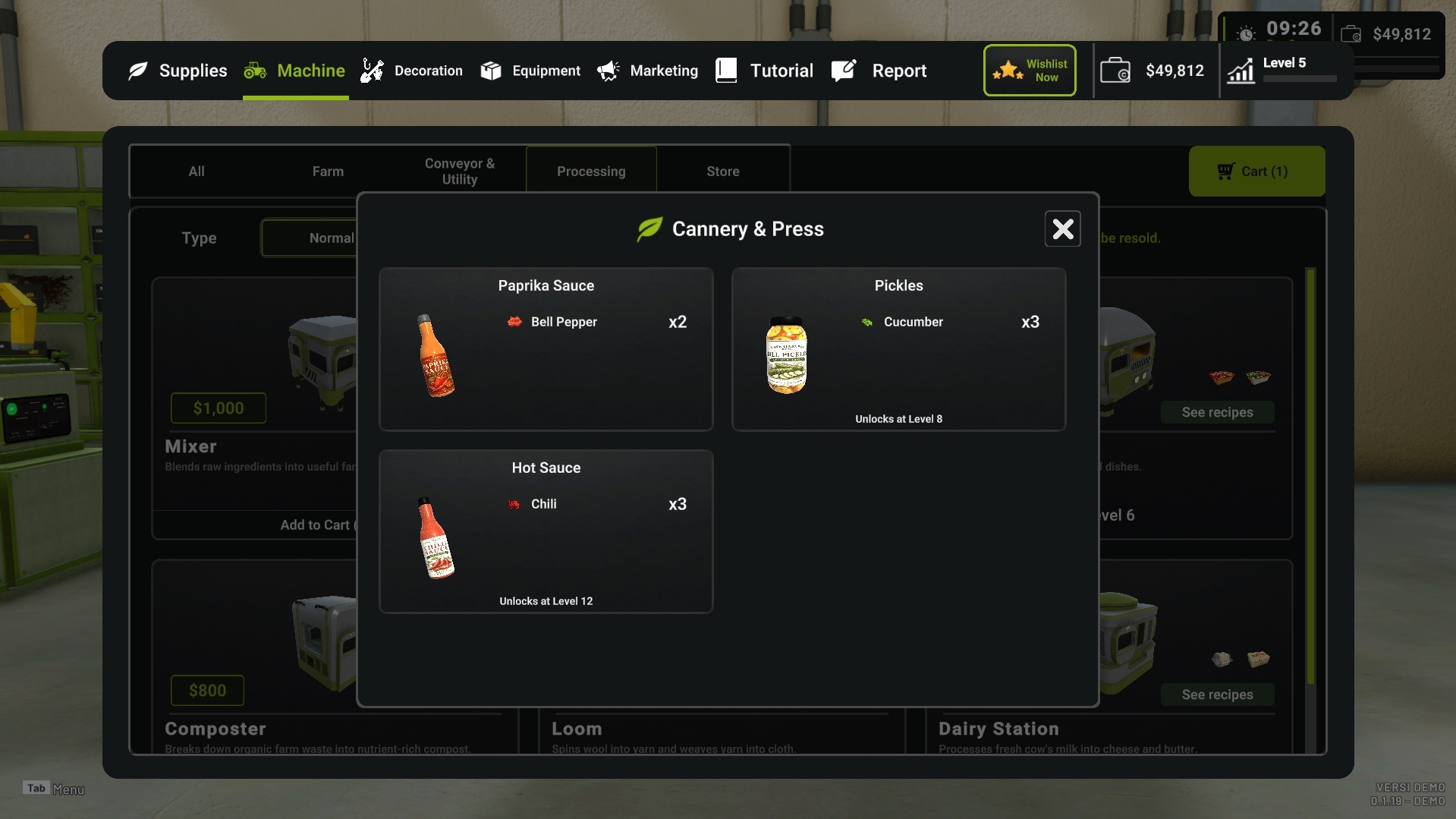
b. View Recipes Before Purchasing a Machine
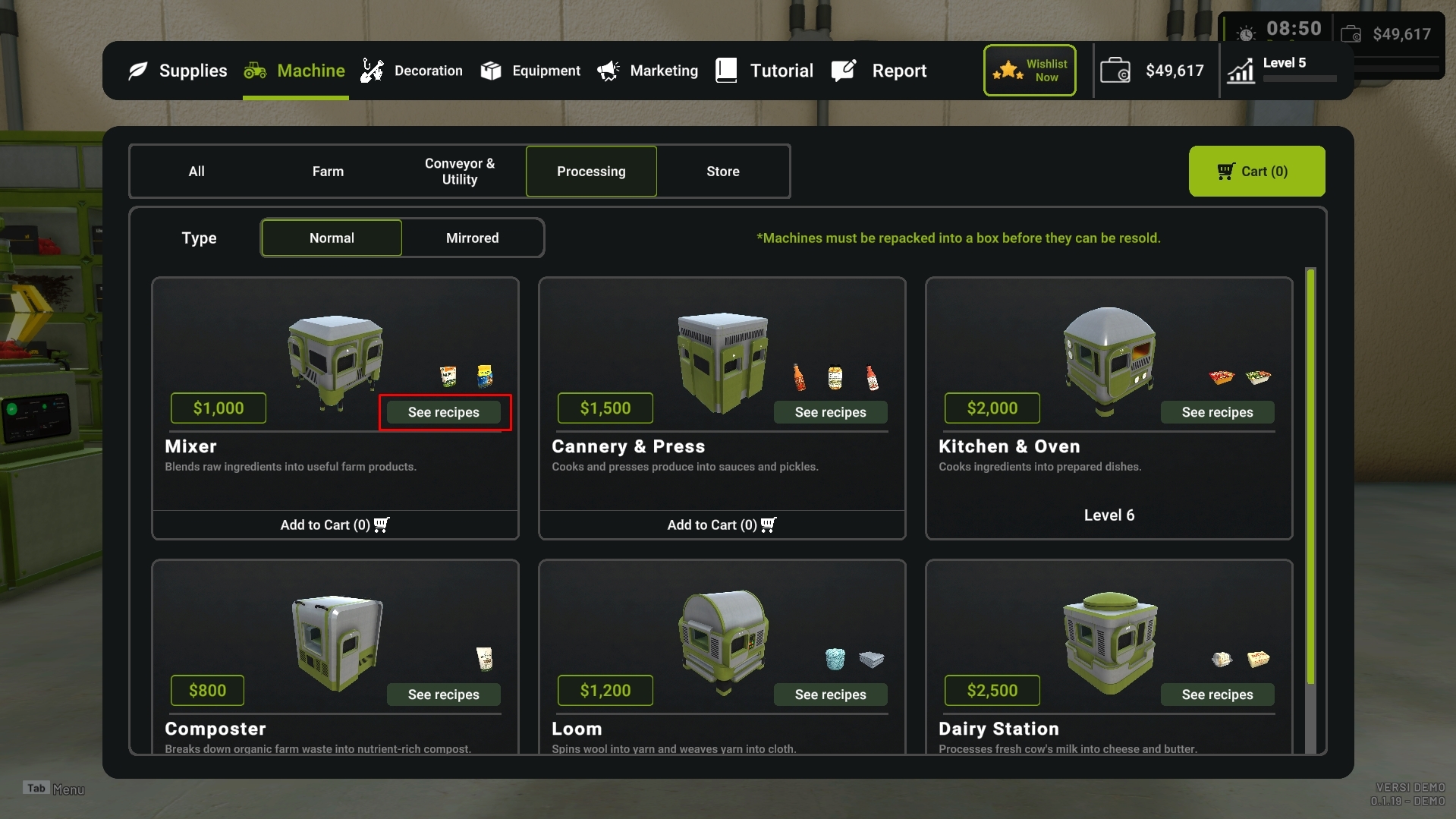
Processing Machine cards in the purchasing menu now provide more information about what each Machine can produce.
Each applicable Machine card displays icons representing its possible outputs.
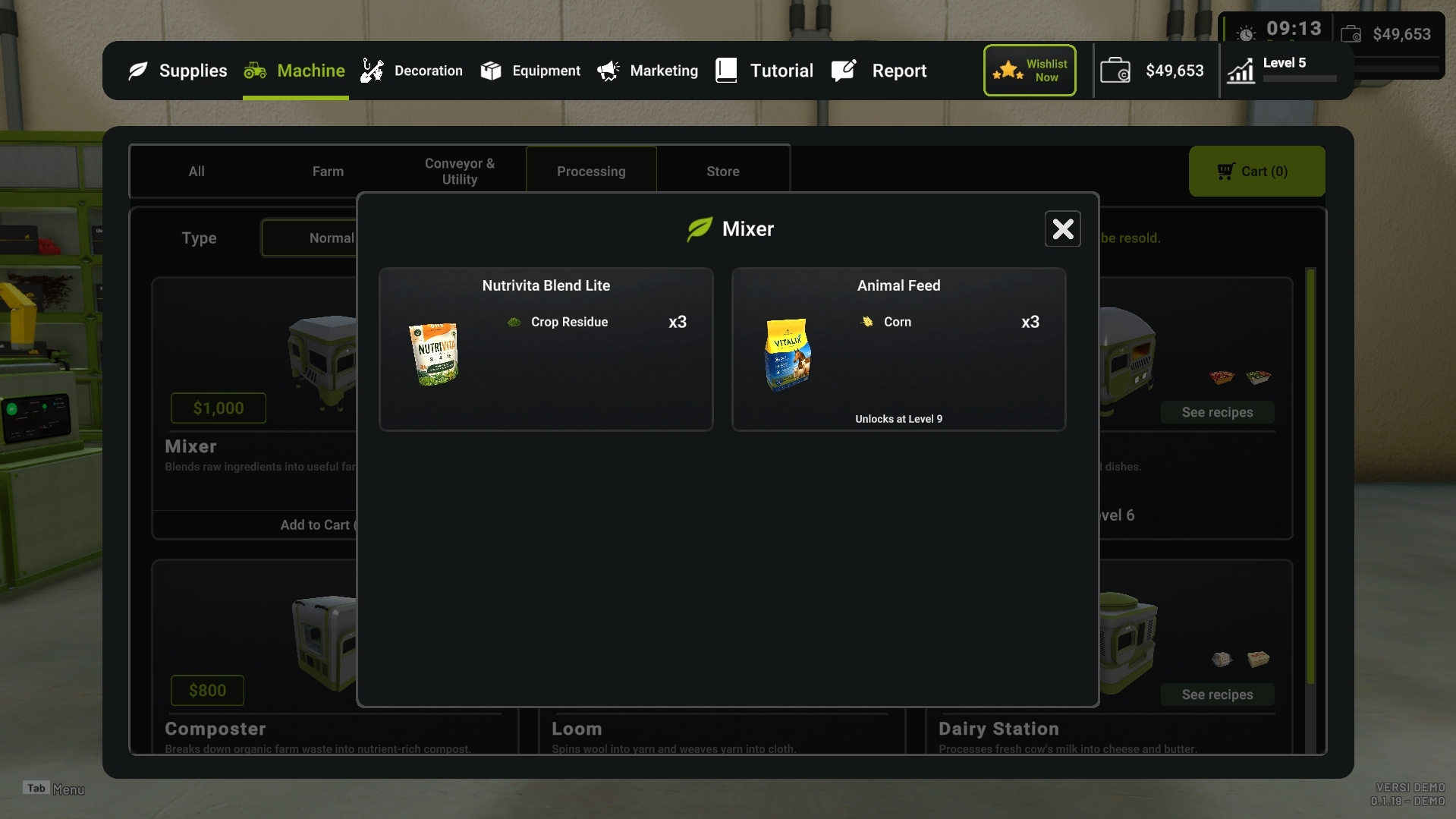
You can also select See Recipes to open a read-only recipe popup containing:
The products that can be created.
The ingredients required by each recipe.
The required quantity of each ingredient.
The Level requirement for recipes that have not yet been unlocked.
All recipes assigned to the selected Processing Machine can be viewed through this popup, including recipes that are not yet available at the player's current Level.
This allows players to understand a Machine's future processing options before deciding to purchase it.
c. Locked Recipes Remain Visible
Recipes that require a higher Level will now remain visible in both the Recipe Picker and the See Recipes popup.
A locked recipe will:
Appear in a locked state.
Display Unlocks at Level {N}.
Continue showing its required ingredients and quantities.
Remain unavailable for selection until the required Level is reached.
This makes future progression easier to understand while preventing recipes from being selected before they are unlocked.
Improvements
1. Hand Mode
Added a new Hand Mode for players carrying multiple items.
While carrying items, players can toggle from Carrying Mode to Hand Mode using the assigned control. In Hand Mode, the carried items are temporarily hidden from view, providing a clearer view of the area in front of the player without removing the items from their carrying slots.
Pressing the same control again will return the player to Carrying Mode and display the carried items normally.
This makes it more convenient to move around, inspect production lines, and interact with nearby objects while transporting several items.
2. Updated Price Tag Information
The Price Tag interface has been updated to provide information that is more relevant when setting Store Rack prices.
The previous Cost Price and Profit information has been replaced with:
The commodity's Market Price.
The selling price determined by the player.
The price margin between the player's selling price and the Market Price.
This makes it easier to compare the selected selling price with the current Market Price before confirming the Store Rack price.
3. More Flexible Shopping Cart
Items can now be added to the shopping cart even when the current balance is not enough to purchase them.
This behavior applies across all purchasing categories.
The balance check is now performed when the player confirms the purchase at checkout rather than when an item is added to the cart.
If the balance is insufficient:
The purchase will not be completed.
An insufficient-balance notification will appear.
The selected items will remain inside the shopping cart.
This allows players to prepare and review a complete purchase before checking whether they have enough money to complete it.

4. Mute Audio When the Game Is Unfocused
Added a new setting that can mute all game audio when the game window is no longer active.
The setting is disabled by default.
When enabled:
All game audio will be muted after switching to another window.
Audio will return when the game window becomes active again.
The game itself will continue running in the background.
This setting allows players to control background audio without changing the game's background activity.
Bug Fixes
Store and Progression
Fixed an issue where the Cucumber tutorial could appear when Eggplant was unlocked. The Eggplant tutorial is now aligned with Level 5, while the Cucumber tutorial remains assigned to Level 8.
Fixed an issue where purchasing a Decoration with insufficient money could provide no response. The game will now display an insufficient-balance notification when the purchase cannot be completed.
Supply Crane
Fixed an issue where a Supply Crane could attempt to move commodities between a Storage Machine and a Store Rack while one of those objects was still being placed.
The Supply Crane will now ignore objects that are currently in placement mode and begin processing them normally after placement has been completed.
Input and Bug Report
Fixed an issue where keyboard or controller input entered inside the Bug Report form could also trigger gameplay actions.
Gameplay input is now blocked while the Bug Report form is open. Typing will no longer move the character, and pressing Enter will no longer trigger End Day or other gameplay actions.
Normal gameplay input will be restored after the form is closed.
Thank you again for playing the Farm Factory Simulator Demo and for continuing to share your reports, feedback, and suggestions with us.
We are still reviewing everything you send, and we will continue prioritizing improvements based on their feasibility and impact on the overall gameplay experience.
The current Demo remains limited to Level 5 and provides access to the basic farming, livestock, automation, storage, selling, and early processing systems with limited content. Additional Machines, commodities, recipes, areas, and progression will become available as development continues toward the full game.
If you encounter any issues or unexpected behavior, please report them through the in-game Bug Report Menu and/or the Steam Discussions so we can investigate further.
See you on the farm! 🌱