
Two focuses this update: cleaning up your logs and wordbook takes seconds instead of minutes, and Playto keeps translating on PCs where the engine used to crash.
Manage logs and the wordbook in bulk
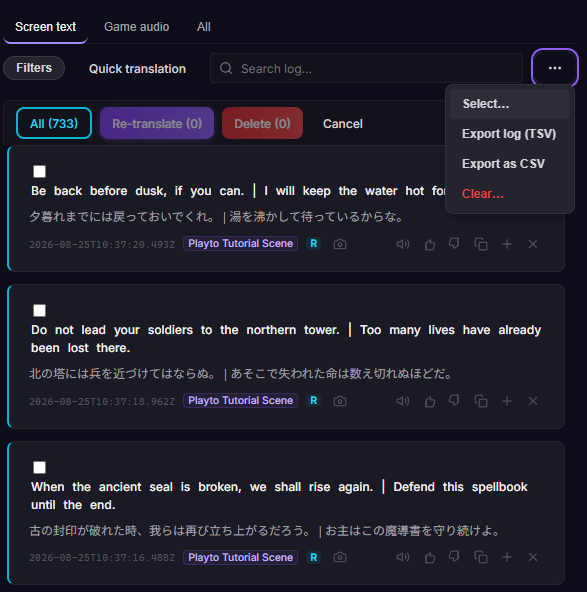
Select & delete — pick multiple entries in Log, Words and Sentences and delete them at once. Delete all now asks for confirmation first.
Swipe — swipe a log entry right to save it, left to delete it, with a few seconds to undo.
Copy — one click copies the original line together with its translation.
Steadier on busy PCs
Before you start — if the game already uses most of your GPU memory, the start screen warns you with the measured numbers and offers a one-time CPU-safe launch. Your settings stay unchanged, and the check runs fresh for every game.
If the engine crashes twice in a row — Playto switches itself to CPU-safe mode and keeps translating. One click on the banner returns to GPU whenever you want.
Self-diagnosis
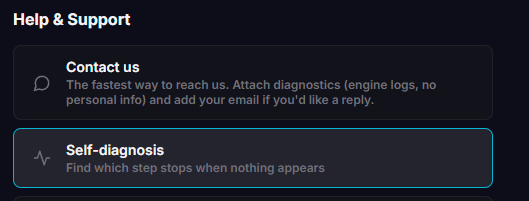
When translations do not show up, run the diagnosis from Help & Support or the Guide. It tests capture, text recognition, translation and display on a built-in test scene, shows which step stops, and offers the fix that matches — including detecting a corrupted model file and re-downloading it, or trying a different installed model.
Other changes
Help & Support now links to the latest news on our Steam page.
Quick Translate captions now default to appearing near the text on existing installs too.
If something still feels off, tell us through Contact us in the app, Discord, or this Steam thread.
If Playto is part of your gaming, a short review helps other language learners find it — and we read every one.