
Major Changes
Element Creator
We've added an option under Settings > Advanced Settings to turn on Developer Mode. This enables features across the editor to build your own elements using our templating system.
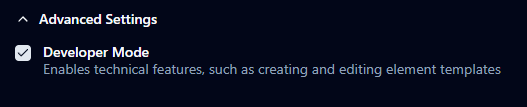
After enabling this, you will see "Create New Element" and "View Draft Elements" menu items which will explain how to create, edit and preview elements live as you work on them. You can then publish them to your Elements Library to then add them to themes.
With Developer Mode enabled, you can also edit elements that come bundled with StormGauge to modify them how you like, and also see what's possible within templates.
New Bundled Themes and Elements
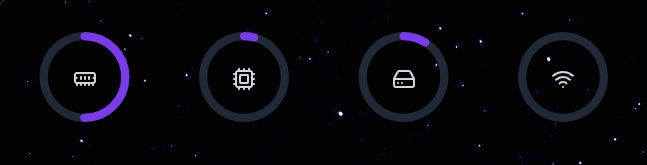
A new Theme called "Nebulous" has been added, which showcases the 4 new Radial elements. The color, size and position of these can be tweaked within Theme settings as usual.
Website Launch
We launched a basic website to showcase some features of StormGauge: https://stormgauge.app/.
We're planning on adding Documentation and Guides on how to create your own elements with the Element Creator to the website soon. This is also the first step to adding more fleshed out online features which we'd like to focus on as well.
Minor Changes/Bug fixes
Improved "Stormy" elements secondary colours
Allow SVGs in element templates (showcased in the new Radial elements)
Fixed a bug where the dashboard sometimes overlayed the taskbar after turning monitors off/on
Split menus into Themes/Elements
Performance improvements - Made Change_wallpaper to be non-blocking so that switching themes is much quicker
Large code refactor and cleanup