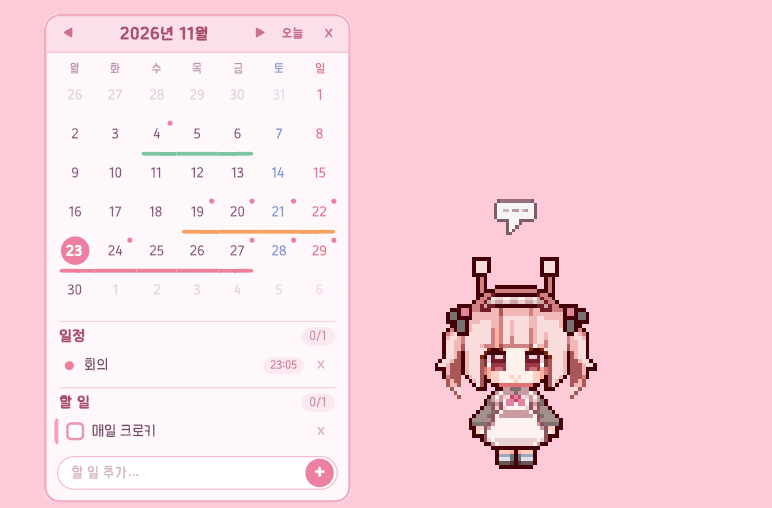
* Introducing the Mini Calendar Widget!
- Created based on user feedback, this small widget lets you check your calendar and today's to-dos right from your desktop.
- You can add 'Mini Calendar' from the Menu Type section in Menu Editor, then toggle it on or off by clicking the calendar icon in the menu.
- It's synced with the to-dos and events in your Diary.
- A small dot appears on days with to-dos, while a colored line indicates scheduled events.
- Events spanning multiple days are connected by a continuous line, making it easy to see their duration at a glance.
- Use the arrows to switch between months, or click the 'Today' button to return to the current date anytime.
* Timer Improvements & Other Changes
- While using the Pomodoro timer, you can now skip the entire loop by holding down the Stop button.
- An indicator has been added to show that the Stop button can be held down when clicking it repeatedly.
- Fixed a bug that prevented the taskbar from being clicked when displaying Haru on a secondary monitor.
(Different bugs may occur depending on your computer environment, so please let us know if the issue happens again.)
* Calendar Improvements
- Improved the event duration lines so they connect more smoothly across multiple days.
- Improved the positioning and borders of event lines.
- Added smooth fade effects when adding or deleting to-dos.
- Added an indicator UI when dragging to-dos.