
Hello, players! This update brings the long-awaited Custom Character Mods and AI Battles—jump in and experience them now!

✨ Major New Features
Super Easy Custom Character Mods
We’ve drastically streamlined the mod loading and creation process—now you can easily use any character mod you love!
·How to load?
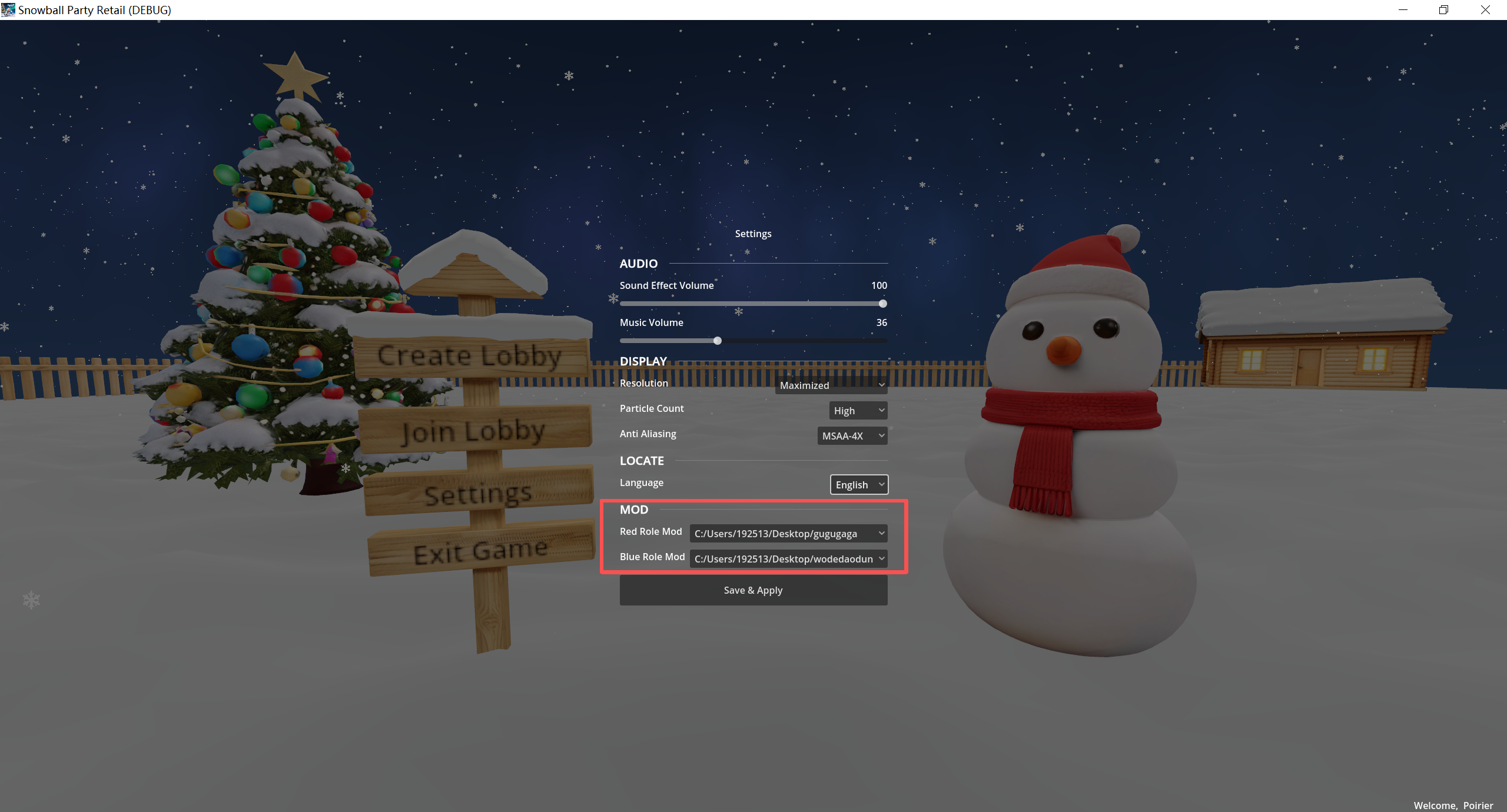
Simply go to Game → Settings → Red/Blue Corner Character Mod, select your mod folder path, and hit load. That’s it—super simple!
How to Create?
Step 1: Prepare Animations
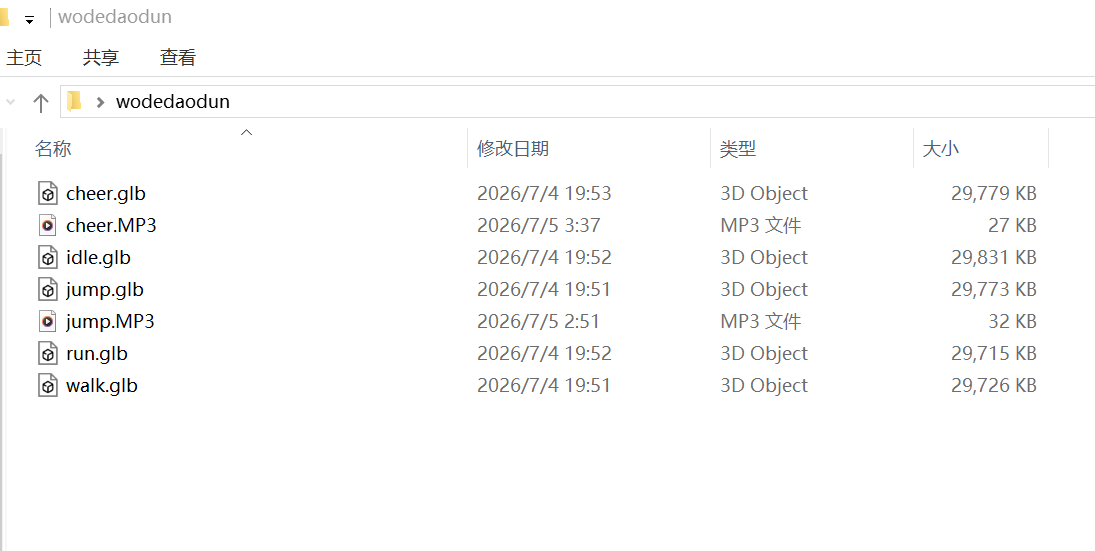
Prepare 5 basic animations for your character in GLB format: idle.glb, walk.glb, run.glb, jump.glb, and cheer.glb. Ensure the models and skeleton rigs are consistent across all files.
💡 Tip: Only idle.glbis mandatory. Missing any of the other animations will not cause loading errors; the game will simply skip those corresponding actions.
Step 2: Prepare Sound Effects
Prepare sound effects for jumping and cheering in MP3 format, named jump.mp3and cheer.mp3respectively.
💡 Tip: Sound files are also optional and will not trigger errors if missing.
Step 3: Pack & Play
Place all the files mentioned above into a single folder. Select this folder in the game settings to load your custom character mod!
Quick Tip: Press E in-game to trigger the celebration animation and sound effect!
2. AI Battle System
No human players around? You can now add AI bots when creating a room! Invite AI teammates to fight alongside you, or set them up as opponents for a challenging match.
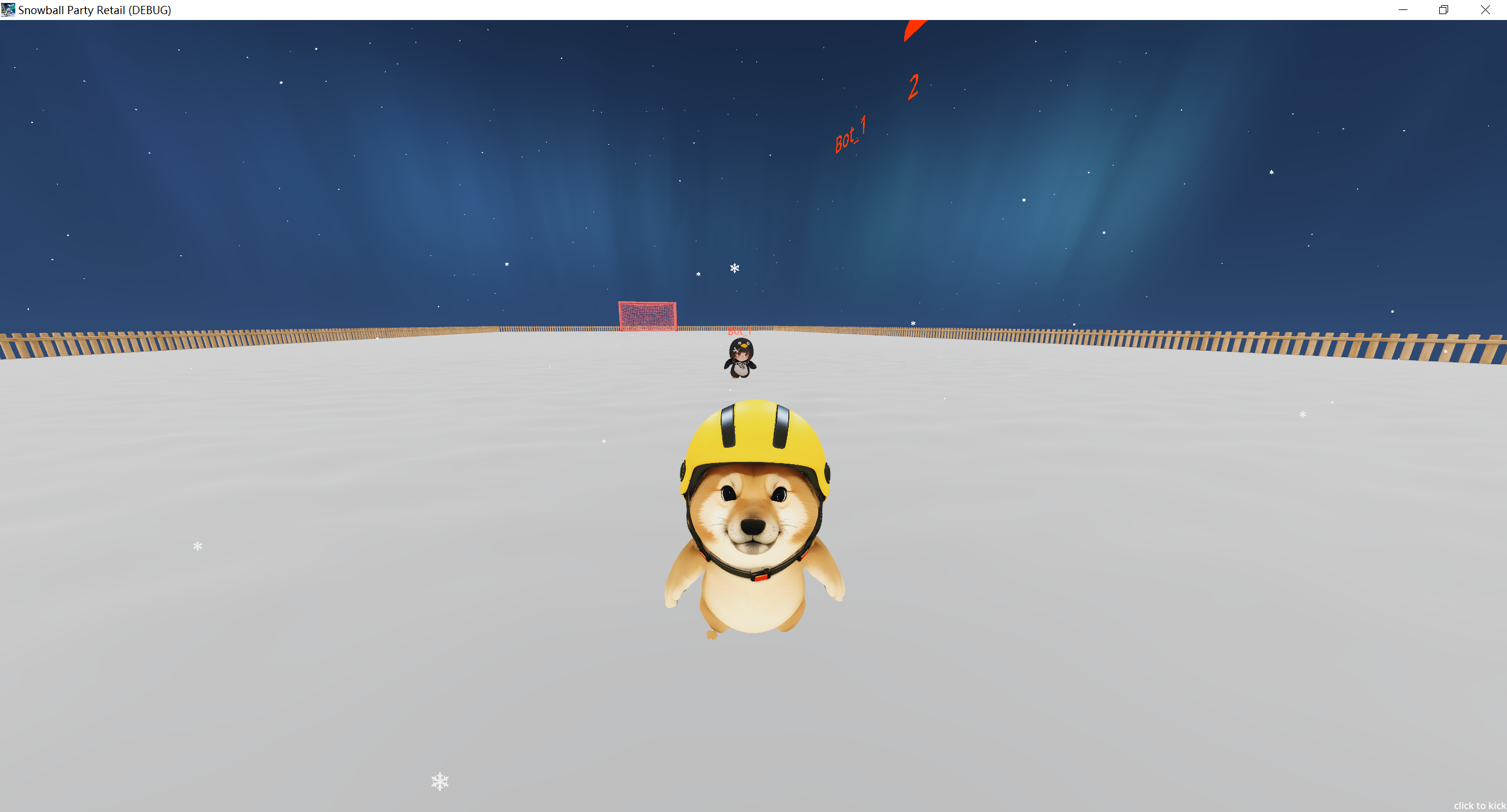
⚠️ Dev Note: We may have accidentallytuned the AI a bit too strong… Think you’re smart enough to figure out how to beat them? ːsteammockingː
🛠️ Optimizations & Fixes
UX Improvements: Optimized game startup and loading screens.
Localization: Filled in previously missing translated text.
Name Display: Added name tags and team color indicators above characters for easier teammate identification.
Happy gaming!