
Patch Notes — v0.1.4
Steam Achievements
Improved tutorial
The career tutorial has been fully redesigned to be clearer and more intuitive.
Desktop icons are now locked during the tutorial: only the icon for the current step is accessible, the others are greyed out.
The target icon glows amber to clearly show where to go.
Tutorial texts have been rewritten with numbered instructions (e.g. 1. Check... 2. Select... 3. Click...) so each step is unambiguous.
Animated golden arrows appear to point exactly at the button or element to click at each sub-step.
In the Training page: an arrow points to the "Unassigned vehicle" checkbox, then the "Crew commander 1 team" training is highlighted, then an arrow points to the "Assign training" button.
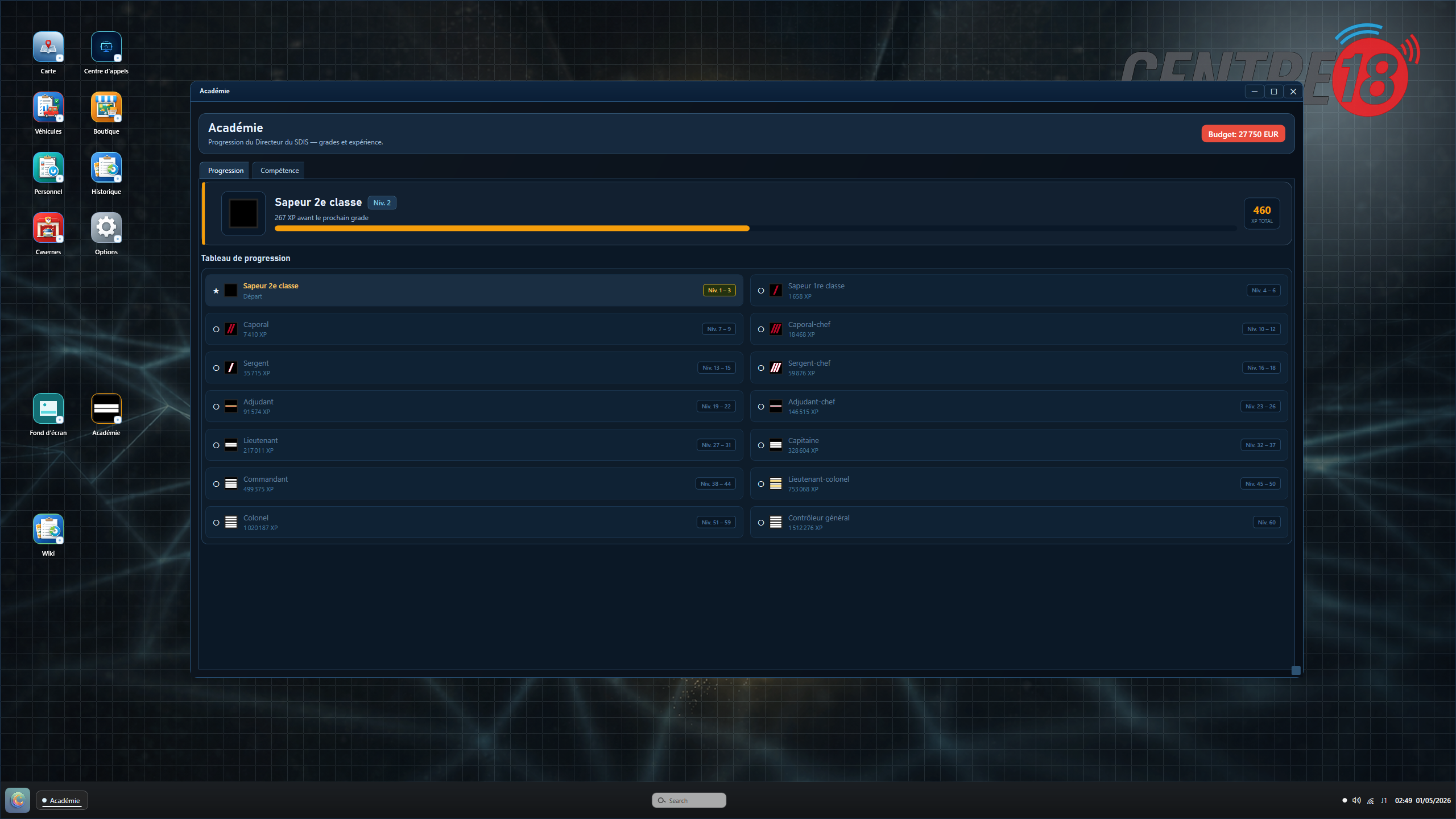
A new tutorial step has been added: the Academy (step 8). The Progression tab is shown first to introduce the XP and rank system. A golden arrow then guides you to the Skills tab to discover unlockable permanent bonuses.
Improved wiki
A new "Academy" category has been added to the Wiki: two detailed sections explain the XP/rank system and the skill tree (6 branches, 4 tiers, permanent bonuses).
Missing sections across all existing categories have been completed: mission cycle on the Map, Personnel assignments, vehicle crew and readiness, purchase flow and fleet in the Shop, mission reading and finances in History, station management actions and mechanic in Stations, wallpaper import and preview, display/audio in Options.
New features and improvements
22 Steam achievements have been added, unlockable in Career mode only.
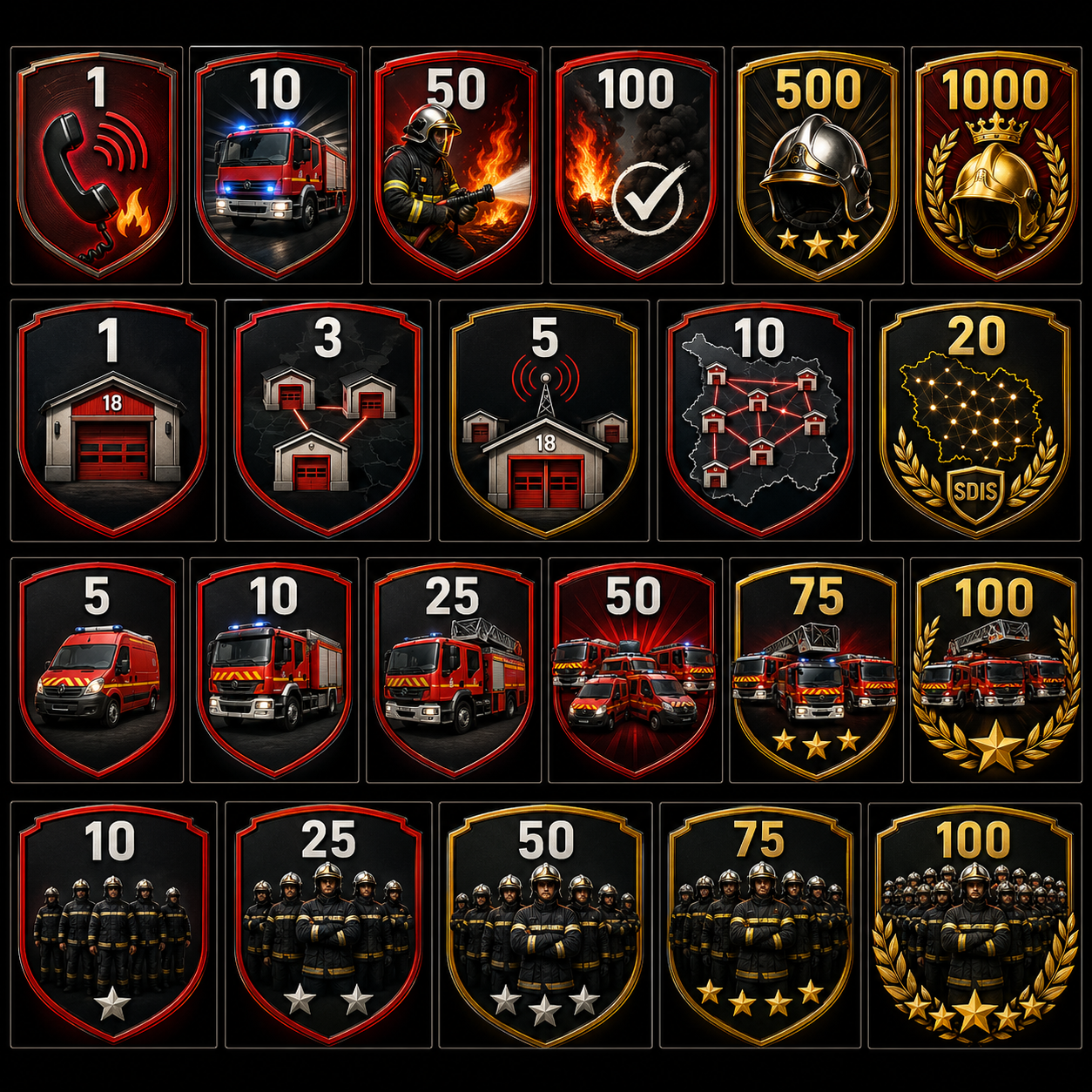
Mission achievements: First Call, Getting Started, Seasoned, Centurion, Veteran, Fire Service Legend (1 to 1,000 completed missions).
Station achievements: First Station, Local Network, Operational Hub, Territory Coverage, Departmental SDIS (1 to 20 stations).
Vehicle achievements: First Fleet, Operational Fleet, Motor Pool, Large Fleet, Armada, Century Fleet (5 to 100 vehicles).
Personnel achievements: Strike Team, Reinforced Roster, Sizeable Corps, Large Corps, Century Corps (10 to 100 firefighters).
Achievements are available in French, English, German, and Spanish.
The call center now displays better on smaller screens.
In the call queue, the Calls and Ring buttons no longer overlap the title when resizing the window.
Station cards on the Personnel, Recruitment, and Training pages have been redesigned for better readability (level badge, capacity, address).
Active missions now open with a single click (previously double-click).
The Skills tab in the Academy has been fully redesigned: the skill tree is now organized into 6 clear branches, each with a description of its effect.
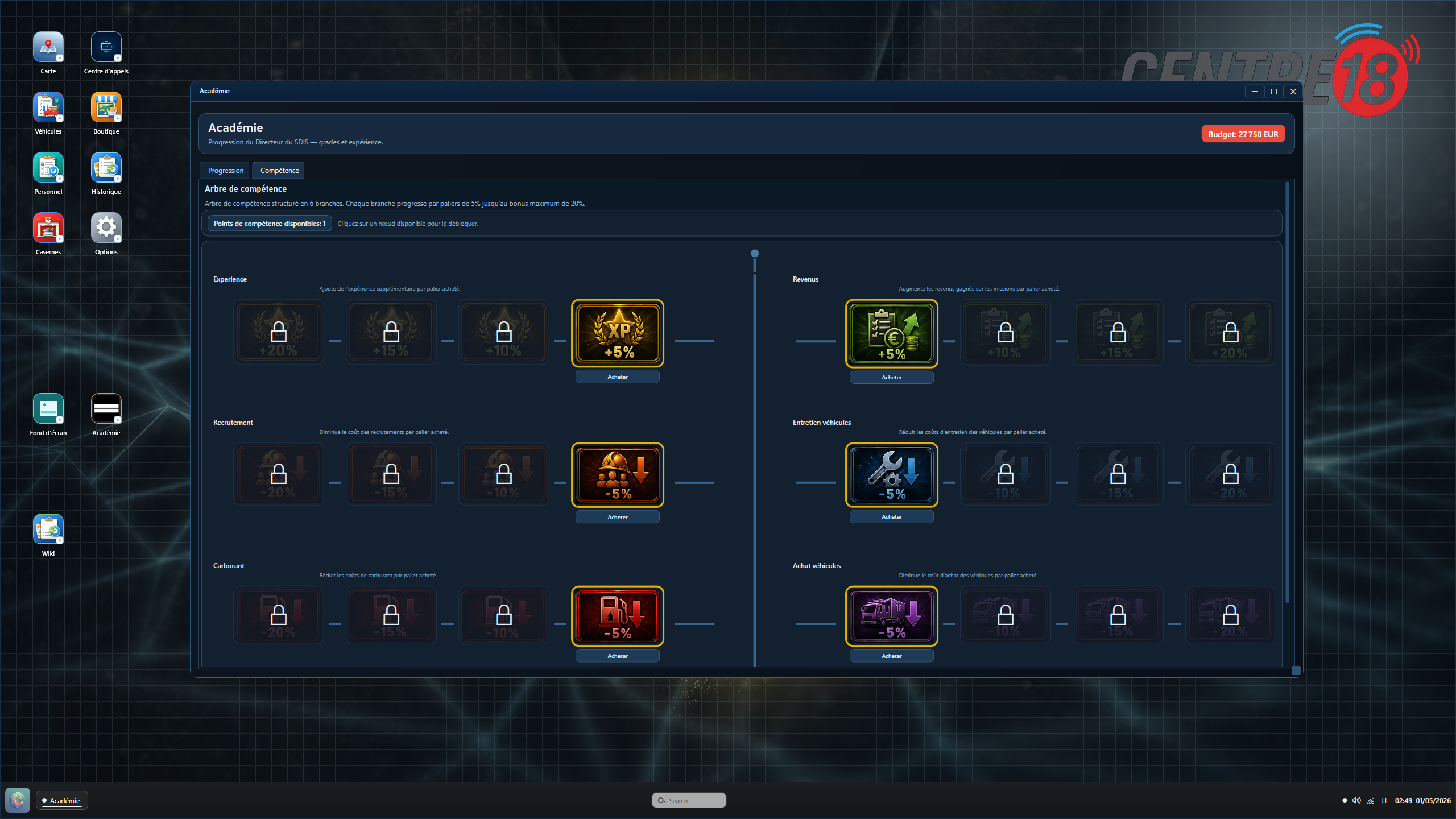
Each branch offers 4 progressive bonus tiers from 5% to 20%: XP, mission income, recruitment, vehicle maintenance, fuel, and vehicle purchase costs.
You earn 1 skill point per level, used to unlock tiers in order (I > II > III > IV). Cost: 1 pt (+5%), 2 pts (+10%), 3 pts (+15%), 4 pts (+20%).
A confirmation prompt now appears before purchasing a skill. If you don't have enough points, a clear message is displayed.
The skill tree now resizes properly with the window.
The progression table has been replaced with a 2-column card layout for better readability.
All skill branches are now active in-game: your XP, income, recruitment, vehicle purchase, fuel, and maintenance bonuses are applied based on your unlocked tiers.
You now earn XP at the end of each mission, based on its priority, victims, hospital transports, and handled evolutions.
XP earned per mission is now visible in the mission detail view in History.
In the store, the vehicle purchase price now shows the base price, the Academy discount, and the final price.
The History page has been fully redesigned: filter by type (income/expenses/profit), by period (today/week/month/all time), and by station.
Financial summary cards have been added to the History page (total income, expenses, net profit).
Completed missions and the financial log now filter in real time based on your selected criteria.
XP earned is now shown on each mission card in History. A hint indicates you can double-click to see the full detail (radio messages, dispatched vehicles...).
Notifications now appear at the bottom of the screen when a mission requires reinforcement or a hospital transport.
An "Open mission" button in the notification takes you directly to the mission.
These notifications disappear automatically once the action has been handled.
Bug fixes
Fix: the right panel information (vehicle, estimated reward) no longer stays visible after hanging up and selecting a new waiting call.
Fix: after dispatching resources, the call now closes cleanly and the next one is automatically selected.
Fix: when loading a save, the call queue resets properly; only active missions are kept.
Fix: badges in vehicle management no longer overlap the vehicle name.
Fix: History filters no longer reset when the page refreshes.
Fix: expenses showed as 0 EUR in the financial log when using unlimited budget mode.
Fix: a taken call could appear duplicated in the queue after asking for the address.
Fix: a selected vehicle in the dispatch section could randomly deselect itself shortly after clicking.